
Think of ChatGPT as less of a search engine and more of a creative partner. It’s an AI you can talk to, developed by OpenAI, that goes far beyond just finding information. You can ask it to draft an email, write a piece of code, brainstorm marketing angles, or even whip up a sonnet about your dog.
It’s like having a collaborator who’s instantly available, has absorbed a staggering amount of the internet’s text, and can synthesize that knowledge to create something entirely new, just for you.
Understanding ChatGPT and Its Impact
At its heart, ChatGPT is a conversational AI. You give it a prompt—a question or a command—and it generates a surprisingly human-like text response. While the interface is simple, the technology behind it is powerful enough to handle an incredible range of tasks, changing how many of us get work done.
This isn’t just about fetching facts. The real magic of ChatGPT is its ability to generate, summarize, and transform content. It acts as a co-pilot, helping you get from a blank page to a finished draft much faster than you could on your own. This is why its sudden rise wasn’t just temporary hype; it signaled a fundamental shift in how we create.
Why It Gained Popularity So Quickly
The tool’s growth was nothing short of explosive—one of the fastest adoptions in tech history. It pulled in 1 million users in just five days and rocketed to 100 million weekly users within a year of its launch. This meteoric rise points to its undeniable, immediate value. You can explore more on these ChatGPT statistics to see just how quickly it scaled.
Its success really boils down to three things:
- It’s incredibly easy to use. If you can send a text message, you can use ChatGPT. There’s no steep learning curve, which put powerful AI into the hands of millions almost overnight.
- It’s unbelievably versatile. One minute a student is getting help with a history essay, and the next a developer is using it to debug a tricky piece of code. Its applications feel almost limitless.
- It delivers immediate results. Within minutes, you can have a well-written email, a month’s worth of social media ideas, or a simple script that would have taken hours to build from scratch.
ChatGPT democratized access to powerful AI, putting a tool previously reserved for researchers and large tech companies into the hands of millions. It serves as a creative co-pilot, a tireless assistant, and an instant knowledge source.
Ultimately, getting a handle on ChatGPT is crucial because it represents a new class of tools that don’t replace human thinking but augment it. It helps us brainstorm better, automate tedious work, and unlock new creative avenues. For professionals in almost any field, mastering this tool is quickly becoming an essential skill.
How ChatGPT Actually Works: A Simple Explanation
Under the hood, ChatGPT is driven by a powerful form of artificial intelligence known as a Large Language Model, or LLM. The simplest way to think of an LLM is as a massive, digital brain that has absorbed an incredible amount of text and code from the internet—books, articles, websites, you name it. Its core job sounds simple but is wildly complex: predicting the most probable next word in any given sentence.
Imagine an apprentice who has read nearly everything ever published. They haven’t just memorized facts; they’ve learned the deep patterns of language—grammar, context, tone, and the subtle ways ideas connect. When you give ChatGPT a prompt, it leans on this vast library of patterns to build a response, one word at a time, based on what it predicts should come next.
The Two-Stage Training Process
ChatGPT’s intelligence isn’t magic. It’s the product of a very deliberate, two-part training process that explains both its incredible abilities and its occasional weirdness.
- Pre-training: Building the Foundation of Knowledge
In this first, unsupervised stage, the model is simply fed a gargantuan dataset of internet text. It teaches itself to predict the next word in a sentence over and over again, and in doing so, it discovers the rules of grammar, absorbs facts, and even develops a kind of rudimentary reasoning. This is where it builds its base understanding of the world as it’s represented in writing. - Fine-Tuning: Adding the Human Touch
The pre-trained model is smart but raw. The second stage involves human AI trainers who step in to refine its behavior. Using a process called Reinforcement Learning with Human Feedback (RLHF), they guide the model to produce answers that are more helpful, harmless, and aligned with what people actually want. Trainers rank different model responses to the same prompt, essentially teaching the AI what a “good” answer looks like from a human perspective.
This infographic gives you a quick visual of how ChatGPT acts as a versatile AI assistant, ready to draft content, write code, or help spark new ideas.
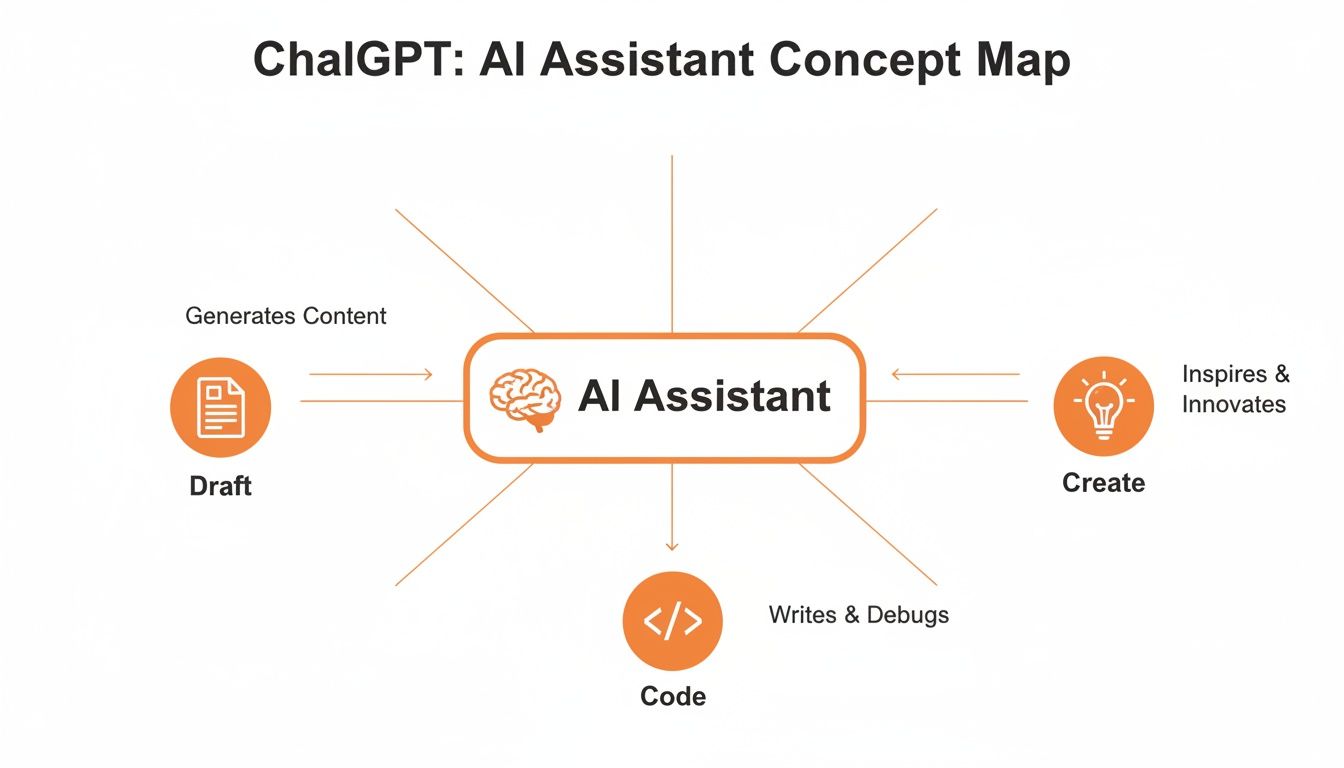
It really boils down to this: its core strength is turning a user’s prompt into a tangible output, whether that’s for a creative project or a technical problem.
Why This Matters for You
Grasping this training process is the key to getting great results from ChatGPT. Since it’s a predictive engine, it doesn’t “know” things like a person does. Instead, it generates statistically likely text based on the patterns it’s learned. This is why it can sometimes “hallucinate”—stating incorrect information with total confidence—because the fabricated text follows the right grammatical and stylistic patterns, even if the facts are wrong.
Knowing that ChatGPT is a pattern-matching and prediction machine changes everything. Your goal is to give it a clear, detailed pattern (your prompt) that steers the model to produce the exact sequence of words you need.
This insight transforms you from a passive user into an active collaborator. You’re not just asking a question; you’re skillfully guiding a powerful predictive engine. To get a better sense of how these models are being applied across the board, check out the latest articles on the RichlyAI blog. Understanding the mechanics helps you write better prompts and get far more reliable results.
Putting ChatGPT to Work with Practical Examples
Knowing the theory behind ChatGPT is interesting, but seeing it deliver actual results is where the magic happens. The real power of this AI is how neatly it can slot into your existing workflows, saving you hours and opening up creative new angles. So, let’s move past the abstract and get our hands dirty with some step-by-step examples you can try right now.
We’ll break down a few common use cases by role, giving you the exact prompts needed to get immediate, tangible value.

For Marketers: A Three-Part Email Nurture Sequence
Email marketing is still a beast, but building a compelling nurture sequence from a blank page is a serious time sink. ChatGPT can serve as your personal copywriting assistant, helping you brainstorm, draft, and polish an entire campaign in a fraction of the time.
Step-by-Step Example
Let’s imagine we need an email sequence for new users who just started a free trial of a project management tool called “TaskFlow.”
- Generate the Core Content: Start with a broad but descriptive prompt to get the initial drafts down.Prompt:
Act as an expert email copywriter. I need a 3-part email nurture sequence for a new user who just signed up for a free trial of 'TaskFlow,' our project management SaaS. The goal is to drive them to use a key feature (creating their first project) and ultimately upgrade to a paid plan. - Email 1 (Day 1): Welcome email, reinforcing the value of TaskFlow and guiding them to create their first project. - Email 2 (Day 3): Highlight a specific pain point TaskFlow solves, like managing team collaboration. Offer a pro-tip. - Email 3 (Day 5): Create a sense of urgency about the trial ending. Showcase a premium feature (e.g., advanced reporting) and include a clear call-to-action to upgrade. - Refine the Subject Lines: Once you have the email bodies, ask for help making them stand out in a crowded inbox.Prompt:
Give me 5 alternative, click-worthy subject lines for each of the 3 emails you just wrote. They should be short, engaging, and create curiosity.
Just like that, a task that could easily eat up half your day becomes a 15-minute exercise. You get a solid foundation that you can quickly tweak to match your brand’s unique voice. If you’re looking for more marketing ideas, check out these AI prompt examples for various business needs.
For Developers: A Python File Organizer Script
Developers are constantly dealing with small, repetitive tasks that are perfect candidates for automation. Think of ChatGPT as a junior coding partner—one that can generate scripts, explain code, and add helpful features like comments and error handling on command.
Step-by-Step Example
Let’s create a simple Python script to organize a messy folder by sorting files into subfolders based on their extension (e.g., all .jpg files go into an “Images” folder).
- Generate the Base Script: Give a clear, specific request for the code you need.Prompt:
Write a Python script that organizes files in a specified directory. The script should iterate through all files in the directory and move them into subfolders named after their file extension. For example, all '.pdf' files go into a 'PDFs' folder and all '.jpg' files go into a 'JPEGs' folder. The script should not move itself. - Add Comments and Error Handling: Now, make the script more robust with a simple follow-up prompt.Prompt:
Now, add comments to the Python script to explain each part of the code. Also, include basic error handling to check if the source directory exists before running.
In under a minute, you have a functional, commented, and safer script ready to go. This frees up developers to focus on complex problem-solving instead of getting bogged down in boilerplate code.
For Students: A Personalized Study Partner
For students, ChatGPT can be a game-changer, breaking down dense, complex topics into simple, digestible pieces. It’s like having a tutor on call 24/7 who never runs out of patience.
Step-by-Step Example
Imagine you’re staring down an exam on quantum physics and feeling completely lost.
- Request a Simple Explanation: Start by asking for a high-level analogy to get your bearings.Prompt:
Explain the concept of quantum superposition in simple terms. Use an analogy that a high school student can easily understand. - Ask for Clarification and Examples: Once you grasp the basics, you can drill down into the parts that are still fuzzy.Prompt:
That's helpful. Now explain the role of the 'observer' in collapsing the superposition. How does that relate to the Schrödinger's cat thought experiment?
By turning a difficult subject into a back-and-forth conversation, ChatGPT makes learning feel more interactive and way less intimidating. It can change its explanation style, offer different examples, and even quiz you on the material, creating a study session that’s perfectly tailored to your pace.
These examples are just the tip of the iceberg, but they show that ChatGPT’s true value isn’t just in what it knows, but in how you direct it to perform specific, practical tasks in your world.
Mastering the Art of Prompt Engineering
Getting incredible results from ChatGPT isn’t about knowing some secret password; it’s about mastering the art of the ask. The quality of the AI’s output is a direct reflection of the quality of your input. This is the heart of prompt engineering—the skill of crafting clear, specific instructions that guide the AI toward the exact response you need.
Think of ChatGPT as an incredibly talented but very literal intern. Give it vague instructions, and you’ll get vague results back. But provide a detailed brief, and you’ll get polished, professional work. Learning to talk to the model effectively is the single most important skill for unlocking its true power.

From Vague to Valuable: A Practical Example
Let’s see this in action. A lot of people start with simple, wide-open prompts and end up disappointed with the generic output. The secret is to add layers of detail that give the AI guardrails and focus its response.
Before: A Weak Prompt
“Write about marketing.”
This is way too broad. ChatGPT has no idea if you want a blog post, a definition, a history lesson, or an email. The result will probably be a bland, unhelpful summary.
After: A Powerful Prompt
“Act as a senior marketing strategist. Write a 500-word blog post outline for a B2B SaaS company that sells project management software. The topic is ‘Effective Lead Generation Strategies for 2024.’ The outline should include an introduction, three main points with sub-bullets, and a conclusion with a clear call-to-action. Use a professional but engaging tone.”
Now that’s a prompt. We gave it a persona, a format, a topic, a target audience, a length, a structure, and a tone. By adding these constraints, you steer the AI from a generalist to a specialist, which dramatically improves the quality of what you get back.
Core Techniques for Better ChatGPT Prompts
To get great results every time, you can build a few key techniques into your conversations. These methods give ChatGPT the context it needs to perform at a much higher level.
Here are the essentials to get you started:
- Assign a Persona (Role-Prompting)
Kick off your prompt with “Act as a…” or “You are a…” This immediately frames the conversation and tells the AI which “hat” to wear. A “sarcastic copywriter” is going to give you a very different response than a “helpful university professor.” - Provide Context and Constraints
Give the AI the background info it needs. Who’s the audience? What’s the goal? Are there specific keywords to include or things to avoid? Constraints are your friend—they stop the model from wandering off-topic. - Specify the Format and Structure
Don’t leave the output to chance. Ask for exactly what you want, whether it’s a bulleted list, a JSON object, a Markdown table, or a three-paragraph email. The more specific your structural request, the less editing you’ll have to do later. - Use Examples (Few-Shot Prompting)
If you have a very specific style or format in mind, show ChatGPT what you mean. Provide one or two examples of the output you want right inside your prompt. This technique, known as few-shot prompting, is one of the most effective ways to align the AI with your expectations.
The goal of a great prompt is to remove all ambiguity. You are building a set of guardrails that guides the AI down the precise path you want it to take, making sure the final destination is exactly where you intended.
Putting It All Together: A Step-by-Step Workflow
Let’s combine these techniques into a simple, repeatable process for tackling any new task with ChatGPT.
- Define Your Goal: What does the perfect outcome look like? Write it down in one sentence. (Example: “I need a set of five engaging social media posts for LinkedIn.”)
- Assign a Role: Who is the best person to create this? (Example: “Act as a social media manager specializing in B2B tech.”)
- Add Context: What background info is absolutely crucial? (Example: “The posts are for a cybersecurity company called ‘SecureNet.’ The target audience is CTOs. The goal is to drive traffic to our new whitepaper on ransomware prevention.”)
- Give Clear Instructions: What are the non-negotiable requirements? (Example: “Write 5 LinkedIn posts. Each post should be under 150 words, include 2-3 relevant hashtags, and have a clear call-to-action to download the whitepaper.”)
- Iterate and Refine: Look at the output. If it’s not quite right, give feedback. Use follow-up prompts like, “Make the tone more urgent,” or “Can you rewrite post #3 to focus more on the financial impact?”
Mastering these simple steps transforms your interactions with ChatGPT from a game of chance into a reliable, repeatable process for getting high-quality work done.
Comparing ChatGPT Free vs Plus and Top Alternatives
So, should you pay for ChatGPT? It’s a question that always boils down to one thing: will the upgrade actually make a difference in your day-to-day work? The free version of ChatGPT is already incredibly capable, but the paid “Plus” subscription unlocks a whole new level of performance and features that serious users will notice right away. The choice isn’t just about getting more power; it’s about matching the right tool to what you need to get done.
To make the right call, you have to understand what you’re really getting. The free plan is fantastic for general questions, brainstorming sessions, and whipping up simple content. But the Plus subscription gives you access to OpenAI’s heavy hitters, like GPT-4o, which is just plain smarter. It handles complex instructions better, reasons more logically, and opens the door to features like live web browsing and creating images.
ChatGPT Free vs ChatGPT Plus at a Glance
For many people, the biggest leap from the free to the paid version is the quality of the model itself. GPT-4o shows a real, noticeable improvement in logical reasoning and creative tasks. That makes it a much better partner for complex projects like writing code, doing in-depth analysis, or crafting nuanced content that needs to sound just right.
We’ve put together a quick breakdown to help you see the differences side-by-side.
ChatGPT Free vs ChatGPT Plus Feature Comparison
| Feature | ChatGPT Free (GPT-3.5) | ChatGPT Plus (GPT-4/4o) |
|---|---|---|
| Underlying Model | Access to GPT-3.5, a fast and competent model. | Priority access to the latest models like GPT-4 and GPT-4o. |
| Performance | Good for everyday tasks, brainstorming, and summaries. | Superior reasoning, creativity, and instruction-following. |
| Response Speed | Generally very fast, optimized for quick interactions. | Can be slightly slower but often more thorough and accurate. |
| Web Browsing | No direct access to the live internet. | Can browse the web to provide current information and sources. |
| Advanced Tools | Limited to text generation. | Access to DALL-E 3 for image generation, Advanced Data Analysis, and Custom GPTs. |
| Availability | Available to all users, but may be limited during peak times. | Guaranteed access, even during periods of high demand. |
The upgrade to ChatGPT Plus is less about getting more features and more about getting a smarter, more reliable creative partner. For professionals who rely on the AI for coding, detailed analysis, or high-quality content, the improved reasoning of GPT-4o can easily justify the cost.
Ultimately, the free version is a powerful tool for casual use, while the Plus version is an investment in professional-grade performance and reliability.
Looking Beyond ChatGPT Top Competitors
While ChatGPT dominates the conversation, the AI space is full of strong alternatives, each with its own unique strengths. The best tool for you might not even be from OpenAI, especially depending on the software you already use every day. And ChatGPT’s market position is no joke—as of August 2025, it captured around 69% of AI-tool web traffic and holds an estimated 81% market share in the AI chatbot space. On top of that, 51% of users feel it understands prompts better than any competitor. You can dive deeper into these AI market statistics and user perceptions.
Here are two major alternatives you should definitely consider:
- Google Gemini: Gemini’s superpower is its deep integration with the Google ecosystem. It can pull real-time information from your Gmail, Docs, and Drive, turning it into an incredible personal productivity assistant. If your workflow is already built around Google’s tools, Gemini offers a level of seamless connection that ChatGPT just can’t match.
- Microsoft Copilot: Built directly into Windows and the Microsoft 365 suite, Copilot is designed to be an assistant that lives inside the apps you already use. It’s brilliant at summarizing documents in Word, creating presentations in PowerPoint, and analyzing data in Excel. For any business heavily invested in Microsoft products, Copilot provides powerful, context-aware help right where you need it.
Please see the 12 Best AI Tools for Small Business to Boost Growth in 2026 for details on alternatives you can consider.
Choosing the right tool is a personal decision. If you’re looking for a versatile, powerful, and standalone creative tool, ChatGPT remains a top contender. For those searching for the best AI writing assistant to handle a variety of content needs, it’s always smart to explore your options.
A User’s Guide to ChatGPT’s Limits, Ethics, and Safety
To get the most out of ChatGPT, you have to know what it can’t do. While it’s brilliant at stringing words together in a way that sounds smart and confident, it doesn’t actually “think” or “understand” like a person. Think of it as an incredibly advanced pattern-matching machine. And like any machine, it has its blind spots and limitations you need to manage.
The biggest issue to watch out for is its tendency to “hallucinate.” This is when the AI generates information that sounds perfectly reasonable but is factually wrong or completely made up. Because ChatGPT’s main goal is to create a sequence of words that is statistically probable, it can state falsehoods with absolute confidence. This makes it a fantastic creative partner but a terrible single source of truth.
Hallucinations and Bias: What to Watch For
Another major hurdle is inherent bias. The model was trained on a massive snapshot of the internet—and that includes all the good, the bad, and the ugly of human perspectives. As a result, its answers can sometimes reflect and even amplify societal biases and stereotypes. If you’re not careful, you could unintentionally carry those skewed viewpoints into your own work.
Here’s how you can stay in control and sidestep these problems:
- Always Fact-Check Critical Information: Never, ever take ChatGPT’s word for it on stats, historical dates, medical advice, or anything else where accuracy is crucial. Always double-check its claims with trusted, independent sources.
- Use It as a Starting Point, Not the Final Word: Treat whatever ChatGPT gives you as a rough first draft. It’s your job to step in, fact-check, refine, and add your own expertise and judgment.
- Cross-Reference with Other Sources: When you’re researching something, use ChatGPT to get a quick overview. But then, dive into academic journals, reputable news sites, or expert publications to get the real story.
The Ethical Guardrails of AI Use
Beyond the technical quirks, using ChatGPT responsibly means thinking about the ethical side of things. How you use it can affect data privacy, academic honesty, and professional transparency. As these tools get woven into our daily lives, knowing your responsibilities is non-negotiable. For a deeper dive, check out this guide on applying ethical AI in daily decisions, which offers a great framework for using these tools mindfully.
The golden rule of using AI safely is to always keep a human in the loop. You are the final editor, the fact-checker, and the one making the ethical calls. The tool is just an assistant; you’re still the one in charge.
To make sure you’re using it correctly, keep data privacy top of mind. Don’t paste sensitive personal data, financial details, or your company’s secret sauce into the public version of ChatGPT, as your conversations could be used to train the model. And just as importantly, be transparent when AI has played a big role in your work. Take full ownership by rewriting, adding your unique insights, and citing your sources properly to avoid plagiarism.
Common Questions About Using ChatGPT
When you start using a tool as capable as ChatGPT, a few key questions usually pop up right away. People want to know about privacy, originality, and how to actually hook it into their own projects. Here are some straightforward answers to the most common queries.
Is My Data Safe When I Use ChatGPT?
It depends on how you use it. By default, OpenAI might use conversations from the free version of ChatGPT to help train its models for the future. However, you can easily opt out by turning off chat history in your settings, which stops your data from being used for training.
For any kind of sensitive business information, the best route is the OpenAI API or an Enterprise plan. These services operate under much stricter data privacy policies and are designed so that your inputs are never used for model training. As a simple rule of thumb, never paste highly confidential or personal data into the public, free version.
Can ChatGPT’s Writing Be Detected?
Yes, it often can. There are a number of AI detection tools out there, and while their accuracy isn’t perfect, they can frequently flag text generated by models like ChatGPT. It’s also worth noting that many schools and workplaces have pretty strict policies against using AI-generated text without proper attribution.
Think of ChatGPT as a brainstorming partner or a first-draft assistant, not a final writer. The best approach is to take its output as a starting point, then heavily edit it, inject your own perspective, and always, always fact-check the information to make it your own original work.
How Can I Add ChatGPT to My Own Website?
The most powerful and flexible way is by using the OpenAI API (Application Programming Interface). This is the method developers use to build ChatGPT’s intelligence directly into their own applications, websites, and internal tools, allowing them to create custom chatbots or other AI-powered features from scratch.
If you don’t have coding experience, don’t worry. A whole ecosystem of third-party platforms has emerged that offer no-code or low-code solutions. These tools let you connect to the API and build a custom chatbot—often trained on your own website content or documents—and get it live in a fraction of the time.
Actionable Takeaways
- Start with the Free Version: Use ChatGPT to get a feel for its capabilities. Upgrade to Plus if you consistently need more advanced reasoning, web access, or image generation.
- Be Hyper-Specific with Prompts: The more detail you provide (role, format, context), the better your results. Don’t be afraid to give it a lot of direction.
- Don’t Trust, Verify: Always fact-check any data, stats, or critical information ChatGPT provides. Treat it as a creative partner, not an infallible encyclopedia.
- Keep Sensitive Data Out: Avoid pasting personal, financial, or proprietary information into the public version of ChatGPT. Use the API for secure, private applications.
- Iterate for Best Results: Your first prompt rarely produces the final output. Use follow-up commands to refine, rephrase, and perfect the AI’s response until it meets your needs.
Tools & Resources
- Official Tools: OpenAI API, Google Gemini, Microsoft Copilot
- Prompting Guides: Our comprehensive guide to prompt engineering
- Prompt Examples: Explore more AI prompt examples for various business needs
Further Reading
- AI Ethics: Learn more about applying ethical AI in daily decisions
- AI Industry Stats: See how ChatGPT stacks up with these AI market statistics and user perceptions
Ready to put AI to work for your business? RichlyAI offers a full suite of tools to generate content, automate social media, and build custom chatbots, turning powerful AI into practical results. Explore what you can create at RichlyAI.
