
Video dominates the internet in 2026—but traditional production is still slow, expensive, and technical. This creates a significant gap between the demand for high-quality video and the resources available to most creators and businesses.
A new wave of AI video creation software now lets anyone turn text, blog posts, or simple ideas into polished, professional videos in minutes, all without requiring a camera, studio, or complex editing skills.
The challenge is navigating a crowded market where dozens of tools promise “AI video magic,” but only a handful truly deliver. Choosing the wrong platform can lead to wasted time, money, and frustratingly generic results.
This guide breaks down the best AI video creation software, organized by use case, with real workflows and recommendations to help you find the perfect fit for your specific needs, whether you’re a marketer, educator, or business owner.
What Is AI Video Creation Software?
AI video creation software is a category of tools that uses artificial intelligence to automate or assist in the process of making videos. Instead of manual editing, these platforms handle the heavy lifting, turning simple inputs like text into professional-looking video content.
How It Works
These tools operate on several core AI technologies:
- Text → Visuals: Natural Language Processing (NLP) models analyze a script or blog post, break it down into scenes, and then automatically select relevant stock footage, images, or generate new visuals to match the text.
- AI Avatars: Generative models create photorealistic human presenters that can speak a script with accurate lip-syncing in hundreds of languages, eliminating the need for a camera or actors.
- Generative Video Models: Advanced models like those in Runway or Luma AI can create entirely new video clips from a text prompt (e.g., “a cinematic shot of a car driving on a coastal road at sunset”).
- Auto-Editing Timelines: AI algorithms can automatically remove awkward pauses and filler words (“uh,” “um”) from recordings, transcribe audio to create captions, and even suggest the most engaging clips from a long video for social media.
Why It Matters
The shift to AI-driven video production offers tangible benefits for creators and businesses:
- Faster Production: Reduce video creation time from days or weeks to minutes.
- Lower Costs: Eliminate expenses for studio rentals, camera equipment, actors, and post-production crews.
- No Camera Required: Create high-quality videos using only text, stock media, or AI-generated visuals.
- Scale Content Easily: Produce dozens of video variations for different platforms or languages from a single core script, a task that is prohibitively expensive with traditional methods.
Categories of AI Video Tools
The AI video ecosystem is diverse. Understanding the main categories helps you choose the right tool for the job.
- Text-to-Video Generators: These tools are designed to convert a script or an existing blog post into a video automatically. They create scenes, find relevant stock clips, add voiceovers, and generate captions. Best for: Repurposing articles into social media videos and creating quick explainers.
- Avatar/Presenter Videos: These platforms generate videos featuring a realistic AI human presenter who speaks your script. This is perfect for content that needs a human touch without filming. Best for: Corporate training, e-learning modules, and product demos.
- Editing Automation Tools: These tools don’t generate video from scratch but use AI to supercharge the editing process. They edit video by editing a text transcript, automatically remove filler words, and generate shareable clips from long recordings. Best for: Editing podcasts, interviews, and webinars.
- Generative/Creative Video Tools: This is the cutting edge. These tools use AI to generate entirely new, original video clips from text prompts. Best for: Creating unique B-roll, artistic ads, and cinematic brand visuals.
Text-to-Video Generators (Script → Video Automatically)
These tools automate the entire process of turning a written script or blog post into a finished video, complete with visuals, music, and captions. They are the fastest way to get from idea to published content, making them perfect for high-volume social media marketing and content repurposing.
Top Software
Pictory
Pictory excels at blog-to-video automation. You simply provide a URL, and its AI summarizes the content, breaks it into scenes, and finds relevant stock video clips. It’s a favorite among marketers for its speed and efficiency.
- Best For: Marketers and bloggers repurposing written content for YouTube, LinkedIn, and other social platforms.
- Use Cases: Turning blog posts into summary videos, creating listicles, and producing quick social media updates.
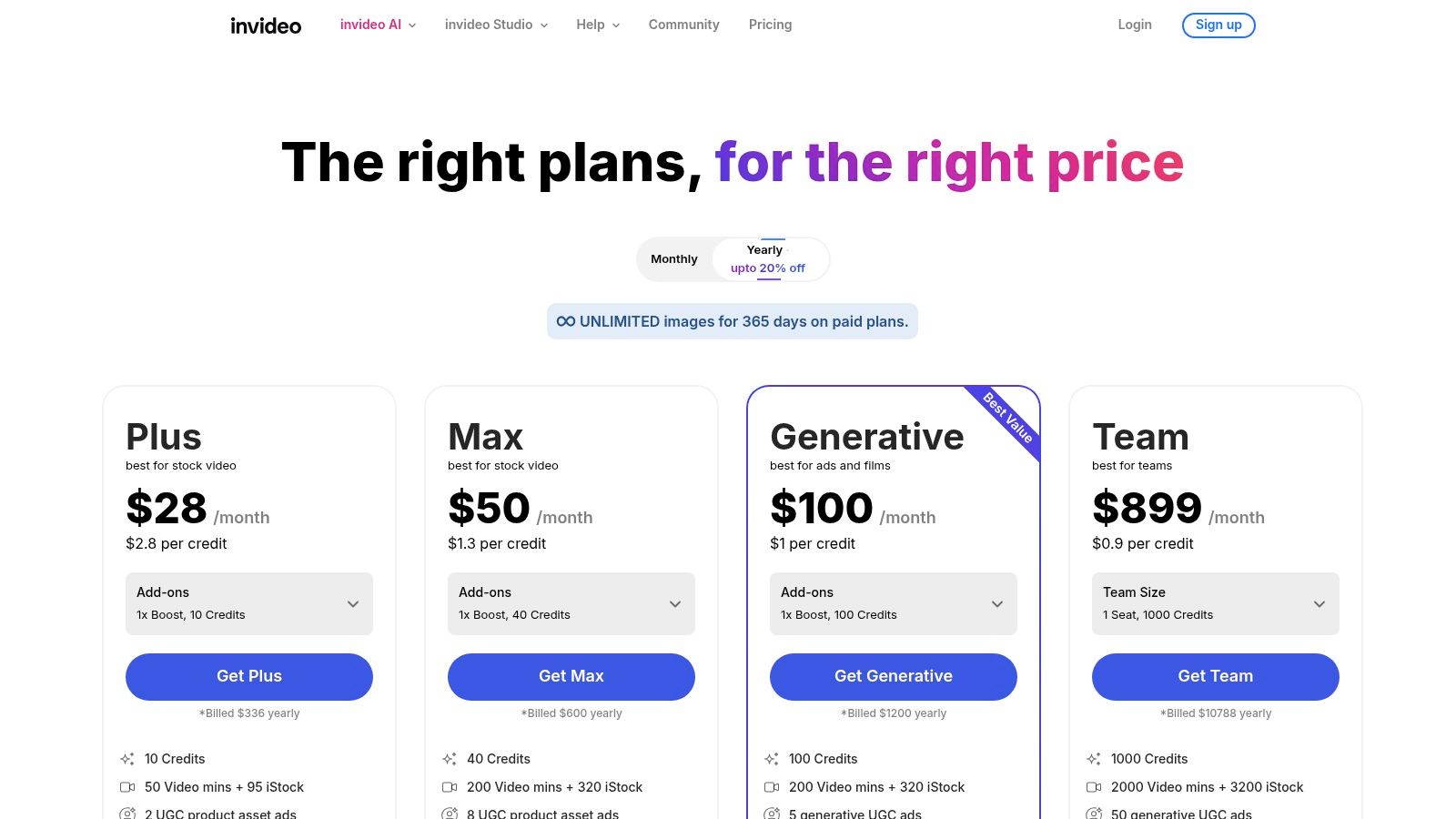
InVideo
InVideo combines a massive library of templates with a user-friendly AI script generator. This makes it incredibly easy for beginners to create professional-looking social ads, promos, and explainer videos without any prior editing experience.
- Best For: Beginners and small businesses needing to create quick social ads and promotional content.
- Use Cases: Creating Facebook/Instagram video ads, product promos, and event invitations.
AI Avatar & Presenter Video Tools (Human-like Speakers)
Avatar tools let you create videos with AI-generated human presenters, eliminating the need for filming. You type a script, choose an avatar and a voice, and the platform generates a polished video with perfectly lip-synced delivery. This is a game-changer for corporate communications and educational content.
Top Software
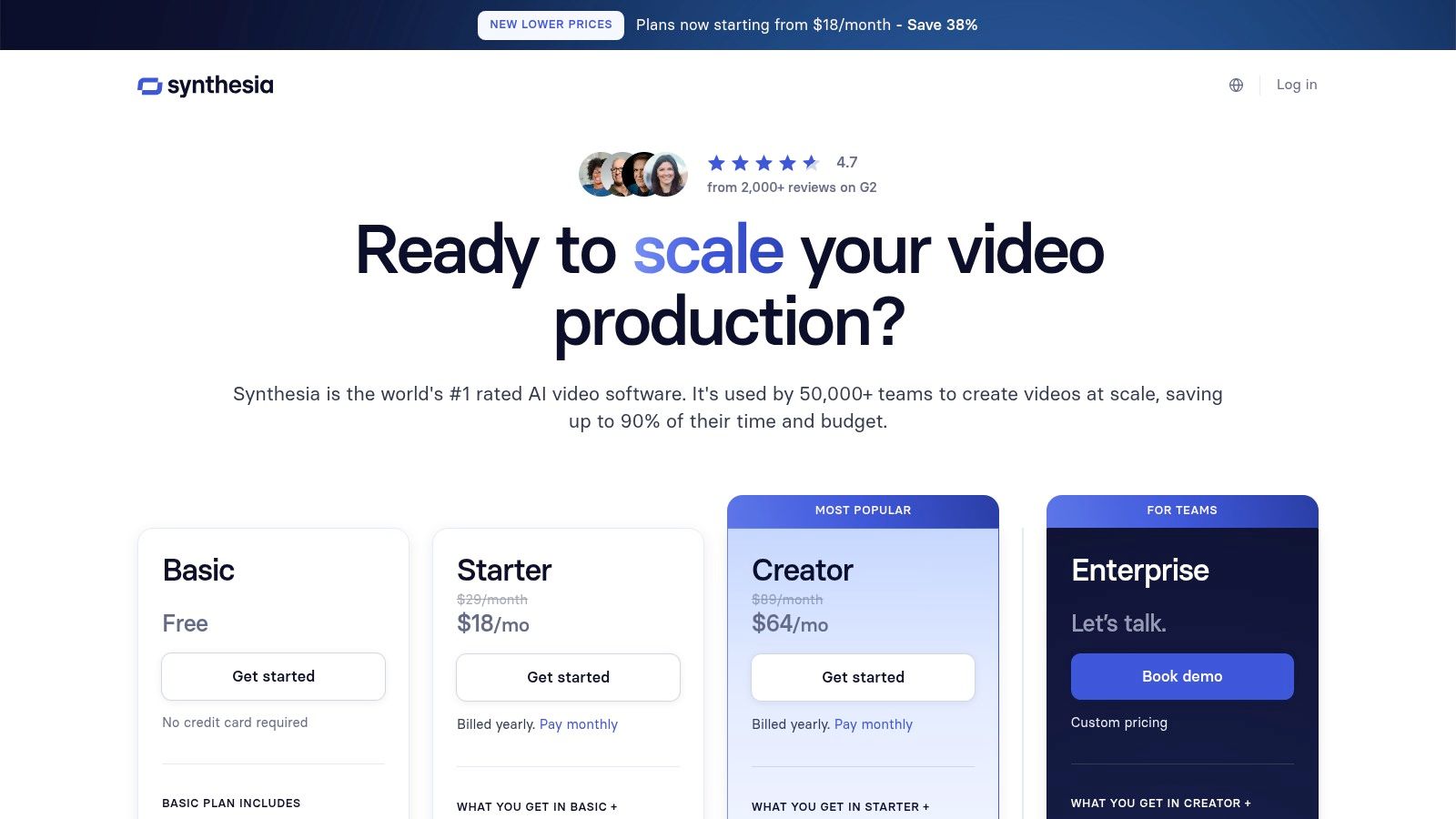
Synthesia
Synthesia is the enterprise leader in AI avatar video. It offers a library of over 200 highly realistic avatars and supports more than 120 languages, making it the top choice for creating professional training and corporate videos for a global audience.
- Best For: Large organizations and L&D teams creating training, onboarding, and internal communication videos.
- Use Cases: E-learning modules, compliance training, product demonstrations, and corporate announcements.
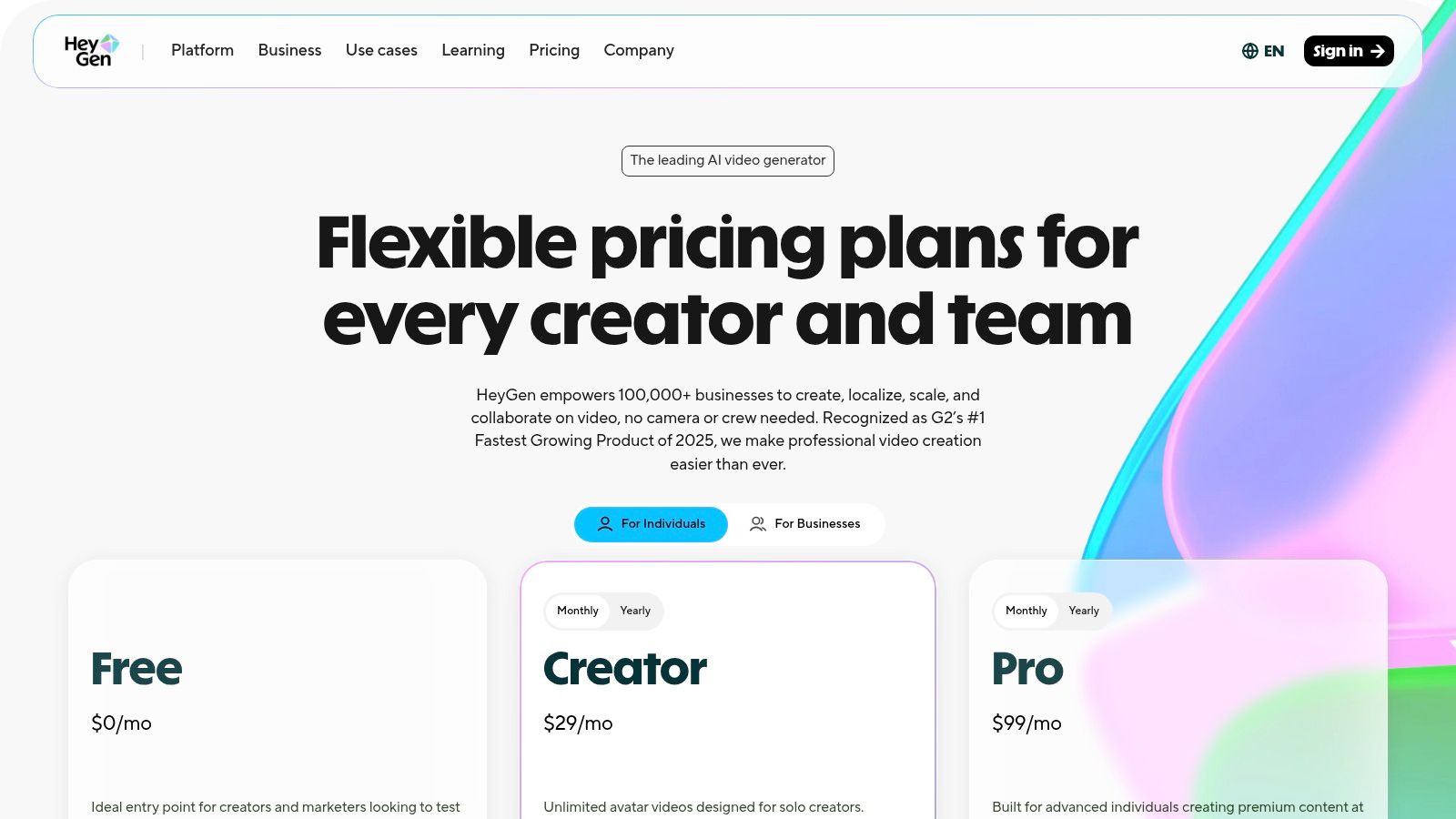
HeyGen
HeyGen is known for its fast, marketing-focused avatar videos and the ability to create custom avatars (a digital twin of yourself). Its video translation feature is particularly powerful, allowing you to redub a video in a different language while maintaining your own voice and lip movements.
- Best For: Marketing teams creating fast-turnaround talking head videos and personalized sales outreach.
- Use Cases: Product demos, personalized video messages, and social media marketing clips.
AI Video Editing & Automation Tools
These tools use AI to make the post-production process faster and smarter. Instead of generating content from scratch, they automate tedious editing tasks, allowing you to refine your footage in a fraction of the time.
Top Software
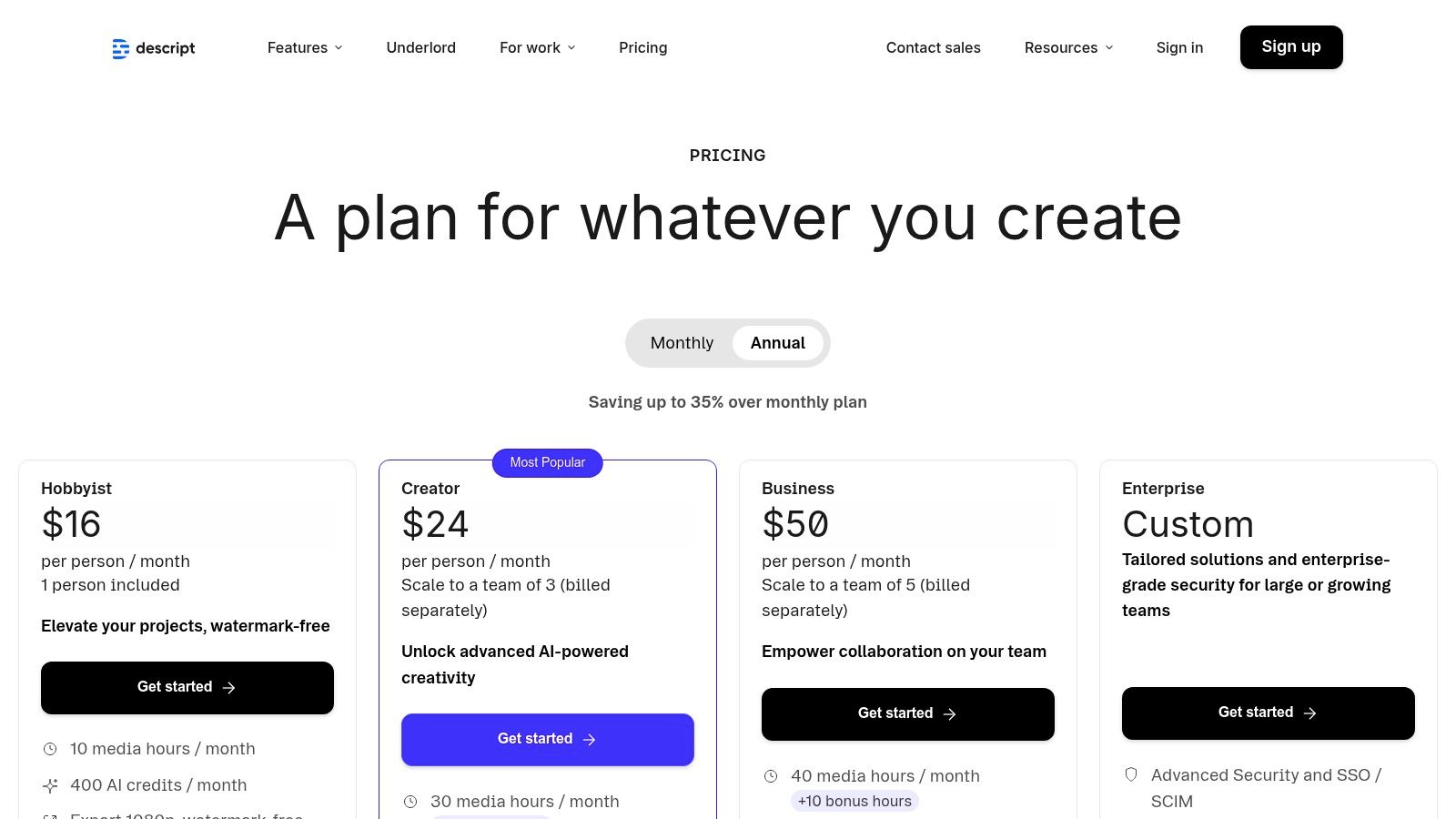
Descript
Descript revolutionizes editing by letting you edit video like a Word document. It automatically transcribes your video, and any changes you make to the text—like deleting a word or a sentence—are instantly reflected in the video timeline. Its “Studio Sound” feature can make amateur audio sound professionally recorded with one click.
- Best For: Podcasters, YouTubers, and anyone editing talking-head videos, interviews, or tutorials.
- Use Cases: Editing podcast episodes, removing filler words (“um,” “uh”) from interviews, and generating short, shareable clips from long-form content.
CapCut
While known as a mobile-first social video editor, CapCut has integrated powerful AI features like auto-captions, AI-driven templates, and smart background removal. Its AI captioning is particularly fast and accurate, making it a go-to for creating accessible Reels and Shorts.
- Best For: Social media creators focused on producing content for TikTok, Instagram Reels, and YouTube Shorts.
- Use Cases: Adding trendy animated captions to videos, applying viral templates, and quickly editing short-form content on the go.
Generative & Creative AI Video Tools
This is the most futuristic category. Generative tools create entirely new video clips from text prompts, giving creators the power to generate custom B-roll, special effects, and cinematic visuals that don’t exist in any stock library.
Top Software
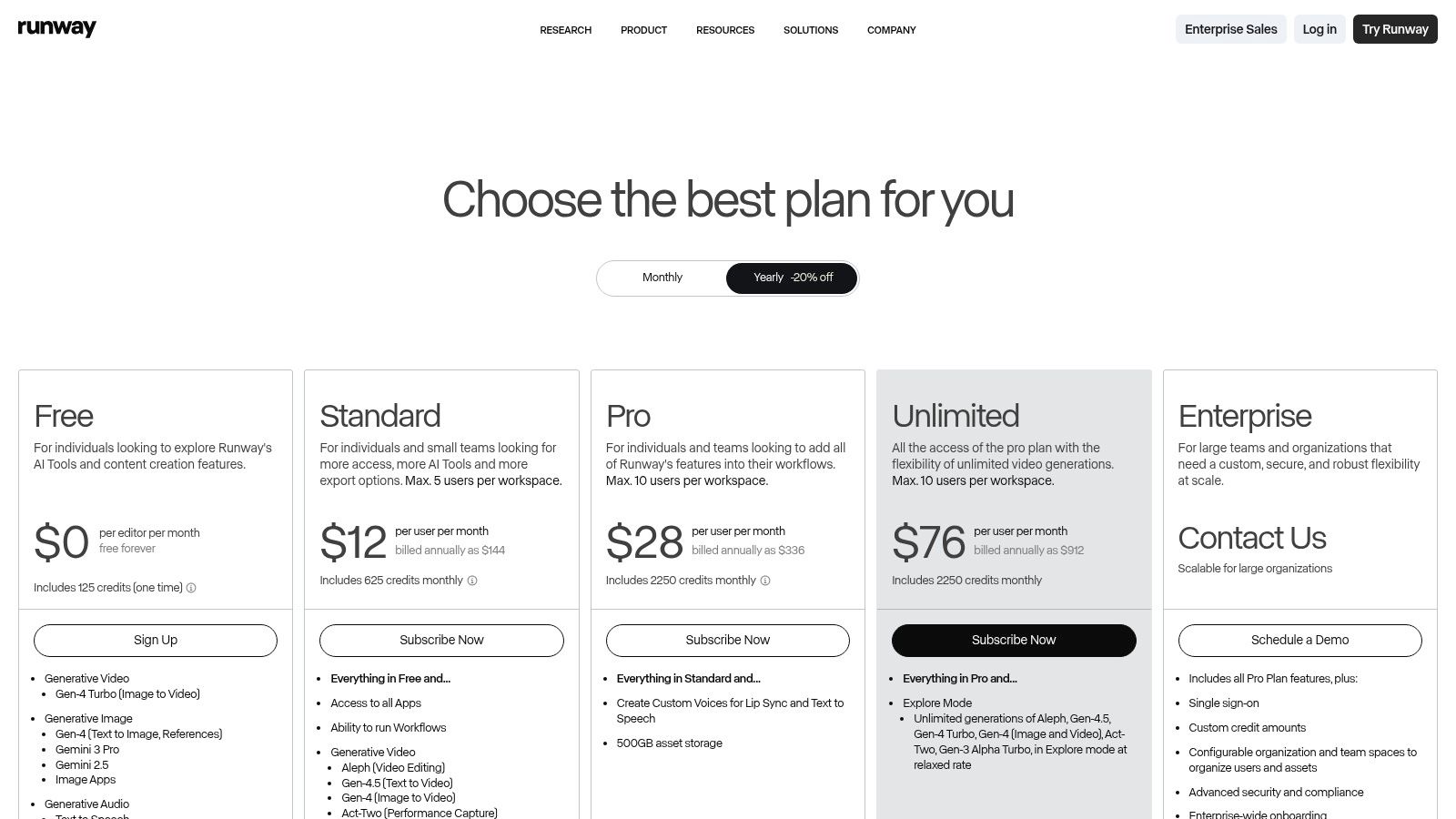
Runway
Runway is at the forefront of creative AI video generation. Its Gen-3 Alpha model can produce stunning, high-fidelity video clips from text prompts, giving you precise control over the style, structure, and motion of your generated scenes. It’s a professional-grade tool for creators who want maximum creative control.
- Best For: Pro creators, ad agencies, and filmmakers who need original, cinematic visuals.
- Use Cases: Generating custom B-roll for ads, creating visual effects, and storyboarding creative campaigns.
Adobe (Premiere Pro + Firefly)
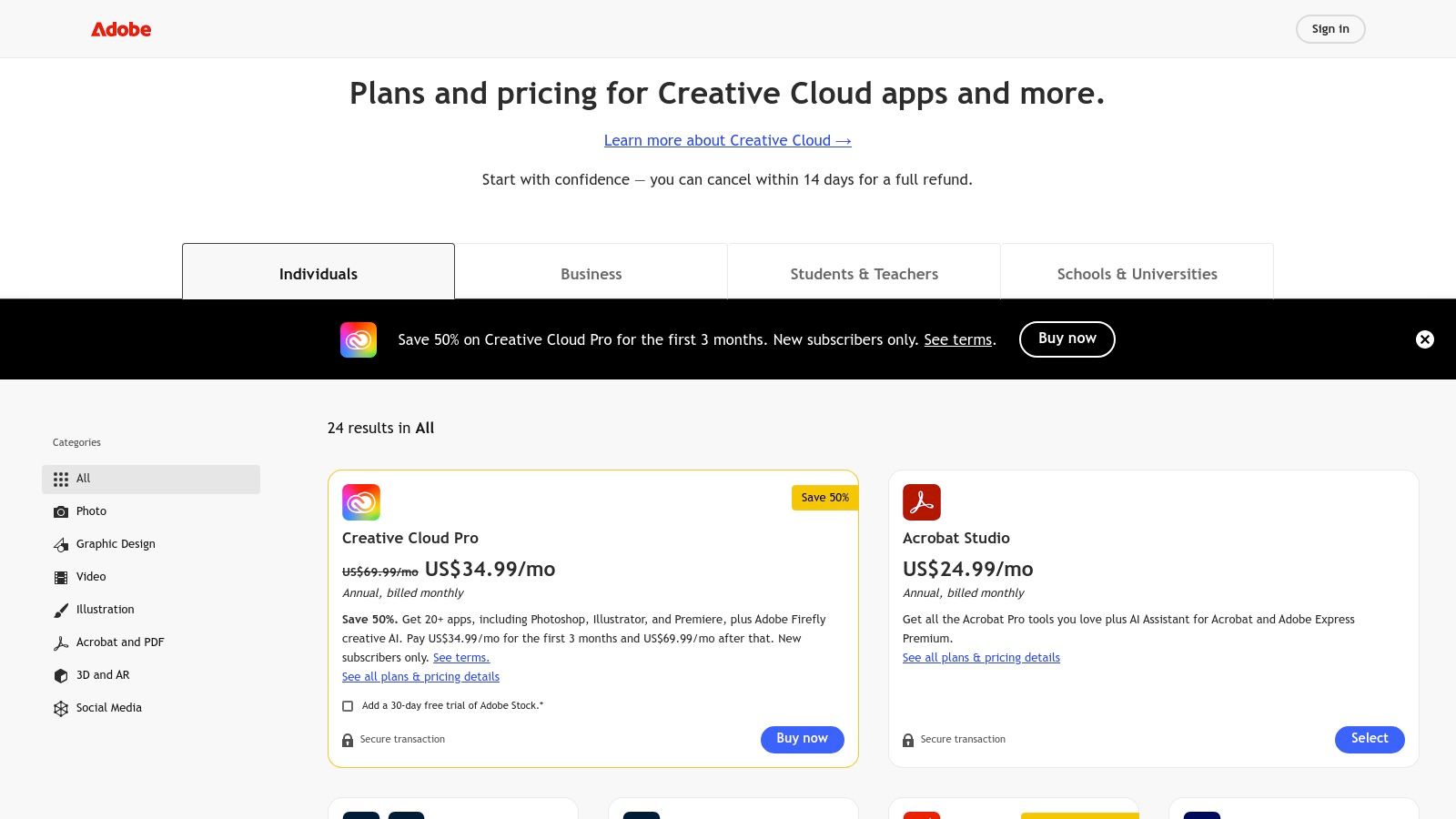
Adobe integrates its Firefly AI model directly into professional tools like Premiere Pro. This allows editors to use AI for practical tasks within their existing workflow, such as generating B-roll, extending audio tracks, or adding AI-generated objects to a scene. It’s AI-assisted editing for pros.
- Best For: Professional video editors and production houses using the Adobe Creative Cloud ecosystem.
- Use Cases: Enhancing professional productions with AI-generated assets, automating color grading, and streamlining audio editing.
Sample AI Video Workflow (Step-by-Step)
Here’s a practical example of how to combine tools to create a marketing video in under 20 minutes.
Goal: Turn a blog post about “5 Tips for Better Sleep” into a 60-second video for Instagram.
- Write Script with AI (2 mins): Paste the blog post URL into an AI writer like RichlyAI or ChatGPT and prompt it: “Summarize this article into a concise, 150-word script for a social media video. Break it into 5 short scenes, one for each tip.”
- Convert to Scenes with Pictory (8 mins):
- Sign up for Pictory and select the “Script to Video” option.
- Paste the AI-generated script into the editor. Pictory’s AI will automatically create scenes for each sentence.
- The AI will also search its stock library and suggest a relevant video clip for each scene. Review and swap any clips you don’t like.
- Add AI Voiceover (3 mins):
- Navigate to the “Audio” tab in Pictory.
- Select an AI voice from the library, choose the gender and accent, and click “Apply.” The AI will generate a professional-sounding voiceover for your entire video.
- Polish in Descript (5 mins):
- Export the video from Pictory and import it into Descript.
- Use Descript’s one-click “Studio Sound” to enhance the audio quality.
- Use the text-based editor to tighten up any timing issues by simply deleting extra spaces or words in the transcript.
- Export Vertical Clips for Social (2 mins): In Descript, choose the 9:16 (vertical) aspect ratio. Add animated captions with one click and export the final video, ready to be uploaded directly to Instagram Reels or TikTok.
Tool Comparison Table
| Tool | Best For | Skill Level | Output Type |
|---|---|---|---|
| Pictory | Blog → video | Beginner | Social clips, Explainers |
| Synthesia | Avatars & Training | Beginner | Training videos, Corporate comms |
| Descript | Editing Podcasts/Interviews | Intermediate | Podcasts, YouTube videos |
| Runway | Creative Effects & Gen AI | Advanced | Cinematic ads, Brand visuals |
| InVideo | Quick Social Ads | Beginner | Ads, Shorts, Promos |
How to Choose the Right AI Video Software
To find the perfect tool, ask yourself these questions:
- What is my primary goal? Do I need to make social clips from blogs, or polished training videos? The use case is the most important factor.
- Do I want avatars or stock visuals? If you need a human face without filming, choose an avatar tool like Synthesia. If you need dynamic scenes, choose a text-to-video generator like Pictory or InVideo.
- Am I a beginner or an advanced user? Tools like InVideo and Pictory are extremely beginner-friendly. Tools like Runway and Adobe Premiere Pro offer more control but have a steeper learning curve.
- What is my budget? Most tools offer a free trial or a free plan. Start there. Paid plans can range from ~$20/month for basic tools to hundreds for enterprise solutions.
Key Criteria for Evaluation
- Ease of Use: Can you create a video within 30 minutes of signing up?
- Templates: Does the tool offer pre-built templates for your use case (e.g., social ads, explainers)?
- Export Quality: Can you export in at least 1080p? 4K is a plus for professional use.
- Branding Options: Can you add your own logo, colors, and fonts?
- Integrations: Does it connect with other tools in your workflow?
Best Practices for AI Video Success
Do:
- Keep Scripts Short & Clear: AI works best with concise, direct language. Feed it a clear script, and you’ll get a better video.
- Use Captions Always: Most social video is watched without sound. Use the auto-captioning features in tools like Descript or CapCut.
- Optimize for Vertical Formats: If you’re creating for social media, design your video in a 9:16 (vertical) aspect ratio from the start.
- Combine Tools: The most powerful workflows often use more than one tool. For example, use Pictory to generate the video and Descript to polish the audio and captions.
Don’t:
- Rely Only on Stock Footage: Mix in your own brand assets, screenshots, or screen recordings to make your videos feel more authentic.
- Skip Storytelling: AI can assemble clips, but you still need a compelling narrative. Make sure your video tells a clear story with a beginning, middle, and end.
- Ignore Branding Consistency: Use the “Brand Kit” features to ensure your logos, fonts, and colors are consistent across all your videos.
Expected Productivity Gains
By adopting AI video creation software, teams can expect transformative results:
- Production Time: What once took days of filming and editing can now be done in minutes.
- Cost: The cost drops from thousands of dollars for a studio production to near zero (or the cost of a monthly subscription).
- Output: Teams can realistically 5-10x the number of videos they produce each week, allowing for more testing, localization, and content diversity.
Future of AI Video (2027+)
The technology is evolving at an astonishing pace. Here’s what to expect in the near future:
- Real-time Generative Video: Imagine describing a scene and watching it generate live on your screen, ready to be directed.
- Personalized Videos at Scale: Automatically generate unique marketing or training videos for every single customer or employee.
- Interactive AI Avatars: Avatars that can respond to user questions in real-time, creating dynamic and engaging learning experiences.
- Fully Automated Content Pipelines: AI systems that can independently identify a trending topic, write a script, generate a video, and publish it to the relevant social channels without human intervention.
Conclusion
AI video tools are democratizing video production. The power to create professional, engaging videos is no longer limited to teams with big budgets and technical expertise. Anyone with a good idea can now bring it to life in minutes. The competitive edge in 2026 will go to the creators and teams that can ship faster, test more ideas, and scale their content—not the ones that spend the longest filming.
In 2026, the question isn’t “Can we make video?” — it’s “How many videos can we ship today with AI?”
Actionable Takeaways
- Pick One Tool Today: Choose the tool from our list that best matches your primary need (e.g., Pictory for blogs, Synthesia for training) and use its free trial to create one video this week.
- Start with Repurposing: The easiest entry point is to take an existing asset, like a blog post or a podcast episode, and turn it into a video.
- Build a Simple Workflow: Combine two tools to start. Use an AI writer for the script and a text-to-video generator for the visuals.
- Focus on Vertical Video: Design for mobile first. Most of your audience will be watching on their phones.
Tools & Resources
- AI Scripting: RichlyAI
- AI Tools Hub: AI Tools
- Text-to-Video: Pictory, InVideo
- AI Avatars: Synthesia, HeyGen
- AI Editing: Descript
- Generative Video: Runway, Luma AI
- Top AI Video Tools for Creators in 2026: From Prompts to Production at Scale
- The 12 Best AI Video Generators of 2026: A Practical Guide
- Top 10 Best Video Editing Software in 2025
Ready to build an intelligent, automated content engine that goes beyond just video? RichlyAI helps you integrate powerful AI workflows across all your content creation, from initial strategy and writing to video scripting and promotion. Explore how to build your complete AI-powered content system at RichlyAI.

“AI Video Creation Software (2026 Guide): The Best Tools to Create…” is timely—short video workflows keep shifting. Your note on video dominates the internet in 2026—but traditional production is still slow, expensive, and technical resonated. For quick concept clips, Grok Imagine Video turns a prompt or still into a short moving clip with lighting/camera motion.