
The world of AI image generation has expanded rapidly, moving from a niche technology to an essential toolkit for creators, marketers, and developers. With dozens of platforms emerging, each with unique capabilities, finding the right tool can feel overwhelming. This guide cuts through the noise to provide a clear, comprehensive comparison of the best AI image generators available today. Our goal is to move beyond surface-level descriptions and offer actionable insights to help you make an informed decision based on your specific needs.
We will provide an in-depth analysis of 12 leading platforms, from industry giants like OpenAI and Adobe to specialized creative suites like Leonardo.ai and Midjourney. For each tool, you’ll find a detailed breakdown covering its core features, ideal use cases, pricing structures, and a frank assessment of its strengths and weaknesses. We include practical examples and step-by-step instructions, giving you a tangible sense of each generator’s output quality and artistic style. This hands-on approach ensures you understand not just what a tool does, but how you can use it effectively in your projects.
Whether you’re a digital marketer needing photorealistic assets, a developer looking to integrate a powerful image API, or an artist exploring new creative frontiers, this resource is your definitive guide. This article provides the practical details, direct links, and clear comparisons needed to select the perfect AI image generator and start creating, confident that you’ve chosen the best platform for your goals.
1. RichlyAI
RichlyAI positions itself not just as an AI image generator, but as a comprehensive, all-in-one creative and productivity hub. It excels by integrating image creation into a broader ecosystem that also handles text, audio, video, code, and even social media automation. This makes it a formidable choice for users who need a single platform to manage diverse digital content workflows, from initial concept to final publication.
What truly sets RichlyAI apart is its holistic approach. It’s designed for individuals and teams who want to move beyond simple image generation and streamline their entire creative process. The platform’s intuitive interface makes it accessible even for beginners, while advanced features cater to power users. This blend of accessibility and power cements its place as one of the best AI image generators available today.
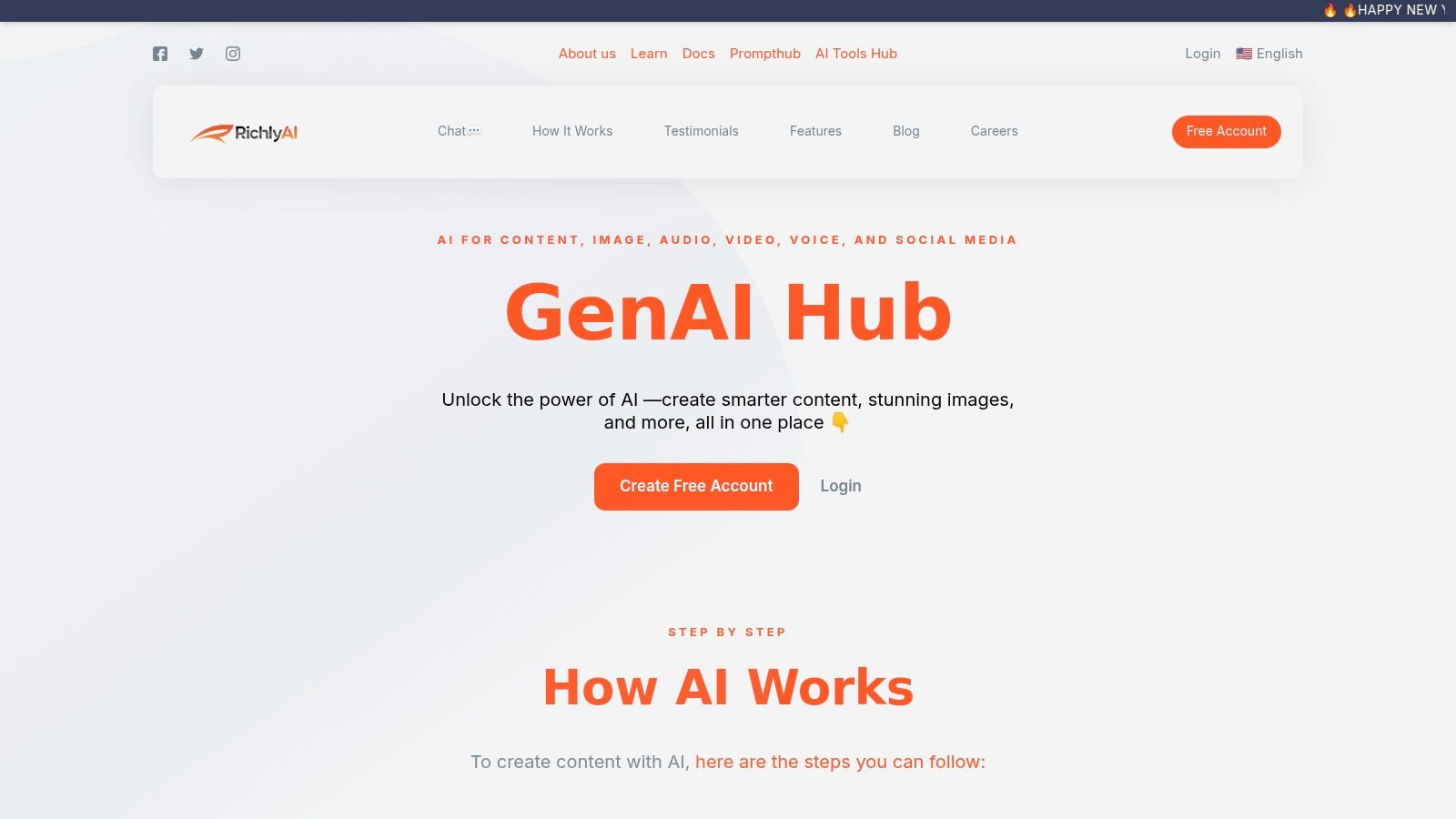
alt text: A screenshot of the RichlyAI platform interface, showing a clean design with a central area for generating content and a sidebar for navigating different AI tools.
Key Features and Use Cases
The platform is packed with practical tools designed for real-world application. Its multi-format generation capability is a significant advantage, allowing a marketer, for instance, to generate a blog post, create accompanying images, script a video, and schedule social media posts promoting the content, all within the RichlyAI environment.
- All-in-One Generation: Move seamlessly between creating text, images, video, audio, and code. This is ideal for content creators, marketers, and developers who need to produce varied asset types for a single project without switching tools.
- Social Media Automation: Connect your X (Twitter), LinkedIn, and Instagram accounts to automate posting schedules. This feature is a game-changer for solopreneurs and marketing teams aiming for consistent online engagement.
- Custom Chatbot Training: Businesses can train chatbots on their own data to provide personalized customer support or internal training, turning the platform into a bespoke knowledge base.
- AI Tools Hub Ecosystem: RichlyAI operates one of the largest AI discovery platforms, AI Tools Hub, featuring over 11,000 tools. This integrated directory allows users to find and compare complementary AI solutions directly.
Practical Example: Creating a Social Media Campaign
Here’s a step-by-step guide on how to leverage RichlyAI for a marketing campaign:
- Generate a Blog Post: Use the text generator to write an article on “The Future of Sustainable Tech.”
- Create Visuals: Navigate to the image generator and use a prompt like,
photorealistic image of a futuristic city with lush green towers and solar panel-covered buildings, high-detail, 8kto create a header image. - Produce an Audio Clip: Use the audio tool to create a short voiceover summarizing the article’s key points for a podcast snippet.
- Automate Promotion: Schedule a series of posts on LinkedIn and X using the social automation feature, attaching the generated image and a link to the article.
Pricing and Access
RichlyAI offers a compelling entry point with a free forever plan that includes “Unlimited Text Generation FOREVER!”, allowing users to explore its capabilities without initial investment. While this free tier provides significant value, details on tiered paid plans and enterprise-level service agreements are not prominently displayed on the website, which can make it challenging to compare costs for scaling teams. Access to the platform is web-based via their website.
For those interested in exploring various free tools, you can learn more about AI image generators on RichlyAI.com.
- Best For: Marketers, content creators, developers, and solopreneurs looking for a unified platform to handle diverse AI-driven tasks from content creation to social media management.
- Pros: A comprehensive suite of tools in one platform, a generous free plan, and built-in social media automation.
- Cons: Lack of transparent pricing for paid tiers can complicate budget planning for larger teams.
Website: https://richlyai.com
2. OpenAI — Images in ChatGPT and the Images API (GPT‑Image‑1)
OpenAI offers a powerful two-pronged approach to image generation, making it one of the best AI image generators for both casual users and serious developers. Consumers can create images directly within the ChatGPT interface (available on free and paid plans), while businesses and programmers can leverage the robust Images API, powered by the GPT-Image-1 model, for programmatic generation and editing. This dual access provides unmatched flexibility, serving a wide spectrum of use cases from simple creative exploration to complex application integration.
alt text: A user interface showing an AI image generation tool, likely part of OpenAI’s platform, with a text prompt and resulting image.
What sets OpenAI apart is its enterprise-grade API, which features well-documented endpoints, stable performance, and granular pricing. The model excels at rendering legible text and binding attributes to subjects accurately, a common weakness in many other generators. You can learn more about its role in the evolution of artificial intelligence drawing tools on Richly AI.
Key Features & Use Cases
- Best For: Developers building applications, businesses needing scalable image creation, and content creators requiring high text fidelity.
- Key Feature: A stable, well-documented Images API with tiered pricing for quality and size control.
- Pricing: Free access within ChatGPT with limits; paid plans offer more generations. The API uses a per-image pricing model based on quality settings.
- Practical Example: A developer building a custom t-shirt design app can integrate the API to allow users to generate unique graphics based on text descriptions. A sample API call in Python might look like this:
from openai import OpenAI
client = OpenAI()

response = client.images.generate(
  model="dall-e-3",
  prompt="a cute cat wearing a wizard hat, minimalist vector art style",
  size="1024x1024",
  quality="standard",
  n=1,
)

image_url = response.data[0].url
3. Adobe Firefly
Adobe Firefly is the definitive AI image generator for creative professionals, seamlessly integrating generative AI capabilities directly into the Adobe Creative Cloud ecosystem. Rather than a standalone tool, Firefly is a suite of models that power features like Generative Fill in Photoshop and Text to Vector Graphic in Illustrator. This deep integration allows designers, photographers, and marketers to enhance their existing workflows with AI-powered creation and editing without ever leaving their primary applications.
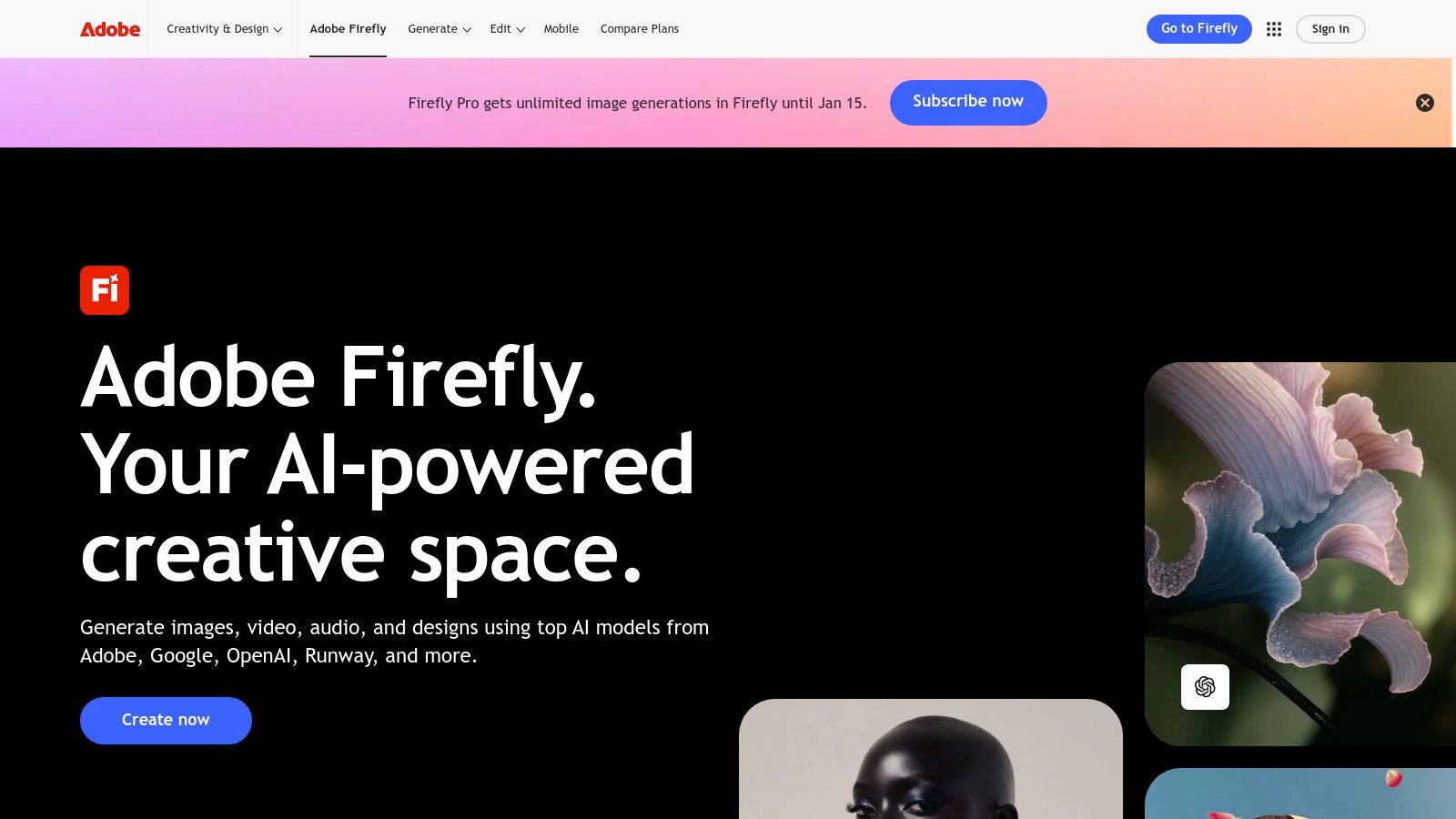
alt text: The Adobe Firefly web interface showing various generative AI tools like Text to Image and Generative Fill.
What makes Firefly a top choice for commercial use is its commitment to ethical and legal safety. The model was trained exclusively on Adobe Stock’s licensed library and public domain content, ensuring that the generated assets are commercially viable and free from copyright infringement concerns. You can explore how such platforms are changing creative processes by learning about advanced techniques like image-to-prompt engineering on Richly AI.
Key Features & Use Cases
- Best For: Creative professionals, design agencies, and enterprise marketing teams already using Adobe Creative Cloud.
- Key Feature: Deep integration into flagship Adobe apps like Photoshop and Illustrator, enabling in-context generative AI.
- Pricing: A free plan with monthly credits is available. Paid Creative Cloud subscriptions include a larger monthly allotment of “fast” generative credits, with tiered plans for individuals and businesses.
- Practical Example: A photographer needs to extend the background of a portrait shot. Here’s the step-by-step workflow in Photoshop:
- Open the image in Photoshop.
- Select the Crop Tool (
C). - Drag the crop borders outward to expand the canvas to the desired size.
- In the contextual task bar, click “Generate” without entering a prompt.
- Firefly’s Generative Fill will analyze the existing pixels and seamlessly create new background content to fill the empty space.
4. Midjourney
Midjourney has established itself as one of the best AI image generators, renowned for producing highly stylized, artistic, and aesthetically pleasing visuals. Operating primarily through its website and a dedicated Discord server, it cultivates a strong community-driven environment where users can share creations and find inspiration. This unique setup makes it a favorite among artists, designers, and marketers who are looking for a platform that consistently delivers a distinctive, high-quality visual style right out of the box.
alt text: The Midjourney user interface showing a grid of four distinct, highly artistic AI-generated images of a futuristic city scene.
What sets Midjourney apart is its opinionated model, which often produces compelling, dramatic, and compositionally strong images with minimal prompt engineering. The platform’s active community, organized in Discord channels, serves as a massive, real-time gallery of ideas and prompt techniques. However, the Discord-based workflow can present a learning curve for newcomers and may not integrate smoothly into professional team environments.
Key Features & Use Cases
- Best For: Digital artists, graphic designers, and content marketers seeking high-quality, artistic, and stylized images.
- Key Feature: A powerful image generation model accessed via its website and a vibrant Discord community that provides endless inspiration and support.
- Pricing: Subscription-based, with multiple tiers offering different amounts of “fast” GPU time, from basic plans for casual users to pro plans for heavy-duty generation.
- Practical Example: An artist wants to create an image in the style of a specific film director. They can use the style reference (
--sref) parameter:- Find an image online that captures the desired aesthetic (e.g., a still from a Wes Anderson movie).
- Copy the URL of that image.
- In Midjourney, type the prompt:
/imagine prompt: a robot drinking tea in a garden --sref [paste image URL here] - Midjourney will generate an image that combines the content of the prompt with the visual style of the reference image.
5. Stability AI — Stable Artisan (Stable Diffusion 3) and DreamStudio/API
Stability AI provides a creator-focused ecosystem for accessing its cutting-edge models, including Stable Diffusion 3. This is one of the best AI image generators for users who want official, direct access to the source models. Its offerings are split between Stable Artisan, a Discord-based interface for image creation and editing, and DreamStudio/API, which serves both a web-based UI and developer needs. This unified approach uses a flexible credit system that works across all platforms, allowing users to switch between creative exploration and programmatic integration seamlessly.
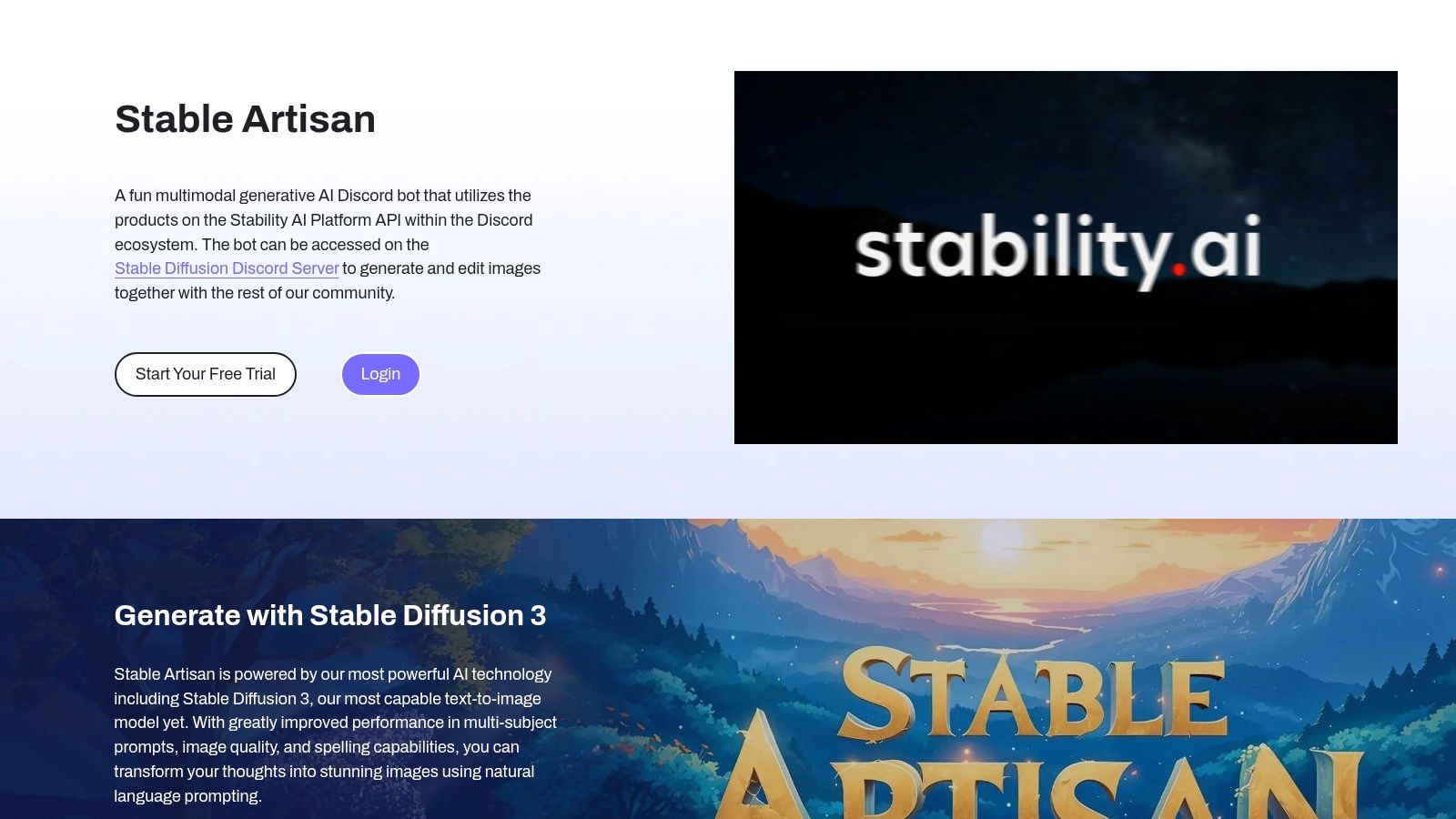
alt text: A collage of highly detailed and artistic images generated by Stability AI’s Stable Diffusion model, showcasing a range of styles from photorealism to fantasy.
What makes Stability AI’s platform stand out is its commitment to granular control and powerful editing features. Within Stable Artisan, users can perform advanced edits like search-and-replace on image elements, outpainting, and background removal. Mastering these tools often involves a deep dive into prompt engineering techniques on Richly AI.
Key Features & Use Cases
- Best For: Creators who want advanced editing features, developers needing API access to Stable Diffusion models, and users who prefer a flexible, cross-platform credit system.
- Key Feature: Unified credit system for both the DreamStudio/API and the Discord-based Stable Artisan, which offers exclusive access to SD3 and advanced editing tools.
- Pricing: Offers a free 3-day trial for Stable Artisan plans. Paid access is managed through a credit-based system, with costs varying based on the model and complexity of the generation or edit.
- Practical Example: A user has generated an image of a red car but wants to change its color without affecting the background or lighting. In Stable Artisan (Discord), they would use the
/editcommand:- Generate an initial image (e.g.,
/create prompt: a red vintage car on a city street). - Once the image is generated, reply to the image with the command:
/edit search_and_replace: "red car", with: "blue car" - The tool will specifically target the car and change its color while preserving the rest of the image composition.
- Generate an initial image (e.g.,
6. Leonardo.ai
Leonardo.ai is a comprehensive creative suite that masterfully balances high-quality image generation with user control and speed. It offers a web platform and API for generating images, training custom models, and even creating video, making it a powerful contender for the title of best AI image generator. The platform’s standout features like Alchemy, Prompt Magic, and dedicated photoreal modes give artists and designers a finely tuned toolkit to achieve specific aesthetic outcomes.
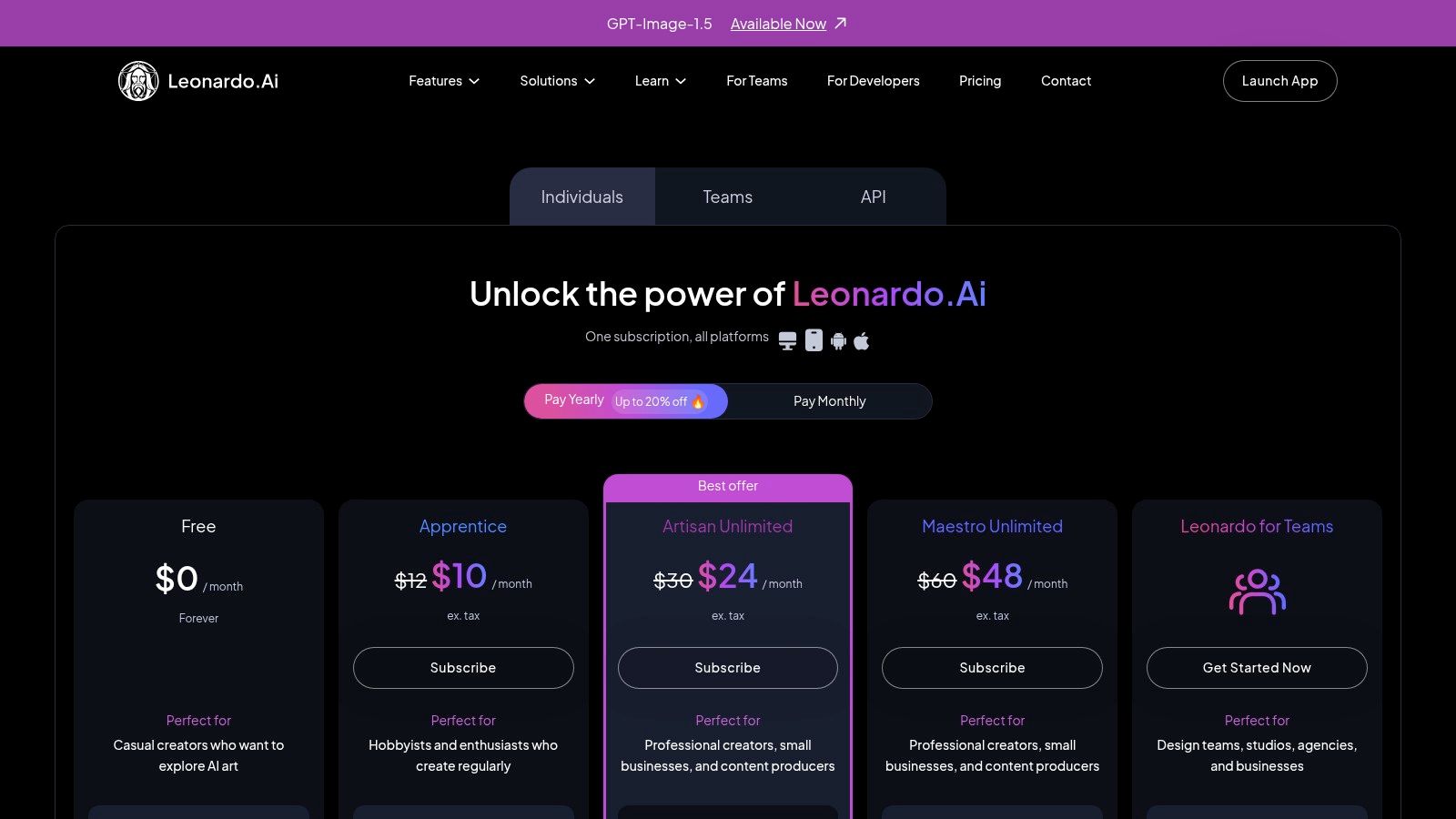
alt text: A screenshot of the Leonardo.ai pricing page, showing different subscription tiers with token allocations and feature sets.
What truly distinguishes Leonardo.ai is its tiered system catering to users from hobbyists to enterprise teams. The token-based economy, with daily “Fast Tokens” and a “Relax” generation mode, provides both free access and prioritized processing for subscribers. This structure, combined with features for private model training and collaborative team workspaces, makes it uniquely scalable. You can find more details on their plans at the official Leonardo.ai pricing page.
Key Features & Use Cases
- Best For: Game developers creating assets, digital artists needing custom models, and marketing teams requiring a consistent visual style.
- Key Feature: The ability to train private, custom AI models on your own datasets for unparalleled stylistic control.
- Pricing: Offers a free plan with daily Fast Tokens. Paid plans start from $10/month, providing more tokens, features like private generations, and faster processing.
- Practical Example: A game developer needs to create consistent character art for their new fantasy RPG. Here’s the process:
- Gather Data: Collect 15-20 images of the character from various angles.
- Train Model: In Leonardo.ai, navigate to “Training & Datasets,” create a new dataset, and upload the character images.
- Fine-Tune: Start the training process to create a custom model based on the character.
- Generate Assets: Once trained, select the custom model and use prompts like
"character namefighting a dragon” or"character namestanding in a tavern” to generate new, on-model images.
7. Ideogram
Ideogram has carved out a distinct niche by excelling where many other AI image generators falter: rendering clear, coherent text. This makes it an invaluable tool for designers, marketers, and creators who need to integrate typography directly into their visuals. Its latest model, Ideogram 1.0, focuses heavily on text fidelity, character consistency, and photorealism, offering a specialized solution for producing everything from logos to ad creatives.
alt text: A user interface of the Ideogram AI image generator, showcasing a prompt input field and a gallery of generated images with text.
What sets Ideogram apart is its almost magical ability to accurately render words and phrases within complex scenes. The platform offers a user-friendly web interface with a generous free tier, making it one of the best AI image generators for those just starting out. You can explore more about its capabilities at ideogram.ai.
Key Features & Use Cases
- Best For: Graphic designers creating posters, marketers developing ad campaigns, and anyone needing legible text integrated into images.
- Key Feature: Superior text rendering capabilities that reliably generate coherent words and phrases inside images.
- Pricing: Offers a free plan with slow generation credits. Paid plans (Plus and Pro) start at $7/month for priority generation, private images, and expanded features.
- Practical Example: A coffee shop wants to create a promotional poster. They can generate it directly in Ideogram with the following steps:
- Go to the Ideogram website.
- Enter a prompt that includes the desired text in double quotes:
A beautifully designed poster for a coffee shop, with the text "Rise and Grind", elegant typography, vintage style. - Select style tags like “Typography,” “Poster,” and “Illustration.”
- Click “Generate” to create variations of the poster with the text perfectly integrated.
8. Canva — Magic Studio (Magic Media Image generator)
Canva integrates AI image generation directly into its user-friendly design ecosystem, making it one of the best AI image generators for marketers, social media managers, and non-designers. Rather than being a standalone tool, Magic Media is a feature within Canva’s broader Magic Studio, allowing users to create custom visuals without ever leaving their design workflow. This seamless integration means you can generate an image and immediately drop it into a presentation, social media post, or marketing banner.
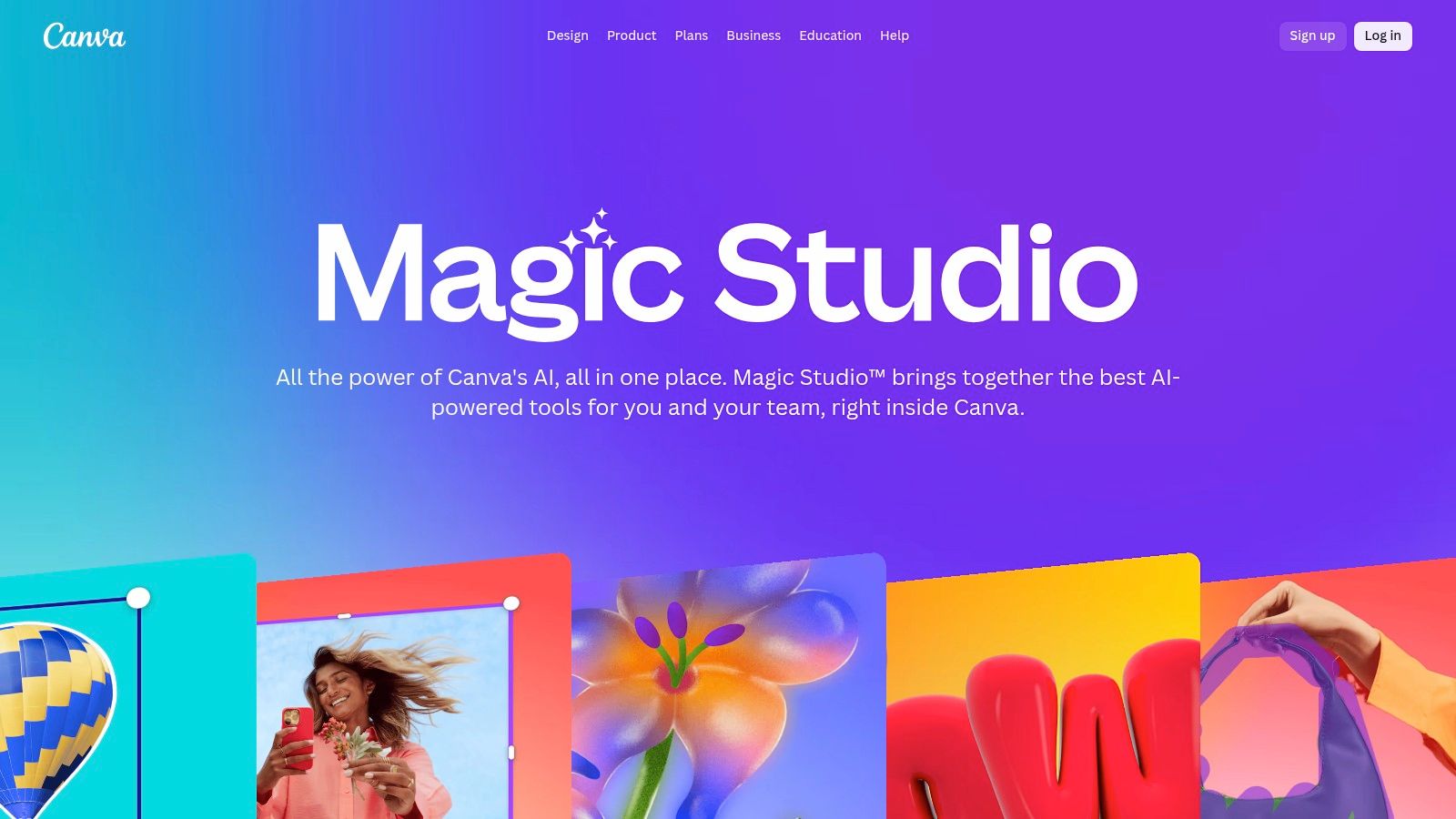
alt text: Canva’s Magic Media interface showing a text-to-image prompt and several generated images within the design editor.
What truly sets Canva apart is its workflow-first approach. The platform is not just about generating an image; it is about using that image effectively. After creation, you can instantly apply Magic Edit to alter specific parts of the image, Magic Eraser to remove unwanted objects, or use the full suite of Canva’s design tools to add text, filters, and branding elements.
Key Features & Use Cases
- Best For: Marketing teams, social media managers, and small business owners who need to create branded content quickly.
- Key Feature: Seamless integration of text-to-image generation (Magic Media) and AI editing tools within a comprehensive design and collaboration platform.
- Pricing: Free plan includes a limited number of lifetime credits. Paid plans (Pro, Teams) offer a larger monthly allotment of credits, with options to purchase more.
- Practical Example: A social media manager needs a custom image for an Instagram post about a new product. Here’s the workflow:
- Open an Instagram Post template in Canva.
- On the left-hand menu, select “Apps” and search for “Magic Media.”
- In the Magic Media tool, enter a prompt like “a sleek, futuristic water bottle on a clean white background with a single drop of water splashing.”
- Drag the generated image directly onto the Canva template.
- Use Canva’s text and graphics tools to add the company logo and promotional text.
9. Microsoft Designer (part of Microsoft 365 with Copilot)
Microsoft Designer integrates AI image generation directly into the familiar Microsoft 365 ecosystem, making it one of the best AI image generators for users already invested in Microsoft’s productivity suite. Instead of being a standalone tool, Designer functions as part of a broader creative and productivity platform, accessible through the web, mobile apps, and within Copilot. This seamless integration allows individuals, families, and professionals to create visuals for documents, presentations, and social media without leaving their existing workflow.
alt text: The Microsoft Designer user interface showing a prompt bar and a gallery of AI-generated images for a design project.
What sets Microsoft Designer apart is its bundling with Microsoft 365 subscriptions. By leveraging the power of DALL-E 3, it delivers high-quality images and design templates that can be instantly used in Word, PowerPoint, or saved to OneDrive. This tight integration simplifies the process of incorporating custom visuals into projects. You can explore how it fits into a broader strategy of AI for content creation on Richly AI.
Key Features & Use Cases
- Best For: Microsoft 365 subscribers, families, and business professionals needing quick design and image creation within their existing software suite.
- Key Feature: Deep integration with Microsoft 365 apps like Word and PowerPoint, and cloud storage via OneDrive for a seamless workflow.
- Pricing: Included with Microsoft 365 Personal and Family subscriptions, with a set number of “boosts” (credits) for faster generation. Higher-tier business plans offer more credits.
- Practical Example: A manager needs a custom graphic for the title slide of a quarterly report in PowerPoint.
- Open PowerPoint and navigate to the desired slide.
- Open the Copilot sidebar.
- Type a request like: “Create an image of a diverse team collaborating around a glowing chart that shows upward growth.”
- Copilot will generate several image options.
- Click on the preferred image to insert it directly onto the slide.
10. NightCafe
NightCafe positions itself as a community-centric AI art generator, offering a unique blend of powerful models and social features. It provides access to multiple algorithms, including Stable Diffusion SDXL and DALL-E, all within a single interface managed by a flexible credit system. This makes it an excellent entry point for hobbyists and creators who value community engagement, daily challenges, and the ability to experiment without a significant upfront investment.
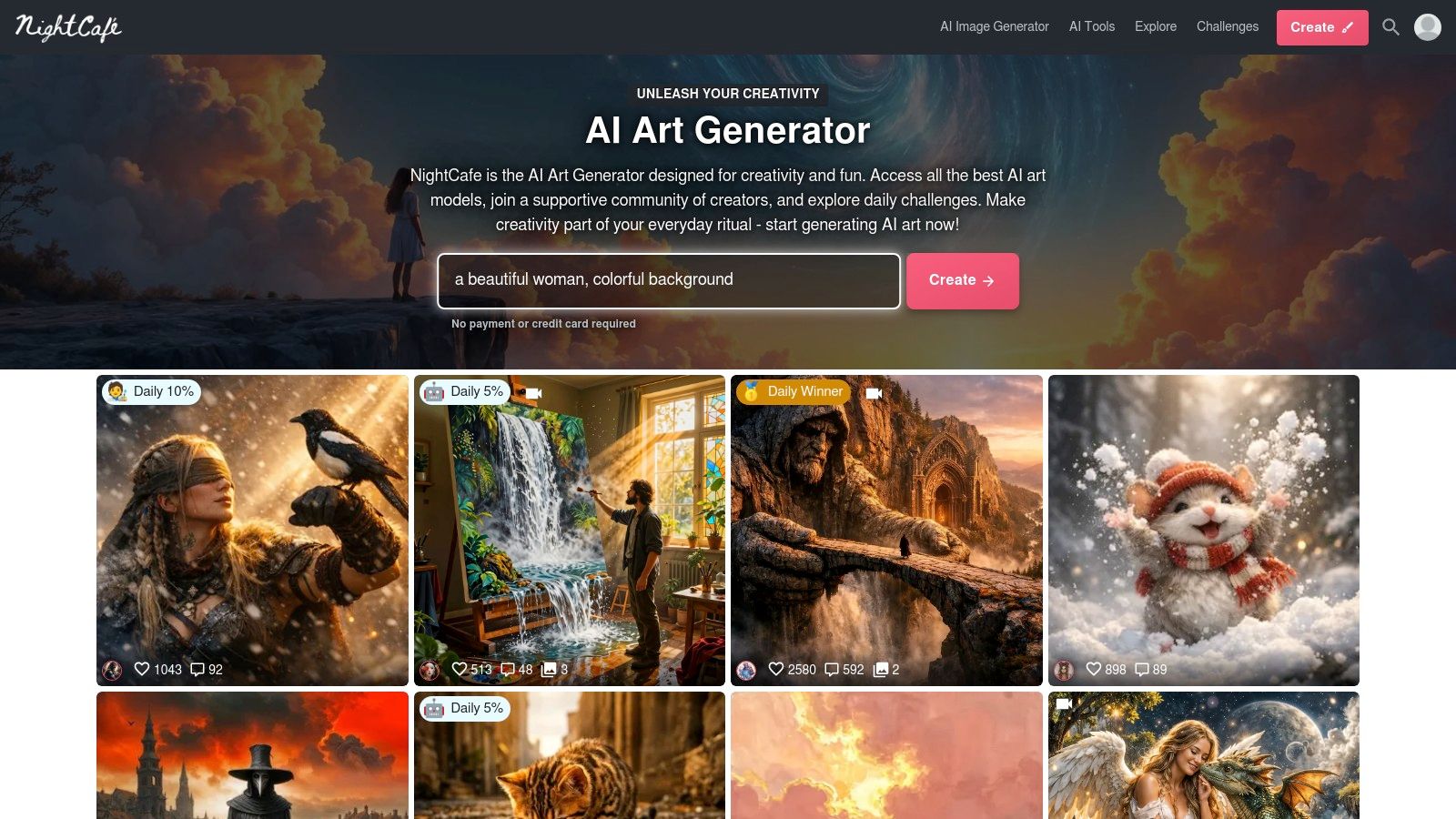
alt text: The NightCafe user interface showing a gallery of AI-generated art with community features like likes and comments.
What truly sets NightCafe apart is its vibrant, gamified ecosystem. Users earn free credits daily, can participate in official challenges, and can even order physical prints of their creations directly from the platform. The platform’s credit economy allows users to pay as they go or subscribe for more, with credit costs varying based on the model and settings used.
Key Features & Use Cases
- Best For: Hobbyists, social creators, and beginners looking for a community-driven platform with free daily credits.
- Key Feature: A gamified credit system and active community with daily art challenges and print-on-demand services.
- Pricing: Starts with 5 free credits daily; paid plans begin at $4.79/month for 100 credits, with credit packs also available.
- Practical Example: A new user wants to learn prompting techniques and earn free credits.
- Log in to NightCafe to claim the daily 5 free credits.
- Navigate to the “Challenges” section and find the current daily challenge (e.g., “Enchanted Forests”).
- Enter a prompt related to the theme and submit the generated artwork to the challenge.
- Vote on other users’ submissions to earn an additional credit bonus.
- This process not only generates art but also engages the user with the community and rewards them with more credits for future creations.
11. Picsart (AI Image Generator inside Picsart)
Picsart integrates its AI Image Generator directly into a comprehensive, user-friendly design suite, making it one of the best AI image generators for users who need an all-in-one content creation platform. Rather than existing as a standalone tool, the generator is a feature within a larger ecosystem that includes advanced photo editing, video tools, templates, and a vast stock content library. This setup is ideal for social media managers, small business owners, and marketers who want to generate an image and immediately incorporate it into a branded design.
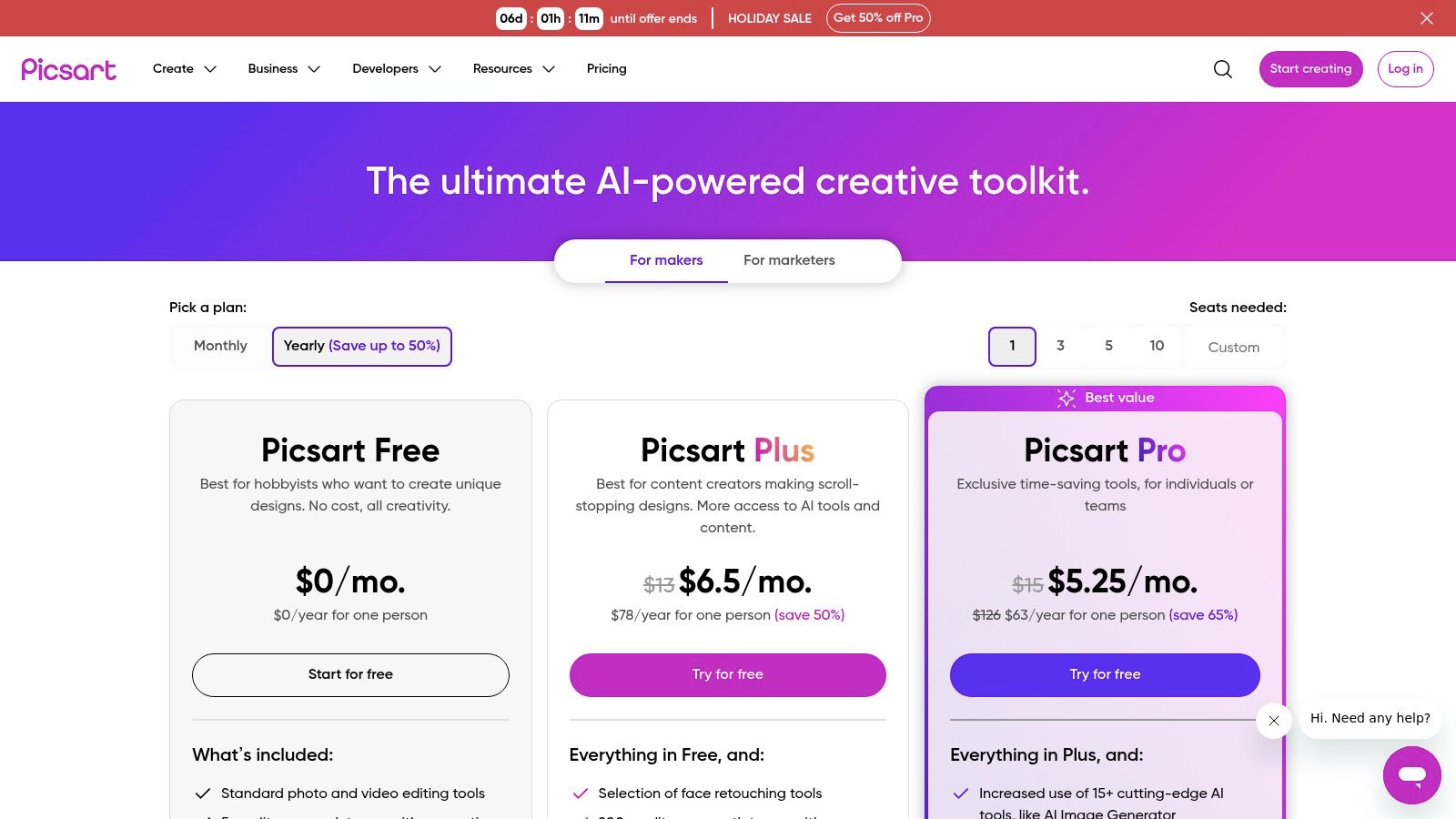
alt text: Pricing plans for Picsart, showing different tiers and features, including AI image generation credits.
What sets Picsart apart is its focus on a seamless workflow from creation to final design. Users can generate an image and then instantly use other AI-powered tools like the background remover, object replacer, or enhancer to refine it. The platform operates on a clear credit-based system within its Plus and Pro subscription tiers. You can explore their pricing and features at picsart.com.
Key Features & Use Cases
- Best For: Social media teams, small businesses, and content creators needing an integrated AI image generator and full-featured design platform.
- Key Feature: A comprehensive suite that bundles the AI Image Generator with powerful photo editing tools, templates, and a stock content library.
- Pricing: Offers a free plan with limited access. Paid plans (Plus and Pro) provide a set number of AI credits per month, starting at competitive price points.
- Practical Example: A small business owner wants to create an ad for a new line of handmade soaps.
- In the Picsart app, use the AI Image Generator with a prompt like “artisan soap bars with lavender and chamomile, displayed on a rustic wooden board, soft natural light.”
- Select the best generated image.
- Immediately use the “Background Remover” tool to create a transparent PNG of the soaps.
- Place the isolated product image onto a new background, add the business logo, and use the text tool to add promotional details.
12. AI Tools Hub by RichlyAI — directory
While not a generator itself, the AI Tools Hub by RichlyAI is an indispensable resource for anyone serious about finding the best AI image generators. It’s a massive, frequently updated directory listing over 11,000 AI tools, including a vast number of image creators. This makes it an essential starting point for market research, competitive analysis, or simply discovering niche and emerging platforms.
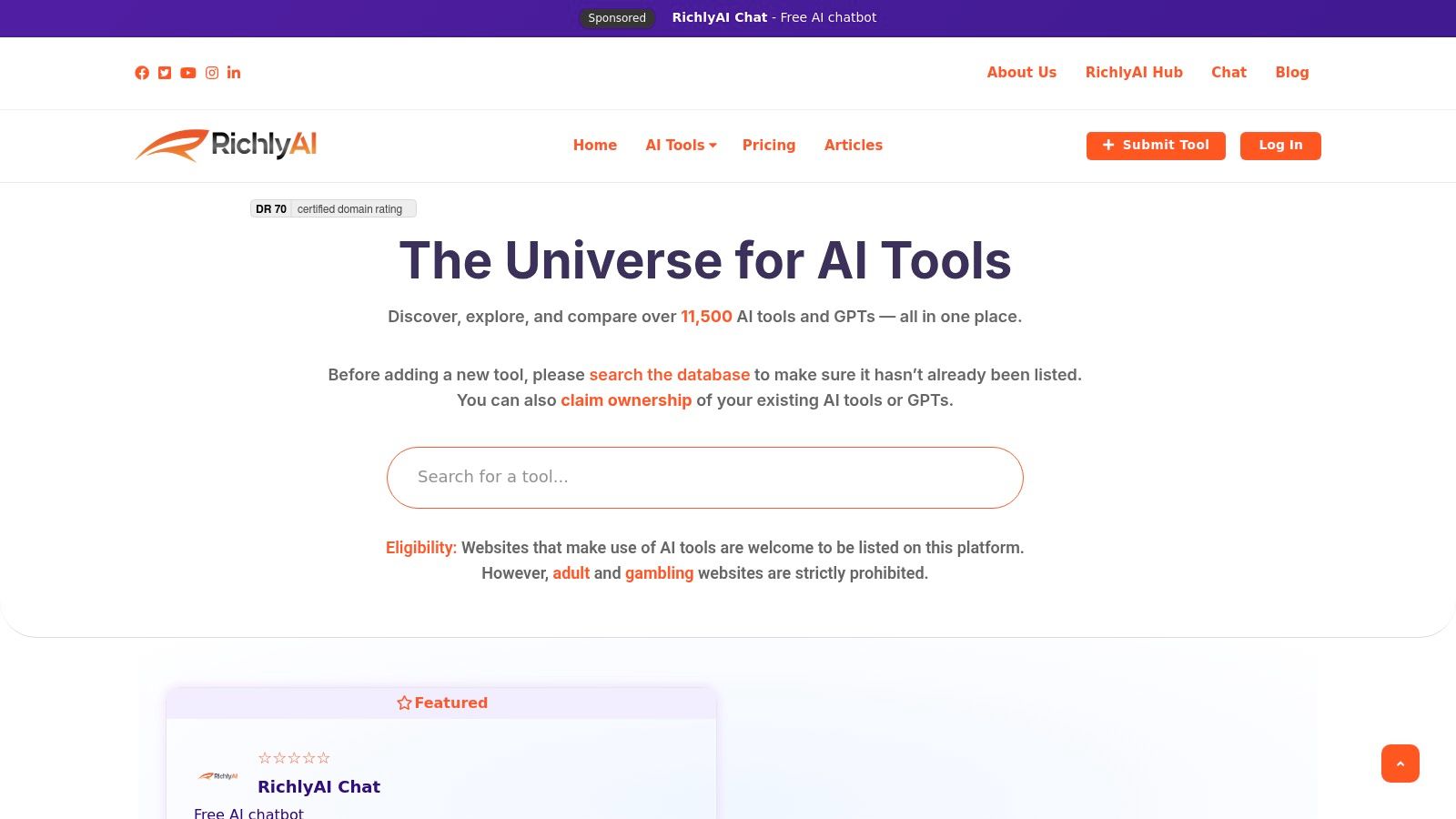
alt text: The user interface of the AI Tools Hub by RichlyAI, showing a searchable and categorized list of various AI tools with logos and brief descriptions.
What sets this directory apart is its sheer scale and commitment to daily updates, ensuring you have access to the latest market entrants. For product managers or marketing teams, it’s a powerful tool for building procurement shortlists and staying ahead of industry trends. The platform allows you to search and filter by category, making it simple to zero in on specific types of image generators.
Key Features & Use Cases
- Best For: Researchers, tech buyers, and AI enthusiasts looking to discover and compare a wide range of image generation tools beyond the major players.
- Key Feature: A searchable, categorized directory of over 11,000 AI tools, with daily updates to include new and niche generators.
- Pricing: Free to browse and search the directory. Vendors can submit tools for free, with premium options for enhanced visibility.
- Practical Example: A user is looking for a specialized AI tool that can turn children’s drawings into photorealistic images.
- Go to the AI Tools Hub website.
- Use the search bar and type “child drawing” or “sketch to image.”
- Filter the results by the “Image Generation” category.
- Browse the resulting list of niche tools, read their descriptions, and click through to their websites to find the perfect fit for this specific task.
Top 12 AI Image Generators — Feature Comparison
| Product | Core features | Quality & UX (★) | Pricing / Value (💰) | Target audience (👥) | Unique selling points (✨) |
|---|---|---|---|---|---|
| 🏆 RichlyAI | Multi‑format generation (text, image, video, audio, code, chatbots), realtime voice, social automation | ★★★★☆ intuitive UI, real‑time edits | 💰 Free plan (Unlimited Text) + paid tiers; AI Tools Hub free + one‑time premium | 👥 Creators, marketers, teams, developers, solopreneurs | ✨ All‑in‑one Hub + AI Tools Hub (11k tools), chatbot training, realtime voice |
| OpenAI — Images in ChatGPT & Images API (GPT‑Image‑1) | ChatGPT image gen + Images API, edits & variations, C2PA support | ★★★★☆ enterprise‑grade, stable | 💰 Per‑image / token pricing, granular tiers | 👥 Developers, businesses, teams | ✨ Strong API docs, granular quality/size controls, text fidelity |
| Adobe Firefly | Generative images/video/audio, Creative Cloud & Photoshop integration | ★★★★☆ pro workflows & provenance | 💰 Credit‑based tiers (Standard/Pro/Premium) | 👥 Creative professionals, enterprises | ✨ Creative Cloud integration, IP/provenance controls |
| Midjourney | Discord + web bot, stylized text‑to‑image, model/style updates | ★★★★★ high stylized quality | 💰 Subscription (monthly/annual) for GPU/fast time | 👥 Designers, artists, marketers | ✨ Distinctive aesthetics + large creative community |
| Stability AI — Stable Artisan & DreamStudio/API | SD3/SDXL access, edits (outpaint, replace), upscaling, API credits | ★★★★☆ flexible control & model options | 💰 Credit system across UI & API | 👥 Creators, developers wanting SD models | ✨ Official SD3 access, powerful editing/upscaling tools |
| Leonardo.ai | Web + API, private models, token banks, upscaling, photoreal modes | ★★★★☆ balanced speed & quality | 💰 Free → Teams/Enterprise with token plans | 👥 Teams, creators, indie studios | ✨ Private model training, clear token ladder, photoreal modes |
| Ideogram | Text‑focused image gen (typography/character consistency), editing tools | ★★★★☆ excellent on‑image text & logos | 💰 Team & API plans, priority/slow credits | 👥 Ads, signage, designers needing precise text | ✨ Best‑in‑class text rendering and character consistency |
| Canva — Magic Studio | Text‑to‑image + Magic Edit, templates, Brand Kit, collaboration | ★★★★☆ design‑first, easy for non‑designers | 💰 Plan‑based AI limits; extra credits purchasable | 👥 Marketers, social teams, non‑designers | ✨ Templates + Brand Kit + collaboration workflow |
| Microsoft Designer (w/ Copilot) | Designer integrated in Microsoft 365, OneDrive & Copilot links | ★★★★☆ smooth M365 integration | 💰 Included in Microsoft 365 tiers (limits vary) | 👥 Microsoft 365 users, professionals & households | ✨ Bundled with M365 + Copilot for seamless workflows |
| NightCafe | Multi‑model support, credit economy, community features, prints | ★★★★☆ community & model variety | 💰 Daily free credits, subscription & credit packs | 👥 Hobbyists, community creators | ✨ Strong community challenges + print services |
| Picsart (AI Image Generator) | Image gen + editor, templates, stock library, Brand Kit (Pro) | ★★★★☆ consumer‑friendly editor | 💰 Monthly AI credit allocations (Plus/Pro) | 👥 SMBs, social teams, casual creators | ✨ Integrated editor + templates + stock assets |
| AI Tools Hub by RichlyAI — directory | Searchable directory of 11,000+ AI tools, listings, screenshots, analytics | ★★★★☆ extensive coverage, searchable | 💰 Free listings + one‑time premium upgrade for vendors | 👥 Researchers, procurement teams, vendors | ✨ Massive, frequently updated marketplace with verified badges |
Your Next Steps in AI Image Creation
Navigating the vibrant and rapidly expanding landscape of AI image generation can feel overwhelming, but the diversity of tools is a significant advantage. The key takeaway is that there is no single “best” AI image generator for everyone. The ideal tool is entirely dependent on your specific goals, technical comfort level, and creative workflow.
We’ve seen how platforms like Adobe Firefly excel for professionals embedded in the Adobe Creative Cloud ecosystem, offering commercially safe outputs and seamless integration. For developers and businesses needing a powerful, scalable API, OpenAI’s GPT-Image-1 provides a robust and reliable foundation. Conversely, artists seeking a unique stylistic signature and an active community will find a creative home in Midjourney.
For those who need more than just image generation, integrated platforms like RichlyAI and Canva’s Magic Studio offer a suite of content creation tools in one place. Meanwhile, innovators like Ideogram are pushing the boundaries of in-image text generation, and Leonardo.ai provides an incredible platform for training custom models for game assets and consistent characters.
How to Choose Your AI Image Generator
Making the right choice comes down to weighing a few critical factors. Before you commit to a subscription, ask yourself the following questions:
- What is my primary use case? Are you creating marketing assets (Canva, Microsoft Designer), photorealistic art (Midjourney, Stable Artisan), conceptual designs (Ideogram), or assets for a specific project like a video game (Leonardo.ai)?
- How important is workflow integration? If you already work in a specific software suite, a tool that integrates directly is a massive time-saver. Adobe Firefly is the prime example for designers, while OpenAI’s API is perfect for developers building custom applications.
- What is my budget? Many of the best AI image generators offer free trials or credit-based systems (like NightCafe and DreamStudio) that allow you to experiment. Evaluate the cost-per-image and determine which pricing model aligns with your expected usage.
- What level of control do I need? Power users who want to fine-tune models and use negative prompts will gravitate towards platforms like Leonardo.ai or Stability AI’s tools. Those who prefer simplicity might find ChatGPT’s image generation more suitable.
Actionable Takeaways to Get Started
Your journey doesn’t end here; it’s just beginning. Here are your immediate next steps to put this knowledge into practice:
- Test Three Platforms: Based on your needs identified above, select your top three contenders and use their free trials. Generate the same 5-10 prompts across all three to directly compare their output, style, and user interface.
- Master a Single Tool First: Instead of jumping between many generators, pick one that feels most intuitive and dedicate a week to mastering it. Learn its prompt nuances and explore its advanced settings.
- Explore Advanced Techniques: Once you’re comfortable with basic generation, look into more advanced applications. For those looking to leverage AI beyond pure generation from text, you can also explore how to transform existing images into illustrations using AI.
- Join a Community: Engage with user communities on platforms like Discord (for Midjourney or Stability AI) or public forums to learn from others, share your creations, and stay updated on new features.
Tools & Resources
- RichlyAI Tools Hub: A directory of over 11,000 AI tools for discovery and comparison.
- OpenAI API Documentation: For developers looking to integrate image generation into their applications.
- Midjourney Community Showcase: A source of inspiration for creative prompting.
Further Reading
- Prompt Engineering Guide: A deeper dive into crafting effective prompts for AI models.
- Understanding Generative AI: Learn about the underlying technology behind these tools.
The world of AI-driven creativity is not about replacing human artists but empowering them with unprecedented tools. The generator you choose is your new creative partner, a collaborator that can bring your most ambitious ideas to life. Don’t be afraid to experiment, combine outputs from different tools, and develop a unique workflow. The future of visual creation is here, and it’s more accessible than ever.
Ready to move beyond standalone image generation and integrate AI across your entire content workflow? RichlyAI offers a comprehensive suite of 150+ AI tools, including a powerful image generator, content writers, and automation features, all in one unified platform. Start creating faster and smarter with RichlyAI today.
