
Creating stunning visuals no longer requires expensive software or years of design experience. The rise of powerful, accessible AI image generators has put professional-grade art creation in everyone’s hands. But with a sea of options available, finding the right ai image generator free for your specific project can be overwhelming. Which one excels at photorealism? Which is best for abstract art or logos?
This guide cuts through the noise. We have meticulously tested and reviewed the top 12 free platforms to help you make an informed choice. You’ll get a direct, side-by-side comparison of their features, credit systems, and unique limitations.
Whether you’re a digital marketer needing engaging social media graphics, a content creator visualising a concept, or simply an AI enthusiast exploring new tools, this resource provides the actionable insights you need. Each entry includes screenshots, direct links, and practical advice, empowering you to start creating compelling images immediately, without any cost.
1. RichlyAI
RichlyAI Hub is an all-in-one AI platform where image generation is a core component. For users seeking an ai image generator free of charge that doesn’t compromise on power, RichlyAI presents a compelling solution. The platform integrates advanced AI models, allowing you to produce high-quality visuals from simple text prompts directly within its unified interface.
Alt text: A screenshot of the RichlyAI Hub dashboard, showing various AI tools including text and image generation.
What truly sets RichlyAI apart is its holistic approach. It’s not just an image generator; it’s a complete productivity and creativity ecosystem. A digital marketer can conceptualise a campaign, generate the marketing copy, create accompanying visuals, and then schedule the posts across X (Twitter) and LinkedIn without ever leaving the platform. This seamless workflow is a significant advantage over single-purpose image generation tools. The platform’s generous free plan provides access to powerful features that are often locked behind a paywall elsewhere, making enterprise-grade AI accessible.
Key Features & Analysis
| Feature | Analysis |
|---|---|
| Integrated Suite | Beyond images, users can generate text, code, audio, and videos. This integration is ideal for multifaceted projects, saving significant time and reducing tool-switching. |
| Advanced AI Models | The free plan grants access to sophisticated models, ensuring the output is high-quality and contextually relevant, suitable for professional use cases like ad creatives. |
| Social Automation | A standout capability, allowing direct scheduling of generated images to social media platforms. This is a game-changer for content creators and social media managers. |
| Intuitive UI | The user interface is designed to be straightforward, making it easy for users to navigate between different tools and generate content without a steep learning curve. |
How to Create and Schedule a Social Media Post
A small business owner wants to create an Instagram post for a new locally-made juice product. Here’s the step-by-step process in RichlyAI:
- Generate Copy: Navigate to the AI Text Generation tool. Enter the prompt: “Write a short, catchy Instagram caption for a new organic mango-passion fruit juice made in Nigeria.”
- Generate Image: Go to the AI Image Generator. Use the prompt: “A vibrant, professional product photograph of a glass bottle of mango-passion fruit juice, condensation on the bottle, with fresh mango slices and passion fruit halves next to it, on a clean white background, tropical feel.”
- Schedule Post: Once satisfied with the image and caption, use the Social Media Automation tool to schedule the post directly to your Instagram and LinkedIn profiles for the next morning.
This entire process, from idea to scheduled post, is completed within minutes on a single platform.
Pros and Cons
Pros:
- Comprehensive all-in-one platform (text, image, video, code, social).
- Free plan includes access to advanced AI models.
- Built-in social media automation streamlines content workflows.
- Highly praised by a diverse Nigerian user base for boosting productivity.
Cons:
- Beginners may need some time to explore and master the full suite of tools.
- High-volume or advanced enterprise usage may require a paid plan.
Website: https://richlyai.com
2. Microsoft Designer – Image Creator
For those needing a high volume of images without worrying about credits, Microsoft Designer’s Image Creator is a standout option. Integrated directly into the Microsoft ecosystem, this tool offers a truly free AI image generator experience once you sign in with a Microsoft account. It leverages OpenAI’s DALL-E 3 model to provide high-quality outputs with remarkable speed, making it perfect for rapid brainstorming and content creation.
Alt text: A screenshot of the Microsoft Designer Image Creator interface showing a text prompt and four generated images of a futuristic city.
Its key advantage is the seamless workflow. You can generate an image and immediately pull it into the Designer app to add text, graphics, or branding elements. This makes it an incredibly efficient tool for social media managers and entrepreneurs who need to quickly produce marketing materials. For a deeper dive, explore how you can use AI to design a flyer or logo with tools like this one.
How to Create a Blog Header Image
- Navigate to the Tool: Go to the Microsoft Designer Image Creator website and sign in.
- Write a Detailed Prompt: In the prompt box, type: “A minimalist and clean blog header image, a single coffee cup on a wooden desk next to an open laptop and a small succulent plant, soft morning light from a window, pastel color palette, photographic style.”
- Generate and Select: Click “Generate.” The tool will produce four image options. Choose the one that best fits your blog’s aesthetic.
- Edit in Designer: Click on your chosen image, then select “Edit in Designer.” You can now add your blog post title as text directly onto the image before downloading.
Key Details & Features
- Pricing: Completely free with a Microsoft account. Generations are unlimited, though they may become slower after heavy use.
- Best For: Social media content, blog post images, and quick conceptual visualisations.
- Unique Feature: Direct integration with the Microsoft Designer suite for post-generation editing.
| Pros | Cons |
|---|---|
| Truly unlimited free generations | Requires a Microsoft account to use |
| Very fast and user-friendly | Fewer fine-tuning and advanced controls |
| Powered by the advanced DALL-E 3 model | Image quality can be less consistent |
Website: Microsoft Designer Image Creator
3. Adobe Firefly
For creatives already embedded in the Adobe ecosystem, Adobe Firefly is a powerful and ethically trained AI image generator. Its free tier provides users with 25 generative credits per month to explore features like text-to-image and Generative Fill. Firefly is designed to generate commercially safe content, making it a reliable choice for professional projects where brand integrity is paramount.
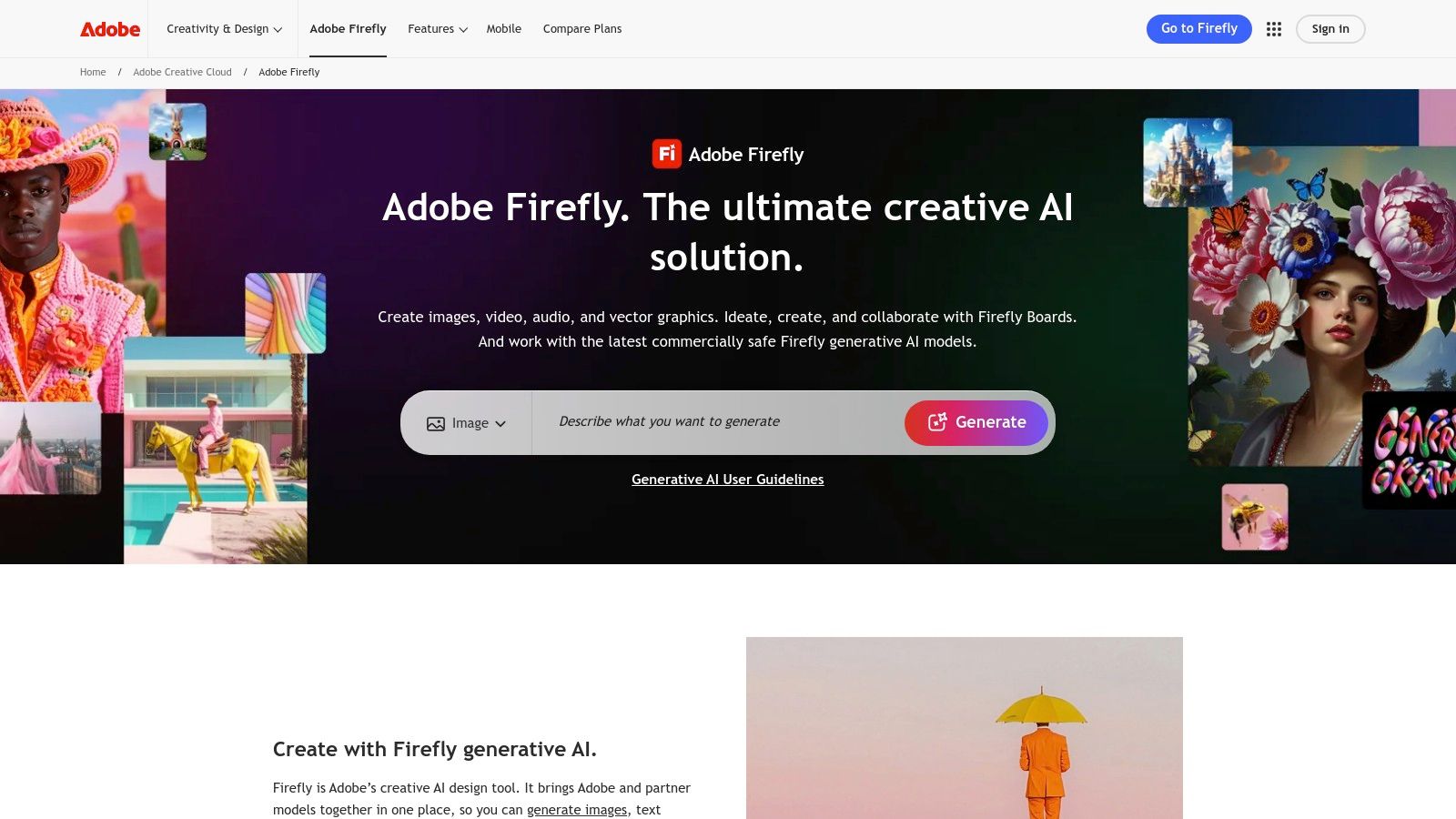
Alt text: A screenshot of the Adobe Firefly interface displaying a gallery of AI-generated images with a prompt bar at the top.
The platform’s greatest strength is its seamless integration with other Adobe applications like Photoshop and Express. You can generate an asset in Firefly and instantly send it to Photoshop for advanced editing. This integrated workflow streamlines the entire creative process from concept to completion. Exploring this kind of tool is a great first step in understanding how generative AI can empower creativity.
How to Use Generative Fill
- Upload an Image: In Firefly, select the “Generative Fill” feature and upload a photo you want to edit (e.g., a product shot).
- Select an Area: Use the brush tool to highlight an area you want to change, such as the background behind your product.
- Enter a Prompt: In the prompt box, describe what you want to add. Type: “A clean, minimalist marble countertop with soft, out-of-focus studio lighting.”
- Generate and Choose: Click “Generate.” Firefly will create several options for the new background. Select the best one to instantly improve your product photo without complex editing.
Key Details & Features
- Pricing: Free plan includes 25 generative credits per month. Paid plans start from $4.99/month for more credits.
- Best For: Designers, marketers, and content creators using the Adobe Creative Cloud suite.
- Unique Feature: Deep integration with Photoshop and Express for a fluid, end-to-end design workflow.
| Pros | Cons |
|---|---|
| Strong editing pipeline with other Adobe apps | Credit-based model limits free usage |
| Trained on licensed content for commercial safety | Advanced features require a paid subscription |
| Excellent image quality and feature set | Watermark is applied to images on the free plan |
Website: Adobe Firefly
4. Canva Magic Media (Text to Image)
For creators already using Canva, Magic Media is a game-changing addition that brings AI image generation directly into their design workflow. This tool, part of Canva’s Magic Studio, is the ideal ai image generator free solution for anyone needing to produce branded content quickly. It allows you to create visuals from text prompts without ever leaving your project, making it perfect for whipping up social media posts or presentation slides on the fly.
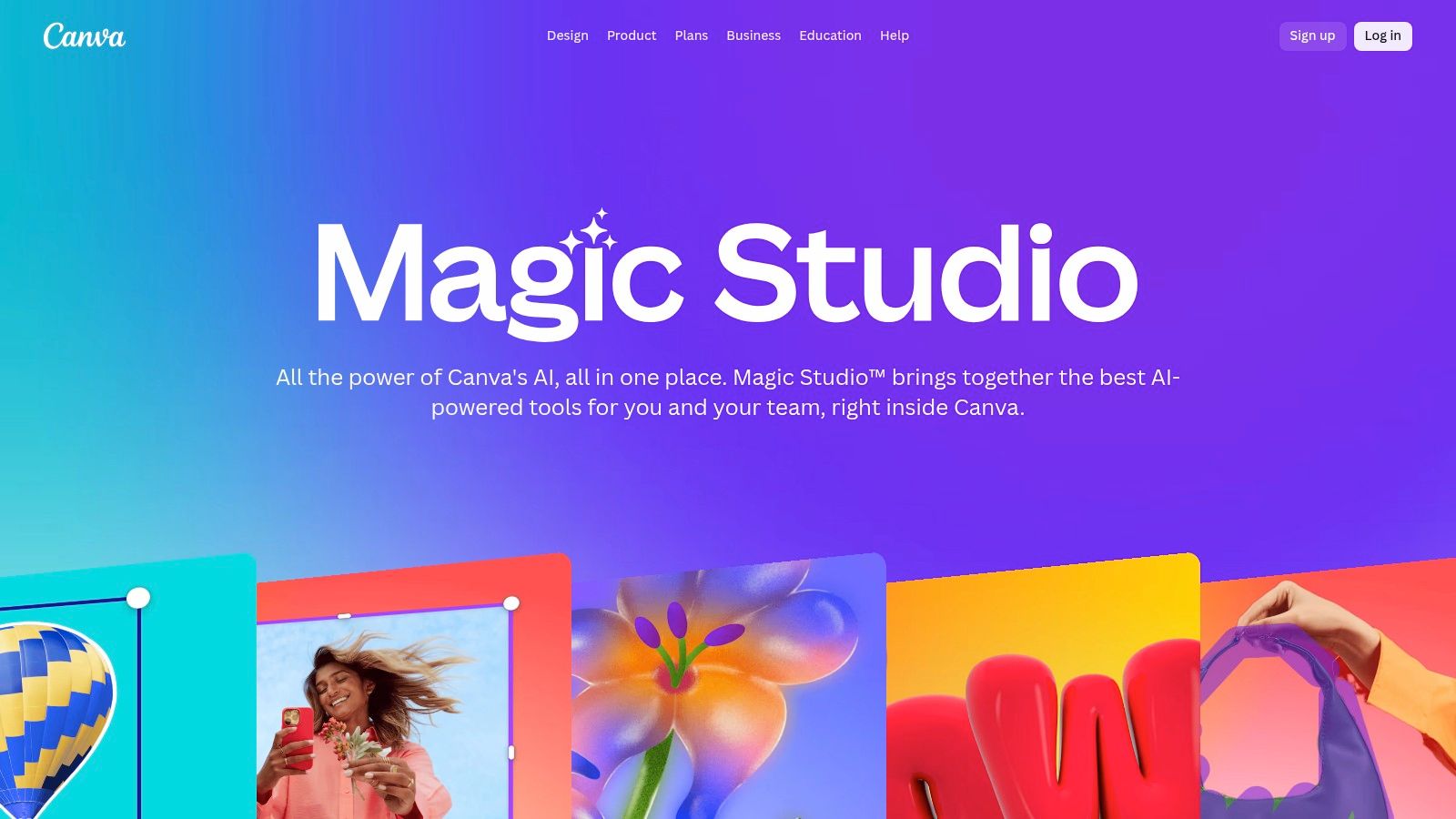
Alt text: A screenshot of the Canva Magic Media interface showing a text-to-image prompt to create a “panda surfing a wave” and the resulting AI-generated image options.
The primary advantage of Magic Media is its seamless integration. You generate an image and can immediately add it to a template, apply brand colours, and overlay text. For example, a social media manager can prompt “a vibrant flat lay of Nigerian jollof rice” and instantly place the result into a pre-made Instagram story template. While the free plan has credit limitations, its convenience for creating complete, polished marketing assets is a significant draw.
How to Create an Instagram Story in 2 Minutes
- Open a Template: In Canva, search for and open an Instagram Story template you like.
- Access Magic Media: On the left-side toolbar, click “Apps” and find “Magic Media.”
- Generate Your Image: In the prompt box, type: “A bright, aesthetic photo of a person’s hands holding a smartphone with a blank green screen, on a cafe table next to a latte.”
- Add to Design: Click on the generated image you like best, and it will be added directly to your template. Resize it, add your text, and your story is ready to post.
Key Details & Features
- Pricing: Free plan includes 50 lifetime text-to-image credits. Paid plans (Pro & Teams) offer more monthly credits.
- Best For: Marketers, social media managers, and small business owners needing to create on-brand assets quickly.
- Unique Feature: Full integration within the Canva design suite for immediate editing and use in templates.
| Pros | Cons |
|---|---|
| Beginner-friendly with a seamless design flow | Limited free credits before requiring an upgrade |
| Excellent for fast marketing asset creation | Can experience congestion during peak usage times |
| Access to a massive library of templates | Teams pricing has increased significantly in recent years |
Website: Canva Magic Media
5. Leonardo.ai
Leonardo.ai is a powerhouse platform that bridges the gap between casual users and creative professionals. It offers a robust free tier that provides a daily allowance of “fast” tokens for quick image generation, making it a highly attractive ai image generator free option for those who need consistent, high-quality outputs. Its community-driven approach, featuring a gallery of user-created models and styles, sets it apart as a hub for artistic exploration.
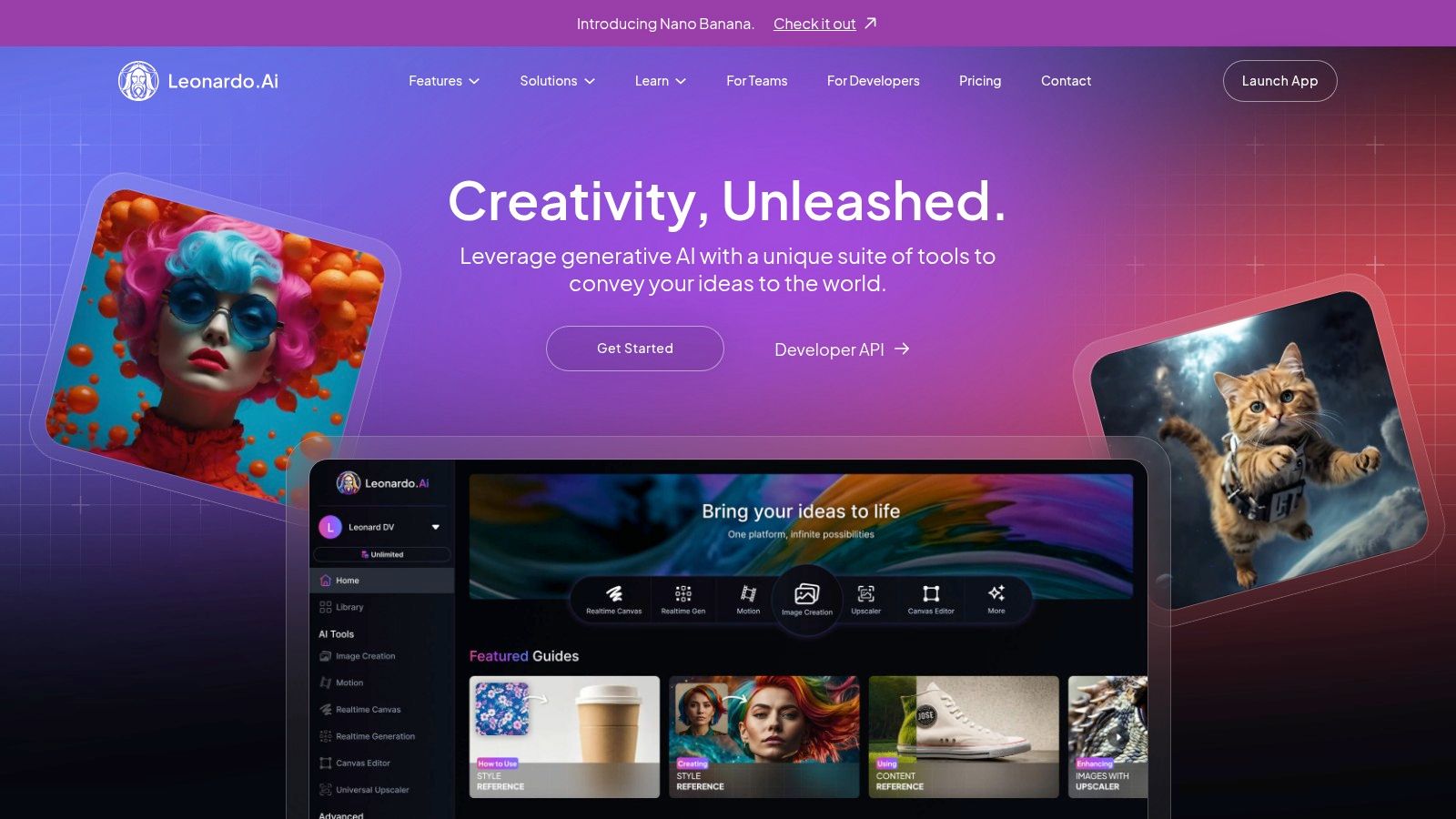
Alt text: A screenshot of the Leonardo.ai user interface showing various AI-generated images in a gallery format.
The platform is designed for deep customisation. Users can train their own AI models on specific aesthetics or subjects, a feature rarely found in free tools. This makes it ideal for artists and designers looking to develop a unique visual identity.
While the free plan’s images are public, the suite of advanced features provides a level of control that rivals many paid services. For content creators exploring a range of digital tools, discover how Leonardo.ai fits into a broader toolkit in this guide to free AI tools for content creation.
How to Create a Custom Game Asset
- Select a Model: On the Leonardo.ai homepage, browse the “Finetuned Models.” Select a model that matches the style you need, such as “Pixel Art” or “Isometric Sci-fi.”
- Write a Precise Prompt: In the image generation tool, enter a detailed prompt for your asset. Example: “Isometric view of a glowing blue health potion bottle, crystal glass, intricate silver filigree, sitting on a stone floor, game asset.”
- Use a Negative Prompt: In the “Negative Prompt” box, add terms to exclude unwanted elements. Example: “text, words, blurry, ugly, human hands.”
- Generate and Refine: Generate the image. If it’s close but not perfect, use the “Image to Image” feature to upload the result and generate new variations based on it.
Key Details & Features
- Pricing: A generous free plan with daily tokens (around 150) that reset every 24 hours. Paid plans offer more tokens and private generations.
- Best For: Artists, designers, and enthusiasts who want to fine-tune models and create unique, stylised images.
- Unique Feature: The ability to train custom AI models on your own datasets, even on the free tier.
| Pros | Cons |
|---|---|
| Robust feature set with advanced controls | Free plan generations are public by default |
| Generous daily free token allowance | The interface can be complex for beginners |
| Community models offer diverse styles | Some models require paid plans to use |
Website: Leonardo.ai
6. Ideogram
When it comes to generating images that include readable and coherent text, Ideogram stands in a class of its own. This platform was specifically developed to solve one of AI’s biggest challenges: typography. For anyone looking to create logos, posters, or memes where the text is as important as the image, this is the go-to free AI image generator. Its “Magic Prompt” feature helps refine your ideas, and the ability to remix existing creations from the community provides endless inspiration.
Alt text: A screenshot of the Ideogram interface showcasing its grid of community-generated images, many featuring stylised and accurate text.
While its free offering is more of a trial than an unlimited resource, it’s more than enough to test its powerful capabilities. The user interface is clean and encourages exploration, with a feed showcasing what others have created. For designers and marketers needing quick mock-ups of branded materials or social media graphics with clear text, Ideogram provides a specialised tool that other, more generalist generators cannot match.
How to Create a Logo Mockup
- Enter Your Prompt: In the Ideogram prompt field, describe the visual and include the text in quotation marks. Example: A minimalist logo for a coffee shop called “The Daily Grind”, featuring a simple line art of a coffee bean, typography style.
- Select Style Tags: Below the prompt box, click on relevant style tags like “logo,” “typography,” and “minimalist” to guide the AI.
- Activate Magic Prompt: Toggle the “Magic Prompt” switch to “On.” This will enhance your prompt for better results.
- Generate and Iterate: Click “Generate.” Ideogram will create four options. If you like one, click “Remix” to generate similar variations until you find the perfect design.
Key Details & Features
- Pricing: Free plan includes 25 generations (100 images) per day with slower generation speeds. Paid plans start at $7/month.
- Best For: Creating logos, posters, t-shirt designs, and any image where accurate text rendering is crucial.
- Unique Feature: Superior typography and text generation capabilities, plus a community-driven remix feature.
| Pros | Cons |
|---|---|
| Best-in-class for generating images with text | Limited free generations per day |
| “Remix” feature allows for easy iteration | Certain aspect ratios and private generations are paywalled |
| Active community and constantly improving model | Slower generation speeds on the free plan |
Website: Ideogram
7. NightCafe Creator
NightCafe Creator thrives on a community-centric approach, making it an engaging ai image generator free for those who enjoy social interaction and gamified experiences. Instead of a purely transactional process, the platform provides daily free credits and offers quests and challenges, allowing you to earn more generation power. This system is ideal for casual users and creatives looking to explore a variety of prompts within an active, supportive community.
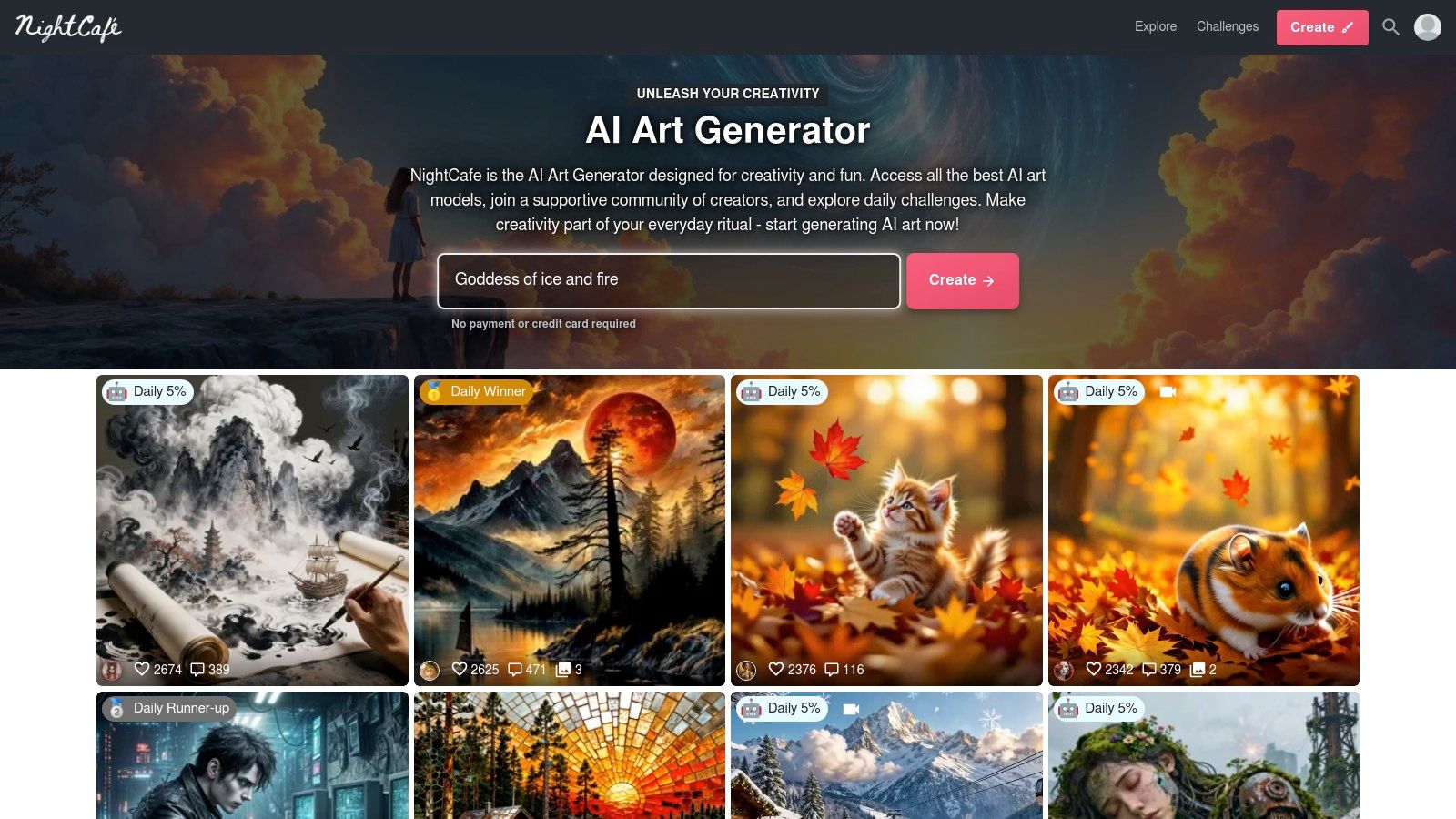
Alt text: A colourful AI-generated image of a fantasy landscape created on the NightCafe Creator platform.
What sets NightCafe apart is its vibrant social hub. You can browse, like, and comment on creations from other users, and even “evolve” their work, building upon existing prompts to create something new. This makes it an excellent tool for learning prompt engineering and discovering new artistic styles. For an effective start, participate in the daily challenges; it is a quick way to earn credits and see what the community is creating.
How to Get More Free Credits
- Daily Login: Log in every day to claim your base 5 free credits.
- Vote in Challenges: Go to the “Challenges” section. Spend 10-15 minutes each day voting on other users’ submissions for the daily theme. You earn free credits for participating.
- Complete a Badge: On your profile page, check your badges. Simple actions like liking 10 creations or publishing your first image will award you bonus credits.
- Share Your Creations: Share your generated images on social media platforms like Twitter or Pinterest directly from NightCafe to earn additional credits.
Key Details & Features
- Pricing: Free tier provides 5 daily credits (more with daily login streaks). Paid subscriptions start from $5.99/month.
- Best For: Hobbyists, artists exploring prompts, and users seeking a community-driven creative experience.
- Unique Feature: Daily challenges and a “gamified” credit system that rewards consistent engagement and participation.
| Pros | Cons |
|---|---|
| Consistent free generation via daily credits | Credit system can feel restrictive for heavy use |
| Friendly community with prompt sharing | Non-PRO users are shown ads on the site |
| Access to multiple AI models (SDXL, etc.) | Base-quality free generations can be slow |
Website: NightCafe Creator
8. Craiyon
For those looking for a no-frills, endlessly accessible AI image generator, Craiyon is an excellent starting point. It offers a completely free, web-based experience that does not require any sign-up, allowing users to jump straight into creating. By removing all barriers to entry, it establishes itself as the perfect tool for casual experimentation, quick brainstorming, or simply having fun with AI art without any commitment.
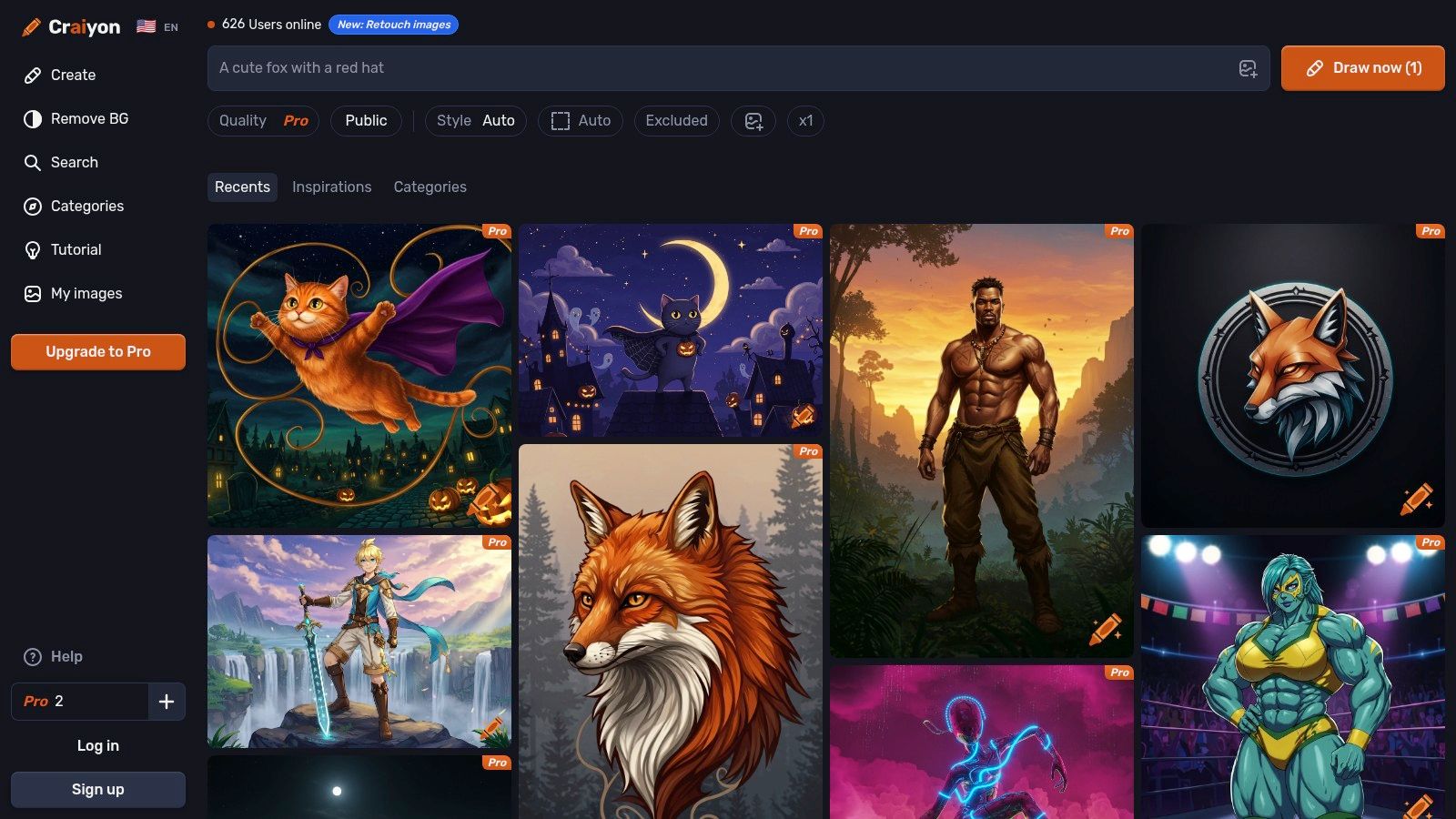
Alt text: A screenshot of the Craiyon interface showing the text prompt area and a grid of nine generated images of a surreal landscape.
While the free version’s image quality is more basic compared to premium models and includes watermarks, its unlimited nature is a huge advantage. It is a fantastic resource for generating a high volume of concept ideas quickly. For users interested in how AI interprets text to create visuals, you can learn more about the process of artificial intelligence drawing and how tools like Craiyon work.
How to Brainstorm a Concept in 60 Seconds
- Open the Website: Go to Craiyon.com. There is no login required.
- Enter a Simple Prompt: Type in a core idea you want to visualize. Example: “A robot trying to cook pasta in a messy kitchen.”
- Add Style Modifiers: Add style words to see different interpretations. Try generating the prompt again with modifiers like “…in the style of a cartoon” or “…, photorealistic.”
- Screenshot for Mood Board: The tool generates a 3×3 grid of images. Even if they aren’t perfect, you can quickly screenshot the grid to use as a visual starting point or mood board for a more advanced AI tool.
Key Details & Features
- Pricing: Completely free with unlimited generations. Optional paid plans start from $5/month for faster generation and no ads.
- Best For: Beginners, students, and anyone needing a quick, cost-free tool for casual image creation or brainstorming.
- Unique Feature: No sign-up is required for free use, offering immediate and anonymous access.
| Pros | Cons |
|---|---|
| No sign-up barriers; completely free | Free tier includes watermarks and ads |
| Unlimited image generations | Lower image quality on the free plan |
| Very simple and beginner-friendly interface | Slower generation times during peak hours |
Website: Craiyon
9. DeepAI – Text to Image
For developers and users looking for a straightforward, API-first approach, DeepAI offers a no-frills text-to-image generator that has been a reliable presence in the AI space for years. While it provides a simple web interface for casual use, its main strength lies in its developer-friendly API, making it an excellent choice for integrating AI image generation into other applications. It provides a foundational, accessible entry point into AI-powered creativity.
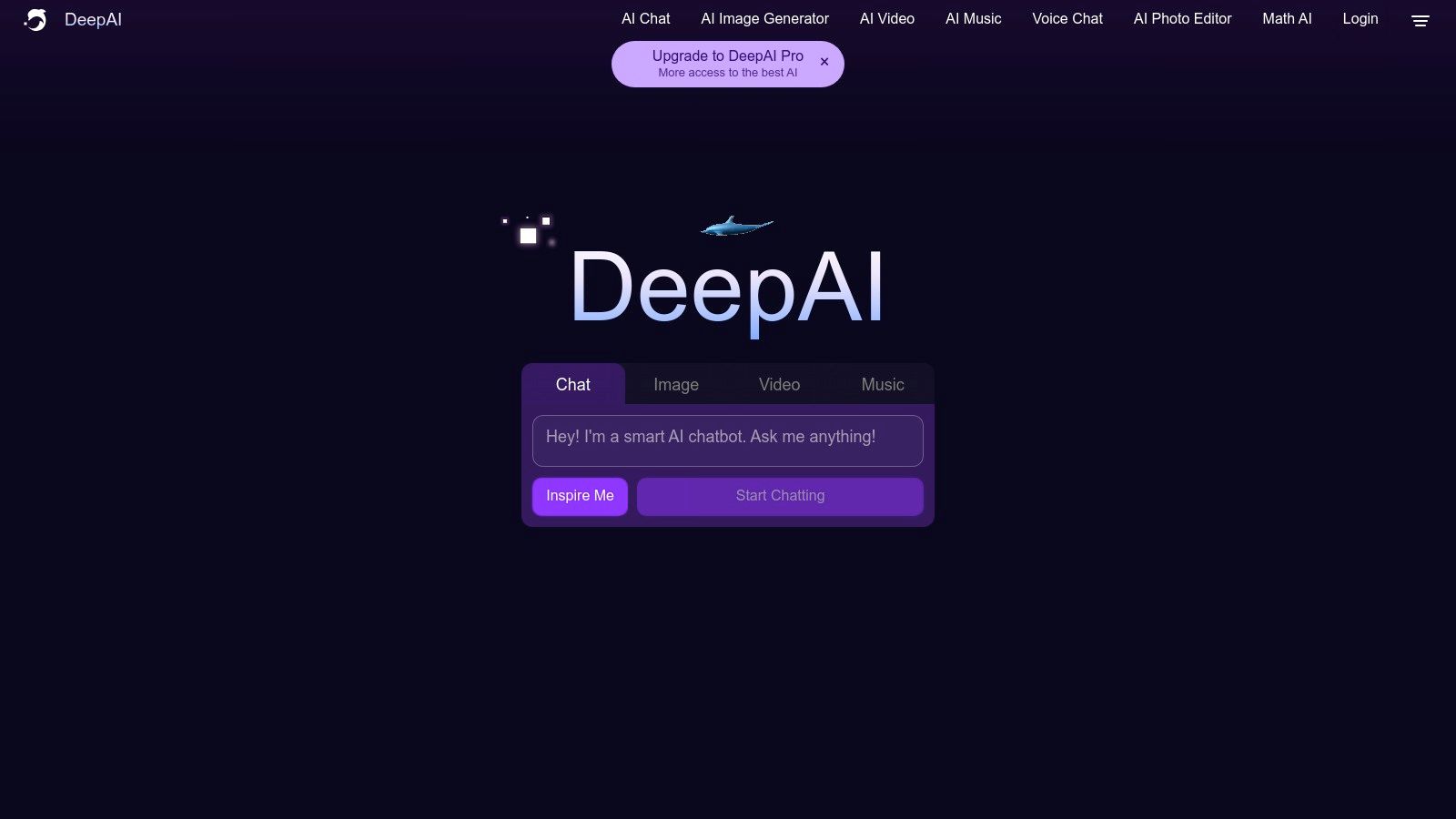
Alt text: A screenshot of the DeepAI Text to Image interface with a prompt box and an image of a majestic lion in a jungle.
DeepAI stands out with its clear, predictable pricing and its suite of AI tools beyond just images, including video and text analysis. While the free daily allowance is limited, the pay-as-you-go model is very affordable, allowing users to scale their usage without committing to a hefty subscription. This makes it a practical tool for small projects, experimentation, or for programmers who need a reliable AI image generator free from complex credit systems for their app prototypes.
How to Test an API Call for a Project
- Sign Up for an API Key: Create a free account on DeepAI and navigate to your dashboard to get your API key.
- Find the Code Snippet: Go to the Text-to-Image API documentation page. Find the example code snippet for your preferred programming language (e.g., Python, JavaScript).
- Prepare the Request: Copy the code snippet into your local editor. Replace the placeholder API key with your own.
- Execute and Verify: In the code, change the text prompt to something simple like “a red apple on a table.” Run the script. The API will return a URL pointing to the generated image. This confirms your setup is working and ready for integration into a larger application.
Key Details & Features
- Pricing: Limited free daily generations. Pro plans start from $5 for 100 API calls, with pay-as-you-go options.
- Best For: Developers needing API access, budget-conscious users, and quick experimental image creation.
- Unique Feature: Robust and well-documented API for easy integration into custom projects.
| Pros | Cons |
|---|---|
| Low-cost entry with predictable pricing | Limited free tier quotas per day |
| Clear and transparent cost per image | Output quality is generally lower than top-tier models |
| Offers API access for developers | Interface is more basic than creative suites |
Website: DeepAI
10. Hugging Face Spaces (text-to-image demos)
For those who love to experiment with the cutting edge of AI, Hugging Face Spaces is an essential destination. It’s less a single tool and more an open playground hosting thousands of community-built AI model demonstrations. This platform provides direct browser access to a vast array of text-to-image models, including various versions of Stable Diffusion and SDXL, without requiring any local installation. It is the perfect environment for testing different models and understanding their unique capabilities.
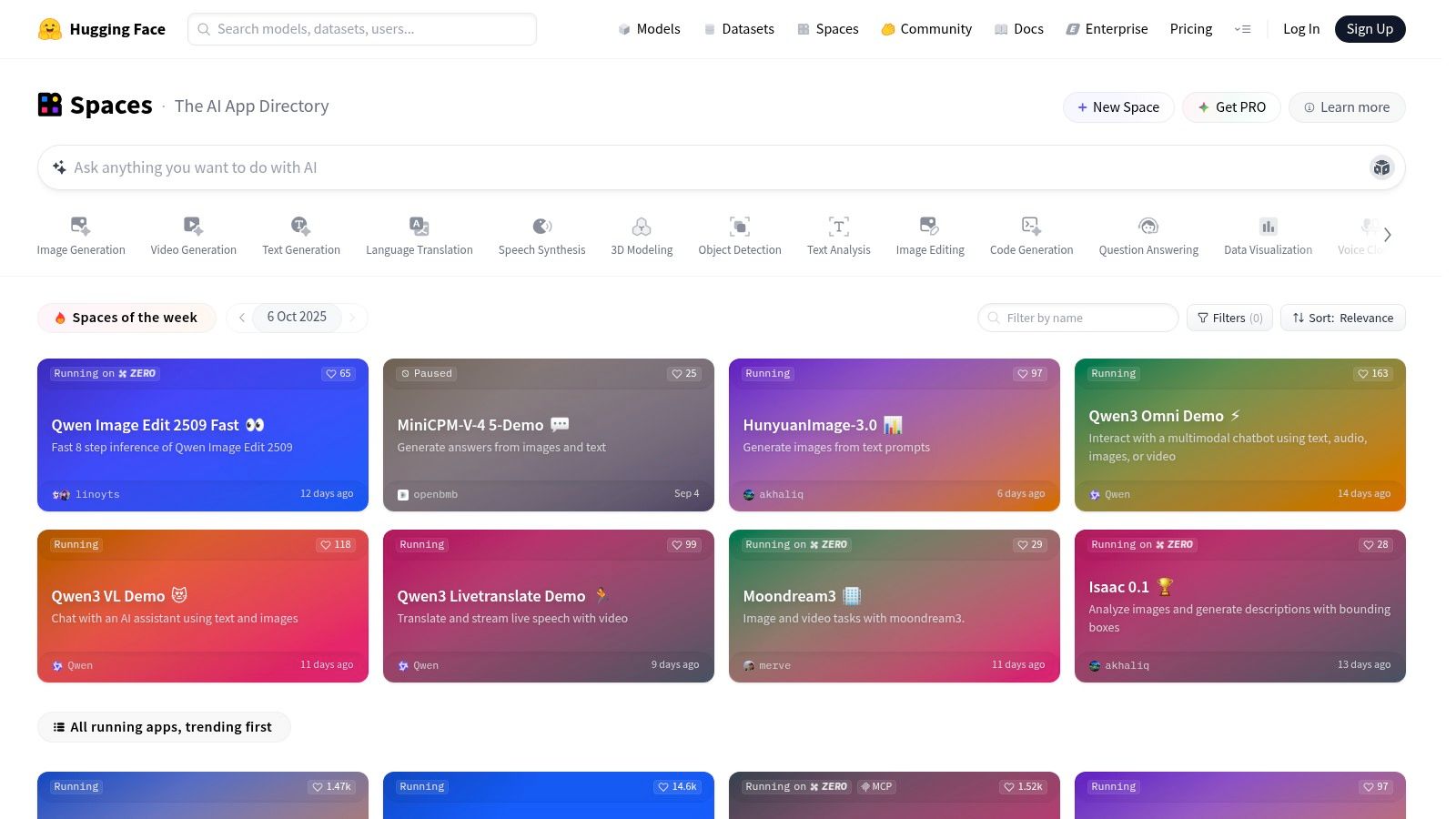
Alt text: A user interface for an AI model on Hugging Face Spaces, showing a prompt input field and generated images of an astronaut.
The primary strength of Hugging Face is its variety and accessibility. You can try a new model as soon as it’s released by the community, offering a glimpse into the latest advancements. Some demos also showcase tools that can help you turn an existing image into a detailed prompt, which is useful for reverse-engineering styles. While performance can vary depending on community hosting, it remains an unparalleled resource for learning and experimentation in the ai image generator free landscape.
How to Test a New AI Model
- Search for a Model: Go to Hugging Face and use the search bar at the top to look for “Stable Diffusion” or “SDXL.” Filter the results by “Spaces” to find runnable demos.
- Choose a Popular Space: Select a Space that has a high number of likes, as this usually indicates it is popular and well-maintained (e.g., “Stable Diffusion 2.1 Demo”).
- Enter a Test Prompt: Use a consistent, simple prompt to test the model’s baseline understanding. Example: “a photorealistic portrait of an old man with a long white beard.”
- Check for Advanced Options: Look for additional settings on the demo page, such as “Negative Prompt” or “Guidance Scale.” Make small adjustments to these settings and regenerate the image to see how they influence the final output.
Key Details & Features
- Pricing: Free for public access. Some demos may have usage queues or rate limits depending on traffic.
- Best For: Developers, researchers, and AI enthusiasts wanting to test a wide variety of models.
- Unique Feature: Access to thousands of different open-source text-to-image models in one place.
| Pros | Cons |
|---|---|
| Huge selection of models and forks to test | Performance can be slow due to high traffic |
| No installation or account required | Quality and uptime depend on community hosts |
| Direct access to the latest AI technology | User interfaces vary and can be complex |
Website: Hugging Face Spaces
11. Mage.space
For AI art enthusiasts who enjoy tinkering with settings, Mage.space offers a powerful and flexible platform built around Stable Diffusion. This studio-style generator provides a generous free tier that, while sometimes subject to slower queues, gives users access to a wide range of models, including SDXL and FLUX. It stands out by providing advanced controls usually reserved for paid services, making it an excellent free AI image generator for those wanting to experiment beyond simple text prompts.
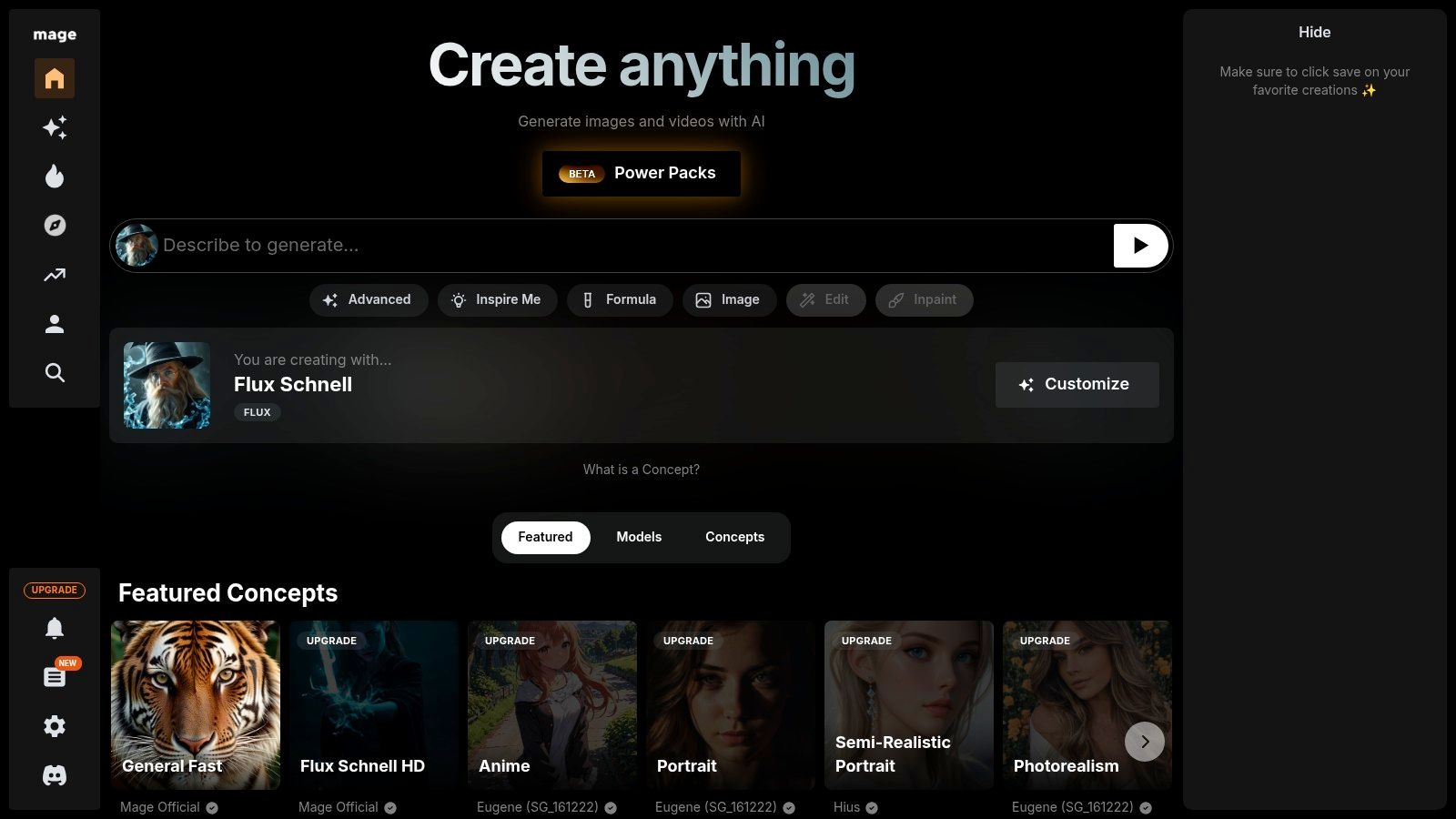
Alt text: The Mage.space interface showing an image generation prompt area and various advanced settings like model selection and negative prompts.
The platform supports sophisticated features like image-to-image processing, upscaling, and the use of LoRA models to fine-tune outputs. This makes it ideal for users who want to create specific artistic styles or characters with greater consistency. While the free version is robust, paid plans unlock faster GPU access, but the core functionality remains accessible to everyone, positioning Mage.space as a fantastic entry point into more advanced image generation techniques.
How to Refine an Image with Advanced Settings
- Choose a Model: On the Mage.space interface, use the dropdown menu to select a base model like “SDXL.”
- Generate a Base Image: Enter a prompt, for instance: “A majestic cat sitting on a throne, wearing a tiny crown, fantasy art style.” Generate the initial image.
- Use the “Refine” Feature: Below the generated image, click the “Refine” button. This opens up options for upscaling and adding detail.
- Adjust Guidance Scale: In the advanced settings, find the “Guidance Scale” (CFG) slider. Increase its value slightly (e.g., from 7 to 9) and regenerate. This will make the AI follow your prompt more strictly, often resulting in a more detailed and less abstract image.
Key Details & Features
- Pricing: Free basic usage with unlimited generations (slower queue). Paid plans start from $4/month.
- Best For: AI art hobbyists, enthusiasts experimenting with different models, and users wanting advanced controls without an initial cost.
- Unique Feature: Access to a wide variety of Stable Diffusion models and LoRAs on the free tier.
| Pros | Cons |
|---|---|
| Generous free usage for casual creators | Free queue speed can be slow during peak times |
| Rich controls suitable for enthusiasts | Pricing and plan features can change; check current details |
| Access to multiple modern diffusion models | Interface can be complex for absolute beginners |
Website: Mage.space
12. Freepik – AI Image Generator
For creators already immersed in the world of stock assets, Freepik’s AI Image Generator is a natural and powerful extension. It cleverly integrates AI generation directly into its vast library of photos, vectors, and templates, creating a one-stop shop for design assets. This integration allows users to generate an image and immediately combine it with existing stock content, streamlining the entire creative process.
Alt text: A screenshot of the Freepik AI Image Generator interface showing a prompt for an abstract background and four colourful generated images.
The platform’s key advantage lies in this seamless ecosystem. For example, a social media manager can generate a unique background image for a promotional post, then instantly use Freepik’s editor to overlay text, add a logo, and incorporate other stock graphics. While the free plan is somewhat restrictive, it serves as an excellent entry point to test how this integrated ai image generator free tool can enhance your existing design workflow.
How to Create a Flyer Background
- Start in the AI Generator: Navigate to the Freepik AI Image Generator.
- Generate a Background: Enter a prompt for a versatile background. Example: “An abstract background with flowing blue and gold lines, modern and elegant, high resolution.” Select the “Photo” style for realism.
- Choose and Edit: Select the generated background you like best. Click the “Edit online” button.
- Add Stock Elements: The image will open in the Freepik editor. Now you can use the left-hand toolbar to search for and add stock elements like social media icons, vector shapes, and text boxes to complete your flyer design.
Key Details & Features
- Pricing: A free plan with a limited number of daily generations that require attribution. Paid plans offer ‘unlimited’ generations.
- Best For: Marketers, designers, and content creators who frequently use stock assets.
- Unique Feature: Direct integration with Freepik’s massive library of stock photos, vectors, and an online editor.
| Pros | Cons |
|---|---|
| Combines AI generation with a large stock library | Free plan has limited credits and requires attribution |
| High-volume usage enabled on paid subscriptions | Output quality can vary depending on the model chosen |
| Offers multiple AI models to choose from | Requires an account to use the generator |
Website: Freepik AI Image Generator
Top 12 Free AI Image Generators Comparison
| Platform | Core Features/Capabilities | User Experience ★ | Value & Pricing 💰 | Target Audience 👥 | Unique Selling Points ✨ |
|---|---|---|---|---|---|
| RichlyAI 🏆 | Multi-modal AI: text, image, video, audio, code, chatbots | ★★★★★ Intuitive UI | Free plan with advanced AI 🆓; scalable plans | Marketers, developers, students, entrepreneurs | All-in-one AI hub, real-time voice chat, social media automation |
| Microsoft Designer – Image Creator | Unlimited free text-to-image, style presets | ★★★★ Smooth & fast | Free with Microsoft account sign-in | Casual & everyday image creators | Truly unlimited image generation, MS ecosystem integration |
| Adobe Firefly | Text-to-image, generative fill, Photoshop/Express integration | ★★★★ Professional | Free tier with credits; paid for unlimited | Adobe users, brands, creatives | Brand-safe content, strong Adobe app pipeline |
| Canva Magic Media | Text-to-image & video, DALL·E & Google Imagen integration | ★★★★ Beginner-friendly | Limited free AI credits; Pro/Teams plans | Marketers, designers, small teams | Seamless design workflow, extensive templates |
| Leonardo.ai | Daily fast tokens, model training, upscaling | ★★★★ Power-user focus | Free tier + paid unlimited relaxed generation | Enthusiasts & professionals | Personal model training, private generation |
| Ideogram | High-fidelity text rendering in images | ★★★★ Specialized | Limited free credits; affordable plans | Logo/poster designers | Best-in-class text clarity, remix/edit feature |
| NightCafe Creator | Daily free credits, social community, multiple AI models | ★★★ Casual & social | Free daily credits; subscription for ads-free | Casual users, prompt experimenters | Community challenges, prompt sharing |
| Craiyon | Unlimited base-quality images free | ★★★★ Easy & open | Free with ads/watermarks; paid for quality | Quick image explorers, beginners | No sign-up needed, always available free use |
| DeepAI – Text to Image | API + web UI, bundled AI tools, pay-as-you-go | ★★★ Affordable | Free daily limits; low-cost Pro plans | Developers, budget-conscious users | Transparent pricing, multi-tool access |
| Hugging Face Spaces | Thousands of text-to-image demos, open-source models | ★★★ Variable quality | Free public access, rate-limited | Developers, learners, experimenters | Huge model variety, no install needed |
| Mage.space | Studio-style text-to-image, LoRA support, upscaling | ★★★★ Enthusiasts | Free slow queues; paid faster GPU & extras | Creators & tinkerers | Modern diffusion models, rich controls |
| Freepik – AI Image Generator | Text-to-image with stock integration, commercial licenses | ★★★★ Stock-heavy | Limited free with attribution; paid unlimited | Marketers, content creators needing assets | Combines AI + stock content, commercial use ready |
Choosing the Right Tool and Getting Started
The landscape of AI-powered image creation has exploded, offering a wealth of powerful tools that are surprisingly accessible. As we’ve explored, finding the best ai image generator free of charge isn’t about finding a single “perfect” solution. Instead, it’s about aligning a specific tool’s strengths with your unique creative or professional needs. The journey from a simple text prompt to a compelling visual is now shorter and more intuitive than ever before.
For those needing a constant stream of creative ideas for social media without worrying about daily limits, Microsoft Designer’s integration with DALL-E 3 offers incredible quality and unlimited standard-speed generations.
Professionals who prioritise commercial safety and seamless integration into a design workflow will find Adobe Firefly’s ethically trained model invaluable. Meanwhile, platforms like Leonardo.ai cater to artists with fine-tuned models and community features, while Ideogram excels at one crucial task: rendering text within images accurately.
Making Your Selection: A Practical Guide
Choosing the right tool can feel overwhelming, but you can simplify the decision by focusing on your primary use case. Ask yourself a few key questions to narrow down the options:
- What is my main goal? Am I creating marketing assets, conceptual art, or just experimenting? For marketing, Canva and Adobe Firefly are strong contenders. For artistic exploration, Leonardo.ai or NightCafe are more suitable.
- How important is text generation? If your images frequently need to include words or slogans, Ideogram should be your first stop. Its performance in this area is currently a market leader among free tools.
- Do I need a high volume of images? If you’re brainstorming and need many variations, a tool with generous free credits or unlimited generations like Microsoft Designer or Craiyon is essential.
- Am I working within an existing workflow? If you already use Adobe Creative Cloud or Canva, using their built-in AI tools (Firefly and Magic Media, respectively) will create a much more efficient process.
Actionable Takeaways
- Pick Two to Test: Don’t try to master all twelve at once. Select two platforms that seem most aligned with your needs. Spend 30 minutes with each, using the same five prompts to directly compare their output, speed, and user interface.
- Start a Prompt Journal: Create a simple document. Every time you craft a prompt that gives you a great result, save it. Note which AI generator you used and what specific keywords (e.g., “cinematic lighting,” “vector illustration”) made the difference.
- Integrate One Tool This Week: Choose your favourite and commit to using it for a real task. Whether it’s creating a featured image for your next blog post or a social media graphic, practical application is the fastest way to learn a tool’s nuances.
Tools & Resources
- Prompting Guide: CLIP Interrogator 2 on Hugging Face – Upload an image to get a detailed text prompt describing it. Great for learning how to structure your prompts.
- Community Hub: Lexica.art – A search engine for AI-generated images and their prompts. Excellent for finding inspiration.
Further Reading
- Understanding Generative AI: Empowering Creativity in Nigeria
- Using AI to Design Your Brand Logo, CV, Flyer, Website Made Easy
- What to know about AI image generators (MIT Technology Review)
The true power of any ai image generator free tool is unlocked through experimentation. Since every platform on this list offers a free entry point, there is zero risk in diving in. Start with a simple idea, refine your prompts, and explore the distinct “artistic style” of each AI. You will quickly develop an intuition for which tool to use for which task, transforming your creative process and elevating your digital content.
Ready to move from generating single images to producing comprehensive, localised content for your business? RichlyAI offers a powerful all-in-one suite designed for Nigerian and African creators, including an AI image generator alongside tools for writing, voiceovers, and chatbots. Streamline your entire content workflow by visiting RichlyAI and explore how our integrated platform can supercharge your productivity.

The roundup format works well here, especially the emphasis on credit systems and where the free tiers actually start to break down. One thing I’ve noticed across a lot of these tools is that benchmark screenshots rarely tell you much — the same prompt behaves very differently depending on whether the model is tuned for photorealism or illustration, and a lot of “free” generators quietly cap resolution or add watermarks once you push past a certain size. The testing methodology matters more than the list itself. I also appreciate when a piece is explicit about what it tested and when, since model versions turn over fast. That habit of timestamping and sourcing every claim is something I wish more niche wikis did — for example the Outlast Trials Wiki keeps a checked-on date next to every stat in its beginner guide, which makes cross-referencing much easier.
This roundup is genuinely useful because it separates tools by real constraints rather than just listing them. The breakdown of credit systems stands out, especially Adobe Firefly’s 25 monthly generative credits versus Canva’s 50 lifetime text-to-image credits, which is a distinction most listicles blur together. I also appreciate that Ideogram gets credit for readable text, since typography is where many free generators still fail badly. The step-by-step workflows, like using Generative Fill for product photos, make the comparisons feel practical rather than theoretical.
The roundup format is genuinely useful because it goes beyond listing tools and actually compares credit systems and limitations, like Adobe Firefly’s 25 monthly generative credits versus Canva Magic Media’s 50 lifetime text-to-image credits. I also appreciated the step-by-step workflows, such as using Ideogram with quoted text for logo mockups or Leonardo.ai’s negative prompts for game assets, since those practical details are what most free-tool lists skip. That said, the credit allowances shift so often that some of these numbers may already be outdated, so readers should verify before committing to a workflow. Overall it’s a solid starting point for anyone weighing free options in 2026.
The roundup is genuinely useful because it separates tools by strength rather than just listing them, like flagging Ideogram for readable text and Leonardo.ai for custom model training. I also appreciated the concrete walkthroughs, such as the Microsoft Designer blog header and the Canva Instagram story in two minutes. One caveat: the credit limits change often, so the daily and lifetime allowances for Canva, Adobe Firefly, and NightCafe may already be outdated. Still, the pros and cons tables make it easy to compare before committing to any platform.
This roundup is more useful than most because it actually compares credit systems and limitations side by side, rather than just listing tools. The rundown of Leonardo.ai’s daily token allowance and Ideogram’s strength with legible text stood out, since those are exactly the details that decide which free tier is workable. I also appreciated the step-by-step examples, like using Adobe Firefly’s Generative Fill on a product shot, because they show real workflows instead of vague feature lists.
This roundup is genuinely useful because it compares credit systems and limitations side by side rather than just listing tools. The breakdown of Ideogram’s typography strength and Leonardo.ai’s daily token allowance stood out as practical details I rarely see explained clearly. I also appreciated the step-by-step examples, like using Generative Fill in Adobe Firefly or building an Instagram Story in Canva, since they show how these free tiers actually work in practice. It would help to see more on how watermarks and public-by-default outputs affect commercial use.
The roundup is genuinely useful because it separates tools by workflow rather than just listing them: Microsoft Designer for unlimited DALL-E 3 generations, Ideogram for readable typography, and Leonardo.ai for training custom models on the free tier. I also appreciated that the author flags the hidden costs, like Adobe Firefly’s 25 monthly credits and Canva’s 50 lifetime text-to-image credits, since those limits matter more than the headline “free” label. One small gap is that the credit systems change often, so readers should verify current allowances before committing to a workflow.
The side-by-side comparison of credit systems is the most useful part here, especially the contrast between Microsoft Designer’s unlimited DALL-E 3 generations and Adobe Firefly’s 25 monthly credits. I also appreciated that the guide flags real trade-offs rather than just listing features, like Leonardo.ai making free generations public by default and Craiyon’s watermarked, lower-quality output. The step-by-step examples, such as using Ideogram’s Magic Prompt for a logo mockup, make the roundup more practical than most listicles of this kind.
This roundup is genuinely useful because it separates tools by credit system and limitation rather than just listing them. The breakdown of Ideogram’s strength with typography and NightCafe’s gamified daily credits stood out, since those details actually affect whether a free tier is workable. I also appreciated the honest notes on watermarks and public generations, which many listicles gloss over. The step-by-step examples, like the Canva Instagram story and the Leonardo game asset, make the comparisons feel practical instead of abstract.
The credit-system breakdown here is genuinely useful — too many roundups just list tools without explaining what actually runs out first when you’re on a free tier. One thing I’d add for anyone testing these generators: keep a spreadsheet of prompt, model, and output quality for the first week, because the same prompt across three platforms can produce wildly different results, and free credits vanish fast once you start iterating. I’ve found that same discipline pays off in game wikis too, where undocumented numbers cause the most confusion; for example, the Drill to Earth’s Core class tier list tracks Core costs and perks for all 26 classes with sources cited, which is the sort of transparency these AI tool comparisons could use more of. Either way, solid starting point for 2026.
Great roundup — the side-by-side comparison of credit systems is the part most listicles skip, and it’s honestly what decides whether a “free” generator stays free after week one. One thing I’d add for anyone in Nigeria: prompt quality matters more than the model when you’re paying per credit, so it helps to prototype locally before burning credits on polished renders. I’ve been documenting cheap, repeatable workflows on Lagos Life Wiki guides, mostly using game-style scenarios to test composition and lighting prompts without wasting generations. The same discipline applies to ad creatives — lock the layout first, then generate. Would also love to see a follow-up on which of these tools handle African skin tones and local text rendering cleanly, since that’s where several free tiers quietly fall apart.
This roundup of free AI image generators is genuinely useful, especially the side-by-side comparisons of credit systems and limitations. If you’re also exploring AI video, I’d recommend checking out Wan3Video — it turns text prompts and images into high-quality cinematic videos, making it a great companion to the image tools listed here. Worth a look if you want to take your visuals from stills to motion.
Great roundup of free AI image generators! While image tools are fantastic for visuals, I’ve found that pairing them with video generation takes content to another level. Minimax3 is worth checking out — it turns text and images into cinematic videos with native audio, which complements image generators perfectly. You can create a still image first, then animate it into a short cinematic clip with sound. For marketers and creators building multi-format content, this workflow saves time and delivers more engaging results. Definitely a solid addition to any AI creative stack in 2025.
This roundup of free AI image generators is genuinely useful, especially the side-by-side comparisons of credit systems and limitations. I’ve been exploring similar tools for video work, and it’s striking how fast the space is converging. If you’re into AI-generated visuals, you might also want to check out Gemini Omni Flash— it takes things a step further by letting you create, remix, and edit videos from text, images, audio, or existing video clips. Worth a look if you want to move beyond static images.
Finding a free image generator that handles photorealism without weird distortions has definitely been hit-or-miss lately, especially when building quick moodboards for client mockups.
Once I get a solid still plate, I usually take it a step further—particularly when our team needs for localized social ads. I’ve been feeding those base images into Veo 3.1 Video Generator with basic prompts like “slow camera drift past morning coffee steam,” and getting a usable four-second background clip usually takes around two minutes.
This is a genuinely useful roundup, especially the emphasis on credit systems and the side-by-side limitations, which most free-tool lists conveniently skip. One thing I’d add from experience: the bottleneck is rarely image quality these days, it’s the workflow around the output. I spend as much time on research and ideation as on generation, so I’ve started pairing image tools with a quick browsing challenge to keep my instincts sharp for finding unexpected references. Lately I’ve been using wiki link racing game for that, since hopping between unrelated Wikipedia articles throws up visual and conceptual connections you’d never get from a prompt alone. If you ever expand this list into a workflow-focused guide, that research-then-generate pipeline would be a valuable angle for content creators.
Clear write-up — it stays practical instead of drowning in theory. Image Outline Maker
This is a genuinely useful roundup — the side-by-side comparison of credit systems and limitations is the part most listicles skip, and it’s exactly what makes or breaks a free tool for real project work. One gap worth flagging: AI image generators get you a polished raster file, but the moment you need that design turned into something physical — a cut-ready outline for vinyl, spray paint or carving — the workflow usually falls apart. Most generators export flat PNGs with soft edges that tracing software turns into messy paths. A good workaround is to push the generated artwork through a dedicated stencil converter, like this free printable stencil maker, which extracts clean single or multi-layer linework and exports SVG/DXF for cutting machines or print. That last conversion step is often what separates a nice mockup from something you can actually make.
Thanks for this thorough roundup—the breakdown of free tiers and credit systems is especially helpful since so many ‘free’ AI image tools quietly throttle outputs. I’d add that when you’re generating assets for niche communities, like fan wikis or game guides, it’s worth testing whether the tool handles stylized or anime-inspired prompts well, as photorealism models often struggle there. For example, I help maintain a Roblox Slayers 2 resource, and we often need consistent Demon Slayer-style visuals for our breathing style and clan pages. While AI can speed up placeholder art, we still rely on verified in-game data, like the clan roll odds and trainer locations detailed in our Slayers 2 beginner guide. If you’re building similar content, double-check licensing for commercial use before publishing.
I found the comparison of free AI image generators really practical, especially the way each entry breaks down credit systems and limitations side by side. The Microsoft Designer and Ideogram sections stood out to me because they solve different problems—one for unlimited quick drafts, the other for readable text in images. It’s helpful that the guide includes step-by-step examples rather than just listing features, which makes it easier to judge which tool fits a specific workflow before signing up for anything.
I really appreciate how the article breaks down the free tiers of these tools—it’s hard to tell which ones actually let you use the generated images commercially. I’ve been experimenting with a few for concept art in my side projects, but I keep hitting paywalls. On a similar note, if you’re into creative digital experiences, I’ve been enjoying interactive story games that let you shape the narrative, like the ones on. They’re a nice break from static images.
I’ve been testing a few of these, and the free tier limits on some are surprisingly generous for quick concept sketches. Do any of them handle text rendering well yet?
I enjoyed reading “Just a moment…” because it turns a specific subject into something approachable and easy to follow. The practical details and personal perspective give readers a useful reason to pause and think beyond the headline. That attention to small visual signals also reminded me of Sprite Tracker, a light example of how one simple movement can carry a surprising amount of meaning. Thanks for sharing such a thoughtful and clearly presented piece.
Great roundup of free AI image generators. For researchers and scientists, these tools can be incredibly useful for visualizing complex data or creating illustrations for publications. Beyond image generation, it’s worth exploring platforms that aggregate the latest developments in AI applied to science. I’ve found that staying updated on cutting-edge models and their research applications is easier with a dedicated hub like AI tools for scientific research, which curates news, tools, and resources specifically for the scientific community. It’s a valuable complement to any AI toolkit.
Great roundup of free AI image generators. I’ve been experimenting with several of these platforms and the quality improvements this year are impressive. One thing that often gets overlooked is how AI is expanding beyond just visual content generation into other personalized analysis tools. For example, I recently discovered an interesting application that uses AI to interpret palm lines from a photo, providing insights into personality traits and life patterns. It’s a completely different angle on how machine learning can analyze images — not just for creating art but for offering personal guidance. If you’re curious about alternative uses of AI beyond image creation, you might want to explore AI-powered palm reading analysis. It’s a fascinating showcase of how far image recognition technology has come.
Great roundup of free AI image generators — the comparison of credit systems is especially helpful for anyone trying to pick a platform without hitting limits mid-project. One niche I’d add for researchers or academics is the growing need for AI tools that produce publication-ready scientific figures rather than just artistic images. Platforms like Figcanvas fill that gap by letting you generate volcano plots, flowcharts, and other data-driven visuals from uploaded datasets, all with code-level customization and SVG export for post-editing. It’s a different use case but a lifesaver for scientists who want to condense hours of manual charting into minutes. If your audience includes data-heavy fields, they might appreciate this AI-powered scientific illustration tool as a complement to the creative generators you’ve covered.
Great roundup of free AI image generators. It’s exciting to see how accessible these tools have become. For those learning Chinese while experimenting with AI visuals, I’ve found that combining image generation with consistent listening practice really helps solidify vocabulary and character recognition. I’ve been using a free Chinese dictation tool that reinforces muscle memory through repeated dictation exercises, which pairs well with the creative possibilities these image generators offer.
Really insightful points in this thread! I’ve run into the same challenge when reusing video content. If you’re trying to deal with messy hardcoded captions, I recently came across a tool that can remove text from video automatically using AI. It saved me a lot of time on manual edits—might be worth checking out.
Thanks for sharing this fantastic guide on “12 Best AI Image Generator Free Tools to Use in 2025”! It’s incredibly helpful to have a resource that cuts through the noise and meticulously tests these platforms, especially when looking for tools for photorealism, abstract art, or logos as mentioned in the introduction. I appreciate the focus on actionable insights, making it easy for digital marketers and content creators to get started. I’ll be sure to check out the detailed comparisons, including tools like RichlyAI and Microsoft Designer.
Thanks for this helpful list of free AI image tools for 2025! I’m excited to try some of these platforms to create visuals without spending money. It’s great to have so many options for generating stunning images easily.
Thanks for this helpful list! I’m excited to try out some of these free AI image generators for 2025. It’s great to know there are tools for creating visuals without spending money.
Great list of free AI image tools for 2025! I’ve tried a few and they’re super handy. Speaking of AI creativity, I recently checked out crevin ai for its all-in-one suite, and it’s pretty cool for videos and images too.
Free AI image generator by Seedream 4.0. Generate & edit 2K images instantly. Create stunning AI art easily – unlimited daily usage, fast, no login required.
Please add your AI tool to this directory https://richlyai.com/ai-tools/
Just tried hugging face spaces. 100% free that’s cool.
But daily free quota is not much actually
Thanks for this helpful list of free AI image generators for 2025! I’m excited to try some of these tools to create visuals without spending money. The guide sounds perfect for anyone looking to explore AI art.
Thanks for collecting so many useful websites, I’ll give them a try.