
Teaching has never been more demanding.
Between lesson planning, grading, parent communication, and supporting diverse learners, many teachers work far beyond school hours. Artificial intelligence (AI) is emerging as a powerful assistant — not to replace teachers, but to reduce workload and help them focus on what matters most: students.
Used correctly, AI can help you plan faster, personalize learning, give better feedback, and save hours every week.
This guide shows you exactly how teachers can use AI responsibly, effectively, and safely — with real examples, tools, and ready-to-use prompts you can apply today.
Why AI Matters for Teachers Today
AI is no longer experimental technology. It’s already being used daily in classrooms for: lesson planning, worksheet creation, grading support, student feedback, differentiated instruction, content generation, tutoring and revision help.
Instead of spending hours creating materials from scratch, teachers can now generate a first draft in seconds and refine it. Think of AI as a teaching assistant, not a replacement teacher. You stay in control. AI simply saves time.
Your New AI Teaching Assistant
Forget the science fiction hype. Think of AI less as a futuristic robot and more as a multi-talented, always-on-call assistant ready to help with the daily grind. It can help you draft a nuanced email to a parent, create three different versions of a worksheet for differentiated learning, or even brainstorm engaging discussion prompts for your next literature circle.
The goal isn’t to become a tech wizard overnight. It’s about shifting your mindset from “this is overwhelming” to “I wonder what this can do for me.”
And you wouldn’t be alone. A growing number of educators are already weaving these tools into their classrooms. Recent reports show that the majority of educators use AI tools to save time on administrative tasks, especially in lesson planning and assessment. They aren’t doing it because they have to; they’re doing it because it solves real problems.
According to recent education technology research, many teachers report using AI tools for lesson planning and assessment to save administrative time.
What AI Can Actually Do for Teachers (Practical Uses)
You don’t need a degree in computer science to start. The applications of AI for teachers are tangible and immediate. Modern platforms are designed with simple, intuitive interfaces, putting powerful tools directly into your hands.
{alt=”A male teacher smiles while using a laptop in a classroom. Behind him, a chalkboard reads ‘AI Teaching Assistant’.”}
This image captures the essence of it—blending our trusted teaching methods with smart technology to create a classroom that’s more efficient and engaging for everyone. To see how AI directly tackles common teaching tasks, the table below provides a clear snapshot of its value.
Everyday Teacher Tasks AI Can Handle
| Teacher Task | How AI Helps | Example AI Application (The Prompt) |
|---|---|---|
| Lesson Planning | Generates outlines, activities, and discussion prompts based on your curriculum standards and objectives. | “Create a 45-minute lesson plan for a 9th-grade English class on Shakespearean sonnets, including a warm-up, a group activity, and an exit ticket.” |
| Differentiated Instruction | Creates varied materials (e.g., reading passages, practice problems) at different complexity levels. | “Rewrite this history paragraph about the American Revolution for a 5th-grade reading level. Simplify complex sentences and define key terms like ‘tyranny’ and ‘representation’.” |
| Grading & Feedback | Provides instant feedback on multiple-choice quizzes or checks essays for grammar, spelling, and structure. | An AI-powered tool like Gradescope can automatically score quizzes and flag common mistakes in student writing, providing data on class-wide misconceptions. |
| Parent Communication | Drafts professional and clear emails, newsletters, or progress updates for parents and guardians. | “Draft a positive but professional email to a parent about their child’s recent improvement in class participation and suggest ways they can support this at home.” |
| Resource Creation | Instantly generates slide decks, infographics, exit tickets, or study guides tailored to your specific lesson. | “Create a 10-slide presentation on the water cycle for a middle school science class. Include a title slide, key stages (evaporation, condensation, precipitation), a diagram, and a summary slide.” |
This table just scratches the surface, but it shows how practical these tools can be.
Best Practices for Using AI in the Classroom
AI works best when used thoughtfully. Follow these principles:
- Always review AI output: Never copy-paste blindly. Edit for accuracy, tone, and curriculum alignment.
- Keep the teacher in control: AI suggests. You decide.
- Start small: Begin with one task (like lesson planning or quiz creation) before expanding.
- Be transparent with students: Explain when AI is being used and set clear expectations.
- Protect student privacy: Avoid uploading sensitive personal or academic data to AI tools.
AI in the Classroom: Ethics, Privacy & Responsible Use
Artificial intelligence is powerful — but with that power comes responsibility.
As educators, our first duty is to protect students’ learning, privacy, and integrity. AI should enhance education, not compromise trust or academic standards. Please see How to Use AI in Education: A Practical Guide for Educators.
Before introducing any AI tool into your classroom, consider three key areas: accuracy, privacy, and ethics.
1. Always Review AI Output
AI systems can make mistakes, generate outdated information, or show hidden bias. Never rely on AI-generated content without checking:
• factual accuracy.
• curriculum alignment.
• age appropriateness.
• tone and inclusiveness.
Think of AI as a first draft assistant — not the final authority.
2. Protect Student Data
Many AI tools process information in the cloud. Uploading sensitive student data can create privacy risks. Avoid sharing:
• full student names.
• grades or reports.
• personal identifiers.
• confidential records.
When possible:
• use anonymized data.
• review the tool’s privacy policy.
• choose platforms designed specifically for education.
If you operate in regulated environments, follow applicable student data protection standards such as FERPA, COPPA, or your local data protection laws.
3. Set Clear Classroom Guidelines for AI Use
Students need guidance on when and how AI is acceptable. Establish simple rules like:
• AI may help brainstorm ideas.
• AI may assist with study or revision.
• AI must not complete assignments on a student’s behalf.
• All final submissions must reflect the student’s own understanding.
Clarity prevents misuse and promotes responsible learning.
4. Teach AI Literacy, Not Dependence
The goal is not to let students outsource thinking. Instead, teach them:
• how AI works.
• its strengths and limitations.
• how to verify outputs.
• how to use it ethically.
Used correctly, AI can build skills — not replace them. Using AI responsibly matters.
AI should support thinking, not replace it. Encourage students to use AI as a helper for brainstorming or practice — not as a shortcut for assignments.
Ethical Risks in Practice
Best-practice guides emphasize that AI should be used in ways that respect data privacy, inclusivity, and student agency. This includes anonymizing student information and setting expectations for AI use in assignments.
How to Evaluate an AI Tool
When choosing an AI tool, ask:
- Does it protect student data (anonymize, encrypt)?
- Is the output editable for accuracy?
- Does it offer transparency about how outputs are generated?
- Can it be aligned with your curriculum goals?
Common Mistakes Teachers Should Avoid with AI
While AI can save time, misuse can create new problems. Here are common pitfalls — and how to avoid them.
Mistake 1: Copy-pasting without editing
AI drafts often sound generic or contain small errors.
Fix: Always personalize and review before sharing with students.
Mistake 2: Over-automating feedback
Students value human guidance. Fully automated feedback can feel impersonal.
Fix: Use AI to draft comments, then add your own voice.
Mistake 3: Replacing critical thinking
If students rely on AI to answer everything, learning suffers.
Fix: Design assignments that require reasoning, reflection, and explanation.
Mistake 4: Using too many tools at once
Too many platforms create confusion and extra work.
Fix: Start with one or two reliable tools and master them first.
AI should reduce stress — not add complexity.
Getting Started: A Step-by-Step Plan
The key is to start small. Don’t try to overhaul your entire curriculum at once. Pick one time-consuming task you dread and see how AI can help.
- Identify a Pain Point: Choose one task. Let’s say it’s creating exit tickets.
- Find a Simple Tool: Use a free AI tool like ChatGPT or the free tier of RichlyAI chat.
- Craft a Specific Prompt: Don’t just say “make an exit ticket.” Be specific: “Create an exit ticket for a 7th-grade science class on the topic of photosynthesis. Include two multiple-choice questions and one open-ended question that asks students to explain the concept in their own words.”
- Review and Refine: The AI’s output is your first draft. Tweak the wording to match your teaching style and ensure it aligns perfectly with your lesson.
This small, five-minute task can save you valuable time every single day. This keeps AI purposeful and effective.
When NOT to Use AI
AI isn’t always the best solution. Avoid using AI when:
• assessing original student thinking.
• grading high-stakes exams.
• handling sensitive personal data.
• making disciplinary or counseling decisions.
These situations require human judgment and empathy.
Risk of overreliance, where students outsource too much of their thinking instead of practicing skills (a point reinforced in AI education research).
Risk of hallucinations and inaccuracies if AI is used for textbook-level research without verification.
Remember: technology supports teachers — it never replaces professional responsibility.
Sample Classroom AI Policy
Students may use AI tools for:
• brainstorming ideas.
• studying concepts.
• practicing questions.
Students may not use AI for:
• completing graded assignments.
• writing essays without citation.
• submitting AI-generated work as their own.
All AI use must be disclosed when requested by the teacher.
AI Literacy for Students
AI is not just a tool for teachers — it can help students learn how to use AI responsibly. Encourage students to:
• Compare AI output with traditional research.
• Check facts from reliable sources.
• Explain in their own words how AI assisted.
• Reflect on ethical implications of generated content.
Teaching AI literacy empowers students to use AI as a skill — not a shortcut.
How to Choose the Right AI Tools for Your Classroom
The number of AI tools for teachers is exploding. The secret isn’t chasing the newest app; it’s finding a tool that solves a specific problem for you. Many educators worldwide are increasingly integrating AI tools into classroom planning and support, as research shows rising AI adoption in educational settings.
Not all AI tools are equal. When selecting tools, consider the following:
- Ease of use: Simple interface. Minimal training required.
- Accuracy: Reliable outputs that match curriculum standards.
- Privacy: Clear data protection policies.
- Cost: Free or affordable plans for educators.
- Educational focus: Built for teaching, not just general writing.
Tip: Avoid tools that promise “fully automatic teaching.” Teaching always needs human judgment.
Start With Your “Why”
Before you browse any tools, ask yourself: what’s the biggest time-sink in my day? Your answer is your filter. A history teacher needing to analyze primary source documents has different needs than a science teacher looking for virtual lab simulations.
Once you’ve nailed down your goal, run any potential tool through this quick checklist:
- Ease of Use: If it takes a week to learn, you won’t use it. Look for a clean interface.
- Curriculum Alignment: Does it fit your grade level, subject, and standards?
- Data Privacy: This is non-negotiable. The tool must be compliant with student privacy laws like COPPA and FERPA.
- Integration: Does it play nicely with Google Classroom or your school’s LMS?
How to Find and Filter Tools
You don’t have to search in the dark. AI tool directories act like specialized search engines, letting you filter thousands of apps to find the one that fits.
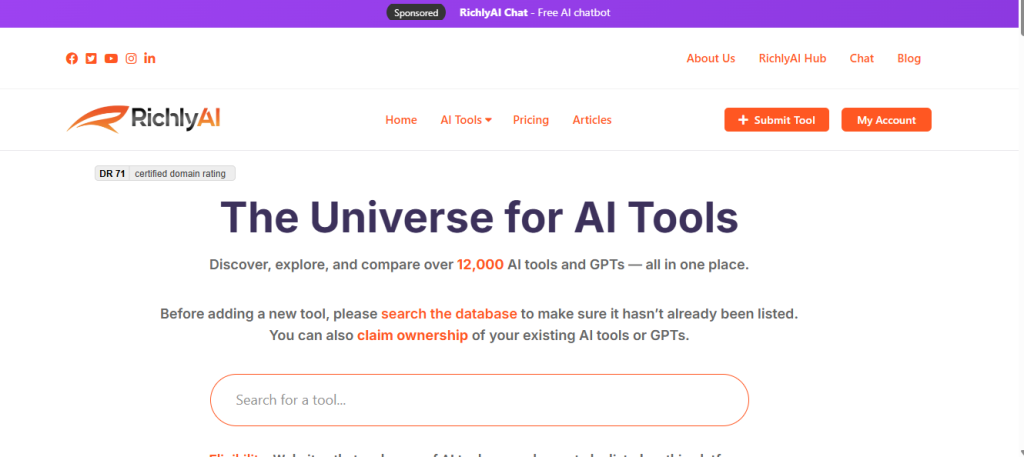
{alt=”A screenshot of the AI Tools Hub website, showing a search bar and filter categories like ‘Education’ and ‘Text Generation’.”}
Explore AI tools for educators in our AI Tools Hub — including lesson planning, differentiation, and assessment tools.
Actionable Takeaways
- Identify Your Biggest Time-Sink: Write down the one administrative task that consistently eats up your planning period. This is your target.
- Use a Directory to Find 3 Tools: Go to a site like AI Tools Hub and filter by “Education” and your task (e.g., “quiz generator”). Bookmark three promising options.
- Vet One Tool’s Privacy Policy: Choose one of your bookmarked tools and find its privacy policy. Spend five minutes checking for mentions of FERPA and COPPA compliance.
- Test with a Free Trial: Sign up for a free trial of an all-in-one platform like RichlyAI and try to accomplish your target task.
Crafting Effective Lesson Plans with AI
Now let’s put a tool to work on a real-world task: lesson planning. Using AI as a collaborative partner can speed things up and spark new ideas. The secret isn’t just telling the AI what to create, but how. You have to provide clear, specific guidance.
The Art of the Prompt
The most common mistake is treating AI like a search engine. A vague phrase gets a generic, unusable lesson plan. The quality of what you get out is a direct reflection of the quality of what you put in.
This table shows the evolution from a basic prompt to an advanced one that delivers a high-quality, nearly classroom-ready plan.
| Goal | Basic Prompt (Weak Output) | Advanced Prompt (Strong Output) |
|---|---|---|
| Create a lesson plan on photosynthesis for a 9th-grade biology class. | “Make a lesson plan on photosynthesis.” | “Act as a 9th-grade biology teacher. Create a 50-minute lesson plan on photosynthesis aligned with NGSS standard HS-LS1-5. Structure it with a 5-minute hook, a 20-minute direct instruction section using an analogy, a 15-minute collaborative activity, and a 10-minute formative assessment. Ensure the language is accessible for English language learners.” |
The advanced prompt gives the AI a role, a clear goal, specific constraints (standard, time), and essential requirements (analogy, accessibility). The lesson plan it generates is a powerful starting point, often 80-90% of the way there.
Ready-to-Use AI Prompts for Teachers
Here are more prompts you can copy and paste today:
- Lesson Planning: Create a 45-minute lesson plan on fractions for Grade 5 with objectives, activities, and homework.
- Quiz Creation: Generate 10 multiple-choice questions with answers on World War II for high school students.
- Differentiation: Simplify this passage to a Grade 3 reading level.
- Feedback: Provide constructive feedback for this student essay focusing on clarity and structure.
- Parent Communication: Draft a polite email to parents about upcoming exams and revision tips.
- Study Guide: Summarize this chapter into key bullet points and revision questions.
These small uses alone can save several hours weekly.
Common Challenges (and How to Avoid Them)
- “AI gives wrong information.” Solution: Always verify facts and review output.
- “Students misuse AI.” Solution: Set clear guidelines and teach ethical use.
- “It feels overwhelming.” Solution: Start with one simple task and build gradually.
- “I don’t trust it yet.” Solution: Use AI for drafts only — keep final decisions human.
A Simple 7-Day AI Starter Plan
If you’re new to AI, try this:
Day 1 – Generate one lesson plan.
Day 2 – Create one quiz.
Day 3 – Draft a parent email.
Day 4 – Make differentiated notes.
Day 5 – Try feedback suggestions.
Day 6 – Create a study guide.
Day 7 – Reflect and refine.
Small wins build confidence fast.
A Step-by-Step Workflow for AI Lesson Planning
Creating a lesson plan with AI is a dialogue between your professional expertise and the AI’s ability to generate content quickly.
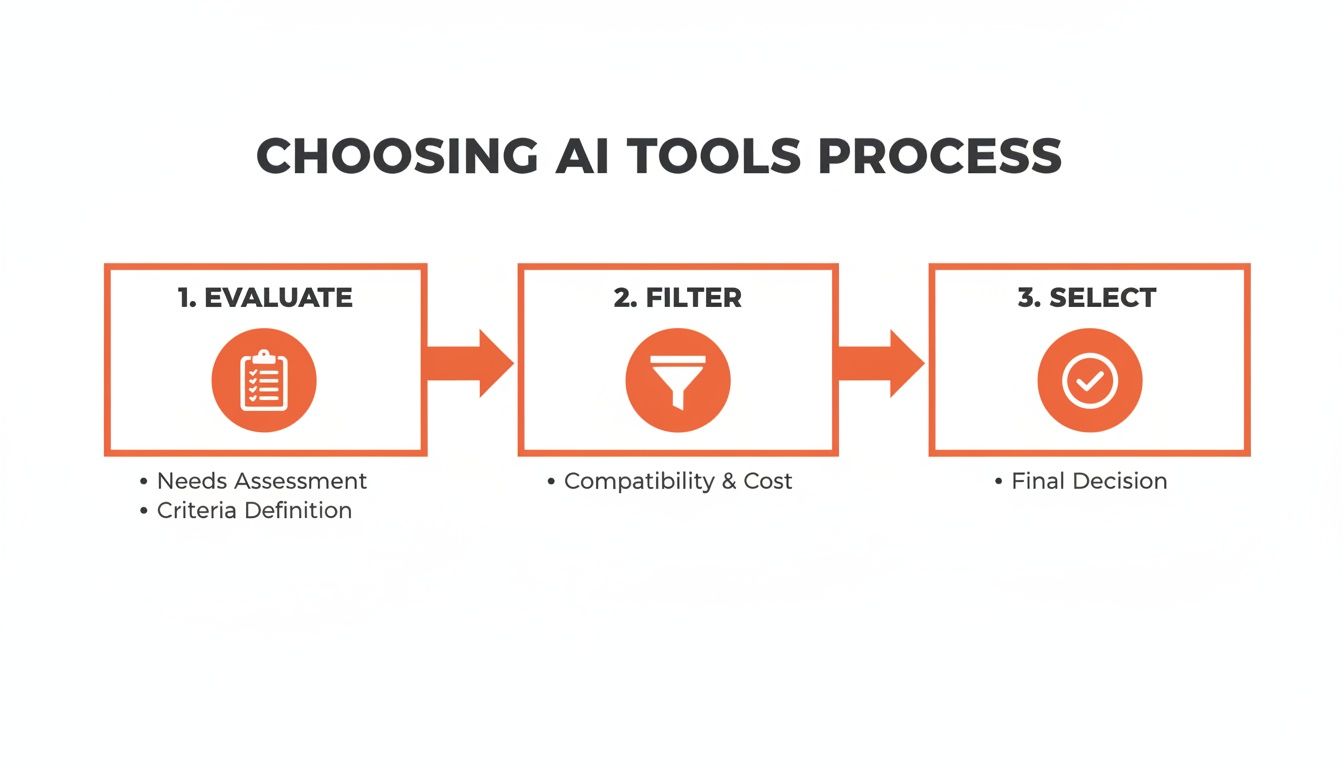
{alt=”A simple flowchart with three circles: Evaluate needs, Filter options, Select tool, connected by arrows to show a linear process.”}
Here’s how to apply that thinking to lesson planning:
- Define Your Learning Objectives: Before writing a prompt, get crystal clear on what students must know or do by the end of the lesson.
- Draft Your “Expert” Prompt: Use the advanced structure: role, goal, constraints, and requirements. Be as specific as possible.
- Generate and Review: Run your prompt in an AI tool. Read the first draft. Does it hit your objectives? Is the tone right for your students?
- Iterate and Refine: Use follow-up prompts to tweak the plan. For example: “Great, now generate three potential discussion questions for that collaborative activity,” or “Can you suggest a simpler analogy for students who might struggle?”
- Create Differentiated Materials: Once your core plan is solid, ask the AI to build supporting resources: “Create a vocabulary list with simple definitions for the key terms in this lesson,” or “Design a quick exit ticket with two multiple-choice questions and one open-ended question.”
Actionable Takeaways
- Write One “Expert” Prompt: This week, use the advanced prompt formula (role, goal, constraints, requirements) to generate one lesson plan or activity.
- Iterate on an Existing Plan: Take a lesson plan you already have and ask an AI to improve one part of it. Prompt: “Suggest a more engaging hook for this lesson on the Civil War.”
- Generate Differentiated Resources: For your next lesson, ask an AI to create one resource for struggling learners and one for advanced learners. Example: “Create a guided notes worksheet and a challenge question set for this lesson.”
- Save Your Best Prompt: Create a document to store your most successful prompt templates so you can reuse them later.
Creative AI Applications Beyond Lesson Planning
Once your planning is streamlined, the real fun begins. AI is more than an admin assistant; it’s a creative partner for building dynamic learning experiences. This is where we shift from saving time to actively making lessons more engaging.
{alt=”Three diverse students huddle around a tablet in a modern classroom, working together on a project.”}
Generate Personalized Learning Paths
Differentiation is a daily challenge. AI can be your personal curriculum designer, creating custom content based on what each student needs.
Practical Example: Custom Math Practice
A 6th-grade math teacher grades a quiz on fractions. Three students struggled with adding unlike denominators, while another group is ready for a challenge.
- For the struggling group (Group A): The teacher gives the AI this prompt:
"Generate 5 word problems for a 6th-grade level that require adding fractions with unlike denominators. Include a step-by-step answer key for each." - For the advanced group (Group B): The teacher uses this prompt:
"Create 5 challenging multi-step word problems involving the addition and subtraction of mixed numbers for advanced 6th graders."
In minutes, the teacher has two distinct assignments that meet students where they are.
Build Interactive Role-Playing Scenarios
Abstract concepts in history or civics can be dry. AI lets you create immersive role-playing exercises that drop students into the action.
Step-by-Step Instructions:
- Choose a Scenario: Select a historical event or literary scene with conflicting viewpoints (e.g., the Constitutional Convention).
- Define Roles: Assign specific historical figures or characters to small groups of students.
- Craft the Prompt: Ask the AI to write the script.
Prompt Example for a History Class:“Act as a scriptwriter. Create a short role-playing scenario for three students set during the 1787 Constitutional Convention.
Roles:- James Madison (arguing for a strong central government).
- George Mason (arguing for a Bill of Rights).
- Roger Sherman (proposing the Great Compromise).
The script should include opening statements for each and key discussion points. Keep the language accessible for 11th graders.”
- Facilitate the Activity: Have students perform the script and follow up with a class discussion about the different perspectives.
Create a 24/7 Classroom Tutor with a Chatbot
Imagine every student having a personal tutor available the second they get stuck. With platforms like the RichlyAI Hub, you can train a chatbot on your own course materials—your syllabus, lecture notes, and key readings.
This creates a “Subject Matter Expert” bot that can answer student questions 24/7. It can clarify a concept, define a term, or explain project requirements, all without you having to be online. It’s also a great way to introduce other helpful AI tools for students that encourage self-directed learning.
Actionable Takeaways
- Differentiate One Assignment: Next week, identify one small group of students and use AI to generate a targeted practice worksheet just for them.
- Create One Role-Play Script: Pick a single concept from an upcoming unit and have an AI write a short, 2-3 person script. Test it out in class.
- Simplify a Challenging Text: Find a dense paragraph in your textbook and ask an AI to rewrite it for a student who struggles with reading comprehension.
- Explore a Chatbot Tool: Sign up for a free plan on a platform like RichlyAI. Upload just one document (like your course syllabus) and ask it five questions to see how it works.
Navigating AI Ethics and Privacy in Schools
Bringing any new tech into the classroom means we have to do it safely and thoughtfully. With AI, that’s doubly true. The conversations around data privacy, algorithmic bias, and academic honesty are just as important as the technology itself.
Protecting Student Data Is Priority One
The biggest ethical hurdle is student data privacy. Before you introduce an AI app, confirm it complies with federal laws like the Family Educational Rights and Privacy Act (FERPA) and the Children’s Online Privacy Protection Act (COPPA).
Look for a clear, easy-to-read privacy policy on the company’s website. If you can’t find one, that’s a massive red flag. The core principle is simple: student data should be used for educational purposes only.
A Step-by-Step Vetting Process
Use this simple process to vet any potential AI tool:
- Check for a Privacy Policy: Go to the tool’s website. Can you easily find a link to their “Privacy Policy” or “Terms of Service”?
- Search for Key Terms: Once you open the policy, use Ctrl+F (or Command+F) to search for “FERPA” and “COPPA.” Reputable companies will address their compliance directly.
- Look for Data Deletion: Search for “delete” or “deletion.” The policy should explain how you can remove student data.
- Consult Your District: Before using any tool with students, check your school or district’s approved software list and policies.
Addressing Algorithmic Bias and Academic Integrity
AI models are trained on internet data, which means they can reflect human biases. Teach students to think critically about AI-generated content by asking, “Whose perspective is missing here?”
We also need to redefine academic integrity for the AI age. Instead of trying to ban AI, we should create clear guidelines for how to use it properly.
Practical Example: Establishing AI Citation Rules
Just like we teach students to cite websites, we must teach them to cite AI. A simple classroom policy could look like this:
- Acknowledge Use: Students must include a statement at the end of their assignment, like, “I used ChatGPT to help brainstorm ideas and check my grammar.”
- Provide Prompts: For significant use, students should include the prompts they used.
- Fact-Check Everything: Students are responsible for verifying the accuracy of any AI-generated information.
By creating these guardrails, you shift the focus from catching cheaters to teaching responsible, ethical AI use. For more on this, explore making ethical AI choices in our daily lives.
Actionable Takeaways
- Review Your District’s Policy: Before you adopt any tool, check your school or district’s approved software list and technology policies.
- Vet One New Tool: Use the step-by-step process above to evaluate one AI tool you’re curious about.
- Create a Classroom AI Policy: Draft a simple, one-page document outlining your expectations for using AI, including when it’s allowed and how students should cite it.
- Talk to Your Tech Lead: Ask your school’s IT director or a curriculum coach how your school is approaching AI ethics and privacy.
Putting AI to Work: Your First Steps
We’ve seen how AI for teachers can reclaim hours, personalize learning, and spark creativity. The goal isn’t to become an AI guru overnight. The best way to start is to start small.
Pick just one repetitive task that eats up your prep time. Maybe it’s drafting the weekly parent newsletter or coming up with exit ticket questions. Your first step isn’t about changing everything; it’s about proving to yourself that these tools can give you back a few minutes. That small win builds momentum.
Actionable Takeaways
- Solve One Annoyance This Week: Identify one task you dread. Your mission is to find and test an AI tool that can tackle that specific problem.
- Spend 15 Minutes on a Directory: Browse a site like AI Tools Hub. Use filters to find a tool built for your exact need.
- Try One Advanced Prompt: This week, use the “role, goal, constraints, requirements” structure to generate a single classroom resource.
- Sign Up for a Free Account: Join a platform like RichlyAI and just play around. Don’t worry about creating a perfect lesson plan; just get a feel for what it can do.
The Future of Teaching with AI
AI will not replace teachers. But teachers who use AI effectively will likely: work more efficiently, personalize learning better, reduce burnout, spend more time with students
The goal isn’t automation. It’s amplification — becoming a more effective educator with less stress.
Final Thoughts
You don’t need to master AI overnight.
- Start with one task this week.
- Use AI to save time.
- Invest that time back into your students.
That’s where the real impact happens.
Further Reading & Resources
- Tools/Platforms:
- RichlyAI: An all-in-one platform for lesson planning, resource creation, and custom chatbots.
- AI Tools Hub: A comprehensive directory for discovering new AI applications.
- Further Reading:
- How to Use AI in Education: A Practical Guide for Educators
- AI tools for teaches guide
- A comprehensive guide to AI for kids: Understand how students perceive and use these tools.
- AI’s future impact on education: Explore the bigger picture of AI in the classroom.
- Best AI study tool options: See what tools are available for students.
- AI prompt examples: Get inspiration for crafting effective prompts.
- The Top 11 Best AI Humanizer Tools to Try in 2026
Ready to put these ideas into practice? RichlyAI gives you a simple, powerful platform to generate lesson plans, create classroom materials, and even build a chatbot for your specific subject. You can get a feel for it right now with a free plan.
