
AI humanizer tools have exploded in popularity, and so have the articles ranking them. Unfortunately, many lists overpromise results that no tool can reliably guarantee. AI detection systems evolve constantly, and no automated rewriting tool can permanently stay ahead of every detector.
This guide takes a different approach.
Rather than promising “undetectable” results, we focus on practical usefulness: how well each tool improves readability, preserves meaning, fits into real workflows, and performs across common detection scenarios. Some tools are built for large-scale rewriting, others for writing quality, and a few are best understood as learning or benchmarking tools rather than true bypass solutions.
Our rankings reflect those distinctions. Inclusion in this article does not guarantee or imply detection evasion. Each tool is evaluated on its strengths, limitations, and realistic use cases in 2026.
1. Undetectable AI — Most Comprehensive All-in-One
Undetectable AI blends humanization with a suite of integrated detectors, making it a strong choice for teams and content professionals. Instead of toggling between multiple tools, users can rewrite and verify text within a single interface. This kind of seamless workflow is rare among competitors and a key competitive advantage.
The platform is one of the more versatile ai humanizer tools for teams and high-volume users. It offers an API for programmatic access and a unique “Human Auto Typer” feature, which simulates human typing patterns. The user interface is straightforward, presenting the input, rewritten output, and a panel with results from various AI detectors side-by-side. This immediate feedback loop helps users quickly gauge the effectiveness of the rewrite.
How to Use Undetectable.ai (Step-by-Step)
- Paste Your Text: Copy the AI-generated content and paste it into the input box on the left.
- Check for AI: Click the “Check for AI” button. The tool will scan your text against multiple detectors (like GPTZero, Copyleaks, etc.) and show you a “likelihood of AI” score for each.
- Humanize: Click the “Humanize” button. The platform will rewrite your text in the output box on the right.
- Re-Check: Run the “Check for AI” scan again on the new, humanized text to confirm it passes the detectors.
Key Features & Use Case
- Integrated AI Detector: Scans text against multiple popular AI checkers simultaneously, providing a comprehensive “AI detection likelihood” score. This is ideal for content creators who need to ensure their work passes a wide range of checks before publishing.
- API Access: Allows businesses and developers to integrate Undetectable AI’s humanizing capabilities directly into their own applications, content management systems, or publishing workflows.
- Non-Expiring Credits: The pricing model is flexible, offering word-based plans with credits that do not expire. This is a significant advantage for infrequent users or businesses with fluctuating content needs.
| Feature | Details |
|---|---|
| Best For | SEO agencies, academic writers, and marketing teams needing to verify and humanize content in one step. |
| Pricing | Starts at $9.99/month for 10,000 words. Offers larger business plans and non-expiring credit packs. |
| User Experience | Clean, intuitive dashboard with a clear before-and-after comparison. |
| Unique Offering | “Human Auto Typer” and bundled multi-detector checks. |
Pros
- Multi-detector verification + humanization in one place.
- Offers API access for automation.
- Clean UI with realtime before/after comparisons.
Cons
-
May not be as customizable as specialist paraphrasers.
Website: https://undetectable.ai/
2. HIX Bypass — Best for High-Volume Users
The HIX Bypass humanizer is ideal for content teams and agencies needing scale. It supports multiple rewrite modes — from subtle tweaks to aggressive humanization — and its language support spans dozens of languages, which is valuable for global content teams.
The platform provides a simple workflow: paste text, select a rewrite mode (Fast, Balanced, Aggressive), and generate the humanized output. This approach allows users to quickly adjust the intensity of the rewrite based on their specific goals, from minor stylistic tweaks to a complete structural overhaul. As one of the more accessible ai humanizer tools, it integrates well for those already using other HIX.AI products.

alt text: A screenshot of the pricing plans for HIX Bypass, showing different tiers for their AI humanizer tools.
How to Use HIX Bypass
- Paste your text into the provided input field.
- Select a Rewrite Mode: Choose between Fast, Balanced, or Aggressive depending on how much you want the text altered.
- Practical Example: For an academic paper where preserving meaning is critical, start with “Balanced.” For a creative blog post where you want a completely new voice, try “Aggressive.”
- Click “Humanize” to generate the new version of your content.
- Review and Copy the output for use in your project.
Key Features & Use Case
- Multiple Rewrite Modes: Offers distinct modes like Fast, Balanced, and Aggressive, allowing users to control the depth of humanization. This is perfect for content marketers who need to quickly adapt a single piece of AI content for different platforms.
- Extensive Language Support: The tool supports over 50 languages, making it a strong candidate for international marketing teams and global businesses.
- Unlimited Plan Option: Unlike many competitors that cap word counts, HIX Bypass offers a truly unlimited plan. This is a significant advantage for power users and content agencies. Learning more about advanced AI techniques through prompt engineering resources can further enhance the output from such tools.
| Feature | Details |
|---|---|
| Best For | High-volume content creators, international teams, and users already invested in the HIX.AI ecosystem. |
| Pricing | Starts at $9.99/month for 10,000 words. Offers an Unlimited plan for high-volume needs. |
| User Experience | Simple, clean interface with straightforward mode selection and quick processing. |
| Unique Offering | A true unlimited words plan and robust multilingual humanization capabilities. |
Pros
- Multiple rewrite intensity levels.
- Unlimited word plans.
- Straightforward workflow.
Cons
-
Not as nuanced for tone/style control as some competitors.
Website: https://hixbypass.com/
3. Smodin — Best for Integrated Detection & Academic Use
Smodin’s humanizer is part of a broader writing suite that includes plagiarism and AI detectors. If your priority is ensuring academic integrity on top of humanization (e.g., student essays or research summaries), this combination is especially useful. It also supports file uploads and offers a browser extension.
Smodin is a well-established name in the academic and writing tool space, and its AI Humanizer is a natural extension of its comprehensive suite. Unlike standalone tools, Smodin integrates its humanizer with a plagiarism checker, AI detector, and paraphraser, creating a unified environment for refining text. This all-in-one approach is its main appeal, allowing users to move seamlessly from checking for AI content to rewriting it without switching platforms.
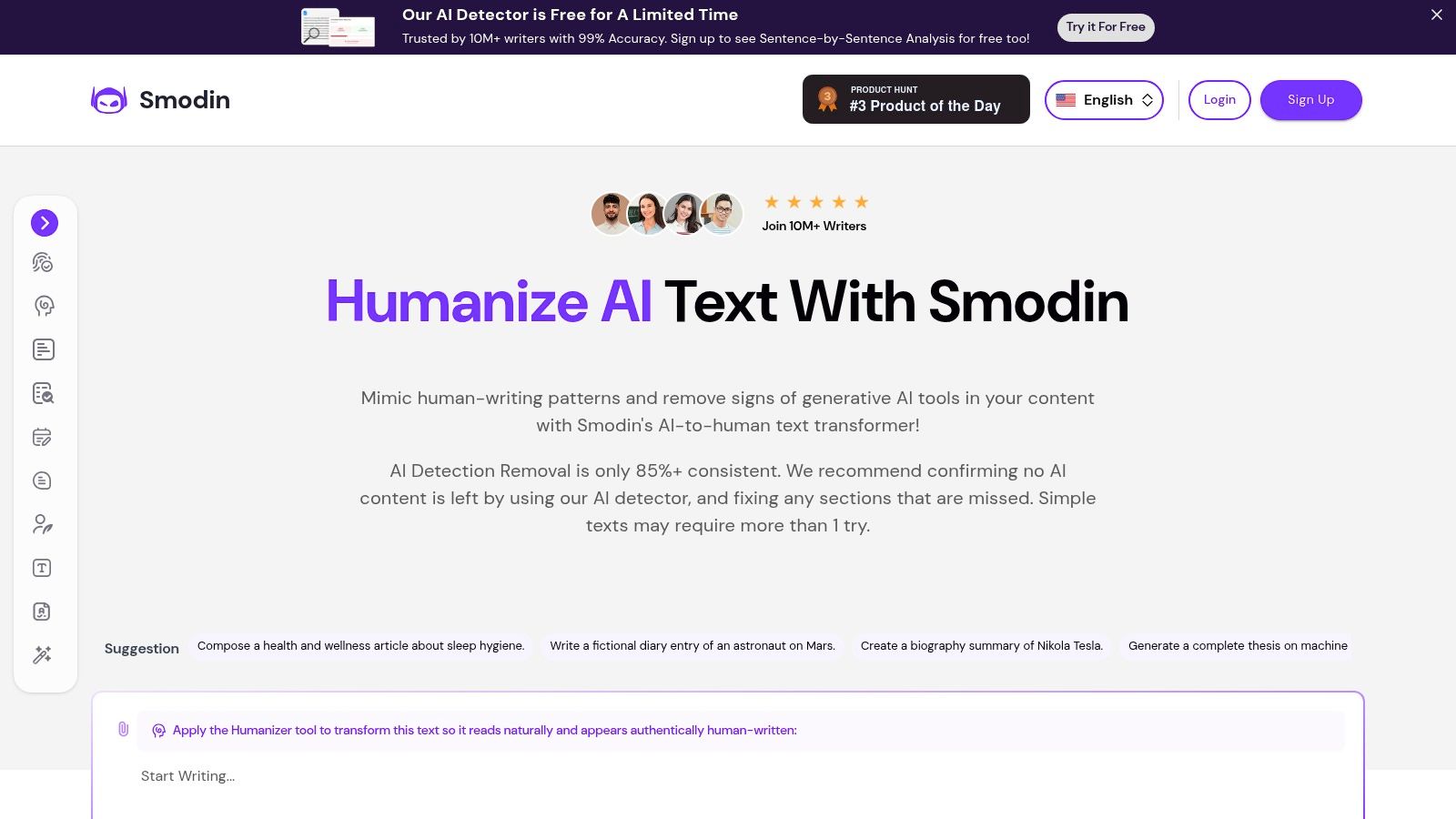
alt text: Smodin AI Humanizer interface showing text input and humanization options.
The platform is one of the more versatile ai humanizer tools for users who need to process documents directly. Its support for file uploads (including DOCX and PDF) streamlines the workflow for academic papers or long-form content. Smodin also offers a Chrome extension, which is a significant advantage for those who need to humanize text directly within their browser, whether in Google Docs, a CMS, or an email client. The interface is clean and provides clear guidance, making it accessible even for beginners looking to humanize AI-generated text.
Key Features & Use Case
- Comprehensive Writing Suite: The humanizer is bundled with a plagiarism checker, AI detector, and citation generator, making it an excellent choice for students and academic professionals.
- File Upload Support: Users can directly upload DOC, DOCX, and PDF files for humanization. This is a massive time-saver for anyone working with existing documents, eliminating the need for tedious copy-pasting.
- Chrome Extension: The browser extension allows for in-situ text humanization across various web platforms. This “humanize anywhere” capability is perfect for marketers and social media managers.
| Feature | Details |
|---|---|
| Best For | Students, academics, and bloggers who need an integrated suite with plagiarism and AI detection tools. |
| Pricing | Limited free plan available. Paid plans start at $10/month for more credits and advanced features. |
| User Experience | Straightforward and user-friendly, with all tools accessible from a single dashboard. |
| Unique Offering | File upload functionality and a convenient Chrome extension for in-browser use. |
Pros
- File upload + browser extension.
- Part of a larger checker ecosystem.
Cons
-
Output quality varies depending on text complexity.
Website: https://smodin.io/ai-humanizer
4. Wordtune — Best for Polished Style and Voice
Unlike tools built purely to evade detection, Wordtune focuses on tone, clarity, and style. It may not be designed specifically to bypass detectors, but for professionals who want natural, high-quality text that resonates with audiences, its strength is refinement, not evasion.
Its primary function is to refine and polish text for clarity, tone, and style. This makes it an excellent choice for users who want to elevate their AI-generated drafts to sound more authentic and aligned with a specific voice, focusing on legitimate editing over evasion. The platform excels at suggesting alternative phrasing, shortening or expanding sentences, and adjusting the tone to be more formal or casual.
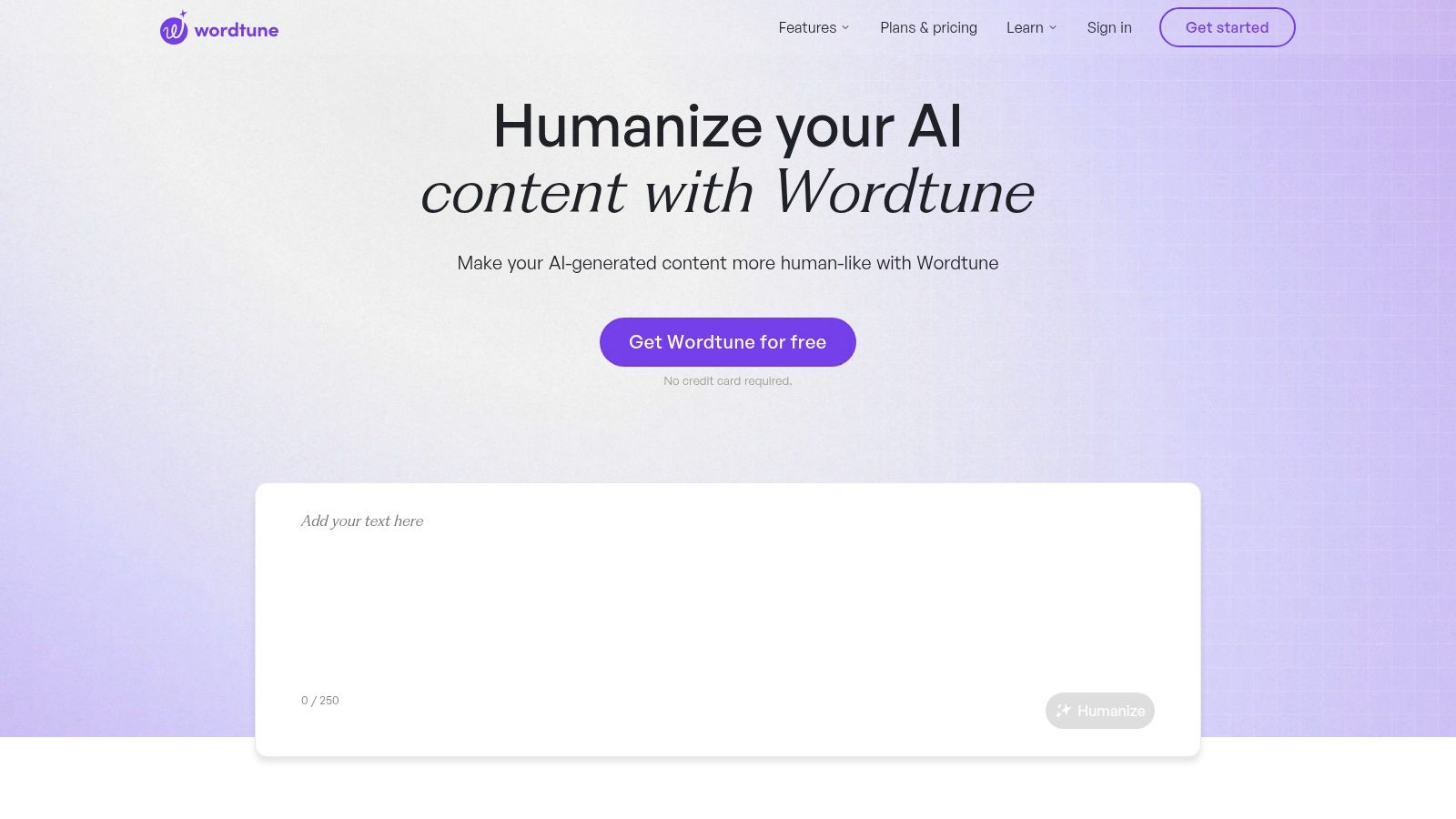
alt text: Wordtune – Humanize your AI content
Its strength lies in its widespread integration. With a web editor, browser extensions, and even an iOS app, Wordtune seamlessly fits into existing writing workflows. While it may not be the most aggressive of the ai humanizer tools for avoiding detectors, its focus on high-quality, nuanced rewriting makes it invaluable for professionals who prioritize content quality and brand voice consistency above all else.
How to Use Wordtune for Humanization
- Install the Extension: Add the Wordtune extension to your browser (Chrome, Edge, etc.) or use the web editor.
- Highlight Text: In your document (e.g., Google Docs, Gmail), highlight the AI-generated sentence you want to improve.
- Click the Wordtune Icon: A purple Wordtune icon will appear. Clicking it reveals multiple rewrite suggestions.
- Choose the Best Option: Select the suggestion that best fits your desired tone and clarity.
- Practical Example: If an AI-generated sentence is “The utilization of this methodology facilitates enhanced operational efficiency,” Wordtune might suggest a more human alternative like “Using this method makes our operations more efficient.”
Key Features & Use Case
- Advanced Tone & Style Control: Offers specific options to rewrite text to be more casual, formal, concise, or expansive. This is ideal for marketers who need to adapt a single piece of content for different audiences.
- Multi-Platform Integration: Provides browser extensions for Chrome and Edge, a Microsoft Word add-in, and a dedicated iOS app, allowing users to enhance their writing directly within the tools they use every day.
- “Spices” Feature: This unique function adds new statistical facts, counterarguments, or historical context to your writing, helping to enrich the content and move it beyond the original AI-generated text.
| Feature | Details |
|---|---|
| Best For | Professionals, students, and content creators focusing on improving clarity, tone, and overall writing quality rather than just bypassing AI detection. |
| Pricing | Offers a free plan with limited daily rewrites. Paid plans start at $9.99/month (billed annually) for unlimited use and advanced features. |
| User Experience | Highly polished and integrated, with suggestions appearing inline as you write. |
| Unique Offering | The “Spices” feature for content enrichment and seamless multi-platform support. |
Pros
- Excellent for nuanced rewriting.
- Integrates across web editors and extensions.
Cons
-
Not built for detection bypass.
Website: https://www.wordtune.com/humanize-ai
5. QuillBot AI Humanizer — Best Free/Entry Level Tool
QuillBot provides a solid free tier for basic humanization and paraphrasing. While it won’t match premium tools in sophistication, it’s widely used and accessible, especially for writers on a budget.
Its strength lies in its robust writing suite, which integrates paraphrasing with summarizing, grammar checking, and plagiarism detection. Rather than focusing solely on bypassing AI detectors, QuillBot positions itself as a comprehensive writing assistant designed to refine and enhance existing text. This makes it a go-to for users who need to improve clarity, tone, and style, not just disguise AI origins.
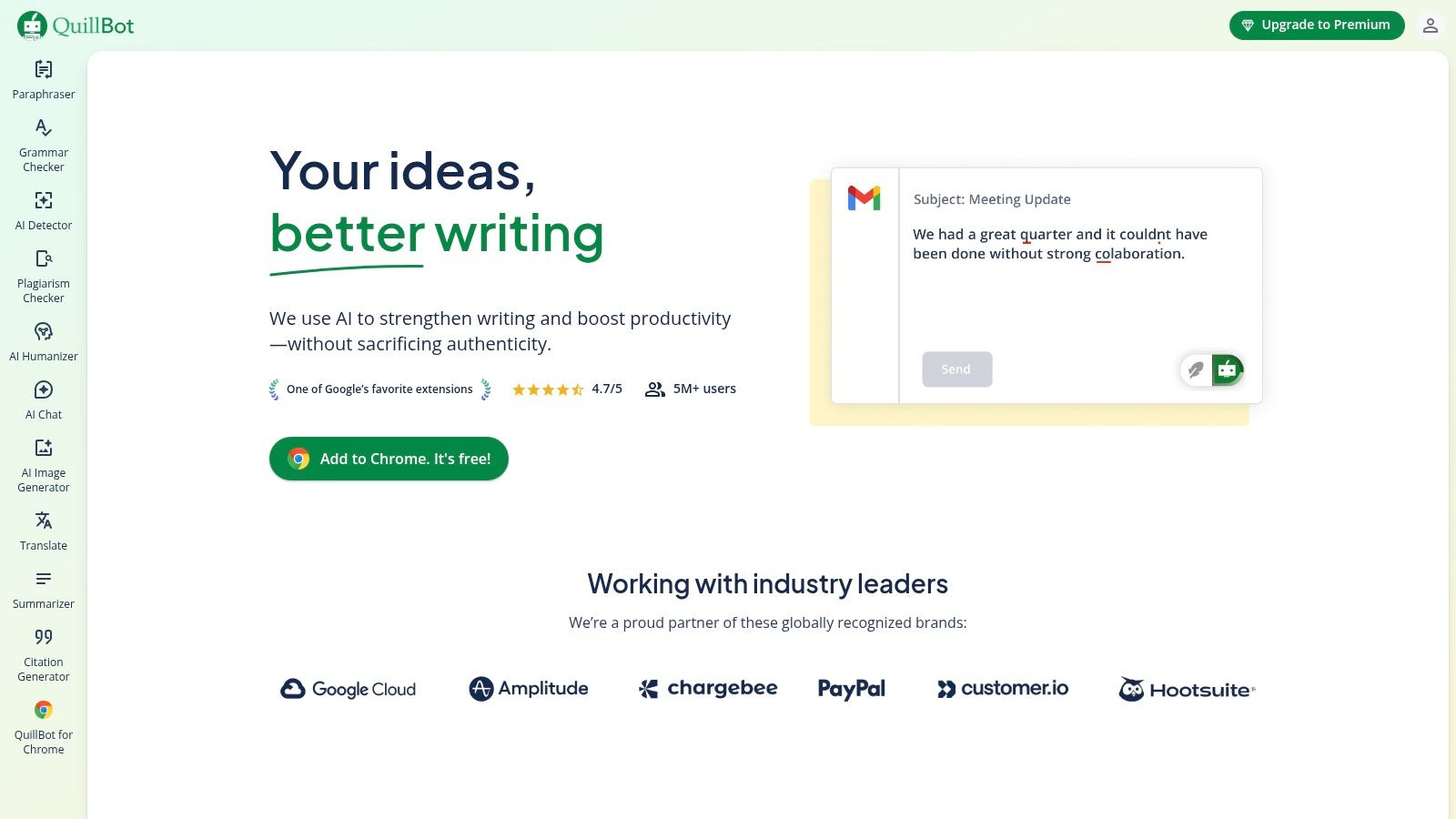
alt text: QuillBot’s user interface showing its paraphrasing tool with multiple modes and a clean editor.
The platform offers multiple rewrite modes, from “Standard” and “Fluency” to more nuanced premium options like “Creative” and “Formal.” A standout feature is “Freeze Words,” which prevents the tool from changing specific terms, such as brand names, technical jargon, or critical keywords for SEO. While its primary function isn’t exclusively humanization, its advanced paraphrasing capabilities make it one of the more versatile ai humanizer tools for academic and professional writing.
Key Features & Use Case
- Multiple Paraphrasing Modes: Offers a range of modes (Standard, Fluency, Formal, Creative, etc.) to give users granular control over the rewriting style. This is perfect for adapting a single piece of content for different audiences or platforms.
- Freeze Words: Allows users to protect specific words or phrases from being altered. This is essential for SEO specialists preserving keywords or academics maintaining specific terminology.
- Extensive Integrations: Provides add-ons for Google Docs, Microsoft Word, and Chrome, making it a seamless part of the writing and editing process. For more options, you can explore various tools in our guide to finding a free AI writing assistant.
| Feature | Details |
|---|---|
| Best For | Students, academics, and business professionals needing a comprehensive writing and editing tool with strong paraphrasing. |
| Pricing | Free plan with a 125-word limit. Premium starts at $8.33/month, unlocking unlimited words and advanced modes. |
| User Experience | A clean, two-panel editor that is straightforward and highly intuitive, with easy access to all writing tools. |
| Unique Offering | “Freeze Words” functionality and deep integration into popular writing platforms like Word and Google Docs. |
Pros
- Free tier available.
- Easy to use.
Cons
-
Less effective against strict detectors.
Website: https://quillbot.com/
6. StealthGPT — Best for Fast Rewriting with Low Detection Flags
StealthGPT offers a simple utility to humanize content quickly and can serve users who want a basic humanization layer without unnecessary bells and whistles. It’s not as fully featured as higher-tier tools, but it’s useful for quick tasks.
What sets StealthGPT apart is its focus on developer accessibility and its multi-product ecosystem. While many ai humanizer tools offer a web interface, StealthGPT provides an API with high rate limits, making it suitable for programmatic content creation and large-scale projects. This makes it a compelling option for teams and individuals who need to humanize content on the go or directly within their existing workflows.
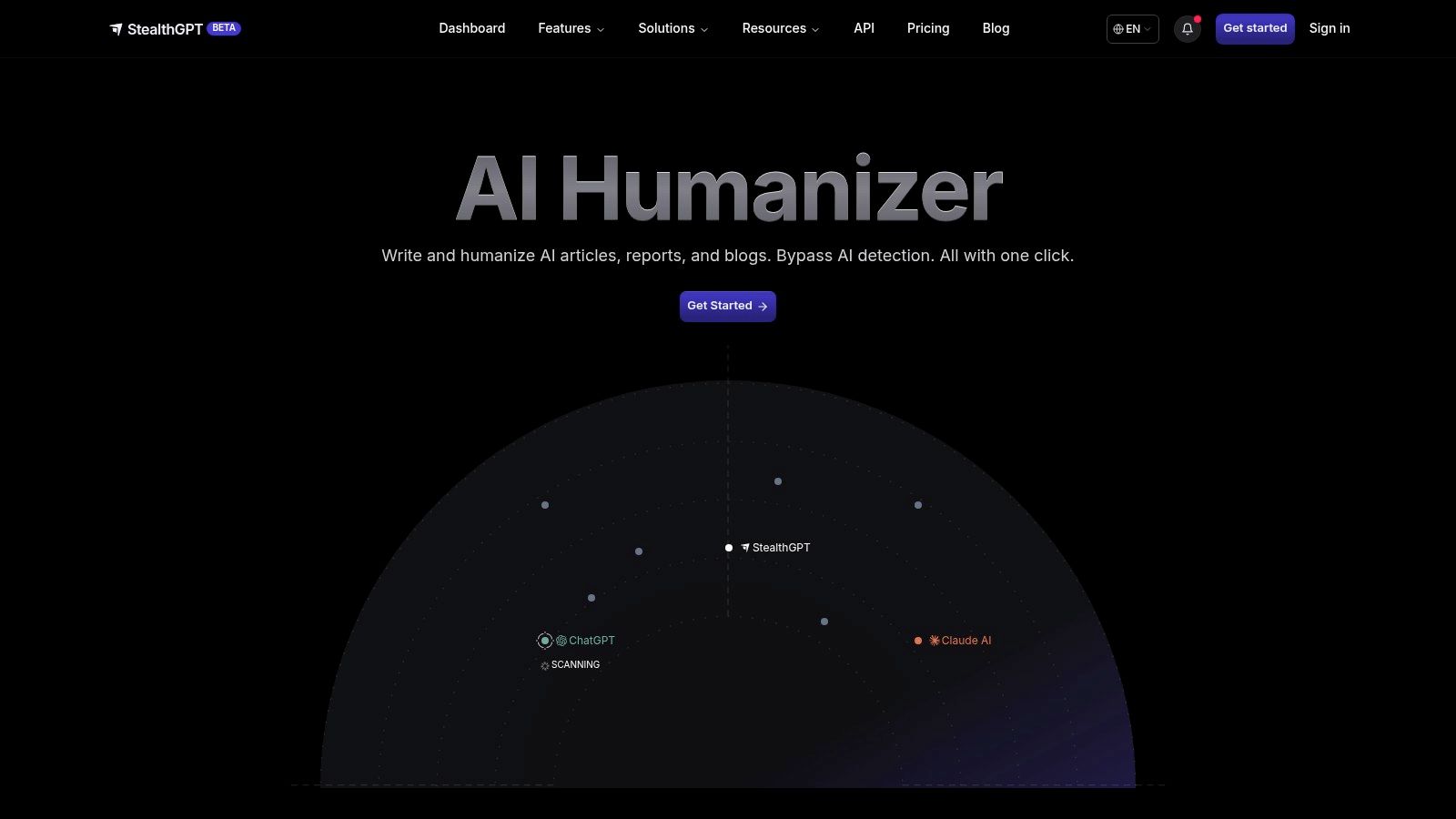
alt text: A screenshot of the StealthGPT user interface showing the input and output text boxes for its AI humanizer tool.
Key Features & Use Case
- Developer-Friendly API: Provides programmatic access to its humanizing engine, making it ideal for agencies and businesses that need to integrate AI rewriting capabilities into their custom applications.
- Multiple Humanizer Modes: Offers different levels of rewriting intensity, including an “Extreme Stealth” mode designed to bypass more aggressive and sophisticated AI detection algorithms.
- Integrated Product Suite: Combines a writer, humanizer, and detector in one subscription. This is best for users who want an all-in-one platform to handle the entire content lifecycle, from generation to final verification.
| Feature | Details |
|---|---|
| Best For | Developers, marketing agencies, and high-volume content producers needing API access and a bundled toolset. |
| Pricing | Starts at $14.99/month for the Essential plan. Offers Samurai and Ghost plans with more features and words. |
| User Experience | A straightforward interface, though pricing information can be inconsistent across different pages. |
| Unique Offering | High-volume API access and referenced mobile/browser extensions for a multi-platform workflow. |
Pros
- Quick edits.
- Simple UI.
Cons
-
Limited features.
Website: https://stealthgpt.ai/
7. Humanize — Best Free Option with Simple Workflow
Humanize.sh offers a streamlined, browser-based solution for both detecting and humanizing AI-generated content. Its core strength lies in its simplicity and accessibility, providing free daily runs without requiring users to sign up. This allows for quick, no-commitment testing. The platform’s workflow is designed for efficiency, presenting a side-by-side view where users can first check their text for AI detection and then immediately rewrite it in the same interface.
The service is built to be one of the more straightforward ai humanizer tools for users who need a quick and easy solution. It provides different algorithm options, labeled as “Basic” and “Hyper,” to give users some control over the rewriting process. Humanize.sh also makes a notable money-back guarantee on certain tiers if the output is flagged by specific detectors, signaling confidence in its technology.
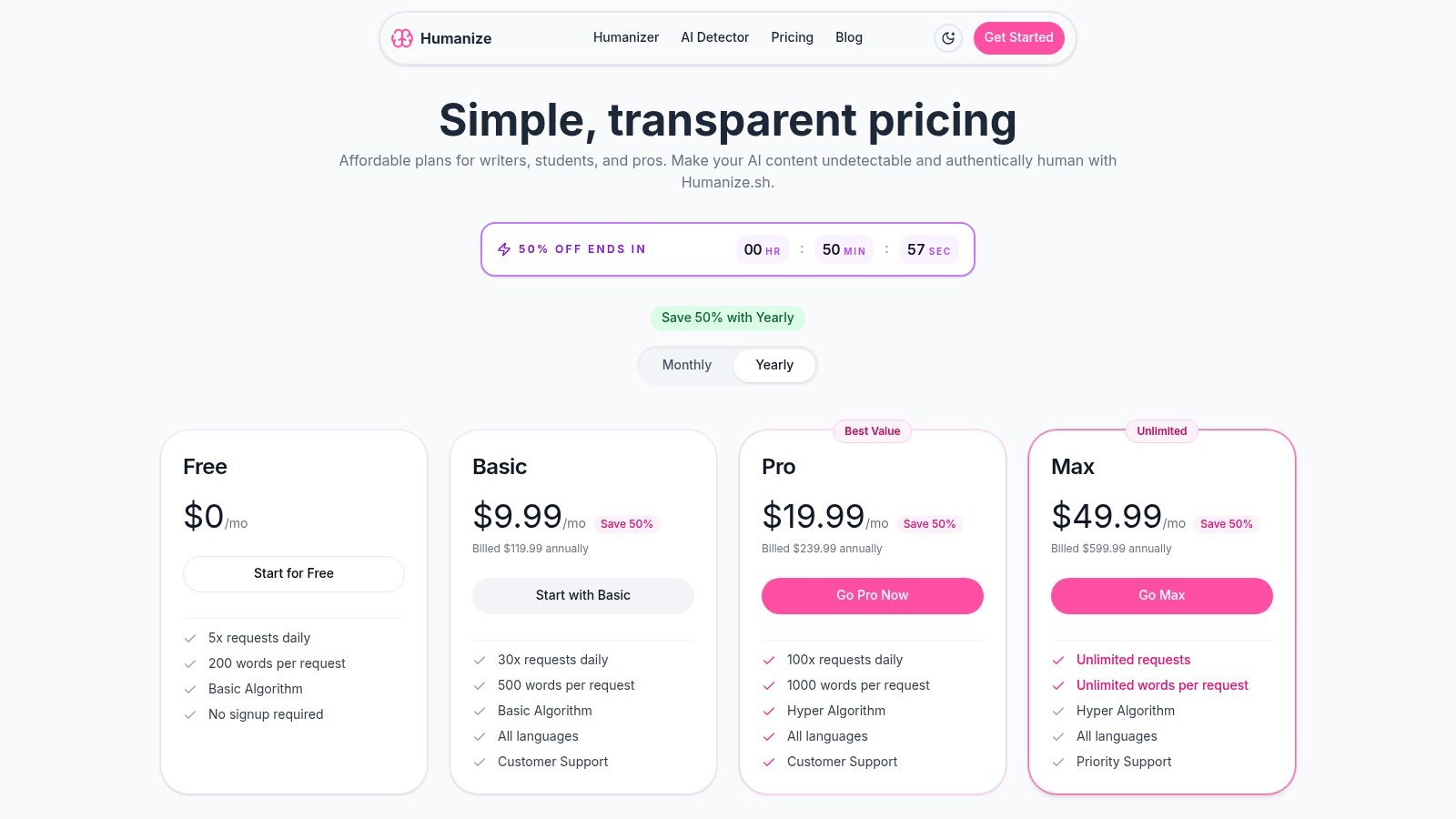
alt text: Pricing plans for Humanize.sh, an AI humanizer tool
Key Features & Use Case
- No-Signup Free Access: Users can test the tool with free daily credits without creating an account. This is perfect for casual users or those wanting to evaluate the service before committing to a paid plan.
- Integrated Detect-then-Rewrite Workflow: The side-by-side interface allows users to paste text, run a detection scan, and then humanize it with a single click. This integrated process is ideal for bloggers and students who need to quickly verify and adjust their content.
- Multiple Rewrite Algorithms: Offering both “Basic” and “Hyper” modes gives users flexibility. The Hyper mode is designed for more complex rewriting to bypass advanced detectors.
| Feature | Details |
|---|---|
| Best For | Students, bloggers, and casual users who need a fast, accessible tool for quick checks and rewrites. |
| Pricing | Offers a free tier with daily limits. Paid plans start at $10/month for 5,000 words. |
| User Experience | Very simple and intuitive, with a clear, no-frills workflow. |
| Unique Offering | No-signup free trial and a money-back guarantee on higher-tier plans if content is detected. |
Pros
- Free to use.
- Simple, direct interface.
Cons
-
Limited advanced features.
Website: https://humanize.sh/pricing
8. Originality.ai — Best Educational Benchmark (Not a Bypass Tool)
Originality.ai approaches humanization from a fundamentally different angle than most tools on this list. Known primarily for its AI detection and plagiarism platform, it offers a free AI humanizer as a learning and benchmarking tool, not as a bypass solution.
The company is explicit that its humanizer is not designed to evade its own detector. This transparency is precisely why it earns a place here. Instead of offering false assurances, Originality.ai helps users understand what automated rewriting can and cannot accomplish against advanced detection systems.
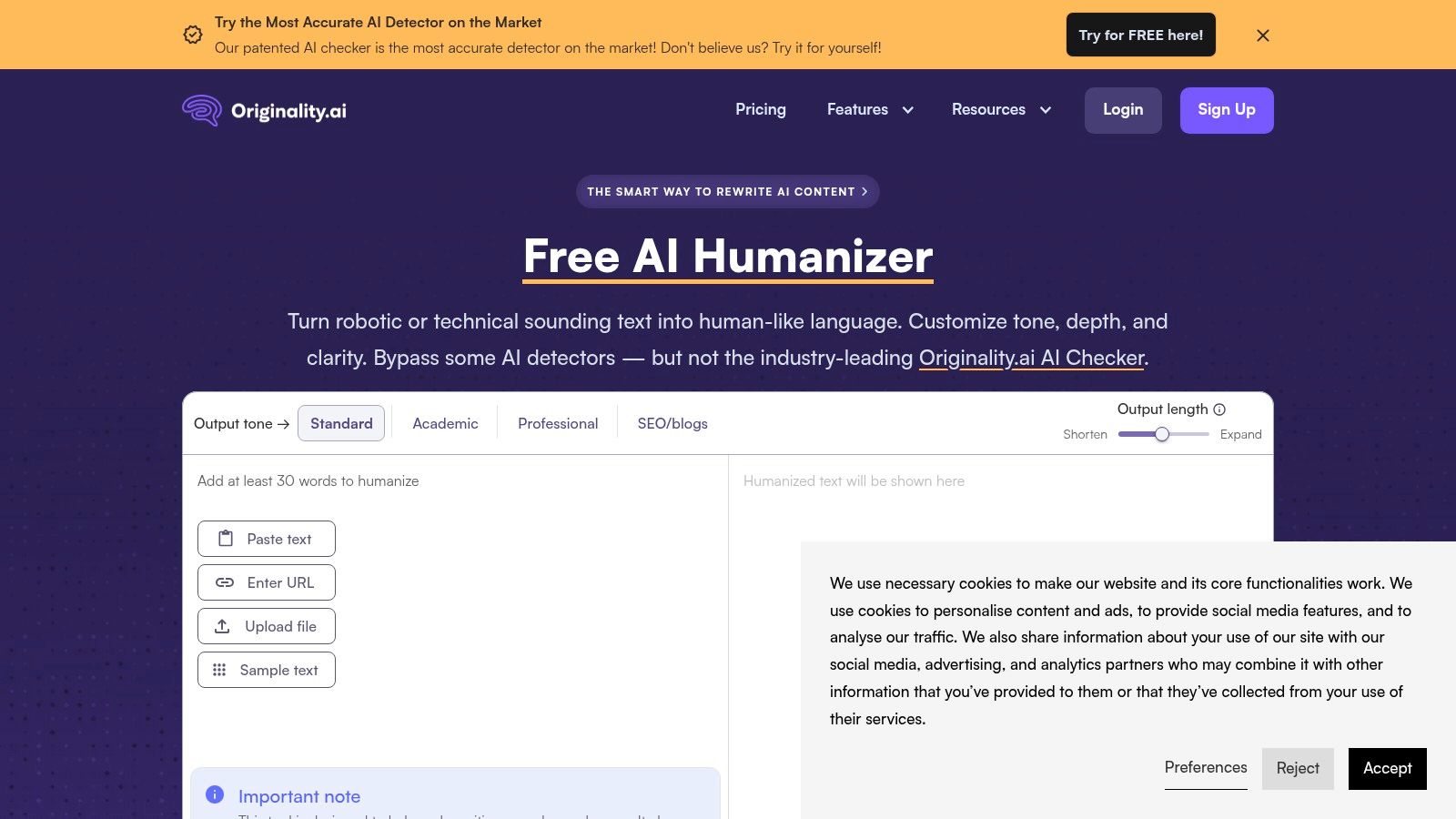
alt text: An interface showing Originality.ai’s free AI humanizer tool with text input and output fields, alongside controls for tone, length, and depth.
The tool supports direct text input, file uploads, and URL scanning through a simple browser interface. When paired with Originality.ai’s detector, it becomes a practical way to observe which patterns remain detectable after humanization — information that is especially valuable for writers who want to improve their own manual editing skills.
Pros
- Honest, transparent positioning.
- Useful for learning how AI detectors analyze text.
- Supports multiple input formats.
- Part of a broader content quality suite.
Cons
- Not designed to bypass AI detection.
- Full benchmarking requires a paid detector account.
- Limited value for production-scale rewriting.
Best for: Writers, editors, and students who want to understand AI detection mechanics rather than defeat them.
Website: https://originality.ai/ai-humanizer
9. HideMyAI — Best Low-Cost Entry Tool with Free Credits
HideMyAI focuses on accessibility and ease of use. It offers a free starter tier with credits, allowing users to test the tool before committing to a paid plan. This makes it a low-risk option for individuals experimenting with AI humanization for the first time.
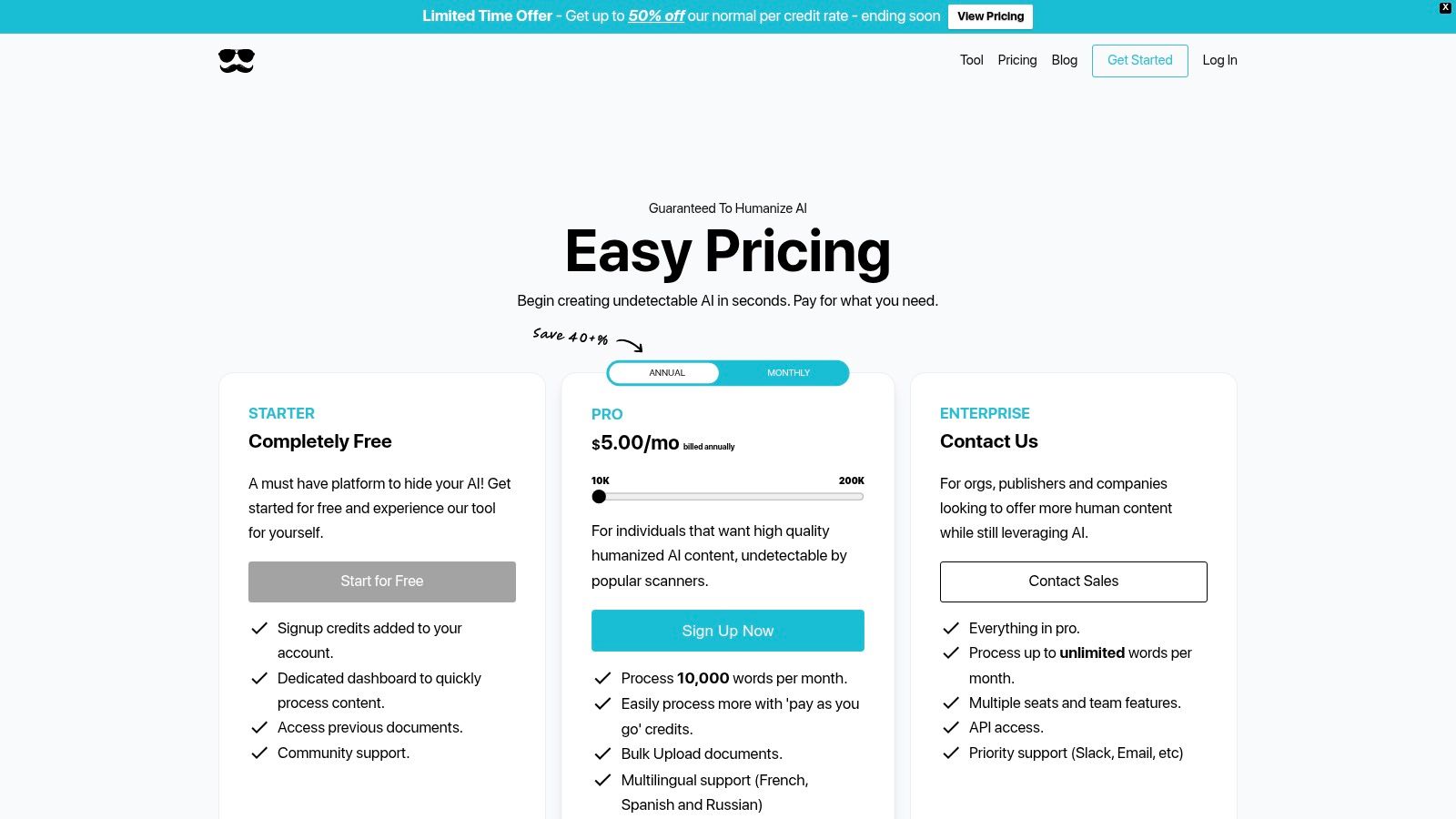
alt text: HideMyAI pricing plans showing a free tier and affordable Pro options
The platform supports bulk uploads and multiple languages, which adds practical value for freelancers and small teams. Its credit-based pricing model is straightforward and works well for users with irregular or project-based workloads.
That said, HideMyAI’s effectiveness varies depending on content type and detector, and it offers limited control over tone or structure compared to higher-ranked tools.
Pros
- Free starter credits.
- Simple, transparent pricing.
- Bulk processing support.
- Multilingual capability.
Cons
- Inconsistent results across detectors.
- Limited customization options.
- Better suited for short or mid-length content.
Best for: Freelancers, students, and small businesses seeking a simple, low-cost humanizer with minimal setup.
Website: https://hidemy.ai/pricing
10. HumanizeText.ai — Best for Tiered Rewrite Intensity
HumanizeText.ai centers its offering on rewrite strength control. Users can choose between multiple modes — such as Undetectable, Stealth, and Ultimate — depending on how aggressively they want the text rewritten. This makes it appealing to users who want predictable behavior rather than stylistic nuance.

alt text: Pricing plans for HumanizeText.ai showing different tiers and features
The platform includes a basic built-in AI detector for quick checks and offers an unlimited usage plan, which may appeal to high-volume users. However, higher rewrite modes can sometimes overprocess text, affecting clarity or original meaning.
Pros
- Multiple rewrite intensity modes.
- Unlimited plan available.
- Simple, upfront pricing.
- Built-in detector for quick verification.
Cons
- Aggressive modes may reduce readability.
- Detector is relatively basic.
- Limited stylistic control.
Best for: High-volume users who want clear rewrite tiers and predictable costs more than fine-grained language control.
Website: https://humanizetext.ai/pricing
11. AIHumanize.us — Best Free Daily Testing Tool
AIHumanize.us offers a lightweight, all-in-one experience that combines a humanizer, AI detector, and paraphraser in a single interface. Its main appeal is accessibility, with a free daily allowance that allows users to test the tool without signing up or committing to a subscription.
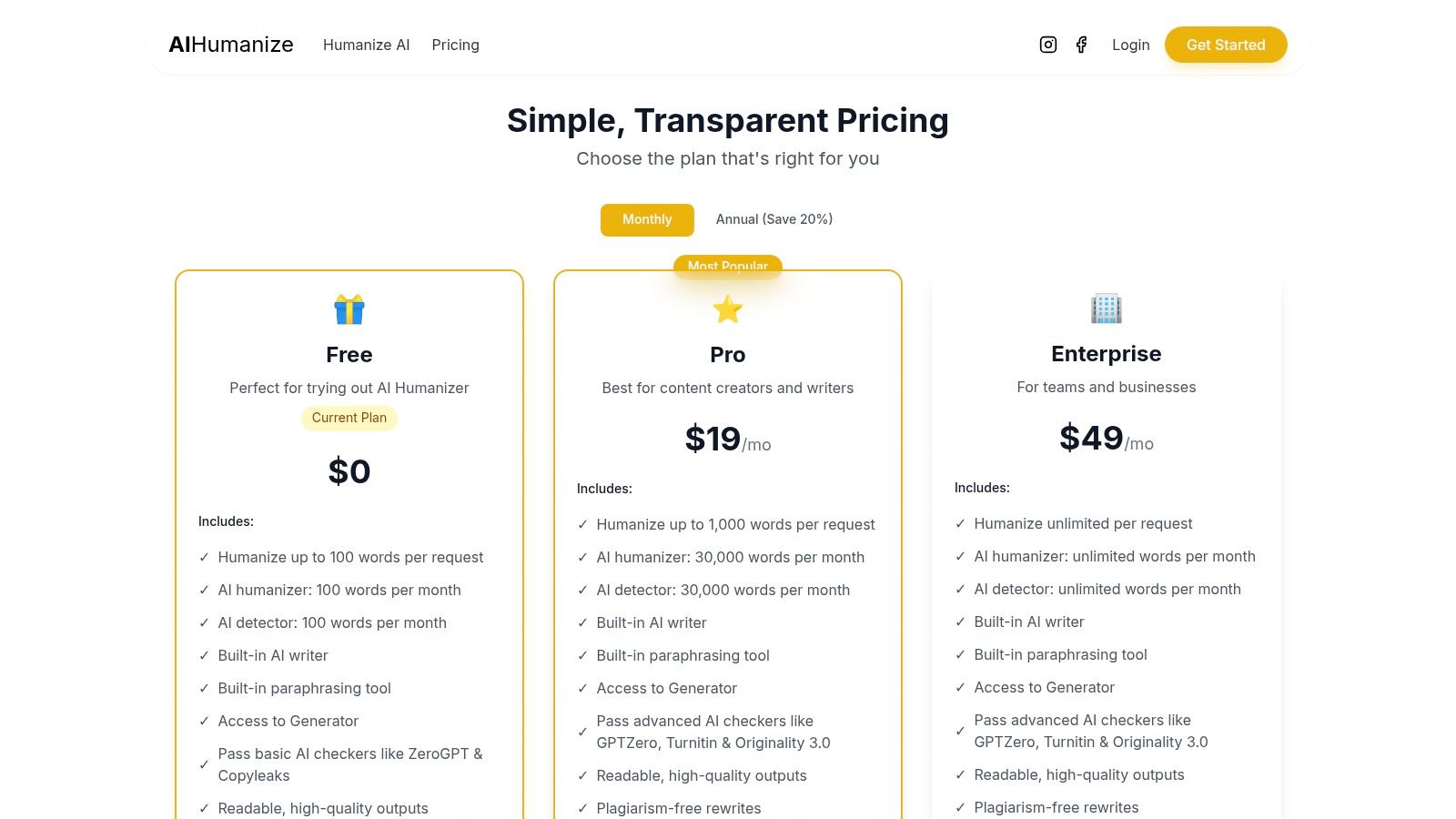
alt text: AIHumanize.us pricing plans showing different tiers with word and request caps
The platform also emphasizes keyword preservation, which can be helpful for SEO-focused drafts. However, strict usage limits and inconsistent performance make it unsuitable for long-form or professional-scale content.
Pros
- Free daily usage without commitment.
- Simple, single-page interface.
- Keyword preservation support.
- Clear usage limits.
Cons
- Very limited daily word count.
- Not suitable for bulk or long-form work.
- Less consistent output than premium tools.
Best for: Bloggers, students, and SEO testers needing quick, small-scale humanization.
Website: https://aihumanize.us/
12. Additional Niche Tools Worth Considering
There are many niche, lesser-known humanizers that may suit specific use cases — like Clever Free Humanizer for lightweight tests or custom GPT-based rewriting workflows for advanced users. But these often require more manual evaluation or offer limited scope compared to tools above.
How We evaluated Tools
We looked at functionality, user experience, detector bypass effectiveness, integration options, and value for different user types (students, marketers, content teams). While no tool guarantees perfect humanization or detector evasion every time, this list reflects a balanced assessment of current capabilities in 2026.
Actionable Takeaways
You’ve reviewed the top AI humanizer tools. Here are your next steps to get immediate results:
- Benchmark Your Content: Use a free tool like Originality.ai’s humanizer to understand what automated rewriting looks like, then test that output against a robust detector. This teaches you what advanced detectors flag.
- Pick a Tool Based on Your Primary Goal: If your goal is only to bypass detectors, try Undetectable.ai. If your goal is to improve writing quality and clarity, start with Wordtune’s free plan. Don’t pay for features you don’t need.
- Integrate Into Your Workflow: Install a browser extension (like QuillBot or Wordtune) to make humanizing a natural part of your editing process, rather than a separate, tedious step.
- Always Manually Edit: Treat the humanized output as a new first draft, not the final version. Read it aloud to catch awkward phrasing and verify all facts are still accurate.
- Test on a Small Scale: Before committing to a paid plan, use the free trials offered by tools like HideMyAI or Humanize.sh to process a sample of your own content. See if you like the results.
Final Thoughts
AI humanizer tools are rapidly evolving, and no single solution fits every use case. If your priority is detector robustness, tools like Undetectable AI and HIX Bypass lead the pack. For editorial quality and style, tools like Wordtune and QuillBot may be preferable. And for budget-conscious users, free options like Humanize AI provide useful baseline functionality.
Further Reading and Resources
- Tools:
- LLM Checklists: Explore community-maintained lists like
llms.txton GitHub for updated language models and tools. - Prompt Engineering Guides: Improve your initial AI output by learning from advanced prompt engineering resources.
- The 12 Top AI Tools for Cyber Defense in 2026: An Analyst’s Guide
- LLM Checklists: Explore community-maintained lists like
- References:
- “The Imitation Game”: Read Alan Turing’s original 1950 paper for foundational concepts on machine intelligence and human-like communication.
- Nielsen Norman Group Articles: Search their site for research on AI and user experience, which provides insights into why human-like tone matters for readability.
Ready to build, manage, and scale your own AI-powered applications? While the tools above help refine existing content, RichlyAI provides the foundational platform to create custom AI workflows and products from scratch. Explore the RichlyAI no-code platform to launch your next AI project with powerful features for prompt management, app deployment, and user analytics.
