
Tired of your day being eaten up by the endless cycle of manual social media posting? Let’s fix that. Automating your social media isn’t about creating a cold, robotic feed. It’s a smart, strategic decision to win back your time and seriously boost your brand’s reach.
The game plan is straightforward: zero in on your most important platforms, pick the right automation tools for the job, build a solid library of evergreen content, and schedule it all to go live when your audience is most active.
Why Smart Automation Is Your Social Media Superpower
Learning how to automate social media posts is less about the “how” and more about the “why.” It’s a fundamental shift from getting bogged down in repetitive, low-value tasks to focusing on what actually moves the needle: strategy, community engagement, and creating killer content. Instead of manually pushing every single post live, you build a reliable system that works for you 24/7.
This isn’t just a time-saver, though. A well-oiled automation workflow ensures your brand stays consistently visible across every platform, even when you’re offline. You’re no longer chained to your desk, but your brand’s voice is always out there.
The Strategic Edge of Automation
Let me be clear: this isn’t a “set it and forget it” gimmick. True social media automation is about building an intelligent, scalable content engine. You can finally schedule content for those peak engagement hours without having to be online at 9 PM on a Friday. It ensures a consistent flow of value that keeps your audience coming back for more.
The numbers back this up. It’s not just a trend; it’s a core business practice. A staggering 75% of businesses are now using at least one type of marketing automation. The ROI is even more compelling, with companies seeing an average return of $5.44 for every $1 spent on the right tools.
Automation gives you the one thing you can’t buy more of: time. By handling the repetitive tasks of posting and scheduling, it frees up your creative energy for what truly matters—connecting with your audience and growing your brand.
For example, you can create incredibly powerful custom workflows by connecting different apps. Tools like Zapier can act as the “glue” between your content hub and your social platforms.
Imagine setting up a simple trigger: every time you publish a new blog post, it automatically formats a summary and shares it to your LinkedIn profile. That’s the kind of hands-off efficiency we’re talking about.
Getting Started with the Right Tools
The first real step is choosing your toolkit. Not all tools are created equal, and what works for one brand might not work for another.
For straightforward scheduling, platforms like Buffer or Hootsuite are fantastic starting points. But if you want to create more sophisticated, multi-step workflows, integration platforms like Zapier or IFTTT are essential. To get a better sense of what’s out there, digging into a list of the top social media automation tools is a great way to compare features.
A great automation strategy is built on a few core pillars that work together.
The Pillars of a Social Media Automation Strategy
Here’s a quick look at the essential components you need to build a workflow that’s both effective and sustainable.
| Component | Objective | Key Action |
|---|---|---|
| Content Curation | Keep your feed fresh and relevant with industry news. | Set up RSS feeds or content discovery tools to automatically pull in articles from trusted sources. |
| Content Creation | Produce a high volume of quality posts without the burnout. | Use templates and AI-powered tools to quickly generate variations of posts for different platforms. |
| Smart Scheduling | Maximize reach and engagement for every post. | Use platform analytics to identify peak audience activity and schedule your content calendar accordingly. |
| Performance Analysis | Continuously improve your strategy with real data. | Regularly review built-in analytics to see what content resonates and double down on what works. |
When you bring all these elements together, you’re not just automating tasks; you’re building a dynamic system that learns and improves over time. This approach is fundamental to growth, and you can dive deeper into how marketing automation can grow your business to see how these principles apply across your entire marketing funnel.
Getting Your Hands Dirty: Building Your First Automated Content Workflow
Alright, let’s move past the theory and actually build something. This is where you create a system that feeds your audience a steady stream of valuable content without you having to manually push a button every single time. It all boils down to picking the right tools, securely hooking up your accounts, and building a content engine that can run on its own.
Think of it like setting up an assembly line. The initial setup takes some thought, but once it’s running, it produces consistent results with minimal intervention.
This infographic gives a great high-level view of how this all fits together.
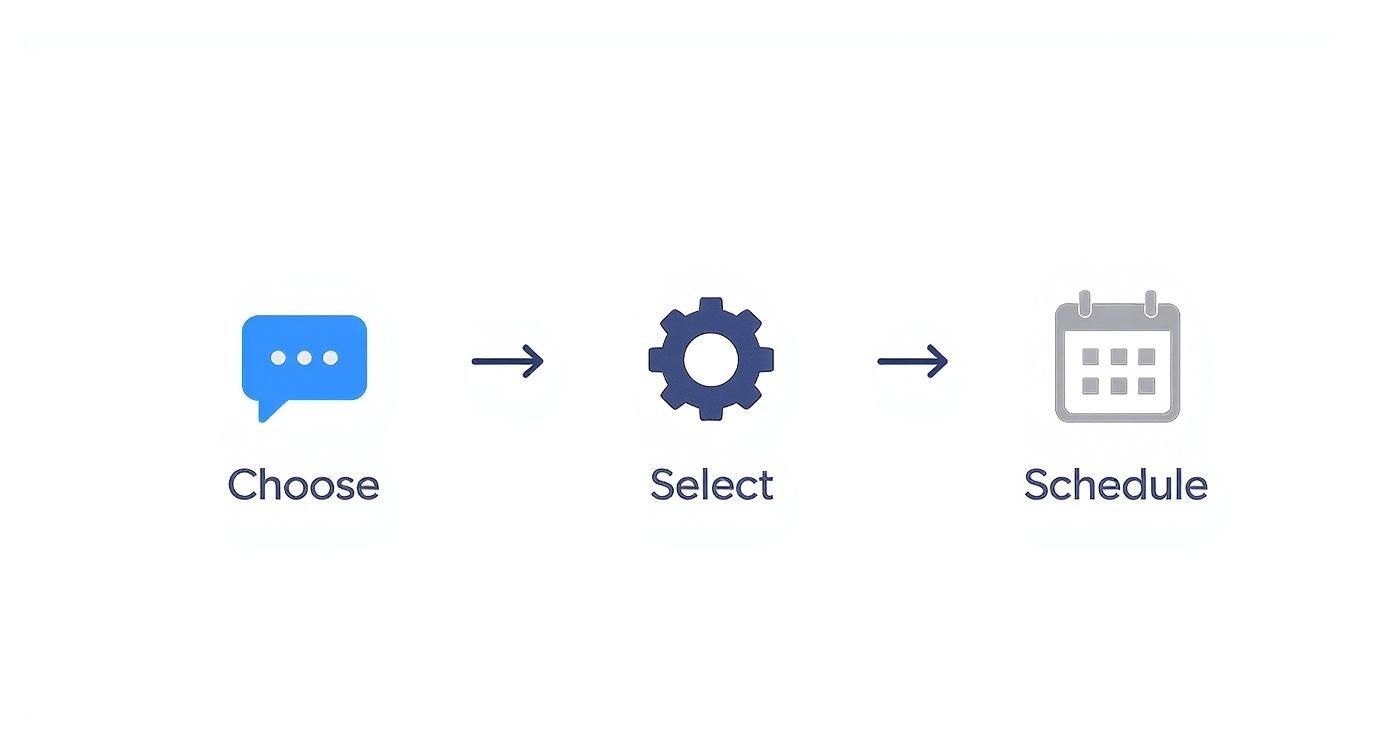
Alt text: Infographic about how to automate social media posts, showing a loop of choosing tools, creating content, scheduling, and analyzing results.
As you can see, it’s a pretty straightforward loop: you choose your tools, set the rules for what gets posted and when, and then let it run.
Picking Your Automation Toolkit
The tool you choose is the foundation for everything else, so this decision matters. Your ideal platform really depends on your goals, your budget, and how comfortable you are with tech. There’s no single “best” tool, only the best tool for you.
Here’s a quick rundown of a few I’ve worked with:
- For pure simplicity, try Buffer. If you’re just getting started or run a small team, Buffer is fantastic. Its interface is clean and intuitive, making it incredibly easy to just queue up posts and get on with your day. No steep learning curve here.
- For visual-heavy brands, look at Later. If Instagram, Pinterest, or TikTok is your primary playground, Later is built for you. The whole platform is centered around a visual calendar, so you can plan your grid’s aesthetic perfectly. It also has handy features like a link-in-bio tool.
- For ultimate customization, there’s Zapier. Zapier isn’t a social media tool itself; it’s more like digital duct tape. It connects thousands of different apps, letting you build custom “Zaps” to automate almost any task you can imagine. The possibilities are nearly endless.
If you’re looking for something with more advanced capabilities, like AI-powered content creation, it’s worth exploring the landscape of AI workflow automation tools to see what’s out there.
Connecting Your Social Accounts—The Right Way
Once you’ve got your tool, it’s time to hook up your social media profiles. This is a crucial step, and you want to do it securely. Any reputable platform will use OAuth (Open Authorization). This is a secure method that lets the tool post for you without you ever having to give it your password. You’ll be sent to the social media site itself (like X or LinkedIn) to approve the connection. It’s the industry standard for a reason.
My Two Cents: Don’t skip this—turn on two-factor authentication (2FA) everywhere. Enable it on your social accounts and on your new automation tool. This one simple step adds a massive layer of protection against unauthorized access.
With access granted, your profiles will pop up in the tool’s dashboard, and you’re ready for the fun part.
Building Your Content Engine
This is where the strategy comes in. You need to build the engine that powers your automation: a solid content calendar paired with an evergreen content library.
Your content calendar is the blueprint. It’s where you map out your monthly themes, plan for launches, and schedule posts around important dates. It gives you a bird’s-eye view of your strategy, ensuring you have a healthy mix of content going out.
The other half of this machine is your evergreen library. This is just a stash of high-quality, non-time-sensitive posts that you can reuse. Think of things like:
- Links to your cornerstone blog posts or ultimate guides.
- Helpful industry tips and best practices.
- Frequently asked questions your customers have.
- Inspirational quotes that resonate with your audience.
By building up a library of these, you can set them to post on a recurring schedule. It’s the perfect way to fill the gaps in your calendar and keep your profiles active without a ton of extra work.
Step-by-Step: Building an RSS-to-Social Workflow in Zapier
Let’s get practical. Here is a step-by-step guide to creating a workflow that automatically shares new blog posts from an RSS feed to both LinkedIn and X. This is a classic “set it and forget it” automation that genuinely saves hours.
- Set the Trigger. Log in to Zapier and click “Create Zap.” For the trigger app, search for “RSS by Zapier” and select “New Item in Feed.” Paste in your blog’s RSS feed URL (it’s usually something like
yourdomain.com/feed). - Create the First Action (LinkedIn). For the action step, choose the LinkedIn app and the “Create Share Update” action. This is where you map the data from your RSS feed to the post.
- Commentary: Don’t just dump the title. Write something that sparks interest, like: “Fresh on the blog:
[Title from RSS Feed]We’re diving into… #YourHashtag” - Content URL: Select the “Link” field from the RSS feed data. Zapier will automatically pull this in.
- Commentary: Don’t just dump the title. Write something that sparks interest, like: “Fresh on the blog:
- Add the Second Action (X). Click the
+icon to add another step. Find the X (formerly Twitter) app and pick “Create Tweet.” Again, map the data, but this time, keep it short and punchy for X’s audience.- Message: Try something like: “Just published:
[Title from RSS Feed]->[Link from RSS Feed]#RelevantHashtag1 #RelevantHashtag2″
- Message: Try something like: “Just published:
- Test and Go Live. Run a quick test to make sure everything looks right. If it does, turn your Zap on. That’s it! Now, every time a new post goes live on your blog, this workflow will promote it for you.
You can apply this same logic to all sorts of content. For example, if you’re big on video, you can create similar automations for your video ads. There’s a great guide on How to Automate Hook, Body, and CTA Video Ad Variations that shows how to take this concept even further.
Actionable Takeaways
- Pick one tool to start. Don’t overcomplicate it. Start with a simple scheduler like Buffer.
- Secure your accounts. Use tools with OAuth and enable 2FA on everything.
- Build an evergreen library. Create 20-30 solid, non-time-sensitive posts to put on a recurring schedule.
- Create your first workflow. Follow the steps above to build an RSS-to-social automation.
- Customize your message. Never blast the same text to every platform. Tailor the message for each network.
Using AI for Smarter Social Media Automation
Basic scheduling tools get your posts out the door, but that’s just scratching the surface of what’s possible today. The real leap forward in social media automation comes from bringing artificial intelligence into the mix. This is where you graduate from a simple timer to an intelligent strategist that actively works to grow your brand.
Instead of relying on generic advice like “post on Tuesday afternoons,” AI digs into your own audience data—looking at engagement history, when your followers are most active, and which posts have performed best—to pinpoint the exact times you should be publishing. It’s the difference between guessing and making a data-driven decision.
You can see just how central AI has become by looking at the homepage for a tool like RichlyAI, which puts AI-powered content and automation front and center.

Alt text: Homepage of RichlyAI, an AI-powered content and social media automation tool, showcasing its features for generating text, images, and code.
The platform isn’t just about scheduling; it’s built around features for generating text, images, and even code. This shows that AI isn’t some background function anymore—it’s become a core creative partner in the workflow.
Beyond Scheduling to Intelligent Content Creation
The true power of integrating AI is its ability to help you create better content, and a lot more of it, much faster. Platforms like Jasper or our own RichlyAI Hub can take a single idea and spin it into a dozen different assets.
AI tools are especially good at a few key tasks that used to eat up hours of manual work:
- Generating Post Variations: Give an AI a core message, and it can instantly write multiple versions. You’ll get a professional take for LinkedIn, a quick and punchy version for X, and an engaging question for a Facebook discussion, all from one prompt.
- Summarizing Long-Form Content: Got a 2,000-word blog post? An AI can digest it in seconds and pull out the best quotes, statistics, and key takeaways, turning them into a full week’s worth of social media snippets.
- Creating Unique Images: Many tools now have built-in AI image generators. This means you can create custom visuals for your posts on the fly, so your feed never looks repetitive or relies on tired stock photos.
The real win here is achieving personalization at scale. AI empowers you to create a high volume of content that still feels custom-tailored to your audience—something that would be practically impossible for a human to do alone.
Comparing Traditional vs AI-Powered Automation
To really see the difference, it helps to put the old and new methods side-by-side. Traditional automation was about efficiency, but AI-powered automation adds a layer of intelligence and creativity that was previously out of reach.
| Feature | Traditional Automation | AI-Powered Automation |
|---|---|---|
| Scheduling | Posts at pre-set, fixed times. | Analyzes data to predict and post at optimal, dynamic times. |
| Content Creation | Requires fully pre-written content. | Generates post ideas, drafts, and variations from simple prompts. |
| Content Repurposing | Manual process of copy-pasting and editing. | Automatically summarizes articles and pulls out shareable snippets. |
| Visuals | Relies on a library of pre-made or stock images. | Creates unique, custom images and graphics on demand. |
| Audience Insights | Provides basic analytics (likes, shares). | Identifies content trends, sentiment, and opportunities for engagement. |
| Strategy & Planning | Requires manual research and brainstorming. | Performs competitor analysis and suggests data-backed content ideas. |
As you can see, AI doesn’t just make the process faster; it makes the output smarter and more effective, turning your automation workflow into a strategic asset.
Practical Example: Repurposing a Blog Post with AI
Let’s walk through a common task. You just published a blog post, “5 Time-Saving Tips for Project Managers.” Instead of manually creating social posts, here’s how to use AI to do it in minutes.
- Feed the AI. Open an AI tool like RichlyAI or Jasper. Paste the entire text of your blog post into the prompt window.
- Give Clear Instructions. Now, tell the AI exactly what you need. Use a prompt like this:
"Analyze the blog post provided. Generate the following assets for social media: 1. A professional LinkedIn post summarizing the key takeaways and asking a question. 2. Three punchy tweets, each highlighting one of the five tips. Include relevant hashtags. 3. An engaging Instagram caption that can be paired with a graphic. 4. An idea for a simple graphic that visualizes the main concept." - Review and Schedule. The AI will generate all the content. Review it, make any minor tweaks to match your brand voice, and load the posts directly into your scheduling tool. A task that could take an hour is now done in five minutes.
To see how these tools can fit into your larger strategy, check out our guide on using AI for content creation.
Actionable Takeaways
- Optimize Your Timing with AI: Connect your social accounts to a tool that uses AI to analyze your specific audience and find your unique best times to post.
- Automate Content Repurposing: The next time you publish a blog post, use the prompt above to generate five different social media posts from the content.
- Run an AI-Powered Competitor Analysis: Set aside one hour this week. Use an AI tool to analyze a competitor’s top-performing content and identify one new content format or topic you can test.
- Generate Post Variations: For your next campaign, use an AI writer to create three different captions for the same image or link. Post them at different times and see which one performs best.
Making Your Automation Work for Each Social Platform
If you’re just blasting the exact same message across all your social accounts, you’re missing the point of automation. It’s the fastest way to look robotic and completely out of touch. Every platform has its own vibe, its own audience, and its own rules of engagement.
Effective automation isn’t about saving a few clicks by cross-posting everywhere. It’s about strategically adapting your core message so it feels right at home on each network. What kills it on LinkedIn will probably get ignored on Instagram. A solid X (formerly Twitter) strategy would just come across as obnoxious spam on a professional network. This is where the real work—and the real results—happen.
LinkedIn: The Professional’s Network
Think of LinkedIn as the digital boardroom. People are there for professional insights, industry news, and career development. Your automation strategy needs to reflect that. It’s all about quality over quantity, building authority, and reinforcing your brand’s credibility.
Here’s how to automate for LinkedIn:
- Actionable Step: Set up an RSS-to-social workflow (like the Zapier example from earlier). When you publish a new blog post, have it automatically shared.
- Practical Example: Instead of a lazy “New blog post!”, customize the automated text to be a conversation starter. Try something like, “Our latest analysis dives into the future of AI in project management. What’s the biggest challenge you’re seeing? #AI #ProjectManagement”.
X: Mastering the High-Speed Feed
X moves incredibly fast. If you’re not posting consistently, you’re invisible. This makes it the perfect place for a smart automation strategy that mixes created, curated, and evergreen content.
- Actionable Step: Use your scheduling tool to create a “recurring post” category for evergreen content. Add links to your best blog posts, helpful tips, and insightful quotes.
- Practical Example: In your tool (like Buffer or Hootsuite), create 10-15 evergreen posts. Set them to post on a rotating schedule, like one every Monday and Wednesday. This keeps your feed active with valuable content without you having to think about it every day. Most modern social media scheduling tools are built for this.
Instagram: A Visual-First Approach
On Instagram, it’s all about the visuals. Your automation has to respect that. A caption cluttered with a block of 30 hashtags just looks messy. A much better approach is to automatically post that block of hashtags as the first comment. This keeps your caption clean and focused on your message, but you still get all the discovery benefits from the tags. Tools like Later have this feature built right in.
- Actionable Step: When scheduling an Instagram post, look for the “First Comment” feature in your tool.
- Practical Example: Write your main caption, then paste your block of 20-30 researched hashtags into the dedicated “First Comment” field. The tool will publish the post and then immediately add the comment for you.
Here’s what that looks like in the Later app—it’s a simple checkbox that handles it all for you.
Alt text: An example from the Later app showing the ‘First Comment’ feature, which allows users to schedule hashtags in the first comment of an Instagram post.
It’s these little platform-specific automations that separate the pros from the amateurs.
Actionable Takeaways
- For LinkedIn: Automate high-value content shares and always add a custom, conversation-starting comment.
- For X: Build a library of evergreen content and use a scheduler with post-recycling to keep up with the high frequency.
- For Instagram: Use a tool that can automatically post your hashtags in the first comment to keep captions clean.
- The Golden Rule: Never just copy and paste. Always tweak the message, tone, and hashtags to fit the platform.
How to Measure and Optimize Your Automation Strategy
Setting up your automation is just the first step. If you’re not measuring what’s working, you’re essentially just shouting into the void. To truly master social media automation, you need to close the loop—analyze the results and use that data to make your next posts even better.
This is where your automation stops being a simple scheduling tool and becomes a smart, responsive system. You’ll be able to see exactly what resonates with your audience, so you can stop guessing and start making decisions based on real-world performance.
Defining the Metrics That Matter
Before you can start improving, you have to know what you’re looking for. It’s easy to get bogged down in vanity metrics, but what you really need are the numbers that directly impact your business goals.
- Engagement Rate: The percentage of your audience that is actively interacting with your content (likes, comments, shares).
- Reach and Impressions: How many unique people saw your post (reach) and the total views it got (impressions).
- Click-Through Rate (CTR): If you’re driving traffic, this is your north star. It’s how many people clicked the link in your post.
- Follower Growth: A healthy, consistent increase in followers is a great sign that your content strategy is working.
Most scheduling platforms have built-in analytics dashboards where you can track all of this.

Alt text: Dashboard of Buffer’s analytics tool, displaying metrics like reach, engagement, and clicks for different social media channels.
A quick look at a dashboard like this can tell you so much. You can instantly spot which channels are your strongest and which types of posts are sparking the most conversation.
Turning Data Into Actionable Insights
Having the data is great, but it’s what you do with it that counts. The whole point is to find patterns that you can use to make smarter decisions.
Practical Example: You’re reviewing last month’s analytics and spot a clear trend: your Friday posts consistently get 50% more engagement than any other day. As you dig in, you realize it’s always the short-form videos that are taking off.
That’s a powerful insight. Here’s your action plan:
- Adjust your schedule: Go into your scheduling tool and move your most important content and biggest announcements to Fridays.
- Refine your content mix: Plan to create more short-form videos. Your audience is telling you what they want to see, so give it to them.
This is what a data-driven strategy looks like. It’s about making small, consistent tweaks based on what you know works, not what you think might work. To get more structured with this, check out our guide on building a social media content calendar.
A/B Testing Your Automated Posts
If you really want to kick things into high gear, start A/B testing your content. You just create two slightly different versions of the same post and see which one performs better.
- Actionable Step: For your next post promoting a blog article, create two versions.
- Version A: Use a question as the headline. “What’s the biggest mistake you see in project management?”
- Version B: Use a statement as the headline. “This is the #1 mistake project managers make.”
- Execution: Schedule Version A to post in the morning and Version B in the afternoon. After 24 hours, check the analytics to see which one got a higher click-through rate. The winner becomes your new template for future headlines.
Actionable Takeaways
- Schedule a Monthly Analytics Review: Put 30 minutes on your calendar right now, once a month, dedicated solely to reviewing your social media KPIs.
- Identify One Winning Trend: In your next review, find your top-performing post from the last 30 days. Figure out why it worked.
- Run Your First A/B Test: This week, take one scheduled post and create a second version with a different headline.
- Focus on One KPI at a Time: For the next month, pick one metric—like CTR—and make it your mission to improve it.
Answering Your Top Social Media Automation Questions
Jumping into social media automation always brings up a few questions. It’s a game-changer for sure, but it’s smart to wonder how it’s going to affect your brand and your day-to-day work. Let’s tackle some of the most common concerns.
Will Automating Posts Hurt My Engagement?
No, not if you’re smart about it. Thoughtful automation actually boosts engagement because it guarantees you’re consistently showing up with great content right when your audience is scrolling.
The trick is to ditch the “set it and forget it” mentality.
Think of it as a hybrid model. Automate the steady drumbeat of your content—your blog posts, evergreen tips, curated articles. This frees you up to do the high-impact stuff manually. You’ll have more time to talk to people, jump into trending conversations, and reply to comments. That’s where real community is built, and automation is what makes it possible.
What Are the Best Free Tools to Get Started?
You don’t need to break the bank to start automating. There are fantastic free tools that are more than powerful enough to get your workflow off the ground.
- Buffer: Their free plan lets you connect three channels and queue up 10 posts for each. It’s the perfect place to start.
- Later: If you’re heavy on visuals for platforms like Instagram, Later’s free plan is a lifesaver.
- IFTTT (If This, Then That): Create simple “if this, then that” recipes. For instance, automatically share your new YouTube video to X the second it goes live.
These free options are all you need to build a solid foundation.
How Do I Find Enough Content to Automate?
The content treadmill is real, but you can beat it by stopping trying to create everything from scratch. Use a simple, three-pronged approach.
- Create: Start with one big, valuable piece of “pillar” content (a comprehensive blog post, a webinar, or a detailed guide).
- Repurpose: Slice and dice that pillar content. Pull out key stats for a graphic, turn a powerful quote into a text post, and snip short video clips. A single blog post can be atomized into a month’s worth of social media content.
- Curate: Find and share genuinely helpful content from other experts and non-competing brands in your space. This fills your content calendar and positions you as a valuable hub of information.
This mix keeps your queue packed with great stuff and, more importantly, keeps you from burning out.
Tools & Resources
- Scheduling & Automation: Buffer, Later, Hootsuite
- Integration Platform: Zapier, IFTTT (If This, Then That)
- AI Content Creation: RichlyAI, Jasper
Further Reading
- How Marketing Automation Can Grow Your Business
- Top Social Media Automation Tools: A Complete Guide
- The Ultimate Guide to AI for Content Creation
When you’re ready to go beyond basic scheduling and build a truly intelligent workflow, RichlyAI can help you generate endless content ideas, write captions that convert, and even create custom AI visuals.
Start automating smarter with your free RichlyAI plan today!
