
In the search for operational efficiency, businesses and individuals are turning to a powerful solution: AI workflow automation tools. These platforms are no longer a luxury but a fundamental component for streamlining repetitive tasks, connecting disparate applications, and freeing up valuable human capital for more strategic work. They act as the digital glue between your marketing CRM, development pipeline, and operational databases, executing complex processes without manual intervention.
This guide provides a comprehensive, actionable roundup of the best AI workflow automation tools available today. We move beyond generic feature lists to offer a detailed analysis of each platform’s core capabilities and ideal use cases. Whether you’re a solopreneur aiming to automate your content pipeline or a large enterprise looking to optimize complex operational processes, this resource will help you make an informed decision.
Each entry includes a deep dive into its specific features and integration ecosystem to provide a clear picture of its value. Our goal is to equip you with the insights needed to select, implement, and scale the right automation solution for your unique requirements, helping you transition from manual processes to intelligent, automated workflows efficiently. We’ll explore everything from no-code platforms like Zapier and Make to more developer-centric options like Pipedream and enterprise-grade solutions such as UiPath and Workato.
1. RichlyAI
RichlyAI Hub is an all-in-one AI-powered content studio designed to centralize and accelerate creative workflows. It serves a broad audience, from marketers and developers to students and solopreneurs, by consolidating multiple generative AI tools into a single, intuitive platform. Instead of switching between separate applications for text, images, audio, video, code, and chatbots, users can manage the entire content lifecycle within one unified dashboard.
This integrated approach makes it a powerful choice among ai workflow automation tools, especially for users who need to produce diverse content formats efficiently. Key differentiators include a real-time voice chat feature for more natural AI interaction and built-in social media automation for scheduling content on platforms like X, LinkedIn, and Instagram. The platform’s free plan, which advertises “Unlimited Text Generation FOREVER,” provides an accessible entry point for users to test advanced models without an initial financial commitment.
Core Features and Use Cases
RichlyAI’s strength lies in its versatility. Its prompt-driven interface allows for rapid generation, editing, and exporting of assets, significantly reducing the time from idea to publication.
- For Marketers & Social Media Managers: Generate blog posts, create ad copy, design social media visuals, and schedule posts directly from the platform. The built-in social media automation streamlines campaign execution.
- For Developers: Accelerate project timelines by generating code snippets, debugging existing code, and prototyping applications. The developer-focused tools are designed to automate repetitive coding tasks.
- For Students & Researchers: Draft essays, build CVs, summarize complex articles, and generate visual aids for presentations. The multilingual support broadens its utility.
Practical Example: How to Automate a Social Media Campaign
Here is a step-by-step process for automating a content campaign using RichlyAI:
- Generate a Blog Post: Use the text generator to create an article on a relevant topic. For example, prompt it with:
Write a 1000-word blog post on the benefits of AI for small businesses. - Create Visuals: Prompt the image generator to create a custom hero image and several social media graphics for the post. For example:
Create a professional hero image for a blog post about AI in business, featuring abstract network graphics and a modern color palette. - Draft Social Copy: Use the AI to write several unique captions for X, LinkedIn, and Instagram, tailored to each platform’s tone. For example:
Generate three social media posts based on the blog post above. One for X (short and punchy), one for LinkedIn (professional), and one for Instagram (engaging with a question). - Schedule Posts: Access the integrated social media scheduler to plan and automate the posts to go live at optimal times.
Platform Analysis
| Feature | Assessment |
|---|---|
| All-in-One Toolkit | Excellent. Consolidates text, image, audio, video, code, and chatbot generation, reducing the need for multiple subscriptions and context switching. |
| User Interface | Highly intuitive. The prompt-driven workflow is straightforward, making it easy for non-technical users to achieve desired outputs quickly. |
| Unique Features | The real-time voice chat and integrated social media automation provide a distinct advantage over competitors focused solely on content generation. |
| Pricing & Transparency | The free plan is a significant plus. However, details on paid tiers, enterprise features, and data privacy are not clearly disclosed on the website. |
Website: https://richlyai.com
Actionable Takeaways
- Leverage the free plan to test the platform’s text generation capabilities for your core tasks before committing.
- Use the voice chat feature for brainstorming sessions to achieve a more conversational and natural flow of ideas.
- Connect your social media accounts and test the built-in scheduler to see if it can replace a separate social media management tool.
- If you represent a larger organization, contact their sales team directly to clarify enterprise-level features, security, and integration options.
2. Zapier
Zapier stands as a titan in the no-code automation space, connecting over 7,000 applications to streamline repetitive tasks. It’s more than just a connector; it’s an ecosystem for building entire internal tools and AI-powered processes without writing a single line of code. The platform bundles its core “Zaps” (automations) with Tables (a database tool), Interfaces (a simple app builder), and a growing suite of built-in AI features.
What makes Zapier one of the top ai workflow automation tools is its accessibility and breadth. A marketing team can build a Zap that automatically transcribes a new podcast episode using an AI service, summarizes the key points, and then drafts social media posts for review. For more specific inspiration, Brand.dev provides a great walkthrough on how to automate brand workflows using Zapier, showcasing its practical power.
Practical Example: How to Auto-Triage Sales Leads
- Trigger: A new lead fills out a Typeform on your website.
- Filter: Zapier checks if the “Company Size” field is greater than “50 employees.” If not, the Zap stops.
- AI Action: The lead’s “How can we help?” open-text response is sent to the built-in Zapier AI with the prompt:
Categorize this lead's request into one of the following: "Sales Inquiry," "Support Request," or "Partnership." - Pathing: Based on the AI’s output, an “if/then” path routes the lead:
- If “Sales Inquiry,” create a new deal in Salesforce and assign it to a sales rep.
- If “Support Request,” create a ticket in Zendesk.
- If “Partnership,” send a notification to a specific Slack channel.
Key Features & Considerations
- Integrations: Access to over 7,000 apps, the largest catalog in the industry.
- Built-in AI: Use AI actions within Zaps to summarize text, classify data, or write responses without connecting to an external AI service.
- Full Platform: Combines automation (Zaps), data storage (Tables), and front-end UIs (Interfaces) in one subscription.
| Pros | Cons |
|---|---|
| Extremely broad integration catalog covers almost any tool. | Task-based billing can become expensive for high-volume workflows. |
| Mature platform with extensive documentation and templates. | A past security incident may require extra diligence for some users. |
| Tables & Interfaces included in core plans add significant value. | The UI can feel complex for very simple two-step automations. |
Actionable Takeaways
- Start with a free account to build and test your first few Zaps.
- Explore the pre-built Zap templates for your most-used apps to get started quickly.
- Use the built-in “Filter” and “Paths” actions to add conditional logic to your workflows.
- For a deeper dive, browse Zapier’s extensive library of productivity and workflow tools.
Website: https://zapier.com
3. Make (formerly Integromat)
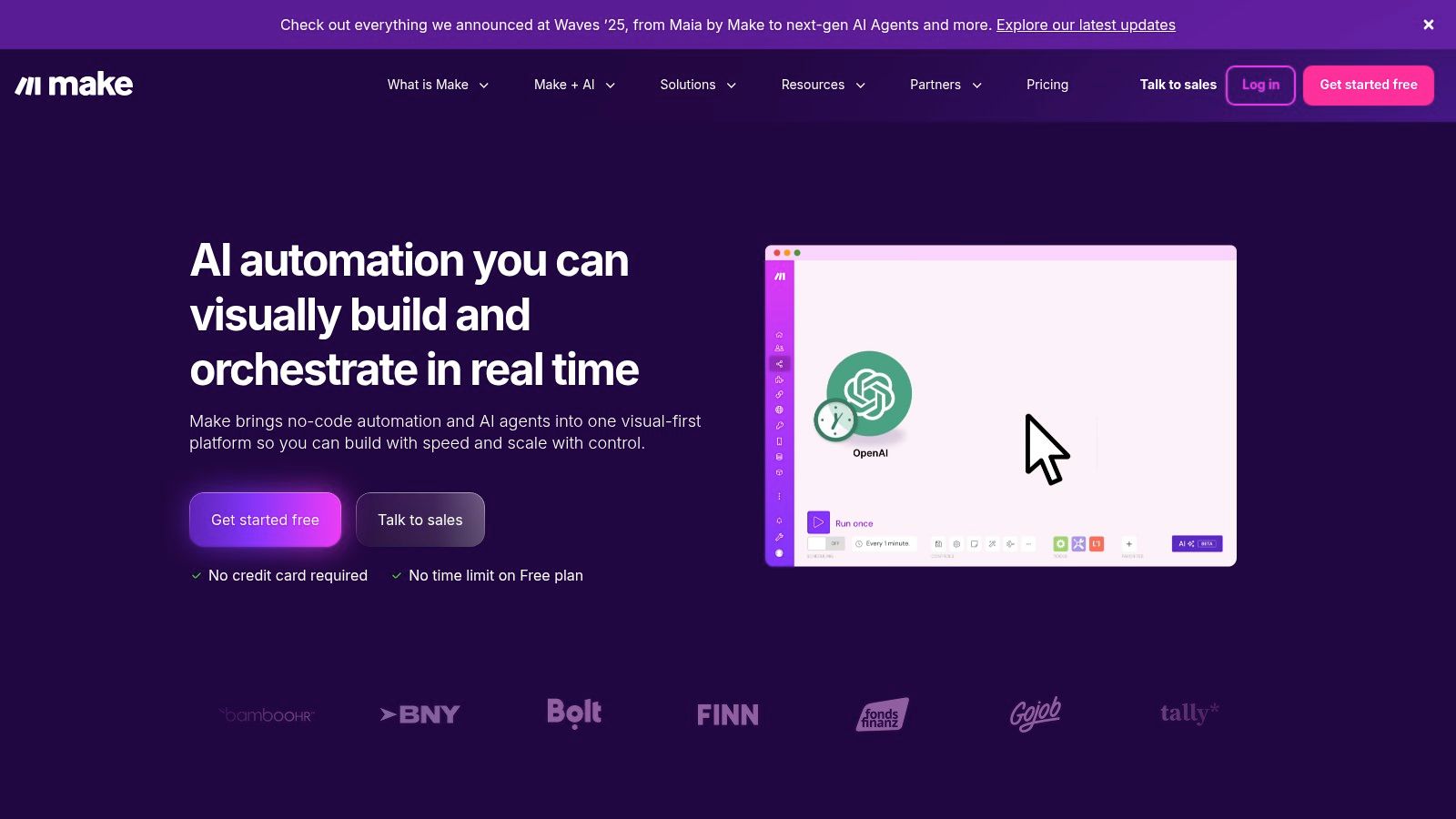
Make, formerly known as Integromat, is a visually-driven automation platform that excels at handling complex, multi-step workflows. Its core strength lies in a modular, drag-and-drop interface where users can visually map out intricate logic using routers, iterators, and aggregators. This approach makes it a favorite among users who need to build sophisticated automations that go beyond simple “if this, then that” triggers.
What truly positions Make among the leading ai workflow automation tools is its combination of visual power and technical depth. A digital agency could use it to create a scenario that monitors a social media feed, uses an AI tool to analyze the sentiment of new posts, and then routes positive mentions to a Slack channel and negative ones to a CRM for follow-up.
Practical Example: How to Automate Video Content Repurposing
- Trigger: A new video is uploaded to a specific folder in Google Drive.
- Transcription: The video file is sent to an AI transcription service like OpenAI’s Whisper API via Make’s HTTP module.
- Summarization: The returned transcript text is then sent to an OpenAI (GPT-4) module with the prompt:
Create a concise 200-word summary and five key bullet points from this transcript. - Content Creation:
- The summary is used to create a new draft post in WordPress.
- The five bullet points are formatted and posted to a dedicated LinkedIn company page.
- Notification: A link to the WordPress draft and the LinkedIn post is sent to a “Content Review” channel in Slack.
Key Features & Considerations
- Visual Scenario Builder: A powerful drag-and-drop canvas with advanced tools like routers and filters for complex logic.
- Integrations: Connects with over 2,000 apps and offers robust tools for creating custom API connections.
- AI Capabilities: Includes built-in AI tools and integrates seamlessly with external AI services.
- Granular Control: Provides minute-level scheduling and execution priority settings on higher-tier plans for time-sensitive automations.
| Pros | Cons |
|---|---|
| Transparent, credit-based pricing offers a low-cost entry point. | Credit consumption can become complex to track as scenarios grow. |
| Excellent for complex logic, including custom code (JS/Python). | Some of the more advanced AI capabilities are still in beta. |
| Visual interface makes debugging complex workflows more intuitive. | The learning curve can be steeper than simpler automation tools. |
Actionable Takeaways
- Use the visual builder to map out a complex process before you even connect the apps; this helps clarify the logic.
- Explore the HTTP module to connect to any API, even if a pre-built app isn’t available.
- Experiment with the “Router” module to create different paths for your data based on specific conditions.
- Read more about how automation transforms everyday tasks to find more ideas.
Website: https://www.make.com
4. n8n
n8n offers a powerful, source-available alternative for teams that prioritize control, extensibility, and cost-effectiveness. It operates on a node-based visual editor, allowing users to connect different applications and services, including AI models, in a flexible and transparent way. The platform’s biggest differentiator is its self-hosting option, which gives developers complete data sovereignty and the ability to customize the instance to their exact needs. A hosted cloud version is also available for those who prefer a managed service.
What makes n8n a standout among ai workflow automation tools is its developer-centric approach combined with a strong community. This level of control is ideal for handling sensitive information or integrating with proprietary internal systems, offering a robust framework for complex, custom automations.
Practical Example: How to Automate Customer Feedback Analysis (Self-Hosted)
- Trigger: An n8n webhook node receives data every time a customer submits feedback through Intercom.
- Data Extraction: A “Code” node runs a simple JavaScript snippet to clean and format the feedback text.
- AI Analysis: The cleaned text is passed to a “Hugging Face” node, which calls a community-hosted sentiment analysis model to classify the feedback as “Positive,” “Negative,” or “Neutral.”
- Database Storage: An “PostgreSQL” node connects to an internal, self-hosted database and inserts the original feedback, the sentiment classification, and the customer ID.
- Conditional Alert: An “IF” node checks the sentiment. If it’s “Negative,” it sends a high-priority message to a support channel in Mattermost (a self-hosted Slack alternative).
Key Features & Considerations
- Open-Source & Self-Hosting: Full control over your data and infrastructure with the ability to run n8n on your own servers for free.
- Node-Based Visual Editor: An intuitive drag-and-drop interface that visualizes complex logic and data flow clearly.
- Extensible Ecosystem: Create custom nodes or leverage a large library of community-built integrations for endless possibilities.
- Hosted Cloud Option: Provides a managed, scalable solution with usage-based pricing for teams that want to get started quickly.
| Pros | Cons |
|---|---|
| Highly cost-effective and flexible, especially when self-hosted. | Self-hosting requires technical expertise and ongoing maintenance. |
| Strong community support and a growing library of AI nodes. | The cloud plan is priced in EUR, which may require currency conversion. |
| No limits on workflow steps, allowing for very complex processes. | The user interface can be more technical compared to other platforms. |
Actionable Takeaways
- If you have technical resources, try self-hosting the free community version on a service like DigitalOcean or in a Docker container to test its full power.
- Explore the community nodes library to find integrations for niche or open-source tools not found on other platforms.
- Use the “Code” node to inject custom JavaScript or Python scripts for data manipulation that goes beyond standard functionality.
Website: https://n8n.io
5. Microsoft Power Automate
Microsoft Power Automate excels as an enterprise-grade automation platform, deeply embedded within the Microsoft 365, Dynamics, and Azure ecosystems. It moves beyond simple app-to-app connections by offering a comprehensive suite that includes cloud-based flows, robotic process automation (RPA) for desktop tasks, and process mining capabilities. Its tight integration makes it a go-to choice for organizations already invested in Microsoft’s technology stack.
What solidifies Power Automate’s position among top ai workflow automation tools is its native AI Builder. Its strength lies in automating legacy systems with desktop RPA and modern cloud apps in a single, governed platform. Learning how to properly implement AI into your business operations is key to leveraging tools like this for maximum impact.
Practical Example: How to Automate Invoice Processing
- Trigger: A new email with an attachment arrives in a shared Outlook inbox (e.g.,
[email protected]). - AI Extraction: The flow triggers the AI Builder‘s “Form Processing” model, which has been trained on your company’s invoice templates. It extracts key fields like Invoice Number, Amount, Due Date, and Vendor Name from the PDF attachment.
- Validation (Optional): The extracted Vendor Name is cross-referenced with a list of approved vendors in a SharePoint List.
- Data Entry: If the vendor is approved, a new item is created in a SharePoint “Invoice Tracking” list with the extracted data.
- Approval Workflow: An approval request is automatically sent via Microsoft Teams to the relevant department head, who can approve or reject the invoice with a single click.
Key Features & Considerations
- Deep Microsoft Integration: Native connectors for SharePoint, Teams, Outlook, Dynamics 365, and Azure offer seamless automation across the Microsoft suite.
- Robotic Process Automation (RPA): Automate legacy desktop applications with both attended (user-triggered) and unattended (fully automated) bots.
- AI Builder: Use pre-built or custom AI models directly within flows for tasks like form processing, object detection, and text classification.
- Enterprise Governance: Leverages Dataverse for robust security, governance, and compliance controls suitable for large organizations.
| Pros | Cons |
|---|---|
| Unparalleled integration with Microsoft 365 and Azure. | The licensing matrix can be complex and difficult to navigate. |
| Strong enterprise governance and security features. | Premium connectors and RPA capabilities require higher-tier licenses. |
| Combines cloud, desktop (RPA), and AI automation in one tool. | The user interface can feel less intuitive than some competitors. |
Actionable Takeaways
- If your company uses Microsoft 365, explore the Power Automate templates already available within Teams and SharePoint.
- Start with a simple “Cloud Flow” to connect two Microsoft apps, like creating a Planner task from a flagged Outlook email.
- Test the AI Builder’s pre-built models (e.g., business card reader, text recognition) to see how they can fit into your processes before building a custom model.
Website: https://www.microsoft.com/en/power-platform/products/power-automate
6. UiPath
UiPath is a heavyweight in the enterprise automation landscape, extending far beyond simple app connections into full-scale Robotic Process Automation (RPA). It’s designed for organizations that need to automate complex, often legacy, systems where traditional APIs don’t exist. UiPath empowers businesses to build software “robots” that can mimic human actions like logging into applications, extracting data from documents, and filling out forms, integrating AI at every step.
What makes UiPath one of the most powerful ai workflow automation tools is its ability to handle high-stakes, high-volume enterprise tasks with robust governance. This combination of RPA and AI provides a level of automation depth that simpler tools can’t match, making it ideal for digital transformation initiatives.

Practical Example: How to Automate Daily Financial Reconciliation
- Trigger: An unattended robot is scheduled to run at 5 AM daily.
- Data Collection: The robot logs into a legacy, on-premise accounting system, navigates to the daily transaction report, and exports it as a CSV file.
- Web Extraction: The robot then logs into the company’s bank portal, downloads the previous day’s bank statement as a PDF.
- AI Document Understanding: The robot uses UiPath AI Center to process the PDF bank statement, extracting transaction details into a structured format.
- Reconciliation: The robot opens Microsoft Excel, loads both the CSV from the accounting system and the extracted bank data, and performs a line-by-line comparison.
- Reporting: It generates a summary report flagging any discrepancies and emails it to the finance team for human review.
Key Features & Considerations
- RPA at Scale: Deploy attended (human-triggered) and unattended (fully automated) robots managed by a central Orchestrator.
- Integrated AI Services: Built-in AI for document understanding, process mining, and task mining to discover and optimize automation opportunities.
- Enterprise-Grade: Offers cloud and on-premise deployment options with strict governance, security, and compliance features.
| Pros | Cons |
|---|---|
| Market-leading enterprise governance and feature breadth. | Pricing is often quote-based and can be complex to navigate. |
| Strong marketplace and an extensive partner ecosystem. | Steeper learning curve compared to no-code integration platforms. |
| Handles complex legacy system and desktop automation well. | Overkill for simple, API-based cloud application integrations. |
Actionable Takeaways
- Download the free UiPath Community Edition to learn the fundamentals of RPA development with UiPath Studio.
- Use the built-in Recorder tool to capture your actions in a desktop application and automatically generate a starter workflow.
- Explore the UiPath Marketplace for pre-built components that can accelerate your automation projects.
Website: https://www.uipath.com
7. Automation Anywhere
Automation Anywhere is a cloud-native, enterprise-grade platform focused on Robotic Process Automation (RPA) infused with generative AI. It’s designed for organizations looking to automate complex, end-to-end business processes, from back-office operations to front-end customer service. The platform provides a suite of tools for discovering, digitizing, and automating tasks across legacy systems and modern applications, positioning it as a powerful solution for large-scale digital transformation.
What distinguishes Automation Anywhere among ai workflow automation tools is its strong focus on governance and scalability combined with accessible entry points. This makes it a versatile choice for organizations at different stages of their automation journey, including those looking to leverage AI for significant business growth.
Practical Example: How to Automate Employee Onboarding
- Trigger: A manager submits a “New Hire” form in ServiceNow.
- Pre-Built Bot Action: This triggers a bot from the Automation Anywhere Bot Store. The bot reads the new hire’s details (name, department, role).
- Multi-System Provisioning: The bot performs a series of actions via its UI automation capabilities:
- Creates a user account in Microsoft Active Directory.
- Provisions an email account in Microsoft 365.
- Adds the user to the correct channels in Slack.
- Generative AI Action: The bot uses a generative AI action to draft a personalized welcome email, including links to relevant onboarding documents.
- Confirmation: The bot sends the welcome email to the new hire and posts a confirmation message in the manager’s ServiceNow ticket.
Key Features & Considerations
- Cloud-Native RPA: A modern, web-based platform for building and managing software bots with built-in security and governance.
- Bot Store: An extensive marketplace for pre-built bots and digital workers that accelerate deployment for common business processes.
- Community Edition: A free, fully functional version for students, developers, and small businesses to learn and build automations.
| Pros | Cons |
|---|---|
| Quick start via cloud with robust uptime and security posture. | Many enterprise plans are quote-based with scattered pricing info. |
| Community Edition enables free learning and development. | Some Bot Store listings require sales contact or private offers. |
| Strong enterprise features for scaling and governance. | Can be overly complex for simple, non-RPA-focused task automation. |
Actionable Takeaways
- Sign up for the free Community Edition to access the full suite of development tools and learn the platform.
- Browse the Bot Store to see if a pre-built solution already exists for a process you want to automate.
- Use the Process Discovery tools to automatically map out a business process by observing user actions, identifying automation opportunities.
Website: https://www.automationanywhere.com
8. Workato
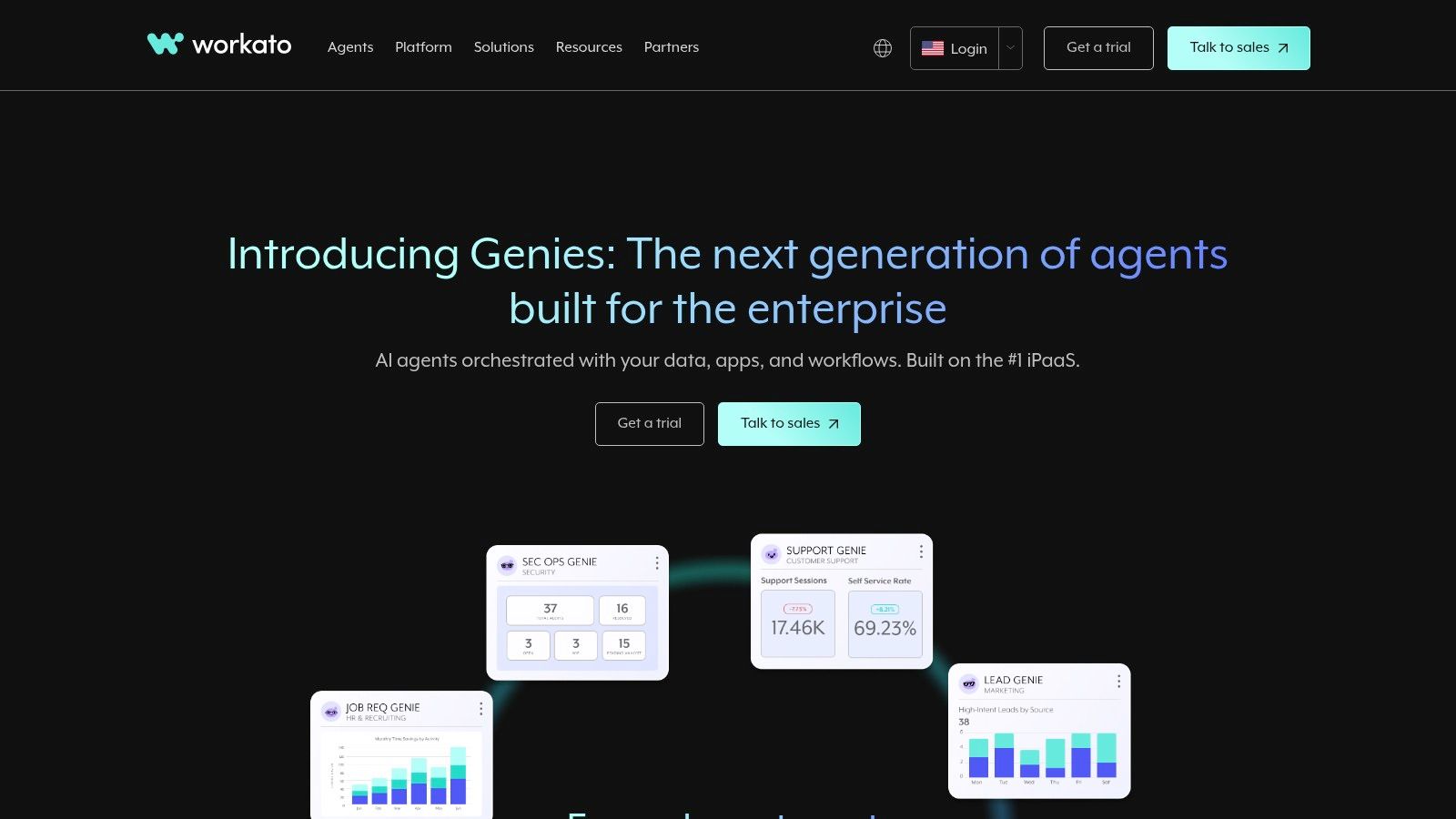
Workato positions itself as an enterprise-grade Integration Platform as a Service (iPaaS) designed for complex, large-scale automation challenges. It goes beyond simple task connections by providing AI-augmented automations, event streams, and the ability to build entire workflow apps. The platform is built to handle hybrid environments, connecting cloud applications with on-premise systems through secure agents, making it a powerful choice for established organizations.
What makes Workato a standout among ai workflow automation tools is its focus on governance, security, and transparent, consumption-based pricing. Its usage-based model aligns cost directly with consumption, which can be more predictable for high-volume, mission-critical processes than per-bot or per-user pricing.
Practical Example: How to Create a “Quote-to-Cash” Automation
- Trigger: A sales opportunity is marked as “Closed Won” in Salesforce.
- Recipe Start: This triggers a Workato recipe. The recipe pulls all relevant customer and deal data from Salesforce.
- AI Data Transformation: Workato’s AI-powered data mapping helps transform the Salesforce data into the correct format needed for the ERP system.
- ERP Integration: The recipe creates a new customer and a sales order in an on-premise SAP system using a secure on-prem agent.
- Billing & Notification: Once the sales order is created in SAP, the recipe triggers the creation of an invoice in NetSuite and notifies the finance team via a Slack message with a link to the new invoice.
Key Features & Considerations
- Recipes & Workflow Apps: Build simple point-to-point integrations (recipes) or package multiple recipes into comprehensive workflow applications.
- Enterprise-Grade Security: Features IDP and on-prem agents to securely manage automations in hybrid cloud and on-premise environments.
- Usage-Based Pricing: A consumption model with a platform fee plus metered usage, providing detailed dashboards for tracking and forecasting costs.
| Pros | Cons |
|---|---|
| Strong enterprise governance, security, and mature connectors. | Pricing requires sales engagement and is not available as simple tiers. |
| Transparent usage tracking aligns cost directly with value. | Can have a steeper learning curve compared to no-code-first tools. |
| Excellent for complex, hybrid cloud and on-premise automations. | May be overkill for small businesses with basic automation needs. |
Actionable Takeaways
- Review the community library of over 1 million “recipes” to find a template that matches your use case.
- If you need to connect to an on-premise database or application, investigate how to set up the on-prem agent.
- Use the “Recipe Life-cycle Management” feature to deploy automations across different environments (dev, test, prod).
Website: https://www.workato.com
9. Tray.io
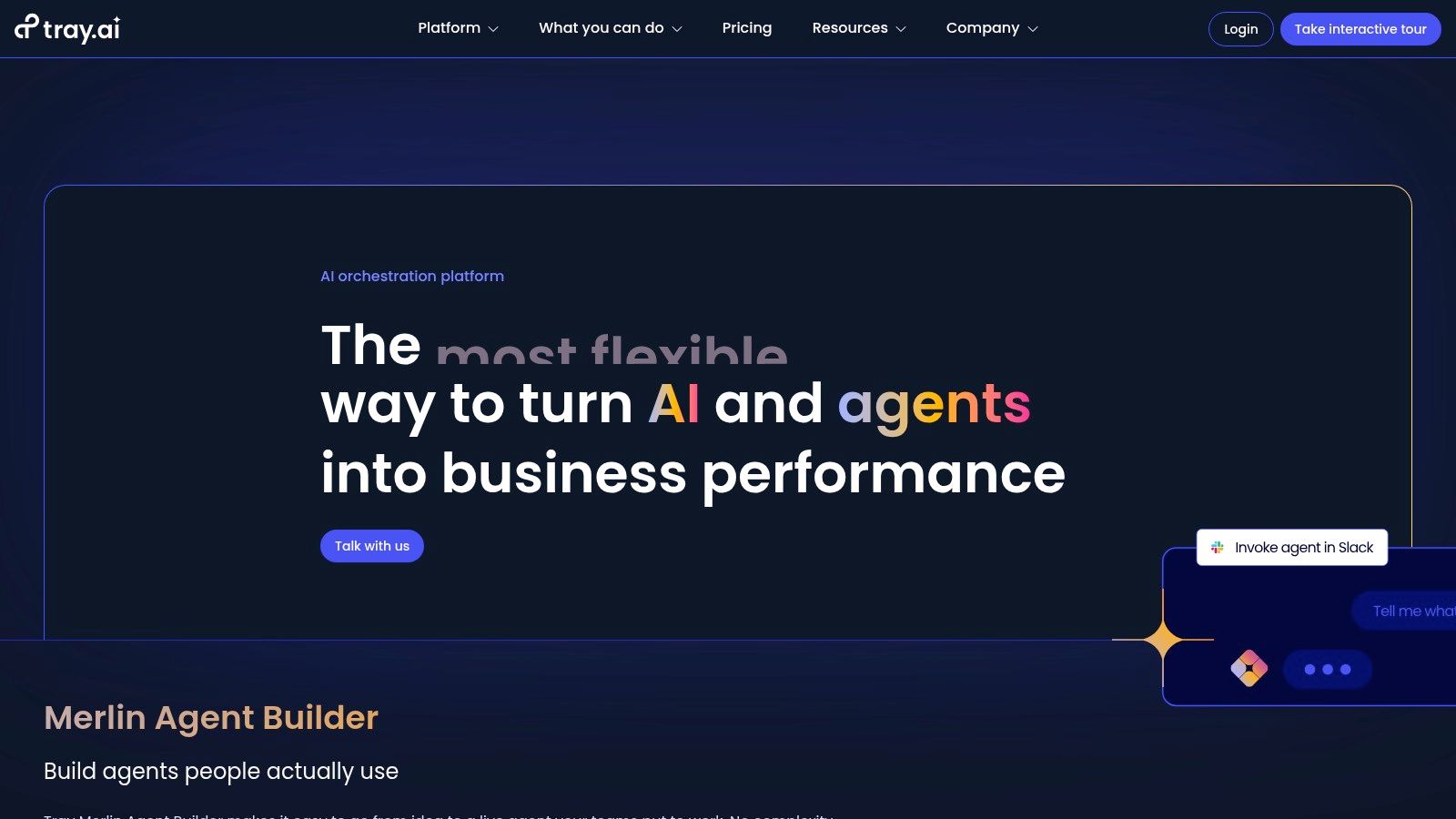
Tray.io is an enterprise-grade, low-code iPaaS (Integration Platform as a Service) designed for building complex, high-scale automations. While tools like Zapier excel at connecting individual apps, Tray.io empowers mid-market and enterprise teams to construct resilient, mission-critical workflows that can process massive data volumes and handle sophisticated business logic. It’s built for both internal process automation and for SaaS companies looking to offer embedded integrations within their own products.
What makes Tray.io one of the more powerful ai workflow automation tools is its ability to serve as a central automation hub for an entire organization. Its universal connector allows for deep integration with almost any API, making it highly extensible.
Practical Example: How to Automate Customer Data Enrichment
- Trigger: A workflow is triggered on a schedule, running once per hour.
- Data Fetching: The workflow queries a Snowflake data warehouse for any new user sign-ups in the last hour.
- Looping: It uses a “Loop” helper to process each new user one by one.
- API Enrichment: For each user, it makes parallel API calls using its HTTP client to:
- Enrich company data using the Clearbit API.
- Analyze the user’s email domain with a custom AI model to predict industry.
- Data Update: The enriched data (company size, location, predicted industry) is written back to the user’s record in Salesforce.
Key Features & Considerations
- Visual Logic Builder: Create complex workflows with branching logic, loops, and data mappers in a drag-and-drop interface.
- Enterprise Capabilities: Includes RBAC, version control, dedicated environments, and advanced error handling for mission-critical processes.
- Embedded Integrations: A key offering for SaaS companies to build and manage native customer-facing integrations directly within their own platforms.
| Pros | Cons |
|---|---|
| Suited to complex, high-scale integrations and data processing. | No transparent public pricing; production plans are quote-based. |
| Provides embedded integration options for product teams. | The purchasing process is sales-led and less suited for individuals. |
| Robust security and governance controls for enterprise use. | Can have a steeper learning curve than simpler automation tools. |
Actionable Takeaways
- Request a personalized demo to see how the platform can handle your specific, high-volume use case.
- Use the “Universal Connector” and its HTTP client to connect to an internal or non-standard API.
- If you’re a SaaS company, evaluate Tray Embedded as a way to offer native integrations to your customers without building them from scratch.
Website: https://tray.io
10. Pipedream
Pipedream is a developer-centric, serverless platform designed for connecting APIs and automating workflows with code. It bridges the gap between no-code tools and custom scripts, allowing developers to build fast, powerful automations using Node.js or Python. With over 3,000 pre-built components and a focus on speed, it’s an exceptional choice for creating sophisticated, high-performance API and AI-driven processes.
What sets Pipedream apart in the world of ai workflow automation tools is its code-as-workflow approach combined with generous AI token bundles on its paid plans. This level of granular control and direct code execution makes it ideal for technical teams who need more flexibility than traditional no-code platforms offer.
Practical Example: How to Automate GitHub Issue Summarization
- Trigger: A new issue is created in a specific GitHub repository.
- Code Step (Node.js): A Node.js code step uses the GitHub API to fetch the full issue description and any linked comments.
- AI Action: The combined text is passed to the pre-built OpenAI action with the prompt:
Summarize this GitHub issue into a single sentence for a technical manager. Identify the core problem and the requested action. - Formatting Step: Another code step formats the AI summary into a Slack block message, including a direct link back to the GitHub issue.
- Destination: The formatted message is posted to a
#dev-issueschannel in Slack using the Pipedream Slack action.
Key Features & Considerations
- Code-as-Workflow: Execute custom Node.js and Python code directly within your workflows for ultimate flexibility.
- Integrated Apps: Connect to over 3,000 applications with a library of verified triggers and actions.
- AI Token Bundles: Paid plans include generous allotments of AI tokens, simplifying the cost management of integrating AI models.
- Developer Tooling: Offers features like GitHub Sync for version control and premium app integrations on higher tiers.
| Pros | Cons |
|---|---|
| Extremely fast and flexible for building API and AI automations. | Steeper learning curve for non-developers compared to no-code tools. |
| Free tier is suitable for prototyping with a clear credit model. | Credit management and execution limits require monitoring at scale. |
| Code-native environment provides powerful customization options. | Primarily focused on back-end logic; not a UI-building platform. |
Actionable Takeaways
- Use the free tier to connect two of your favorite developer tools and test a simple workflow.
- Write a custom Node.js or Python script in a workflow step to perform a task that isn’t possible with a pre-built action.
- Connect your GitHub account to a workflow to enable version control for your automation logic.
Website: https://pipedream.com
11. AWS Marketplace (AI workflow automation listings)
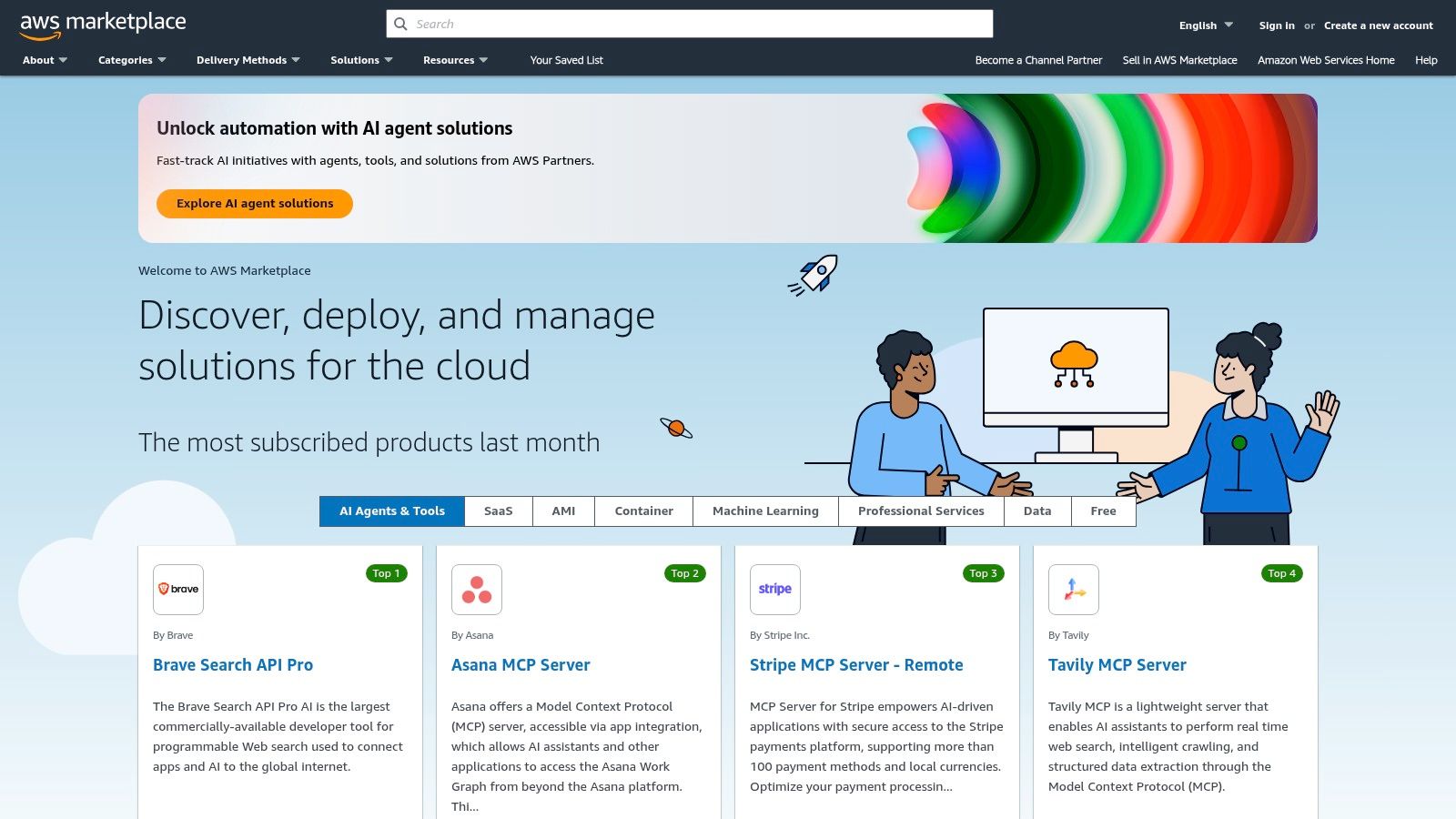
Instead of a single product, AWS Marketplace is a digital catalog where organizations can find, test, buy, and deploy a wide array of software and services. For businesses deeply integrated into the Amazon Web Services ecosystem, it provides a streamlined procurement channel for specialized ai workflow automation tools. These are not just simple connectors but often fully packaged solutions for complex tasks like intelligent document processing, AI-driven customer experience workflows, and MLOps automation, designed to run natively within a company’s secure AWS environment.
What makes the marketplace a unique destination is its focus on enterprise governance and data control. Many solutions on the marketplace are built using core AWS AI services like Amazon Bedrock or SageMaker, offering tight integration and optimized performance.
Practical Example: How to Deploy a Compliant Document Processing Solution
- Search & Discover: An IT manager at a healthcare company searches AWS Marketplace for “HIPAA-compliant document processing.”
- Procurement: They find a third-party tool that uses AI to redact Protected Health Information (PHI) from medical records. They use a “Private Offer” to negotiate a custom price.
- Deployment: Using AWS CloudFormation, they deploy the tool’s software stack directly into their company’s secure Virtual Private Cloud (VPC). The software runs on their own EC2 instances, ensuring no data leaves their environment.
- Integration: They configure the solution to monitor an Amazon S3 bucket. When a new medical record is uploaded, the tool automatically processes it, redacts PHI, and places the clean version in a separate, secure S3 bucket for authorized access.
- Billing: All software subscription costs are consolidated and appear on their monthly AWS bill.
Key Features & Considerations
- Curated Solutions: Offers a catalog of vetted, deployable AI workflow solutions for specific verticals and use cases.
- Consolidated Billing: Simplifies procurement by integrating software costs directly into your monthly AWS bill.
- Private Offers: Enables negotiation of custom pricing and terms directly with vendors for large-scale deployments.
- Direct Deployment: Allows products to be deployed directly into your own AWS account, giving you full control over data and security.
| Pros | Cons |
|---|---|
| Enterprise procurement and compliance controls under AWS. | Many listings use “request private offer,” so pricing isn’t transparent. |
| Deploy in your own account for stronger data security and control. | Can be overwhelming to navigate; primarily suited for existing AWS users. |
| Streamlined billing and deployment for AWS-native companies. | Solutions may have a steeper technical learning curve than SaaS tools. |
Actionable Takeaways
- If you already use AWS, filter the Marketplace by your industry to find specialized, pre-built solutions.
- Look for products that offer a “Free Trial” or “Bring Your Own License” (BYOL) to test before buying.
- Use the consolidated billing feature to simplify procurement and manage software budgets alongside your infrastructure costs.
Website: https://aws.amazon.com/marketplace
12. Google Cloud Workflows
Google Cloud Workflows is a fully managed, serverless orchestration service designed for connecting Google Cloud services and external APIs. It excels at building reliable, long-running processes, making it a powerful foundation for complex AI and machine learning pipelines. Instead of a visual UI, it uses YAML syntax to define workflows, offering developers precise control over execution logic, error handling, and parallel processing.
What makes Google Cloud Workflows a standout among ai workflow automation tools is its deep integration with the Google Cloud ecosystem, especially Vertex AI. Its pay-per-step model and generous free tier make it highly cost-effective for event-driven, high-volume AI tasks where managing servers would be impractical.
Practical Example: How to Orchestrate an AI Content Moderation Pipeline
- Trigger: An Eventarc trigger executes the workflow whenever a new image is uploaded to a Cloud Storage bucket.
- YAML Definition: The workflow, defined in a
workflow.yamlfile, outlines the following steps: - Parallel Calls: It makes simultaneous calls to two Google Cloud AI services:
- Vision AI API: To detect unsafe content (e.g., adult, violent).
- Translation AI API: To translate any text found in the image into English.
- Conditional Logic: The workflow checks the Vision AI results. If the content is flagged as unsafe, it calls a Cloud Function to delete the image and logs the incident.
- Data Storage: If the image is safe, the workflow writes the English translation and the image URL to a BigQuery table for further analysis.
Key Features & Considerations
- Serverless Orchestration: Executes complex, long-running workflows with built-in retries and state management without any infrastructure to manage.
- Native Integrations: Seamlessly connect and chain calls to any Google Cloud service like Vertex AI, Cloud Functions, and external HTTP-based APIs.
- Observability: Integrated logging, tracing, and monitoring through Google Cloud’s operations suite (formerly Stackdriver) for easy debugging.
- Cost-Efficient Billing: A pay-per-use model combined with an always-free monthly tier makes it economical for both small projects and large-scale deployments.
| Pros | Cons |
|---|---|
| Highly cost-effective for event-driven AI pipelines. | Best suited for teams already invested in the Google Cloud ecosystem. |
| Zero infrastructure management with automatic scaling. | Workflow definitions require learning YAML syntax, lacking a visual builder. |
| Built-in fault tolerance and robust error handling. | Steeper learning curve compared to no-code platforms for non-developers. |
Actionable Takeaways
- Use the generous free tier to build and test a simple workflow that connects Cloud Storage to a Cloud Function.
- Define a workflow in YAML to call an external, public API and see how it handles authentication and data passing.
- Integrate your workflow with Cloud Logging to see how you can trace executions and debug errors step-by-step.
Website: https://cloud.google.com/workflows
Top 12 AI Workflow Automation Tools — Feature Comparison
| Product | Core features | Quality (★) | Price / Value (💰) | Target (👥) | Unique selling point (✨) |
|---|---|---|---|---|---|
| RichlyAI 🏆 | All-in-one: text, images, audio, video, code, trainable chatbots + social automation & real-time voice | ★★★★☆ | 💰 Free plan (Unlimited Text) + low-cost enterprise positioning | 👥 Marketers, creators, devs, students, solopreneurs, teams | ✨ Real-time voice chat, social automation, free advanced models |
| Zapier | 7,000+ integrations, multi-step Zaps, filters, webhooks, AI fields | ★★★★☆ | 💰 Usage-based tasks — can spike with high volume | 👥 Non-technical users, business teams, ops | ✨ Massive integration catalog & templates |
| Make (Integromat) | Visual scenarios, routers, 2,000+ apps, AI tools & agents (beta) | ★★★★☆ | 💰 Credit-based; strong low-cost entry | 👥 Power users, SMBs, automation builders | ✨ Deep branching logic & modular visual builder |
| n8n | Open-source workflows, unlimited steps, self-host option, AI nodes | ★★★★☆ | 💰 Cost-efficient when self-hosted; cloud paid tiers | 👥 Dev teams, privacy-conscious orgs | ✨ Open-source + full data control |
| Microsoft Power Automate | Low-code flows, RPA (attended/unattended), AI Builder, MS connectors | ★★★★☆ | 💰 License complexity (user/bot) — enterprise plans | 👥 Microsoft-centric enterprises, IT teams | ✨ Deep M365/Teams/Dataverse integration & governance |
| UiPath | Attended/unattended RPA, Orchestrator, process mining, AI integration | ★★★★☆ | 💰 Quote-based enterprise pricing (varied SKUs) | 👥 Large enterprises, RPA centers of excellence | ✨ Market-leading RPA + partner ecosystem |
| Automation Anywhere | Cloud-native RPA, generative AI features, Bot Store, Community Edition | ★★★☆☆ | 💰 Enterprise quotes; Community Edition for learning | 👥 RPA developers, enterprises, students | ✨ Bot Store + community onboarding |
| Workato | iPaaS: recipes, workflow apps, event streams, hybrid agents | ★★★★☆ | 💰 Platform fee + metered usage; sales-led pricing | 👥 Enterprises, integration teams | ✨ Usage-based pricing with detailed governance |
| Tray.io | Low-code visual builder, universal connector, RBAC, embedded options | ★★★★☆ | 💰 Quote-based (sales-led) | 👥 Mid-market & enterprise product teams | ✨ Embedded integrations for SaaS products |
| Pipedream | Code-as-workflow (Node/Python), 3,000+ components, AI token bundles | ★★★★☆ | 💰 Free prototyping tier; paid credits for scale | 👥 Developers, API/AI builders | ✨ Serverless code workflows + generous AI tokens |
| AWS Marketplace (AI listings) | Curated deployable AI workflow solutions, private offers, AWS billing | ★★★☆☆ | 💰 Marketplace pricing varies; private offers common | 👥 AWS-native buyers, enterprises | ✨ Deploy directly into your AWS account for data control |
| Google Cloud Workflows | Serverless orchestration, connectors, retries, logging, pay-per-step | ★★★★☆ | 💰 Pay-per-use with always-free tier | 👥 Google Cloud teams, ML/AI pipeline builders | ✨ Native Vertex AI/Cloud integration & serverless scale |
Final Thoughts
We’ve journeyed through a comprehensive landscape of AI workflow automation tools, from user-friendly powerhouses like Zapier and Make to the developer-centric environments of Pipedream and Google Cloud Workflows. The central theme is clear: automation is no longer a futuristic concept but a present-day necessity for maintaining a competitive edge. The right tool doesn’t just save time; it fundamentally reshapes how you approach problems, freeing up invaluable human intellect for strategy, creativity, and innovation.
The platforms we explored, including RichlyAI, n8n, and enterprise-grade solutions like UiPath and Workato, all share a common goal: to serve as the connective tissue between your disparate applications. They transform manual, repetitive tasks into seamless, intelligent, and autonomous processes. Whether you’re a solopreneur aiming to automate your content pipeline or a large corporation looking to streamline complex operational logistics, there is an AI workflow automation tool perfectly suited to your scale and technical expertise.
Your Next Steps: From Insight to Implementation
Moving from reading this guide to actively implementing automation requires a strategic approach. The sheer number of options can be paralyzing, but by focusing on your specific needs, you can chart a clear path forward.
Here’s a practical framework to guide your decision:
- Document a Single, High-Impact Workflow: Don’t try to automate everything at once. Identify one process that is both repetitive and critical. For example, a marketing team might choose to automate the process of turning a new blog post into social media content, an email newsletter snippet, and a summary for the sales team. Document every single step manually first. This gives you a clear blueprint for automation.
- Estimate Your Current Costs: Calculate the man-hours spent on this manual workflow each month. If it takes an employee five hours per week to process and route customer support tickets, that’s 20 hours a month. Assign a dollar value to that time. This figure becomes the baseline ROI you’ll measure your chosen tool against.
- Shortlist 2-3 Tools: Based on our use-case recommendations, pick a few platforms that align with your needs. If your team is non-technical and needs something fast, Zapier or RichlyAI might be the best fit. If you require complex data manipulation and have some technical comfort, Make or n8n could be ideal. For developers needing deep customization, Pipedream is a strong contender.
- Run a Pilot Project: Use the free or trial versions of your shortlisted tools to build out the single workflow you documented. This is the most critical step. You’ll quickly discover the real-world usability, limitations, and power of each platform. Does the interface make sense? Is the AI integration intuitive? Can you build what you need without constant frustration?
Key Considerations Before You Commit
As you evaluate these powerful ai workflow automation tools, keep these crucial factors at the forefront of your mind. A successful implementation goes beyond just picking a tool with the most features.
- Scalability: Will this tool grow with you? Consider the task limits, pricing tiers, and the platform’s ability to handle increasing complexity as your business expands. A tool that’s perfect for a startup might become a bottleneck for a scaling enterprise.
- Total Cost of Ownership (TCO): Look beyond the monthly subscription fee. Factor in the time required for setup, training your team, ongoing maintenance, and potential consulting fees if you hit a wall. An open-source tool like n8n might seem “free,” but it carries a cost in hosting and developer time.
- Security and Compliance: When you connect applications, you are entrusting the automation platform with your data. Scrutinize their security protocols, data privacy policies, and compliance certifications (like GDPR or SOC 2), especially if you handle sensitive customer information.
The era of intelligent automation is here, offering unprecedented opportunities for efficiency and growth. By starting small, thinking strategically, and choosing a tool that aligns with your long-term vision, you can unlock the full potential of your team and your technology stack. The initial investment of time to learn and implement these systems will pay dividends for years to come.
Ready to unify your content creation and automation efforts? RichlyAI is designed to be the central hub in your AI-powered workflow, integrating seamlessly with the tools you already use. Move beyond simple task automation and build intelligent, multi-step content pipelines with our powerful, user-friendly platform. Start building smarter workflows with RichlyAI today.

The split you draw between the no-code platforms and the developer-centric ones is the useful part of this roundup — most lists give you twelve names and leave you to guess which tier you actually belong in. And the point about consolidating into one dashboard holds for the reason you give: the switching cost between apps usually outweighs any single tool’s learning curve.
One step that tends to sit outside these pipelines is what happens when the input is an image rather than a brief. A client sends a reference and says “this look, our product” — and before any prompt-driven workflow can run, somebody has to turn that picture into words. That part is still mostly manual, and two people will describe the same image differently, which quietly breaks the reproducibility the rest of the automation is supposed to give you.
We built a small free tool for that gap: pixto prompt — it reads an image and writes a copy-paste prompt formatted for whichever model you are feeding it to (Midjourney, Flux, Stable Diffusion, DALL·E, Gemini). No account needed to read the prompt. Worth a look as the first node in the kind of pipeline you are describing here.
Good AI workflow automation tools list. One category worth adding: conversation-triggered automation. Most workflow tools start from a form submission or manual task entry. CogniAIX starts from what was said in a meeting – it identifies commitments and decisions as they happen in calls, then structures them as actionable output automatically. For teams where meetings drive most of the work, it closes the biggest automation gap.
Really useful breakdown of AI workflow tools. One area I think is underappreciated is how AI video generation fits into content automation workflows. Being able to go from a script to a finished short video automatically is a game changer for social media teams. Has anyone compared the video AI tools mentioned here with dedicated platforms like Skeleton AI for short-form content?
Good distinction between orchestration tools and full workflow platforms. For small brands, the biggest win is usually automating repetitive publishing and research steps before touching enterprise-grade stacks. I have been comparing that approach while building content workflows around Pawstro, and your list matches that reality.
Solid roundup. The point about automation being the glue between content, ops, and data really matches what we see on a niche ecommerce site. We run a pet brand, and AI workflows have been most useful for organizing product information, drafting educational content, and keeping updates consistent across pages. I have been comparing setups like this while iterating on pawstrocat.com, especially for reducing manual work without making the site feel generic.
Useful breakdown of the difference between no-code automation layers and the more developer centric options. A lot of teams underestimate how much the right workflow tooling shapes content operations and product maintenance, not just internal back-office tasks. I think about similar workflow bottlenecks while running Pawstrocat, so this comparison was a practical read.
What works here is the focus on fit instead of pretending every automation tool solves the same problem. Comparing no-code, developer-focused, and enterprise options in one place makes the shortlist process much easier. I also like that the article frames automation as a way to reduce repetitive friction rather than just chase novelty. That practical angle is usually what keeps me reading, both here and when I browse idea collections like Pawstro.
Strong roundup. The part I found most useful is the distinction between no-code tools, developer-first options, and enterprise platforms, because most lists flatten those differences and make selection harder than it needs to be. I have been applying the same workflow thinking to smaller direct-to-consumer brands as well, and even lightweight operations like Pawstro benefit when content, product updates, and support tasks stop living in separate silos. Thanks for making the comparison practical instead of just feature-heavy.
Your breakdown of workflow automation stacks is practical—I especially liked how you separated orchestration from execution. For teams comparing AI assistants side by side, I have been bookmarking claude-buddy.org because it keeps the comparisons readable without hype.