
To land an interview, your CV’s email subject line needs to be sharp, professional, and straight to the point. The golden formula? Include the job title, your full name, and any reference number provided. This simple trio ensures both recruiters and their software can instantly identify your application, dramatically boosting the odds it actually gets opened.
Why Your Email Subject Line Is Your First Interview
Long before a hiring manager reads a single word of your CV, they’ve already started forming an impression of you. That one little line of text, sitting in their very crowded inbox, is your first test.
Think of it as the digital equivalent of a firm handshake. It sets the tone for everything that comes next, and you really want to get it right.

alt text: An inbox filled with job application emails, with one email highlighted showing an effective, professional subject line that stands out.
Making a Strong First Impression
A well-written subject line is a quick win. It immediately signals your professionalism and attention to detail. On the flip side, vague subjects like “Job Application” or “My CV” come across as lazy and can get your email overlooked or, worse, deleted. A specific, clear subject shows you’ve actually read the job description and that you respect the recruiter’s time.
The job market is incredibly competitive. In Nigeria, for example, a single job posting can pull in over 250 applications in the first two days alone. With that kind of volume, recruiters are scanning emails in seconds. Your subject line is the first filter that determines whether your CV even gets a glance.
Getting Past Both Recruiters and Robots
These days, your application has to impress more than just a person. Many companies rely on Applicant Tracking Systems (ATS) to do the initial heavy lifting of sorting through candidates. These systems often use keywords from the email subject line to categorise your submission correctly. If you’re missing the job title or reference number, your application might get misfiled and never make it to a human.
Your email subject is the first hurdle, but the clock is also ticking on your CV. It’s worth understanding the 6-second rule for resumes to appreciate just how quickly your entire application is judged.
A clear subject also just makes life easier for the human recruiter. It lets them search their inbox efficiently for a specific role, making sure your application is easy to find when they’re ready to start shortlisting. This small, simple step can move your application from the “maybe” pile straight to the “must-read” list.
The Anatomy of a Perfect CV Email Subject
Ever wonder what makes a recruiter actually click open your email out of the hundreds flooding their inbox? It’s not magic, and it’s definitely not guesswork. It all starts with a clear, professional subject line that gives them exactly what they need at a glance.
Think of it as the first handshake. A strong subject line acts as a clear signpost, telling the recruiter and any automated sorting systems (like an Applicant Tracking System, or ATS) precisely who you are and what you want. It removes the friction and gets your application into the right hands, fast.
The Key Ingredients of a Great Subject Line
The most effective subject lines aren’t overly clever; they’re incredibly practical. They follow a simple, consistent structure that communicates everything a hiring manager needs to know before they even open the email.
Here’s what you absolutely must include:
- The Job Title: Start with the specific role you’re applying for. This is non-negotiable. It’s the first thing a recruiter looks for when sorting through a mountain of applications.
- Your Full Name: Right after the job title, add your first and last name. This immediately links the application to you and makes your email searchable.
- The Reference Number (If they give one): If the job advert includes a reference number or Job ID, tack it on at the end. This is a golden ticket for internal tracking and shows you pay attention.
Put it all together, and you get something clean and effective like this:
Practical Example:
Digital Marketing Manager - Emeka Okafor - Job ID 4521
This structure is direct and packed with the right keywords for easy sorting. Considering recruiters spend an average of just 6 seconds scanning a CV, your subject line is your first—and maybe only—chance to make an impression. When Nigerian employment experts analysed application data, they found that specific subjects like “Marketing Manager Application – Ada Eze” had a much higher response rate than vague ones like “Job Application.”
A clear subject line isn’t just about following the rules. It’s a powerful signal of your professionalism and attention to detail. It shows you’ve read the instructions and you respect the recruiter’s time.
Email Subject Component Checklist
Use this quick reference to ensure you include all critical information in your CV email subject line.
| Component | Why It Matters | Example |
|---|---|---|
| Job Title | Immediately tells the recruiter which role you’re interested in. Essential for sorting. | Content Strategist |
| Your Full Name | Connects the application directly to you, making it easy to find and reference. | Chiamaka Nwosu |
| Reference/Job ID | Helps with internal tracking and shows you followed the application instructions precisely. | Ref: CS-088 |
| Separators | Use hyphens (-) or vertical bars (|) to keep the subject line clean and scannable. | - or | |
Following this simple formula ensures your email communicates competence before it’s even opened. This is a foundational writing skill that pays off. To further sharpen your professional communication, check out our guide on how to improve writing skills.
Nailing the Subject Line for Any Job Application Scenario
Not all job applications are the same. A one-size-fits-all subject line just won’t cut it. To really stand out, you need to tailor your approach to the specific situation. This small effort shows you’re paying attention and helps the hiring manager sort through their crowded inbox.
Think of it as giving them exactly what they need, right when they need it. The key is to adapt your subject line based on how you’re applying.
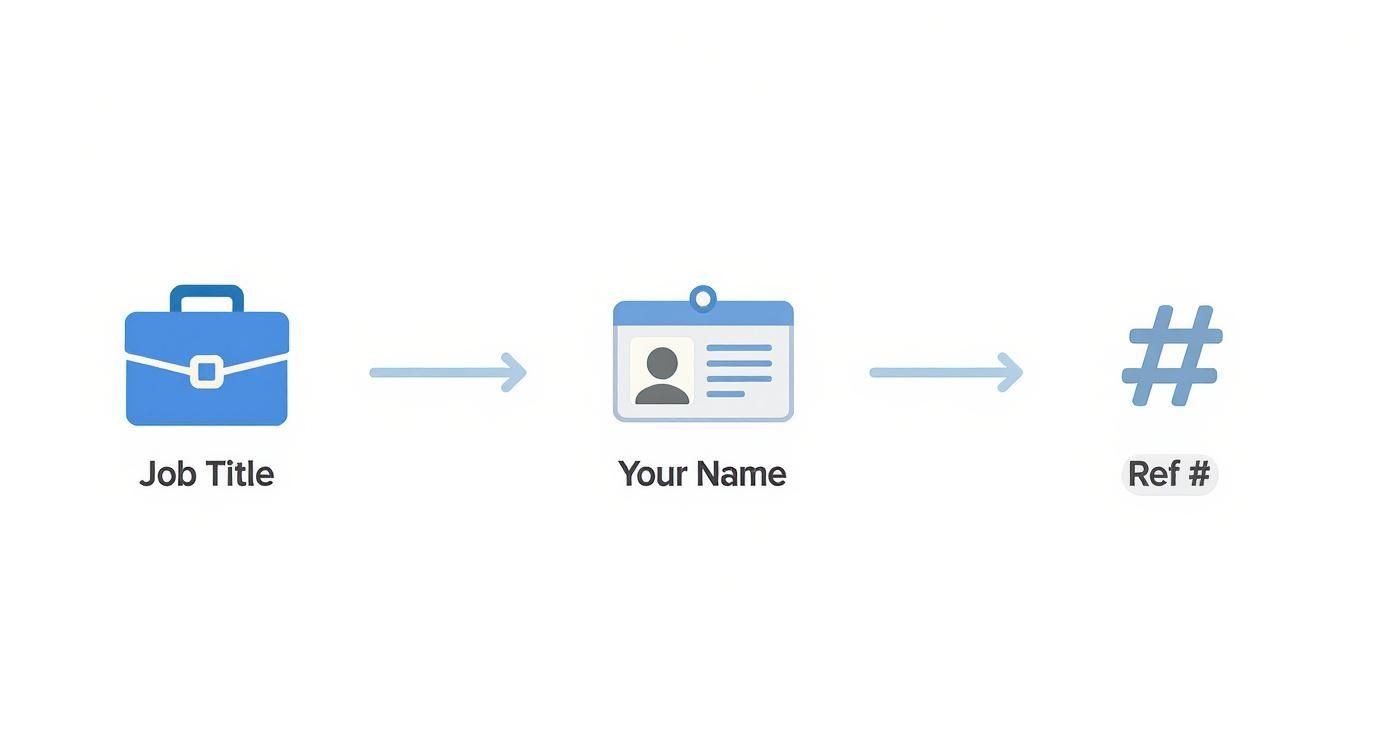
alt text: Infographic showing the best structure for a CV email subject: Job Title, Your Name, and Reference Number, with a checkmark for good practice and a cross for bad examples.
As you can see, the most effective path is to lead with the job title, followed by your name and any reference number. This makes your email incredibly easy for a recruiter to find later.
Applying for a Publicly Advertised Job
This is the most straightforward case. When a company posts a job opening, they’re bracing for a flood of emails. Your mission is to make your application easy to spot and categorise.
Step-by-step instructions:
- Open the job advertisement and find the exact job title (e.g., “Social Media Manager”).
- Look for a reference number or Job ID (e.g., “Ref: SMM-012”).
- Combine these elements with your name using a clear separator like a hyphen.
- Practical Example:
Social Media Manager Application - Bisi Adebayo - Ref: SMM-012 - Actionable Insight: This format is exactly what both Applicant Tracking Systems (ATS) and human recruiters are looking for. It’s professional, gets straight to the point, and packs in all the essential keywords for easy filtering.
Sending a “Cold” Speculative Application
When you’re sending a speculative application, there’s no specific job advertised. This is your “cold email,” so your subject line needs a different touch. You’re not just applying; you’re trying to start a conversation and get your CV to the right person.
- Practical Example:
Experienced Project Manager Seeking Opportunities in Operations - Actionable Insight: It immediately communicates your expertise and which department you’re interested in. The tone is professional and informative, not demanding, which makes it much more likely to be forwarded to the relevant department head instead of being deleted.
When You’ve Been Referred by Someone
A referral is your golden ticket, so don’t hide it! Mentioning your connection right at the start of your subject line gives you instant credibility and grabs the recruiter’s attention. This single detail can easily bump your email to the very top of their priority list.
Don’t bury your biggest advantage. A subject line that starts with “Referral from [Name]” is a proven way to get noticed. It leverages the trust the recruiter already has in their contact.
Here’s the best way to frame it:
- Practical Example:
Referral from David Okoro: Application for Financial Analyst Role - Actionable Insight: This uses the referrer’s name as powerful social proof. Recruiters are far more likely to open an email when it comes from a trusted recommendation.
Applying for an Internship Role
When you’re applying for an internship, it’s a smart move to mention your area of study or a key skill right in the subject line. This provides immediate context, which is especially helpful when hiring managers are sifting through applications from students with very similar backgrounds.
- Practical Example:
Internship Application: Mechanical Engineering Student - Tunde Salami - Actionable Insight: This clearly states the role you want (internship) and your relevant background, allowing the manager to quickly see if you’re a potential fit.
Common Mistakes That Get Your CV Deleted
You could have the most impressive CV in the world, but if the email lands in a recruiter’s inbox with a weak subject line, it might never get opened. It’s a harsh reality. A few simple, avoidable mistakes can signal a lack of professionalism and get your application deleted without a second thought.
alt text: A graphic showing a red X icon over an email with a poorly written subject line like ‘job application for your company’, illustrating what to avoid.
Sometimes, knowing what not to do is just as crucial as learning the right way. Let’s look at the red flags that hiring managers spot immediately.
Vague and Generic Subjects
What to do: Always be specific. Instead of a generic subject, state the exact role.
- Bad Example:
My CV,Job Application, orInterested in a Position. - Good Example:
Junior Accountant Application - Fatima Bello
Actionable Insight: Vague subjects create work for the recruiter, who has no time to figure out which of their ten open roles you want. Also, resist using all caps like “APPLICATION FOR MARKETING MANAGER.” It comes across as unprofessional. Stick to standard title case.
Typos and Grammatical Errors
What to do: Proofread your subject line twice before sending. Reading it aloud helps catch mistakes.
- Bad Example:
Aplication for Marketting Manager - Good Example:
Application for Marketing Manager
Actionable Insight: Nothing says “I don’t pay attention to detail” like a typo in the first thing a recruiter reads. If you’re careless here, they’ll assume you’ll be just as careless with your work.
Forgetting Essential Information
What to do: Reread the job advert for specific instructions, like a reference number or job ID, and include it.
- Bad Example:
Product Manager Application - John Doe(when a Job ID was required) - Good Example:
Product Manager Application - John Doe - Job ID: PM-873
Actionable Insight: Forgetting a required detail shows you haven’t followed instructions. This can get your CV automatically filtered out by an Applicant Tracking System (ATS) before a human ever sees it. Don’t fall at the first hurdle.
Final Checks Before You Hit Send
Knowledge is one thing, but putting it into practice is what gets you hired. Let’s boil everything down into a simple, practical checklist you can use every single time you apply for a role. This is your final check to make sure that email doesn’t just get delivered, but actually gets opened.

alt text: A checklist graphic summarizing key takeaways: Check the advert, read the subject aloud, and check attachments.
Run through these points just before you click that send button. It only takes a minute, but it can make all the difference.
Your Pre-Send Go-To List
- Double-Check the Job Advert: Seriously, read it one last time. Look specifically for instructions on the subject line. Some companies will ask for a specific job code or reference number. If you miss this, your application might get filtered out before a human even sees it. It’s the easiest mistake to avoid.
- Read Your Subject Line Aloud: This might feel a bit strange, but it works. When you read your subject line out loud, you force your brain to slow down. It’s amazing how easily you’ll spot a typo or a phrase that just doesn’t sound right. A clean, professional subject line sets a great first impression.
- Get Your Attachments Right: The perfect subject line won’t help if the CV itself isn’t up to scratch. Make sure your resume is polished and ready. If you’re unsure about its length, this guide to ideal resume length is a fantastic resource to consult before you attach that file.
When in doubt, stick to a clear and simple formula. Job Title – Your Name – Ref: [Number] covers all the bases. It’s easy for recruiters to scan and works perfectly with any automated tracking systems they might be using.
Actionable Takeaways
- Follow the Formula: Always use the
Job Title - Your Name - Reference IDformat for advertised jobs. - Mention Referrals Immediately: If you were referred, start your subject with
Referral from [Name]to get instant attention. - Customize for Cold Emails: For speculative applications, use a subject like
[Your Expertise] Seeking Opportunities in [Department]. - Proofread Ruthlessly: Read your subject line aloud to catch any typos or awkward phrasing before you hit send.
- Check the Job Ad for Keywords: Always reread the job posting for specific instructions or codes to include in your subject line.
Tools and Resources
- CV/Resume Builders: Tools like Canva or Zety can help you create a professional-looking CV.
- Grammar Checkers: Use Grammarly or Hemingway App to proofread your subject line and email body for errors.
- AI Writing Assistants: Explore ten ChatGPT prompt ideas for job seekers on LinkedIn to help craft compelling application materials.
Further Reading
- Improve Your Writing: Sharpen your professional communication with our guide on how to improve writing skills.
- Understand the Job Market: Get insights into the competitive landscape from reports on Tell.ng.
- Explore Career Paths: Discover emerging opportunities with our articles on top 10 AI career paths for Nigerians in 2025 and careers in artificial intelligence.
Ready to streamline more than just your job applications? RichlyAI offers a powerful suite of tools to generate high-quality text, images, and code in seconds. From crafting the perfect cover letter to automating social media posts, our platform helps you work smarter, not harder. Explore all the features at RichlyAI Hub.
