
Sending money to family, friends, or business partners in Nigeria from the USA often involves navigating a complex web of hidden fees, fluctuating exchange rates, and varying transfer speeds. Selecting an unsuitable service can result in unexpected costs, frustrating delays, and a lack of transparency. This guide eliminates that confusion by providing an actionable analysis of the top-rated apps for your international transfers.
We will provide a practical review of the best app to send money from USA to Nigeria, examining critical factors like transaction fees, exchange rate value, delivery speed, and available payout options. For each service, you will find a clear breakdown of its pros and cons, step-by-step instructions, and direct links to get started, ensuring you can make an informed decision.
This resource moves beyond generic lists, focusing on actionable insights to help you identify the most efficient and cost-effective solution. Whether you need to send funds for urgent family support, pay for services, or manage business transactions, our detailed comparisons will help you find the right tool to get your money where it needs to be—quickly, securely, and with maximum value.
1. Remitly: Best for Guaranteed Delivery Times
Remitly earns its top spot with a powerful delivery promise: if your funds don’t arrive by the promised time, they refund your fees. This guarantee provides significant peace of mind, especially for urgent needs like medical bills or school fees. It’s an excellent app to send money from the USA to Nigeria when reliability is your highest priority.
{: alt=”A screenshot of the Remitly app interface showing a clear, user-friendly design for sending money internationally.” }
The platform offers a clean, user-friendly interface that clearly displays fees and the exact Naira amount your recipient will get before you confirm the transaction. Payout options are flexible, including direct bank deposits to major Nigerian banks like GTBank and Access Bank, as well as cash pickup locations.
Key Features & User Experience
Remitly’s structure gives you control over your transfer’s cost and speed. You can choose between a faster Express option (funded by debit card) or a more affordable Economy option (funded by bank account), which takes a few business days.
- Real-time Tracking: The app provides SMS and push notifications, so both you and your recipient know the status of the funds at every stage.
- Promotional Rates: New users are often greeted with a special, higher exchange rate and zero fees on their first transfer, which can be a substantial saving.
- Clear Totals: The final cost, including fees and the applied exchange rate, is displayed upfront, eliminating any hidden charges.
How to Send Money with Remitly (Step-by-Step)
Here’s a practical example of how to send $200:
- Sign Up & Verify: Create an account and complete the identity verification process immediately. This prevents delays on your first transfer.
- Enter Transfer Details: Input “Nigeria” as the destination and enter $200.
- Choose Delivery Speed: Select “Express” for delivery in minutes (higher fee) or “Economy” for delivery in 3-5 days (lower fee). The app will show you the exact Naira amount for each option.
- Select Payout Method: Choose “Bank Deposit” and enter the recipient’s bank details (NUBAN number).
- Fund the Transfer: Pay using your debit card for Express or link your bank account for Economy.
- Confirm & Track: Review the summary and confirm the transfer. You will receive tracking updates via the app and SMS.
- Pros:
- Delivery guarantee offers unmatched reliability.
- Upfront pricing and delivery estimates.
- Generous promotional offers for new customers.
- Cons:
- Rates and fees fluctuate based on transfer speed.
- Initial identity verification can delay the first transaction.
Visit Website: https://www.remitly.com/us/en/nigeria
2. WorldRemit: Best for Mobile Wallet Payouts
WorldRemit excels with its extensive payout network in Nigeria, making it a top app to send money from the USA to Nigeria, especially if your recipient prefers mobile money. The platform offers exceptional flexibility, allowing funds to be received as bank deposits, cash pickups, or directly into popular mobile wallets like OPay and Paga. This makes it incredibly convenient for recipients across the country.
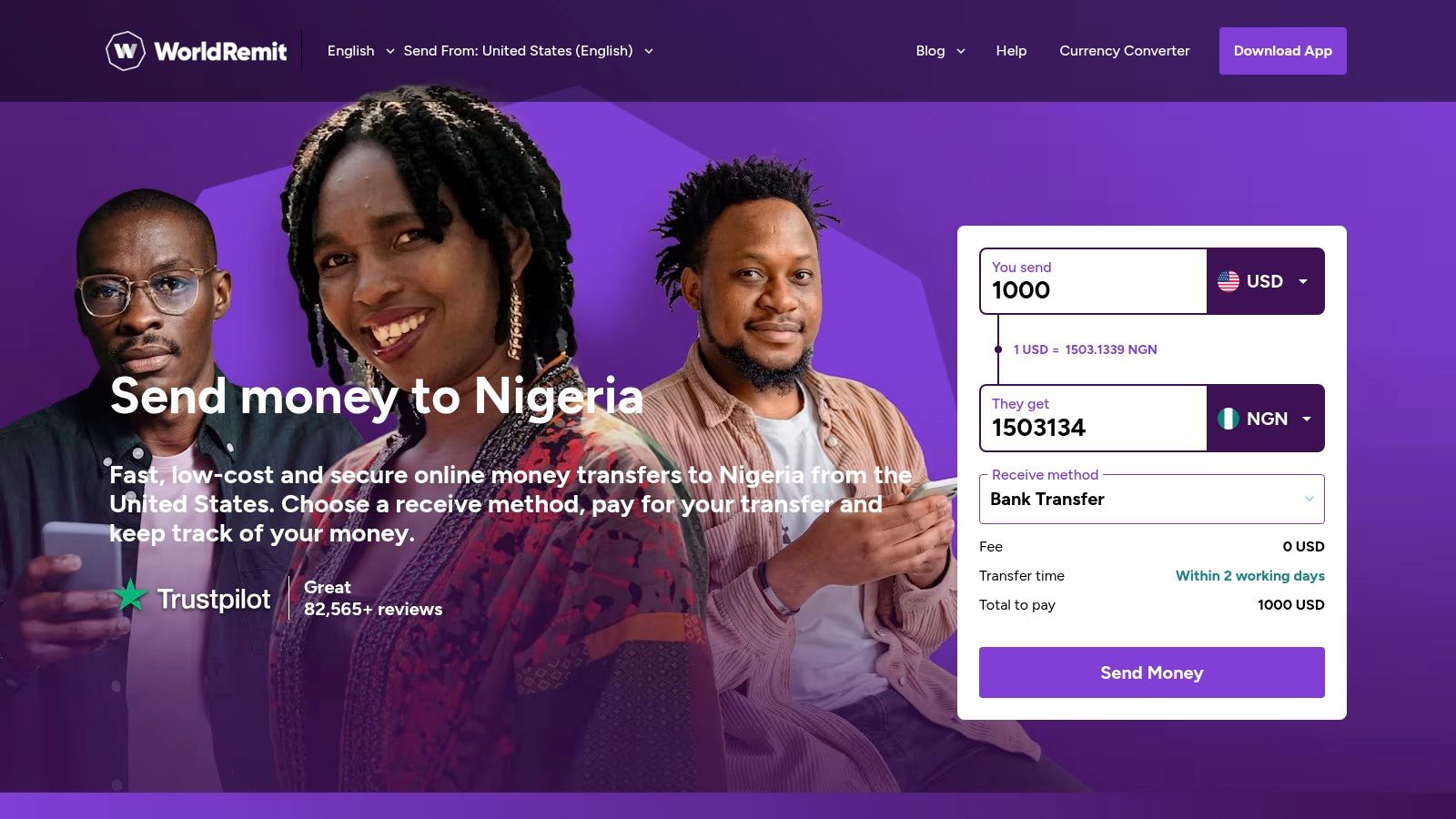
{: alt=”A screenshot of the WorldRemit app showing a simple transfer setup, with clear fields for the amount and recipient details.” }
The service is known for its speed and transparency. Most transfers are completed within minutes, and the app clearly displays the exchange rate and any fees before you commit to sending. This upfront clarity ensures there are no surprises for either the sender or the receiver.
Key Features & User Experience
WorldRemit’s interface is straightforward, guiding users through the transfer process quickly. The platform provides a simple calculator on its homepage so you can see the final Naira amount instantly.
- Diverse Payout Options: Beyond standard bank transfers, the inclusion of mobile wallet partners like OPay gives recipients more choice and faster access to funds.
- Speedy Delivery: A significant majority of transactions are delivered within minutes, which is ideal for time-sensitive financial support.
- 24/7 Support: The platform offers round-the-clock, multilingual customer service, providing assistance whenever it is needed.
How to Send to a Mobile Wallet (Step-by-Step)
Sending to an OPay or Paga account is simple:
- Create Account: Sign up for WorldRemit and complete the identity verification process.
- Set Up Transfer: Select Nigeria as the destination country and enter the amount you wish to send.
- Choose Payout Method: Select “Mobile Money” as the delivery service.
- Enter Recipient Details: Provide the recipient’s full name and their mobile money account number (usually their phone number). Double-check this for accuracy.
- Fund and Send: Pay for the transfer using your bank account or card. The funds are typically credited to the recipient’s mobile wallet within minutes.
- Pros:
- Wide coverage in Nigeria, including mobile wallet partners.
- Fast transfers, often completed within minutes.
- Clear, upfront display of fees and exchange rates.
- Cons:
- Initial ID verification can sometimes delay the first transfer.
- Limits may apply to certain payout methods.
Visit Website: https://www.worldremit.com/en-us/nigeria
3. Wise (formerly TransferWise): Best for Rate Transparency
Wise (formerly TransferWise) stands out by using the mid-market exchange rate, the same one you see on Google, without adding a markup. This commitment to transparency makes it an exceptional app to send money from the USA to Nigeria if you want to be certain you’re getting a fair rate. Instead of hiding fees in the exchange rate, Wise charges a small, upfront fee that is clearly displayed before you send.
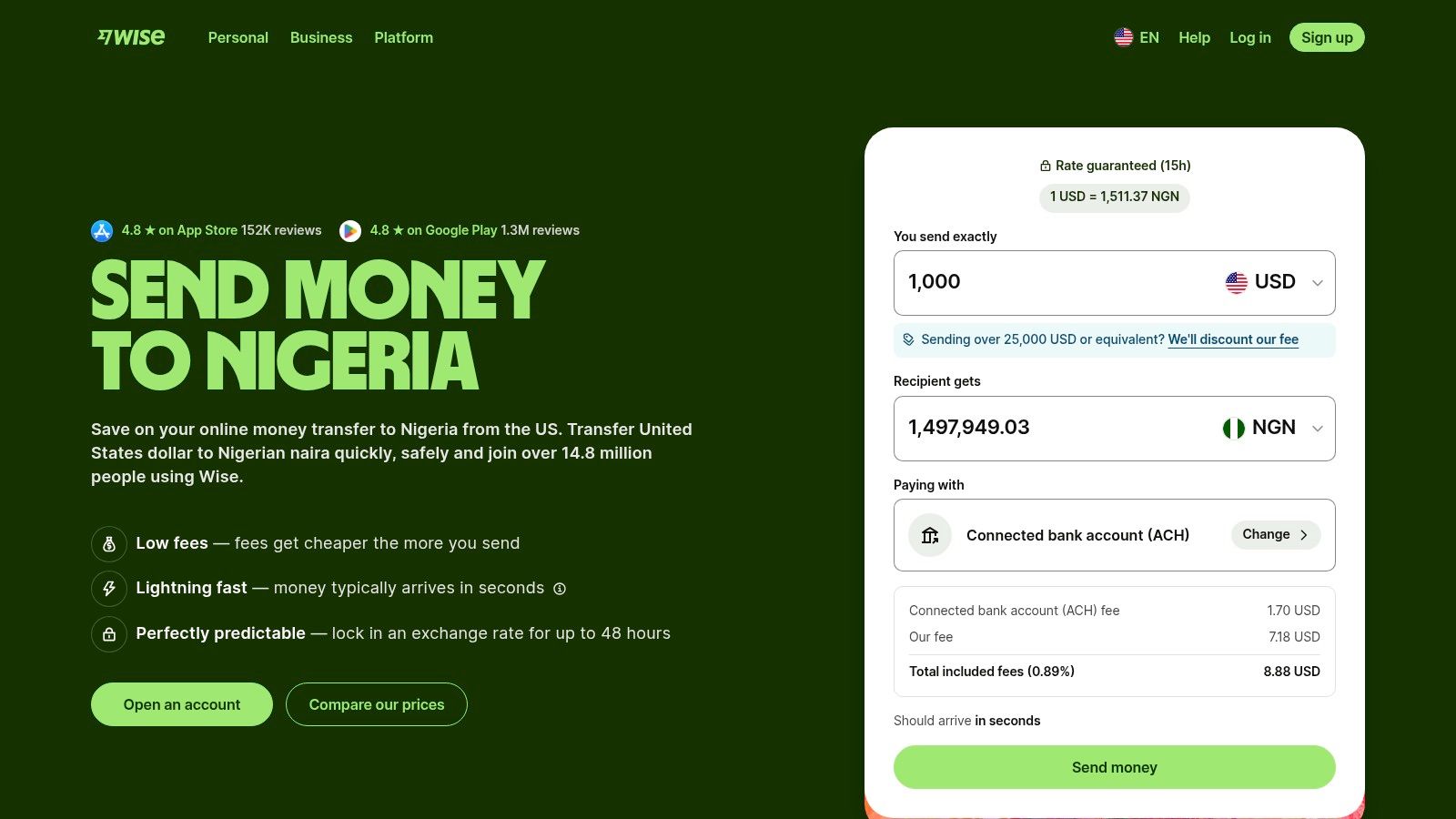
{: alt=”A screenshot of the Wise app interface showing a clean and simple design for sending money to Nigeria.” }
The platform is designed for direct bank-to-bank transfers, often delivering funds in minutes. Its user-friendly app provides a live calculator, so you can see exactly how much your fee is and the final Naira amount the recipient will get, ensuring there are no surprises.
Key Features & User Experience
Wise’s core promise is radical transparency and speed. The interface is clean, showing a real-time breakdown of your transfer costs and the guaranteed rate for a short period, so you can lock it in.
- Mid-Market Rate: You get the true exchange rate with a separate, low transfer fee.
- Fast Delivery: Many transfers from a US bank account to a Nigerian bank account are completed in seconds or minutes.
- Live Fee Calculator: The app’s calculator updates in real-time, showing you the most cost-effective way to fund your transfer (ACH vs. card).
How to Maximize Value with Wise (Step-by-Step)
Here’s a practical example to get the best rate:
- Sign Up: Create an account on the Wise app or website.
- Open the Calculator: Before sending, use the live calculator. Enter the amount in USD you want to send.
- Compare Funding Options: The calculator will show you the fee for different funding methods (e.g., ACH bank debit, debit card, wire transfer). Select ACH bank debit, as it almost always has the lowest fee.
- Lock in Your Rate: Proceed with the transfer. Wise will guarantee the exchange rate for a set period (e.g., 48 hours) while your bank funds the transfer.
- Enter Recipient Details: Provide the recipient’s Nigerian bank account number (NUBAN) and full name. Confirm and send.
- Pros:
- Extremely transparent pricing with no hidden exchange rate markups.
- User-friendly app and website with a clear cost breakdown.
- Strong regulatory compliance in the US, enhancing trust.
- Cons:
- Funding with a card is more expensive than a bank transfer.
- No cash pickup option; payout is strictly to bank accounts.
Visit Website: https://wise.com/us/send-money/send-money-to-nigeria
4. Sendwave (by Zepz): Best for Debit Card Simplicity
Sendwave positions itself as a simple, mobile-first app to send money from the USA to Nigeria, with a clear focus on transfers funded directly by debit cards. This approach helps keep overheads low, often resulting in competitive exchange rates and minimal fees. Its streamlined interface is designed for quick, hassle-free transactions, making it ideal for users who prioritise speed and ease of use over multiple funding options.
{: alt=”A user-friendly screenshot of the Sendwave app, showing the straightforward process to send money from the US to Nigeria.” }
The platform is particularly popular within the African diaspora for its dedication to the corridor. Payouts in Nigeria are versatile, supporting direct bank deposits and, at times, USD cash pickup at partner locations like Access Bank and Zenith Bank, depending on current regulations. This flexibility ensures your recipient can access the funds in the most convenient way for them.
Key Features & User Experience
Sendwave’s core strength is its simplicity. By exclusively using debit cards for funding, it avoids the longer processing times associated with bank transfers and the higher fees of credit cards. This makes it a great choice for fast, everyday remittances.
- Real-time Tracking: Similar to other modern apps, Sendwave offers transaction tracking, keeping you and your recipient informed from start to finish.
- In-app Support: Users can access customer support directly through the app, providing a convenient way to resolve any issues that may arise.
- Clear Rate Display: The app shows the current exchange rate and the final Naira amount upfront, ensuring complete transparency before you commit to the transfer.
How to Send Money with Sendwave (Step-by-Step)
Here’s how to complete a transfer in minutes:
- Download and Sign Up: Get the app and create an account. You’ll need to add a US-issued debit card (Visa or Mastercard).
- Verify Your Identity: Complete the quick in-app verification by uploading a photo of your ID.
- Enter Amount: Type in the USD amount you want to send. The app will instantly show the corresponding Naira amount your recipient gets.
- Add Recipient: Enter your recipient’s full name and Nigerian bank account details.
- Confirm and Send: Review the transaction details and tap “Send”. The money is typically delivered within minutes.
- Pros:
- Often offers competitive exchange rates due to a low-cost model.
- Simple, mobile-centric interface is very easy to use.
- Responsive and easily accessible in-app customer support.
- Cons:
- Funding is limited to debit cards only; no bank, credit, or PayPal.
- Payout options can be subject to change based on regulations.
Visit Website: https://www.sendwave.com/en-us/countries/nigeria/us
5. Flutterwave Send (Send App): Best for Localised African Fintech Experience
Flutterwave Send, relaunched by the Nigerian fintech giant Flutterwave, is a purpose-built app to send money from the USA to Nigeria and other African nations. Its biggest advantage is its deep-rooted connection to the local market, offering a streamlined experience for users familiar with the African financial landscape. The app is particularly convenient for those who prefer using their US-issued cards for quick transactions.
){: alt=”A user-friendly interface of the Flutterwave Send app, showing the simple process of sending money to Nigeria.” }
The platform simplifies onboarding, allowing users to start sending smaller amounts with minimal verification. It supports direct bank deposits to all major Nigerian banks, leveraging Flutterwave’s extensive payment infrastructure across the continent, which many small business owners also use to manage their finances.
Key Features & User Experience
Flutterwave Send is designed for speed and simplicity. It accepts Visa and Discover cards from US senders, making the funding process straightforward. The user interface is clean, focusing on the core function of getting money to its destination quickly.
- Fast Onboarding: You can sign up and initiate a transfer quickly, with less stringent SSN requirements for lower-value transactions.
- Africa-Focused: As a product from a leading African fintech, its operational rails are optimised for Nigerian bank accounts, often resulting in smooth transfers.
- Card-Based Funding: Easily fund transfers directly from your US bank card without needing to first load a wallet.
How to Get Started with Flutterwave Send
Follow these steps for a quick first transfer:
- Download the App: Install “Send by Flutterwave” from your app store.
- Create an Account: Sign up with your email and basic information. Confirm your state is supported, as coverage is expanding.
- Add Your Card: Link your US-issued Visa or Discover card as the funding source.
- Initiate Transfer: Enter the amount to send, select “Nigeria,” and provide the recipient’s bank account details.
- Complete Verification (if needed): For small amounts, basic info is often enough. To send more, you will be prompted to provide your SSN to increase your limits.
- Pros:
- Operated by a major Nigerian fintech with strong local ties.
- Quick setup and user-friendly interface.
- Convenient funding with US Visa and Discover cards.
- Cons:
- Limited state coverage in the US at present.
- Only supports specific US card types (e.g., no Mastercard).
- High-value transfers require more extensive verification.
Visit Website: https://send.flutterwave.com/blog/send-app-is-back-in-the-us-send-money-to-nigeria-ghana-egypt-and-more/
6. LemFi: Best for Zero-Fee Transfers
LemFi has rapidly become a favourite app to send money from the USA to Nigeria, largely due to its focus on offering zero-fee transfers and competitive exchange rates. Built with the needs of African immigrants in mind, its primary appeal is simplicity and cost-effectiveness. The platform removes the usual complexities of international transfers, making it a go-to for regular, hassle-free remittances.
{: alt=”A screenshot of the LemFi app interface, highlighting its simple design for sending money to Nigeria.” }
The mobile-first approach results in a clean interface where you can see the final Naira amount and complete a transfer in just a few taps. It supports direct bank deposits to all major Nigerian banks, and the funding process is streamlined, allowing payments via debit card or ACH bank transfer.
Key Features & User Experience
LemFi’s core strength is its straightforward and transparent pricing model. For many users, the promise of no transfer fees is a significant advantage, especially for frequent senders or entrepreneurs managing business expenses back home.
- Fee-Free Model: LemFi often offers zero fees for transfers from the USA to Nigeria, making its exchange rate the primary cost factor.
- In-App Verification: The entire KYC and identity verification process is handled smoothly within the app, reducing setup friction.
- Competitive Rates: The platform consistently provides strong USD to NGN exchange rates, maximising the value your recipient gets.
How to Send Money with LemFi (Step-by-Step)
Here’s a practical guide to your first zero-fee transfer:
- Download and Verify: Install the LemFi app and complete the identity/address verification right away.
- Choose Destination: Select “Nigeria” from the list of countries.
- Enter Amount: Input the USD amount. The app will display the current exchange rate and the final Naira amount, confirming the “$0.00 fee.”
- Add Recipient Details: Enter the recipient’s bank name and NUBAN account number.
- Fund and Send: Choose your funding method (debit card or ACH) and confirm the transaction.
- Pros:
- Often has zero-fee transfers to Nigeria.
- Highly competitive exchange rates.
- Simple, user-friendly mobile app interface.
- Cons:
- Limited web functionality; primarily app-based.
- Service availability can vary depending on the US state.
Visit Website: https://lemfi.com
7. Western Union: Best for Cash Pickup Flexibility
Western Union is one of the most recognised names in global money transfers, and its extensive physical agent network makes it a uniquely reliable app to send money from the USA to Nigeria, especially for recipients who prefer or require cash. While it has fully embraced digital transfers, its primary strength lies in its ubiquitous presence, offering unparalleled access to cash pickup points across Nigeria.
{: alt=”A screenshot of the Western Union app’s homepage, displaying options to send money, track transfers, and find locations.” }
The platform allows you to initiate transfers through its app or website using a bank account, debit, or credit card. The recipient can then either receive the funds directly into their Nigerian bank account or collect the cash in person from thousands of agent locations, often within minutes of the transaction being completed.
Key Features & User Experience
Western Union provides a straightforward digital experience, backed by its massive physical infrastructure. The app allows for quick repeat transfers and clear tracking from start to finish.
- Hybrid Transfers: A unique feature is the ability to start a transfer online and then pay for it in cash at a physical agent location in the US.
- Vast Agent Network: Its key differentiator is the sheer number of cash pickup locations in Nigeria, making it accessible even in less urban areas.
- Multiple Payout Options: Senders can choose between bank deposits, mobile wallets, or the signature cash pickup service, offering flexibility for the recipient.
How to Send for Cash Pickup (Step-by-Step)
Here’s a practical example for sending cash:
- Start Transfer in App: Open the Western Union app, select “Send to Nigeria,” and enter the amount.
- Choose Cash Pickup: Under “How does your receiver want the money?”, select “Cash pickup.”
- Enter Recipient Name: Carefully enter the recipient’s full name exactly as it appears on their government-issued ID (e.g., National ID Card, Voter’s Card).
- Fund the Transfer: Pay using your card or bank account.
- Share the MTCN: Once complete, you will receive a Money Transfer Control Number (MTCN). Share this number with your recipient. They will need it, along with their ID, to collect the cash at any Western Union agent location.
- Pros:
- Unmatched cash pickup network across Nigeria.
- Established brand with a long history of reliability.
- Flexible funding and payout methods, including cash options.
- Cons:
- Fees and exchange rates can be less competitive than digital-only services.
- The “Money in Minutes” service often comes at a premium cost.
Visit Website: https://www.westernunion.com/us/en/send-money-to-africa.html
8. MoneyGram: Best for Payout Currency Flexibility
MoneyGram is a long-standing giant in global remittances, and its extensive network makes it a highly reliable app to send money from the USA to Nigeria. Its key differentiator is the flexibility it offers the recipient, who can often choose to receive funds either in Nigerian Naira (NGN) or directly in US Dollars (USD) at participating partner banks. This feature is invaluable when the recipient needs to hold foreign currency.
{: alt=”A screenshot of the MoneyGram app interface showing options for sending money to Nigeria, highlighting its straightforward design.” }
The platform supports both direct bank deposits and, crucially, near-instant cash pickup services across Nigeria. This makes it a go-to option for urgent transfers where the recipient needs physical cash quickly without waiting for a bank transfer to clear. The user interface is functional, guiding you through the process of calculating fees and final payout amounts.
Key Features & User Experience
MoneyGram’s strength lies in its vast physical and digital network. Senders can pay with a bank account, debit card, or credit card, influencing the final cost and speed. The platform also offers a rewards programme, MoneyGram Plus Rewards, which provides discounts on fees for frequent users.
- Dual-Currency Payout: The option for recipients to collect funds in USD at partner banks is a significant advantage.
- Vast Pickup Network: Leveraging its partnerships with major Nigerian banks, cash is readily available for collection, often within minutes.
- Transparent Estimates: The app’s calculator shows the exchange rate, transfer fee, and the exact amount your recipient will get before you commit.
How to Send for a USD Payout (Step-by-Step)
Here’s how to ensure your recipient gets US dollars:
- Start the Transfer: In the MoneyGram app, select Nigeria as the destination.
- Choose Payout Method: Select “Cash Pickup.”
- Specify Currency: Look for an option to choose the payout currency. Select “USD.” Not all agent locations offer this, so it’s crucial to confirm this with your recipient beforehand.
- Enter Recipient Details: Provide the recipient’s full name as it appears on their ID.
- Fund and Share Reference Number: Pay for the transfer. Share the 8-digit Reference Number with your recipient, instructing them to request USD when they go to the partner bank to collect.
- Pros:
- Large global network with strong Nigerian bank integrations.
- Variety of payout currency options for recipients (NGN or USD).
- Fast cash pickup service is ideal for emergencies.
- Cons:
- Fees and exchange margins can be higher than digital-only competitors.
- Occasional additional verification checks can cause delays.
Visit Website: https://www.moneygram.com
9. Ria Money Transfer: Best for Cash Pickup Network
Ria Money Transfer stands out with its extensive physical agent network, making it a reliable choice for recipients who prefer or require cash pickup. Combining a strong retail presence with a functional digital app, it offers flexibility for both senders and receivers, making it a solid app to send money from the USA to Nigeria, especially for those without easy bank access.
{: alt=”A screenshot of the Ria Money Transfer app showing the send money interface, with options for choosing country and payout method.” }
The platform supports both direct bank deposits and cash collection at major Nigerian banks like FirstBank. Its website and app clearly outline sending limits and payout options, providing a transparent user experience before you initiate a transfer.
Key Features & User Experience
Ria provides a straightforward sending process, whether you start online, in the app, or at an agent location. The digital interface is simple, guiding you through selecting the destination, recipient details, and payment method with clear instructions.
- Hybrid Model: Users can start a transfer on the app and complete payment in cash at a physical location, blending digital convenience with traditional methods.
- Widespread Cash Pickup: An extensive network of partner banks in Nigeria ensures your recipient has a convenient location to collect funds.
- Transparent Limits: Ria’s help centre provides clear documentation on online sending limits, which helps users plan larger transfers accordingly.
How to Use Ria’s Price Calculator
Before committing, leverage their tools for transparency:
- Go to Ria’s Website or App: Find the “Price Calculator” or “Send Money” feature.
- Enter Transfer Details: Input USA as the sending country, Nigeria as the destination, and the USD amount.
- Compare Payout Methods: Select “Bank Deposit” to see the rate and fee. Then, switch to “Cash Pickup” and see how the numbers change.
- Make an Informed Choice: Choose the option that gives your recipient the most money for their specific needs. This simple check can maximize the value of your transfer.
- Pros:
- Strong agent and retail presence plus digital support.
- Transparent help centre information on limits and countries.
- Multiple payout options, including a vast cash pickup network.
- Cons:
- Online transfer limits for Nigeria can be lower than competitors.
- Exchange rate margins may vary based on the payout method.
Visit Website: https://www.riamoneytransfer.com/us/en/send-money-to-nigeria
10. Xoom (a PayPal service): Best for Existing PayPal Users
As a PayPal service, Xoom offers a familiar and integrated experience, making it an excellent app to send money from the USA to Nigeria for those already in the PayPal ecosystem. Its key advantage is convenience; you can fund transfers directly from your PayPal balance, linked bank accounts, or cards. Xoom also provides a money-back guarantee, promising a full refund if your funds don’t reach their destination.
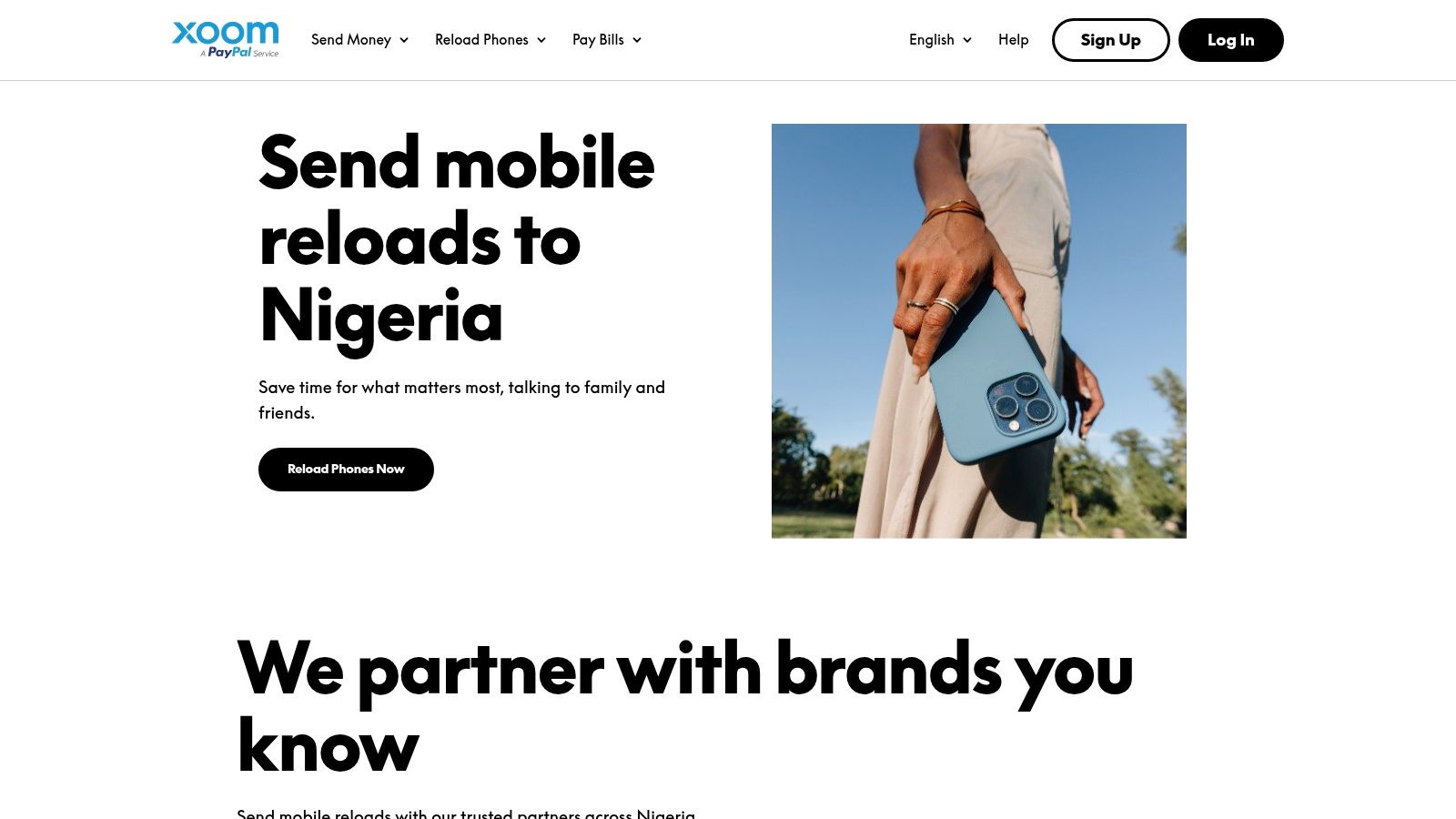
{: alt=”A screenshot of the Xoom app interface showing a streamlined process for sending money to Nigeria.” }
The platform supports direct bank deposits to all major Nigerian banks, cash pickup at various locations, and even mobile airtime top-ups. This flexibility makes it a versatile tool for different recipient needs, whether they require cash in hand or simply a phone credit recharge.
Key Features & User Experience
Xoom is designed for speed and security, leveraging PayPal’s robust anti-fraud infrastructure. The interface is straightforward, allowing you to quickly set up a transfer and track its progress via text updates, email notifications, or directly within the app.
- Multiple Funding Options: Use your PayPal balance, bank account, debit card, or credit card to fund your transfer.
- Payout Versatility: Choose between bank deposit, cash pickup, or mobile airtime top-up for your recipient in Nigeria.
- Money-Back Guarantee: Xoom ensures your transaction is protected, offering a full refund if the money doesn’t arrive.
How to Send Money with Your PayPal Account (Step-by-Step)
Leverage your existing account for a fast transaction:
- Log in with PayPal: On the Xoom app or website, choose the option to “Log in with PayPal.” This will automatically link your accounts.
- Select Destination and Amount: Choose Nigeria and enter the amount to send.
- Choose Payout Method: Select bank deposit, cash pickup, or airtime top-up.
- Select Funding Source: On the payment screen, you can choose your PayPal balance, a linked bank account, or a card stored in your PayPal wallet.
- Confirm and Send: Review the summary and complete the transaction. Your PayPal credentials provide a seamless and secure process.
- Pros:
- Extremely convenient for existing PayPal users.
- Strong security and anti-fraud measures.
- Multiple payout options, including airtime top-up.
- Cons:
- Fees can be higher, especially when using a credit card.
- Bank-funded transfers may be slower than other options.
Visit Website: https://www.xoom.com/nigeria
11. Paysend: Best for Simplified, Low-Fee Bank Transfers
Paysend carves out its niche with a remarkably straightforward and often fee-free model for bank transfers. It is an excellent app to send money from the USA to Nigeria if your primary goal is to send funds directly to a bank account with minimal costs and transparent pricing. The platform champions simplicity, removing the guesswork often associated with international remittances.
{: alt=”A screenshot of the Paysend app interface showing the send money screen, highlighting its simple and clean design.” }
The platform presents a fixed-fee structure, so you always know the cost upfront, regardless of the amount you send. This predictability is a significant advantage for regular senders. With near-instant delivery times to major Nigerian banks, it is a reliable choice for everything from supporting family to paying contractors, a common need for those with international remote jobs in Nigeria.
Key Features & User Experience
Paysend’s core appeal is its “what you see is what you get” approach. The interface is clean, displaying the exchange rate and the final Naira amount clearly before you commit to the transaction.
- Fixed Fees: For many transfer types, Paysend offers a low, fixed fee, and bank transfers from the US to Nigeria are often free of charge.
- Broad Coverage: Beyond Nigeria, Paysend supports over 170 countries, making it a versatile app if you have financial connections in multiple regions.
- 24/7 Support: Access to round-the-clock customer support provides reassurance, especially when dealing with time-sensitive transfers across different time zones.
How to Complete a Transfer (Step-by-Step)
The process is designed for speed:
- Sign Up: Create an account in the Paysend app.
- Start Transfer: Select “USA to Nigeria.”
- Choose Delivery Method: Select “To a bank account.”
- Enter Amount: Input the USD amount. The app will show you the fixed fee (often $0 for bank transfers) and the final Naira your recipient will get.
- Provide Recipient Details: Enter the recipient’s bank account information accurately.
- Fund and Send: Pay with your linked card or bank account and confirm.
- Pros:
- Simple, transparent pricing with often fee-free bank transfers.
- Large global network covering 170+ countries.
- Good for direct bank deposits.
- Cons:
- Final transfer speed can be influenced by the recipient’s bank.
- Card-to-card transfer options may have limitations.
Visit Website: https://paysend.com/en-us/send-money/from-usa-to-nigeria
12. Revolut: Best for Existing Multi-Currency Account Holders
Revolut is more than just a money transfer app; it’s a comprehensive financial platform. For users already integrated into its ecosystem, it offers a straightforward way to send money from the USA to Nigeria. Its key advantage lies in leveraging interbank exchange rates for transfers, which can be more favourable than traditional services, depending on your subscription plan.
{: alt=”A user navigating the Revolut app, showing the simple process of selecting a country and entering the amount to send to Nigeria.” }
The platform is designed for those who manage multiple currencies, offering budgeting tools alongside its transfer capabilities. While not solely focused on remittances, it provides a solid option for existing customers who appreciate having all their financial activities, including international transfers, in one place.
Key Features & User Experience
Revolut’s user interface is modern and clean, with a simple three-step flow to initiate a transfer. All fees and the estimated arrival time are clearly displayed before you commit to sending, ensuring transparency.
- Transparent Pricing: The app shows you the exact fees and final Naira amount before you confirm the transaction.
- Peer-to-Peer Transfers: Sending money to another Revolut user is nearly instantaneous and often free, making it ideal if your recipient also uses the app.
- Integrated Financial Tools: Beyond transfers, the app includes budgeting, savings, and multi-currency card features.
How to Send Money with Revolut (Step-by-Step)
If you are a Revolut user, the process is seamless:
- Open the App: Navigate to the “Transfer” section.
- Add Recipient: Select “New” and then “Add a bank recipient.”
- Enter Details: Choose “Nigeria” as the country and NGN as the currency. Enter the recipient’s full name and bank account details.
- Specify Amount: Enter the amount you wish to send. Revolut will show you the exchange rate and any applicable fees based on your subscription plan.
- Review and Send: Confirm the details and complete the transfer. Be aware that transfers to Nigerian bank accounts can take 3-5 business days.
- Pros:
- Excellent for existing Revolut users who manage multiple currencies.
- Clear, upfront pricing and estimated arrival times shown in-app.
- Near-instant transfers between Revolut accounts.
- Cons:
- Bank transfers to Nigeria can be slow (3–5 business days).
- Best rates and lowest fees are tied to paid subscription plans.
- No cash pickup option available for recipients.
Visit Website: https://www.revolut.com/en-US/money-transfer/send-money-to-nigeria
12-App Money Transfer Comparison
| Service | Core Features ✨ | User Experience ★★★★☆ | Value Proposition 💰 | Target Audience 👥 | Unique Selling Points 🏆 | Price Points 💰 |
|---|---|---|---|---|---|---|
| Remitly | Bank, cash pickup, mobile wallets; real-time tracking | Clear fees & delivery ETA | Competitive rates; promotions | US to Nigeria senders | Delivery time guarantees; multiple payout methods | Mid-level fees; promo offers |
| WorldRemit | Fast transfers; bank, cash & wallet payouts | Multilingual 24/7 support | Transparent fees | Broad Nigeria coverage users | Wide mobile wallet partnerships | Moderate fees; transparent |
| Wise | Mid-market rates; bank-to-bank; rate lock | Excellent app interface | Very transparent; low fees | Cost-conscious bank senders | Real mid-market FX rate | Low fees; no cash pickup |
| Sendwave | Debit card only; cash pickup; 24/7 support | Simple, mobile-first experience | Low cost | US diaspora | Fast delivery; real-time tracking | Low fees; debit card funding only |
| Flutterwave Send | Visa/Discover cards; minimal SSN for small transfers | Quick setup; localized Nigeria experience | Growing US state coverage | US senders with cards | Operated by Nigerian fintech; African focus | Variable fees; limited card types |
| LemFi | Fee-free/low fees; debit & ACH funding | Simple UX; app-based | Competitive rates | Immigrants focused on Nigeria | ‘Send without top-up’; fee-free transfers | Often zero fees |
| Western Union | Cash & bank payouts; large agent network | Flexible methods; ubiquitous brand | Widely accessible | Global users needing cash pickup | Extensive Nigerian agent presence | Higher fees; variable rates |
| MoneyGram | Same-day cash pickup; rewards program | Established network | Payout currency options | Frequent global senders | Rewards for frequent users | Moderate to high fees |
| Ria Money Transfer | Cash pickup & bank deposits; US send limits | Web/app access; solid support | Transparent limits info | US senders needing retail access | Strong agent presence and documentation | Variable fees |
| Xoom | Bank/card funding; airtime top-up; money-back guarantee | Convenient for PayPal users | Strong anti-fraud | PayPal ecosystem users | Money-back guarantee on failed transfers | Higher fees for card funding |
| Paysend | Fee-free/low fee bank transfers; 24/7 support | Transparent fixed fees | Large global coverage | Multi-country senders | Fee-free bank transfers often available | Low to moderate fees |
| Revolut | Transparent fees; peer-to-peer transfers | Clear pricing; budgeting tools | Good for multi-currency users | Revolut account holders | Near-instant P2P transfers; interbank FX rates | Low fees in plans; no cash pickup |
Making Your Final Choice: Key Takeaways and Next Steps
The ideal app to send money from USA to Nigeria is not a one-size-fits-all solution; it’s a personal choice dictated by your priorities—speed, cost, or convenience. By understanding the distinct strengths of each service, you can move beyond guesswork and make an informed, confident decision every time you send money home.
Actionable Takeaways
- For Lowest Cost: Compare Wise and LemFi first. Their transparent, low-fee models often provide the best exchange rates.
- For Maximum Speed: Use Sendwave or WorldRemit for transfers that need to arrive in minutes, especially to mobile wallets.
- For Cash Pickup: Western Union and MoneyGram have the most extensive and reliable physical agent networks across Nigeria.
- For USD Payouts: Check MoneyGram for the option to have your recipient collect funds in US Dollars at specific partner banks.
- Always Verify Before Sending: Double-check the recipient’s full name (as it appears on their ID) and bank account (NUBAN) or phone number to prevent delays.
Your Final Pre-flight Check
Before you press ‘send’ on any platform, adopt this one simple habit: perform a real-time comparison. The foreign exchange market is constantly fluctuating.
Practical Example: You need to send $500. Open the Wise app and enter $500 to see the final Naira amount. Then, open the Sendwave app and do the exact same thing. This quick, 30-second check will instantly reveal which service offers the better value at that specific moment. Making this a routine is the single most effective way to maximize the value of every transfer. Armed with these insights, you are now fully equipped to choose the best app to send money from USA to Nigeria, ensuring your financial support arrives safely, swiftly, and affordably.
Tools and Further Reading
- Remittance Comparison Tools: While not always perfect, sites like Monito or CompareRemit can provide a starting point for rate comparisons.
- Official App Stores: Always download apps from the official Apple App Store or Google Play Store to ensure security.
- Related Reading:
Managing cross-border finances often involves more than just sending money; it requires smart budgeting and financial planning. To get a clearer picture of your expenses and optimise your financial strategy, consider using a tool like RichlyAI. While not a remittance app itself, RichlyAI helps you analyse your spending patterns and manage your budget effectively, ensuring you can plan your international transfers with greater confidence and control.
