
Everyone wants to “work smarter, not harder”—and in 2026, AI finally makes that a realistic goal. AI isn’t just a buzzword for engineers anymore; it’s embedded into the everyday tools we use for writing, scheduling, research, and analysis. However, many people still use AI casually, like a simple chatbot, instead of leveraging it for deep, systematic productivity gains.
This guide cuts through the hype to show you the exact, step-by-step ways to use AI to save time, reduce your mental load, and get more done every day. We’ll cover real-world workflows and the best tools to build a powerful, personalized productivity system.

{alt=”A man leaning forward, focused on his laptop screen showing AI-related applications on a wooden desk.”}
What “AI Productivity” Really Means
True AI productivity goes far beyond simple automation like faster typing or auto-completing sentences. It’s about intelligent assistance—using AI as a co-pilot to help you think, summarize, plan, and make better decisions. This requires a fundamental mindset shift: moving from “doing everything yourself” to strategically delegating tasks to a team of specialized AI assistants.
AI boosts your output by pulling four distinct productivity levers:
- Speed: Collapsing tasks that once took hours, like drafting a report, into mere minutes.
- Accuracy: Eliminating human error in repetitive, detail-oriented work like data entry or proofreading.
- Focus: Offloading administrative busywork so you can conserve your mental energy for deep, high-value thinking.
- Scale: Enabling a single person to achieve an output that previously required an entire team.
By understanding these levers, you can transform how you approach your daily workload and unlock significant gains.
Core Ways AI Boosts Productivity (By Task Type)
{alt=”A modern digital workspace featuring a laptop and tablet displaying an AI workflow interface for enhanced productivity.”}
The best way to learn how to use AI for productivity is to apply it to your everyday tasks. Let’s break down practical workflows you can implement immediately.
1. Writing & Communication
AI can draft emails, summarize long message threads, create reports, rewrite text for a specific tone, and generate social media posts, saving you 60–80% of your initial drafting time.
Step-by-Step Workflow: From Idea to First Draft
- Brain Dump Rough Ideas: Open a document and list all your points without worrying about structure or grammar. Example: “Blog post on AI productivity. Points: saves time, helps research, scheduling, data analysis. Mention Notion, Perplexity. The goal is to show practical steps.”
- Ask AI to Structure: Copy your notes into an AI tool and give it a clear command. Example Prompt: “Organize these points into a logical blog post outline with an intro, three main sections, and a conclusion. Make the tone professional but accessible.”
- Request Improvements: Have the AI flesh out specific sections. Example Prompt: “Expand on the ‘scheduling’ section. Draft 150 words explaining how AI calendars prioritize tasks and save time.”
- Final Human Polish: The AI delivers a solid draft, but the final voice, strategic insights, and fact-checking are up to you. This human touch is what elevates the content from good to great.
Tool Examples:
- Grammarly – For writing clarity and advanced editing.
- Notion AI – Turns messy notes into structured summaries and drafts.
- Jasper AI – Excellent for generating marketing and sales content.
2. Research & Learning
AI can summarize dense PDFs, extract key points from articles, compare different sources, and explain complex topics in simple terms, reducing hours of manual reading to minutes.
Workflow: How to Analyze a Document in 60 Seconds
- Upload: Provide the AI with a document, report, or link.
- Summarize: Ask for a high-level summary. Example Prompt: “Summarize the key findings of this 50-page market research report in five bullet points.”
- Ask Follow-Ups: Drill down on specific details. Example Prompt: “What did the report say about consumer trends in the Q4 2025?”
- Generate Notes: Ask the AI to compile the key information into a set of study notes or a brief for your team.
Tool Examples:
- Perplexity AI – An AI-powered search engine that provides direct answers with cited sources.
- Otter.ai – Transcribes meetings and generates real-time summaries.
- Evernote – Uses AI to organize notes and surface relevant information.
3. Task & Time Management
AI can auto-schedule your tasks, prioritize your day based on deadlines and importance, convert emails into to-do items, and suggest optimal time blocks for deep work, saving 5–10 hours per week.
Workflow: Automating Your Daily Plan
- List Tasks: Input your to-do list into an AI-powered planner.
- AI Prioritizes: The tool analyzes deadlines, dependencies, and your stated priorities to suggest an optimal order.
- Calendar Auto-Fills: Your calendar is automatically blocked out with focused work sessions and tasks.
- Get Reminders: The system sends intelligent reminders and can even auto-reschedule if a conflict arises.
Tool Examples:
- Motion – An AI calendar that automatically plans your day.
- Todoist – Offers smart suggestions to help you prioritize your tasks.
- Zapier – Connects your apps to automate repetitive workflows, like turning a new email into a task.
4. Data & Decision-Making
AI can analyze spreadsheets, spot hidden trends, generate insights, and create reports automatically, turning days of manual analysis into minutes.
Workflow: Getting Insights from a Spreadsheet
- Upload Dataset: Connect your spreadsheet to an AI data analysis tool.
- Ask Questions: Use natural language to ask questions about your data. Example Prompt: “Which product category had the highest sales growth last quarter?”
- Get Charts/Insights: The AI generates visualizations and written summaries of the key findings.
- Export Report: Export the charts and insights directly into a presentation or document.
Tool Examples:
- Microsoft Copilot in Excel: Analyzes data and creates formulas using plain English commands.
- Tableau Software: Includes AI-driven features to automatically surface business insights.
- Google Sheets AI features: Offers smart functions for data cleaning and analysis.
5. Creative & Visual Work
AI can generate images and designs from text prompts, create entire presentations from an outline, edit videos automatically, and produce branded marketing assets in seconds.
Tool Examples:
- Canva – Its Magic Studio includes a suite of AI tools for design and content creation.
- Adobe Firefly: A family of generative AI models for creating images, vectors, and text effects.
- Descript: An all-in-one editor that lets you edit video and audio by simply editing the text transcript.
Daily AI Productivity Stack (Sample Setup)
{alt=”A laptop and smartphone displaying productivity apps on a desk with a ‘Productivity Stack’ sign.”}
True AI productivity comes from building a personal “stack” of tools that work together. Here’s what an AI-powered workday could look like:
- Morning: Your AI calendar has already planned your schedule based on priorities. An AI assistant summarizes your overnight emails and Slack messages into a scannable digest.
- Midday: You use an AI writer to draft documents from a few bullet points while an automation tool like Zapier handles background tasks, like saving files and notifying team members.
- Evening: An AI tool generates a daily performance report from your project data. Another tool helps you prepare for tomorrow by summarizing key documents for your first meeting.
Best Practices for Using AI Effectively
To get the most out of AI, follow a few simple rules.
Do:
- Give clear, detailed prompts. The more context you provide, the better the output.
- Break large tasks into smaller steps. Guide the AI through the process incrementally.
- Review and edit all AI outputs. Use AI as a first-draft assistant, not a final authority.
- Combine multiple tools. Build a stack where each tool handles a specialized task.
Don’t:
- Blindly trust the output. Always fact-check data and verify critical information.
- Over-automate strategic decisions. AI is for execution, not for replacing your judgment.
- Ignore privacy and security. Never input sensitive personal or company data into public AI models.
Common Mistakes to Avoid
- Tool Overload: Signing up for every new AI app is a recipe for distraction. Start with one tool that solves your biggest bottleneck, master it, and then expand.
- Poor Prompt Design: Vague prompts lead to generic results. Learn to provide context, define the audience, and specify the desired format. This is the single most important skill for effective AI use.
- Replacing Thinking Entirely: AI is a powerful assistant, but it lacks creativity, critical thinking, and ethical judgment. Use it to augment your abilities, not replace them.
- Not Validating AI Outputs: AI models can “hallucinate” and invent facts. Always treat their outputs as a starting point for verification, not a final, trusted source.
Productivity Gains You Can Expect
{alt=”Bar chart illustrating AI coding speed improvements: 56% faster and 38% more builds.”}
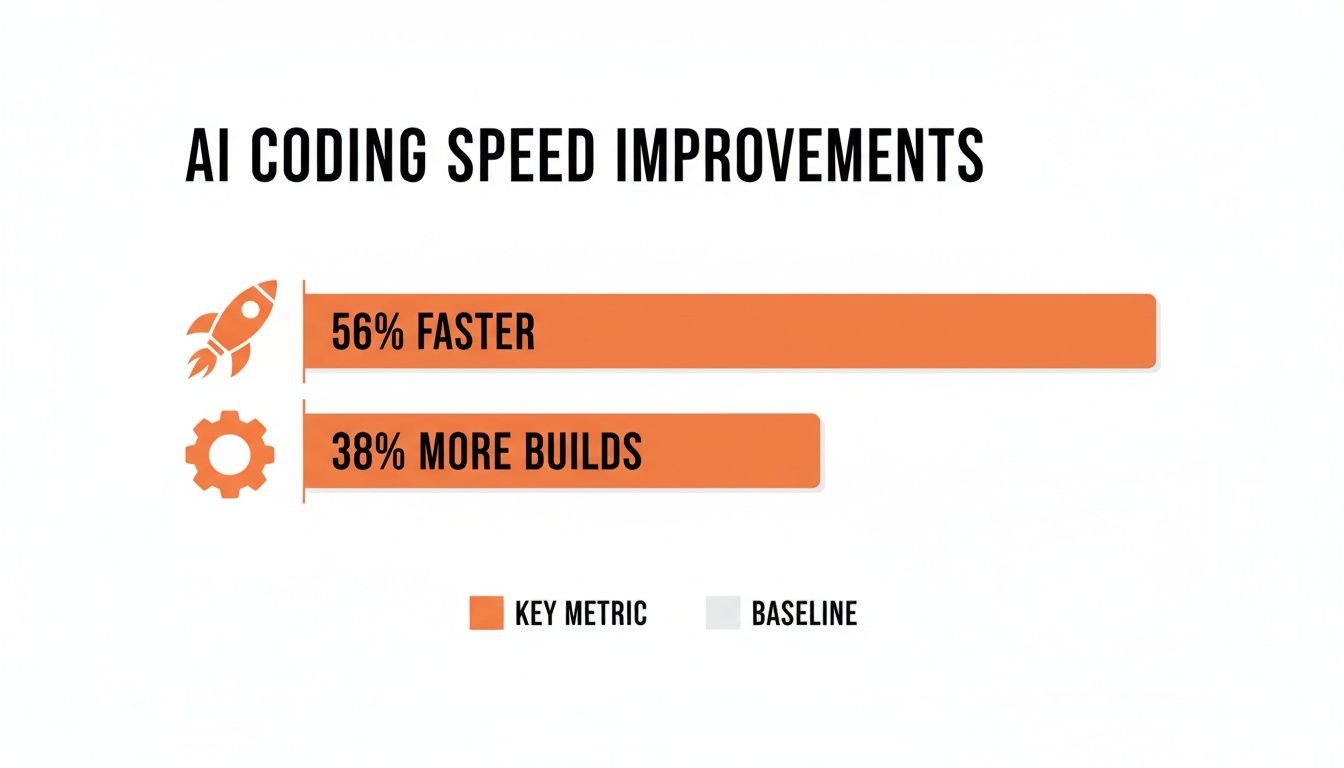
When implemented correctly, the impact of using AI for productivity is significant and measurable.
- Writing: 2–3× faster content creation and drafting.
- Research: 5× faster information synthesis and analysis.
- Admin Tasks: Up to a 70% reduction in time spent on scheduling, transcribing, and organizing.
- Overall Weekly Time Saved: A realistic estimate of 8–15 hours reclaimed per week.
This recovered time allows you to focus on high-impact strategic work, develop new skills, or simply achieve a better work-life balance.
Conclusion
The most effective way to use AI for productivity is to treat it as a dedicated co-worker, not a magical replacement for human effort. The biggest gains don’t come from occasional use but from deeply integrating AI into your daily workflows.
Start small by identifying one repetitive task that drains your time. Find a specialized AI tool to handle it, master that workflow, and then gradually scale up. The people who master AI for productivity in 2026 won’t necessarily work longer hours—they’ll simply finish their work earlier.
Actionable Takeaways:
- Identify your single biggest time-wasting task this week and find one AI tool to address it.
- Practice writing a detailed prompt for a common task, including role, context, audience, and format.
- Automate one small workflow, like turning flagged emails into to-do items using Zapier.
- Use an AI tool like Perplexity AI to summarize one long article or report instead of reading it fully.
- Set a goal to reclaim 2-3 hours next week by delegating specific drafting or research tasks to AI.
Further Reading
- Best AI Tools for Marketers (2026): Tools, Use Cases & How to Choose
- Public Skepticism Around AI in 2026: Trends & Takeaways
- Top AI Trends for 2026: Strategic Predictions Every Tech Leader Should Know
- How to Use AI for Productivity (2026 Guide)
- AI Generated Content Examples: What AI Can Create in 2026 (With Real-World Use Cases)
Ready to build your own productivity stack? RichlyAI offers a suite of powerful tools to help you generate content, automate tasks, and streamline your entire workflow. Start with our free plan and discover how much time you can save. Get started with RichlyAI today.
