
Thinking about making the switch to MTN Beta Talk? It’s a pretty straightforward process, whether you prefer using a quick USSD code, sending an SMS, or just tapping through the myMTN app. The real draw of this plan is the massive 300% bonus on airtime you get on recharges of ₦100 and up, which is a game-changer for anyone who spends a lot of time on the phone.
So, What’s The Deal With MTN Beta Talk?

Before you jump onto any new mobile plan, it’s always smart to look under the bonnet and see what you’re really getting. MTN Beta Talk is all about giving you more bang for your buck, but it has its own set of rules that might not be perfect for everyone. Let’s break it down so you can figure out if it’s the right move for you.
The headline feature, without a doubt, is the bonus. Beta Talk is a prepaid plan designed for subscribers who want more value from their recharges. Whenever you top up with ₦100 or more, MTN adds a 300% airtime bonus to your account. So, a ₦100 recharge instantly gives you ₦300 in bonus credit, landing you with a total of ₦400 to spend. Simple, right?
Getting to Grips With The Bonuses (And The Catch)
The bonus system seems generous on the surface, but it’s the fine print—the limitations—that you really need to understand.
- What the Airtime Bonus Covers: That juicy 300% bonus is strictly for local calls and local SMS. You can’t use it to phone your cousin in the UK, subscribe to data bundles, or pay for any value-added services.
- The Data Bonus: You’ll also see a 200% data bonus advertised. This is only triggered when you buy specific data bundles, not every time you buy data.
- Use It or Lose It: Here’s the most important part. Both the airtime and data bonuses disappear after just 7 days. If you haven’t used them within a week, they’re gone for good.
Actionable Insight: Before switching, check your call history for the last week. Did you spend more than ₦100 on local calls? If yes, Beta Talk is a great fit. If you spent less, the bonus might expire before you can use it, meaning you get no real benefit.
To give you a better idea of how the bonuses stack up, here’s a quick look at what you get for different recharge amounts.
MTN Beta Talk Bonus Structure at a Glance
| Recharge Amount | Main Account Value | Bonus Airtime (300%) | Total Airtime Value | Data Bonus on Select Bundles |
|---|---|---|---|---|
| ₦100 | ₦100 | ₦300 | ₦400 | 200% |
| ₦200 | ₦200 | ₦600 | ₦800 | 200% |
| ₦500 | ₦500 | ₦1,500 | ₦2,000 | 200% |
| ₦1,000 | ₦1,000 | ₦3,000 | ₦4,000 | 200% |
As you can see, the value scales up significantly with higher recharges, giving heavy callers a substantial amount of extra talk time.
Real-Life Examples: Who Is Beta Talk Really For?
Let’s put this into a real-world context with two practical examples.
Practical Example 1: The Small Business Owner
A caterer named Funke recharges with ₦1,000 for the week.
- Her main account gets ₦1,000.
- Her bonus account gets ₦3,000.
She spends the week calling suppliers, delivery drivers, and new clients. The bonus credit easily covers all her local calls, saving her a significant amount of money that would have otherwise come from her main balance. For Funke, Beta Talk is a huge cost-saver.
Practical Example 2: The University Student
A student named David also recharges with ₦1,000.
- His main account gets ₦1,000.
- His bonus account gets ₦3,000.
David’s main needs are data for research, lectures on YouTube, and staying active on WhatsApp and Instagram. He uses his ₦1,000 main balance to buy a data bundle. By the end of the 7-day validity period, the ₦3,000 call bonus expires because he barely made any traditional calls. For David, a data-heavy plan like MTN Pulse would be more economical.
Ultimately, whether you should migrate to Beta Talk boils down to your personal phone habits. By the way, if you use these platforms for business, you might find our guide on RichlyAI Hub interesting.
Getting Your MTN Line Ready for Migration

Ever tried to switch your tariff plan only to be met with a frustrating “failed” message? You’re not alone. More often than not, it’s not some deep technical glitch but a simple, overlooked detail on your account that’s causing the hiccup.
Think of the next few steps as your pre-migration checklist. Getting these things sorted out first is the secret to a smooth, one-shot switch to MTN Beta Talk, saving you the headache of trying over and over.
Step 1: Ensure You Have a Clean Slate
Before you can move over, your MTN line needs to be in good standing. This really just means you need to clear up any outstanding airtime loans, like XtraTime. If you have an active loan, the system will block the migration.
How to clear your debt:
- Check Your Balance: Dial *310#. If you see a negative balance (e.g., -₦50.00), you have a loan.
- Pay It Back: Recharge your line with enough airtime to cover the debt. For a -₦50 balance, a ₦100 recharge is sufficient. The system will automatically deduct what you owe.
Once your balance is zero or positive, you’re ready for the next step.
Actionable Insight: A failed migration attempt is often just the network’s way of saying, “You still owe us money!” Clearing a tiny ₦50 debt is a quick fix that solves the problem for a huge number of users.
Step 2: Deactivate All Active Data Bundles
This is the big one—the step most people miss. You absolutely cannot migrate to MTN Beta Talk if you have any active data plan. The migration needs a completely clear data slate to work.
How to clear your data slate:
- Check for Active Bundles: Dial *323# or use the myMTN app to see what subscriptions are currently running.
- Let it Expire: The simplest path is to just wait for your current plan to finish.
- Opt-Out Manually: If you’re in a hurry, you can deactivate a plan. For example, to cancel an active plan, you might text “STOP[plan name]” to 131 (e.g., “STOPDATA”). Check the MTN website for the specific command for your bundle.
The logic behind preparing a line for a major change isn’t unique to tariff plans. You can see similar principles at a higher level in guides on transferring your existing phone number, where preparation is key.
In the same way, sometimes a fresh perspective can make a familiar process much simpler, much like when you learn how to start using AI without any experience. Nailing these small prerequisites is what makes all the difference for a hassle-free switch.
Three Simple Ways to Get on Beta Talk
Alright, with your line prepped and ready to go, it’s time for the main event. Getting yourself switched over to Beta Talk is a piece of cake, and you’ve got a few different ways to do it. We’ll go through three tested methods in a step-by-step format, so you can just pick whichever one feels easiest for you.
This image really captures the core stages of any smooth migration process.
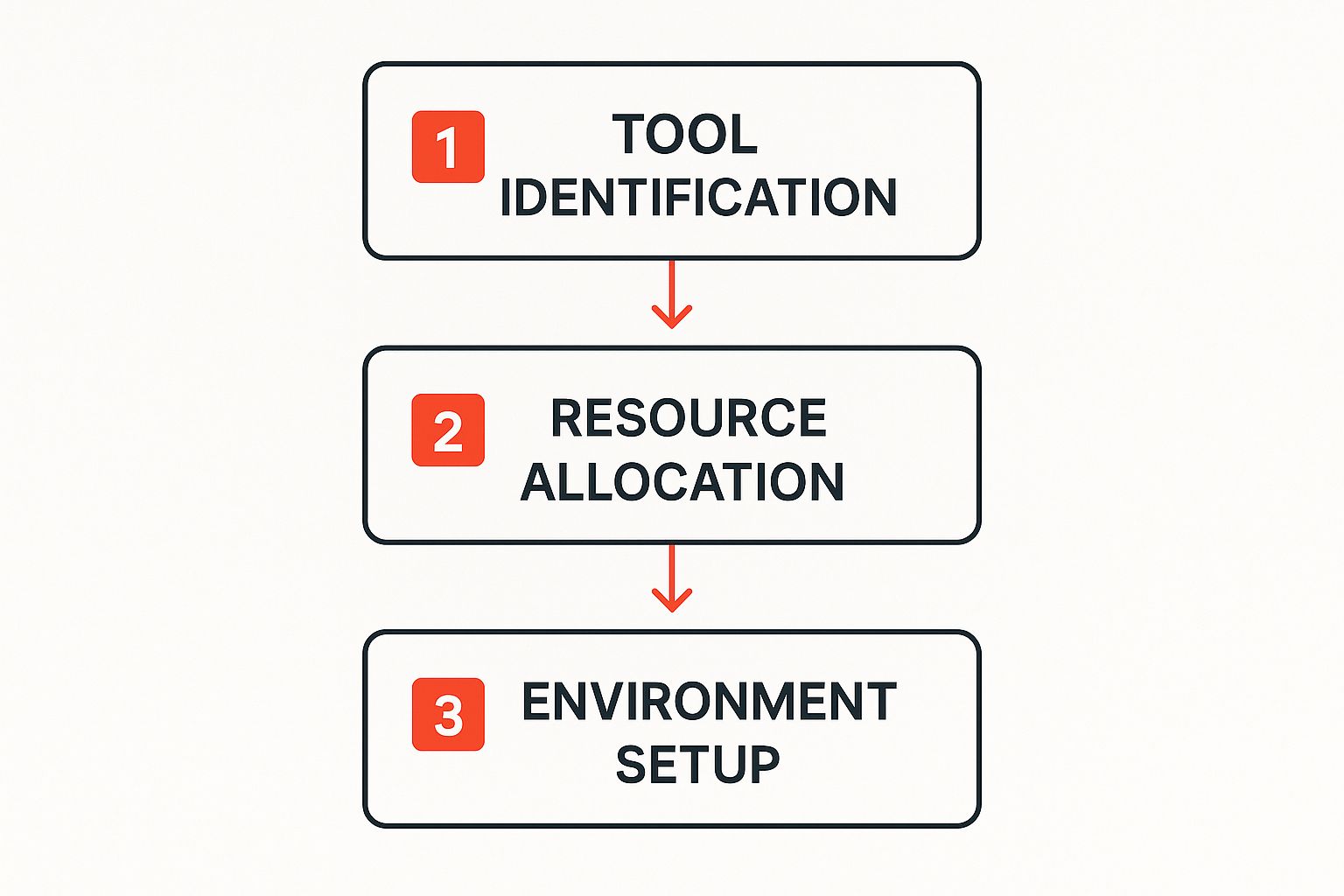
As you can see, a successful switch starts with picking the right method, making sure your account is good to go, and then finally making the move to the new plan. Let’s break down your options.
Method 1: The Classic USSD Code Method (Step-by-Step)
This is the most popular way to switch because it works on any phone and doesn’t need an internet connection.
Here’s the step-by-step guide:
- Open your phone’s dialler.
- Dial *123# and press the call button.
- From the menu, reply with the number for ‘Tariff Plan Migration’ (usually ‘1’).
- On the next menu, find ‘Beta Talk’ and reply with its corresponding number.
- You’ll be asked to confirm. Reply with ‘1’ to confirm.
- You will receive an SMS almost instantly confirming your migration is successful.
Method 2: Sending a Quick SMS (Step-by-Step)
If you find USSD menus a bit clunky, this text message method is just as easy.
Here’s the step-by-step guide:
- Open your phone’s messaging app.
- Create a new message.
- In the recipient field (To:), enter 131.
- In the message body, type BT.
- Send the message. You will receive a confirmation text from MTN shortly.
Actionable Insight: Your first migration to a new tariff plan within any 30-day period is always free. But keep in mind, if you decide to switch again within that same month, a ₦100 fee will be taken from your main balance.
Method 3: Using the myMTN NG App (Step-by-Step)
For those who prefer a visual, app-based approach, the myMTN NG app is clean and straightforward.
Here’s the step-by-step guide:
- Download and open the myMTN NG app from your app store.
- Log in using your MTN phone number.
- On the app dashboard, find and tap on your current tariff plan name (e.g., ‘MTN Pulse’).
- A list of all available plans will appear. Scroll down and select ‘Beta Talk’.
- Tap the ‘Migrate’ button and confirm your choice on the pop-up.
- You’ll get an in-app notification and an SMS to confirm the switch is complete.
Just as these steps simplify your mobile plan, you can also simplify other digital tasks; check out our guide on using AI to design your brand logo, CV, or website.
Alright, you’ve sent the migration code. What now? Don’t just assume everything went through. Taking a minute to double-check that you’re actually on the Beta Talk plan is a crucial step. It gives you peace of mind and, more importantly, stops you from accidentally recharging and being charged at your old, more expensive rates.

First, Check Your Tariff Plan
The quickest and most reliable way to confirm the switch is to ask the network directly using a specific USSD code.
Step-by-step confirmation:
- From your phone’s dialler, enter *123*1*5#.
- Press the call button.
- A pop-up message will appear on your screen. If it says, “You are currently on BetaTalk tariff plan,” then it’s official—the migration was a success.
Verify Your Main and Bonus Balances
Getting onto Beta Talk is one thing, but understanding how its balance system works is where the real savings happen. This plan splits your credit into two different pots: your main balance and your bonus balance.
- To check your main airtime balance, dial *310#.
- To check your bonus balance and its expiry date, dial *310*1#.
Actionable Insight: Make it a habit to dial *310*1# before making any local call. This simple check ensures you use your free bonus credit first, saving your real money for data or other services. This is the key to truly maximising what Beta Talk offers.
Understand the New Call Rates
Now that you’re successfully on board, it’s helpful to see what’s actually changed. Putting Beta Talk side-by-side with another popular option, like MTN Pulse, really puts the differences into perspective.
Comparing Beta Talk with Other MTN Tariff Plans
| Feature | MTN Beta Talk | MTN Pulse (Example) |
|---|---|---|
| Primary Benefit | Massive airtime bonus for calls | Discounted data bundles and youth-focused offers |
| Recharge Bonus | 300% bonus on recharges of ₦100 and above | Data bonuses on specific weekly/monthly plans |
| Standard Call Rate | 64 kobo/sec (charged from main and bonus balances) | 22 kobo/sec (after first-minute charge of 48.64 kobo/sec) |
| Bonus Validity | 7 days for all bonus airtime and data | Varies by data plan purchased |
| Ideal User | Someone who makes frequent local calls throughout the week | A heavy data user who streams, browses, and uses apps |
Looking at this, the path forward is clear. By migrating to Beta Talk, you’ve chosen a plan that heavily rewards making voice calls. To get the most value out of every single recharge, you’ll want to lean into that benefit.
Working Through Common Migration Snags
Even with the best-laid plans, technology can throw a curveball. If you’ve tried to switch over to Beta Talk and hit a roadblock like a ‘Migration Failed’ or ‘System Busy’ message, don’t sweat it. The fix is often simpler than you’d think. Before you do anything else, let’s run through a quick troubleshooting checklist.
Troubleshooting Checklist:
- Do you have an XtraTime loan? Dial *310# to check for a negative balance. If you do, recharge to clear it.
- Do you have an active data plan? Dial *323# to check. If you do, wait for it to expire or cancel it.
The 24-Hour Rule
Sometimes, the issue isn’t about debt or data, but simple timing. If your last data plan just ran out, the network’s system might not have fully caught up yet. It needs a moment to register that your account is clear.
Actionable Insight: If you’re positive you have no debts and no active data, but the migration still fails, just pause. Give it a full 24 hours from the moment your last data plan expired, then try migrating again. This simple waiting game solves most mysterious “system busy” errors.
What If You Were Charged But The Migration Failed?
It’s rare, but what if you see the ₦100 migration fee has been deducted, yet you’re still on your old plan? This can happen if you’ve already migrated within the last 30 days. First, re-confirm your tariff plan by dialling *123*1*5#.
If it confirms you’re still on the old plan, it’s time to get in touch with customer service. To make that call productive, follow these steps:
Step-by-step guide for contacting support:
- Gather Your Info: Note the exact date/time of the attempt, the method you used (USSD, SMS, App), and take a screenshot of the ₦100 debit alert.
- Contact MTN: Call their helpline (180) or reach out via their official social media pages (Twitter, Facebook).
- Provide Details: Clearly explain the issue and provide the information you gathered.
This helps the agent resolve your issue quickly. Clear processes like this are crucial for building trust, a topic we dive into in our guide on the ethical use of AI in the workplace.
Answering Your Top Beta Talk Questions
Even after you’ve successfully moved over, you’ll probably have a few questions. Here are straightforward answers to the most common ones.
Can I Use My Bonus for International Calls?
No. The 300% bonus is strictly for local use within Nigeria. It covers:
- Calls to any Nigerian network (MTN, Glo, Airtel, 9mobile).
- SMS to any Nigerian number.
International calls, data purchases, and other services will use your main account balance.
What Happens If I Don’t Use My Bonus in Time?
The Beta Talk bonus has a 7-day expiry. If you don’t use the bonus within that week, any leftover amount disappears. It does not roll over. This is a “use it or lose it” system.
Actionable Insight: To avoid wasting your bonus, only recharge an amount you are confident you’ll use for calls within a 7-day period. For example, if you typically spend ₦500 on calls per week, a ₦500 recharge is more efficient than a ₦2,000 one.
How Often Can I Switch To or From Beta Talk?
Your first migration to Beta Talk (or any new plan) in a 30-day period is free. If you switch again within that same 30-day window, you will be charged a ₦100 migration fee from your main balance.
Do I Get a Bonus If I Recharge Less Than ₦100?
No. The 300% airtime bonus only activates on single recharges of ₦100 or more. A recharge of ₦50, for example, will only add ₦50 to your main balance with no bonus attached. If you’re curious about how systems use rules and logic to make these kinds of decisions, you might find this explanation of artificial intelligence from past to future interesting.
Ready to streamline your creative process? With RichlyAI, you can generate high-quality text, images, code, and more in seconds. Sign up for your free plan today and discover how AI can transform your workflow.
