

The marketing landscape is evolving faster than ever, and artificial intelligence is at the forefront of this transformation. Staying competitive no longer means just keeping up with trends; it means leveraging powerful tools to automate tasks, generate deeper insights, and create more personalized customer experiences. The right AI integration can dramatically reduce manual effort, allowing your team to focus on high-level strategy instead of repetitive, time-consuming work.
But with a sea of options available, how do you choose the right AI tools for your team? This guide cuts through the noise. We have curated and analyzed the best AI tools for marketing to help you build a smarter, more efficient marketing engine. We go beyond generic feature lists to provide actionable insights you can implement immediately.
In this comprehensive resource, you will discover:
- Curated Tool Breakdowns: A detailed look at the top 12 AI marketing platforms, including Jasper, HubSpot, and Semrush. Each review includes screenshots, direct links, and an honest assessment of its strengths and limitations.
- Practical Use Cases: Real-world examples showing exactly how to use these tools for tasks like writing ad copy, optimizing SEO content, and automating social media schedules.
- Actionable Implementation Guides: We provide specific tips on integrating these tools into your existing workflows and how to measure their return on investment effectively.
This list is designed to be your definitive guide for finding and deploying the ideal AI solutions for your specific marketing needs. Get ready to build a smarter, more efficient marketing engine.
1. OpenAI – ChatGPT
As a foundational, general-purpose AI, ChatGPT has become an indispensable “Swiss Army knife” for marketers. Its strength lies in its versatility, quickly adapting from a research assistant to a creative copywriter or a data analyst. It excels at rapidly generating initial drafts for everything from social media captions and blog post outlines to complex ad copy variations, making it one of the best AI tools for marketing ideation.
Alt text: A user interacting with the ChatGPT interface on a laptop, showcasing its chat-based functionality for generating text.
Beyond simple text generation, its advanced models (like GPT-4) can analyze uploaded files, such as customer feedback spreadsheets, to identify key themes and sentiments. The ability to create custom GPTs allows teams to build specialized assistants trained on their specific brand voice, marketing playbooks, and internal data, ensuring more consistent and relevant outputs.
Key Features & Use Cases
- Practical Example: A social media manager needs to create a week’s worth of content for a new product launch.
- Step 1: Upload the product one-pager (PDF) and a spreadsheet of customer FAQs.
- Step 2: Use the prompt: “Act as a social media marketing expert. Based on the uploaded documents, generate 7 unique social media posts for Instagram to promote this new product. Each post should highlight a different feature or answer a common customer question. Include relevant hashtags.”
- Step 3: ChatGPT generates a week’s worth of ready-to-use content, complete with captions and hashtags, in under a minute.
- Custom GPTs: Build a “Brand Voice Guardian” GPT by feeding it your style guide. Your team can then use it to refine all copy, ensuring every piece of content is perfectly on-brand.
- Data Analysis: Use the Code Interpreter to clean up messy lead lists from an event or analyze survey results without writing a single line of code.
| Feature | Best For |
|---|---|
| Advanced Reasoning | Complex research, strategy, and ideation. |
| Custom GPTs | Creating on-brand content and automating team workflows. |
| File Uploads & Analysis | Quick data insights and document summarization. |
Pricing & Onboarding
OpenAI offers a robust free tier with access to its base models. Paid plans, like ChatGPT Plus ($20/month) and Team ($25/user/month), provide access to more advanced models, higher usage limits, and collaborative features. Enterprise plans add crucial security features like SSO and admin controls. To get started effectively, explore our comprehensive guide on how to master ChatGPT for marketing tasks. And What Is ChatGPT and How Can You Use It Effectively?
- Pros: Highly flexible for diverse tasks; team plans offer security and collaboration; stable and predictable pricing.
- Cons: Requires skillful prompting to maintain brand voice; needs clear governance policies for team use.
Actionable Takeaways
- Build a Custom GPT: Upload your brand style guide and 3-5 examples of on-brand copy to create a “Brand Voice Editor” for your team.
- Analyze Customer Feedback: Upload a CSV of recent customer reviews and ask ChatGPT to identify the top 3 positive themes and top 3 areas for improvement.
- Brainstorm Ad Angles: Provide your product description and target audience, then ask for 10 different marketing angles for a new ad campaign.
Tools & Resources
- Website: https://openai.com/chatgpt/
- Further Reading: How to Master ChatGPT for Marketing Tasks
2. Jasper
Jasper is a brand-trained AI writer and collaborative content workspace built for marketing teams. It streamlines the creation of blogs, emails, ads, landing pages, and even image assets—all while enforcing on-brand guardrails. Jasper’s intuitive interface and built-in approval workflows help teams maintain consistency at scale.
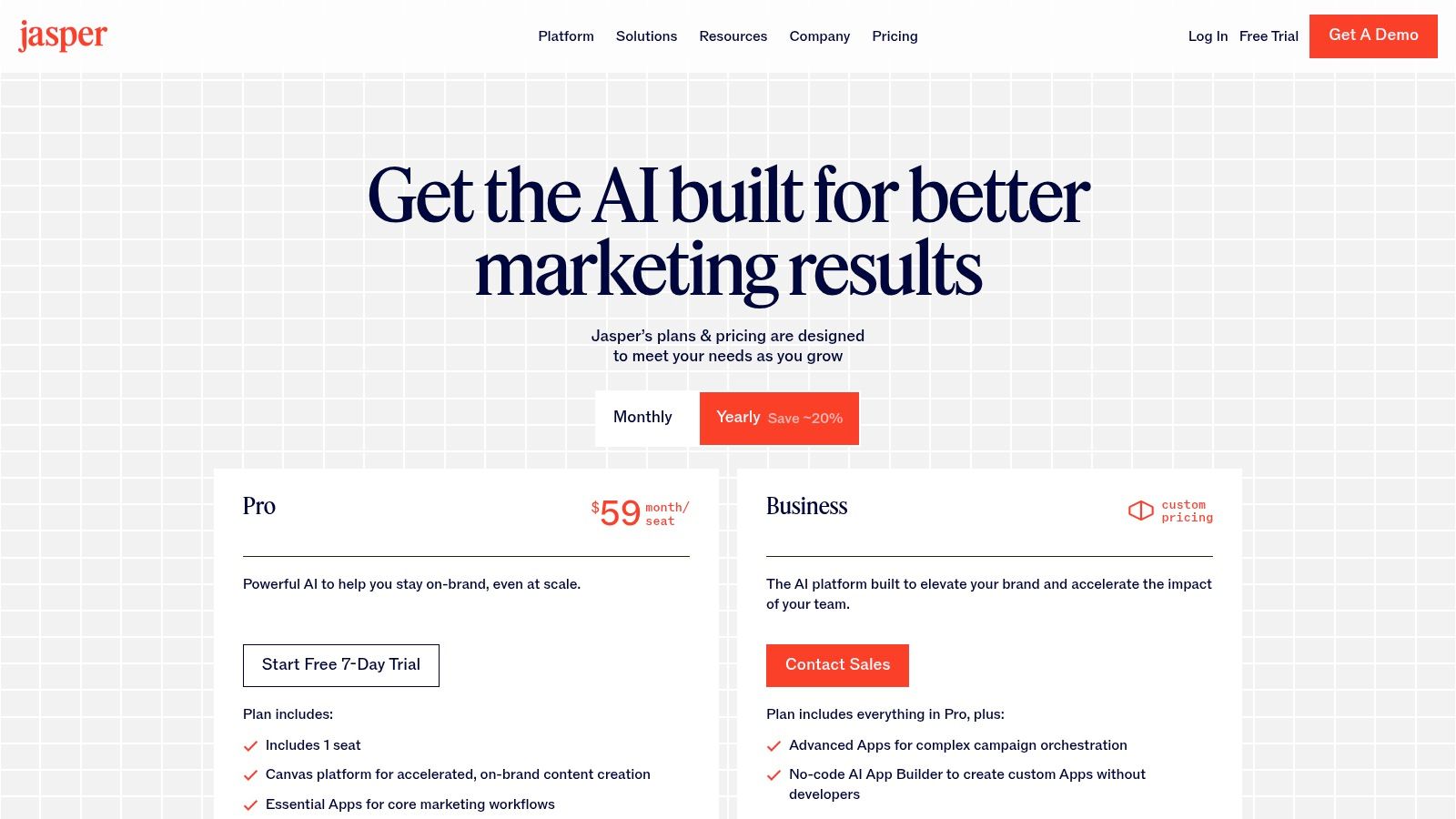
Alt text: The Jasper AI dashboard showing a content editor with various templates for marketing copy, like blog posts and social media ads.
Under the hood, Jasper combines channel-specific templates with a brand voice library. Whether you need a punchy Facebook ad or a long-form SEO article, Jasper adapts to your tone and style guide. Deep integrations with WordPress, HubSpot and other CMS platforms let you publish directly from the workspace, saving copy-and-paste headaches.
Key Features & Use Cases
- Practical Example: A content lead needs to create five blog post introductions for an upcoming article.
- Step 1: In Jasper, navigate to the “Templates” section and select the “Blog Post Intro Paragraph” template.
- Step 2: Enter the blog title, target audience (e.g., “small business owners”), and desired tone (e.g., “witty and informative”).
- Step 3: Click “Generate.” Jasper produces five distinct introductions in under two minutes, ready for the team to review and select the best one.
- Brand Voice & Templates: Preload your style guide to enforce terminology, tone and messaging across channels.
- Browser, Docs & CMS Integrations: Draft in Google Docs or publish straight to WordPress without leaving Jasper.
- Team Collaboration & Approvals: Assign roles, track version history and route drafts through defined review stages.
| Feature | Best For |
|---|---|
| Brand Voice Templates | Multi-channel campaigns |
| CMS Integrations | Streamlined publishing workflows |
| Collaboration & Versioning | Teams with complex approval needs |
| Enterprise Security & Onboarding | Organizations requiring strict controls |
Pricing & Onboarding
Jasper offers a free trial, then tiered plans starting at Creator ($39/mo) and Teams ($99/mo). The Business tier unlocks advanced brand training, API access and custom SLAs. Annual subscriptions and nonprofit discounts provide additional savings.
- Pros: Enforces brand consistency; built-in team workflows; deep CMS integrations.
- Cons: Higher price point than basic chat tools; full value seen at Pro+ or Business tiers.
Actionable Takeaways
- Create a Brand Voice Profile: Upload your marketing materials and style guide to Jasper’s Brand Voice feature to ensure all generated content is on-brand.
- Use a Template for Ad Copy: Test the “Facebook Ad Primary Text” template to generate 5-10 variations for your next campaign to A/B test.
- Integrate with Your CMS: Connect Jasper to your WordPress or HubSpot account to streamline the process of drafting, editing, and publishing blog content.
Tools & Resources
- Website: https://www.jasper.ai/pricing
- Further Reading: Explore our list of top AI tools for content creation.
3. Copy.ai
Copy.ai positions itself as a go-to-market AI platform, moving beyond simple text generation to focus on repeatable marketing workflows and sales automation. It is designed for teams aiming to produce multichannel content at scale, from account-based marketing (ABM) emails to social media campaigns and sales collateral. Its strength lies in its “Workflows” and “Agents” that can automate entire content creation processes.
Alt text: The Copy.ai dashboard showing its workflow editor and a variety of content generation templates for sales and marketing.
What sets Copy.ai apart is its systemized approach. Instead of relying on one-off prompts, users can build reusable “Agents” that understand a specific task, such as creating a personalized cold outreach sequence, and execute it consistently. This makes it one of the best AI tools for marketing teams looking to standardize and scale their content operations without sacrificing personalization. Access to multiple LLMs (like models from OpenAI, Anthropic, and Google) also allows for greater flexibility in output style and quality.
Key Features & Use Cases
- Practical Example: A sales development representative (SDR) wants to automate personalized outreach emails.
- Step 1: Create a new “Workflow” in Copy.ai.
- Step 2: Set the input as a LinkedIn profile URL.
- Step 3: Add an action to “Scrape Website” to analyze the URL for the person’s name, title, and recent activity.
- Step 4: Add a final action to “Generate Text” using a prompt like: “Write a 100-word cold email to {Name}, {Title}. Mention their recent post about {Topic} and connect it to how our product can help them achieve {Goal}. Keep the tone professional but friendly.”
- Step 5: Now, the SDR can simply paste a URL, and a hyper-personalized email is generated automatically.
- Workflow Automation: Automate the creation of a weekly social media calendar. Build a workflow that scrapes industry news, identifies key topics, and generates a week’s worth of posts in your brand voice.
- Content Agent Studio: Design custom AI Agents for specific functions, like a “Press Release Agent” that takes a simple brief and produces a full, properly formatted press release.
| Feature | Best For |
|---|---|
| Workflow & Agent Automation | Scaling repeatable marketing and sales tasks. |
| Multi-Model Access | Finding the best AI model for specific content needs. |
| Guided Team Onboarding | Ensuring quick and effective adoption across an organization. |
Pricing & Onboarding
Copy.ai offers a free plan with a 2,000-word limit. Paid plans start with Pro ($49/month) for unlimited words and go up to Team ($249/month), which adds more seats and workflow credits. Enterprise plans provide advanced security and customized AI model training. Getting started involves connecting your data sources and building your first few workflows, which is supported by their team onboarding.
- Pros: Strong automation for marketing motions; choice of models provides output variety; scales well from solo users to enterprise teams.
- Cons: The most powerful features are in the more expensive tiers; requires an initial setup investment to customize workflows.
Actionable Takeaways
- Build Your First Workflow: Create a simple workflow that takes a blog post URL as input and outputs 5 unique tweets summarizing the article.
- Experiment with Different LLMs: Generate the same piece of copy (e.g., a product description) using models from OpenAI and Anthropic to see which one better matches your brand’s style.
- Create a Sales Outreach Agent: Use the Agent Studio to build an AI that can write personalized first-touch emails based on a prospect’s job title and company industry.
Tools & Resources
- Website: https://www.copy.ai/prices
- Further Reading: Explore more AI tools for content creation.
4. HubSpot Marketing Hub (AI‑powered)
For teams aiming to consolidate their tech stack, HubSpot’s Marketing Hub integrates powerful AI features directly into a mature, all-in-one marketing and CRM platform. This approach reduces vendor sprawl and ensures AI tools are deeply connected to customer data, from initial contact to post-sale support. It stands out by embedding AI agents across the entire marketing workflow, positioning it as one of the best AI tools for marketing for businesses seeking a single source of truth.
Alt text: A dashboard view of HubSpot Marketing Hub, showing campaign analytics charts and AI-driven insights on lead generation and traffic.
HubSpot’s AI is designed for practicality, assisting with everything from generating blog ideas and drafting social media posts to building complex automation workflows and analyzing campaign performance. Because the AI has native access to the HubSpot CRM, it can leverage rich customer data to create more personalized and effective omnichannel campaigns, a key advantage over standalone AI content tools.
Key Features & Use Cases
- Practical Example: A marketing manager wants to create a personalized email campaign for a specific customer segment.
- Step 1: In the HubSpot Email Marketing tool, create a new email and define the recipient list (e.g., “Contacts who downloaded the ‘Advanced SEO’ ebook”).
- Step 2: In the email editor, click the AI Assistant icon.
- Step 3: Use the prompt: “Write three subject line options for an email promoting our new SEO webinar. Target an audience of experienced marketers. Make it sound exclusive.”
- Step 4: The AI Assistant generates variations instantly, pulling context from the CRM about that segment’s past engagement to inform its suggestions.
- Deep CRM Integration: Create highly targeted ad audiences or personalized email workflows based on AI-driven predictions of customer lifetime value or churn risk, all within the same platform.
- Operational Efficiency: Use AI agents to build reports, clean data, and even forecast campaign outcomes, freeing up the team to focus on strategy rather than manual data management.
| Feature | Best For |
|---|---|
| AI Agents & Assistants | Generating content, building reports, and operational tasks. |
| Deep CRM Integration | Data-driven personalization and advanced audience segmentation. |
| Omnichannel Campaigns | Creating and managing cohesive campaigns across multiple channels. |
Pricing & Onboarding
HubSpot offers various tiers, with AI features integrated into plans like Professional (starting at $800/month) and Enterprise (starting at $3,600/month). Be aware that these tiers often come with mandatory onboarding fees. While the initial investment can be high, the value comes from consolidating multiple tools into one platform with robust governance.
- Pros: Reduces vendor sprawl by combining CRM and marketing; mature ecosystem with strong analytics and governance; large marketplace of integrations.
- Cons: Can get costly as contacts and seats scale; mandatory onboarding fees at higher tiers can be a significant upfront cost.
Actionable Takeaways
- Generate a Blog Outline: Use the AI Assistant to create a structured outline for your next blog post based on a target keyword.
- Remix Existing Content: Find a successful blog post and use the AI Assistant to automatically repurpose it into a series of social media posts or an email newsletter.
- Create an AI-Powered Report: In the reporting dashboard, ask the AI to “Build a report showing the top 5 lead sources by conversion rate for the last quarter” to get instant insights.
Tools & Resources
- Website: https://www.hubspot.com/products/marketing
- Further Reading: Browse our curated list of AI marketing tools.
5. Semrush (including ContentShake AI)
Semrush solidifies its position as one of the best AI tools for marketing by integrating powerful AI features, like ContentShake AI, directly into its industry-leading SEO and SEM platform. This combination allows marketers to move seamlessly from data-driven keyword research and competitor analysis to creating SEO-optimized content within a single ecosystem. It bridges the critical gap between analytics and execution, making it invaluable for teams focused on driving organic growth.
Alt text: The Semrush dashboard displaying various SEO and content marketing tools, with the ContentShake AI interface highlighted, showing AI-generated content ideas.
Instead of generating content in a vacuum, ContentShake AI uses Semrush’s vast reservoir of search data to inform every step of the process. It helps users find content ideas with high traffic potential, generates detailed briefs based on top-ranking competitors, and writes full articles optimized for specific keywords. This data-first approach ensures that AI-generated content is not just well-written but also strategically positioned to rank and perform.
Key Features & Use Cases
- Practical Example: An SEO manager needs to create a blog post optimized for the keyword “small business cybersecurity.”
- Step 1: In Semrush, open ContentShake AI and enter the target keyword.
- Step 2: The tool analyzes the top-ranking articles for that keyword and identifies key topics, common questions, and semantic keywords.
- Step 3: Click “Write Article.” The AI generates a complete draft, including a competitive title, an introduction that hooks the reader, and SEO-rich body paragraphs structured with H2s and H3s.
- Step 4: The manager can then edit the draft for brand voice and publish an article that is pre-optimized to compete in search results.
- Data-Driven Ideation: Use the tool to analyze competitor content gaps and generate a list of article ideas that your audience is searching for but your rivals haven’t covered.
- AI-Powered Tracking: The AI Mode in Position Tracking offers automated insights into your keyword ranking fluctuations, explaining why changes happened and suggesting next steps.
| Feature | Best For |
|---|---|
| ContentShake AI | Generating SEO-optimized articles and briefs from keyword data. |
| Integrated SEO Toolset | Teams needing deep competitor and search analytics to fuel content. |
| AI Mode in Position Tracking | Gaining automated insights into ranking performance and volatility. |
Pricing & Onboarding
Semrush offers various plans for its core SEO suite, starting with Pro ($129.95/month). The ContentShake AI Unlimited plan is a separate, attractively priced add-on at $60/month, offering unlimited article generation and AI images. Free trials are available but require careful management to avoid auto-renewal.
- Pros: Deep search data is integrated directly into the AI writing workflow; clear, flat pricing for the ContentShake AI add-on; robust API and integration support.
- Cons: The core Semrush suite can be expensive for small businesses; numerous add-ons can significantly increase the total cost.
Actionable Takeaways
- Generate a Data-Driven Brief: Use ContentShake AI to generate a content brief for a target keyword. Send this brief to your writers to ensure they cover all necessary SEO elements.
- Find “Easy Win” Keywords: Use the ideation feature to find topics with high traffic potential and low competition, then create content for them.
- Rewrite Underperforming Content: Take a blog post that isn’t ranking well, paste the text into ContentShake, and ask the AI to “improve and re-optimize” it based on current SERP data.
Tools & Resources
- Website: https://www.semrush.com/
- Further Reading: A foundational guide on digital marketing for beginners can help maximize the platform’s value.
6. SurferSEO (Surfer AI)
SurferSEO has cemented its place as a go-to platform for data-driven content optimization, and its Surfer AI integration elevates this process. It bridges the gap between SEO data and content creation by generating rank-ready articles based on a real-time analysis of top-performing pages. This makes it one of the best AI tools for marketing teams looking to scale high-quality, SEO-aligned blog content efficiently.
Alt text: The SurferSEO Content Editor interface displaying an AI-generated article, with an SEO optimization score and keyword suggestions in the sidebar.
Unlike general-purpose AI writers, Surfer AI builds articles from an SEO-first perspective. It analyzes SERP intent, structure, keyword density, and even tone of voice from competitors to construct a draft designed to compete from day one. This significantly reduces the manual research and outlining process, allowing content teams to focus on refining, adding unique insights, and publishing faster.
Key Features & Use Cases
- Practical Example: A content marketer wants to publish a competitive article on “best project management software.”
- Step 1: In Surfer, enter the target keyword and select the top 10 ranking competitors to analyze.
- Step 2: Configure Surfer AI by selecting a tone of voice (e.g., “Professional”) and enabling features like anti-AI detection.
- Step 3: Click “Write for me.” Surfer AI generates a complete, 2,500-word article draft in about 15 minutes.
- Step 4: The marketer opens the draft in the Content Editor, refines the text to reach a target score of 90+, and publishes a highly optimized piece directly to WordPress.
- Content Audit: Use the Audit tool on an underperforming blog post. Surfer will identify missing keywords and structural gaps. You can then use its AI to rewrite sections or incorporate suggested terms to boost its ranking potential.
- Topical Authority: Leverage the Keyword Research and Content Planner to build a content cluster. Generate pillar and supporting pages with Surfer AI to establish topical authority more quickly.
| Feature | Best For |
|---|---|
| AI Article Generation | Creating SEO-optimized first drafts at scale. |
| Content Editor | Live content scoring and on-page optimization. |
| Audit & Content Planner | Revitalizing old content and planning new clusters. |
Pricing & Onboarding
SurferSEO offers several subscription tiers, with core plans like Scale ($129/month) including a set of AI article credits. Additional credits can be purchased in bundles, such as 10 AI articles for $290. They offer a 7-day money-back guarantee on the first purchase of AI credits. Integrations with Google Docs, Jasper, and WordPress streamline the content workflow from creation to publication.
- Pros: Creates a highly efficient workflow for producing rank-ready content; transparent credit-based pricing for AI articles; powerful topical mapping and internal linking tools.
- Cons: Generated content still requires human editing for brand voice and factual accuracy; most valuable features are on higher-tier plans.
Actionable Takeaways
- Optimize an Existing Post: Run the Audit tool on a blog post ranking on page 2 of Google. Implement the suggested keyword and structural changes to push it to page 1.
- Generate a Full Article: Use one of your AI credits to create a complete first draft for a new keyword target. Measure how much time this saves your content team compared to writing from scratch.
- Build a Content Cluster: Use the Content Planner to identify a topic cluster, then generate the pillar page and 3-4 supporting articles with Surfer AI to quickly build topical authority.
Tools & Resources
- Website: https://surferseo.com/ai/
7. Hootsuite (with OwlyWriter AI)
Hootsuite integrates AI directly into the core workflows of social media management, making it an essential tool for teams needing both efficiency and control. Its AI assistant, OwlyWriter, is not a separate feature but is embedded within the content composer, helping to generate captions, find relevant hashtags, and brainstorm post ideas on the fly. This turns a powerful scheduling platform into one of the best AI tools for marketing teams focused on social media.
Alt text: The Hootsuite interface displaying its content calendar view with scheduled posts, and the OwlyWriter AI caption generator feature highlighted.
What sets Hootsuite apart is how its AI supports established team processes like content approvals and performance analytics. Beyond just creating content, the platform offers a unified inbox for managing engagement across networks and provides “best time to post” recommendations to maximize reach. This combination of AI-powered creation and robust, mature management features makes it ideal for structured marketing departments.
Key Features & Use Cases
- Practical Example: A marketing manager needs to create and schedule a month’s worth of social content.
- Step 1: In the Hootsuite planner, create a new post and upload an image for a product announcement.
- Step 2: Click “Create a caption with OwlyWriter AI.”
- Step 3: Enter a short description (e.g., “Announce our new summer collection”) and select a tone (e.g., “Excited”).
- Step 4: OwlyWriter generates five caption variations. The manager selects one, adds it to the post, and sends it through an internal approval workflow before scheduling.
- AI-Assisted Scheduling: Use the “Best Time to Post” feature to automatically schedule content for when your audience is most active, removing guesswork from your publishing strategy.
- Integrated Content Creation: Leverage the Canva integration to design visuals and then use OwlyWriter AI to instantly create accompanying copy and hashtags, all within the same Hootsuite dashboard.
| Feature | Best For |
|---|---|
| OwlyWriter AI | Generating on-brand captions and content ideas quickly. |
| Unified Inbox & Scheduling | Consolidating multi-network social media management. |
| Approval Workflows & Analytics | Teams requiring content governance and performance tracking. |
Pricing & Onboarding
Hootsuite does not offer a perpetual free plan, focusing instead on professional tiers. Paid plans like Professional ($99/month) and Team ($249/month) include OwlyWriter AI, scheduling, and analytics features. Higher-tier Business and Enterprise plans add advanced compliance, team assignments, and approval workflows.
- Pros: Consolidates all major social media workflows; AI features are well-integrated into the platform; mature reporting and team collaboration features.
- Cons: Higher entry price compared to simpler tools; can be complex for individual creators or very small teams.
Actionable Takeaways
- Repurpose a Blog Post: Paste the URL of a recent blog post into OwlyWriter and have it generate 3-5 social media posts to promote the article.
- Generate Holiday Content: Use the “Upcoming Holidays” feature in OwlyWriter to instantly create relevant posts for events like World Kindness Day or International Coffee Day.
- Optimize Scheduling: Schedule your next 10 posts using the “Best Time to Publish” recommendation and compare the engagement rates to your manually scheduled posts.
Tools & Resources
- Website: https://www.hootsuite.com/plans
- Further Reading: Learn more about top social media scheduling tools.
8. Mailchimp (Generative AI in Email/SMS/Automation)
Mailchimp has long been a go-to for SMBs, but its integration of generative AI elevates it from a simple email service to a smarter marketing automation platform. Its AI features are designed to be practical helpers, assisting with the most time-consuming parts of campaign creation, like writing compelling subject lines or generating on-brand email copy. This makes it one of the best AI tools for marketing teams looking to enhance their existing email workflows without adopting a completely new, complex system.
Alt text: The Mailchimp interface showing its Creative Assistant and Generative AI copy features being used within the email campaign builder.
The platform’s strength lies in making AI accessible within a familiar environment. Instead of brainstorming copy in a separate tool, marketers can generate and refine text directly inside the email builder. This seamless integration, combined with powerful automation flows and send-time optimization, helps users not only create content faster but also deliver it more effectively for higher engagement.
Key Features & Use Cases
- Practical Example: A small e-commerce owner needs to create an abandoned cart email.
- Step 1: In Mailchimp’s automation builder, select the “Abandoned Cart” journey.
- Step 2: In the email editor, click on a text block and select the “Generative AI copy” feature.
- Step 3: Enter key details in the prompt field: “The goal is to recover abandoned carts. Offer a 10% discount and create a sense of urgency. Keep the tone helpful, not pushy.”
- Step 4: The AI drafts three complete email versions. The owner chooses the best one, adds the discount code, and activates the automation.
- Creative Assistant: Automatically generates on-brand designs for multi-channel campaigns by pulling assets like logos and brand colors directly from your website.
- Send-Time Optimization: Uses data from your audience to determine the ideal hour to send a campaign, maximizing open rates without manual guesswork.
| Feature | Best For |
|---|---|
| Generative AI Copy | Quickly drafting and iterating on email and SMS content. |
| Creative Assistant | SMBs needing fast, on-brand creative assets for campaigns. |
| Automation Flows | Building sophisticated customer journeys with AI-assisted content. |
Pricing & Onboarding
Mailchimp offers a free plan for basic needs. The AI features are included in its paid plans, starting with the Essentials plan ($13/month) and scaling up to Standard ($20/month) and Premium ($350/month), which add more advanced segmentation, analytics, and automation capabilities. Its user-friendly interface and extensive onboarding resources ensure a smooth start.
- Pros: Strong deliverability and easy onboarding; generative AI features are included in paid plans at no extra cost; scales well from simple newsletters to complex automations.
- Cons: Contact and email send limits can lead to overage fees; advanced analytics are reserved for higher-tier plans.
Actionable Takeaways
- Generate Subject Lines: For your next newsletter, use the AI to generate five subject line variations and A/B test the top two to see which performs better.
- Use the Creative Assistant: Enter your website URL and let Mailchimp’s Creative Assistant automatically design a branded template for your next campaign.
- Enable Send-Time Optimization: Turn on this feature for your next major announcement and monitor the open rate compared to your previous, manually timed sends.
Tools & Resources
9. Shopify App Store – AI Marketing Apps
For e-commerce businesses running on Shopify, the platform’s own App Store is a goldmine for integrating AI directly into their marketing workflows. Instead of being a single tool, it’s a dedicated marketplace of AI-powered applications designed to solve specific commerce challenges, from ad creation and SEO optimization to hyper-personalized customer experiences. This makes it one of the best AI tools for marketing for merchants seeking deeply integrated, commerce-focused solutions.
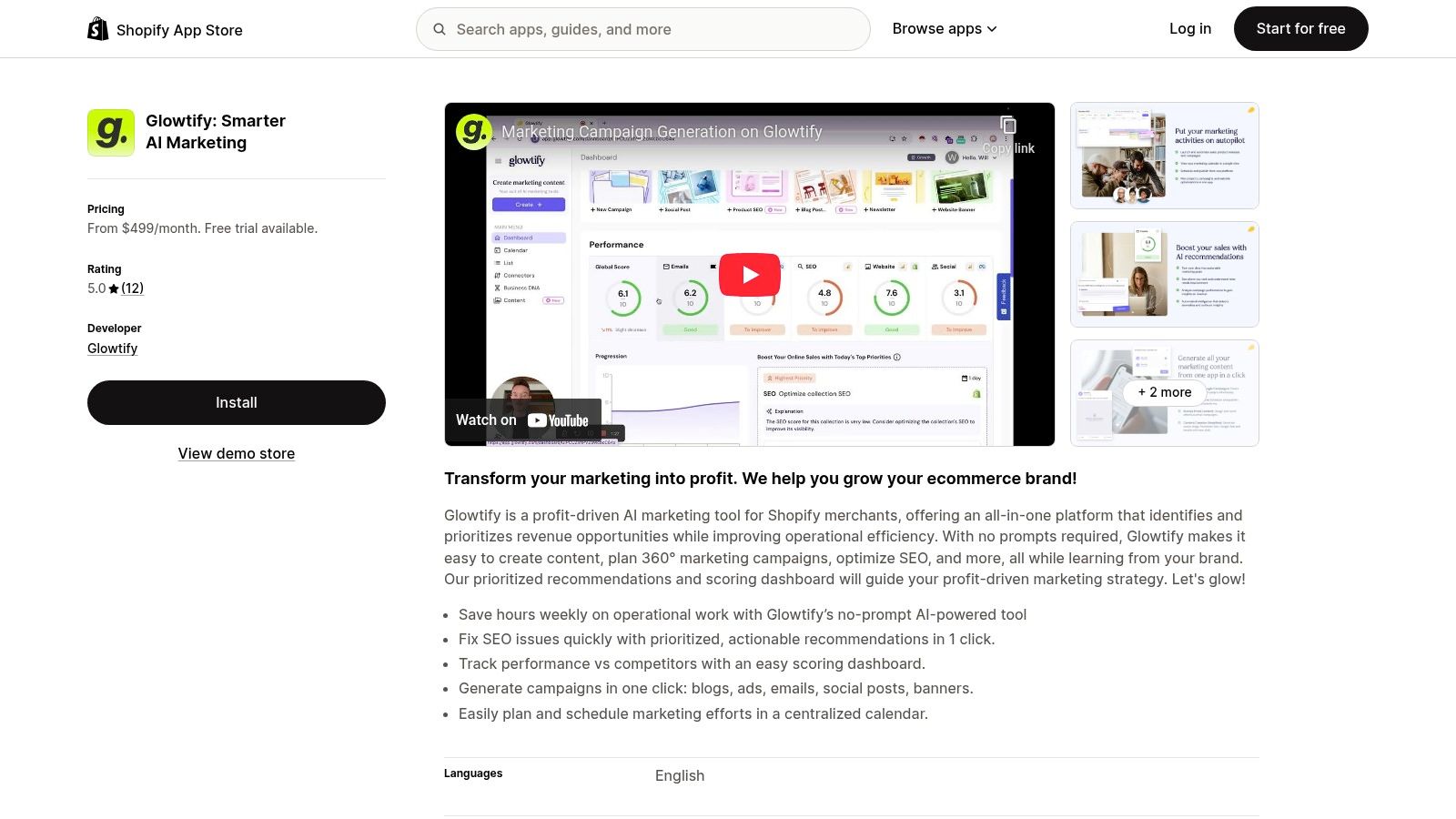
Alt text: The Shopify App Store interface displaying a grid of various AI marketing apps available for installation by merchants.
The primary advantage is seamless integration. Apps installed from the store can directly access store data like product catalogs, customer segments, and sales performance to inform their AI models. This allows for the creation of highly relevant ad campaigns, email sequences, and on-site recommendations that are difficult to achieve with standalone tools, speeding up the time from idea to live campaign.
Key Features & Use Cases
- Practical Example: A store owner wants to automate their Meta and Google ad campaigns.
- Step 1: Search for “AI ads” in the Shopify App Store and find an app like “AdScale.”
- Step 2: Install the app with one click and connect it to their Meta and Google Ads accounts.
- Step 3: The app automatically ingests the store’s product data and sales history.
- Step 4: The owner sets a budget, and the app’s AI begins generating targeted ads, optimizing bidding, and allocating budget to the best-performing products without further manual intervention.
- Direct Commerce Integration: Many apps offer one-click integrations with essential marketing platforms like Klaviyo, Google Analytics, and Meta Ads, pulling data and pushing campaigns directly from the Shopify admin.
- On-site Personalization: Apps like “Rebuy Personalization Engine” use AI to create personalized product recommendations, smart carts, and post-purchase offers, directly increasing average order value.
| Feature | Best For |
|---|---|
| Wide Selection of Apps | Finding specialized AI solutions for specific marketing needs. |
| Deep Data Integration | Leveraging existing store data for highly effective campaigns. |
| One-Click Installation | Rapidly deploying and testing new AI marketing tactics. |
Pricing & Onboarding
Pricing is determined by individual app developers and varies widely. Many apps offer a free plan or a free trial period (typically 7-14 days), allowing merchants to test functionality before committing. Paid plans can range from a few dollars per month to several hundred for more advanced, enterprise-grade solutions. Onboarding is handled within the Shopify admin, making setup straightforward.
- Pros: Deep commerce integrations (Google/Meta Ads, Klaviyo); many apps offer free plans or trials; speeds up moving ideas to live campaigns.
- Cons: Quality and pricing vary significantly by app, requiring vendor vetting; some sophisticated AI apps are premium-priced.
Actionable Takeaways
- Install an AI Product Description Writer: Find a free or low-cost app to automatically generate SEO-friendly descriptions for 5-10 of your products.
- Test a Personalization Engine: Install an app like Rebuy on a free trial and activate its “smart cart” feature to see if it increases your average order value over a 7-day period.
- Automate Ad Creation: Connect an AI ad tool to your store and let it run a small-budget campaign for one week. Compare its performance to your manually created campaigns.
Tools & Resources
10. AppSumo – AI Marketing Deals
For marketing teams operating on a tight budget or those looking to experiment with emerging technologies, AppSumo is less a single tool and more an essential discovery platform. It serves as a curated marketplace for software deals, many of which are lifetime licenses for up-and-coming AI marketing tools. This makes it an invaluable resource for accessing innovative AI for content creation, SEO, automation, and analytics at a fraction of the standard cost.
Alt text: The AppSumo marketplace homepage showing a variety of software deals, with a focus on discounted tools for entrepreneurs and marketers.
The platform’s value extends beyond just savings; its active community provides honest reviews, Q&As with founders, and real-world feedback that helps you vet a tool’s viability. While some tools may be from early-stage vendors, AppSumo’s refund policy provides a safety net, allowing teams to test solutions and find hidden gems that can become a core part of their marketing stack without significant financial risk. It’s one of the best ways to discover new AI tools for marketing before they become mainstream.
Key Features & Use Cases
- Practical Example: A startup marketer needs an AI-powered video creation tool but has no budget for a monthly subscription.
- Step 1: They browse the “AI” category on AppSumo.
- Step 2: They find a lifetime deal on a promising new AI video generator for a one-time fee of $59.
- Step 3: They read the user reviews and Q&A section to check for common issues and see how responsive the founder is.
- Step 4: Feeling confident, they purchase the deal, knowing they can get a full refund within 60 days if it doesn’t meet their needs.
- Tool Discovery: Regularly check the “AI” or “Marketing” categories to find niche tools, like an AI agent for cold emailing or a specialized AI-powered SEO keyword cluster generator, that you wouldn’t find on larger software review sites.
- Community Due Diligence: Before purchasing a deal, thoroughly read the reviews and the Q&A section to gauge the founder’s responsiveness, the tool’s development roadmap, and any common issues other marketers have encountered.
| Feature | Best For |
|---|---|
| Lifetime Deals (LTDs) | Acquiring marketing software tools with a single, one-time payment. |
| Community Reviews & Q&A | Vetting early-stage vendors and understanding real-world performance. |
| Broad Category Coverage | Discovering niche AI solutions for SEO, social media, and content. |
Pricing & Onboarding
AppSumo’s model is based on one-time payments for lifetime or annual deals, with prices typically ranging from $39 to $99. Some larger, more established tools may have higher price points. They also offer AppSumo Plus ($99/year), which provides an extra 10% off purchases and access to other member perks. The onboarding experience varies significantly by the individual vendor whose product you purchase.
- Pros: Extremely cost-effective for building a marketing tool stack; discover innovative, under-the-radar tools; community feedback helps with purchasing decisions.
- Cons: Deals are for limited times; some early-stage vendors may fail or offer inconsistent support; requires careful due diligence.
Actionable Takeaways
- Set a Budget and Experiment: Allocate a small budget (e.g., $100) to purchase one or two promising lifetime deals in an area of need, like social media scheduling or AI writing.
- Check the “Last Call” Section: Browse the deals that are about to expire to find popular tools you might have missed.
- Read the Reviews: Before buying, spend 10 minutes reading the most recent reviews and the founder’s responses in the Q&A section. This is your best source of due diligence.
Tools & Resources
- Website: https://appsumo.com/
11. G2 – Marketing/AI Software Comparisons
While not an AI tool itself, G2 is an essential platform for navigating the crowded marketplace of AI marketing software. It functions as a peer-review-driven buyer marketplace, providing rankings, verified user reviews, and pricing snapshots across every key category. This makes it an invaluable resource for shortlisting vendors and comparing established players against new, AI-first challengers based on real-world data.
Alt text: A user browsing G2’s grid view for marketing automation software, which ranks various tools based on user satisfaction and market presence.
The platform’s strength lies in its extensive filtering capabilities and “G2 Grid” reports, which help you visually map out the leaders in specific niches like Generative AI or SEO. By leveraging its vast repository of peer experiences, marketers can make more informed decisions, avoiding tools that look good on paper but fail in practice. It’s a crucial first step in any procurement process for the best AI tools for marketing.
Key Features & Use Cases
- Practical Example: A marketing director is tasked with finding a new AI-powered content creation tool for their mid-market company.
- Step 1: They go to G2 and navigate to the “AI Content Creation” category.
- Step 2: They apply filters for “Company Size: Mid-Market (51-1,000 emp)” and “Features: Brand Voice.”
- Step 3: This narrows the list to a manageable number of relevant tools. They sort by “Highest Rated” to see the top contenders.
- Step 4: They read the most recent verified reviews to understand the pros and cons of the top 3 tools before scheduling demos.
- Category Grids: Quickly visualize the market leaders versus niche players in categories like “AI Sales Assistants,” helping you identify both safe bets and innovative upstarts.
- Competitor Comparisons: Create side-by-side comparisons of two or three tools, looking at specific feature ratings (e.g., “ease of use” or “quality of support”) to find the best fit for your team’s needs.
| Feature | Best For |
|---|---|
| Verified User Reviews | Gaining honest insights into a tool’s performance and support. |
| G2 Grid Reports | Understanding the competitive landscape in a specific software category. |
| Advanced Filtering | Narrowing down vendor shortlists based on company size, industry, or features. |
Pricing & Onboarding
G2 is free for buyers to browse reviews, create comparison reports, and research software. Vendors pay for enhanced profiles, advertising, and access to buyer intent data. To get started, simply search for a software category or a specific tool you’re evaluating. For effective research, always sort reviews by “most recent” and filter by companies of a similar size to your own for the most relevant feedback.
- Pros: Huge volume of verified peer reviews; useful filters to narrow down options; helps compare incumbents vs. AI-first entrants.
- Cons: Sponsored placements can influence visibility; pricing information may be outdated, so always verify on the vendor’s site.
Actionable Takeaways
- Create a Comparison Report: Select your current tool and two top competitors, then generate a side-by-side report to see how they stack up on key features and user satisfaction.
- Filter for Your Company Size: When researching a new category, immediately filter by your company size to get the most relevant reviews and recommendations.
- Read the Negative Reviews: When evaluating a tool, read a few of the 1- and 2-star reviews. This often provides the most honest insight into a tool’s potential shortcomings.
Tools & Resources
12. Capterra – AI Marketing Tools Directory
While not an AI tool itself, Capterra serves as an essential research hub for marketers navigating the crowded AI landscape. It functions as an extensive directory and review platform, making it a critical first stop for discovering, comparing, and validating many of the best AI tools for marketing. Its strength is in its structured approach, allowing users to move beyond hype and make data-driven decisions.
Alt text: The Capterra website interface displaying a list of AI marketing software, with filtering options for features and user ratings in the sidebar.
The platform aggregates hundreds of AI marketing tools, complete with user reviews, feature lists, and pricing information. Its powerful filtering system lets you narrow down options by specific needs, like “AI-powered A/B testing” or “social media content automation,” saving countless hours of manual research. Editorial roundups and research posts also provide context on market trends and vendor capabilities.
Key Features & Use Cases
- Practical Example: A marketing manager needs an AI tool specifically for optimizing email subject lines.
- Step 1: They go to Capterra and search for “AI Marketing Software.”
- Step 2: Using the sidebar filters, they select the feature “A/B Testing” and “Email Marketing.”
- Step 3: They further filter the results to show only tools that offer a “Free Trial.”
- Step 4: This provides a shortlist of tools that meet their exact needs, which they can then sort by highest user rating to find the best option to test.
- Vendor Comparison: Shortlist three potential AI analytics platforms and use Capterra’s side-by-side comparison feature to evaluate them on key criteria like integration options, user support, and pricing models.
- Niche Tool Discovery: Use broad category searches like “AI for SEO” to uncover specialized, emerging tools that may not appear in other top-level listicles, helping you find a unique competitive advantage.
| Feature | Best For |
|---|---|
| Advanced Filtering | Finding tools that solve a specific marketing challenge. |
| User Reviews & Ratings | Gauging real-world performance and user satisfaction. |
| Editorial Roundups | Understanding market categories and discovering top vendors. |
Pricing & Onboarding
Capterra is a free resource for users. The platform makes money through vendor listings and lead generation. When using the site, it’s wise to remember that some placements may be sponsored. Always cross-reference pricing and feature details on the vendor’s official website before making a final decision. The user interface is straightforward, requiring no special onboarding to start searching and comparing tools effectively.
- Pros: Excellent for discovering niche tools; clear filtering for free trials; user reviews provide valuable social proof.
- Cons: Some listings are sponsored; pricing and feature data can occasionally be outdated, requiring verification.
Actionable Takeaways
- Use the “Free Trial” Filter: When exploring a new category of tools, always apply the “Free Trial” filter first to create a risk-free shortlist for testing.
- Compare Two Tools: Find a tool you are considering and use the “Compare” feature to see how it stacks up against a main competitor on features, pricing, and ratings.
- Discover Niche Solutions: Instead of searching for broad terms like “AI writer,” search for a specific function like “AI press release generator” to uncover highly specialized tools.
Tools & Resources
Top 12 AI Marketing Tools — Comparison
| Tool | Core features ✨ | Quality ★ | Price / Value 💰 | Target audience 👥 | Standout 🏆 |
|---|---|---|---|---|---|
| OpenAI – ChatGPT | Chat interface, custom GPTs, voice/image, agents | ★★★★★ | 💰 Free tier; Team & Enterprise paid | 👥 Marketers, teams, researchers | 🏆 Extremely versatile “Swiss‑army” AI |
| Jasper | Brand voice, templates, CMS & team workflows | ★★★★☆ | 💰 Paid tiers (higher for Pro+/Business) | 👥 Marketing teams, agencies | 🏆 On‑brand guardrails & collaboration |
| Copy.ai | Chat, Agents, multi‑model access, workflows | ★★★★☆ | 💰 Freemium → Agents (premium) | 👥 GTM teams, content creators | 🏆 Automation + model choice |
| HubSpot Marketing Hub (AI) | Omnichannel campaigns, CRM + AI agents | ★★★★☆ | 💰 Paid CRM tiers; onboarding fees at scale | 👥 Mid‑to‑enterprise teams | 🏆 Unified CRM + marketing + governance |
| Semrush (incl. ContentShake AI) | SEO/SEM analytics + AI content generator | ★★★★★ | 💰 Tiered plans; ContentShake add‑ons | 👥 SEO & content teams | 🏆 Deep search data + AI briefing |
| SurferSEO (Surfer AI) | Content editor, audits, auto‑optimize, credits | ★★★★☆ | 💰 Subscription + AI credit bundles | 👥 SEO writers, agencies | 🏆 Rank‑ready content workflows |
| Hootsuite (OwlyWriter AI) | Multi‑network scheduling, AI captions, analytics | ★★★★☆ | 💰 Paid plans (no perpetual free) | 👥 Social teams, agencies | 🏆 Consolidated social workflows |
| Mailchimp (Generative AI) | Email/SMS automation, templates, AI copy | ★★★★☆ | 💰 Freemium → paid tiers with AI included | 👥 SMBs, growing marketers | 🏆 Easy onboarding + deliverability tools |
| Shopify App Store – AI Marketing Apps | Marketplace of ads/SEO/email AI apps & integrations | ★★★☆☆ | 💰 App‑dependent; many trials/free plans | 👥 E‑commerce merchants, devs | 🏆 Direct commerce integrations |
| AppSumo – AI Marketing Deals | Curated lifetime/discount deals, reviews | ★★★★☆ | 💰 One‑time deals / discounts | 👥 Budget teams, founders, testers | 🏆 Cost‑effective discovery of new tools |
| G2 – Marketing/AI Comparisons | Verified reviews, category grids, filters | ★★★★☆ | 💰 Free to browse; vendor pricing varies | 👥 Buyers, procurement, analysts | 🏆 Large review volume & shortlisting |
| Capterra – AI Marketing Directory | Listings, filters, editorial explainers | ★★★★☆ | 💰 Free directory; vendor pricing links | 👥 Buyers seeking niche tools | 🏆 Clear filters + editorial guidance |
Putting It All Together: Your Next Steps in AI Marketing
We’ve journeyed through a comprehensive landscape of the best ai tools for marketing, from foundational large language models like ChatGPT to specialized SEO powerhouses like SurferSEO and all-in-one platforms like HubSpot. The sheer volume of options can feel overwhelming, but the goal is not to adopt every tool on this list. Instead, the real power lies in strategic implementation: identifying your biggest bottlenecks and applying AI as a precision-guided solution.
The core takeaway is this: AI should act as a force multiplier for your human talent, not a replacement. It excels at automating repetitive tasks, analyzing vast datasets for patterns, and generating first drafts, freeing your team to focus on high-level strategy, creative ideation, and building genuine customer relationships. The true competitive advantage comes from blending AI efficiency with human ingenuity. To understand the broader implications of these technological shifts, explore the impact of AI on business growth and how it’s reshaping entire industries.
How to Choose Your First (or Next) AI Marketing Tool
Feeling stuck on where to start? Don’t try to build a complex, interconnected AI stack overnight. Instead, use a problem-first approach. Ask yourself and your team: where is the most friction in our current marketing workflow?
Here’s a practical framework to guide your decision:
- Identify Your Biggest Pain Point: Are you struggling with content creation speed? Is your email engagement flat? Are your ad campaigns failing to convert? Pinpoint the single biggest problem you need to solve right now.
- Match the Problem to a Tool Category:
- Content Velocity: Look at tools like Jasper or Copy.ai to rapidly generate blog drafts, social posts, and ad copy.
- SEO Performance: If organic traffic is your goal, Semrush or SurferSEO are non-negotiable for keyword research, content optimization, and competitive analysis.
- Email & Automation: To improve personalization and efficiency, explore the AI features within Mailchimp or HubSpot Marketing Hub.
- Social Media Management: If your team spends hours scheduling posts and writing captions, Hootsuite’s OwlyWriter AI could be a game-changer.
- Start with a Pilot Project: Select one tool and define a small, measurable project. For example, use SurferSEO to optimize three existing blog posts that are ranking on the second page of Google. Set a clear goal: “Increase organic traffic to these three posts by 15% in 60 days.”
- Measure and Evaluate: After the pilot period, analyze the results. Did you hit your goal? Did the tool save a quantifiable amount of time? Was the ROI positive? Use this data to decide whether to scale its use across the team or try a different solution.
Implementing AI for Maximum Impact
Once you’ve chosen a tool, successful implementation is key. It’s not just about giving your team a new login; it’s about integrating the tool into your existing processes. For instance, instead of just using ChatGPT to write a blog post from scratch, create a workflow:
- Step 1: Use Semrush to identify a high-potential, low-competition keyword.
- Step 2: Use ChatGPT with a detailed prompt (including the target keyword, audience persona, and desired outline) to generate a first draft.
- Step 3: Have a human writer edit, refine, and add unique insights, case studies, and brand voice to the draft.
- Step 4: Paste the human-edited content into SurferSEO for final on-page optimization before publishing.
This hybrid approach leverages AI for speed and data analysis while preserving the critical element of human expertise and creativity. To complement this guide and further explore the landscape of AI tools designed for marketing, you might find additional insights in this list of the 12 Best AI Marketing Tools for B2B SaaS in 2025.
The world of AI marketing is evolving at a breakneck pace, but the principles of good marketing remain the same. Start small, focus on solving real problems, measure your impact, and build your AI stack piece by piece. By taking this thoughtful, results-driven approach, you can transform your marketing efforts and build a sustainable competitive advantage.
Ready to discover even more tools to build your perfect marketing stack? The AI Tools Hub is a curated and searchable database of the latest AI solutions. Stop wasting time with endless Google searches and find the exact tool you need for any task, from video creation to market research. Find your next favorite tool at AI Tools Hub today.