
The talent landscape is fiercely competitive, and manual recruiting processes are no longer enough. Sifting through hundreds of resumes, scheduling endless interviews, and struggling to find qualified, interested candidates can drain your team’s resources and leave critical roles unfilled for weeks or even months. This is where AI steps in, transforming talent acquisition from a reactive chore into a proactive, data-driven strategy.
This guide moves beyond the buzzwords to give you a practical, in-depth analysis of the 12 best AI recruitment tools available today. We’ll break down not just what platforms like Paradox, Eightfold AI, and HireVue do, but how you can use them to hire smarter, faster, and more effectively. Each review includes detailed pros and cons, specific use cases, and actionable steps to give you a clear picture of its capabilities.
Whether you’re a startup needing to scale quickly or a global enterprise refining your talent pipeline, you’ll find actionable insights here. Our goal is to help you select and implement the perfect AI partner for your unique hiring challenges, backed by direct links and honest assessments.
1. Paradox (Olivia)
Paradox earns the top spot on our list of the best AI recruitment tools for its mastery of high-volume, conversational hiring. Its AI assistant, Olivia, acts as a comprehensive conversational ATS, automating the entire candidate journey from application to onboarding. It excels in engaging candidates 24/7 via mobile-first channels like SMS and WhatsApp, making it a powerhouse for large enterprises, especially those hiring hourly workers across multiple locations.
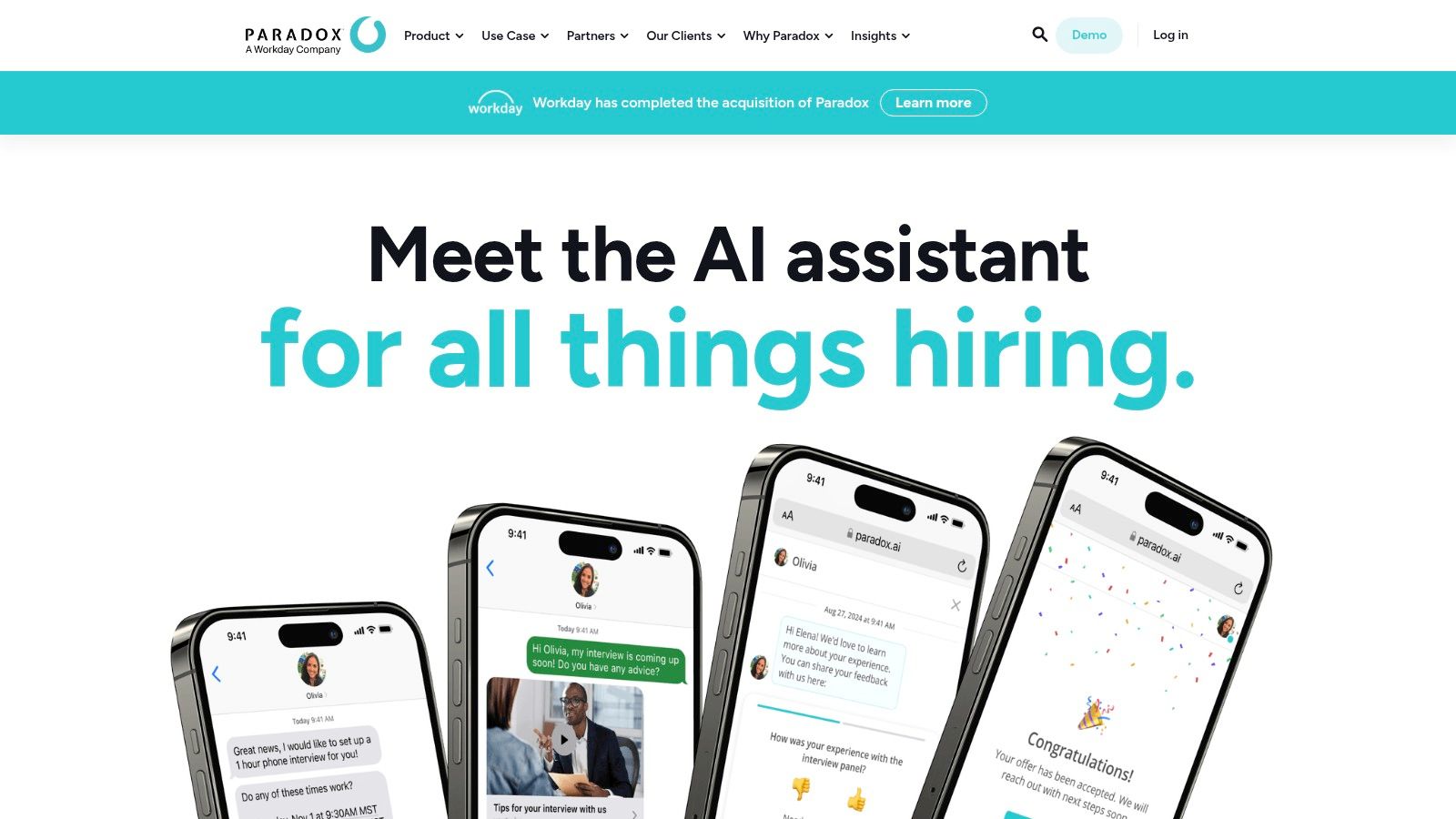
Alt text: Paradox’s conversational AI assistant, Olivia, engaging with a candidate on a mobile device.
The platform’s core strength lies in its ability to handle repetitive, time-consuming tasks at scale. Olivia can screen thousands of applicants, answer their questions instantly, and automate interview scheduling with a single click. This frees up human recruiters to focus on more strategic initiatives, like candidate experience and final-round interviews. Its deep integration capabilities with major ATS platforms like Workday and SAP SuccessFactors ensure it can plug directly into existing enterprise HR tech stacks without causing major disruptions.
How to Get Started with Paradox
- Map Your Highest-Volume Funnel: Identify the job role with the most applicants and the biggest bottlenecks (e.g., initial screening, interview scheduling).
- Configure Olivia’s Screening Script: Define the 3-5 knockout questions for that role. For a delivery driver, this might be “Do you have a valid driver’s license?” and “Are you able to lift 50 lbs?”
- Sync Recruiter Calendars: Connect your team’s calendars to the platform to enable one-click scheduling.
- Deploy on Key Channels: Activate Olivia on your career site’s chat widget and the SMS number listed on job postings to immediately engage applicants.
Key Features & Analysis
| Feature | Analysis & Use Case |
|---|---|
| Conversational AI Assistant | Olivia engages candidates on your career site, SMS, or WhatsApp. Practical Example: A retail chain uses Olivia to instantly answer questions about pay and hours for a store associate role, screening and scheduling qualified applicants automatically. |
| 1-Click Interview Scheduling | The AI syncs with recruiter calendars to offer available slots, allowing candidates to book instantly. Practical Example: A fast-food franchise fills hundreds of open shifts by letting applicants schedule their own interviews, drastically reducing no-shows with automated reminders. |
| Hiring Event Automation | Manages event registration, pre-screening, reminders, and post-event follow-up. Practical Example: A large hospital system manages a nursing career fair, registering and qualifying attendees before they even arrive. |
| Mobile-First Apply Flow | Candidates can complete an entire application via text message in under five minutes. Practical Example: Perfect for attracting candidates in logistics or manufacturing who are often not at a desktop computer. |
Pricing
- Paradox utilizes a custom, quote-based pricing model tailored for enterprise clients. Expect a significant investment reflecting its robust feature set and target market.
Actionable Takeaways
- Automate screening for high-volume roles to focus recruiter time on qualified candidates.
- Use SMS and WhatsApp engagement to reach hourly workers where they are.
- Implement automated scheduling to reduce interview no-shows and speed up the process.
Further Reading & Resources
- Learn more at Paradox.ai
2. Eightfold AI
Eightfold AI earns its place as one of the best AI recruitment tools by offering a comprehensive Talent Intelligence Platform. While others focus on specific parts of the funnel, Eightfold uses deep learning AI to manage the entire talent lifecycle. It excels at sourcing, skills-based matching, and crucially, talent rediscovery and internal mobility, making it a strategic asset for large enterprises and public sector organizations that need to manage talent at a massive scale.
Alt text: The Eightfold AI platform interface showing talent analytics and candidate matching capabilities.
The platform’s power comes from its ability to create a deep, skills-based profile for every candidate and employee, far beyond simple keyword matching. This allows it to uncover hidden talent pools within an existing ATS, predict which employees are ready for new roles, and match candidates to jobs with remarkable accuracy. For organizations focused on long-term workforce planning and upskilling, Eightfold provides the intelligence needed to build, buy, and borrow talent effectively.
How to Get Started with Eightfold AI
- Integrate Your ATS: Connect your existing Applicant Tracking System to allow Eightfold’s AI to ingest your historical candidate data.
- Run a Talent Rediscovery Audit: Select 3-5 high-priority open roles and run them through the platform. The AI will scan your ATS for past “silver medalist” candidates who are now a strong fit.
- Launch an Internal Mobility Pilot: Choose one department and deploy the internal career site. This allows employees to see potential career paths and open roles that match their skills.
- Calibrate Matching Models: Work with the Eightfold team to refine the skills calibration for your key roles to ensure the AI understands what “good” looks like for your organization.
Key Features & Analysis
| Feature | Analysis & Use Case |
|---|---|
| Deep Learning Matching | The AI analyzes millions of data points to understand skills, roles, and career trajectories for precise job matching. Practical Example: A global tech company instantly finds the top 10 internal candidates for a new AI Engineer role, even if their job titles don’t match, based on their project history and inferred skills. |
| Talent Rediscovery | Scans your existing ATS to surface past silver-medalist candidates who are now a perfect fit for new open roles. Practical Example: A financial services firm re-engages with a qualified applicant from two years ago for a Senior Analyst position, saving significant sourcing time and cost. |
| Internal Mobility Platform | Provides employees with personalized career path recommendations and opportunities within the company. Practical Example: A large manufacturing company reduces employee churn by showing a line worker a clear path to becoming a shift supervisor, complete with required skills and training. |
| Public/Private Workforce Exchange | Creates talent marketplaces for government agencies to connect job seekers with employers. Practical Example: A state workforce agency deploys a platform to help displaced workers from one industry find and upskill for new jobs in a growing local sector. |
Pricing
- Eightfold AI uses a quote-based pricing model designed for mid-market and enterprise clients. It does not offer public pricing, reflecting its custom, large-scale implementation process.
Actionable Takeaways
- Leverage your existing ATS data to rediscover past qualified applicants and reduce sourcing costs.
- Implement an internal mobility platform to improve employee retention and fill roles from within.
- Use skills-based matching to find candidates with the right capabilities, not just the right keywords.
Further Reading & Resources
- Learn more at Eightfold.ai
3. HireVue
HireVue has established itself as a leader in video interviewing and AI-powered assessments, making it a go-to solution for enterprises focused on structured, scalable, and compliant hiring. The platform combines on-demand and live video interviews with a suite of game-based and role-specific assessments to evaluate candidate skills and competencies objectively. Its strength lies in standardizing the evaluation process, ensuring every candidate receives a fair and consistent experience, which is critical for large, regulated industries.
Alt text: A candidate engaging with HireVue’s on-demand video interviewing interface on a laptop.
As one of the best AI recruitment tools for large-scale operations, HireVue automates the top of the funnel, allowing recruiting teams to assess thousands of candidates without the logistical nightmare of scheduling initial phone screens. The platform’s AI analyzes responses to pre-set questions, providing hiring managers with data-driven insights to identify top performers. With deep ATS integrations and a strong emphasis on enterprise security, including FedRAMP authorization for certain offerings, it’s built for complex organizational needs.
How to Get Started with HireVue
- Define Core Competencies: For a target role (e.g., “Sales Development Rep”), identify the top 3-5 competencies, such as “communication,” “problem-solving,” and “resilience.”
- Build an On-Demand Interview: Create 3-5 questions that directly assess these competencies. For “resilience,” you might ask, “Tell me about a time you faced rejection and how you handled it.”
- Select a Relevant Assessment: Add a game-based assessment from HireVue’s library that measures cognitive abilities relevant to the role.
- Pilot with a Single Team: Roll out the process for one hiring manager’s open requisitions to gather feedback and measure the impact on candidate quality before a wider launch.
Key Features & Analysis
| Feature | Analysis & Use Case |
|---|---|
| On-Demand & Live Video Interviewing | Provides structured video interviews that candidates can complete on their own time or live with a hiring team. Practical Example: A global consulting firm screens candidates across different time zones by sending an on-demand interview link, ensuring a consistent evaluation framework for all applicants. |
| AI-Powered Assessments | Includes game-based, coding, and situational judgment tests to measure job-relevant skills. Practical Example: A tech company hiring software developers uses a coding assessment to objectively validate technical proficiency early in the process, saving engineering time. |
| Automated Scheduling & Chatbot | A conversational AI chatbot engages candidates, answers questions, and automates interview scheduling. Practical Example: A financial institution uses the chatbot to guide applicants through the process and automatically schedule final-round interviews with the right hiring managers. |
| Enterprise-Grade Compliance | Built with robust security protocols and compliance features, including FedRAMP authorization. Practical Example: Government contractors and healthcare organizations use HireVue to meet stringent data security and privacy requirements during their hiring process. |
Pricing
- HireVue follows a custom, quote-based pricing model designed for enterprise customers. The total cost depends on company size, modules selected (e.g., assessments), and usage volume.
Actionable Takeaways
- Standardize your initial screening process with on-demand video interviews to reduce bias.
- Use skills-based assessments to objectively measure candidate competencies early in the funnel.
- Automate interview scheduling to free up coordinator and recruiter time for higher-value tasks.
Further Reading & Resources
- Learn more at HireVue.com
4. SeekOut
SeekOut carves out a unique space in our list of the best AI recruitment tools by combining a powerful talent search engine with a flexible service model. It excels at proactive sourcing, offering an AI-driven platform with semantic search across over 800 million candidate profiles. The platform empowers recruiters to not only find external talent but also rediscover qualified candidates hidden within their existing ATS or CRM, ensuring no stone is left unturned.
Alt text: SeekOut’s AI-powered talent search and analytics dashboard.
What truly sets SeekOut apart is its hybrid approach. Organizations can license the software for their teams to use directly or opt for its agentic service, “Spot,” which delivers pre-vetted slates of qualified candidates. This flexibility makes it an attractive option for teams that need either a powerful tool to enhance their sourcing capabilities or a direct pipeline of talent without the hands-on search effort. Its emphasis on enriched contact data and personalized outreach helps recruiters engage passive candidates more effectively.
How to Get Started with SeekOut
- Integrate Your ATS/CRM: Connect your primary talent database to enable the “Rediscovery” feature.
- Define a Search for a Hard-to-Fill Role: Use the semantic search for a niche position. Instead of just “Python developer,” search for “engineers with experience in Python, Django, and deploying microservices on AWS.”
- Use Power Filters: Narrow your search using filters like “diversity,” “cleared talent,” or by looking for candidates with public code repositories on GitHub.
- Launch a Test Outreach Campaign: Select the top 10 candidates from your search and use SeekOut’s enriched contact data to craft personalized outreach emails, then track the response rate.
Key Features & Analysis
| Feature | Analysis & Use Case |
|---|---|
| AI-Powered Talent Search | Semantic search scans 800M+ external profiles and internal ATS/CRM data simultaneously. Practical Example: A tech company searches for “engineers skilled in large language models” and finds relevant profiles even if those exact keywords aren’t on a resume, while also surfacing past silver-medalist applicants from their ATS. |
| Candidate Rediscovery | The AI automatically matches new job requisitions against your existing internal talent database. Practical Example: A large corporation instantly identifies and re-engages former applicants for a new marketing role, saving significant sourcing time and costs. |
| Personalized Outreach | Provides enriched contact information and insights to help craft more effective engagement messages. Practical Example: A recruiter finds a candidate’s GitHub profile and personal blog to reference specific projects in an outreach email, dramatically increasing the response rate. |
| Spot (Agentic Service) | An optional service where SeekOut’s team delivers a curated slate of qualified candidates. Practical Example: A startup needing to hire a specialized machine learning engineer quickly uses Spot to get a list of vetted candidates in days, bypassing the lengthy sourcing process. |
Pricing
- SeekOut uses a quote-based model and does not list public pricing. The core “Recruit” software product has a three-seat annual minimum, positioning it for established teams rather than individual recruiters.
Actionable Takeaways
- Use semantic search to find candidates based on skills and concepts, not just keywords.
- Integrate your ATS to rediscover qualified, warm candidates already in your system.
- For critical roles, consider an agentic service like Spot to get a pre-vetted candidate slate quickly.
Further Reading & Resources
- Learn more at SeekOut.com
5. Workable
Workable earns its spot as one of the best AI recruitment tools by seamlessly integrating powerful AI features into a user-friendly Applicant Tracking System (ATS). It is specifically designed for small to mid-sized businesses (SMBs) that need an all-in-one solution that’s quick to deploy. Workable infuses AI across the hiring workflow, from generating job descriptions and interview questions to sourcing and screening candidates, making it a practical choice for teams wanting immediate AI assistance without a steep learning curve.
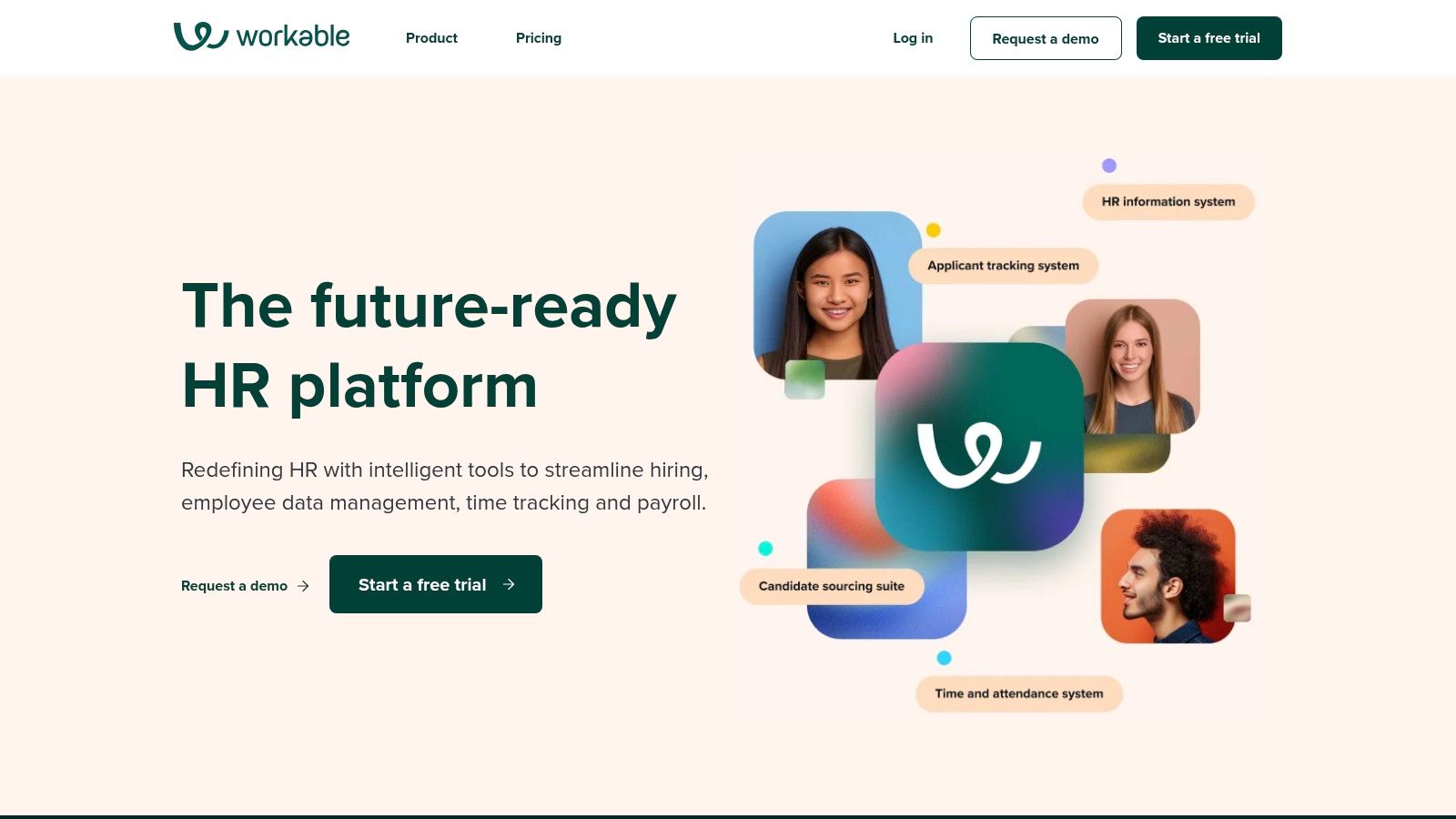
Alt text: The Workable platform interface showing candidate profiles and sourcing tools.
The platform’s strength lies in its balance of core ATS functionality and accessible AI enhancements. It provides AI-powered candidate recommendations by searching its database of over 400 million profiles and can rediscover past applicants who are a good fit for new roles. This proactive sourcing, combined with automated multi-channel job posting and one-way video interviews, equips smaller recruiting teams with tools that were once exclusive to large enterprises.
How to Get Started with Workable
- Sign Up for the Free Trial: Start with the 15-day trial to explore the interface.
- Generate a Job Description: Create a new job requisition and use the AI content generator. Input a job title like “Content Marketing Manager” and let the AI create a full description.
- Post to Job Boards: Use the one-click job posting feature to distribute the opening to multiple free and premium boards.
- Review AI Recommendations: Once the job is live, navigate to the “Find Candidates” tab and review the passive candidates the AI has automatically sourced for you.
Key Features & Analysis
| Feature | Analysis & Use Case |
|---|---|
| AI Candidate Recommendations | The system automatically surfaces relevant passive and past candidates from a massive talent pool. Practical Example: A growing tech startup instantly finds potential software engineers who fit their criteria without manually searching job boards. |
| AI Content Generation | Creates optimized job descriptions and structured interview kits with relevant questions in seconds. Practical Example: An HR manager quickly generates a comprehensive and unbiased job post for a new marketing role, ensuring consistency and quality. |
| One-Way Video Interviews | Allows candidates to record video responses to preset questions on their own time. Practical Example: A retail company hiring for multiple store manager positions efficiently screens dozens of candidates’ communication skills before scheduling live calls. |
| “Search with AI” Sourcing | A credits-based feature that lets recruiters use AI to find and engage passive talent. Practical Example: A specialized agency uses its monthly credits to pinpoint and contact hard-to-find candidates for a niche client role. |
Pricing
- Workable offers tiered pricing plans starting with a “Starter” plan, with costs increasing for “Standard” and “Premier” tiers that unlock more advanced AI features. A 15-day free trial is available.
Actionable Takeaways
- Use the 15-day free trial to test the AI features on a live job opening.
- Leverage AI-generated job descriptions to create consistent and high-quality postings quickly.
- Explore the AI candidate recommendations to build a passive talent pipeline without leaving your ATS.
Further Reading & Resources
- Learn more at Workable.com
- Explore more best AI tools for small business.
6. Greenhouse
Greenhouse secures its spot as a top-tier applicant tracking system (ATS) that is thoughtfully integrating AI into its already powerful, structured hiring workflows. Instead of positioning AI as a standalone revolution, Greenhouse uses it to enhance its core mission of fair and effective hiring. It introduces AI-powered features to streamline tasks like writing job descriptions and generating interview questions, all within a framework that prioritizes governance and equity.
Alt text: The Greenhouse applicant tracking system dashboard showing candidate pipelines and analytics.
The platform’s strength is its commitment to structured hiring, a methodology designed to reduce bias and improve hiring outcomes. The new AI capabilities are built to support this, not circumvent it. For example, AI can suggest interview questions based on a specific role’s scorecard, ensuring consistency across candidates. This makes Greenhouse one of the best AI recruitment tools for organizations that want to adopt AI responsibly without sacrificing the rigor of their existing processes.
How to Get Started with Greenhouse AI
- Define a Job Scorecard: For an open role, create a scorecard listing the key attributes and skills required.
- Generate an Interview Kit: Use the AI feature to generate interview questions based on that specific scorecard. This ensures your questions are tied directly to the role’s requirements.
- Draft a Job Description: Use the AI job description generator and review it to ensure it aligns with your company’s tone and values.
- Use AI Summaries: After an interview, use the AI to summarize lengthy feedback notes from the hiring panel, making it easier to quickly compare candidates during a debrief.
Key Features & Analysis
| Feature | Analysis & Use Case |
|---|---|
| AI-Generated Job Content | Creates drafts for job descriptions and interview kits based on role requirements. Practical Example: A hiring manager generates a complete, well-structured job post and a set of competency-based interview questions in minutes, ensuring consistency and saving significant time. |
| Sourcing & Candidate Summary AI | AI helps filter candidates from Sourcing Automation lists and can summarize lengthy candidate profiles or interview feedback. Practical Example: A recruiter quickly gets a high-level overview of a candidate’s qualifications without reading through every note, speeding up the review process. |
| Robust Integration Marketplace | Seamlessly connects with a vast ecosystem of third-party HR tools, including specialized AI solutions. Practical Example: A company integrates a dedicated AI assessment tool, with results and data flowing directly into the Greenhouse candidate profile. |
| Structured Hiring Workflows | Enforces a consistent and equitable evaluation process for all candidates with scorecards and defined stages. Practical Example: A tech company ensures every engineer is evaluated against the same technical and behavioral criteria, reducing unconscious bias. |
Pricing
- Greenhouse uses a custom, quote-based model that varies by company size and features. It is positioned as a premium ATS for mid-market to enterprise clients.
Actionable Takeaways
- Build interview kits with AI to ensure questions are consistent and directly related to job competencies.
- Use the integration marketplace to connect specialized AI tools for sourcing or assessment.
- Adopt structured hiring principles to make your AI-enhanced process fairer and more effective.
Further Reading & Resources
- Learn more at Greenhouse.io
7. Lever (LeverTRM)
Lever secures its spot as one of the best AI recruitment tools by blending a robust Applicant Tracking System (ATS) with powerful Candidate Relationship Management (CRM) capabilities. Instead of being a pure-play AI vendor, LeverTRM enriches the traditional hiring workflow with native AI features and a vast ecosystem of integrated partners. This makes it ideal for scaling companies that want a single source of truth for talent acquisition while retaining the flexibility to plug in specialized AI solutions as needed.
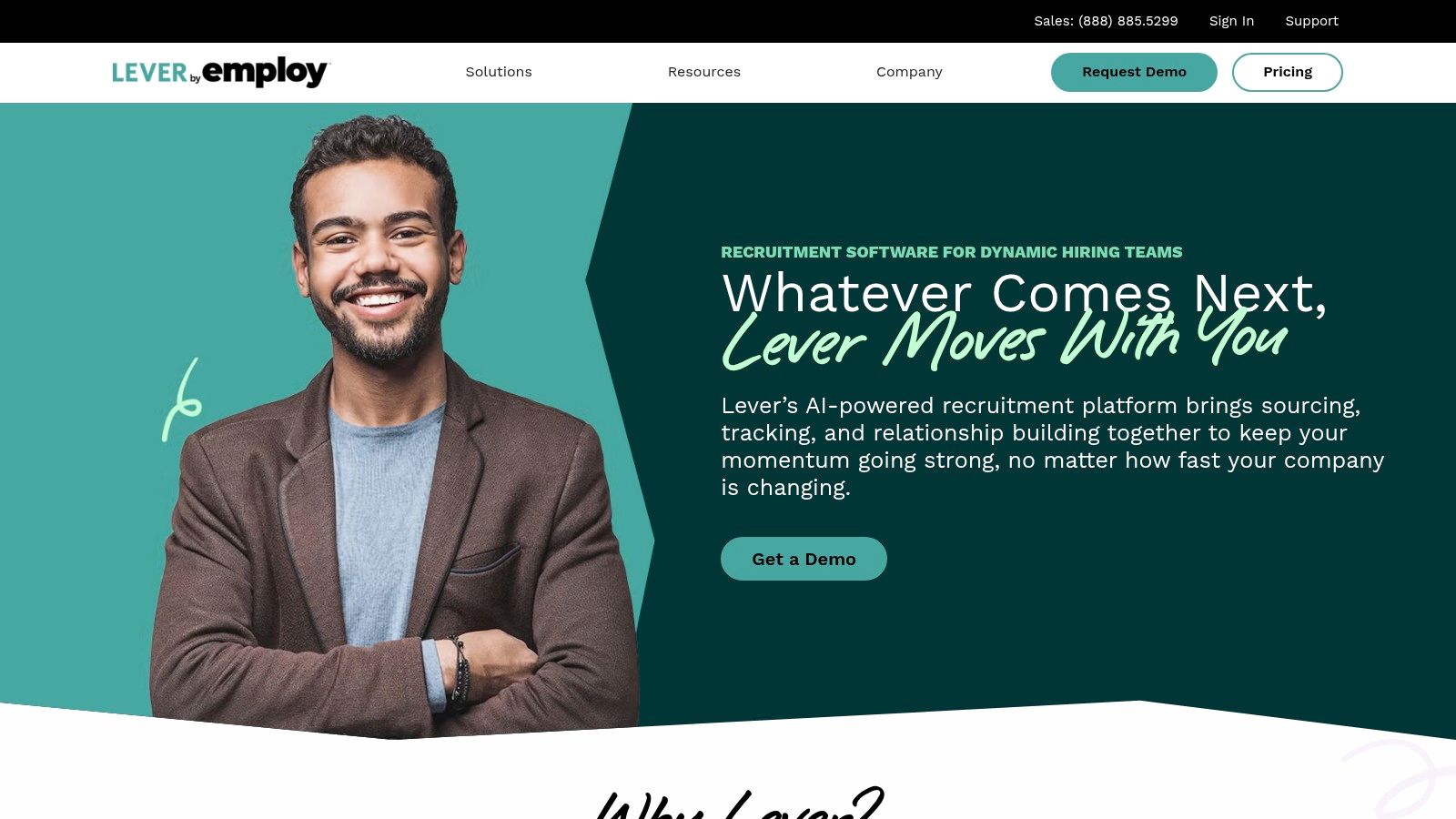
Alt text: Lever’s platform showcasing its unified candidate profiles and analytics dashboards.
The platform’s core strength is its CRM-first approach, enabling recruiters to build and nurture long-term talent pipelines. AI features like automated interview summaries and a screening companion, governed by IBM watsonx for bias mitigation, are built directly into the workflow. For teams needing more advanced capabilities, Lever’s marketplace offers deep integrations with best-in-class AI tools for sourcing, assessment, and analytics, allowing for a customizable tech stack. This balanced approach provides a solid foundation with room for future innovation.
How to Get Started with LeverTRM
- Build a Talent Pool: Create a talent pool for a key future role (e.g., “Future Product Managers”). Use Lever’s Chrome extension to add promising passive candidates you find on LinkedIn.
- Launch a Nurture Campaign: Create a simple 3-email nurture sequence to send to this talent pool over several months, sharing company news or industry insights to keep them engaged.
- Enable the AI Screening Companion: For a high-volume role, turn on the AI screening feature to get a ranked list of top applicants.
- Test Interview Summaries: Record an interview using a connected tool like Zoom, and then use the AI feature to generate an automatic summary and transcript to share with the hiring team.
Key Features & Analysis
| Feature | Analysis & Use Case |
|---|---|
| AI-Powered Interview Insights | Automatically generates transcripts and summaries from recorded interviews. Practical Example: A hiring manager who missed a panel interview can quickly review AI-generated key takeaways and sentiment analysis to get up to speed without watching the full recording. |
| AI Screening Companion | Leverages AI to surface qualified candidates from the applicant pool, with governance controls to ensure fairness. Practical Example: Recruiters for a fast-growing tech startup can instantly identify the top 10 software engineering applicants based on skills and experience, saving hours of manual review. |
| Large Partner Ecosystem | Offers a marketplace of pre-vetted AI tool integrations for sourcing, enrichment, and assessments. Practical Example: A marketing team can integrate a specialized AI sourcing tool to find passive candidates on niche platforms, with all data flowing directly into the LeverTRM candidate profile. |
| Advanced Nurture Campaigns | Automates personalized email outreach to keep talent pools engaged. Mastering the art of the follow-up is crucial, and you can get tips on how to send a CV by email subject to improve open rates. |
Pricing
- Lever does not list public pricing. You must contact their sales team for a custom quote based on company size and required features.
Actionable Takeaways
- Focus on building passive talent pipelines using the built-in CRM features.
- Use automated nurture campaigns to keep warm candidates engaged for future roles.
- Explore the partner marketplace to plug in specialized AI tools that solve your specific bottlenecks.
Further Reading & Resources
- Learn more at Lever.co
8. Ashby
Ashby secures its spot as one of the best AI recruitment tools by offering a modern, all-in-one platform that masterfully combines a powerful Applicant Tracking System (ATS) with advanced analytics and AI assistance. It’s designed for high-growth tech companies that are data-driven and need a single source of truth for their entire recruiting lifecycle. Unlike many enterprise-only systems, Ashby provides transparent pricing, making it accessible for startups while still offering the horsepower needed for scaling organizations.
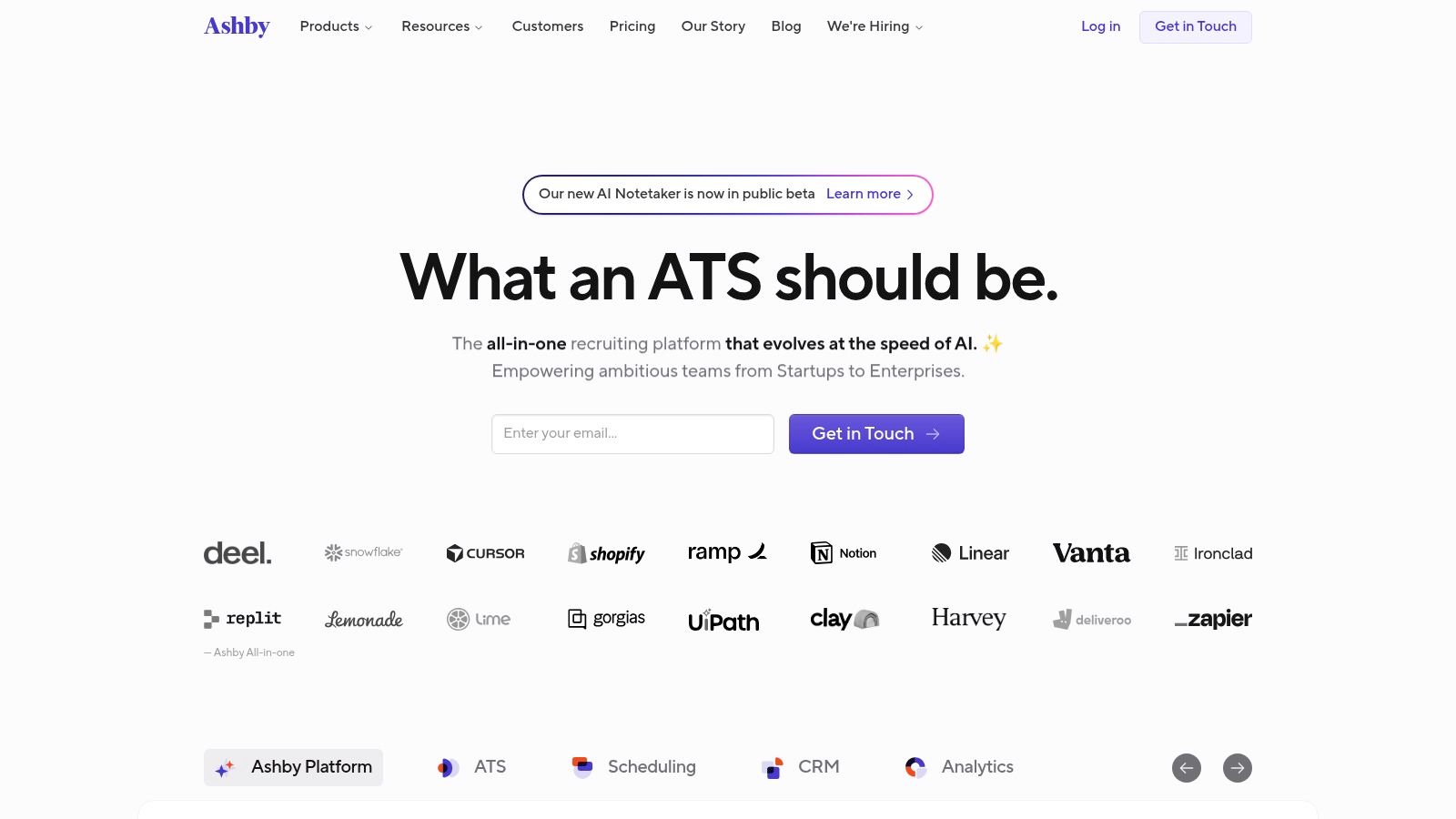
Alt text: The Ashby platform dashboard showing advanced recruiting analytics and reporting features.
The platform’s core strength is its integration of data analytics directly into the recruiting workflow. AI-powered helpers assist with tasks like generating outreach messages, summarizing candidate profiles, and automating routine actions, which allows recruiters to focus on strategy and engagement. This analytical approach empowers teams to iterate quickly, optimize their hiring funnels, and make decisions based on real-time data rather than guesswork, making it a favorite among forward-thinking talent acquisition leaders.
How to Get Started with Ashby
- Connect Your Email and Calendar: The first step is to integrate your G Suite or Office 365 to unlock automated scheduling and email tracking.
- Build a Source Effectiveness Dashboard: Use the analytics module to create a report that tracks which sourcing channels (e.g., LinkedIn, referrals, job boards) are producing the most hired candidates.
- Use the AI Helper for Outreach: Find a passive candidate and use the AI helper to generate 3-4 different outreach email variations. A/B test them to see which one gets the best response rate.
- Automate Interview Scheduling: Set up a scheduling link for your initial screening calls that allows candidates to book a time directly on your calendar, eliminating back-and-forth emails.
Key Features & Analysis
| Feature | Analysis & Use Case |
|---|---|
| All-in-One ATS & CRM | A unified system that manages everything from sourcing and applicant tracking to scheduling and analytics. Practical Example: A scaling SaaS company can manage its entire engineering hiring pipeline, from sourcing on GitHub to scheduling final interviews, all within one platform. |
| Advanced Recruiting Analytics | Provides deep, customizable reporting on metrics like time-to-hire, pass-through rates, and source effectiveness. Practical Example: A talent leader can build a dashboard to track diversity sourcing goals, identifying which channels yield the most qualified and diverse candidates. |
| AI Sourcing & Outreach | AI helpers assist in drafting personalized outreach emails and suggesting potential candidates from various sources. Practical Example: A technical recruiter uses AI to quickly generate five different email variations for a hard-to-fill Senior DevOps role, A/B testing them for the best response rate. |
| Automated Scheduling | Streamlines interview coordination by syncing with calendars and allowing candidates to self-schedule. Practical Example: A startup automates its entire initial screening and technical interview scheduling process, eliminating back-and-forth emails with candidates and engineers. |
Pricing
- Ashby offers transparent pricing, starting with a “Basic” plan for companies under 100 employees. Enterprise and advanced AI features require a custom quote.
Actionable Takeaways
- Use the advanced analytics to identify your most effective sourcing channels and double down on them.
- A/B test AI-generated outreach emails to improve your passive candidate response rates.
- Automate all interview scheduling to eliminate administrative overhead.
Further Reading & Resources
- Learn more at ashbyhq.com
9. Gem
Gem earns its spot as one of the best AI recruitment tools by focusing on the crucial top-of-funnel activities: sourcing and candidate engagement. It acts as a powerful recruiting CRM that works alongside your existing ATS to build and nurture talent pipelines. Gem’s AI shines in its ability to help sourcers find candidates across a vast network of over 800 million profiles and craft personalized outreach campaigns at scale.
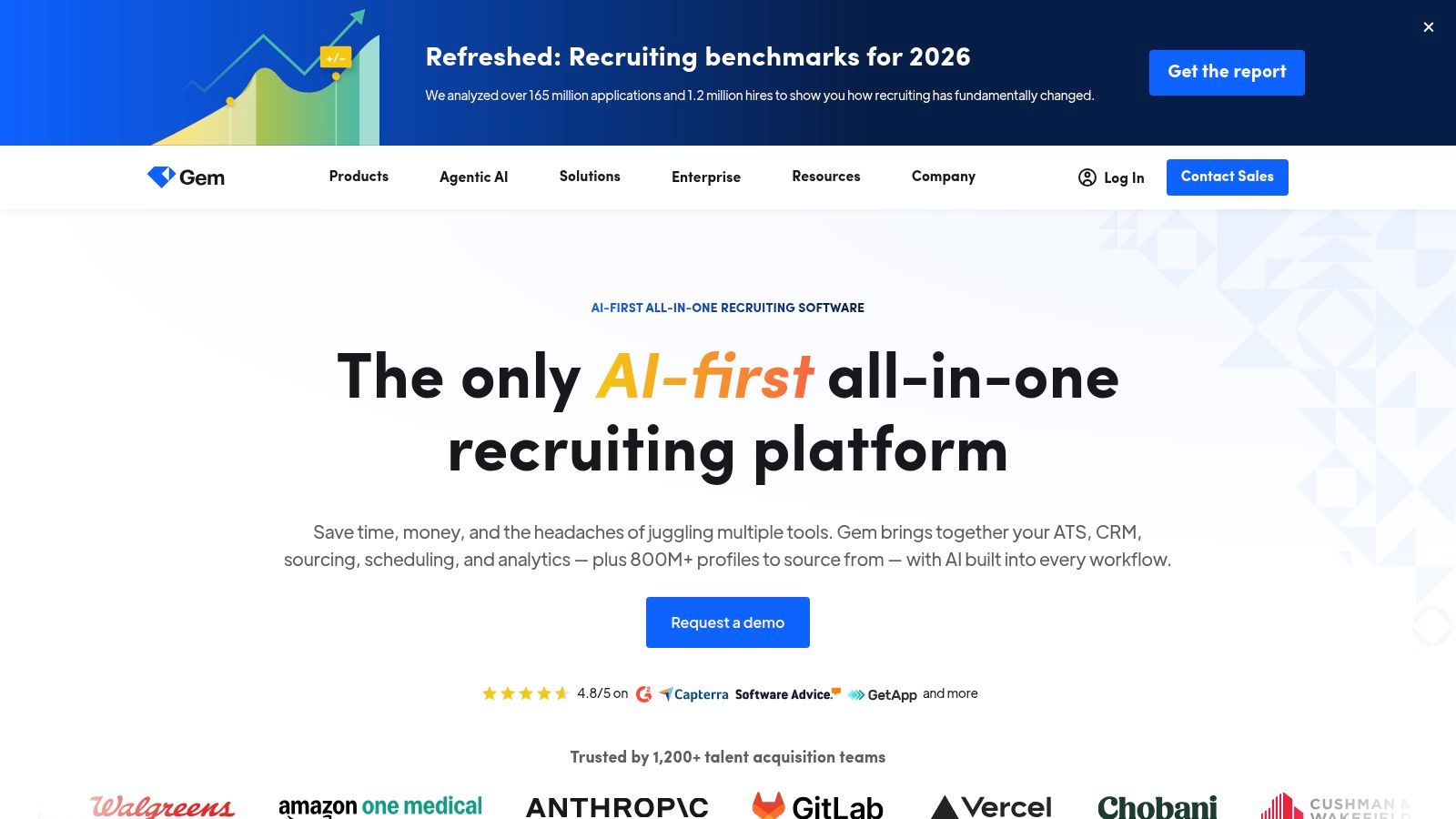
Alt text: A recruiter using Gem’s interface to manage candidate pipelines and outreach sequences.
The platform’s core value lies in empowering recruiters to be proactive rather than reactive. Instead of just managing active applicants, Gem helps teams build relationships with passive talent over time. Its one-click profile capture from LinkedIn and other sites, combined with robust analytics, givessourcing teams the data-driven tools they need to understand what’s working and optimize their strategy. This makes it ideal for companies in competitive markets needing to build a deep bench of qualified candidates for future roles.
How to Get Started with Gem
- Install the Chrome Extension: This is the core of the workflow. Install the extension to enable one-click candidate capture from LinkedIn and other sites.
- Create a Project for a Key Role: Build a pipeline for a role you’re always hiring for, like “Senior Account Executive.”
- Source 20 Profiles: Spend an hour on LinkedIn sourcing 20 promising candidates and add them to your project using the extension.
- Launch an Automated Sequence: Create a 3-step email sequence (initial outreach, follow-up 1, follow-up 2) and launch it to the 20 candidates you sourced. Track open and reply rates in the analytics dashboard.
Key Features & Analysis
| Feature | Analysis & Use Case |
|---|---|
| AI Sourcing & Profile Search | Scans over 800M+ profiles to find qualified candidates based on your criteria. Practical Example: A tech startup finds senior software engineers with specific niche skills by searching across multiple platforms, uncovering talent that isn’t actively applying. |
| AI-Personalized Outreach | Generates personalized email sequences at scale, improving candidate response rates. Practical Example: A recruiter sends hundreds of unique-feeling messages to potential candidates for a hard-to-fill role, saving hours of manual writing. |
| 1-Click Profile Capture | Instantly add candidates from LinkedIn and 20+ other sites directly into your talent pipeline. Practical Example: A sourcer building a pipeline for future marketing roles can quickly add promising profiles they encounter online without leaving the page. |
| Recruiting Analytics | Provides deep insights into pipeline health, outreach effectiveness, and team performance. Practical Example: A hiring manager tracks which outreach templates get the most replies and which sources yield the best candidates, optimizing the team’s efforts. |
Pricing
- Gem primarily uses a quote-based model for its core plans, tailored to team size and feature needs. Some packages have credit or usage limits for sourcing and outreach.
Actionable Takeaways
- Use the Chrome extension to build sourcing into your daily browsing habits.
- Create automated outreach sequences to ensure consistent follow-up with passive candidates.
- Analyze your outreach performance to learn which messages and subject lines work best.
Further Reading & Resources
- Learn more at Gem.com
10. Humanly
Humanly secures its place among the best AI recruitment tools with its agentic AI recruiters designed to engage every single applicant. The platform excels in high-volume U.S. hiring by deploying AI agents that screen, schedule, and conduct initial interviews 24/7 via chat, phone, and video. This “talk to every candidate” philosophy ensures no potential talent is overlooked due to recruiter bandwidth limitations.
Alt text: Humanly’s dashboard showing candidate engagement and screening progress.
The platform combines a conversational AI front-end with a powerful sourcing database and CRM capabilities. This allows teams not only to manage inbound applicants efficiently but also to proactively source and engage passive talent. Humanly’s emphasis on structured, consistent interviews and unified communications ensures every candidate receives a fair and thorough initial evaluation, which is a significant advantage for maintaining quality control at scale.
How to Get Started with Humanly
- Identify a High-Volume Role: Choose a role that receives a large number of applicants, such as “Customer Service Representative.”
- Script the AI Screener: Define the 3-5 critical screening questions for this role. For example: “Are you available to work weekends?”, “Describe your experience handling a difficult customer,” and “What are your salary expectations?”
- Configure the Communication Channel: Decide if you want the AI to screen candidates via web chat, SMS, or an automated phone call.
- Set Up Scheduling Integration: Connect the AI to the hiring manager’s calendar. The AI will automatically book time with candidates who pass the initial screen.
Key Features & Analysis
| Feature | Analysis & Use Case |
|---|---|
| Agentic AI Recruiters | AI agents handle the entire top-of-funnel process: screening, Q&A, scheduling, and conducting first-round interviews. Practical Example: A call center uses an AI agent to pre-screen hundreds of applicants for communication skills via phone, forwarding only the top candidates to human recruiters. |
| Structured Video Interviews | The AI conducts automated, structured video interviews with consistent questions for every candidate. Practical Example: A national retail chain ensures every applicant for a management position is asked the same core competency questions, removing initial bias from the process. |
| 600M+ Profile Sourcing Database | Includes a built-in talent database with a Chrome extension for proactive sourcing. Practical Example: A tech company can source passive software engineer candidates directly from sites like GitHub and engage them immediately with a personalized AI-driven outreach. |
| Unified Communications | Consolidates all candidate interactions across chat, SMS, phone, and video into a single thread. Practical Example: A recruiter can instantly review a candidate’s full conversation history, from initial screening chat to their automated phone interview responses, all in one place. |
Pricing
- Humanly uses a custom, quote-based pricing model. It is designed for mid-market and enterprise teams and is not publicly listed.
Actionable Takeaways
- Deploy an AI agent to screen 100% of applicants for your highest-volume roles.
- Use automated phone or video screens to assess communication skills consistently and at scale.
- Leverage the unified communications history to get a complete picture of every candidate interaction.
Further Reading & Resources
- Learn more at humanly
11. Fetcher
Fetcher carves out a unique space in the AI recruitment tools landscape by combining powerful automated sourcing with a crucial human-in-the-loop component. Instead of just providing a search engine, Fetcher’s platform uses AI to scan a vast candidate database and then has its internal research team vet the results. This hybrid model delivers curated batches of qualified, interested candidates directly to a recruiter’s inbox, making it ideal for lean in-house teams that need predictable sourcing capacity without the manual grind.
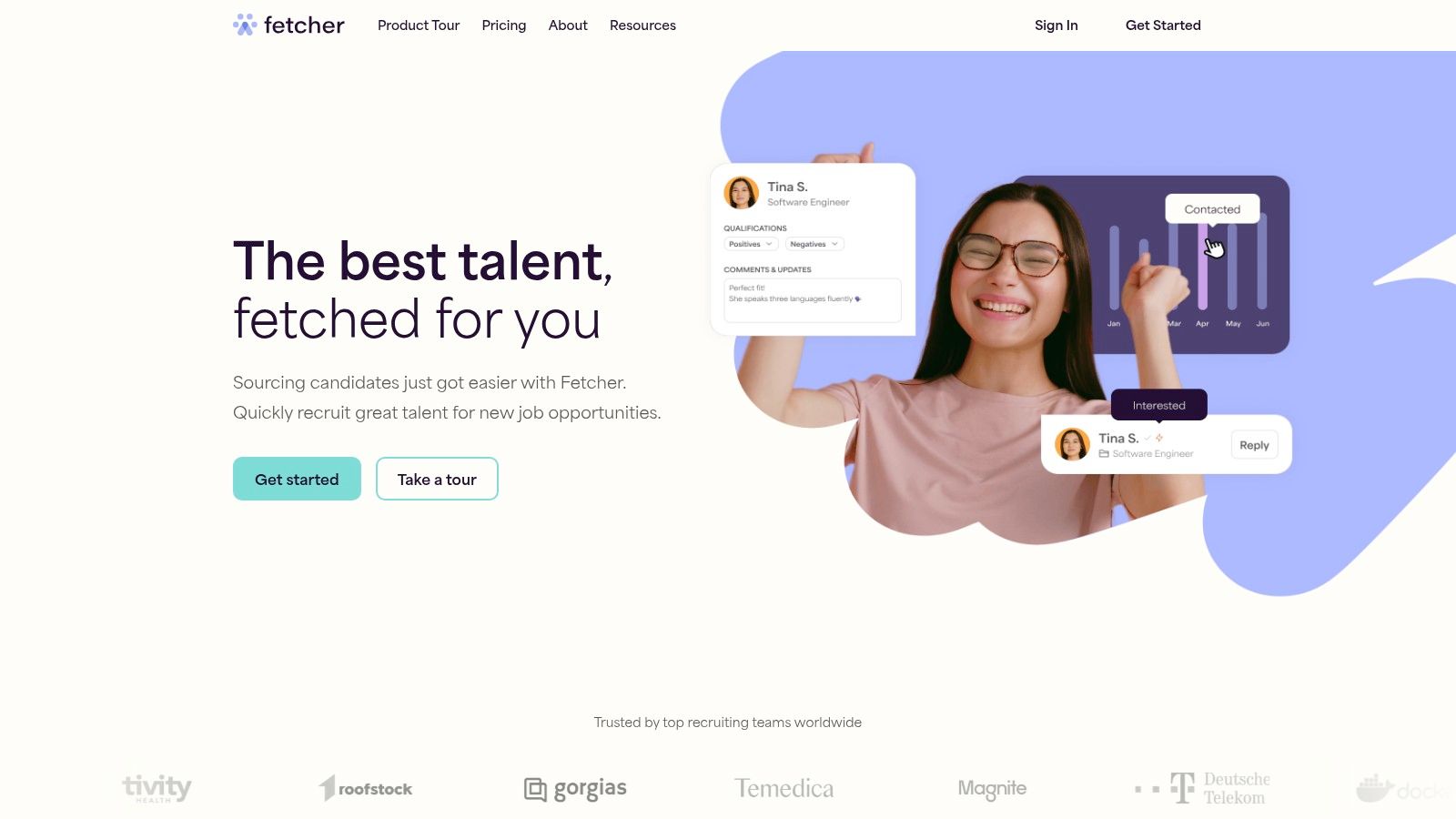
Alt text: The Fetcher dashboard showing candidate profiles and outreach campaign analytics.
The platform is designed to act as an extension of your recruiting team, managing the top-of-funnel activities that consume the most time. It automates personalized email outreach sequences and tracks engagement, freeing recruiters to focus on building relationships with warm candidates rather than cold sourcing. With clear, volume-based packaging, companies can choose a plan that aligns with their hiring goals, ensuring a steady, high-quality talent pipeline.
How to Get Started with Fetcher
- Define a Clear Search Calibration: Submit a detailed job description for your first role. Be very specific about “must-have” vs. “nice-to-have” skills. Provide 2-3 LinkedIn profiles of ideal candidates to help calibrate the search.
- Review the First Batch of Candidates: Once Fetcher delivers the first slate of candidates, provide detailed feedback. Mark each profile as a “good fit” or “not a fit” and explain why. This feedback is crucial for refining the AI’s future searches.
- Launch an Automated Outreach Sequence: Approve the top candidates from the batch and use Fetcher’s platform to launch a pre-built email sequence to engage them.
- Track Engagement Analytics: Monitor the open and reply rates within the Fetcher dashboard to see how the campaign is performing.
Key Features & Analysis
| Feature | Analysis & Use Case |
|---|---|
| AI Sourcing + Human Vetting | The platform combines AI to find candidates from a 500M+ profile database with a human research team that curates every batch. Practical Example: A scaling startup needs a Senior Backend Engineer but lacks a dedicated sourcer. Fetcher delivers a pre-vetted list of qualified candidates, saving dozens of hours. |
| Automated Outreach & Sequencing | Built-in CRM and email sequencing tools allow for personalized, multi-touch campaigns to engage sourced candidates. Practical Example: A corporate recruiter launches a campaign for a hard-to-fill marketing role and lets Fetcher handle the follow-ups, only stepping in when a candidate shows interest. |
| Tiered Annual Sourcing Volumes | Packages are structured around the number of sourced candidates or applicant reviews needed per year. Practical Example: A mid-sized company with predictable hiring targets can purchase a package for 50 roles a year, making budget allocation straightforward. |
| ATS Integration | Higher-tier plans offer integration with popular Applicant Tracking Systems like Greenhouse and Lever. Practical Example: Ensures a seamless workflow by automatically syncing candidate data from Fetcher outreach campaigns directly into the company’s primary ATS. |
Pricing
- Fetcher uses a quote-based model with tiered annual packages. Pricing is based on sourcing volume and feature sets, like ATS integrations and SSO.
Actionable Takeaways
- Provide detailed feedback on the first few candidate batches to quickly calibrate the AI and improve quality.
- Offload top-of-funnel sourcing for your hardest-to-fill roles to free up recruiter time for closing candidates.
- Choose a package based on your predictable annual hiring needs to manage your budget effectively.
Further Reading & Resources
- Learn more at fetcher.ai
12. iCIMS Talent Cloud
iCIMS Talent Cloud is an enterprise-grade recruiting platform that integrates a full suite of talent acquisition tools, from an Applicant Tracking System (ATS) to a Candidate Relationship Management (CRM) system. While traditionally known as a comprehensive ATS, iCIMS has been integrating more AI capabilities to automate and enhance large-scale hiring processes. It stands out for its maturity, extensive marketplace, and strong focus on compliance, making it a trusted choice for large, regulated U.S. organizations needing a stable, scalable, and all-in-one solution.
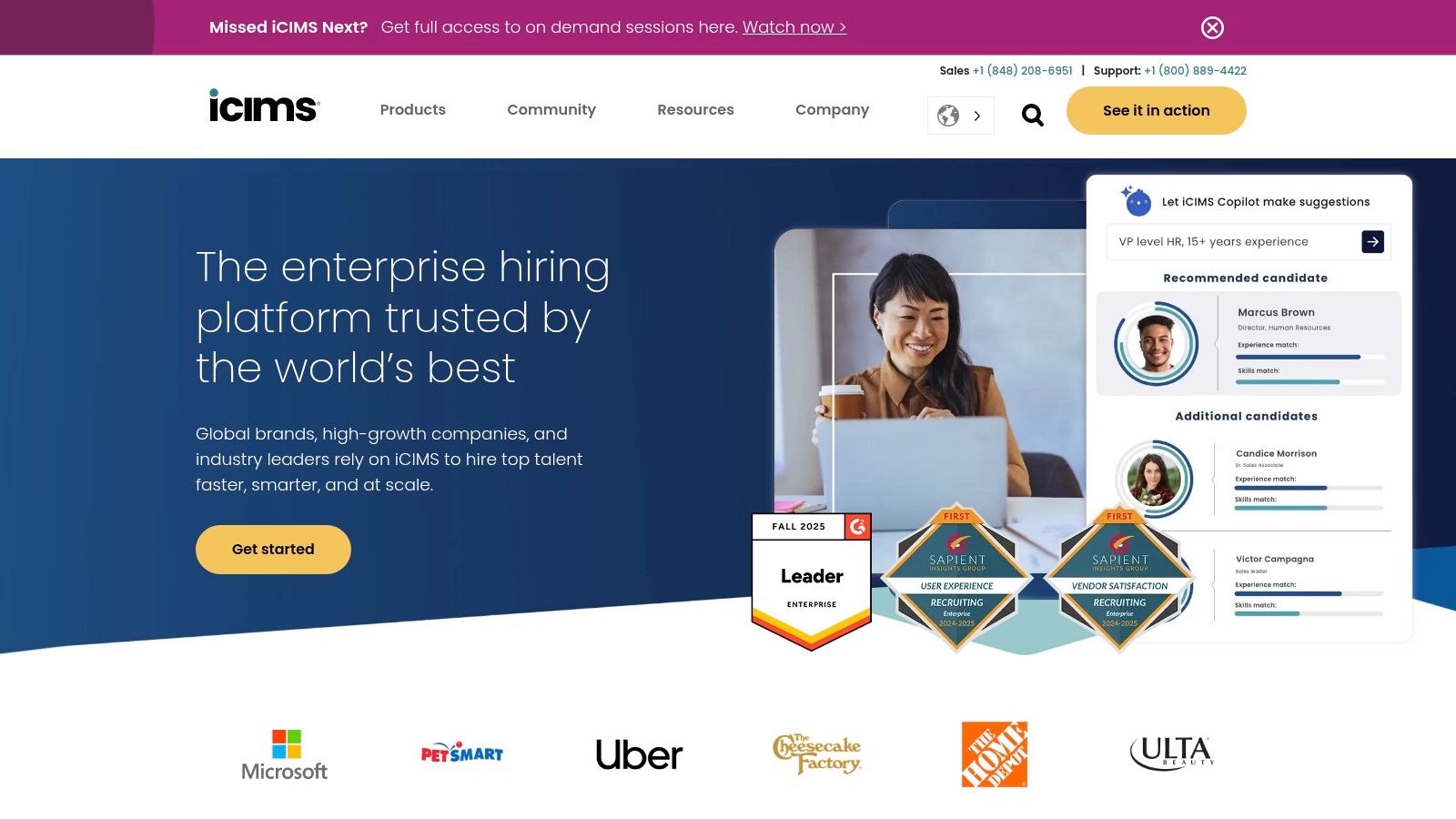
Alt text: The iCIMS Talent Cloud dashboard displaying applicant tracking and recruitment analytics.
The platform’s strength lies in its modularity and configurability, allowing enterprises to build a talent ecosystem tailored to their complex workflows. Its AI features, while expanding, focus on practical applications like automating communication, improving candidate matching within its database, and providing insights through analytics. For organizations that prioritize a single vendor for their entire talent lifecycle and require a system that can handle thousands of requisitions across different departments with strict governance, iCIMS provides a robust foundation.
How to Get Started with iCIMS
- Map Your Core Hiring Workflow: Document your current hiring process, from requisition approval to offer acceptance. This is essential for configuring iCIMS to match your business needs.
- Implement the Core ATS: Start by migrating your active jobs and candidates to the iCIMS Applicant Tracking System. This establishes your single source of truth.
- Integrate One Key Tool: Choose one critical third-party tool from the marketplace, such as a background check provider, and integrate it into your workflow to create an immediate efficiency gain.
- Activate an AI Feature: Begin with a straightforward AI application, like using the Digital Assistant to automate text message updates to candidates when their application status changes.
Key Features & Analysis
| Feature | Analysis & Use Case |
|---|---|
| Enterprise-Scale ATS | A core ATS designed for high-volume, complex hiring with built-in automation and compliance checks. Practical Example: A financial institution manages thousands of applications, ensuring every step adheres to strict industry regulations and internal approval workflows. |
| Modular Talent Cloud Suite | Includes optional CRM, career sites, onboarding, and text engagement modules for a complete lifecycle. Practical Example: A large healthcare system uses the CRM to nurture a pipeline of nursing candidates and the onboarding module to streamline new hire paperwork. |
| Extensive Marketplace | Offers a vast ecosystem of third-party integrations, allowing for deep customization. Practical Example: A global manufacturing company integrates specialized video interviewing and background check tools directly into its iCIMS workflow for a seamless process. |
| Configurable Workflows | Highly customizable workflows and reporting to match specific enterprise processes. Practical Example: A government contractor configures a multi-stage approval process with specific reporting required for federal compliance. |
Pricing
- iCIMS uses a quote-based model. Costs are significant and vary widely based on the modules selected, user count, and company size.
Actionable Takeaways
- Start with a phased implementation, focusing on the core ATS before adding other modules.
- Leverage the marketplace to integrate your existing best-in-class tools into a unified workflow.
- Use the high degree of configurability to build workflows that match your specific compliance and reporting needs.
Further Reading & Resources
- Learn more at iCIMS.com
Top 12 AI Recruitment Tools Comparison
| Tool | Core features | UX/Quality ★ | Value & Pricing 💰 | Target audience 👥 | Notable strengths 🏆/✨ |
|---|---|---|---|---|---|
| Paradox (Olivia) | ✨ Conversational AI: SMS/WhatsApp/web chatbot, 1‑click scheduling, ATS integrations | ★★★★ | 💰 Quote-based enterprise | 👥 Large, hourly & multi-location hiring teams | 🏆 24/7 candidate engagement; ✨ mobile‑first apply + video |
| Eightfold AI | ✨ Deep‑learning candidate/job matching, rediscovery, workforce exchange | ★★★★★ | 💰 Quote-based enterprise | 👥 Large public & private sector employers | 🏆 Scale & talent‑lifecycle breadth; ✨ proven on huge datasets |
| HireVue | ✨ Live & on‑demand video interviews, AI assessments, scheduling | ★★★★★ | 💰 Enterprise/quote (+ add‑ons) | 👥 Regulated enterprises needing standardized interviews | 🏆 Strong compliance (FedRAMP for some offerings); ✨ structured interviewing at scale |
| SeekOut | ✨ Semantic search across 800M+ profiles, ATS rediscovery, outreach | ★★★★ | 💰 Quote-based (3-seat min for Recruit) | 👥 Sourcing teams & enterprise recruiters | 🏆 Deep sourcing depth; ✨ flexible software or per‑slate service (Spot) |
| Workable | ✨ ATS + AI sourcing, JD & Q‑gen, one‑way video, credits‑based sourcing | ★★★★ | 💰 Tiered pricing; credits model | 👥 SMBs & mid‑market U.S. recruiting teams | 🏆 Quick deploy; ✨ practical AI features for price point |
| Greenhouse | ✨ ATS with AI job/q‑gen, summaries, robust integrations | ★★★★ | 💰 Quote-based (enterprise) | 👥 Structured hiring teams & analytics-driven orgs | 🏆 Governance-focused AI; ✨ strong analytics and partner marketplace |
| Lever (LeverTRM) | ✨ CRM‑forward ATS, transcripts, AI screening companion, marketplace | ★★★★ | 💰 Quote-based with marketplace add‑ons | 👥 Teams prioritizing candidate relationships | 🏆 CRM & nurture strengths; ✨ mix of native + partner AI options |
| Ashby | ✨ Unified ATS, scheduling, advanced analytics, AI helpers | ★★★★ | 💰 Transparent entry pricing, scalable plans | 👥 Tech & growth companies (≤100+ employees) | 🏆 Powerful analytics; ✨ clear entry pricing for small teams |
| Gem | ✨ Recruiting CRM, AI sourcing across 800M+, 1‑click capture, sequencing | ★★★★ | 💰 Quote-based; some credit/usage limits | 👥 Active sourcers building top‑of‑funnel pipelines | 🏆 Excellent pipeline building; ✨ seamless LinkedIn capture |
| Humanly | ✨ Agentic AI recruiters: chat/phone/video screening & scheduling | ★★★★ | 💰 Custom/quote-based | 👥 High‑volume U.S. hiring teams | 🏆 Philosophy: “talk to every candidate”; ✨ 24/7 engagement |
| Fetcher | ✨ AI sourcing + human research, tiered annual volumes, CRM & seq. | ★★★★ | 💰 Tiered volume packages (contact for pricing) | 👥 Lean in‑house teams needing predictable sourcing | 🏆 Human‑in‑the‑loop QA; ✨ clear volume‑based packaging |
| iCIMS Talent Cloud | ✨ Enterprise ATS/CRM/career sites, automation, marketplace | ★★★★★ | 💰 Quote-based modular pricing | 👥 Large, regulated organizations | 🏆 Mature, scalable platform with strong governance & ecosystem |
Putting AI to Work in Your Hiring Funnel
Navigating the landscape of the best AI recruitment tools can feel overwhelming, but the journey from manual processes to an AI-enhanced hiring strategy is a powerful investment. As we’ve explored, platforms like Paradox with its conversational AI Olivia, Eightfold AI with its deep talent intelligence, and HireVue with its structured video interviews are not just automating tasks; they are fundamentally reshaping how companies attract, engage, and hire top talent.
The core takeaway is that AI is not a replacement for human recruiters but a powerful force multiplier. The true value of these tools is unlocked when they handle the high-volume, repetitive work, such as initial resume screening with Ashby or automated candidate sourcing with Fetcher. This frees up your team to focus on the high-touch, strategic elements of recruitment: building relationships, assessing cultural fit, and closing top-tier candidates.
From Insights to Implementation: Your Action Plan
Choosing the right tool begins with a clear understanding of your organization’s unique pain points. Are you struggling with a high volume of unqualified applicants? Is candidate engagement dropping off due to slow response times? Identifying your primary bottleneck is the critical first step.
To put these insights into action, follow this simple framework:
- Identify Your Biggest Bottleneck: Is it sourcing passive candidates (consider SeekOut or Gem), managing interview logistics (look at Humanly), or improving the quality of hire (Eightfold AI might be your answer)? Pinpoint the one area where improvement will have the most significant impact.
- Run a Pilot Program: You don’t need to overhaul your entire tech stack at once. Select a tool that addresses your key bottleneck and run a limited pilot with a small, dedicated team. For example, implement Workable’s AI-powered sourcing for a single hard-to-fill role to measure its impact on candidate quality and time-to-fill.
- Define Success Metrics: Before you begin, establish clear KPIs. These could include a reduction in time-to-hire, an increase in offer acceptance rate, improved candidate satisfaction scores (NPS), or a higher percentage of qualified candidates passing the initial screening.
- Prioritize Integration and Training: The most powerful AI tool will fail if it doesn’t integrate smoothly with your existing ATS like Greenhouse or iCIMS and if your team isn’t trained to use it effectively. Ensure the vendor provides robust support and that your recruiters understand how the tool complements their workflow, rather than complicates it.
Strategic Considerations for Long-Term Success
As you integrate AI into your hiring funnel, remember that technology is only one part of the equation. A successful implementation requires a holistic approach that considers both the tech and the human touch. While AI can automate outreach, the personal connection still matters.
Ultimately, the goal is to create a seamless, efficient, and human-centric hiring process. The best AI recruitment tools are those that empower your team to work smarter, not just harder. By starting small, focusing on a specific problem, and measuring your results, you can build a more intelligent and effective hiring engine that attracts the best talent and drives your business forward. The future of recruiting is here; it’s time to put it to work.
Ready to explore more AI solutions that can revolutionize your workflow? Visit the AI Tools Hub, our comprehensive and searchable directory of the latest and most powerful AI applications. Whether you’re in HR, marketing, or development, you’ll find vetted tools to enhance your productivity and innovation at the AI Tools Hub.