

The AI landscape is exploding, and marketers face a paradox of choice. With thousands of tools promising to revolutionize everything from content creation to ad analytics, separating the game-changers from the gimmicks is a significant challenge.
This guide cuts through the noise. We are not just listing tools; we’re providing a curated directory of the best platforms and marketplaces where you can find, vet, and integrate them into your workflow for measurable results.
Our goal is to help you discover the best AI tools for marketers by focusing on reliable discovery hubs, app marketplaces, and specialized platforms. We dive into where top professionals find and validate their tech stack, moving beyond simple feature lists.
In this comprehensive listicle, you will find:
- A detailed breakdown of each platform, complete with screenshots and direct links.
- Actionable insights on how to use each resource to find tools for specific marketing functions like SEO, social media, and analytics.
- Practical use cases, honest assessments of pros and cons, and tips for integration.
This resource is designed to be your definitive guide for navigating the crowded market. Let’s stop the endless scrolling and start implementing the right AI tools to amplify your marketing strategy today.
1. AI Tools Hub
AI Tools Hub by RichlyAI Inc., isn’t a single marketing tool, but a critical first step in building your AI marketing stack. It’s an expansive discovery platform and directory, indexing over 11,000 AI tools across more than 2,000 categories. For marketers, this resource is an indispensable starting point for finding, comparing, and vetting the perfect AI solutions for any campaign, from content creation to analytics.
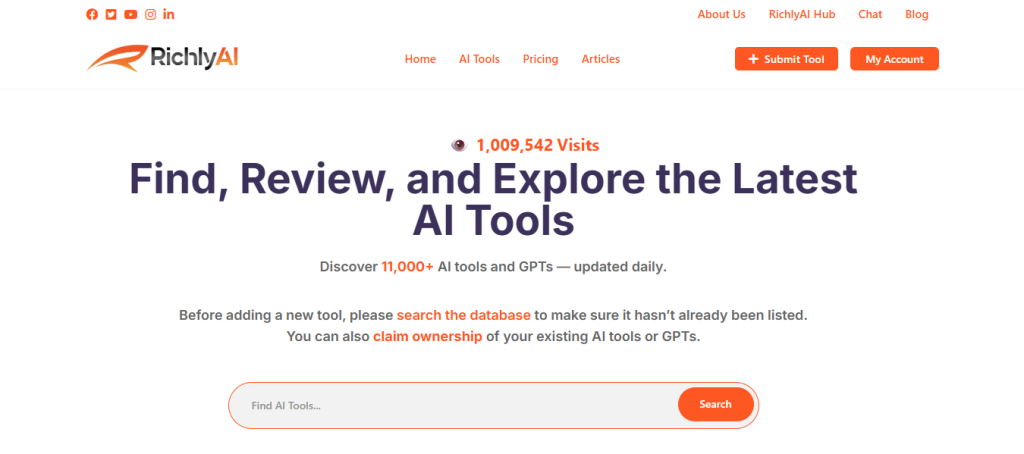
Alt text: A screenshot of the AI Tools Hub website, showing a clean interface with a search bar and categorized listings of various AI tools, highlighting its function as a comprehensive directory.
What makes AI Tools Hub a standout choice is its sheer scale and commitment to fresh data; the directory is updated daily, ensuring you’re seeing the latest innovations. This addresses a major pain point for marketers: keeping up with the rapid explosion of new AI applications. Instead of sifting through countless blogs and social media posts, you get a centralized, searchable database.
How to Find a Niche AI Video Generator (Step-by-Step)
Imagine you need an AI tool to create short, animated product explainers for a new social media campaign. Here’s how you’d use AI Tools Hub to find the right tool in minutes:
- Navigate to the AI Tools Hub website.
- Search using a specific term like “animated video generator” or “product explainer video.”
- Browse categories like “Text-to-Video” or explore the curated list of top AI marketing tools on AI Tools Hub.
- Filter the results based on critical features, such as “API access” for automation or “custom branding” to match your style guide.
- Evaluate the top 3-5 tools by comparing their screenshots, feature lists, and pricing models directly on the platform before clicking through to trial your top choice.
This streamlined process turns what could be hours of scattered research into a focused, 15-minute task.
Actionable Takeaways
- Use AI Tools Hub as your first stop to build a longlist of potential tools for any marketing task.
- Filter by specific categories like SEO or Social Media to quickly narrow down thousands of options.
- If you’re launching your own AI tool, use the low-cost Premium listing for valuable dofollow backlinks.
Tools & Resources
- Website: https://richlyai.com/ai-tools
- Further Reading: What is Content Automation?
2. G2
G2 isn’t an AI tool itself, but a B2B software marketplace that has become an indispensable resource for discovering and validating the best AI tools for marketers. Its power lies in crowdsourced, verified user reviews, providing a crucial layer of social proof before you commit to a new platform. For marketers navigating the crowded AI landscape, G2 acts as a filter, helping you move from a long list of potential tools to a vetted shortlist.
Alt text: G2’s homepage showcasing its role as a B2B software marketplace with user reviews and comparison grids.
Instead of relying on a vendor’s marketing copy, you can access detailed feedback from peers who have already implemented the software. G2’s evolving taxonomy means it’s constantly adding new, specific AI categories like “AI Writing Assistants” or “AI Sales Assistants,” making it easier to find relevant solutions. The side-by-side comparison grids are particularly useful for evaluating features, pricing, and user satisfaction scores across similar tools.
Practical Example: Vetting an AI SEO Tool
You’re looking for an AI-powered SEO tool to help your small business rank higher.
- Go to the G2 website and search for the “SEO Tools” category.
- On the category page, use the filters on the left-hand side. Under “Company Size,” select “Small-Business.”
- Scroll down to “Ratings” and select “4.5 stars & up.”
- The grid now shows only top-rated SEO tools that are proven to work for businesses like yours. Read the reviews from users with job titles like “Marketing Manager” or “Founder” for the most relevant insights.
Actionable Takeaways
- Always check a tool’s G2 score and reviews before starting a trial to validate vendor claims.
- Use the comparison feature to generate a side-by-side feature grid for your top 2-3 candidates.
- Filter reviews by company size and user role to find feedback from peers with similar challenges.
Tools & Resources
- Website: https://www.g2.com/categories
3. Capterra
Similar to G2, Capterra is another powerhouse B2B software directory, but it places a stronger emphasis on user-friendly guides and direct comparisons. Owned by Gartner, it serves as a crucial research hub for marketers trying to make sense of the rapidly expanding AI tool market. It’s particularly valuable for getting quick, digestible overviews and discovering alternatives to well-known platforms. For marketers just beginning their search, Capterra’s editorial content and buyer’s guides can demystify complex categories.
Alt text: Capterra’s homepage featuring its search bar and categories for business software discovery.
Capterra excels at providing clear pricing snapshots and feature checklists, making it easy to compare the best AI tools for marketers on tangible criteria. Its “Alternatives” feature is especially powerful, allowing you to input a tool you already know and instantly see a list of competitors with similar functionality. While sponsored listings can sometimes influence rankings, the sheer volume of verified reviews and data points provides a solid foundation for any software purchasing decision.
Practical Example: Finding an Alternative to a Tool
Let’s say you’re using an AI social media scheduler but find it too expensive.
- Go to Capterra and search for the tool you’re currently using.
- On the tool’s product page, click the “Alternatives” tab.
- Capterra will display a list of similar tools, often with a comparison chart highlighting differences in pricing, features, and user ratings. This instantly provides a data-backed list of more budget-friendly options to explore.
Actionable Takeaways
- Use the “Alternatives” feature to quickly find competitors for any tool you’re considering.
- Leverage the “Comparison” tab on product profiles to create a side-by-side table of up to four tools.
- Consult Capterra’s “Top 20” reports for curated lists of the best-performing tools in a specific category.
Tools & Resources
- Website: https://www.capterra.com
4. GetApp
Like G2, GetApp is a software discovery platform, but it carves out a niche by focusing specifically on the needs of small and medium-sized businesses (SMBs). Part of the Gartner Digital Markets network, it helps marketers evaluate the best AI tools for marketers with a lens on budget-friendliness and ease of implementation. Its strength lies in its intuitive side-by-side comparison grids and detailed feature matrices that simplify complex decisions.
Alt text: GetApp’s homepage showing its focus on software discovery and comparison tools for businesses.
For marketers in smaller teams, GetApp provides a practical way to vet AI tools across categories like email marketing, social media, and analytics without getting overwhelmed. The platform often highlights tools with free trials or freemium plans, which is a major advantage for teams needing to test a solution before committing. By leveraging user ratings and its sister site Capterra, you can triangulate reviews to get a well-rounded view of a tool’s performance in a real-world SMB environment.
Practical Example: Checking for Key Integrations
Your marketing stack relies heavily on Mailchimp and WordPress. You need an AI content generator that integrates with both.
- On GetApp, find a few promising AI content tools.
- Use the “Compare” feature to select them.
- In the comparison chart, scroll directly to the “Integrations” section. This will instantly show you which of your shortlisted tools connect with Mailchimp and WordPress, saving you the time of visiting each website individually to find this critical information.
Actionable Takeaways
- Use GetApp specifically to find AI tools well-suited for smaller teams and SMB budgets.
- Prioritize tools highlighted as having free trials or freemium plans to test before you buy.
- Use the “Compare” feature and focus on the “Integrations” section to ensure a new tool fits your existing stack.
Tools & Resources
- Website: https://www.getapp.com
5. Product Hunt
While not a direct AI tool, Product Hunt is an essential discovery platform for marketers wanting to stay on the absolute cutting edge. It’s where new tech products, including a massive wave of AI-powered marketing tools, launch to the public. For marketers seeking the best AI tools for marketers, it offers a first look at emerging solutions for content, social media, design, and analytics, often before they appear on larger review sites.
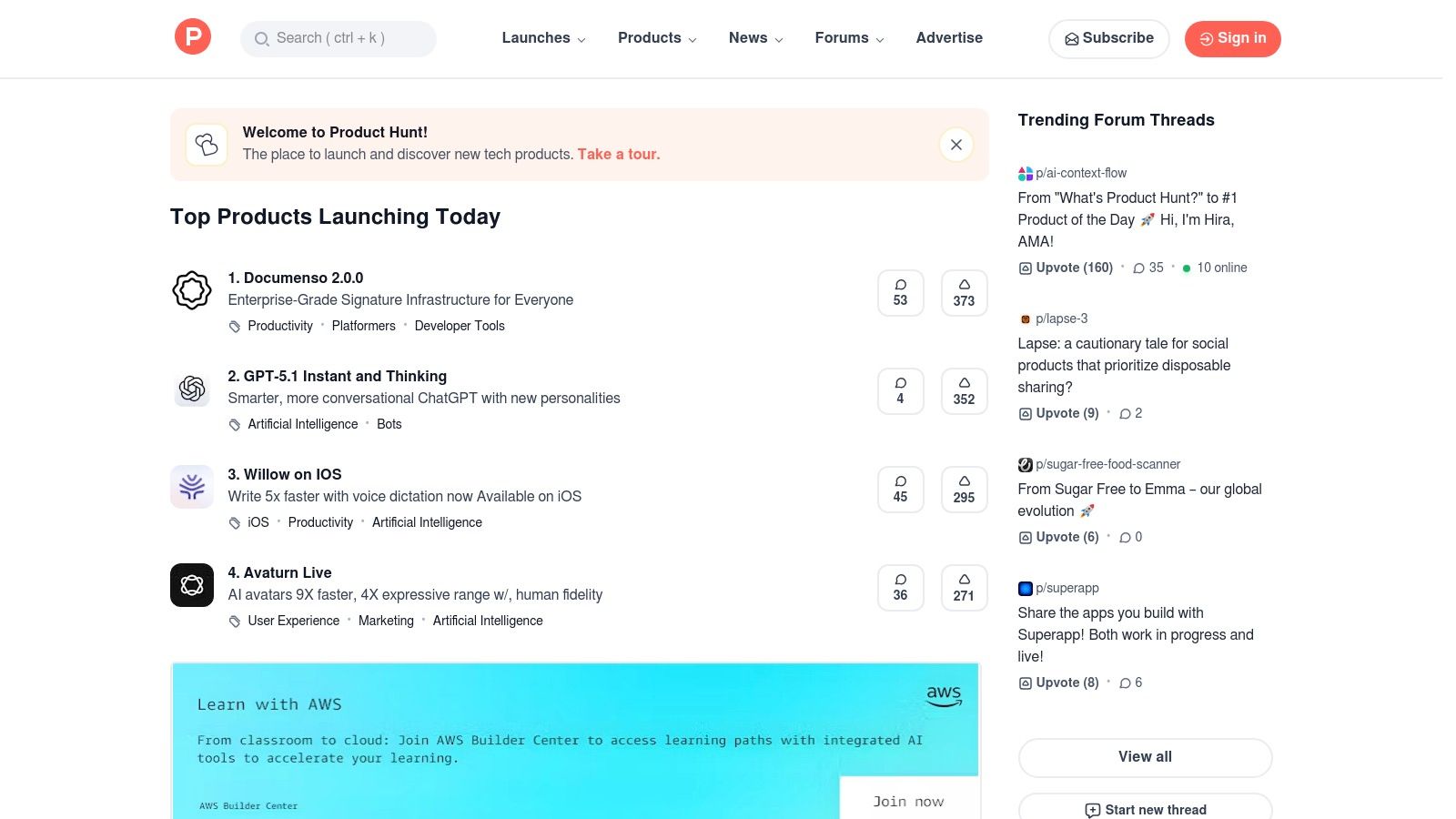
Alt text: Product Hunt’s homepage showing a feed of newly launched tech products with community upvotes and comments.
Its strength lies in the community-driven feedback loop. Launch pages feature demos, maker comments, and direct Q&A, allowing you to understand a tool’s intended use case straight from the source. Unlike established marketplaces, Product Hunt is a real-time feed of innovation, perfect for spotting niche AI agents or creative assistants that solve very specific marketing problems. As one of the top product launch platforms for SaaS, it provides an unfiltered view into what’s next in marketing tech.
Practical Example: Getting Direct Answers from Founders
You find a new AI tool for creating ad creatives that looks promising but are unsure if it supports your specific ad platform (e.g., Taboola).
- Navigate to the tool’s launch page on Product Hunt.
- Scroll down to the comments section where the “Maker” (founder/developer) is usually active.
- Post a direct question: “@[Maker’s Handle] This looks great! Does your tool have templates or integrations specifically for Taboola native ads?” You will often get a transparent answer within hours, straight from the source.
Actionable Takeaways
- Check Product Hunt weekly to spot emerging AI marketing tools before your competitors do.
- Use the search function with keywords like “AI copywriter” and filter by “Most Voted” in the past month.
- Engage directly with founders in the comments section to get quick, honest answers about features and roadmaps.
Tools & Resources
- Website: https://www.producthunt.com
- Further Reading: Top Product Launch Platforms for SaaS
6. AppSumo
AppSumo isn’t a single AI tool but a crucial marketplace for discovering emerging best AI tools for marketers at a fraction of their standard cost. It specializes in lifetime deals (LTDs) and heavily discounted annual subscriptions, making it an ideal platform for budget-conscious teams and solo entrepreneurs looking to experiment with new technology without committing to high monthly fees. For marketers, it’s a treasure trove of AI-powered solutions for content creation, SEO, social media management, and video generation.
Alt text: AppSumo’s homepage showcasing lifetime deals on software for marketers.
The platform provides a low-risk entry point to test multiple AI products. Instead of paying recurring fees for several tools, you can purchase lifetime access to a promising new AI writer or a social media scheduler. While the long-term viability of some startups on the platform can be a concern, AppSumo’s user reviews and a generous refund window (typically 60 days) help mitigate the risk, allowing you to thoroughly test a tool’s capabilities and fit for your workflow.
Practical Example: Testing an AI Tool Risk-Free
You’re intrigued by a new AI tool for generating YouTube scripts on AppSumo.
- Purchase the lifetime deal.
- For the next 30-45 days, use it exclusively for all your YouTube scripting needs. Generate at least 5-10 full scripts.
- Evaluate its performance: Is it saving time? Is the quality high? Is the developer responsive in the Q&A section?
- If it meets your needs, you’ve secured a tool for life at a low cost. If not, request a full refund within the 60-day window. This process acts as an extended, real-world trial.
Actionable Takeaways
- Use AppSumo to build your AI tool stack on a budget, especially if you are a freelancer or small business.
- Always read the Q&A section on a deal page to gauge the founder’s responsiveness and the tool’s development roadmap.
- Treat the 60-day refund period as a formal pilot program to rigorously test the tool before you’re fully committed.
Tools & Resources
- Website: https://appsumo.com
7. Shopify App Store
For ecommerce marketers, the Shopify App Store is an essential, focused marketplace for discovering AI tools designed specifically for online retail. It functions as a specialized discovery engine, offering a curated selection of apps that integrate directly into the Shopify ecosystem. This tight integration allows tools to leverage store data for hyper-relevant marketing, from automating ad spend with AI ad managers to generating product descriptions and social media content that resonates with specific customer segments.
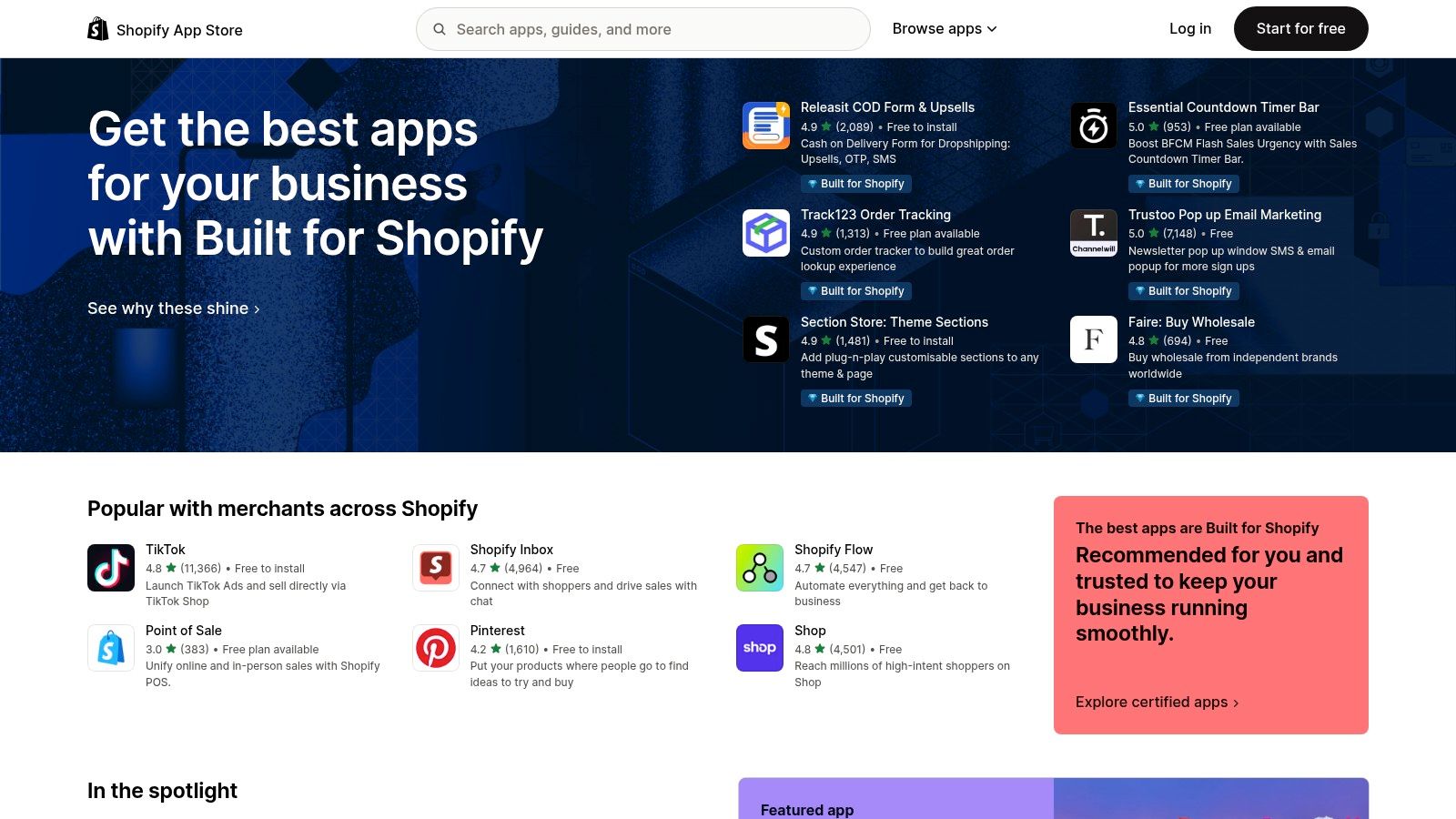
Alt text: The Shopify App Store homepage, featuring categories of apps for ecommerce merchants to discover and install.
Unlike broad B2B marketplaces, every app here is built with the Shopify merchant in mind. The platform provides detailed pages with feature lists, transparent pricing tiers, and, most importantly, verified reviews from other store owners. This creates a trusted environment where you can assess an app’s true impact on sales, conversions, or workflow efficiency before installing it. For those looking for the best AI tools for marketers in an ecommerce context, this is the most direct and reliable starting point.
Practical Example: Finding a Proven AI Upsell App
You want to increase your average order value (AOV) using an AI-powered upsell app.
- Search “AI upsell” in the Shopify App Store.
- On the results page, use the filter to show apps with “100+ reviews” and a rating of “4.5 stars and up.”
- Open the top 2-3 apps and sort their reviews by “Most recent.”
- Look for reviews that mention specific results, like “increased our AOV by 15%.” This helps you choose an app based on proven financial impact, not just features.
Actionable Takeaways
- When searching for apps, filter for those “Built for Shopify” to ensure the highest quality and performance.
- Sort reviews by “Most Recent” to check an app’s current performance and the developer’s responsiveness.
- Prioritize apps with reviews that mention specific, quantifiable business results (e.g., increased AOV, higher conversion rate).
Tools & Resources
- Website: https://apps.shopify.com
8. HubSpot App Marketplace & HubSpot AI
For marketers already invested in the HubSpot ecosystem, the platform’s native AI features and extensive App Marketplace are a game-changer. Instead of bolting on disconnected tools, HubSpot integrates AI directly into your CRM, marketing, and sales workflows. This creates a unified system where you can use AI to generate blog posts in Content Hub, repurpose content with AI Remix, or deploy “Breeze” AI agents, all while keeping your customer data seamlessly connected.
Alt text: The HubSpot App Marketplace showing various AI-powered integrations available to extend the platform’s capabilities.
The true power here is the combination of native tools and third-party apps. You can leverage HubSpot’s built-in AI for core content and automation tasks, then browse the marketplace for specialized solutions like AI-powered lead scoring, data enrichment, or advanced analytics. This makes it one of the best AI tools for marketers who prioritize integration and want a single source of truth, as it centralizes AI capabilities within the CRM you use daily. The enterprise-ready governance and transparent app listings also provide a level of security and control that standalone tools often lack.
Practical Example: Repurposing Content with AI Remix
You just published a successful, data-heavy blog post and want to maximize its reach.
- In your HubSpot portal, navigate to the published blog post.
- Find the “Remix” feature, powered by HubSpot AI.
- Select your target format, for example, “Email Newsletter” or “Social Media Posts.”
- The AI will automatically generate a concise email summary and a series of social media captions tailored to different platforms, all based on the original post’s content. This turns one asset into an entire multi-channel campaign in under five minutes.
Actionable Takeaways
- Prioritize HubSpot’s native AI tools first, as they are seamlessly integrated with your CRM data.
- Use the “Content Remix” feature to instantly multiply the value of your best-performing content.
- Explore the App Marketplace to find certified AI apps that fill specific gaps in your marketing stack, such as advanced lead scoring.
Tools & Resources
9. Semrush
Semrush has evolved from a powerful SEO toolkit into an all-in-one performance marketing platform, integrating AI across its core functions. It’s one of the best AI tools for marketers who need to connect search data with content strategy, social media, and competitor analysis. The platform uses AI to enhance everything from keyword research and on-page SEO suggestions to generating content briefs and analyzing competitor ad copy, providing a data-driven foundation for marketing campaigns.
Alt text: Semrush dashboard showing various toolkits for SEO, content, social media, and competitor intelligence.
Its strength lies in its comprehensive coverage; you can manage SEO, content marketing, social media listening, and PR outreach from a single interface. Semrush’s App Center further extends its capabilities by offering curated third-party AI applications, often with free trials, allowing marketers to experiment with specialized tools without leaving the ecosystem. This makes it ideal for teams who need a central hub for performance data and AI-powered insights.
Practical Example: Creating an AI-Powered Content Brief
You need to write a blog post targeting the keyword “best ai tools for marketers.”
- In Semrush, open the “SEO Content Template” tool.
- Enter your target keyword (“best ai tools for marketers”).
- The tool analyzes the top 10 Google results and uses AI to generate a detailed brief. It recommends a target word count, readability score, semantically related keywords to include (e.g., “AI marketing automation,” “content creation tools”), and potential backlink sources. This gives your writer a data-driven blueprint for creating content that is optimized to rank.
Actionable Takeaways
- Use the SEO Content Template to create data-driven briefs for all your important articles.
- Leverage the AI-powered on-page SEO checker to audit existing content and find optimization opportunities.
- Explore the Semrush App Center to find specialized AI tools that integrate with your existing Semrush workflows.
Tools & Resources
- Website: https://www.semrush.com
- Further Reading: AI tools for content creation
10. Google Workspace Marketplace
For marketers deeply embedded in Google’s ecosystem, the Google Workspace Marketplace is less a new destination and more an enhancement layer for existing workflows. Instead of toggling between different apps, this platform allows you to bring AI functionality directly into Docs, Sheets, and Gmail. It serves as a vetted app store for add-ons that can generate ad copy, draft content outlines, or analyze data without ever leaving your document. This makes it one of the best AI tools for marketers who prioritize efficiency and minimal context switching.
Alt text: The Google Workspace Marketplace homepage displaying various app categories and featured add-ons for productivity.
The key advantage is integrating powerful AI, like GPT-4 or Gemini, into the tools your team already uses daily. You can find specialized add-ons for everything from creating bulk social media posts from a spreadsheet to summarizing long email threads. While the quality and pricing models vary by publisher, the ability to install and trial a new AI feature in under a minute significantly lowers the barrier to experimentation.
Practical Example: Generating Ad Copy in Bulk with Google Sheets
You need to create 20 different ad headlines for a new Google Ads campaign.
- Open a new Google Sheet.
- Install an AI writer add-on from the Workspace Marketplace (e.g., “GPT for Sheets and Docs”).
- In Column A, list your product features or benefits.
- In Column B, use the add-on’s function (e.g.,
=GPT("Write a catchy headline for a product with this benefit:", A1)). - Drag the formula down to automatically generate a unique headline for every benefit in Column A, creating a full set of ad copy variations in seconds.
Actionable Takeaways
- Search the marketplace for add-ons that solve one specific, repetitive task in your workflow (e.g., “email summarizer”).
- Before installing, check an add-on’s “Reviews” and “Last Updated” date to ensure it’s well-maintained.
- Use AI add-ons in Google Sheets to perform bulk content generation tasks, such as creating meta descriptions or social media posts.
Tools & Resources
11. Zapier AI
Zapier AI extends the classic automation platform into a powerful orchestrator for your entire AI marketing stack. Instead of being a single-purpose tool, it acts as the connective tissue that allows your existing apps to communicate with various AI models. For marketers, this means you can build intelligent, multi-step automations like lead qualification bots, content enrichment pipelines, and sophisticated data-routing workflows without writing a single line of code.
Alt text: Zapier AI’s interface showing how to build automated workflows that incorporate AI steps, connecting various marketing applications.
The true value of Zapier AI is its ability to operationalize AI within the tools you already use daily. With over 8,500 app integrations, you can trigger an AI action (like summarizing a long email) from virtually any platform and send the output to another (like a Slack channel or CRM record). The platform bundles its own “AI by Zapier” steps, no-code AI agents, and chatbots that can be trained on your data, making it one of the best AI tools for marketers looking to automate complex operational tasks.
Step-by-Step: Creating an AI-Powered Lead Enrichment Workflow
Automate the research process for new leads from your CRM.
- Set the Trigger: Create a new “Zap” that starts whenever a “New Lead” is created in your CRM (e.g., HubSpot or Salesforce).
- Add an AI Step: Add an “AI by Zapier” action. In the prompt, ask it to: “Find the company website for [Lead’s Company Name]. Visit the website and write a one-sentence summary of what the company does.”
- Add Another AI Step: Add a second AI action. Prompt it to: “Based on this company summary: [Output from Step 2], draft a personalized opening line for a sales email.”
- Set the Final Action: Have Zapier update the lead’s record in your CRM with the company summary and the personalized email line, ready for your sales team to use.
Actionable Takeaways
- Start by automating one small, repetitive research task, like enriching a new lead or summarizing an inbound email.
- Use “AI by Zapier” steps to analyze, summarize, or reformat text between different applications in your marketing stack.
- Explore Zapier’s pre-built AI templates to quickly deploy common automations without starting from scratch.
Tools & Resources
- Website: https://zapier.com/apps/ai-tools
12. Adobe Firefly & Adobe Express
Adobe Firefly, integrated within the Adobe Express ecosystem, provides marketers with a powerful and commercially safe suite for AI-powered visual creation. It’s designed for producing on-brand creative assets at scale, from ad visuals to social media content. The key differentiator is its training on Adobe Stock’s licensed library, which minimizes the risk of copyright issues and ensures the generated content is safe for commercial use, a critical concern for brands.
Alt text: Adobe Firefly’s interface showcasing text-to-image generation capabilities for marketers.
This combination allows marketing teams to go from concept to campaign-ready asset within a single, streamlined workflow. You can generate an image with Firefly, then immediately bring it into Adobe Express to add text, apply brand templates, and resize it for various platforms. Features like Generative Fill and batch operations for background removal make it one of the best AI tools for marketers looking to accelerate creative production without leaving their existing Adobe environment. It stands out among other free AI image generators by offering this seamless integration.
Practical Example: Creating A/B Test Variations for an Ad
You’ve generated an image for a new ad campaign: a person working on a laptop in a modern cafe. You want to test variations.
- Generate the initial image in Firefly using a prompt like “Young professional working on a laptop in a bright, modern cafe, photorealistic.”
- Open the image in Adobe Express.
- Select the “Generative Fill” tool and brush over the coffee cup on the table. In the prompt box, type “a glass of orange juice” and generate. You now have a second version.
- Use Generative Fill again on the person’s shirt and prompt “blue polo shirt.” You now have a third version, all created from the same base image in minutes.
Actionable Takeaways
- Use Firefly for all commercial and client-facing creative work to mitigate copyright risks.
- Leverage the seamless workflow between Firefly and Adobe Express to move from image generation to final ad creative in one place.
- Use “Generative Fill” to rapidly create multiple A/B test variations of a single ad visual instead of starting from scratch.
Tools & Resources
- Website: https://firefly.adobe.com
- Further Reading: Free AI image generators
Top 12 AI Marketing Tools Comparison
| Platform | Core features | UX & Trust | Price / Value | 👥 Target audience | ✨ Unique selling points |
|---|---|---|---|---|---|
| AI Tools Hub 🏆 | Index 11,000+ tools; daily updates; vendor listings & claim flow | ★★★★☆; basic analytics & verified badges | 💰 Free forever + one‑time Premium $40 | Developers, PMs, founders, creators, educators | ✨ Massive index; clean URLs, QR codes, dofollow backlinks |
| G2 | Crowdsourced verified reviews; comparison grids; category rankings | ★★★★★; strong social proof | 💰 Free to browse; vendor sponsorships available | Enterprise buyers, marketers, product teams | ✨ Large review volume; “Best Of” reports |
| Capterra | Pricing snapshots; filters; editorial buyer’s guides | ★★★★☆; practical buyer content | 💰 Free listings + sponsored placements | Buyers evaluating budgets and deployments | ✨ Editorial guides & alternatives/shortlist tools |
| GetApp | SMB-focused directory; feature matrices; side‑by‑side comparisons | ★★★★☆; usability-focused reviews | 💰 Free to browse; sponsored ordering | SMBs, small marketing teams | ✨ SMB usability insights; Capterra sibling network |
| Product Hunt | Daily launches, comments, maker replies; curated lists | ★★★★☆ (signal varies); community feedback | 💰 Free discovery; paid promos possible | Makers, early adopters, product scouts | ✨ Early access to emerging AI tools & community Q&A |
| AppSumo | Deals marketplace; lifetime offers; refund windows | ★★★★☆; bargain-focused trust signals | 💰 Deep discounts / lifetime deals | Budget-conscious teams, indie founders | ✨ Significant upfront savings; trial/refund protections |
| Shopify App Store | App pages with reviews, pricing, one‑click installs | ★★★★☆; rich merchant reviews | 💰 Tiered app pricing; revenue share models | Ecommerce merchants & agencies | ✨ Tight Shopify integration & one-click installs |
| HubSpot App Marketplace & HubSpot AI | Installable AI apps + native AI features | ★★★★☆; enterprise governance | 💰 Add-on pricing; best with HubSpot subscription | HubSpot customers, enterprise marketers | ✨ CRM + native AI ecosystem; enterprise controls |
| Semrush | SEO/content AI toolkits; App Center; analytics reports | ★★★★☆; data-driven tools | 💰 Subscription tiers; costly for solos | Performance marketers, SEO teams | ✨ Integrated search/content intelligence + AI features |
| Google Workspace Marketplace | Add-ons for Docs/Sheets/Slides; admin controls | ★★★★☆; wide install counts & history | 💰 Many freemium options; paid plugins exist | Teams using Google Workspace | ✨ Use AI inside familiar apps; org-wide admin control |
| Zapier AI | 8,500+ app integrations; AI steps & no-code agents | ★★★★☆; reliable automation UX | 💰 Usage-based; automation scales cost | Ops, growth teams, marketers | ✨ Orchestrates existing stacks; no-code AI agents |
| Adobe Firefly & Express | Text-to-image/video; brand-safe generative tools | ★★★★☆; marketer/designer friendly | 💰 Credit-based + Creative Cloud tiers | Designers, creative teams, marketers | ✨ Brand-safe guardrails; Creative Cloud sync and batch ops |
How to Choose the Right AI Tools for Your Marketing Strategy
Navigating the expansive universe of AI marketing tools can feel overwhelming. We’ve explored comprehensive discovery platforms like G2 and Product Hunt, specialized marketplaces such as the HubSpot App Marketplace, and powerful integrated tools like Semrush and Adobe Firefly. The key takeaway is that the “best” AI tool isn’t a universal title; it’s a designation specific to your team’s unique challenges, workflow, and strategic objectives.
The platforms listed in this guide are your starting points, your maps to the treasure. They provide social proof, expert reviews, and feature comparisons. However, the final, crucial step is a deliberate evaluation process tailored to your business. Chasing every new, shiny AI object leads to a fragmented tech stack and wasted resources. Strategic adoption, on the other hand, creates a cohesive, force-multiplying system that drives real growth.
A 5-Step Framework for Tool Selection
Before you commit to a new subscription, pause and assess. Finding the best AI tools for marketers in your niche requires looking beyond flashy features and focusing on practical integration and measurable impact. A tool that revolutionizes one team’s workflow could be a cumbersome addition to another’s.
Follow these steps to make an informed decision:
- Define the Problem: Be specific. Instead of “improve content,” aim for “reduce the time spent creating initial blog post drafts by 50% without sacrificing quality.” A clear problem statement is your North Star.
- Check for Integration: How seamlessly does this tool fit into your existing processes (e.g., your CRM, analytics platform, or project management system)? Look for native integrations or robust Zapier support. A powerful but isolated tool creates more manual work.
- Assess Usability: What is the learning curve? A tool that requires extensive training might face low adoption from your team, neutralizing its potential value. Run a small pilot with one or two team members to gauge usability before a full rollout.
- Analyze the Cost Model: Does the pricing scale with your growth? Evaluate the cost-to-feature ratio across different tiers. Ensure the tool can handle more data, support more users, or offer more advanced features as you grow.
- Test the Support: When you encounter an issue, how responsive is the support team? Check for comprehensive knowledge bases, active user communities, and accessible customer service. Poor support can become a significant bottleneck.
Actionable Next Steps
- Identify Your Biggest Bottleneck: Pinpoint the single most time-consuming task in your marketing workflow. Start there.
- Shortlist Three Tools: Using platforms like Capterra or G2, identify three promising AI tools that address your primary bottleneck.
- Run a Head-to-Head Pilot: Sign up for free trials for your top two contenders. Assign a small, practical project to test them. For example, use both to generate a week’s worth of social media content and compare the output quality, speed, and user experience.
The era of AI in marketing is not a distant future; it is the present. By moving from passive curiosity to active, strategic implementation, you can build a more efficient, data-driven, and creative marketing engine that leaves competitors behind. The right tools are out there, waiting to amplify your team’s talent.
To truly streamline operations and maximize efficiency, understanding the scope of Content Automation is essential for modern marketers, and many tools you’ll find on these platforms are built to serve that purpose.
Finding the best AI tools for marketers is an ongoing journey, not a one-time task. To stay ahead of the curve, explore the curated and continuously updated directories on AI Tools Hub. Our platform is designed to help you discover, compare, and select the perfect AI solutions for every marketing need.
Discover Your Next Favorite Tool on AI Tools Hub