

The SEO landscape is shifting fast, with AI at the helm. Generative Engine Optimization (GEO) is no longer a futuristic concept; it’s a present-day reality. To stay competitive, you need tools that can analyze SERPs, generate optimized content, and track your visibility in AI-powered search results. But you don’t need a massive budget to get started.
This guide dives deep into the best free AI SEO tools you can start using today. We move beyond simple feature lists, providing practical, step-by-step examples and actionable insights to help you integrate these platforms into your workflow and drive real results. Our goal is to equip you with that strategic knowledge.
Whether you’re an AI tool founder, a digital marketer, or a developer, this curated resource catalog is designed to help you work smarter, not harder. You’ll discover how to leverage artificial intelligence for everything from keyword research and content optimization to technical SEO audits and rank tracking.
1. Semrush
Semrush offers a powerful entry point into AI-driven SEO through its extensive hub of free, no-login mini-tools. This makes it an excellent starting point for those looking to experiment with AI’s capabilities without immediate commitment. What truly sets Semrush apart is its innovative AI Search Visibility Checker, which allows you to monitor how your brand or keywords are cited across major AI assistants like ChatGPT, Gemini, and Perplexity, offering a glimpse into the future of search.
How to Use It: A Practical Example
Let’s say you’ve just finished a draft for a new blog post. Before publishing, you can use Semrush’s free tools for a quick quality check.
- Navigate to the Semrush free tools page.
- Paste your text into the Paraphrasing Tool to find better ways to phrase awkward sentences.
- Run the revised text through the Plagiarism Checker to ensure 100% originality.
- Finally, use the On-Page SEO Checker with your target URL and keyword to catch any last-minute optimization errors.
This rapid, multi-tool process from a single dashboard is a significant time-saver. You can explore a deeper analysis of its marketing capabilities in this guide to top AI marketing platforms.
| Feature | Best For | Access Level |
|---|---|---|
| Free Mini-Tools | Quick content checks & optimization | Free, no login required |
| AI Search Visibility | Monitoring brand mentions in AI chat | Free, with limitations |
| Semrush Copilot | Proactive SEO recommendations | Paid subscription required |
Pros:
- Test multiple AI/SEO functions for free before committing.
- Backed by Semrush’s strong brand reputation and massive dataset.
Cons:
- Free tools have strict daily usage caps.
- In-depth AI features and full visibility require a paid plan.
Website: https://www.semrush.com/free-tools/
2. Ahrefs Webmaster Tools (AWT)
Ahrefs Webmaster Tools (AWT) provides an incredibly generous free tier for site owners, offering a comprehensive technical audit and performance dashboard. By verifying your website, you unlock access to Ahrefs’ powerful crawler, which is normally reserved for paid subscribers.
This makes it one of the most robust free ai seo tools for deep-dive site health analysis. What makes AWT stand out is its forward-thinking Web Analytics module, which includes a specific signal to track traffic from AI assistants and LLMs like ChatGPT and Perplexity.
alt text: Ahrefs Webmaster Tools dashboard showing key SEO metrics and traffic sources for a website, including health score and referring domains.
How to Use It: A Practical Example
After verifying your site, you can use AWT to find and fix critical technical errors that are holding back your rankings.
- Sign up for a free AWT account and verify your site ownership through Google Search Console, DNS record, or HTML file.
- Run a Site Audit. Ahrefs will crawl your website and generate a health score, flagging issues like broken links, slow pages, or missing meta tags.
- Navigate to the “Top issues” report. Focus on fixing the “Errors” first, as these are the most critical. Click on an issue to see a list of affected URLs and a “How to fix it” guide.
- Monitor AI Traffic. Go to the Web Analytics section and filter traffic sources by the “LLM / AI” dimension to see which pages are getting referrals from AI chat engines.
This insight helps you identify content that resonates with AI assistants, informing your future content creation efforts.
| Feature | Best For | Access Level |
|---|---|---|
| Technical Site Audit | Finding & fixing 170+ SEO issues | Free, requires site verification |
| LLM / AI Traffic View | Monitoring referrals from AI chat | Free, requires site verification |
| Site Explorer (Limited) | Basic backlink & keyword analysis | Free, requires site verification |
Pros:
- Robust site diagnostics and crawler from an industry leader at no cost.
- Includes a unique traffic dimension for monitoring AI-driven referrals.
Cons:
- Full competitive research and keyword data remain behind a paywall.
- Limited capabilities for analyzing competitor sites compared to paid plans.
Website: https://ahrefs.com/webmaster-tools
3. SE Ranking
SE Ranking stands out by integrating advanced AI monitoring directly into a traditional, all-in-one SEO platform. It provides a robust suite of tools accessible through a generous no-credit-card free trial. What makes SE Ranking unique is its AI Results Tracker, which specifically monitors how your keywords appear in new search formats like Google’s AI Overviews. This crucial visibility data is embedded directly alongside classic metrics, offering a unified view of your total search performance.
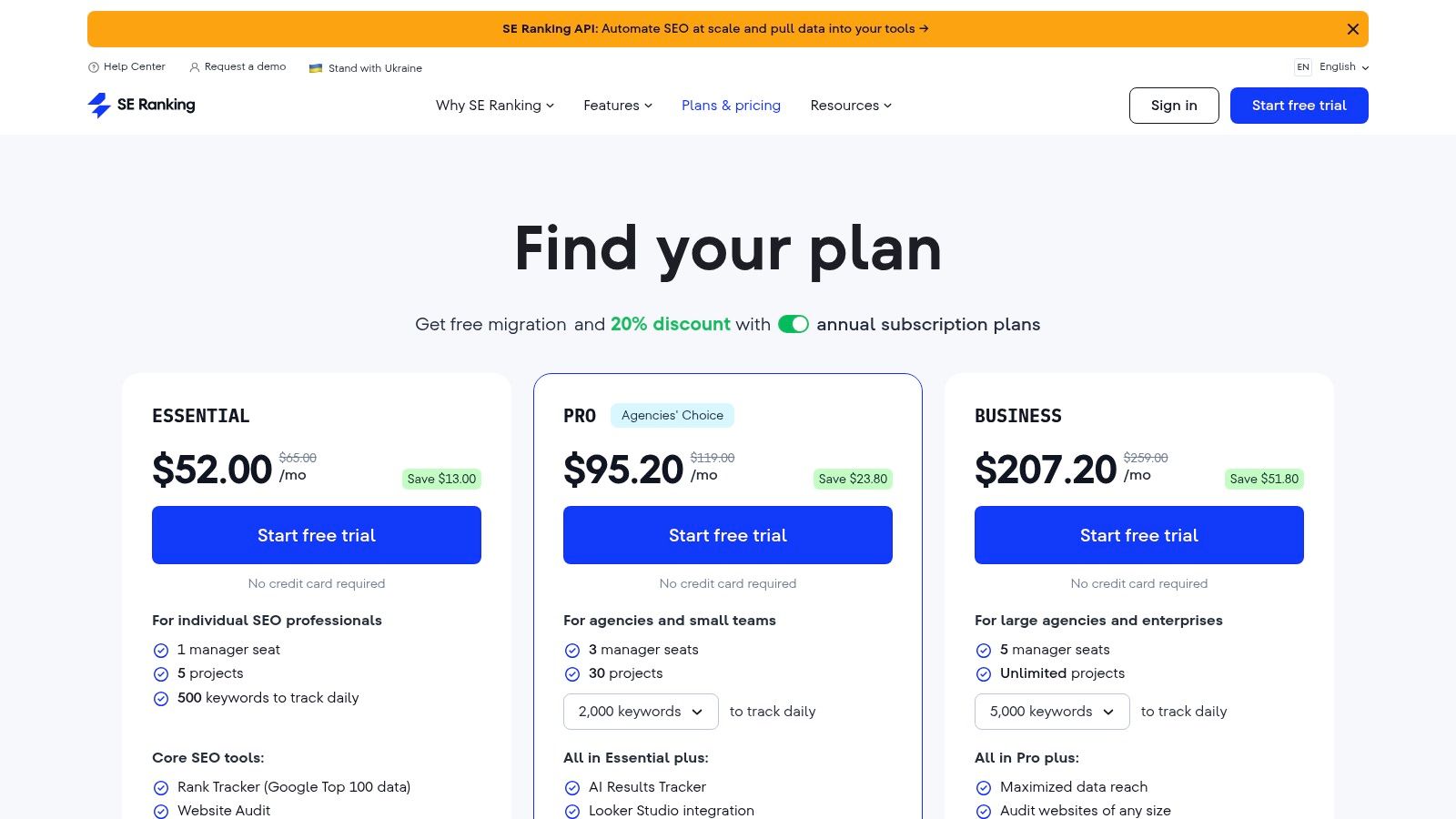
alt text: SE Ranking’s AI Results Tracker dashboard showing how AI is impacting search results, with metrics on AI overviews and featured snippets.
How to Use It: A Practical Example
During your free trial, you can get a holistic view of your site’s health and its readiness for the future of search.
- Sign up for the 14-day free trial (no credit card needed).
- Create a new project and add your website URL.
- Add your top 10 target keywords to the Rank Tracker to establish a performance baseline.
- Enable the AI Results Tracker for those same keywords. Within a day, you’ll see which keywords are triggering AI Overviews and whether your site is mentioned.
- Run a full Site Audit to identify technical issues that might prevent both traditional and AI-driven visibility.
This process provides a comprehensive health check, showing not just where you stand today but also where you need to adapt for AI-driven search.
| Feature | Best For | Access Level |
|---|---|---|
| AI Results Tracker | Monitoring visibility in AI Overviews | Free trial, then paid |
| Traditional SEO Suite | Rank tracking, site audits, competitor analysis | Free trial, then paid |
| API & Integrations | Automating reporting and data analysis | Higher-tier paid plans |
Pros:
- Risk-free trial with no credit card required for easy validation.
- Combines AI search visibility features with a comprehensive classic SEO toolset.
Cons:
- Pricing is displayed in GBP, which may require currency conversion checks for some users.
- Advanced features like full API access are gated behind higher-priced plans.
Website: https://seranking.com/subscription.html
4. Ubersuggest
Ubersuggest offers a remarkably accessible entry point into SEO, blending traditional analytics with a handy AI writer. It stands out by providing a permanently free account with daily limits, rather than just a timed trial. This makes it a sustainable option for beginners looking to consistently manage their SEO without an immediate financial commitment.
The platform’s core strength is combining AI writing features with fundamental SEO tools like keyword research, rank tracking, and basic site audits in one intuitive interface.
alt text: Ubersuggest’s AI writer interface for creating SEO content, showing options for generating headlines, outlines, and full articles.
How to Use It: A Practical Example
Imagine you want to write a blog post about “home gardening tips for beginners.” Here’s how you can use Ubersuggest’s free plan.
- Use the Keyword Research tool to enter your main topic. Analyze the results for related long-tail keywords and common questions people are asking.
- Navigate to the AI Writer. Input your target keyword to generate a blog post outline and a few compelling title options.
- Write your post using the generated outline as a guide.
- Add your website URL to a project and use the Site Audit feature to check for any on-page SEO errors before you publish.
This streamlined workflow allows a user to go from idea to an optimized draft within a single, easy-to-use platform.
| Feature | Best For | Access Level |
|---|---|---|
| AI Writer | Outlines, titles, & short-form content | Free, with word/usage limits |
| Keyword Research | Finding new content ideas & analysis | Free, with daily search limits |
| Rank Tracking & Audits | Basic performance monitoring | Free, limited to one project |
Pros:
- Truly free account with unlimited duration, perfect for long-term basic use.
- Extremely easy onboarding and user-friendly interface for non-experts.
Cons:
- Free plan has strict daily caps on searches and AI usage.
- Advanced data, content exports, and higher limits require a paid upgrade.
Website: https://neilpatel.com/ubersuggest/
5. Frase
Frase excels by merging AI content creation with in-depth SERP analysis. Its free plan provides a genuine taste of its core workflow, allowing users to create a limited number of AI-driven documents. What makes Frase one of the best free AI SEO tools for content strategists is its focus on creating comprehensive, data-backed content briefs.
The AI analyzes top-ranking competitors for a target keyword and builds a detailed outline, ensuring your content is optimized for topical authority from the start.
alt text: Frase’s AI-powered content editor showing a live content score and an optimization panel with suggested topics and keywords.
How to Use It: A Practical Example
To create a new, optimized article that’s designed to outrank competitors:
- Create a New Document in Frase and enter your target keyword. The AI will analyze the top 20 SERP results.
- Review the AI-powered Content Brief. This brief will contain the recommended headers, topics, and questions to cover, all based on what’s already ranking.
- Use the brief’s structure to build your article in the editor.
- Utilize the AI Writer to expand on each section while the live topic score in the sidebar tracks how well you are covering essential semantic keywords. Aim to beat the average competitor score.
This structured process ensures every piece of content is built on a solid SEO foundation. Frase is a powerful asset, and you can see how it compares to other top options in this guide to the best AI tools for content creation.
| Feature | Best For | Access Level |
|---|---|---|
| Content Briefs | Creating data-driven article outlines | Free, with limitations |
| Content Optimization | Real-time topic and keyword scoring | Free, with limitations |
| AI Writer | Generating SERP-aware content drafts | Free plan (2 docs + 1 Rank-Ready) |
Pros:
- Generous free trial lets you test the complete workflow.
- Excellent for building comprehensive, SERP-informed content briefs.
Cons:
- The free allowance is very small and used up quickly.
- Full-scale content production requires a paid subscription.
Website: https://www.frase.io/pricing/
6. Seobility
Seobility stands out by offering a permanently free Basic plan alongside several no-registration tools. While many platforms offer trials, Seobility provides ongoing access to core features like site audits, rank tracking, and backlink monitoring for a single website.
The platform’s most forward-thinking free feature is its AI Overview indicator within its rank tracking tool. Even on the Basic plan, you can see if your tracked keywords are triggering AI-generated answers in Google Search, a feature not commonly found in other free ai seo tools.
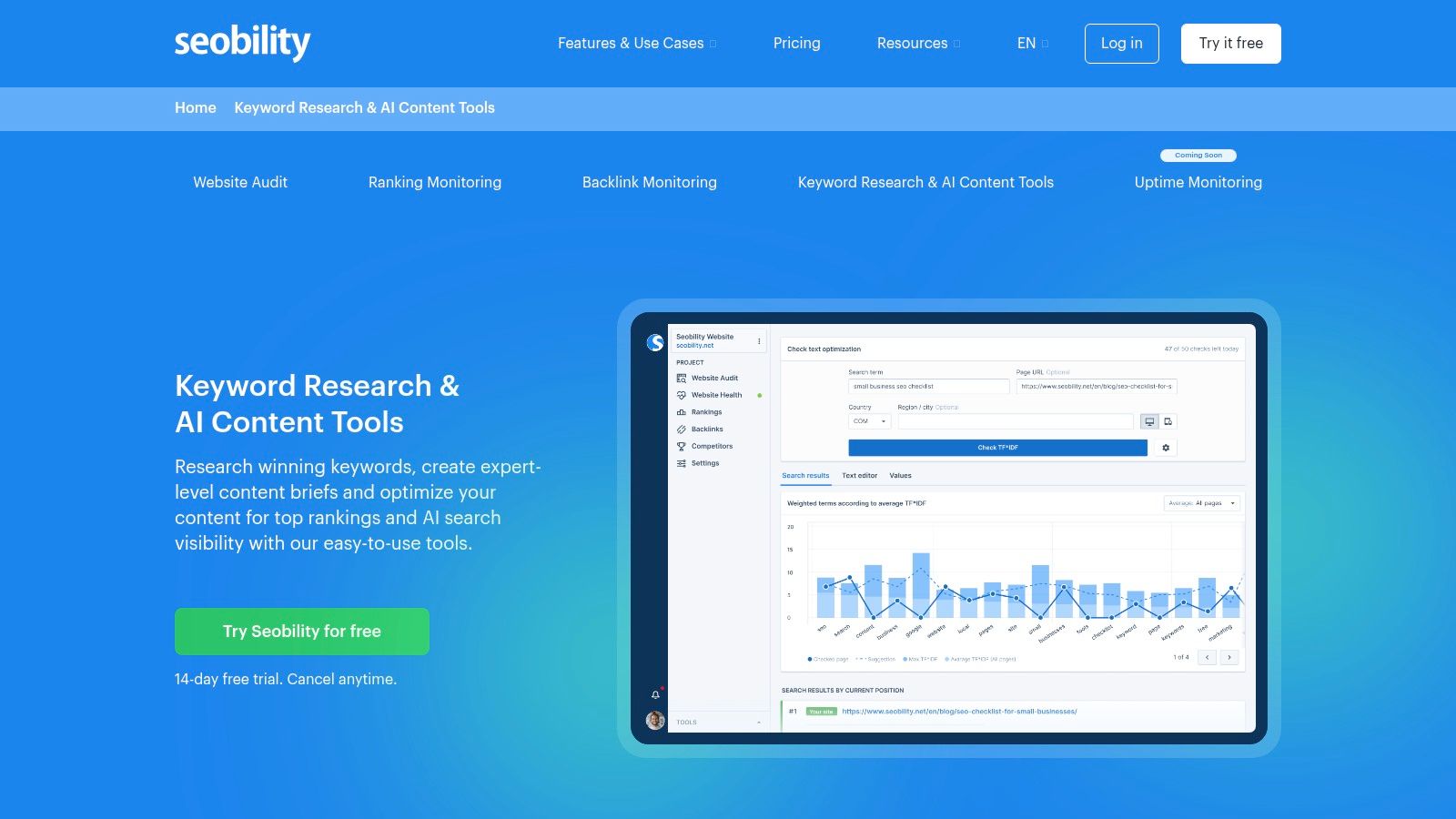
alt text: The Seobility dashboard displaying its keyword research tool, with options for analyzing keywords and checking SERPs.
How to Use It: A Practical Example
After setting up a free project for your blog, you can proactively adapt your content strategy based on changes in generative search.
- Sign up for the free Basic plan and add your website project.
- Navigate to the Rankings section to see your tracked keyword positions.
- Scan for the small AI icon next to your keywords. This icon indicates that Google is showing an AI Overview for that search query.
- For keywords with the AI icon, use Seobility’s free TF-IDF Tool to analyze the content of top-ranking pages. This helps you understand the topics and terms you need to include to better match user intent and potentially appear in future AI answers.
| Feature | Best For | Access Level |
|---|---|---|
| Free Keyword & TF-IDF | On-the-fly content analysis | Free, no login required (limited) |
| AI Overview Indicator | Monitoring generative search impact | Included in Free Basic plan |
| Full Site Audit | Comprehensive technical SEO checks | Included in Free Basic plan |
Pros:
- True “freemium” model with a generous, permanently free plan.
- Explicitly tracks and flags AI Overviews in search results.
Cons:
- No-login tools have restrictive daily request limits.
- Viewing the full AI answer text and its sources requires a paid plan.
Website: https://www.seobility.net/en/seo-content-tools/
7. MarketMuse
MarketMuse applies sophisticated AI topic modeling to content research and optimization. Its Free plan offers a generous monthly allowance for users to explore its core functionalities. Unlike tools focused solely on keywords, MarketMuse helps you understand and cover a topic comprehensively.
What distinguishes it is its focus on topical authority. The free plan includes access to its Topic Navigator and SERP X-ray, which use AI to build a map of semantically related concepts you must cover.
alt text: The MarketMuse Topic Navigator tool showing a map of related topics and their relevance score for a given keyword.
How to Use It: A Practical Example
Before writing a pillar page on “sustainable gardening,” use the free MarketMuse tools to build a superior content outline.
- Log in to your free MarketMuse account.
- Enter “sustainable gardening” into the Topic Navigator. It will generate a list of related sub-topics like “composting,” “native plants,” and “water conservation,” along with their relevance scores.
- Use the SERP X-ray to analyze the structure and depth of the top 20 competing articles, seeing exactly which sub-topics they cover and miss.
- Combine these insights to build a detailed outline for your article that covers the topic more comprehensively than any single competitor.
This AI-driven research process ensures your content is authoritative from the start.
| Feature | Best For | Access Level |
|---|---|---|
| Topic Navigator | AI-driven topic modeling & research | Free, with monthly limits |
| SERP X-ray | Analyzing competitor content structure | Free, with monthly limits |
| Content Briefs | Generating full, optimized outlines | Paid subscription required |
Pros:
- Solid free allowance to validate the usefulness of topic modeling.
- Known for data quality and depth in content strategy.
Cons:
- Free plan lacks the content briefs and export functions of paid tiers.
- Higher tiers required for full functionality can be expensive.
Website: https://www.marketmuse.com/pricing/
8. Writesonic
Writesonic positions itself as a powerful AI content generator that is expanding into Generative Engine Optimization (GEO). Its free plan provides a generous entry point to test its core AI writing capabilities. While its most advanced SEO features are on paid tiers, the free access allows for a thorough evaluation of its content creation workflow.
alt text: Writesonic’s user interface displaying various content creation templates, such as AI Article Writer and Facebook Ads generator.
How to Use It: A Practical Example
You can use the free plan to generate a complete first draft of a blog post from a single keyword, saving hours of work.
- Sign up for a free Writesonic account.
- Select the AI Article Writer 5.0 template from the dashboard.
- Input your target keyword, such as “sustainable gardening tips,” and add any reference articles or brand voice instructions.
- Click “Generate.” The tool will produce a full article draft, complete with an outline, introduction, body paragraphs, and conclusion.
- Edit and refine the generated text to add your unique insights and ensure accuracy before publishing.
This streamlined process demonstrates the platform’s ability to handle the entire first-drafting stage. For more options, check out some of the the best AI copywriting tools.
| Feature | Best For | Access Level |
|---|---|---|
| AI Writer & Chatsonic | Content drafting and ideation | Free plan with word limits |
| Template Library | Creating diverse content formats | Free plan access |
| AI Search Visibility | Monitoring brand in AI answers | Professional+ paid plans |
Pros:
- Generous free plan to evaluate the core AI writing workflow.
- Broad set of over 100 templates for various content types.
Cons:
- GEO and AI visibility features are locked behind higher-priced tiers.
- In-depth site audits and technical SEO tools require a paid subscription.
Website: https://writesonic.com/
9. Scalenut
Scalenut provides an excellent on-ramp to AI-powered content strategy with several free, no-login SEO tools. While its core platform offers a comprehensive suite for content creation, its free utilities like the on-page SEO analyzer and keyword finder offer immediate value without requiring a subscription. This approach allows users to diagnose specific SEO issues quickly.
alt text: The user interface of Scalenut’s free on-page SEO analyzer tool, showing fields for URL and keyword input.
How to Use It: A Practical Example
To improve an underperforming blog post, you can use Scalenut’s free tools to make targeted improvements.
- Go to the Free SEO Analyzer tool on Scalenut’s website.
- Enter the URL of your underperforming article and its target keyword. You’ll get an instant audit of its on-page elements, including heading structure, keyword density, and readability.
- Next, use the Long-Tail Keyword Finder with your primary topic to discover related, low-competition phrases you might have missed.
- Update your article by incorporating these new keywords and addressing the specific recommendations from the analyzer’s report.
You can learn more about its capabilities in this overview of AI for content creation.
| Feature | Best For | Access Level |
|---|---|---|
| Free SEO Analyzer | Auditing a single page for SEO issues | Free, no login required |
| Keyword Finder | Discovering long-tail keyword ideas | Free, with limitations |
| Topic Clusters & GEO | Full-scale content strategy | Paid subscription required |
Pros:
- Easy, no-cost utilities to start optimizing individual pages.
- Provides a clear upgrade path to a comprehensive AI optimization suite.
Cons:
- The most powerful AI and GEO-targeting features are behind paid tiers.
- Free tool access and credit systems can change or be intermittent.
Website: https://www.scalenut.com/seo-tools/seo-analyzer
10. NeuronWriter
NeuronWriter bridges the gap between AI content creation and technical SEO. While it doesn’t have a permanently free plan, it provides a full-featured 7-day free trial of its Gold plan, making it one of the best ways to test-drive an advanced AI-powered content editor. What makes NeuronWriter stand out is its focus on semantic relevance and NLP-driven recommendations, helping you create articles optimized for topical authority.
alt text: The NeuronWriter content editor interface showing semantic recommendations in a sidebar and a real-time content score.
How to Use It: A Practical Example
Let’s say you want to write a competitive article on “best project management software.”
- Sign up for the 7-day free trial.
- Create a new query in NeuronWriter for your target keyword. The tool will analyze the top-ranking pages.
- Use the AI one-click article generation to create a draft based on the SERP analysis.
- Refine the draft in the content editor. The sidebar will show a list of suggested semantic terms and entities. Incorporate these naturally into your text until you achieve a high content score (typically above the highest-ranking competitor).
- Publish your optimized article.
This process ensures your final article is structured for both user engagement and search engine algorithms.
| Feature | Best For | Access Level |
|---|---|---|
| Semantic SEO Guidance | Optimizing for topical authority | Free 7-day trial (Gold plan) |
| AI Content Templates | Generating structured drafts quickly | Free 7-day trial (Gold plan) |
| CMS & GSC Integrations | Streamlining publishing & analysis | Free 7-day trial (Gold plan) |
Pros:
- Full-featured trial lets you evaluate advanced semantic SEO tools.
- Flexible and reasonably priced plans after the trial period ends.
Cons:
- No permanent free plan; functionality is limited to the 7-day trial.
- Requires a subscription to continue using the platform after the trial.
Website: https://neuronwriter.com/pricing/
11. AnswerThePublic
AnswerThePublic is a specialized tool that excels at uncovering the long-tail questions and queries people are actively searching for. It visualizes search data, organizing it into clusters of questions, prepositions, and comparisons. This makes it an invaluable resource for understanding user intent and building content outlines that directly address audience curiosity, a key factor in creating AI-optimized content. The free tier, while limited, is perfect for occasional brainstorming and topic validation.
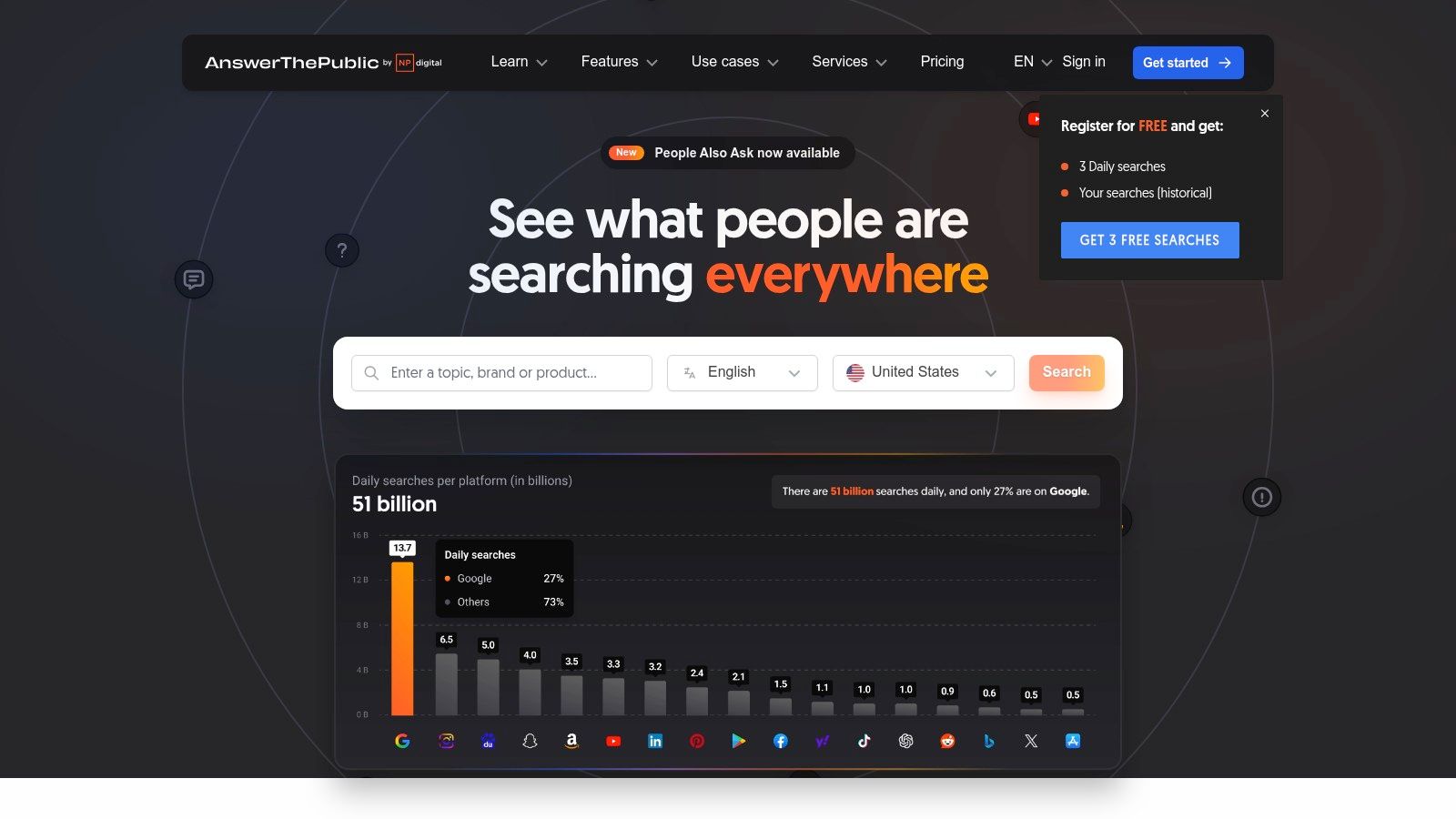
alt text: AnswerThePublic user interface showing a visual data map of search queries related to a keyword, organized by question type.
How to Use It: A Practical Example
You need to write a comprehensive guide on “cold brew coffee.”
- Go to AnswerThePublic and enter “cold brew coffee” into the search bar.
- Analyze the visualization. Look at the “Questions” tab to find common queries like “how is cold brew coffee made,” “why is cold brew coffee less acidic,” and “can cold brew coffee go bad.”
- Switch to the “Data” view for a simple list format.
- Copy these questions and use them as H2 and H3 headings for your article. This ensures your content directly answers what your audience is asking.
This process ensures your final piece is exhaustive and perfectly aligned with searcher intent.
| Feature | Best For | Access Level |
|---|---|---|
| Visual Topic Maps | Brainstorming and understanding topic scope | Free, with limitations |
| Aggregated Data | Uncovering long-tail keywords & questions | Free, with limitations |
| Data Export | Saving and analyzing query lists offline | Paid subscription required |
Pros:
- Excellent for building FAQ-style outlines that AI assistants often cite.
- No commitment required for light, occasional use.
Cons:
- The free plan is heavily limited (typically a few searches per day).
- No data export capability on the free plan.
Website: https://answerthepublic.com
12. HubSpot
HubSpot enters the AI SEO landscape by offering a suite of free AI-driven writing utilities and learning resources. This approach is perfect for teams who are just beginning to integrate AI into their content strategy. HubSpot provides instantly accessible tools like a Paragraph Rewriter and a wealth of educational materials, including a free, downloadable AI-SEO GPT/prompt kit designed to help teams build AI-ready content briefs.
alt text: A user interface of the HubSpot AI Paragraph Rewriter tool, showing a text input box and the “Rewrite” button for generating new versions of text.
How to Use It: A Practical Example
A marketing manager wants to train their team on creating better, AI-optimized content briefs.
- Download HubSpot’s free AI-SEO GPT Kit. This resource includes ready-to-use prompts for tasks like keyword research, SERP analysis, and outline generation.
- Create a standardized content brief template for the team using the prompts from the kit. This ensures everyone follows a consistent, data-driven process.
- Have the team use the free Paragraph Rewriter to quickly refresh and improve existing blog content by generating alternative phrasing and improving clarity.
This guided, educational approach ensures the entire team adopts best practices from the start. You can learn more about how HubSpot’s features fit into a broader marketing strategy in this guide to AI marketing tools for small businesses.
| Feature | Best For | Access Level |
|---|---|---|
| Free AI Rewriter | Quick content refreshes & tone adjustments | Free, no login required |
| AI SEO Masterclass | Training teams on AI-driven SEO principles | Free, with registration |
| AI-SEO GPT Kit | Creating AI-optimized content briefs | Free, downloadable resource |
Pros:
- Zero-cost learning resources combined with practical AI tools.
- Backed by a recognized, widely used platform suitable for non-technical teams.
Cons:
- Advanced AI features are gated behind paid Content Hub plans.
- The free toolset is intentionally basic compared to its premium offerings.
Website: https://www.hubspot.com/products/cms/paragraph-rewriter
Top 12 Free AI SEO Tools Comparison
| Tool | ✨ Key features | 👥 Best for | 💰 Pricing / Free tier | ★ Quality | 🏆 Standout |
|---|---|---|---|---|---|
| Semrush | Free no-login mini tools + Copilot & AI Search Visibility ✨ | SEO teams & marketers 👥 | 💰 Free (caps); paid for full toolset | ★★★★ | AI Search Visibility Checker across assistants 🏆 |
| Ahrefs Webmaster Tools | Technical site audit (170+ checks), LLM/AI traffic view ✨ | Site owners & auditors 👥 | 💰 Free for verified sites | ★★★★ | Robust crawler + privacy-friendly AI traffic signal 🏆 |
| SE Ranking | AI Results Tracker, rank tracking, site audit ✨ | SMBs & agencies seeking all‑in‑one 👥 | 💰 No-CC free trial; paid tiers | ★★★★ | Combines classic SEO with AI visibility tracking 🏆 |
| Ubersuggest | AI writer, keyword ideas, rank tracking, Chrome ext. ✨ | Beginners & solo creators 👥 | 💰 Permanent free account (caps) | ★★★ | Truly free onboarding; easy UX 🏆 |
| Frase | SERP-informed AI briefs + in-editor optimization ✨ | Content teams & writers 👥 | 💰 Free starter allowance (small) | ★★★★ | Rank‑Ready briefs + editor workflow 🏆 |
| Seobility | No-registration keyword/TF‑IDF tools + AI Overview ✨ | Early testers & small sites 👥 | 💰 Permanently free Basic & free tools | ★★★ | True free tools with AI overview visibility 🏆 |
| MarketMuse | Topic Navigator, SERP X‑ray & heatmaps ✨ | Content strategists & enterprises 👥 | 💰 Free (limited); paid for briefs/exports | ★★★★ | Deep topic modeling & data quality 🏆 |
| Writesonic | AI writer + Chatsonic, templates & integrations ✨ | Copywriters & marketers 👥 | 💰 Free plan/trial; pro features paid | ★★★ | Broad template library; conversational AI 🏆 |
| Scalenut | Free on‑page analyzer, long‑tail finder, GEO workflows ✨ | Growth teams & SEO specialists 👥 | 💰 Free tools; paid for GEO/AI features | ★★★ | Practical free utilities as upgrade on‑ramp 🏆 |
| NeuronWriter | Semantic SEO guidance, CMS integrations ✨ | Agencies & CMS users (WP/Shopify) 👥 | 💰 7‑day free trial; paid plans after | ★★★★ | Semantic entity/topic recommendations + integrations 🏆 |
| AnswerThePublic | Visual question maps & long‑tail query aggregation ✨ | Content ideation & FAQ builders 👥 | 💰 Free daily searches (caps) | ★★★ | Excellent long‑tail question discovery 🏆 |
| HubSpot | AI paragraph rewriter + AI‑SEO masterclass & GPT kit ✨ | Teams & non‑SEO stakeholders 👥 | 💰 Free tools & educational resources | ★★★ | Zero‑cost learning resources + prompt kit 🏆 |
Putting AI to Work: Your Next Steps in SEO
We’ve explored a powerful roster of twelve leading free AI SEO tools. The central takeaway is this: the future of SEO is about augmenting human expertise, not replacing it. AI excels at processing vast datasets and automating repetitive tasks, freeing you to focus on strategy and creativity.
A tool like Ahrefs Webmaster Tools can flag hundreds of technical issues in minutes—a task that would take a human analyst hours. This is where the synergy lies: AI handles the “what,” so you can focus on the “why” and “how.”
How to Choose Your First AI SEO Tool
Avoid “tool fatigue” by adopting a problem-first approach. Identify your single most pressing SEO challenge right now and select the one tool best equipped to solve it.
- Problem: Lack of content ideas. Solution: Start with AnswerThePublic to map out user questions and build a content calendar.
- Problem: Thin or poorly optimized on-page content. Solution: Use NeuronWriter‘s free trial to analyze and enrich your key pages with semantic terms.
- Problem: Foundational technical SEO issues. Solution: Begin with Ahrefs Webmaster Tools. Run a full site audit and fix the critical errors it finds.
- Problem: Inefficient content creation workflow. Solution: Leverage Writesonic to generate first drafts and outlines, significantly speeding up your process.
Once you’ve selected a tool, commit to using it consistently for at least one month.
Actionable Takeaways
- Start with a Problem, Not a Tool: Identify your biggest SEO bottleneck (e.g., keyword research, content creation, technical audit) and pick one tool from this list that directly addresses it.
- Audit Your Site Today: Sign up for Ahrefs Webmaster Tools or Seobility for free. Run a comprehensive site audit to get an immediate, actionable list of technical fixes.
- Optimize One Key Page: Choose an important but underperforming page. Use a tool like NeuronWriter (on trial) or Scalenut’s free analyzer to get a content score and a list of terms to add. Update the page and track its performance.
- Map Your Next Article with User Questions: Use AnswerThePublic for your next blog topic. Build your article’s outline (H2s and H3s) directly from the questions it provides to guarantee you’re matching user intent.
- Commit to a 30-Day Test: Pick one tool and integrate it into your workflow for one month. Set a clear goal (e.g., “increase content score on 5 pages”) and measure the result.
The goal is not just to use free AI SEO tools but to use them to achieve tangible business outcomes: more traffic, better engagement, and higher conversions. The power is at your fingertips; it’s time to put it to work.
Tools & Resources
- Ahrefs Webmaster Tools: https://ahrefs.com/webmaster-tools
- Semrush Free Tools: https://www.semrush.com/free-tools/
- HubSpot’s AI-SEO GPT Kit: A free, downloadable resource for creating better prompts and briefs. Find it on their resources page.
Further Reading
- AI for Content Creation: A RichlyAI guide on how AI is transforming content workflows.
- Best AI Marketing Tools: Explore a broader list of AI marketing tools for small businesses.
Ready to discover even more tools to supercharge your marketing, development, and creative projects? The landscape of AI is vast, and the platforms we’ve covered are just the beginning. Explore the AI Tools Hub for a comprehensive, up-to-date directory of the best AI solutions available, with detailed listings to help you find the perfect fit for any task.
Discover Your Next Favorite Tool on the AI Tools Hub