
Finding the right AI copywriting tool can feel overwhelming. With dozens of platforms all promising to revolutionize your content creation, how do you choose the one that actually fits your workflow, budget, and specific needs? This guide cuts through the noise to provide a comprehensive, hands-on review of the best AI copywriting tools available today. We move beyond marketing hype to give you a clear, practical analysis of each platform’s true strengths and weaknesses.
Whether you’re a startup founder looking to scale content marketing, a developer evaluating API integrations, or a content creator aiming to overcome writer’s block, this resource is designed for you. We’ll explore tools built for everything from long-form SEO articles and high-converting ad copy to nuanced brand messaging.
Inside this detailed listicle, you will find:
- In-depth reviews of top-tier tools like Jasper, Copy.ai, and Writesonic.
- Direct comparisons of key features, pricing structures, and ideal use cases.
- Actionable examples showing how to use each tool for a real-world task.
- Practical takeaways to help you implement these tools immediately.
Our goal is simple: to provide you with all the information you need to confidently select, test, and integrate the best AI copywriting tool into your process. We’ve done the heavy lifting and hours of testing so you can get straight to creating better content, faster. Let’s dive in and find the perfect AI assistant for your team.
1. Jasper
Jasper stands out as one of the best AI copywriting tools for marketing teams and businesses that require brand consistency and collaborative workflows. Unlike many solo-focused tools, Jasper is built from the ground up with enterprise-grade controls, making it ideal for creating on-brand marketing campaigns at scale. Its core strength lies in its ability to learn and apply a specific brand voice, tone, and knowledge base across all generated content.
This platform moves beyond simple text generation with a suite of features designed for professional marketing workflows. The “Canvas” provides a flexible, document-style editor where you can command the AI to draft, rewrite, and brainstorm various assets for a campaign side-by-side. This integrated approach helps maintain consistency from initial brief to final ad copy.
How to Create a Product Launch Campaign with Jasper
Here’s a step-by-step guide to using Jasper for a new product launch, such as an eco-friendly water bottle. This process shows how to leverage its brand-aware features for a cohesive campaign.
- Set Up Your Brand Voice: In Jasper, navigate to “Brand Voice.” Upload documents that define your brand, such as style guides, mission statements, and top-performing marketing copy. This trains the AI on your specific tone and messaging.
- Create a Knowledge Base: Go to “Knowledge” and upload product specs, target audience details (e.g., “outdoorsy millennials, age 25-40, value sustainability”), and key features of the new water bottle.
- Start a Campaign in the Canvas: Open a new “Canvas” and title it “Eco-Bottle Launch.” Use simple commands to generate all your assets in one place:
Write 5 potential taglines for our new eco-bottle.Draft a 3-part email nurture sequence announcing the launch.Generate 3 Facebook ad variations focusing on durability and sustainability.
- Review & Refine: Because you’ve trained the AI, the output will consistently use your brand’s tone. The editing process is much faster, ensuring all campaign assets are cohesive from the start.
Key Features
- Brand Voice & Knowledge: Ensures all copy, from social media posts to blog articles, aligns with your brand identity.
- Campaigns & Canvas Editor: Manage entire marketing campaigns in one place.
- Team Collaboration: Provides robust permission controls for agencies and in-house teams.
Pricing
Jasper’s pricing reflects its business focus, starting higher than many competitors. The Pro plan is suitable for power users and small teams, while the Business plan unlocks advanced features and requires a sales consultation. A 7-day free trial is available.
Actionable Takeaways
- Centralize Your Brand: Upload style guides and product info to Jasper’s Knowledge Base to ensure every piece of content is on-brand.
- Use the Canvas for Campaigns: Draft emails, ads, and social posts for a single campaign in one document to maintain consistency.
- Start with a Free Trial: Test the Brand Voice feature with your own materials to see if the output quality justifies the investment.
Tools & Further Reading
- Tool: https://www.jasper.ai
- Further Reading: Explore other AI tools for content creation to compare features.
- For those specifically focused on generating content for social media, an AI Post Generator or Chat can be an invaluable specialized tool, streamlining the creation of engaging posts for multiple platforms.
2. Copy.ai
Copy.ai positions itself as a powerful AI copywriting tool for marketing and sales teams, focusing heavily on go-to-market workflows and automation. It distinguishes itself by offering access to multiple large language models (LLMs) and building a system of repeatable, automated “Agents” that can handle entire content processes, from research to final draft. This makes it ideal for teams looking to systematize their content creation pipelines.
The platform has evolved from a simple generator into a comprehensive suite that includes a chat interface, pre-built workflows for specific tasks like sales outreach, and a brand voice feature. Its core value lies in its ability to automate repetitive copywriting tasks, allowing teams to execute strategies more efficiently.
How to Automate a Sales Outreach Workflow with Copy.ai
Here’s how to create personalized outreach emails for a list of 100 new leads, turning a full day of manual work into a quick, automated task.
- Start a New Workflow: In the Copy.ai dashboard, select the “Workflow” feature.
- Define Your Inputs: The first step is to tell the AI what data it will work with. Define input fields for
Lead Name,Company Name, andWebsite URL. You can connect this to a spreadsheet or CRM. - Build the Automation Steps: Create a series of commands for the AI Agent to follow for each lead:
Step 1: Scrape the content from the provided Website URL to understand the company's mission and recent news.Step 2: Based on the scraped info, identify a relevant pain point our product solves.Step 3: Draft a personalized opening line that references the news or mission.Step 4: Write a 150-word cold email incorporating the personalized line and a clear call-to-action.
- Execute and Review: Run the workflow. The AI will generate a unique, personalized email for each lead, which you can then review and send.
Key Features
- Agents & Workflow Automation: Build custom “Agents” that perform multi-step tasks for repeatable content needs.
- Multiple LLM Access: Choose from various models (OpenAI, Anthropic, etc.) to find the best engine for a specific task.
- Go-to-Market Workflows: Pre-built templates for sales and marketing tasks, like cold emails or ad copy.
Pricing
Copy.ai offers a free plan with a 2,000-word limit. The Pro plan is well-suited for individuals, while the Team plan unlocks advanced workflow and agent capabilities.
Actionable Takeaways
- Identify a Repetitive Task: Find a copywriting task you do often (e.g., writing weekly social media posts or prospecting emails) and build a workflow for it.
- Experiment with Different LLMs: If one model’s output feels generic, switch to another within the chat interface to see if the style improves.
- Use the Chat for Quick Drafts: The unlimited chat feature on paid plans is perfect for brainstorming and drafting without worrying about word counts.
Tools & Further Reading
- Tool: https://www.copy.ai
- Further Reading: Compare with other AI marketing tools..
3. Writesonic
Writesonic earns its spot as one of the best AI copywriting tools by offering a highly versatile and scalable platform that caters to everyone from solo content creators to large marketing teams. It excels at balancing a rich feature set, including long-form article generation and SEO tools, with an accessible user interface. Its standout feature is the “Article Writer,” which streamlines the entire blog post creation process from outline to finished draft.
The platform distinguishes itself by integrating not just content creation but also content optimization. With features like its AI-powered Article Writer and SEO checker, Writesonic provides a more holistic solution for content marketers focused on achieving tangible results.
How to Create an SEO-Optimized Blog Post with Writesonic
Follow these steps to generate a full, optimized article on a topic like “sustainable gardening tips for beginners.”
- Select the Article Writer Tool: In the Writesonic dashboard, choose “Article Writer 6.0.”
- Input Your Topic and Keywords: Enter “sustainable gardening tips for beginners” as your primary keyword. You can also add secondary keywords like “eco-friendly soil” or “composting at home” to guide the AI.
- Generate and Refine the Outline: Writesonic will propose a detailed outline with H2 and H3 headings. Review this structure and drag, drop, edit, or add sections to ensure it matches your desired flow.
- Generate the Full Article: Once you approve the outline, the AI will write the complete article. The output is designed to be well-structured and factually grounded. You can then edit it within the platform’s editor before publishing.
Key Features
- Article Writer 6.0: A powerful long-form content generator for creating SEO-optimized articles.
- 100+ AI Templates: An extensive library for specific needs, including Facebook ads, landing page copy, and product descriptions.
- GEO/AI Search Tracking: Advanced plans offer tools to monitor keyword rankings and search performance.
Pricing
Writesonic offers flexible pricing, including a generous free trial. The Unlimited plan is ideal for individual power users, while the Business and Enterprise tiers add more advanced features and team collaboration tools.
Actionable Takeaways
- Always Customize the Outline: Before generating a full article, spend a minute editing the AI-proposed outline. This gives you more control over the final output.
- Use Templates for Short-Form Copy: For social media posts or ads, start with a specific template instead of the general chat to get more structured results.
- Leverage the Free Trial: Test the Article Writer on a keyword relevant to your business to evaluate the quality and speed for your specific niche.
Tools & Further Reading
- Tool: https://writesonic.com
- Further Reading: Learn about different AI tools for content creation to see how Writesonic compares.
4. Rytr
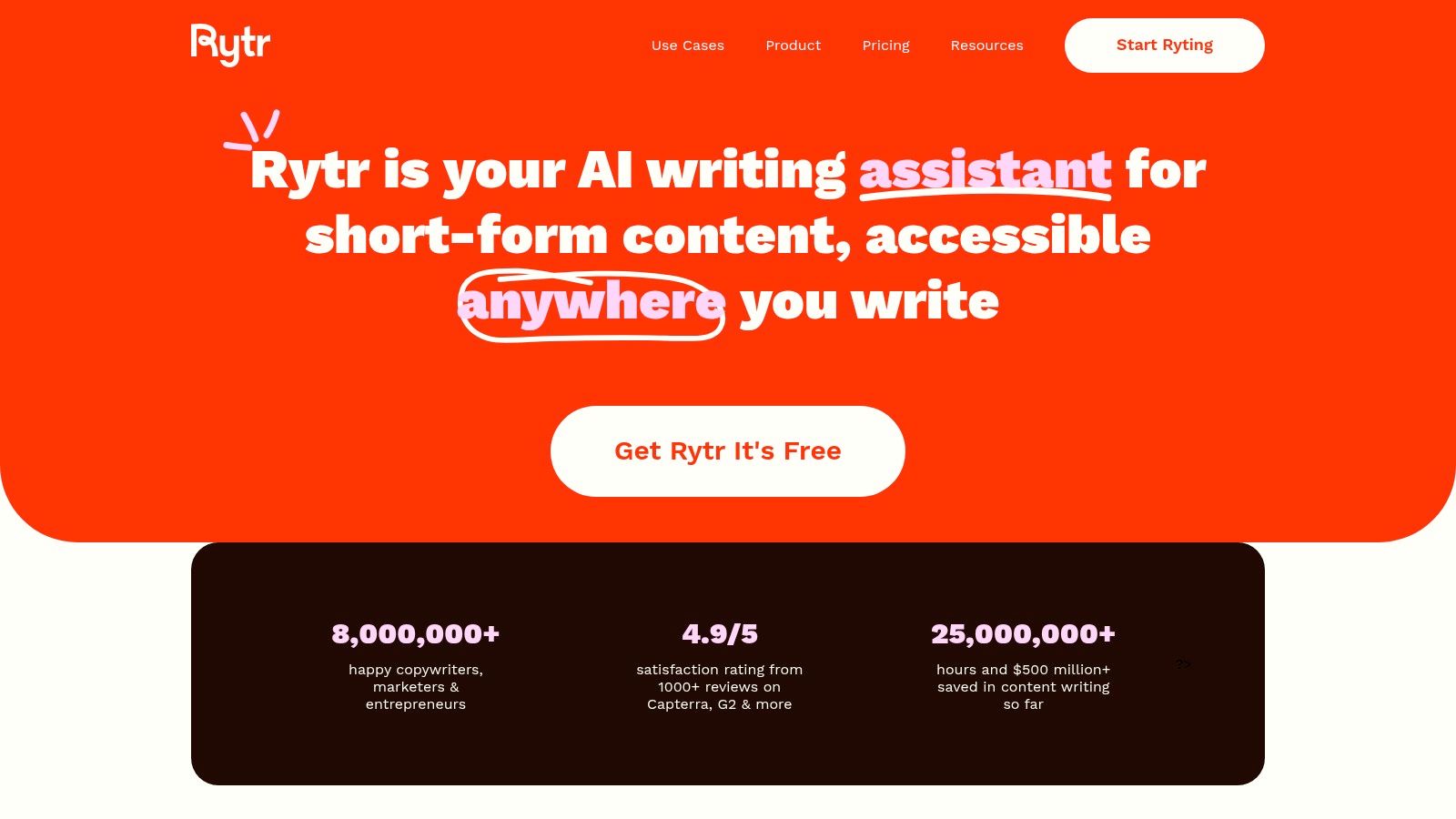
Rytr carves out its niche as one of the best AI copywriting tools for individual creators, freelancers, and small businesses looking for speed and affordability. Its standout quality is a straightforward, no-frills interface that prioritizes quick content generation. For users who need to produce short-form copy like social media updates, product descriptions, or emails without a steep learning curve, Rytr delivers exceptional value.
The platform is designed for efficiency, offering dozens of predefined use cases and tones that let you generate specific types of content in seconds. Its browser extension further integrates this speed into your daily workflow, allowing you to access AI writing capabilities directly within Gmail, WordPress, or social media platforms.
How to Write Product Descriptions with Rytr
Here’s how an Etsy shop owner can quickly write descriptions for five new handmade candles, a task that could take hours manually.
- Select the “Product Description” Use Case: In the Rytr interface, choose “Product Description” from the dropdown menu of use cases.
- Input Product Details: Enter the product name (e.g., “Lavender & Cedarwood Soy Candle”) and provide key features in the description box (e.g., “100% soy wax, hand-poured, calming scent, 40-hour burn time”).
- Choose a Tone: Select an appropriate tone to match your brand, such as “Convincing” or “Joyful.”
- Generate and Refine: Click “Ryte for me.” The AI will produce several variations. You can quickly copy and paste your favorite, or make minor edits, then repeat the process for the other products in just a few minutes.
Key Features
- Diverse Templates & Tones: Over 40 use cases (e.g., “Blog Idea & Outline,” “Facebook Ad”) and 20+ tones to tailor content for any platform.
- Chrome Extension: Brings Rytr’s AI capabilities directly into your existing tools like Gmail or WordPress.
- Built-in Plagiarism Checker: Paid plans include credits to ensure your generated content is original.
Pricing
Rytr is extremely budget-friendly. It offers a generous Free plan with a monthly character limit. The Saver and Unlimited plans are competitively priced, with the latter offering unlimited character generation for a low monthly fee.
Actionable Takeaways
- Install the Chrome Extension: The fastest way to use Rytr is within your existing workflow. Use it to rewrite an awkward sentence in an email or draft a quick social post.
- Generate Multiple Variants: For short-form copy, always generate 2-3 variants. This allows you to pick the best option or mix and match ideas.
- Start with the Free Plan: The free tier is generous enough to handle light copywriting needs, making it a no-risk way to see if the tool fits your workflow.
Tools & Further Reading
- Tool: https://rytr.me
- Further Reading: Discover more AI marketing tools for small business on a budget.
5. Anyword
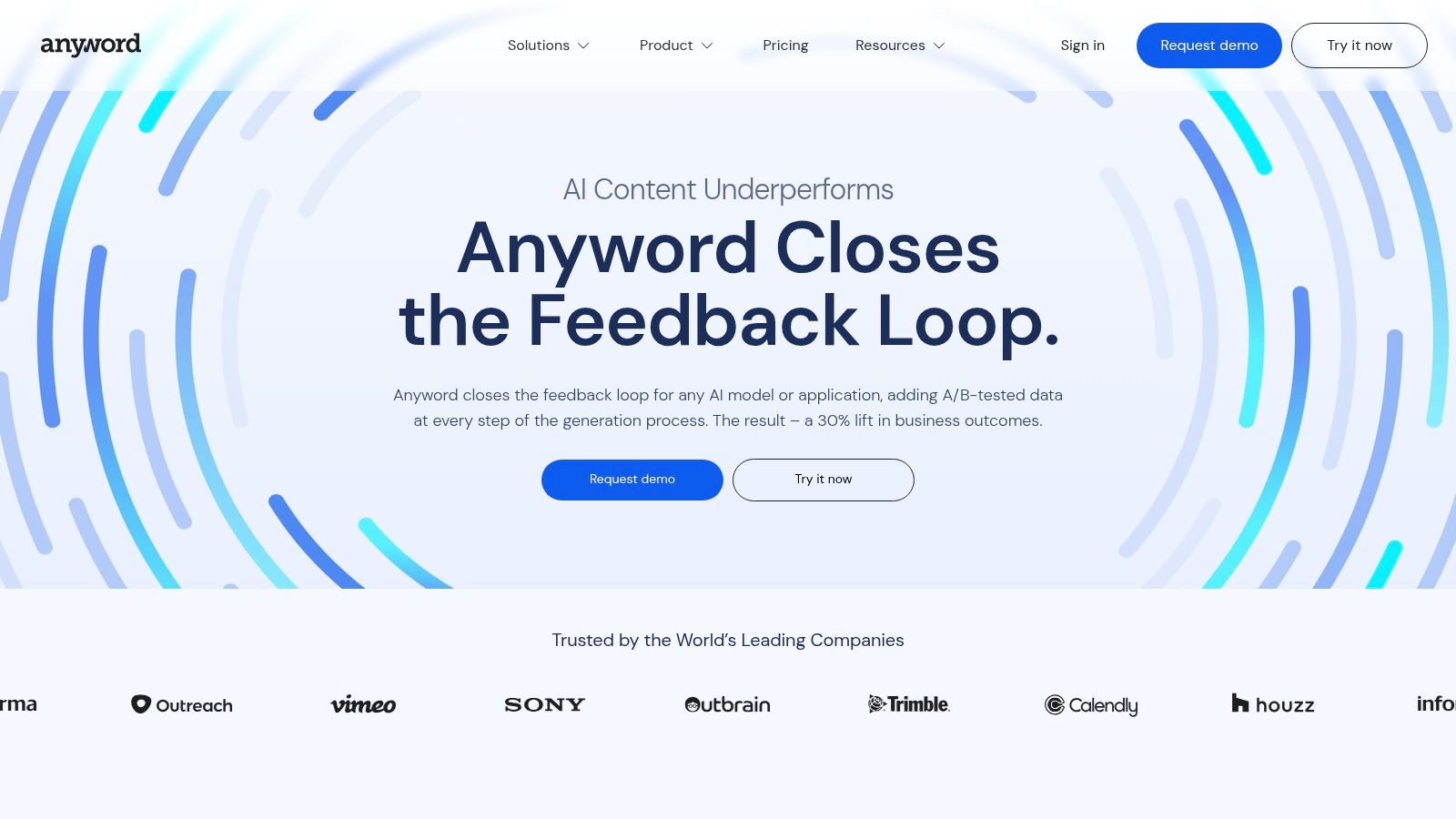
Anyword positions itself as one of the best AI copywriting tools for performance-driven marketers who rely on data. Its unique selling proposition is a “Predictive Performance Score,” which analyzes generated copy and predicts how well it will engage a specific audience. This feature helps marketers prioritize ad variants and landing page copy before spending money on campaigns.
The platform is designed to take the guesswork out of copywriting by blending AI generation with data analytics. It allows users to create copy tailored to specific demographics and marketing channels, then immediately see a data-backed score of its potential effectiveness. This is a game-changer for teams focused on conversion rate optimization (CRO) and A/B testing.
How to Optimize Facebook Ad Copy with Anyword
Here’s a practical workflow for a marketer launching a Facebook ad campaign for a new SaaS product.
- Define the Project and Audience: In Anyword, create a new project for your campaign. In the settings, define your target audience (e.g., “Project Managers, age 30-50, interested in productivity software”).
- Generate Ad Copy: Use the “Ad Copy” generator. Input your product name and a brief description. Anyword will produce multiple variations of headlines and primary text.
- Analyze the Predictive Scores: Each variation will receive a Predictive Performance Score. You might see one headline score an 85/100 for your target audience, while another scores a 60. The score is broken down by demographic, showing which copy resonates with whom.
- Prioritize for A/B Testing: Based on these scores, you can confidently launch an A/B test with the highest-scoring copy first, saving time and budget by avoiding underperforming variants from the start.
Key Features
- Predictive Performance Score: Get an instant score for your copy’s conversion potential, complete with audience demographics.
- Brand Voice & Messaging Bank: Train the AI on your top-performing ads and brand guidelines to ensure future generations are optimized for what works.
- Blog Wizard & Integrations: A step-by-step blog post builder and a Chrome extension for use on platforms like Facebook Ads Manager.
Pricing
Anyword offers a 7-day free trial. The Starter plan is ideal for solo users, while the Business plan is designed for teams. Pricing is seat-based and can vary depending on the number of predictive score credits needed.
Actionable Takeaways
- Test Your Existing Copy First: Before generating new ideas, paste your current ad copy into Anyword to get a baseline performance score.
- Focus on High-Scoring Variants: When A/B testing, prioritize the top 2-3 AI-generated variants with the highest predictive scores to maximize your ad spend.
- Define Your Target Audience Clearly: The accuracy of the predictive score depends on how well you define your audience persona within the tool.
Tools & Further Reading
- Tool: https://www.anyword.com
- Further Reading: Learn more about general AI marketing tools..
6. Hypotenuse AI
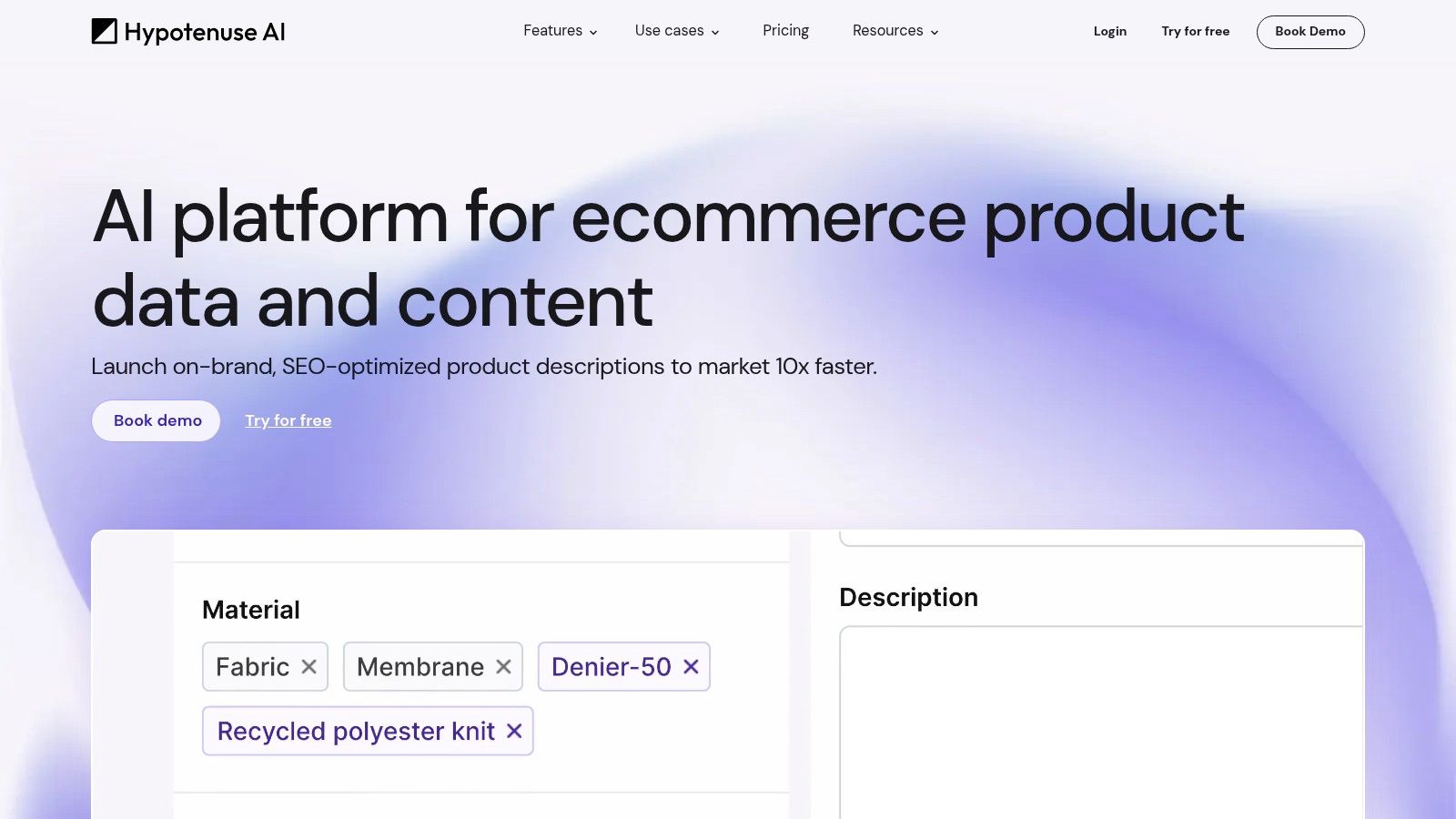
Hypotenuse AI is purpose-built for the unique demands of ecommerce, making it one of the best AI copywriting tools for generating high-volume product content. Its core strength is its ability to take structured data—like a product catalog in a spreadsheet—and automatically create thousands of unique, on-brand product descriptions, category pages, and marketing copy.
The platform is designed to plug directly into retail workflows. It allows users to upload a CSV or connect to their PIM/CMS (like Shopify) to streamline content creation. This makes it an essential tool for large retailers and brands managing extensive product catalogs, saving countless hours of manual writing.
How to Create 1,000 Product Descriptions with Hypotenuse AI
Here’s the process for an ecommerce manager adding a new line of 1,000 kitchen gadgets to their store.
- Prepare Your Data: Create a spreadsheet (CSV or XLSX) with columns for
Product Name,Key Features(e.g., “stainless steel,” “dishwasher safe”),Target Audience, andSEO Keywords. - Upload and Map Columns: In Hypotenuse AI, upload the CSV file. The interface will ask you to map the columns from your spreadsheet to the corresponding fields in the generator (e.g., match your “Product Name” column to the “Product Name” field).
- Define Brand Voice and Tone: Set the tone (e.g., “helpful,” “professional”) and specify any brand-specific terms or formatting rules you want the AI to follow in a custom template.
- Generate and Export: Click “Generate.” The AI will create a unique description for each of the 1,000 products based on your template. You can then review, make minor edits, and export the completed descriptions back into a CSV to upload directly to your ecommerce platform.
Key Features
- Bulk Content Generation: Upload a CSV or XLSX file to generate thousands of unique descriptions in minutes.
- Ecommerce Integrations: Native connectors for platforms like Shopify allow for seamless content syncing.
- Content Workflows: Create customized templates to ensure all generated copy follows a specific structure.
Pricing
Hypotenuse AI offers an individual plan with a 7-day free trial. However, its core value is in the Teams and Enterprise tiers, which unlock bulk generation and integrations. These plans require contacting sales for a custom quote.
Actionable Takeaways
- Start with a Small Batch: Before generating 1,000s of descriptions, test the workflow with a small batch of 10-20 products to refine your template and tone.
- Optimize Your Input Data: The quality of the output depends on the quality of your input spreadsheet. Be detailed in your “Key Features” column.
- Use HypoChat for Ideas: Leverage the built-in AI chat to brainstorm marketing angles or blog post ideas related to your products.
Tools & Further Reading
- Tool: https://www.hypotenuse.ai
- Further Reading: Shopify’s guide on writing effective product descriptions.
7. Frase
Frase carves out a unique niche by deeply integrating AI writing with powerful SEO research and content optimization. It stands as one of the best AI copywriting tools for content marketers who need to create content that is engineered to rank on search engines. Its core strength is its ability to analyze top-ranking competitors for a target keyword and generate data-driven content briefs automatically.
This all-in-one platform streamlines the entire SEO content workflow. Frase’s AI can generate outlines, full drafts, and specific sections based on SERP analysis, ensuring your content covers the necessary topics to compete. This tight integration of research and generation saves countless hours of manual work.
How to Create an SEO-Optimized Article with Frase
Here’s a step-by-step process for writing a blog post targeting the keyword “best indoor plants for beginners.”
- Create a New Document: In Frase, start a new document and input your target keyword.
- Generate a Content Brief: Frase will analyze the top 20 search results and generate a brief detailing common headings, questions people ask, and topics covered by competitors. This becomes your roadmap.
- Draft with AI Assistance: Use the AI writer and the generated outline to draft your article directly in the Frase editor. You can use commands like
Write an introduction about the benefits of indoor plantsorExpand on the topic of low-light plants. - Optimize in Real-Time: As you write, the optimization panel on the right shows your content score and a list of recommended keywords. Incorporate these terms naturally to increase your score and improve the article’s chances of ranking.
Key Features
- Content Briefs & Outlines: Automatically creates comprehensive, data-backed content briefs in minutes.
- SEO Optimization Editor: Provides a real-time content score and a checklist of important keywords and topics to include as you write.
- Rank-Ready AI Documents: A pay-as-you-go option where Frase’s team delivers fully researched and optimized articles.
Pricing
Frase offers a Solo plan for individuals and a Team plan for collaboration. A 5-day money-back guarantee allows you to test the platform’s full capabilities.
Actionable Takeaways
- Trust the Brief: Use the auto-generated content brief as your single source of truth for the article’s structure and topics.
- Aim for a High Content Score: While writing, focus on incorporating the suggested keywords from the side panel to get your content score above the competitor average.
- Use AI to Fill Gaps: If you’re stuck on a section, use the AI writer to generate a draft for that specific heading to overcome writer’s block.
Tools & Further Reading
- Tool: https://www.frase.io
- Further Reading: Compare Frase with its top competitor, https://surferseo.com.
8. Surfer
Surfer carves out a specific niche as one of the best AI copywriting tools for users laser-focused on search engine optimization. Instead of being a general-purpose writer, Surfer is an SEO-first platform designed to help you create content that is scientifically engineered to rank on Google. It analyzes top-ranking pages for your target keyword and provides a data-driven blueprint for your article.
The platform excels at integrating AI writing with actionable SEO guidance. Surfer AI can generate a complete, optimized article draft based on its analysis, including ideal structure, keyword density, and word count. It moves beyond just writing by telling you why certain elements are needed, making it a powerful tool for creating content and learning the mechanics of on-page SEO.
How to Write an SEO-Optimized Blog Post with Surfer
Here’s how to use Surfer to write a blog post targeting the keyword “best home coffee maker.”
- Create a Content Editor Query: In Surfer, enter “best home coffee maker” into the Content Editor. Surfer will analyze the top search results and generate a list of recommended keywords, headings, and a target word count.
- Generate a Draft with Surfer AI: Use the Surfer AI feature to generate a full article draft. It will automatically structure the content and include semantically related keywords (like “drip coffee,” “espresso machine,” “grinder”).
- Optimize in the Editor: As you edit the draft in Surfer (or in the Google Docs extension), the Content Score updates in real-time. The sidebar will highlight missing keywords and topics you should cover to compete with top-ranking articles.
- Publish with Confidence: Once you reach a high Content Score (typically 70+), you can publish the article directly to WordPress or copy it from Google Docs, confident that it is well-optimized for search engines.
Key Features
- Surfer AI & Content Editor: Generates long-form content within an editor that provides a real-time “Content Score.”
- Integrations: Connects with Google Docs and WordPress, allowing you to use Surfer’s SEO guidance in your existing workflow.
- AI Tracker: A unique add-on that monitors your brand’s visibility within AI-powered search engines.
Pricing
Surfer offers scalable plans based on usage, often tied to the number of articles you can create with Surfer AI per month. There is an option to purchase on-demand AI credits.
Actionable Takeaways
- Integrate with Google Docs: The easiest way to collaborate with writers is to use the Google Docs extension, which brings the Content Score and keyword suggestions directly into the document.
- Don’t Chase a Perfect 100 Score: Aim for a score in the green zone (typically 70+). Over-optimizing can make the text sound unnatural.
- Use “Audit” for Existing Content: Run Surfer’s Audit tool on your underperforming blog posts to get a list of actionable SEO improvements.
Tools & Further Reading
- Tool: https://surferseo.com
- Further Reading: Google’s own SEO Starter Guide provides a great foundation for concepts used in Surfer.
9. QuillBot
QuillBot carves out a unique space not as a generative-first platform, but as a powerful AI writing assistant for refining and polishing existing copy. While other tools focus on creating content from scratch, QuillBot excels at taking your first draft and elevating it to a final, professional standard. It’s an indispensable tool for writers who want to ensure their message is clear, concise, and error-free.
Its core strength lies in its sophisticated paraphrasing engine, which offers multiple modes to rewrite sentences. This allows you to explore different ways to convey the same idea, helping you find the perfect tone and wording while avoiding repetitive language.
How to Refine a Blog Post Introduction with QuillBot
Imagine you’ve written a clunky introduction for a blog post about email marketing. Here’s how to improve it in seconds.
- Paste Your Draft: Open the QuillBot Paraphraser and paste your original text: “Email marketing is a really good way for businesses to talk to customers. It helps them send messages directly to people who are interested. This can make them buy more things.”
- Select a Mode: Choose the “Formal” mode to make the tone more professional or the “Creative” mode for a more engaging style. Let’s select “Formal.”
- Generate and Review: QuillBot instantly suggests an alternative: “Email marketing provides a direct and effective communication channel for businesses to engage with their customer base. By delivering targeted messages to interested recipients, companies can significantly boost conversions and foster brand loyalty.”
- Integrate the Refined Copy: Copy the polished version back into your blog post. This quick process enhances clarity and impact with minimal effort.
Key Features
- Paraphraser: Offers multiple modes (Standard, Fluency, Formal, Creative) to rewrite text for different contexts.
- Grammar Checker & Summarizer: Provides robust proofreading and a tool to quickly condense long-form content into key takeaways.
- Co-Writer: Combines all of QuillBot’s tools into one unified editor for drafting and refining content.
Pricing
QuillBot offers a generous free plan with some limitations. The Premium plan is highly affordable and unlocks unlimited use of the Paraphraser, advanced grammar checks, and a plagiarism checker.
Actionable Takeaways
- Use Different Modes: Don’t just stick to “Standard.” Experiment with the “Shorten” and “Expand” modes to adjust sentence length and complexity.
- Check for Plagiarism: If you’re heavily paraphrasing source material for research, use the built-in Plagiarism Checker to ensure originality.
- Leverage the Summarizer: Paste a competitor’s long article into the Summarizer to quickly understand their main points without having to read the entire piece.
Tools & Further Reading
- Tool: https://quillbot.com
- Further Reading: The Hemingway App is another great tool for improving writing clarity, and it pairs well with QuillBot.
10. Semrush Content Toolkit / ContentShake AI
Semrush stands out by integrating AI copywriting directly into its powerful SEO ecosystem. Unlike standalone writers, its ContentShake AI and Content Toolkit are designed to bridge the gap between content creation and search engine optimization. The core strength lies in its ability to generate content that is informed by real-time SEO data and keyword insights from one of the industry’s leading platforms.
This platform moves beyond basic text generation by connecting every piece of content to a tangible SEO goal. It helps users find content ideas with high traffic potential, generates drafts optimized for target keywords, and provides real-time feedback to improve rankings.
How to Create an SEO-Optimized Blog Post with Semrush
Here’s an integrated workflow for writing a blog post targeting the keyword “best remote work software.”
- Find the Keyword: Use Semrush’s “Keyword Magic Tool” to identify your target keyword and related long-tail keywords.
- Generate a Draft with ContentShake AI: Input your target keyword into ContentShake AI. The tool analyzes competitors and generates a structured article draft, including an introduction, headings, and body paragraphs optimized for that keyword.
- Optimize in the SEO Writing Assistant: Copy the AI-generated draft into the Semrush “SEO Writing Assistant” (which also works as a Google Docs add-on). The tool provides real-time suggestions to improve readability, tone of voice, and semantic keyword density based on the top 10 ranking pages.
- Publish and Track: Once optimized, publish the article and use Semrush’s “Position Tracking” tool to monitor its ranking performance over time.
Key Features
- Data-Driven Content Generation: Creates articles based on competitive analysis for your target keywords.
- Integrated SEO Workflow: Combines topic research, AI drafting, content optimization, and publishing in one environment.
- ContentShake AI: A tool for quickly generating SEO-friendly first drafts to overcome writer’s block.
Pricing
ContentShake AI is available as a standalone subscription with an “Unlimited Plan.” The more advanced Content Marketing Toolkit is part of the broader Semrush subscription plans (Pro, Guru, Business).
Actionable Takeaways
- Start with Keyword Research: Always begin your workflow in Semrush’s keyword tools to ensure you’re targeting a valuable topic before you start writing.
- Use the Google Docs Add-on: For a smoother workflow, install the SEO Writing Assistant add-on to get real-time feedback without leaving your document.
- Combine AI with Data: Use ContentShake AI to generate the first draft, but rely on the SEO Writing Assistant’s data-driven suggestions for the final optimization.
Tools & Further Reading
- Tool: https://www.semrush.com
- Further Reading: Check out other AI marketing tools for small business to see how Semrush’s toolkit compares.
11. G2 — AI Writing Assistants Category
G2 stands out not as an AI tool itself, but as an essential research platform for anyone evaluating the best AI copywriting tools. It’s a B2B software marketplace that aggregates thousands of verified user reviews, allowing you to validate marketing claims and understand real-world performance before you commit to a subscription. Its strength lies in providing an unbiased, crowd-sourced perspective on the crowded AI landscape.
This platform helps you move beyond a vendor’s website to see what actual users are saying. You can filter tools by specific features, company size, and user satisfaction scores. G2’s side-by-side comparison grids are particularly useful for creating a shortlist of top contenders based on granular data points.
How to Validate a Tool Choice with G2
Imagine your team has narrowed its options down to Jasper and Copy.ai. Here’s how to use G2 to make the final call.
- Navigate to the Category: Go to the “AI Writing Assistant” category on G2’s website.
- Use the Compare Feature: Find the profiles for both Jasper and Copy.ai. Select both tools and click “Compare.”
- Analyze the Comparison Grid: You’ll see a grid comparing them on everything from G2 score to specific feature ratings like “Content Creation” and “AI-Assisted Editing.” This gives you an objective, at-a-glance overview.
- Read Reviews from Similar Companies: Dive into the user reviews for each tool. Use the filters to only show reviews from companies of a similar size to yours. Pay close attention to the “What do you dislike?” sections to identify potential deal-breakers.
Key Features
- Verified User Reviews: Access detailed feedback from real users, highlighting pros and cons not mentioned in marketing materials.
- Comparison Grids: Directly compare multiple AI copywriting tools based on features, pricing, and satisfaction ratings.
- Advanced Filtering: Narrow down tools by company size, features (e.g., tone matching), and integrations.
Pricing
G2 is completely free to use for research and browsing.
Actionable Takeaways
- Filter by Company Size: A feature that works well for a startup might fail at the enterprise level. Filter reviews to match your own company’s scale.
- Read the Negative Reviews: The most valuable insights often come from 3-star and 4-star reviews, which tend to be more balanced.
- Look for Recent Reviews: The AI software space moves fast. Prioritize reviews from the last 6-12 months for the most relevant feedback.
Tools & Further Reading
- Tool: https://www.g2.com/categories/ai-writing-assistant/enterprise
- Further Reading: Also check https://www.capterra.com/ai-writing-assistant-software/ for another source of user reviews.
12. Capterra — AI Writing Assistant Software
Capterra isn’t a copywriting tool itself, but rather a crucial discovery and comparison platform. It stands out as one of the best resources for evaluating AI copywriting tools because of its verified user reviews and powerful filtering system. Instead of relying on marketing claims, Capterra provides a comprehensive directory where you can compare dozens of solutions side-by-side.
This platform is invaluable for businesses needing to make an informed purchasing decision. It aggregates tools into a central “AI Writing Assistant Software” category, allowing you to quickly understand the market landscape. You can filter by deployment type, business size, pricing model, and specific features, narrowing down the options to find a tool that perfectly matches your workflow.
How to Find a Tool for a Small Agency with Capterra
Imagine you run a small marketing agency and need a tool with collaboration features for under $50/month per user.
- Navigate to the Category: Go to Capterra’s “AI Writing Assistant Software” category.
- Filter by Features: In the filter sidebar, check the box for “Collaboration Tools” and any other must-haves, like “SEO Management.”
- Filter by Price and Business Size: Use the pricing model filter to select “Per User” and specify your budget range. Filter by “Small Business” to see tools best suited for your scale.
- Analyze and Shortlist: Capterra will now show a curated list of tools that meet your specific criteria. Review the remaining options, read user reviews focusing on agency experiences, and add the top three candidates to a comparison list to make a final decision.
Key Features
- Verified User Reviews: Provides insight into the practical strengths and weaknesses of each tool beyond what’s advertised.
- Advanced Filtering: Sift through a massive directory by filtering for essential features, pricing models, and company size.
- Direct Comparison: Create shortlists of top contenders and view their features and ratings in a side-by-side format.
Pricing
Capterra is completely free for users searching for software.
Actionable Takeaways
- Use Multiple Filters: The power of Capterra is in combining filters. Layer filters for features, pricing, and business size to create a highly relevant shortlist.
- Look at “Alternatives”: On any given tool’s page, Capterra suggests popular alternatives, which is a great way to discover competitors you may have missed.
- Check the Pros and Cons Summary: Each tool page has a convenient summary of the most commonly cited pros and cons from user reviews, saving you time.
Tools & Further Reading
- Tool: https://www.capterra.com/ai-writing-assistant-software/
- Further Reading: Cross-reference your findings with reviews on https://www.g2.com/categories/ai-writing-assistant/enterprise.
Final Thoughts
Navigating the expansive landscape of AI-powered writing assistants can feel overwhelming, but as we’ve explored, the key isn’t finding a single “perfect” tool; it’s about identifying the right tool for your specific workflow. From Jasper’s robust, enterprise-ready feature set to Rytr’s incredible value for solo creators, the market offers a solution for nearly every content need and budget. We’ve seen how dedicated SEO platforms like Surfer and Frase integrate AI to bridge the gap between creation and optimization, while tools like QuillBot focus on refining existing text.
The core takeaway is that the best AI copywriting tools are those that act as a strategic partner, augmenting your skills rather than replacing them. They are catalysts for overcoming writer’s block, accelerators for research, and powerful assistants for scaling content production. The most successful implementations occur when these tools are integrated thoughtfully, not treated as a magic button for instant, finished content.
Your Path to Choosing the Right AI Copywriting Tool
To move from analysis to action, your decision-making process should be methodical. The right choice hinges on a clear understanding of your goals, team structure, and existing tech stack.
Here’s a practical framework to guide your selection:
- Define Your Primary Use Case: Are you primarily writing long-form blog posts optimized for search (consider Surfer, Frase), high-converting ad copy (Anyword, Jasper), or a high volume of social media updates (Writesonic, Rytr)? Your main goal is the most important filter.
- Assess Your Team’s Scale and Workflow: A solo freelancer has different needs than a 10-person marketing team. Consider features like multi-seat access, brand voice consistency (like Jasper’s Brand Voice), and collaboration tools. Will the tool need to integrate with your existing CMS?
- Run a Pilot Project with Free Trials: Don’t rely solely on reviews. Sign up for free trials for your top two or three contenders. Assign them the same real-world task. For example, have each tool generate three blog post introductions for an upcoming article. This direct comparison is invaluable.
- Evaluate Output Quality and Customization: During your trial, pay close attention to the nuance and relevance of the generated text. How much editing is required? Can you train the AI on your specific style or brand guidelines? The less time you spend heavily editing, the higher the tool’s ROI.
Actionable Takeaways
- Define Your Primary Goal: Before you start a free trial, write down the single most important task you need the tool to do. This will keep your evaluation focused.
- Test with a Real Project: Use the free trial to work on a real task, not a hypothetical one. The results will be a much better indicator of the tool’s value.
- Set a Budget: Determine your monthly budget beforehand. This will help you immediately eliminate tools that are out of your price range.
- Document Your Prompts: When you find a prompt that works well, save it in a shared document for your team. This creates a library of best practices.
- Integrate, Don’t Isolate: Choose a tool that fits into your current workflow (e.g., has a Google Docs extension or WordPress integration) to ensure adoption.
Finding the right tool is the first step. To stay ahead of the curve and discover the latest innovations in AI, explore the AI Tools Hub. Our platform is a comprehensive, up-to-date directory that helps you compare hundreds of AI solutions, ensuring you always have the best technology at your fingertips. Find your next essential tool today at AI Tools Hub.