
Running a small business means wearing multiple hats, and the marketing hat is often the most demanding. From crafting social media updates to analyzing ad performance and writing email campaigns, the tasks are endless. This is precisely where AI marketing tools for small business become a game-changer. These platforms aren’t just for large corporations with huge budgets; they are now accessible, affordable, and specifically designed to help you save precious time, attract more customers, and make smarter, data-driven decisions.
This guide cuts through the hype to give you a practical, actionable list of the 12 best AI-powered tools that deliver real results. We move beyond generic feature lists to provide a comprehensive resource filled with honest assessments.
Inside this article, you will find:
- Detailed breakdowns of each tool, including specific use cases for content creation, email, ads, and analytics.
- Step-by-step instructions and real-world examples to get you started immediately.
- Direct links and screenshots to help you visualize how each platform works.
- Actionable takeaways with next steps you can implement today.
Our goal is simple: to help you find the right AI marketing tools to automate your growth, freeing you up to focus on what you do best. Let’s dive into the platforms that can transform your marketing efforts.
1. HubSpot Marketing Hub
HubSpot Marketing Hub is an all-in-one marketing automation platform that integrates powerful AI features directly into its core tools. It stands out by offering a native CRM, allowing small businesses to manage the entire customer lifecycle from lead capture to conversion and analysis within a single, unified system. This avoids the need to stitch together multiple disparate tools, providing a seamless workflow.
Alt text: A screenshot of HubSpot’s AI-powered campaign assistant, showing a prompt to create a landing page and the resulting generated content.
Unlike standalone AI content generators, HubSpot embeds AI assistance where you need it most. For instance, you can use AI to draft email subject lines, generate social media post variations, or create entire landing pages based on simple prompts. These AI capabilities make it one of the most comprehensive ai marketing tools for small business platforms, as it scales from a generous free plan to sophisticated enterprise-level automation without forcing you to migrate data.
Practical Example: Creating an AI-Assisted Email Campaign
Here’s a step-by-step process for creating a promotional email campaign using HubSpot’s AI.
- Navigate to Marketing > Email in your HubSpot dashboard and click Create email.
- Choose a template and, in the email editor, select the Campaign Assistant (AI) option.
- Enter a detailed prompt. For instance: “Write a short, exciting email announcing a 20% off flash sale for our new spring collection of handmade candles. Highlight free shipping on orders over $50. The tone should be friendly and urgent.”
- The AI generates the email body, several subject line options, and preview text.
- Review and refine the generated content to match your brand’s voice, then enroll a specific contact list from your HubSpot CRM to send the campaign.
Actionable Takeaways
- Use the AI Content Assistant to draft three different subject lines for your next email and A/B test them.
- Connect your website forms to the free HubSpot CRM to start building a contact list you can market to.
- Generate a landing page outline for your next product launch using the Campaign Assistant.
Tools & Resources
- Website: https://www.hubspot.com/products/marketing
- Further Reading: HubSpot Academy offers free courses on marketing automation and CRM management.
2. Mailchimp
Mailchimp is a renowned email and marketing automation platform that has become a staple for small businesses, largely due to its user-friendly interface and strong deliverability. It has integrated generative AI tools directly into its campaign builder, allowing users to create and refine marketing copy without leaving the platform. This makes it a powerful starting point for businesses focusing on email and SMS marketing.
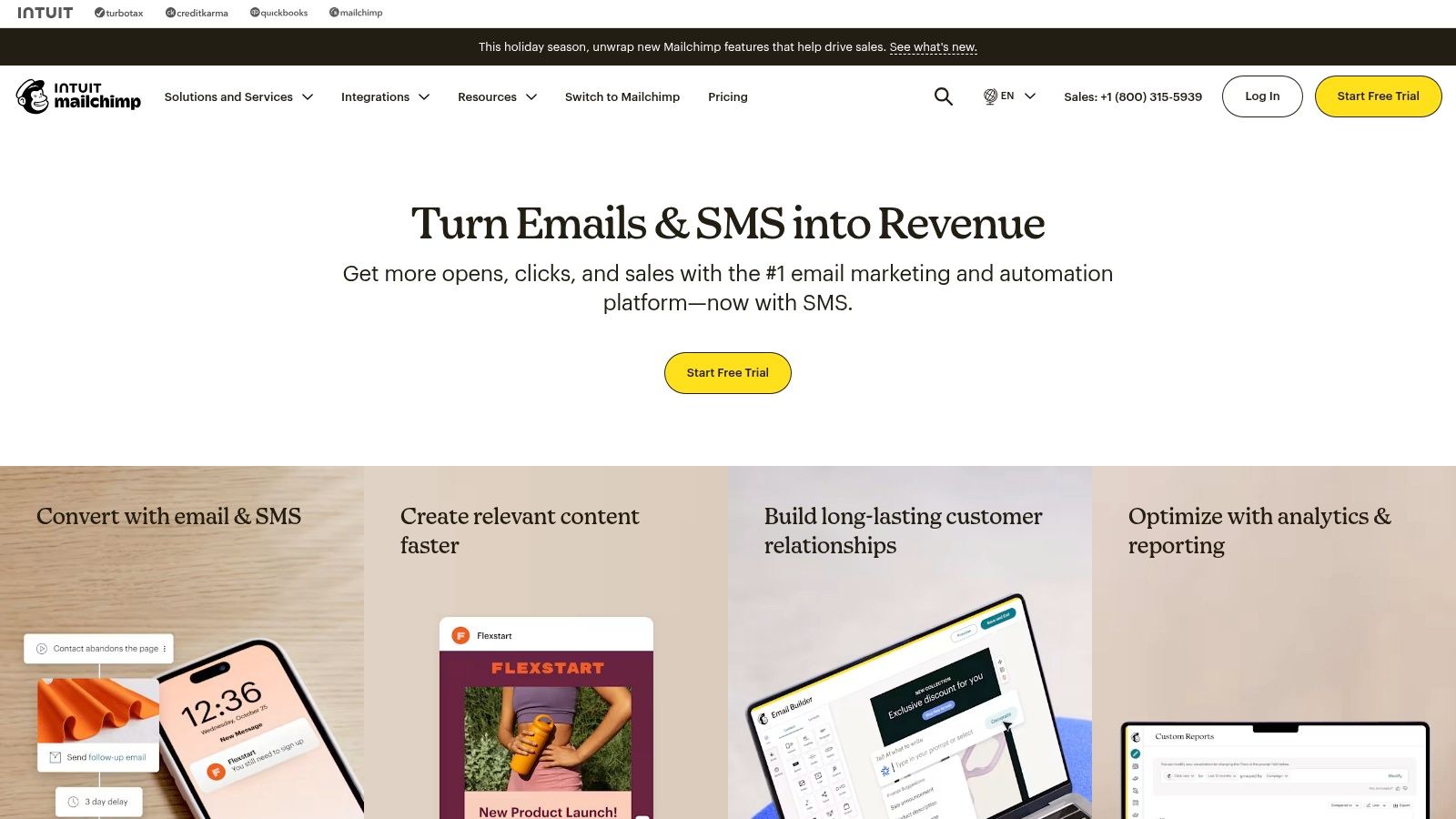
Alt text: The Mailchimp interface showing its AI-powered Content Optimizer suggesting improvements for an email subject line.
Unlike more complex, all-in-one systems, Mailchimp excels at making sophisticated features accessible. The AI Content Optimizer can suggest subject lines, headers, and body copy based on industry best practices and your campaign goals. This focus on email-centric AI, combined with its segmentation and basic e-commerce tools, establishes Mailchimp as one of the most practical ai marketing tools for small business owners who need to get effective campaigns out the door quickly. Learn more about how Mailchimp’s AI features compare to others in our guide to the best AI tools for marketing.
Practical Example: Optimizing an Email Subject Line with AI
Here’s a step-by-step guide to quickly improve an email campaign’s open rate.
- Navigate to Campaigns > Email and either create a new email or edit an existing draft.
- In the email builder, go to the “To” section and define your audience.
- In the “Subject” section, write your initial idea, like “Our new products are here.”
- Click the Content Optimizer (sparkle icon) next to the subject line field.
- The AI will analyze your subject line and generate several alternative options designed for higher engagement (e.g., “✨ Just Dropped: Meet Your New Favorites,” or “Psst… Our Latest Collection Has Arrived”). It also provides scores and suggestions for improvement.
- Select the AI-generated option that best fits your brand and save it.
Actionable Takeaways
- For your next campaign, use the Content Optimizer to generate and test at least two different subject lines.
- Enable the AI-powered “Send Time Optimization” feature to let Mailchimp automatically deliver your email when subscribers are most likely to open it.
- Use the AI assistant to draft a short welcome email for new subscribers.
Tools & Resources
- Website: https://mailchimp.com
- Further Reading: Explore Mailchimp’s guide on writing effective subject lines to understand the principles behind the AI’s suggestions.
3. Jasper
Jasper is an AI content platform designed specifically for marketing teams to create high-quality, on-brand copy at scale. It distinguishes itself from general-purpose AI writers by focusing on brand consistency through features like Brand Voice and knowledge assets. This allows a small business to “teach” the AI its specific tone, style guides, product details, and audience personas, ensuring all generated content feels authentic and aligned.
Alt text: Jasper’s user interface displaying a variety of content templates for marketing, including options for ads, blogs, and social media.
Instead of just generating text, Jasper provides a suite of tools for various marketing needs, including an AI image generator for creating ad visuals and social media graphics. This integrated approach makes it one of the most versatile ai marketing tools for small business, especially for teams that prioritize content creation. Its focus on marketing workflows and brand controls provides a significant advantage over more generic AI assistants.
Practical Example: Creating a Step-by-Step Ad Campaign
Here’s a workflow for generating a complete social media ad campaign from scratch.
- Teach the AI: Navigate to Brand Voice in your dashboard. Upload documents like your homepage copy, mission statement, or a popular blog post so the AI can learn your specific tone.
- Generate Ad Copy: Go to the Templates section and select the “Facebook ad primary text” template. Enter your product details and a brief description of the promotion. Ensure you select your recently defined Brand Voice from the dropdown. Jasper will generate several ad copy variations.
- Create Visuals: Choose the best copy and move to the Art tab. Enter a prompt like: “Photorealistic image of a minimalist desk setup with our new ergonomic keyboard, bright morning light.”
- Assemble the Campaign: Combine the generated copy and image to build and launch your ad on your chosen social platform.
Actionable Takeaways
- Create a Brand Voice by scanning your website. Instantly, all future content will adopt your tone.
- Use the “Repurpose Content” template to turn a recent blog post into a LinkedIn article, a Twitter thread, and an email newsletter.
- Generate three different ad headlines for your best-selling product and test them against each other.
Tools & Resources
- Website: https://www.jasper.ai
- Further Reading: Jasper’s Academy provides tutorials on prompt engineering for marketers.
4. Canva (Magic Studio)
Canva has evolved from a simple design tool into a comprehensive creative suite with its AI-powered Magic Studio. It excels at empowering non-designers to produce professional-grade marketing assets, from social media graphics to video ads, in a fraction of the time. The platform integrates AI directly into the design workflow, allowing users to generate text, images, and entire layouts with simple text prompts.
Alt text: A screenshot of Canva’s Magic Studio, highlighting its suite of AI tools for generating and editing designs, text, and images.
Unlike specialized, single-function AI tools, Canva provides an end-to-end creative solution. A small business can generate a logo, create a brand kit, design an ad campaign, and then use AI to magically resize and repurpose those assets for different channels like Instagram Stories, Facebook posts, and email headers. This makes it one of the most practical and cost-effective ai marketing tools for small business owners who handle their own marketing.
Practical Example: Generating a Social Media Ad with AI
Here’s a step-by-step guide to creating a visual ad for a new product in minutes.
- Start a new design in Canva and select a template or custom dimensions (e.g., “Instagram Post”).
- Click on the Magic Studio icon in the side panel.
- Choose Magic Design and enter a prompt like: “An Instagram ad for a new organic dog treat called ‘Pawsitive Bites.’ Use a playful, natural color palette with photos of happy dogs.”
- The AI will generate several complete design concepts, including images, headlines, and layouts.
- Select a design, then use Magic Write to refine the copy or use the Magic Edit tool to alter objects in an image (e.g., changing the color of a dog’s collar).
Actionable Takeaways
- Use “Magic Resize” to instantly convert one Instagram post into formats for Facebook, Pinterest, and an email header.
- Generate a short video for social media using “Magic Design for Video” by simply describing your idea.
- Try the “Text to Image” feature to create a custom background graphic for your next presentation.
Tools & Resources
- Website: https://www.canva.com/magic/
- Further Reading: Canva’s Design School offers free video tutorials on using all the Magic Studio features.
5. Hootsuite
Hootsuite is a veteran social media management platform that has powerfully integrated AI to streamline content creation and scheduling. Its standout feature, OwlyWriter AI, acts as a built-in assistant specifically for social media managers, helping them overcome writer’s block, generate fresh ideas, and repurpose top-performing content. This focus makes it an ideal solution for businesses managing multiple social profiles that need to maintain a consistent and engaging presence without dedicating countless hours to content creation.
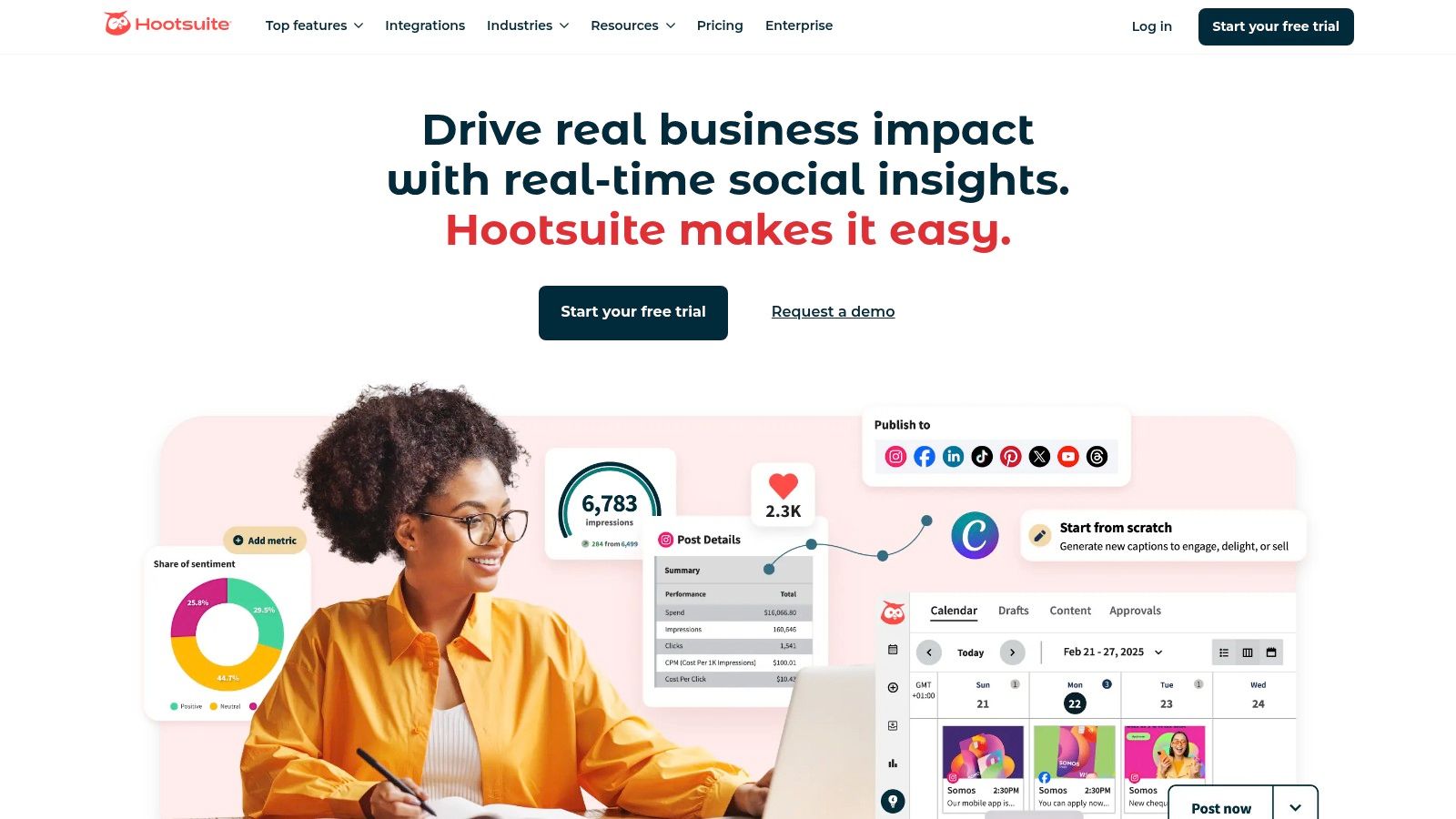
Alt text: A screenshot of Hootsuite’s composer showing the OwlyWriter AI generating social media captions based on a user’s prompt.
Unlike generic AI writers, Hootsuite’s OwlyWriter is tailored for social media, understanding the nuances of different platforms. For example, it can take a single idea and generate a professional LinkedIn post, an engaging Instagram caption with relevant hashtags, and a concise tweet, all from one prompt. This platform-specific intelligence, combined with its robust scheduling, analytics, and unified inbox, makes it one of the most practical ai marketing tools for small business teams focused on social media.
Practical Example: Repurposing a Blog Post for Social Media
Here’s a step-by-step process to quickly create a week’s worth of social content from a single blog post.
- Navigate to the Inspiration section in the Hootsuite dashboard and select OwlyWriter AI.
- Choose the Repurpose content option and paste the URL of your latest blog post.
- OwlyWriter AI analyzes the content and generates multiple post variations tailored for different networks like LinkedIn, Twitter, and Facebook. For example, it might create a professional summary for LinkedIn and a question-based post for Facebook.
- Select the posts you like, make any necessary edits (like adding a specific call-to-action), and click the Post button.
- Use Hootsuite’s “Best Time to Publish” recommendation to schedule them automatically throughout the week for optimal engagement.
Actionable Takeaways
- Use OwlyWriter’s “Turn a Link into a Post” feature with a news article relevant to your industry to create timely content.
- Generate a holiday-themed post by using the “Create a post from a holiday” prompt (e.g., #NationalCoffeeDay).
- Find your top-performing post from last month and use OwlyWriter to “Rephrase” it with a fresh angle to post again.
Tools & Resources
- Website: https://www.hootsuite.com
- Further Reading: Hootsuite’s blog offers extensive resources on social media strategy and trends.
6. Semrush
Semrush is a comprehensive SEO and digital marketing suite that has powerfully integrated AI into its core data and content creation tools. It stands out by combining vast competitive intelligence data with actionable AI features, allowing small businesses to not only research their market but also create optimized content based directly on those insights. This makes it an end-to-end solution for a data-driven content marketing strategy.
Alt text: A screenshot showing the Semrush Writing Assistant giving real-time SEO, readability, and tone of voice scores on a piece of content.
Unlike many standalone writing tools, Semrush’s AI is fueled by its massive keyword and competitor database. You can use its AI Writing Assistant to generate blog posts, rephrase content, and check for plagiarism, all while receiving real-time SEO feedback. This integration ensures the content you create is not just well-written but also strategically aligned to rank in search engines, positioning it as one of the most effective ai marketing tools for small business focused on organic growth.
Practical Example: Creating an SEO-Optimized Blog Post Outline
Here’s a step-by-step workflow for creating a blog post outline that’s built to rank.
- Navigate to the Content Marketing Toolkit and open the SEO Content Template.
- Enter your target keyword, such as “small business budget tips.”
- Semrush analyzes the top 10 ranking pages for that keyword and provides key recommendations, including semantically related keywords, average text length, and readability score.
- Open the companion SEO Writing Assistant and click the Compose with AI button.
- Use a prompt like: “Generate a comprehensive blog post outline based on the provided SEO recommendations for the keyword ‘small business budget tips’.”
- The AI will create a structured outline (H2s, H3s) that incorporates the recommended keywords and addresses common questions your audience is asking.
Actionable Takeaways
- Use the Keyword Magic Tool to find a low-competition keyword, then use the AI Writing Assistant to generate a draft article for it.
- Take an existing blog post from your site, paste it into the SEO Writing Assistant, and use the AI’s rephrasing suggestions to improve its SEO score.
- Analyze a competitor’s top-ranking article, then ask the AI to generate an outline for a “more comprehensive” version.
Tools & Resources
- Website: https://www.semrush.com
- Further Reading: The Semrush Blog is a leading resource for SEO and content marketing education.
7. Shopify App Store (AI Marketing Apps)
For e-commerce businesses running on Shopify, the official App Store is less a single tool and more a powerful ecosystem for extending store functionality. It serves as a central marketplace to discover and install hundreds of specialized AI marketing apps that plug directly into your store, automating everything from ad creation and product descriptions to customer personalization. This integrated approach allows store owners to add powerful capabilities without complex, custom development.
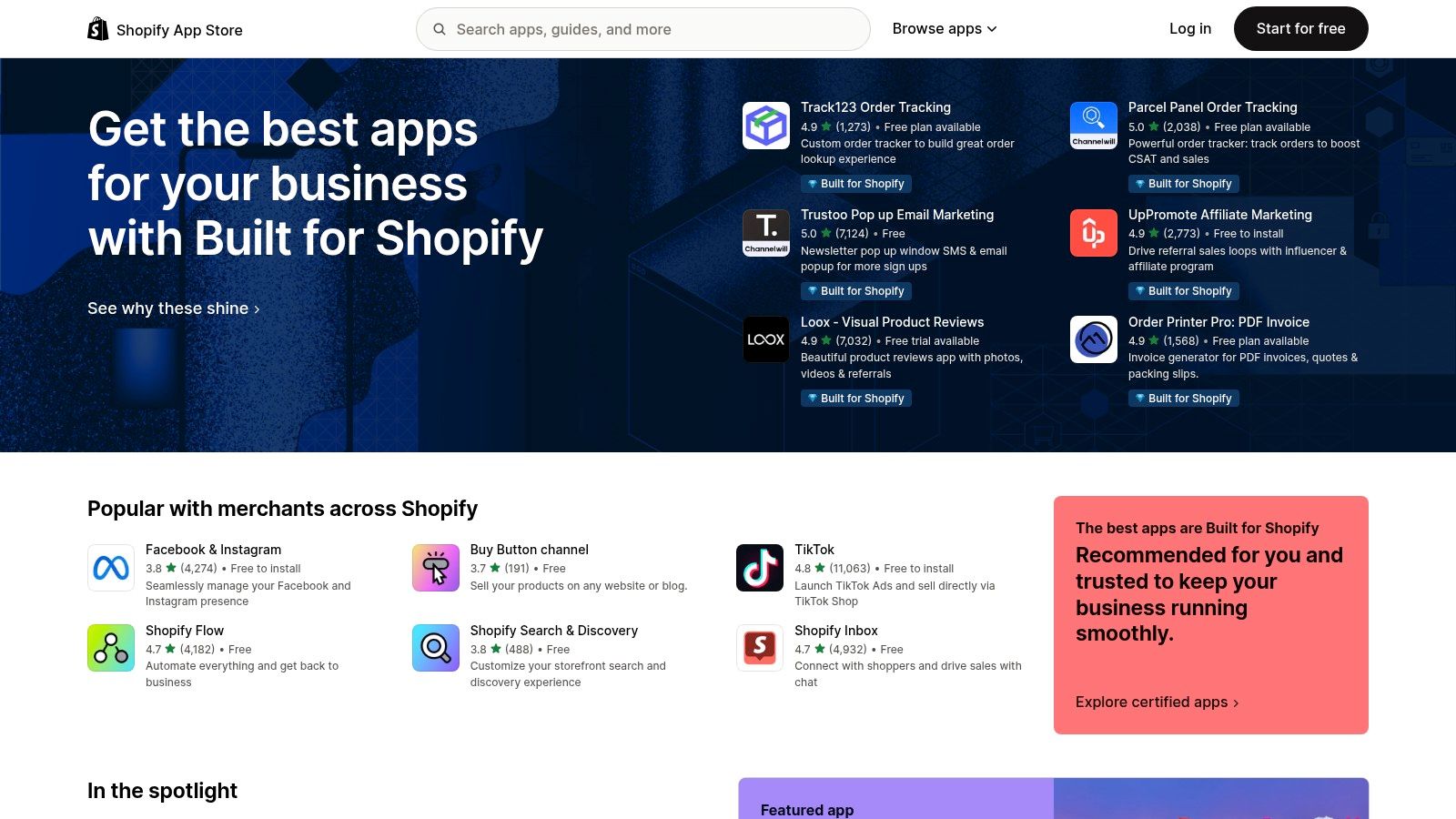
Alt text: The Shopify App Store homepage, displaying various AI-powered marketing and sales applications for e-commerce stores.
Unlike all-in-one platforms, the App Store model lets you pick and choose solutions for specific problems. You can find dedicated apps for AI-powered search and product recommendations, automated social media posting, or generating compelling ad copy. This makes it one of the most flexible sources for ai marketing tools for small business, as you can start with free or low-cost apps and add more sophisticated tools as your business grows, with billing handled conveniently through your Shopify account.
Practical Example: Installing an AI-Powered Product Recommendation App
Here’s a step-by-step process for adding an AI upsell and cross-sell app to your store to increase average order value.
- Navigate to the Shopify App Store from your admin dashboard and search for “AI product recommendations.”
- Choose a highly-rated app like Releasit COD Form & Upsells or LimeSpot Personalizer. Read the recent reviews to ensure it fits your needs.
- Click Add app and follow the one-click installation process, granting the necessary permissions.
- Inside the app’s dashboard, configure the recommendation widgets. Common options include “Frequently Bought Together” on product pages and “You May Also Like” in the shopping cart.
- Enable the AI engine. The app will begin analyzing your historical sales data and real-time customer behavior to automatically display the most relevant product recommendations to each visitor.
Actionable Takeaways
- Install a free AI product description generator to rewrite and enhance the copy for your five best-selling products.
- Add an AI-powered chatbot app to provide 24/7 customer support and answer common questions.
- Try an AI personalization app to show different product collections to returning visitors based on their browsing history.
Tools & Resources
- Website: https://apps.shopify.com
- Further Reading: The Shopify Blog regularly features roundups of the best apps for different business needs.
8. G2
While not an AI tool itself, G2 is an essential research platform for any small business vetting software. It serves as a massive peer-review and comparison site, offering unfiltered user feedback, detailed feature lists, and side-by-side analysis. This makes it an invaluable resource for shortlisting and validating potential ai marketing tools for small business before committing to a subscription.
Alt text: A G2 comparison page showing three different AI marketing tools with their features, pricing, and user ratings displayed side-by-side.
Instead of relying solely on vendor marketing copy, G2 allows you to see how real users rate everything from ease of use to customer support. Its dedicated categories for AI-powered software are constantly updated, providing a current snapshot of the market. You can filter tools based on company size, industry, and specific features, ensuring the options you evaluate are relevant to your unique business needs.
Practical Example: Shortlisting AI Content Generation Tools
Here’s a step-by-step workflow for finding the right AI writing assistant for your business.
- Navigate to G2.com and search for a category like “AI Writing Assistant Software” or “Generative AI Platforms.”
- Use the filters on the left-hand sidebar to narrow the results. Select Small-Business under the “Company Size” filter to see tools popular with companies like yours.
- Click the Compare checkbox for three to four top-rated tools (like Jasper, Copy.ai, and Writesonic).
- On the comparison page, review the side-by-side feature lists, pricing overviews, and satisfaction scores for key attributes like “Ease of Use” and “Quality of Support.”
- Click into each product’s profile and read the highest-rated and most critical user reviews to understand its real-world pros and cons.
Actionable Takeaways
- Look up the software you currently use to see how its user ratings compare to its top competitors.
- Use the comparison feature to evaluate your top two choices for a new CRM or email marketing tool.
- Read a “Buyer’s Guide” on G2 for a category you’re interested in to understand the key features you should be looking for.
Tools & Resources
- Website: https://www.g2.com
- Further Reading: G2’s research hub publishes regular reports on software trends and market leaders.
9. Zapier
Zapier is the quintessential no-code automation platform that acts as the connective tissue between your marketing applications. While not a standalone marketing tool itself, its power lies in connecting platforms like your CRM, ad managers, and email services, using AI to create intelligent, automated workflows. This allows small businesses to automate lead management, content distribution, and customer follow-ups without writing a single line of code.
Alt text: The Zapier workflow editor, showing a multi-step “Zap” that uses an AI action to process data between two different applications.
Unlike platforms focused on a single marketing function, Zapier excels at orchestrating tasks across your entire marketing stack. You can build “Zaps” (automated workflows) that incorporate AI steps, such as using OpenAI to draft a personalized follow-up email when a new lead comes in from a form. Its massive integration library makes it one of the most versatile ai marketing tools for small business, enabling you to create custom solutions tailored to your exact operational needs.
Practical Example: Creating an AI-Powered Lead Qualification Workflow
Here’s a step-by-step process for automatically qualifying and responding to new leads from your website.
- Trigger: Create a new Zap. Set the trigger to “New Form Submission” from your website form tool (e.g., Typeform, Gravity Forms).
- AI Action: Add an action step using the “OpenAI” or “Zapier AI” integration.
- Prompt the AI: Configure the action with a prompt like: “Analyze the following form submission:
[Insert Form Data Fields Here]. Based on the message, is this a qualified lead for our web design services? The prospect should mention budget or a specific project. Respond with only ‘Yes’ or ‘No’.” - Filter: Add a “Filter by Zapier” step that only allows the Zap to continue if the output from the AI step contains “Yes”.
- Final Action: If the filter passes (the lead is qualified), add two final actions: create a new deal in your CRM (e.g., HubSpot) and send a real-time notification to your team in Slack.
Actionable Takeaways
- Create a Zap that automatically posts your new blog articles to your social media channels via Buffer or Hootsuite.
- Set up a workflow that uses AI to summarize customer feedback from a survey form and saves the summary in a Google Sheet.
- Connect your e-commerce platform to your email list so that new customers are automatically added to a welcome email sequence.
Tools & Resources
- Website: https://zapier.com
- Further Reading: Zapier’s blog provides thousands of workflow ideas and step-by-step tutorials.
10. Google Ads (Performance Max)
Google Ads Performance Max is not a standalone tool but an advanced, AI-driven campaign type within the Google Ads platform. It streamlines advertising by automating the optimization process across Google’s entire network, including Search, YouTube, Display, Discover, Gmail, and Maps. For small businesses, this means you can reach customers wherever they are online from a single, goal-oriented campaign without needing to manage multiple complex setups.
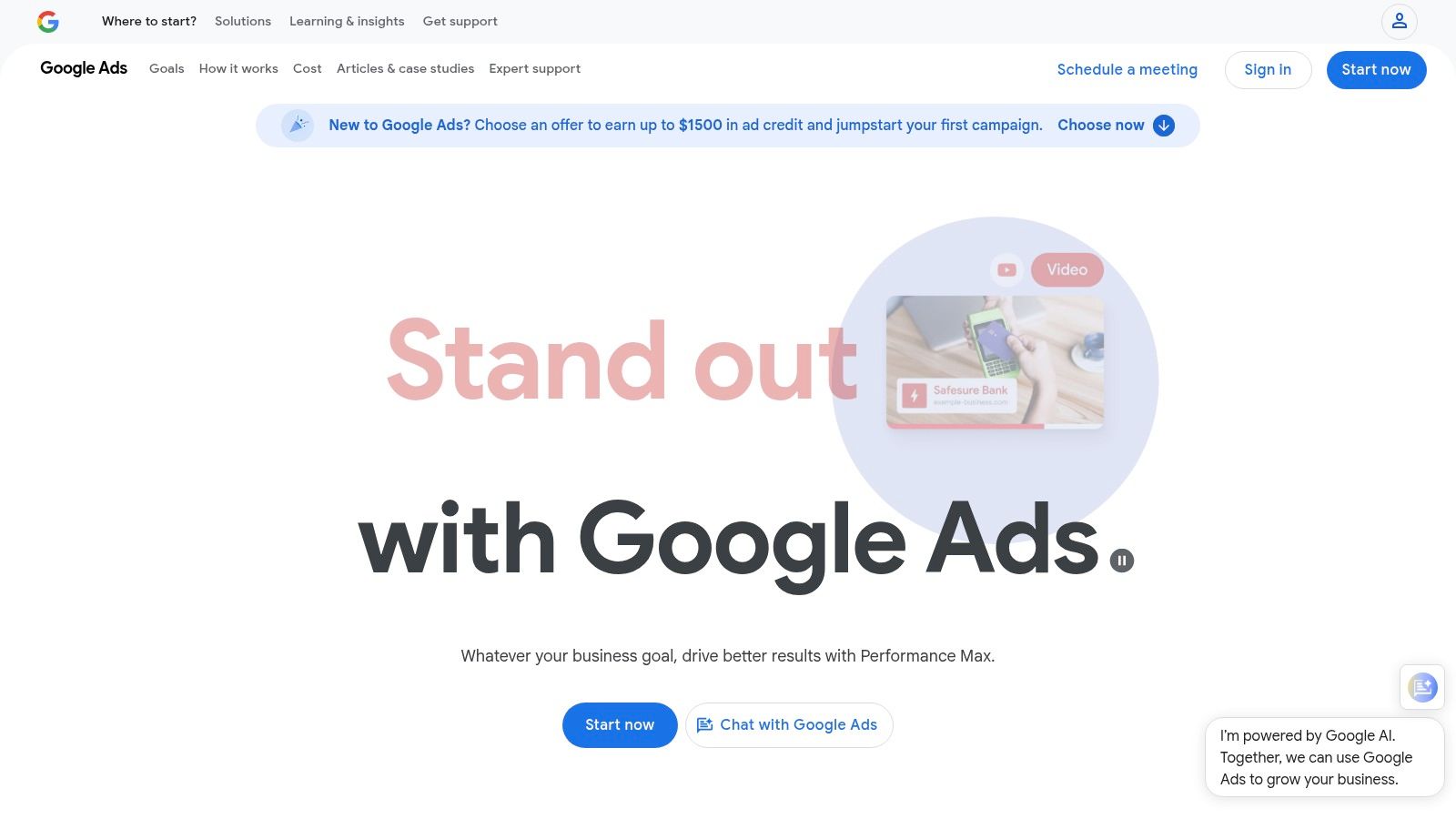
Alt text: The Google Ads interface for a Performance Max campaign, displaying the sections for asset groups, audience signals, and bidding strategy.
Unlike traditional campaigns where you manually set bids and targeting, Performance Max uses machine learning to find the best mix of creative assets, audiences, and channels to achieve your specific conversion goals. By providing it with your text, images, and videos, you empower one of the most powerful ai marketing tools for small business advertising, allowing Google’s algorithms to handle the heavy lifting of real-time bidding and placement optimization.
Practical Example: Setting Up a PMax Campaign to Drive Online Sales
Here’s a step-by-step guide for an e-commerce store to set up a Performance Max campaign to boost sales.
- In your Google Ads account, click + New campaign and select “Sales” as the campaign objective.
- Choose Performance Max as the campaign type and link your Google Merchant Center account if you have one.
- Set your daily budget and choose a bidding strategy. For sales, focus on “Maximize conversion value.”
- Create an Asset Group by uploading your best ad creative: at least 5 headlines, 3 descriptions, high-quality images, your logo, and a video if you have one.
- Provide Audience Signals. This is crucial. Add your website retargeting lists, customer match lists, and custom segments based on search activity (e.g., people who searched for your competitor’s brand). This helps the AI learn much faster.
- Launch the campaign. Important: Allow the system 2-3 weeks to complete its “learning phase” before making significant changes.
Actionable Takeaways
- Create one PMax campaign targeting your most profitable conversion goal (e.g., “purchase” or “lead form submission”).
- Provide high-quality audience signals, including your existing customer list and website visitors, to accelerate the AI’s learning process.
- Regularly check the “Asset group” performance report to replace low-performing images and headlines with new variations.
Tools & Resources
- Website: https://ads.google.com/home/campaigns/performance-max/
- Further Reading: Google’s Skillshop offers free training and certification on Performance Max campaigns.
11. Buffer
Buffer is a streamlined social media management platform renowned for its simplicity and affordability, now enhanced with a practical AI Assistant. It focuses on doing one thing exceptionally well: scheduling and publishing social content. This makes it an ideal choice for small businesses or solopreneurs who need a straightforward tool without the complexity of an all-in-one marketing suite.
Alt text: The Buffer content composer with the AI Assistant open, showing options to generate ideas, rewrite text, and shorten or expand copy.
Unlike larger platforms where AI can be buried in advanced features, Buffer integrates its AI Assistant directly into the content composer. This allows users to generate post ideas, rewrite captions for different tones, or expand on a simple concept instantly. For small teams looking for accessible ai marketing tools for small business, Buffer provides a low-cost entry point to AI-powered content creation combined with proven scheduling and analytics tools.
Practical Example: Using AI to Generate Social Post Variations
Here’s a step-by-step process to quickly create multiple post options for a single announcement.
- Open the Buffer composer and write a basic draft, like: “Our new blog post about sustainable gardening is live on the site today.”
- Click the AI Assistant icon (sparkles) in the composer toolbar.
- Select Rewrite and choose a tone, such as “Inspirational,” “Witty,” or “Formal,” to get different versions of your caption.
- Next, use the Generate ideas option and input “Promote a blog post about sustainable gardening” to get entirely new angles (e.g., a question for your audience, a surprising statistic from the article).
- Choose your favorite AI-generated copy, add it to your queue, and schedule it across your social channels.
Actionable Takeaways
- Use the AI Assistant on the free plan to brainstorm five content ideas for the upcoming week.
- Take a single customer testimonial and use the AI to rewrite it into three different social media posts.
- Schedule your posts using Buffer’s recommended time slots to maximize visibility.
Tools & Resources
- Website: https://buffer.com
- Further Reading: Buffer’s blog is known for its in-depth research and resources on social media marketing.
12. Wix
Wix is a website builder that has evolved into an all-in-one platform by integrating powerful AI tools directly into its site creation and management ecosystem. It stands out for small businesses that need to build an online presence from scratch and want marketing features baked in from the start. This approach consolidates web design, content creation, SEO, and email marketing into a single, manageable dashboard.
Alt text: The Wix AI website builder interface, showing how a user can describe their business for the AI to generate a complete website layout.
Unlike dedicated marketing suites, Wix embeds AI at the foundational level of your digital storefront. You can use its AI to generate an entire website structure, write blog post drafts, create product descriptions, or suggest SEO improvements. These integrated features make Wix one of the most accessible ai marketing tools for small business owners who prioritize speed and simplicity over complex, standalone applications.
Practical Example: Setting Up Your Site’s SEO with AI
Here’s a step-by-step workflow for optimizing your new Wix site for search engines.
- From your Wix Dashboard, navigate to Marketing & SEO.
- Select Get Found on Google to launch the SEO Setup Checklist.
- The AI wizard will ask for your business name and up to five keywords that describe your business (e.g., “artisan coffee roaster,” “Brooklyn coffee shop,” “specialty coffee beans”).
- Based on your input, it generates a personalized, step-by-step SEO plan. This includes optimizing your meta titles, descriptions, and homepage text.
- For each step, you can use the built-in AI Text Creator. For example, when editing your homepage meta description, click the AI button, and it will instantly generate several compelling, keyword-rich options for you to choose from and apply.
Actionable Takeaways
- Use the AI Website Builder to generate a functional first draft of your site in under 10 minutes.
- If you have an e-commerce store, use the AI Text Creator to write unique product descriptions for your top 3 products.
- Run the SEO Setup Checklist and let the AI generate optimized meta tags for your homepage.
Tools & Resources
- Website: https://www.wix.com
- Further Reading: The Wix Blog provides extensive guides on website design, e-commerce, and online marketing.
Your Next Steps: Putting AI to Work
We’ve explored a powerful lineup of AI marketing tools, from all-in-one platforms like HubSpot to specialized creators like Jasper. The common thread is clear: AI is no longer a futuristic concept but a practical, accessible co-pilot for growth. You don’t need a massive budget to start. The key is to identify your most significant bottleneck and apply a single, focused AI solution to solve it.
Actionable Takeaways
- Identify Your Biggest Time Sink: For one week, note where you spend the most manual marketing effort. Is it writing social posts? Responding to leads? Analyzing data?
- Match the Problem to a Tool: If content creation is the issue, start a free trial with Jasper or Canva. If lead management is chaotic, set up the free HubSpot CRM.
- Start with One Workflow: Don’t try to automate everything at once. Pick one repetitive task and build a simple process. For example, use Buffer’s AI to generate and schedule one week of social media posts.
- Measure the Impact: After two weeks, ask: Did this save me time? Did it improve my results (e.g., higher email open rates, more engagement)? If yes, it’s a keeper.
The journey into leveraging AI marketing tools for your small business is a marathon, not a sprint. Start small, be consistent, and focus on solving one problem at a time. By integrating these intelligent assistants into your daily operations, you level the playing field, allowing you to compete, innovate, and grow more efficiently than ever before.
For those new to the foundational concepts, consulting a complete guide to digital marketing for small business can provide a solid strategic base before implementing these advanced tools.