
In 2025, AI is no longer a futuristic concept; it’s a core part of the modern developer’s toolkit. From autocompleting complex functions to automating entire test suites, AI-powered tools are fundamentally changing how we write, debug, and ship code. The productivity gains are no longer marginal. Integrating the right AI can mean the difference between meeting a tight deadline and falling behind.
This guide moves beyond the hype to give you a practical, hands-on look at the best AI tools for developers available today. We’ve structured this comprehensive list to help you find the perfect fit for your specific needs, fast. We will explore everything from in-IDE coding assistants like GitHub Copilot to powerful, scalable platforms such as Azure OpenAI Service and Amazon Bedrock.
Each entry in our list includes a detailed breakdown with screenshots, direct links, and actionable insights, covering:
- Core Features: What it does best.
- Primary Use Cases: How to apply it to your projects.
- Pros & Cons: An honest assessment of its strengths and limitations.
- Practical Examples: Step-by-step instructions you can implement immediately.
Whether you’re a solo developer looking to accelerate your projects or a tech lead aiming to standardize on a secure AI platform, you’ll find the right solution here. Let’s explore how you can leverage these powerful assistants to build better software, faster.
1. GitHub Copilot
GitHub Copilot is an AI-powered pair programmer that lives directly inside your editor. Developed by GitHub, Microsoft, and OpenAI, it offers intelligent, context-aware code completions, chat-based assistance, and deep integration into the development lifecycle. Its primary strength lies in its seamless connection to the GitHub ecosystem, making it one of the best AI tools for developers already vested in that platform.
Copilot analyzes the context of your code—comments, function names, and surrounding logic—to suggest individual lines or entire functions. This significantly accelerates coding tasks from boilerplate setup to complex algorithm implementation. Its chat and agent features provide a conversational interface for debugging, explaining code snippets, and even generating unit tests, all without leaving your IDE.
Alt text: An example of GitHub Copilot suggesting a complete function in a code editor, highlighting the AI’s ability to generate relevant code based on context.
Key Features & Use Cases
- Code Completion: Get real-time, multi-line code suggestions in languages like Python, JavaScript, TypeScript, Ruby, and Go.
- Copilot Chat: Ask coding questions, get explanations, or debug errors using natural language directly in VS Code and other supported IDEs.
- GitHub Integration: Use Copilot to summarize pull requests, analyze changes, and even suggest improvements to code during reviews.
- CLI & Terminal Support: Get shell command suggestions and explanations directly in your terminal by asking
gh copilot suggest.
Pricing & Integrations
| Plan Tier | Price (Individual) | Core Features |
|---|---|---|
| Copilot Free | Free | Available for verified students, teachers, and maintainers of popular open-source projects. |
| Copilot Individual | $10/month | Core AI code completions, chat in IDE, CLI support, security vulnerability filtering. |
| Copilot Business | $19/month/user | Includes Individual features plus org-wide policy management and IP indemnity. |
| Copilot Enterprise | $39/month/user | Includes Business features plus chat personalized to your codebase and documentation. |
Copilot integrates with Visual Studio Code, Visual Studio, JetBrains IDEs, and Neovim. You can explore more details about how GitHub Copilot is positioned among top-tier AI developer tools on richlyai.com.
Practical Example: Generating Unit Tests
To generate a unit test for an existing function, follow these steps:
- Highlight the Code: Select the entire function you want to test in your IDE.
- Open Copilot Chat: Use the shortcut (e.g.,
Cmd+Ion macOS in VS Code) or click the chat icon. - Use the
/testsCommand: In the chat window, simply type/testsand press Enter.
Copilot will analyze the function’s logic and generate a set of relevant test cases using your project’s detected testing framework (like Pytest or Jest).
Pros:
- Deeply integrated into the GitHub workflow (PR summaries, code review).
- High-quality code suggestions across a vast range of languages.
- Clear and accessible pricing with a valuable free tier for students and open-source maintainers.
Cons:
- Its best features are tightly coupled with the Microsoft/GitHub ecosystem.
- Can sometimes suggest outdated or insecure code patterns that require manual review.
Actionable Takeaways
- Use
@workspacein Copilot Chat to ask questions about your entire codebase. - Let Copilot generate commit messages for you by clicking the “sparkle” icon in the source control panel.
- Ask Copilot to explain unfamiliar shell commands directly in your terminal with
gh copilot explain.
Website: github.com/features/copilot
2. OpenAI Platform (APIs)
The OpenAI Platform provides developers with direct API access to the state-of-the-art models behind tools like ChatGPT, including the GPT family for text, code, and reasoning. It is the foundational layer for developers who need maximum flexibility to build custom AI-powered applications, from intelligent coding assistants to complex production-level agents. Its strength lies in its raw power, pay-as-you-go pricing, and a suite of built-in tools like Code Interpreter and File Search.
By leveraging the OpenAI API, developers can integrate sophisticated language and code generation capabilities directly into their own software. This approach is ideal for creating bespoke solutions that go beyond what pre-packaged tools offer. The platform’s robust documentation and versatile model selection make it one of the best AI tools for developers looking to build on top of a proven, powerful AI infrastructure.
Alt text: The OpenAI Platform API documentation page, showcasing code examples and available models, which highlights its developer-centric design.
Key Features & Use Cases
- State-of-the-Art Model Access: Utilize cutting-edge models like GPT-4o for tasks including code generation, debugging, and technical documentation.
- Assistants API: Build complex, stateful agents within your applications that can leverage tools like Code Interpreter and File Search to perform tasks.
- Fine-Tuning: Customize models on your own data to create highly specialized assistants for niche programming languages or proprietary codebases.
- Multimodal Capabilities: Integrate vision and audio processing into developer tools, such as analyzing screenshots of UI bugs or transcribing technical discussions.
Pricing & Integrations
The OpenAI Platform primarily uses a pay-as-you-go model, with prices varying per model and based on input/output tokens. This allows for flexible scaling from small projects to large-scale enterprise applications.
| Model Category | Pricing Basis | Key Differentiator |
|---|---|---|
| GPT-4o | $5.00 / 1M input tokens | Flagship multimodal model, balances cost and performance. |
| GPT-4 Turbo | $10.00 / 1M input tokens | Optimized for high-throughput, large-context tasks. |
| Fine-tuning Models | Varies (Training + Usage costs) | Customizes models for specific, high-accuracy tasks. |
| Batch API | 50% discount on standard API prices | Processes large, non-urgent jobs asynchronously. |
The API can be integrated into virtually any application or service using standard REST principles. For a deeper look into its code-specific origins, you can explore the history of the OpenAI Codex on richlyai.com.
Practical Example: Code Refactoring via API
To quickly refactor a piece of code for better readability, you can use a simple API call with Python:
- Install the Library:
pip install openai - Set Up Your Client:
from openai import OpenAI client = OpenAI(api_key="YOUR_API_KEY") # Use environment variables in production - Make the API Call:
code_to_refactor = """
def process_data(data):
    # ... your complex code here ...
"""

response = client.chat.completions.create(
  model="gpt-4o",
  messages=[
    {"role": "system", "content": "You are an expert programmer specializing in clean Python code."},
    {"role": "user", "content": f"Refactor the following Python code for clarity and efficiency:nn{code_to_refactor}"}
  ]
)
print(response.choices[0].message.content)
Pros:
- Access to the most advanced and widely used language and coding models.
- Flexible pay-as-you-go pricing allows for cost-effective experimentation and scaling.
- Excellent documentation and a massive community make it easy to get started.
Cons:
- Costs can become significant at scale, requiring careful monitoring and token management.
- Requires more development effort to integrate compared to out-of-the-box IDE plugins.
Actionable Takeaways
- Use the Batch API for non-urgent tasks like generating documentation for an entire repo to save 50% on costs.
- Explore the Assistants API to build a chatbot that can answer questions about your project’s documentation.
- Implement a token counter in your app to manage API costs proactively.
Website: openai.com/api/pricing/
3. Anthropic Claude (API and apps)
Anthropic’s Claude is a family of large language models accessible via a direct API and user-friendly applications. It has quickly become one of the best AI tools for developers due to its exceptionally large context windows and strong performance in complex reasoning, coding, and analysis tasks. Claude excels at processing and understanding vast codebases or extensive documentation in a single prompt.
This makes it ideal for tasks like large-scale code refactoring, in-depth technical Q&A, or generating code based on comprehensive project specifications. Its availability through multiple major cloud providers (AWS, Google Cloud) in addition to its own API gives development teams flexibility in how they integrate its powerful capabilities into their existing infrastructure.
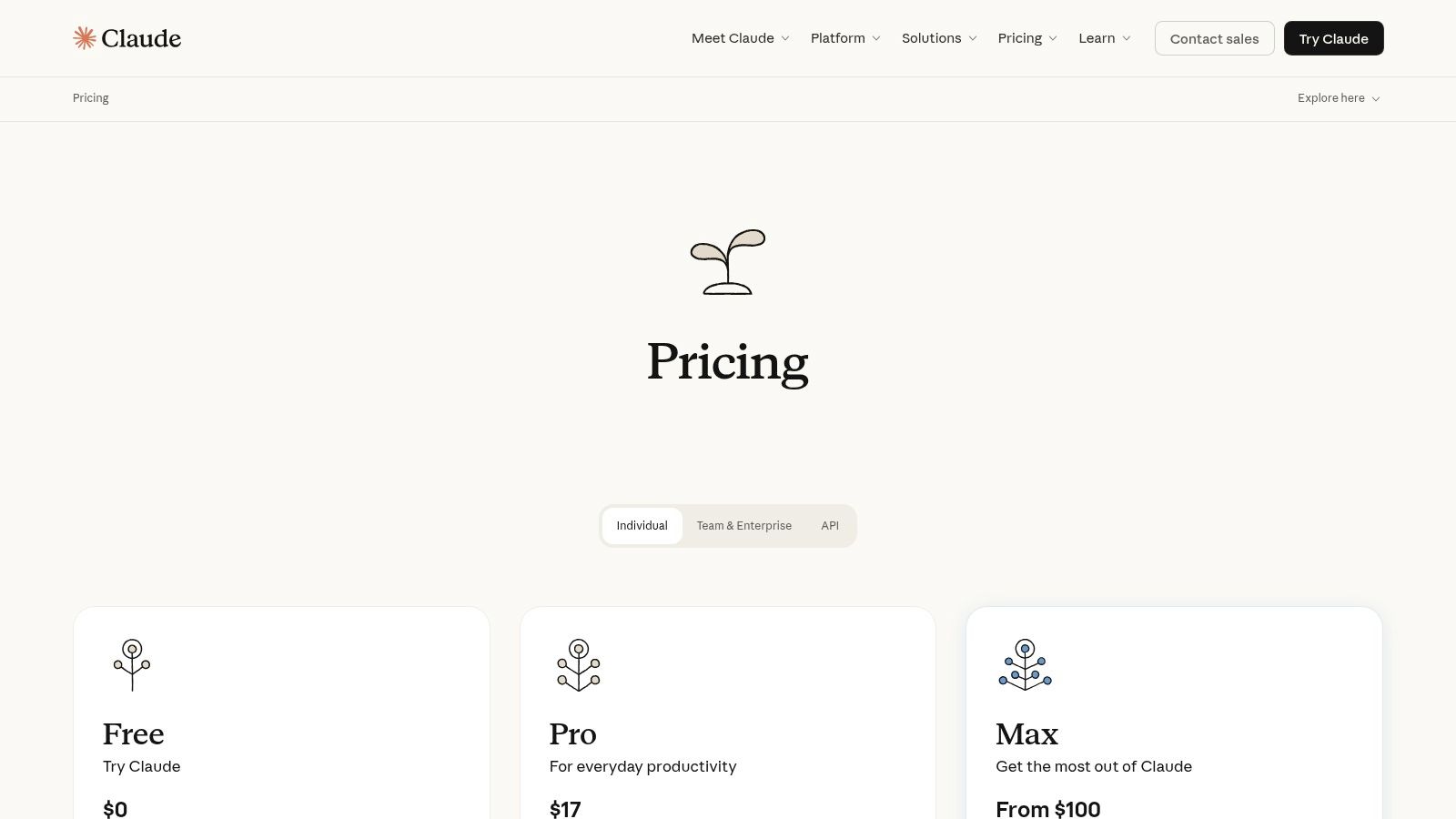
Alt text: The Anthropic Claude web interface showing a user interacting with the AI to get help with a coding problem.
Key Features & Use Cases
- Large Context Windows: Process up to 200K tokens (around 150,000 words), allowing you to feed entire code repositories or documentation sets for analysis.
- Strong Coding & Analysis: Excels at code generation, debugging, explanation, and translating code between languages with high accuracy.
- Multi-Cloud Availability: Accessible via Anthropic’s API, Amazon Bedrock, and Google Cloud’s Vertex AI for flexible integration.
- Team & Enterprise Tiers: Offers plans with administrative controls, higher rate limits, and centralized billing for organizational use.
Pricing & Integrations
| Plan Tier | Price (Web/App) | Core Features |
|---|---|---|
| Free | Free | Access to Claude 3 Sonnet model with usage limits. |
| Pro | $20/month | 5x more usage, priority access, and access to all Claude models including Opus. |
| Team | $30/month/user | Increased usage limits, 200K context window, admin tools, and centralized billing. |
API pricing is usage-based and varies by model (Haiku, Sonnet, Opus). Claude integrates directly with major cloud platforms and can be called from any application capable of making REST API requests.
Practical Example: Upgrading a Codebase
Imagine you need to upgrade a large legacy codebase from Python 2 to Python 3.
- Gather the Code: Combine multiple related scripts into a single text file.
- Upload the File: In the Claude web app, attach the text file to your prompt.
- Provide a Clear Prompt: Use a detailed prompt like: “Analyze the attached Python 2 code. Your task is to convert it to modern, idiomatic Python 3.9+. Pay specific attention to print statements, integer division, exception handling, and library changes like
urllib. Provide the complete, converted code in a single block.”
Claude’s large context window allows it to analyze the entire codebase at once, identifying inter-dependencies that a tool with a smaller context might miss.
Pros:
- Industry-leading context window is a major advantage for complex, large-scale coding tasks.
- Competitive price-to-performance ratio, especially for long-context analysis.
- Multiple access paths (direct API, cloud partners) provide great developer flexibility.
Cons:
- API availability and model access can vary depending on the cloud provider you choose.
- The most powerful model, Claude 3 Opus, comes at a higher price point for API usage.
Actionable Takeaways
- Feed your entire API documentation into Claude and ask it to generate client libraries in different languages.
- Use Claude to summarize long, complex GitHub issue threads to quickly get up to speed.
- Provide a full error stack trace and relevant code files to get highly specific debugging suggestions.
Website: claude.ai
4. Google AI Studio (Gemini Developer API)
Google AI Studio provides a web-based interface for developers to prototype and build with Google’s Gemini family of models. It serves as an accessible entry point to the Gemini API, offering a generous free tier that makes it an excellent choice for experimentation and initial development. Its primary strength is providing a frictionless path from rapid prototyping in a web console to full-scale production on Google Cloud’s Vertex AI platform.
The platform allows you to quickly get an API key and start testing prompts, adjusting model parameters, and integrating Gemini’s multimodal capabilities into applications. It simplifies the initial setup, enabling developers to focus on building features rather than managing infrastructure. This makes it one of the best AI tools for developers looking to leverage Google’s latest models without a heavy initial investment.
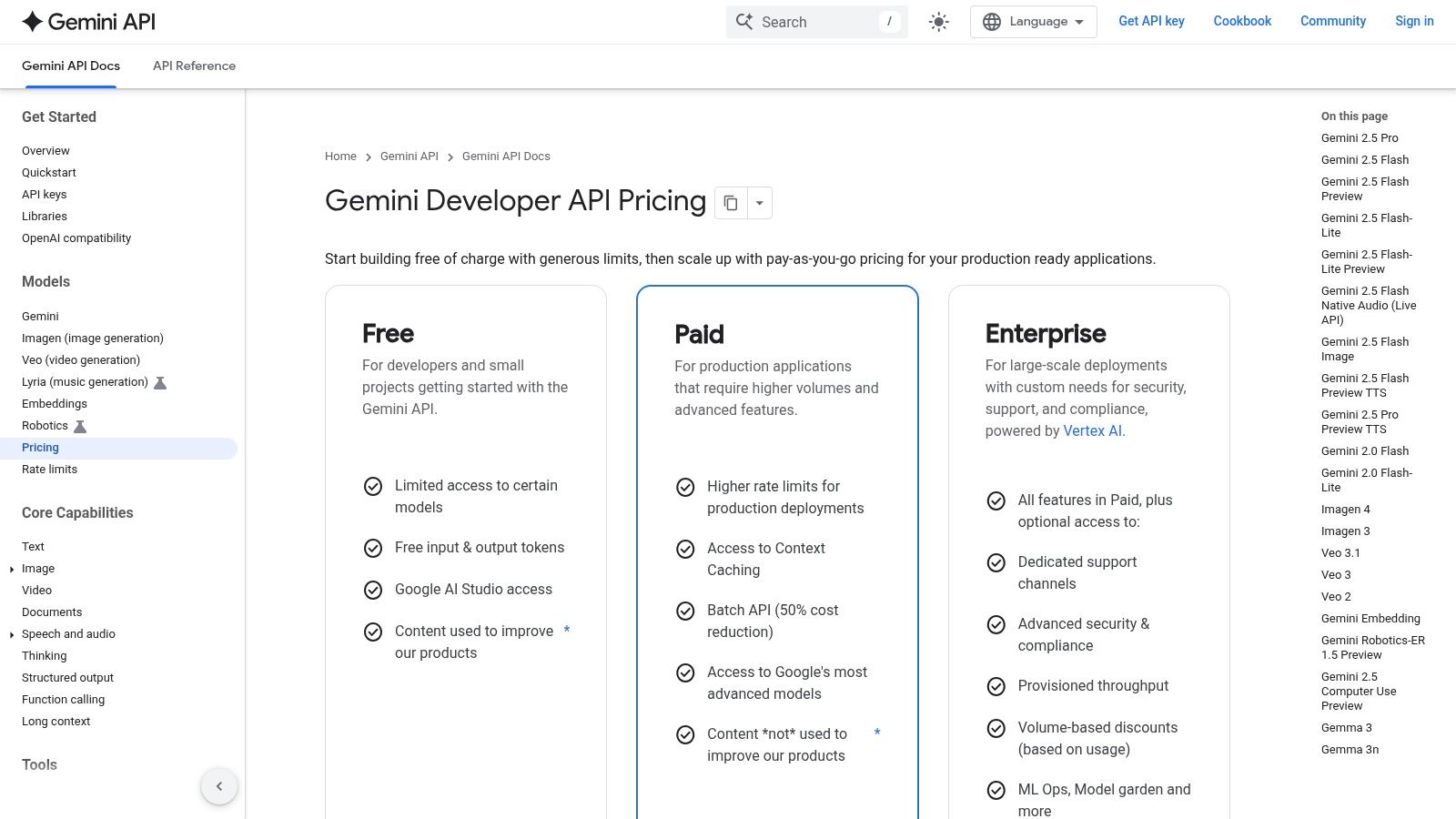
Alt text: A user interacting with the Google AI Studio interface, showcasing a chat-based prompt and the resulting code generation from the Gemini model.
Key Features & Use Cases
- Rapid Prototyping: Use the web-based studio to quickly test prompts and model behaviors for tasks like text generation, summarization, and multimodal analysis.
- Seamless Production Path: Easily migrate projects started in AI Studio to Google Cloud Vertex AI for enterprise-grade security, data governance, and scalability.
- Model Variety: Access different Gemini models, including the fast and cost-effective Gemini Flash for latency-sensitive applications and the more powerful Gemini Pro for complex reasoning.
- Developer Tooling: Utilize SDKs for Python, Node.js, Go, and other languages, along with tools for grounding models in specific data sources.
Pricing & Integrations
Google AI Studio offers a free tier with a significant request limit, making it ideal for learning and development. For higher usage, a pay-as-you-go model applies, with pricing based on input and output tokens. The Gemini 1.5 Flash model is particularly cost-effective.
| Model Variant | Input Price (per 1M tokens) | Output Price (per 1M tokens) | Core Use Case |
|---|---|---|---|
| Gemini 1.5 Flash | $0.35 | $1.05 | High-volume, fast, and multimodal tasks. |
| Gemini 1.5 Pro | $3.50 | $10.50 | Complex reasoning, code, and multimodal analysis. |
The Gemini API integrates via REST APIs and official SDKs. The primary integration path is with Google Cloud’s Vertex AI for production workloads.
Practical Example: Generating Code from a UI Mockup
You can turn a visual design into code using Gemini’s multimodal capabilities.
- Open Google AI Studio: Navigate to the web interface.
- Start a New Prompt: Select “New Prompt” or use the chat interface.
- Upload Your Image: Drag and drop or upload a screenshot of a user interface mockup (e.g., a login form).
- Write the Prompt: Type a clear instruction like: “Generate the complete HTML and Tailwind CSS code for this UI mockup. Ensure the form is responsive.”
Gemini will analyze the image and generate the corresponding front-end code, which you can then copy and integrate into your project.
Pros:
- Extremely generous free tier is perfect for experimentation and small projects.
- Provides a smooth, well-defined path from a simple prototype to a production-ready application on Google Cloud.
- Offers fast and cost-efficient model variants like Gemini Flash, ideal for scalable applications.
Cons:
- Advanced enterprise features like compliance and enhanced security are reserved for the Vertex AI platform.
- Calculating token costs for multimodal inputs (images, video) can be more complex than text-only models.
Actionable Takeaways
- Use the free tier to build a personal project, like a script that uses Gemini to automatically document other scripts.
- Prototype a feature in AI Studio, then use the “Get Code” button to export the exact Python or cURL command to use in your application.
- Experiment with the Gemini 1.5 Flash model for real-time chat applications where low latency is critical.
Website: ai.google.dev
5. Google Cloud Vertex AI
Google Cloud Vertex AI is an enterprise-grade MLOps platform designed for organizations that need to build, deploy, and scale AI models with robust governance and security. It offers access to Google’s powerful Gemini models, as well as a variety of third-party options, all within the integrated Google Cloud Platform (GCP) ecosystem. Its key differentiator is its focus on production readiness, providing the necessary tooling for evaluation, monitoring, and deep integration with enterprise data sources.
The platform is less a single tool and more a comprehensive workbench for serious AI development. It enables developers to move beyond simple API calls to create sophisticated, production-level applications with features like data residency, enterprise-grade identity and access management (IAM), and detailed observability. For teams already invested in GCP, Vertex AI is one of the best AI tools for developers looking to operationalize generative AI securely and at scale.
Alt text: A diagram showing the workflow and components of Google Cloud Vertex AI, including model selection, data grounding, and MLOps tools.
Key Features & Use Cases
- Model Garden & Foundational Models: Access and tune a wide range of models, including Google’s Gemini family (Pro, Pro Vision, Ultra) and popular third-party models like Llama and Claude.
- Enterprise Grounding: Connect models to your organization’s private data using Google Search technologies to generate responses that are accurate and contextually relevant to your business.
- MLOps Tooling: Leverage a full suite of tools for the entire machine learning lifecycle, from data preparation and training to monitoring and model management.
- Production-Ready Serving: Deploy models with confidence using features like enterprise IAM, data residency controls, robust security, and integrated billing and observability.
Pricing & Integrations
Vertex AI uses a pay-as-you-go pricing model with granular, SKU-based billing for different services and model usage. Pricing is typically calculated per 1,000 characters of input/output or per image, with different rates for each model.
| Model Family (Example) | Price (Pay-as-you-go) | Core Features |
|---|---|---|
| Gemini 1.0 Pro | $0.000125 / 1k chars (input) | Balanced model for a variety of text and chat tasks. |
| Gemini 1.0 Pro Vision | $0.0025 / image (input) | Multimodal capabilities for analyzing images and video. |
| Gemini 1.5 Pro | $0.00125 / 1k chars (input) | Large context window (up to 1M tokens) for complex reasoning. |
| Batch Discounts | Varies | Reduced pricing is available for large, non-real-time batch jobs. |
As a core part of GCP, Vertex AI integrates seamlessly with other Google Cloud services like BigQuery, Cloud Storage, and Google Kubernetes Engine.
Practical Example: Creating a Grounded Chatbot
To build a chatbot that answers questions based on your company’s internal documentation:
- Store Your Data: Upload your internal documents (PDFs, text files) to a Google Cloud Storage bucket.
- Create a Data Store: In the Vertex AI Search console, create a new data store and point it to your Cloud Storage bucket.
- Ground the Model: In Vertex AI Studio, select a Gemini model. In the “Grounding” section, connect it to the data store you just created.
- Prompt the Model: Ask a question related to your documents, like “What is our company policy on remote work?” The model will now generate an answer based only on the provided documents, complete with citations.
Pros:
- Strong compliance, security, and operational tooling for enterprise needs.
- Deeply integrated with the broader Google Cloud data and ML stack.
- Granular pricing controls and batch discounts offer cost-management flexibility.
Cons:
- Requires a Google Cloud Platform project and billing setup to get started.
- The platform’s complexity can be overwhelming for small projects or individual developers.
Actionable Takeaways
- Use the Grounding feature to reduce model “hallucinations” and ensure answers are based on factual, company-approved data.
- Set up budget alerts in your GCP billing account to monitor Vertex AI costs.
- Explore the Model Garden to test third-party models like Llama 3 within the secure Vertex AI environment.
Website: cloud.google.com/vertex-ai/generative-ai/pricing
6. Microsoft Azure OpenAI Service
Microsoft Azure OpenAI Service provides managed access to OpenAI’s powerful language models, including the GPT-4 and GPT-3 series, directly within the Azure cloud ecosystem. It is specifically designed for enterprises that require robust security, compliance, and governance controls. This makes it one of the best AI tools for developers at organizations already standardized on Azure, allowing them to build applications with enterprise-grade reliability and private networking.
The service’s key differentiator is its deep integration with the Azure platform. Developers can deploy models in specific regions, co-locating them with their data to minimize latency and meet data residency requirements. It also ties directly into Azure’s identity and access management, monitoring, and networking services, providing a secure and scalable foundation for building AI-powered applications without needing to manage the underlying infrastructure.
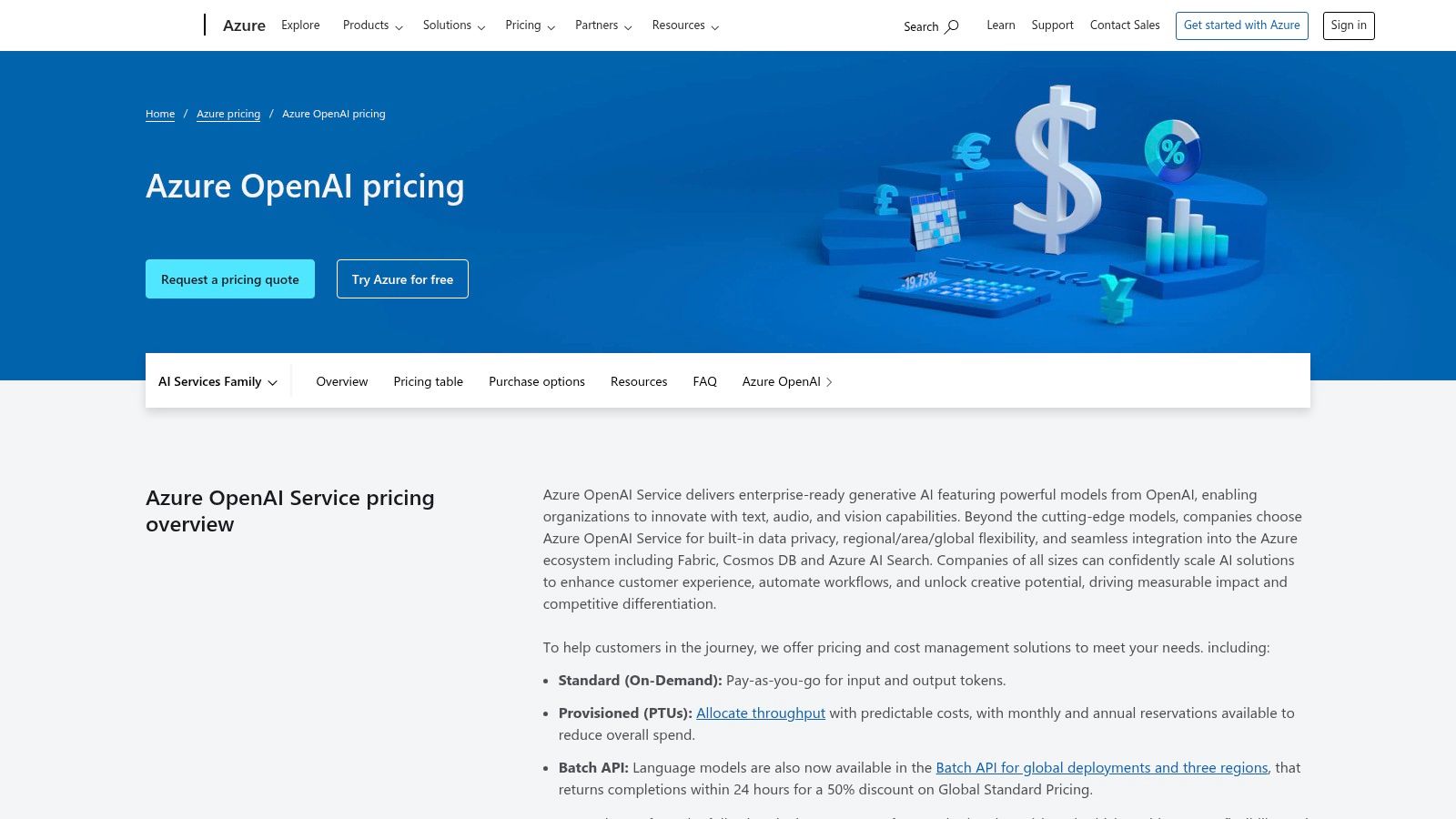
Alt text: The Microsoft Azure OpenAI Service portal showing options for model deployment and management, highlighting its enterprise-focused interface.
Key Features & Use Cases
- Enterprise-Grade Security: Leverage private networking, regional availability, and integration with Azure Active Directory (now Microsoft Entra ID) for secure access.
- Model Customization: Fine-tune models with your own data to create customized solutions for specific business needs like specialized chatbots or content generators.
- Azure Service Integration: Natively connect OpenAI models with other Azure services like Azure Cognitive Search, Azure Functions, or Azure Kubernetes Service (AKS).
- Responsible AI: Utilize built-in content filtering and monitoring tools to help ensure applications are used safely and responsibly.
Pricing & Integrations
Azure OpenAI Service uses a pay-as-you-go model based on token consumption, which varies by model and region. Customers can also purchase Provisioned Throughput Units (PTUs) for reserved model processing capacity at a fixed hourly rate, guaranteeing predictable performance for high-scale applications.
| Model Series | Pricing Model | Key Use Cases |
|---|---|---|
| GPT-4 Turbo | Pay-as-you-go (Tokens) | Complex reasoning, advanced chat, code generation, multi-modal applications. |
| GPT-3.5-Turbo | Pay-as-you-go (Tokens) | Optimized for dialogue, content creation, summarization, and search. |
| Embeddings | Pay-as-you-go (Tokens) | Semantic search, text similarity, clustering, and recommendation engines. |
| DALL-E 3 | Pay-as-you-go (Image) | High-quality, context-aware image generation from text prompts. |
The service is fundamentally integrated with the entire Azure ecosystem. You can explore how these powerful models are also applied in specialized contexts, for instance by checking out the landscape of AI code review tools on richlyai.com.
Practical Example: Building a Private RAG Application
To build a private chatbot using your own data on Azure:
- Deploy Resources: In the Azure Portal, deploy an Azure OpenAI Service resource and an Azure AI Search resource.
- Index Your Data: In Azure AI Studio, go to the Chat playground. Under “Add your data,” select your AI Search index and point it to your data source (e.g., documents in Blob Storage). Azure will handle the indexing process.
- Deploy the Chatbot: Once your data is indexed, you can deploy the chat experience as a new web app directly from the studio. This creates a secure, private chatbot that uses the OpenAI model to answer questions based solely on your indexed data.
Pros:
- Excellent for organizations already invested in the Azure ecosystem.
- Provides enterprise-level security, SLAs, and policy controls.
- Allows co-location of models and data, reducing latency and addressing data residency.
Cons:
- Requires an Azure subscription and can be complex to set up initially.
- Pricing and model availability can vary significantly by Azure region.
Actionable Takeaways
- Use Azure’s private endpoints to ensure that API calls to your OpenAI models never leave the Azure network.
- Purchase Provisioned Throughput for critical, high-volume applications to guarantee performance and control costs.
- Enable content filtering to align the model’s behavior with your organization’s responsible AI policies.
Website: azure.microsoft.com/en-us/pricing/details/cognitive-services/openai-service
7. Amazon Bedrock
Amazon Bedrock is a fully managed service that offers a choice of high-performing foundation models from leading AI companies like Anthropic, Cohere, Meta, and Amazon via a single API. It simplifies development by providing a serverless experience, allowing teams to privately customize models with their own data. This makes it one of the best AI tools for developers who need to experiment with multiple models within the secure and scalable AWS ecosystem.
Instead of locking into a single provider, developers can use Bedrock to evaluate and select the best model for their specific use case. The platform handles the complex infrastructure management, so teams can focus on building generative AI applications, from text generation and summarization to chatbot creation, all integrated with familiar AWS services like IAM for security and CloudWatch for monitoring.
Alt text: A diagram showing the architecture of Amazon Bedrock, illustrating how users can access various foundation models from providers like Anthropic, Cohere, and Amazon through a single API within the AWS cloud.
Key Features & Use Cases
- Model Choice: Access a wide range of foundation models, including Anthropic’s Claude, Cohere’s Command, Meta’s Llama 3, and Amazon’s Titan family.
- Unified API: Use a single, consistent API to perform inference on models from different providers, making it easy to swap them out for testing.
- RAG & Agents: Build Retrieval Augmented Generation (RAG) applications with Knowledge Bases for Bedrock and create agents to execute multi-step tasks.
- AWS Integration: Natively integrates with the AWS stack for security (IAM, VPC), monitoring (CloudWatch), and scalability (serverless).
Pricing & Integrations
Amazon Bedrock uses a flexible, pay-as-you-go pricing model that varies by the selected foundation model. Pricing is primarily based on the volume of input and output tokens processed.
| Pricing Model | Description | Best For |
|---|---|---|
| On-Demand | Pay per token for input and output. No long-term commitments. | Development, testing, and applications with unpredictable workloads. |
| Provisioned Throughput | Purchase model units for a set term to guarantee inference throughput at a fixed cost. | Production applications with high, predictable traffic that require stable latency. |
Bedrock is an AWS service and integrates deeply with other AWS tools like S3, Lambda, and SageMaker.
Practical Example: Comparing Models for a Task
You can quickly compare which model is best for generating SQL queries.
- Navigate to the Playground: In the AWS Bedrock console, go to Playgrounds > Chat.
- Enable Comparison Mode: Click the Compare models toggle at the top.
- Select Your Models: Choose two or more models to test, for example, Anthropic Claude 3 Sonnet and Meta Llama 3 8B Instruct.
- Enter Your Prompt: Use a prompt like: “Given a table named
userswith columnsid,name,email, andsignup_date, write a SQL query to find all users who signed up in the last 30 days.”
You can now instantly see the different SQL queries generated by each model side-by-side, helping you choose the one that performs best for your needs.
Pros:
- Excellent for evaluating and switching between multiple top-tier models.
- Leverages robust AWS enterprise-grade security, compliance, and privacy features.
- Flexible pricing models accommodate both experimental and production-scale workloads.
Cons:
- Requires an AWS account and familiarity with its ecosystem (IAM, VPC configuration).
- Model availability and specific features can differ based on the selected AWS region.
Actionable Takeaways
- Use the unified API to build an abstraction layer in your code, allowing you to switch models with a simple configuration change.
- Set up fine-grained IAM policies to control which users or roles can access specific models.
- Create a Knowledge Base for Bedrock pointed at an S3 bucket of your documentation to enable RAG without complex setup.
Website: aws.amazon.com/bedrock
8. AWS Marketplace (Machine Learning)
AWS Marketplace for Machine Learning is a digital catalog that simplifies finding, buying, and deploying third-party AI/ML algorithms and pre-trained models. Instead of building models from scratch, development teams can subscribe to ready-made solutions and deploy them directly into Amazon SageMaker or their AWS account. Its key advantage is streamlining procurement and deployment for teams already building within the AWS ecosystem, making it one of the best AI tools for developers looking to accelerate their ML workflows.
The platform functions like an app store for AI, where you can browse models for tasks like natural language processing, computer vision, and data analytics. Each listing includes detailed product information, usage instructions, reviews, and often example notebooks. This one-click subscription model eliminates lengthy contract negotiations and centralizes billing through your existing AWS account, allowing you to integrate powerful AI capabilities with minimal overhead.
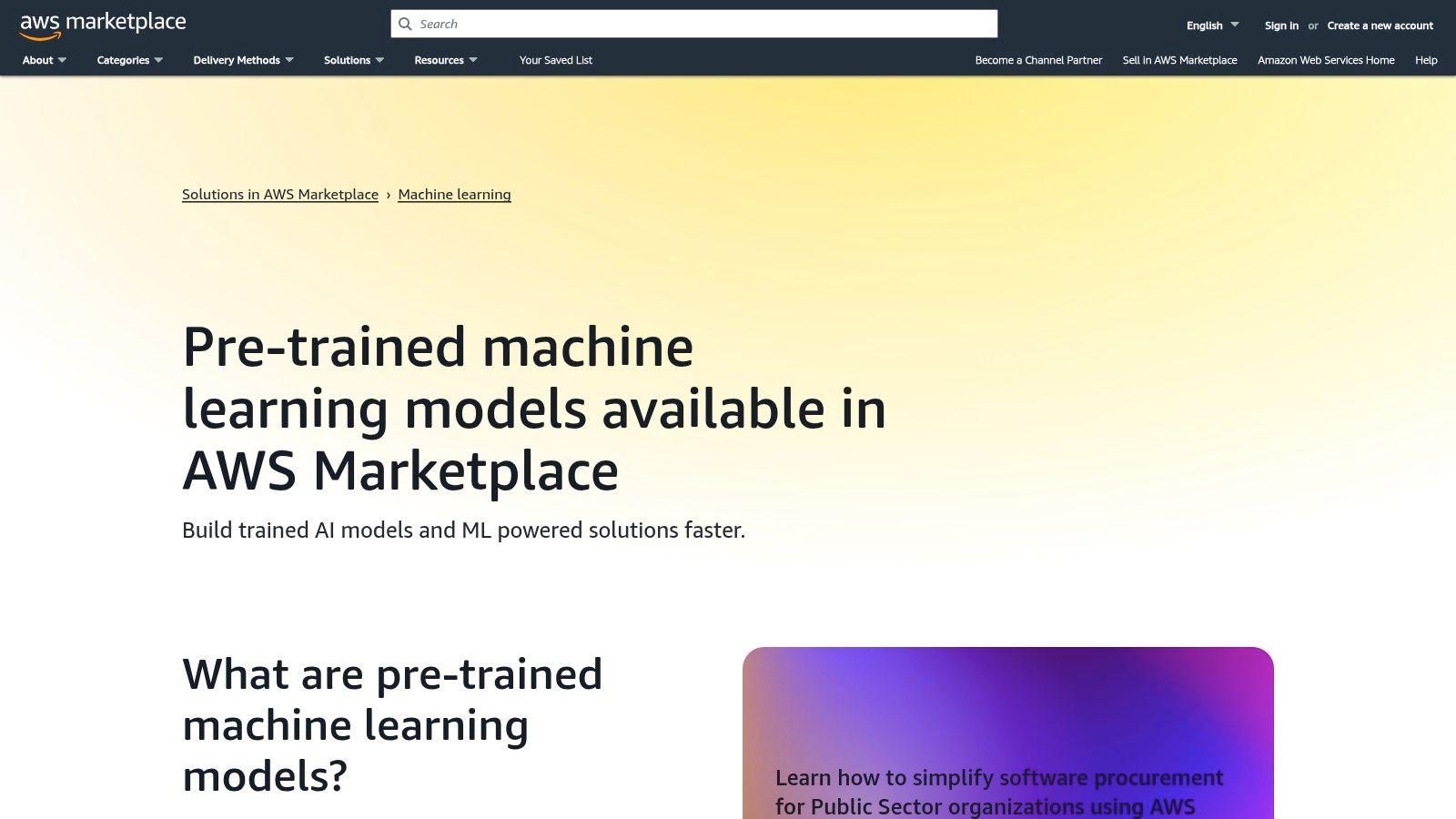
Alt text: The AWS Marketplace for Machine Learning interface showing a variety of pre-trained models available for subscription, highlighting its catalog-style approach.
Key Features & Use Cases
- Pre-Trained Models: Access hundreds of models for object detection, sentiment analysis, forecasting, and more from leading vendors.
- One-Click Deployment: Subscribe to and deploy models directly into Amazon SageMaker, creating endpoints for real-time inference or batch processing.
- Algorithm Library: Find and deploy algorithms for training and tuning on your own datasets within the secure AWS environment.
- Centralized Billing & Governance: All subscriptions are billed through your AWS account, simplifying procurement and cost management.
Pricing & Integrations
Pricing on the AWS Marketplace is set by the individual vendors and varies significantly. Models and algorithms are typically offered with different payment models to provide flexibility.
| Pricing Model | Description |
|---|---|
| Free Trial | Many sellers offer a free trial period to test the model’s performance before committing. |
| Pay-as-you-go | Billed based on usage, such as per inference request or per hour of infrastructure use. |
| Monthly Subscription | A fixed monthly fee for a set amount of usage, often with tiered pricing for higher volumes. |
The platform is natively integrated with the AWS toolchain, most importantly Amazon SageMaker. Deployed models can be accessed via an API, allowing integration with any application running on AWS or elsewhere.
Practical Example: Deploying a Sentiment Analysis Model
To add sentiment analysis to a customer feedback system:
- Find a Model: In AWS Marketplace, search for “sentiment analysis” and filter by models.
- Subscribe: Choose a model with good reviews and a pay-as-you-go pricing model. Click “Continue to Subscribe” and accept the terms.
- Deploy to SageMaker: Navigate to the model in your subscriptions and select “Deploy to SageMaker.” Configure an endpoint by choosing an instance type.
- Invoke the Endpoint: Use the AWS SDK (e.g., Boto3 for Python) in your application to send customer feedback text to the SageMaker endpoint and receive a sentiment score (positive, negative, neutral) in return.
Pros:
- Massively simplifies and accelerates the procurement of third-party ML models.
- Broad selection of models and algorithms from reputable vendors.
- Seamless, native integration with the AWS stack, especially SageMaker.
Cons:
- Primarily benefits teams already heavily invested in the AWS ecosystem.
- Model quality, documentation, and support levels can vary widely between sellers.
Actionable Takeaways
- Always check the “Usage Information” and “Reviews” tabs on a model’s marketplace page before subscribing.
- Use the free trial period to benchmark a model’s performance on your specific data.
- Set up CloudWatch alarms on your SageMaker endpoint to monitor costs and usage.
Website: aws.amazon.com/marketplace/solutions/machine-learning/pre-trained-models
9. Hugging Face
Hugging Face has become the definitive open-source hub for the AI community, acting as a “GitHub for machine learning.” It provides developers with access to a massive library of pre-trained models, datasets, and tools, simplifying the process of integrating advanced AI capabilities into applications. Its primary strength lies in its vast, collaborative ecosystem, making it one of the best AI tools for developers looking to experiment, fine-tune, and deploy models without building from scratch.
The platform is not just a repository; it offers tools for the entire machine learning lifecycle. You can download models for local use, test them via hosted inference APIs, or deploy interactive demos on Spaces. This comprehensive approach empowers developers to quickly find the right model for their needs, from natural language processing to computer vision, and get it running with minimal friction.
Alt text: The Hugging Face website homepage, showing the search bar for models, datasets, and Spaces, which illustrates its role as a central hub for the AI community.
Key Features & Use Cases
- Model Hub: Access and share thousands of open-source models for NLP, vision, audio, and more.
- Inference API & Providers: Quickly test models via a hosted API or route requests to various dedicated backends like AWS, Azure, or TGI.
- Hugging Face Spaces: Build, host, and share live demos of your machine learning applications using Gradio or Streamlit.
- Transformers Library: A standardized, easy-to-use library for working with state-of-the-art transformer models.
Pricing & Integrations
| Plan Tier | Price | Core Features |
|---|---|---|
| Free | Free | Access to public models, datasets, and community Spaces. |
| PRO | $9/month | Private repositories, priority GPU access on ZeroGPU Spaces, and $10 in inference credits. |
| Spaces Hardware | From $0.05/hour | Access to dedicated CPU, GPU, and ZeroGPU hardware for running demos and apps. |
| Enterprise Hub | Custom | SSO, dedicated support, private access control, and region selection for organizations. |
Hugging Face models integrate seamlessly with popular frameworks like PyTorch, TensorFlow, and JAX. You can learn more about its role in the ecosystem of programming AI tools on richlyai.com.
Practical Example: Using the Transformers Library
To run a text summarization model locally using the transformers library:
- Install Libraries:
pip install transformers torch - Run in Python:
from transformers import pipeline

# This will download the model on first run
summarizer = pipeline("summarization", model="facebook/bart-large-cnn")

ARTICLE = """ Your long article text goes here... """
summary = summarizer(ARTICLE, max_length=130, min_length=30, do_sample=False)
print(summary)
This allows you to integrate powerful NLP capabilities directly into your application without making external API calls.
Pros:
- Unparalleled access to a massive catalog of open-source models and datasets.
- Vibrant community with extensive documentation, tutorials, and examples.
- Flexible deployment options, from free demo hosting to enterprise-grade inference.
Cons:
- Performance and cost can be unpredictable, as they depend on the chosen model and backend hardware.
- Advanced governance and SLAs are primarily available on expensive Enterprise plans.
Actionable Takeaways
- Use the “Hosted inference API” widget on a model’s page for instant, code-free testing.
- Create a Gradio Space to build a quick web demo of your model for stakeholders.
- Filter the Model Hub by license (e.g., Apache 2.0) to find models suitable for commercial use.
Website: huggingface.co/pricing
10. NVIDIA NGC Catalog
The NVIDIA NGC Catalog is a hub for GPU-optimized software, offering production-grade containers, pre-trained AI models, and industry-specific SDKs. For developers working in high-performance computing (HPC) and AI, it provides ready-to-deploy assets that are performance-tuned and validated by NVIDIA. Its primary strength is in drastically reducing the setup time and complexity of building sophisticated AI applications in GPU-accelerated environments.
Instead of building deep learning environments from scratch, developers can pull a single container with all necessary libraries and dependencies. This catalog serves as a foundational layer for teams that need to deploy scalable AI solutions reliably, whether on-premises, in the cloud, or at the edge. It’s a key resource for moving from experimentation to production with confidence, making it one of the best AI tools for developers focused on performance-critical applications.
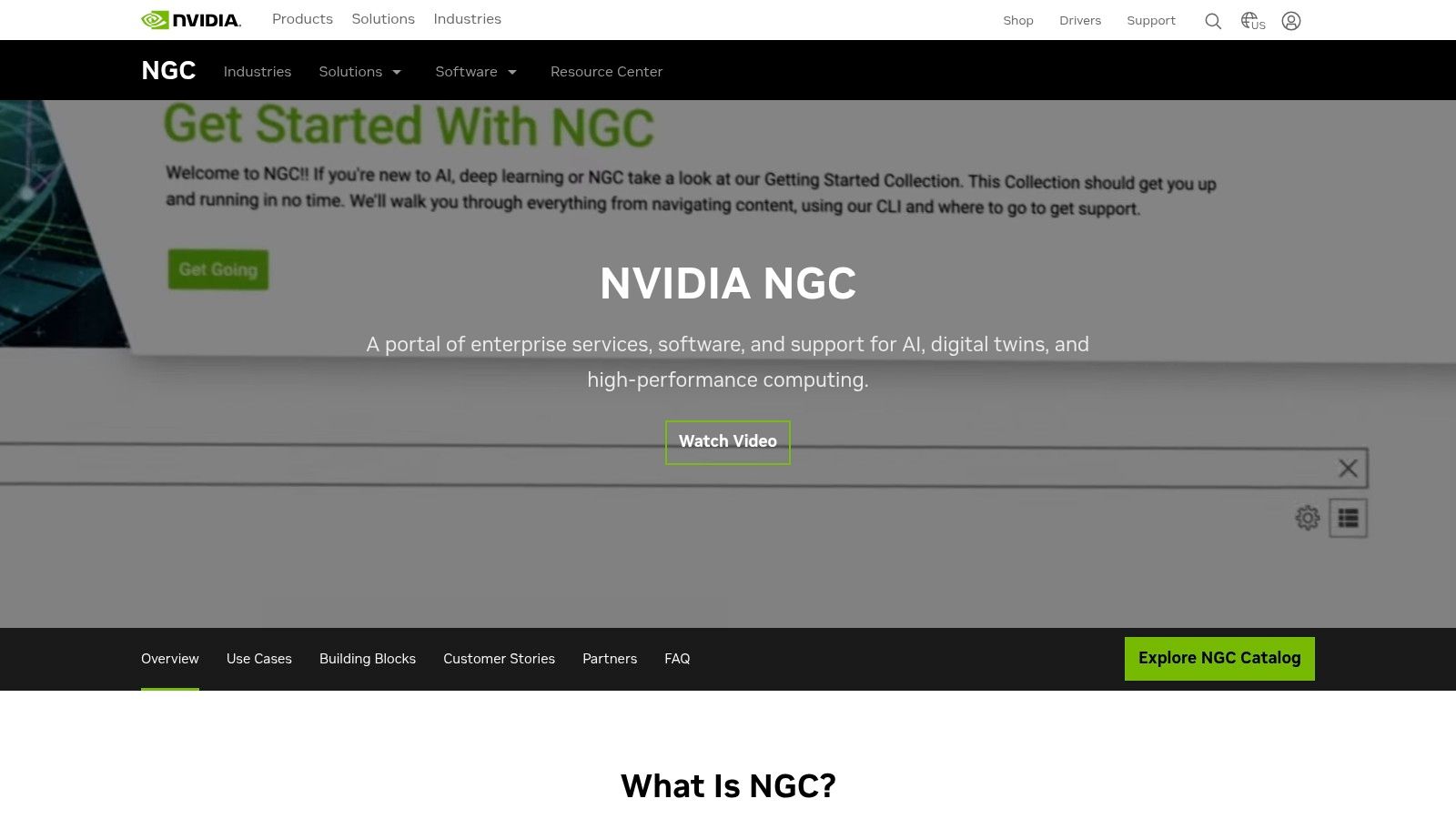
Alt text: A view of the NVIDIA NGC Catalog website, showcasing various available AI models and software containers for download.
Key Features & Use Cases
- Optimized Containers: Access curated Docker containers for major frameworks like TensorFlow, PyTorch, and NVIDIA Triton Inference Server.
- Pre-trained Models: Download and fine-tune state-of-the-art models for tasks like computer vision, natural language processing, and speech recognition.
- Industry Solutions: Deploy complete application frameworks and SDKs for sectors like healthcare (Clara), robotics (Isaac), and conversational AI (Riva).
- Private Registry: Organizations can host their own containers and models securely within a private instance of the NGC Catalog.
Pricing & Integrations
| Plan Tier | Price | Core Features |
|---|---|---|
| NGC Catalog Access | Free to access | Download containers, models, and SDKs. Requires NVIDIA-compatible GPU hardware. |
| NVIDIA AI Enterprise | Paid Subscription | Enterprise-grade support, security, and management for NGC software stacks. |
The assets from NGC are designed to run on any NVIDIA GPU, from a local workstation with a GeForce RTX card to cloud instances (AWS, GCP, Azure) and on-premise DGX systems.
Practical Example: Setting Up a PyTorch Environment
To set up a GPU-accelerated PyTorch development environment without manual installation headaches:
- Install Prerequisites: Ensure you have Docker and the NVIDIA Container Toolkit installed on your machine.
- Pull the Container: Run the following command in your terminal:
docker pull nvcr.io/nvidia/pytorch:24.06-py3 - Run the Container: Start an interactive session inside the container:
docker run --gpus all -it --rm nvcr.io/nvidia/pytorch:24.06-py3
You are now inside a fully optimized environment with PyTorch, CUDA, and all necessary drivers, ready for GPU-intensive model training.
Pros:
- Significantly accelerates environment setup with production-ready, tuned software.
- Ensures performance and compatibility across cloud, edge, and on-prem hardware.
- Extensive collection of high-quality, pre-trained models saves significant development time.
Cons:
- It is not a hosted service; you must provide and manage your own GPU compute infrastructure.
- Requires a solid understanding of Docker, containers, and GPU architecture.
Actionable Takeaways
- Use the Triton Inference Server container to deploy any model (from PyTorch, TensorFlow, etc.) for high-performance serving.
- Explore the industry-specific SDKs (like Riva for speech AI) to get a massive head start on complex applications.
- Check the container release notes for performance benchmarks and compatibility information.
Website: www.nvidia.com/en-us/gpu-cloud/
11. Replicate
Replicate is a cloud platform that simplifies running and deploying open-source AI models. It acts as both a vast marketplace and an API, allowing developers to run thousands of pre-configured models with pay-as-you-go, per-second billing. This makes it an invaluable tool for rapid prototyping and scaling AI applications without managing complex infrastructure.
Its core strength is abstracting away the hardware layer. Developers can interact with powerful models, from image generation to language translation, through a simple API call. Replicate also provides tools like Cog to package your own models in a reproducible container, ensuring they run consistently whether on your local machine or in production on Replicate’s diverse GPU fleet.
Alt text: The Replicate model marketplace showing various AI models with examples of their outputs and estimated costs.
Key Features & Use Cases
- Massive Model Library: Access and run thousands of community-published models for image, video, audio, and text generation via a unified API.
- Serverless Deployment: Deploy custom models with Cog, and Replicate handles containerization, server management, and autoscaling.
- Fine-Tuning: Use the Replicate API to fine-tune popular models like Llama or Stable Diffusion on your own datasets.
- Transparent Hardware Access: Run jobs on specific GPUs (T4, A100, H100) with clear, per-second pricing for each hardware type.
Pricing & Integrations
Replicate operates on a pay-as-you-go model. You are billed for the exact time a machine is processing your request, with prices varying based on the GPU used. There are no monthly subscriptions for usage; you simply add credits to your account.
| GPU Model | Price (per second) | Common Use Cases |
|---|---|---|
| Nvidia T4 | $0.000225 | Low-intensity inference, prototyping. |
| Nvidia A100 (40GB) | $0.001150 | Training, high-throughput inference for LLMs. |
| Nvidia H100 | $0.003200 | Large-scale model training and inference. |
Replicate provides official client libraries for Python, JavaScript/TypeScript, and Elixir, with community libraries for many other languages. It can be integrated into any application that can make an HTTP request.
Practical Example: Integrating Image Generation
To add AI image generation to your web app using the Stable Diffusion XL model:
- Install the Client:
pip install replicate - Authenticate: Set your API token as an environment variable:
export REPLICATE_API_TOKEN=<your-token> - Run the Model: Use a few lines of Python to call the model’s API.
import replicate
output = replicate.run(
    "stability-ai/sdxl:39ed52f2a78e934b3ba6e2a89f5b1c712de7dfea535525255b1aa35c5565e08b",
    input={"prompt": "An astronaut riding a rainbow unicorn on Mars, cinematic lighting"}
)
# The output is a URL to the generated image
print(output)
This code can be run inside a web server (like Flask or Django) to generate images on demand.
Pros:
- Extremely fast for prototyping ideas with a vast library of pre-configured models.
- Transparent, granular per-second billing removes the need for fixed-cost GPU rentals.
- Simplifies the complex process of deploying and scaling custom AI models.
Cons:
- Cold starts can introduce latency for infrequently used public models.
- Costs can escalate quickly for long-running jobs or high-concurrency applications.
Actionable Takeaways
- Use the Replicate website to explore models and test them with different inputs before writing any code.
- For production apps, create a deployment for your model to reduce cold start times.
- Use the
cogCLI tool to run and test models locally before pushing them to Replicate.
Website: replicate.com
12. JetBrains AI Assistant
JetBrains AI Assistant is a powerful coding partner built directly into the company’s suite of popular IDEs like IntelliJ IDEA, PyCharm, and Rider. It leverages the deep contextual understanding of your project’s structure, dependencies, and code inspections to provide highly relevant assistance. This tight integration makes it one of the best AI tools for developers and teams already committed to the JetBrains ecosystem, offering a familiar and seamless user experience.
The assistant provides more than just code completion; it’s a comprehensive tool for refactoring, generating documentation, and creating unit tests with a single click. It uses the IDE’s powerful static analysis capabilities to inform its suggestions, resulting in code that is often more accurate and idiomatic. Its conversational chat interface allows developers to ask complex questions about their codebase without ever leaving their editor.
Alt text: An example of JetBrains AI Assistant explaining a selected code snippet directly within the PyCharm IDE, demonstrating its contextual awareness.
Key Features & Use Cases
- Context-Aware Chat: Ask questions about your code, get refactoring suggestions, or find terminal commands using a chat that understands your project’s context.
- AI-Powered Code Actions: Generate commit messages, explain code snippets, and find potential issues using AI-driven intentions directly in the editor.
- Documentation & Test Generation: Automatically create XML documentation for C# or docstrings for Python, and generate unit tests for functions and classes.
- Smart Code Completion: Get multi-line code suggestions that are aware of the surrounding logic and project dependencies.
Pricing & Integrations
| Plan Tier | Price (Individual) | Core Features |
|---|---|---|
| Trial | Free | A limited-time trial is available with full functionality. |
| Pro | From $10/month | Includes AI Assistant features for individual IDEs or the All Products Pack. |
| Enterprise | Custom | Includes Pro features plus org-wide controls, SSO, and on-premises options. |
JetBrains AI Assistant is available as a plugin for IntelliJ IDEA, PyCharm, WebStorm, Rider, and other JetBrains IDEs. You can see how it stacks up against other top-tier options in this guide to the best AI coding assistants on richlyai.com.
Practical Example: Smart Refactoring
To refactor a complex method for better readability:
- Highlight the Code: Select the method or code block you want to improve.
- Open AI Actions: Press
Alt+Enter(Windows/Linux) or⌥↩(macOS) to bring up the context menu. - Select Refactoring: Navigate to AI Actions > Suggest Refactoring.
- Review and Apply: The AI Assistant will open a diff view showing its proposed changes. You can review the suggestions and apply them directly to your codebase with a click. This is far more powerful than a simple find-and-replace, as it understands the code’s syntax and logic.
Pros:
- Deeply integrated into the JetBrains ecosystem, leveraging project context for superior suggestions.
- Excellent for complex refactoring and generating boilerplate code like tests and documentation.
- Familiar user experience for existing JetBrains IDE users.
Cons:
- Its primary benefits are locked within the JetBrains IDE ecosystem.
- The credit-based usage model for some features might require monitoring for heavy users.
Actionable Takeaways
- Use the “Explain Code” action to quickly understand complex regular expressions or legacy code.
- Generate docstrings for your Python functions automatically to improve code documentation.
- Ask the AI Chat to “find usages of this symbol in a semantic way” to get more relevant results than a text search.
Website: www.jetbrains.com/help/ai-assistant/licensing-and-subscriptions.html
Top 12 AI Tools for Developers — Side-by-Side Comparison
| Tool | Core features | Quality (★) | Price/Value (💰) | Target (👥) | Standout (✨🏆) |
|---|---|---|---|---|---|
| GitHub Copilot | IDE integrations, code completion, chat/agents, code review | ★★★★☆ | 💰 Free tier; paid tiers, metered premium requests | 👥 Developers in GitHub/Microsoft ecosystem | ✨ Deep PR/review & in‑IDE workflow; 🏆 High completion quality |
| OpenAI Platform (APIs) | GPT family APIs, Realtime, images/video, Code Interpreter, Playground | ★★★★★ | 💰 Pay‑as‑you‑go; can be costly at scale | 👥 Developers needing SOTA models & flexibility | ✨ Rich tools + multimodal models; 🏆 State‑of‑the‑art performance |
| Anthropic Claude (API & apps) | Large context windows, API/apps, prompt caching, team controls | ★★★★☆ | 💰 Competitive price/perf; higher tiers for advanced use | 👥 Teams needing long‑context coding/analysis | ✨ Large context & cost optimizations; 🏆 Strong for analysis |
| Google AI Studio (Gemini API) | Gemini models, AI Studio console, quick key, prototyping tools | ★★★★☆ | 💰 Generous free tier; token pricing | 👥 Prototypers & Google Cloud adopters | ✨ Easy prototyping → Vertex AI path; 🏆 Flash model variants |
| Google Cloud Vertex AI | Enterprise MLOps, monitoring, security, Gemini & 3rd‑party models | ★★★★☆ | 💰 Enterprise SKUs; GCP billing required | 👥 Enterprises needing governance & production ML | ✨ Full MLOps + grounding; 🏆 Strong compliance/tools |
| Microsoft Azure OpenAI Service | Azure‑hosted OpenAI, AD/Entra integration, regional deployment | ★★★★☆ | 💰 Azure pricing, regional variance | 👥 Azure‑standardized organizations | ✨ Azure security & SLAs; 🏆 Co‑located inference options |
| Amazon Bedrock | Unified API for multiple models, AWS integration, provisioned throughput | ★★★★☆ | 💰 Flexible model/provider pricing | 👥 AWS teams evaluating multi‑model options | ✨ Multi‑vendor under AWS; 🏆 Simplifies vendor choice |
| AWS Marketplace (Machine Learning) | Pre‑trained models, one‑click SageMaker deploy, product pages & reviews | ★★★☆☆ | 💰 Centralized billing; vendor‑dependent costs | 👥 AWS procurement & deployment teams | ✨ One‑click deploy into SageMaker; 🏆 Broad vendor catalog |
| Hugging Face | Model hub, Spaces hosting, inference providers, datasets | ★★★★☆ | 💰 Free + PRO/Team/Enterprise plans with credits | 👥 Researchers & devs needing large model catalog | ✨ Massive community/models; 🏆 Flexible backends & demos |
| NVIDIA NGC Catalog | GPU‑optimized containers, pretrained models, industry solutions | ★★★★☆ | 💰 Free downloads; pay for compute (GPU) | 👥 Teams running GPUs on‑prem/cloud | ✨ Performance‑tuned stacks; 🏆 Production‑grade containers |
| Replicate | Marketplace/API with per‑second pricing, deployable models, GPU choices | ★★★★☆ | 💰 Transparent per‑second/hardware pricing | 👥 Rapid prototyping & production teams | ✨ Granular billing & wide GPU selection; 🏆 Fast to prototype |
| JetBrains AI Assistant | IDE‑integrated AI: refactorings, tests, doc gen, code actions | ★★★★☆ | 💰 Credit‑metered tiers; monthly top‑ups | 👥 JetBrains IDE users and teams | ✨ Deep IDE context & inspections; 🏆 Seamless JetBrains UX |
Making Your Choice: Which AI Development Tool is Right for You?
We’ve journeyed through a comprehensive landscape of the best AI tools for developers, from code-completion companions to full-scale model deployment platforms. The central theme is clear: there is no single “best” tool, only the right tool for your specific job. The ideal choice hinges entirely on your project’s unique requirements, your team’s existing workflow, and your long-term strategic goals.
The tools we covered, such as GitHub Copilot and JetBrains AI Assistant, excel at augmenting the in-editor experience, providing real-time assistance that melts directly into your daily coding routine. On the other hand, platforms like the OpenAI API, Anthropic’s Claude, and Google AI Studio offer unparalleled flexibility, giving you raw access to powerful foundational models for building custom applications, complex data analysis pipelines, and innovative user-facing features.
For enterprises and teams with stringent security and scalability needs, the cloud giants present compelling ecosystems. Microsoft Azure OpenAI Service, Google Cloud Vertex AI, and Amazon Bedrock provide not just model access but also the critical governance, security, and MLOps infrastructure required for production-grade AI. Meanwhile, community-driven hubs like Hugging Face and Replicate empower developers to experiment rapidly, prototype with a vast array of open-source models, and scale with predictable, usage-based pricing.
How to Select Your AI Co-Developer
Choosing the right tool can feel overwhelming, but you can simplify the process by asking a few targeted questions. Your answers will act as a compass, pointing you toward the most suitable solution.
- Identify Your Primary Pain Point: What is the biggest bottleneck in your development cycle right now? Is it writing repetitive boilerplate code? Is it generating comprehensive unit tests? Or perhaps it’s understanding and refactoring a legacy codebase. Your most significant challenge is the best place to start applying AI.
- Assess Your Integration Needs: How deeply must this tool integrate with your current tech stack? If you live inside a specific IDE like VS Code or a JetBrains product, an integrated assistant is a natural fit. If your work involves building backend services or data pipelines, a direct API from OpenAI or a managed service like Amazon Bedrock will be more appropriate.
- Evaluate Your Scale and Budget: Are you a solo developer working on a side project or part of a large enterprise with a defined budget? A pay-as-you-go model from a provider like Replicate is perfect for experimentation without commitment. Conversely, an enterprise might prioritize the predictable costs and robust support offered by a major cloud provider.
- Consider the Learning Curve: How much time can you invest in learning a new platform? Tools like GitHub Copilot are virtually zero-config and provide value almost immediately. In contrast, leveraging a platform like Vertex AI or NVIDIA NGC Catalog requires a deeper understanding of MLOps principles and cloud infrastructure. For more detailed evaluations, it helps to see head-to-head analysis; for instance, this a comparison between Anthropic Claude and AI-powered coding environments like Cursor offers valuable insights into how different models perform within a coding context.
Actionable Next Steps
To move from evaluation to implementation, here are your immediate next steps:
- Start a Trial: Pick one IDE-based tool (like Copilot) and one API-based platform (like Google AI Studio) from our list. Dedicate one week to using each for your daily tasks.
- Define a Pilot Project: Choose a small, low-risk task to automate or augment. This could be generating documentation for an existing function, creating a suite of tests for a new feature, or building a simple script using a model’s API.
- Measure the Impact: Keep a simple log. How much time did you save? Did the AI-generated code require significant refactoring? Did it help you solve a problem you were stuck on? Quantifying the benefits will help you make a case for wider adoption.
The era of AI-augmented software development is not on the horizon; it is already here. By strategically integrating these powerful tools into your workflow, you can eliminate tedious tasks, accelerate your development velocity, and dedicate more of your valuable time to solving the complex, creative problems that truly matter. The key is to start small, experiment often, and build on your successes. To truly understand the capabilities of these advanced platforms, developers might find it beneficial to delve deeper into LLMs, the underlying technology.
Ready to discover even more tools to supercharge your workflow? The world of AI is expanding daily. At AI Tools Hub, we curate and categorize the latest and most effective AI solutions for every need. Explore our comprehensive directory to find your next favorite tool.
Find Your Perfect AI Tool at AI Tools Hub