

AI coding assistants have moved from novelty to necessity, revolutionizing how developers write, debug, and ship code. But with a crowded market, which tool truly boosts productivity without getting in the way? This comprehensive guide cuts through the noise to help you find the best AI coding assistants for your specific needs. We’ll move beyond marketing claims and dive deep into practical applications, showing you how these tools perform in real-world scenarios.
We’ll dissect the 12 top-tier options, from industry giants like GitHub Copilot and Amazon Q Developer to innovative platforms like Cursor and Phind. For each assistant, we provide a detailed analysis covering:
- Key Features & Strengths: What makes it stand out?
- Ideal Use Cases: Who is this tool built for?
- Limitations & Pricing: What are the trade-offs?
- Actionable Examples: How can you use it right now?
Our goal is simple: to provide the actionable insights and direct comparisons you need to select the perfect AI pair programmer for your workflow. Let’s find the right partner to help you save time and ship better code, faster.
1. GitHub Copilot
GitHub Copilot is arguably the most recognized AI coding assistant, deeply integrated into the developer workflow. Developed by GitHub and powered by advanced models from OpenAI, Anthropic, and Google, it functions as a true pair programmer directly within your favorite IDE, including VS Code, Visual Studio, and the JetBrains suite. It excels at providing context-aware code completions, generating entire functions from natural language comments, and offering insightful suggestions to refactor existing code.

alt text: An illustration showing the GitHub Copilot logo with code snippets and icons representing different programming languages.
What sets Copilot apart is its ecosystem maturity and enterprise-readiness. Beyond simple completions, its chat interface can explain complex code blocks, suggest bug fixes, and even help write unit tests. The platform’s tight integration with the GitHub ecosystem allows it to analyze pull requests and provide summaries, making it a powerful tool for team collaboration. While some competitors like Sourcegraph Cody focus on codebase-specific context, Copilot’s strength lies in its general-purpose power and seamless IDE experience.
Practical Example: Generating a Python Function with a Docstring
You can generate a complete, documented function without writing a single line of implementation code.
- Open a Python file (
.py) in VS Code with the Copilot extension enabled. - Type a descriptive comment outlining what you want the function to do.
# create a function that takes a list of integers, # squares each number, and returns a new list - Press Enter. Copilot will automatically suggest the complete function implementation, including a professional docstring.
def square_numbers(numbers: list[int]) -> list[int]: """Squares each number in a list of integers. Args: numbers: A list of integers. Returns: A new list containing the square of each number. """ return [number ** 2 for number in numbers] - Press Tab to accept the suggestion.
Key Information
- Best For: Developers seeking deep IDE integration and a polished, all-around assistant.
- Pricing: Free for verified students and maintainers of popular open-source projects. Paid plans include Copilot Individual ($10/month) and Copilot Business ($19/user/month), with enterprise options available.
- Unique Feature: Multi-model support on paid tiers allows users to leverage the best AI for their specific task, directly within their workflow.
- Website: https://github.com/features/copilot/plans
Pros:
- Excellent integration with major IDEs and developer tools.
- Strong model choice and frequent, cutting-edge updates.
- Robust enterprise features and security controls.
Cons:
- The most powerful features are locked behind paid tiers.
- Usage quotas can apply on some plans, limiting heavy use.
2. Amazon Q Developer (formerly CodeWhisperer)
Amazon Q Developer emerges as a powerful contender, especially for teams deeply embedded in the Amazon Web Services (AWS) ecosystem. As one of the best AI coding assistants for cloud-native development, it provides context-aware code suggestions, security vulnerability scans, and a helpful chat interface directly within VS Code and JetBrains IDEs. Its primary function is to accelerate development by understanding your project’s context, including open files and dependencies, to offer relevant, inline code completions.

alt text: An illustration of the Amazon Q Developer logo with abstract code and cloud icons in the background.
What truly distinguishes Amazon Q is its tight integration with AWS services. It can generate code snippets for interacting with services like S3, Lambda, and DynamoDB, significantly reducing the need to consult documentation. For organizations, it offers robust enterprise controls and security policies, ensuring that code suggestions align with company standards. While other tools offer general assistance, Amazon Q Developer’s strength is its specialized expertise within the AWS cloud environment, making it an invaluable asset for developers building on the platform.
Practical Example: Generating an AWS S3 Upload Function
Amazon Q can write boilerplate code for interacting with AWS services, saving you from looking up SDK specifics.
- Set up your environment by ensuring the AWS SDK (e.g.,
boto3for Python) is imported. - Type a comment describing your goal.
import boto3 # function to upload a file to an S3 bucket - Press Enter. Amazon Q will suggest a complete function using the
boto3library, including proper client initialization and error handling.def upload_to_s3(file_name, bucket, object_name=None): """Upload a file to an S3 bucket :param file_name: File to upload :param bucket: Bucket to upload to :param object_name: S3 object name. If not specified then file_name is used :return: True if file was uploaded, else False """ # If S3 object_name was not specified, use file_name if object_name is None: object_name = file_name # Upload the file s3_client = boto3.client('s3') try: response = s3_client.upload_file(file_name, bucket, object_name) except Exception as e: print(e) return False return True - Press Tab to accept.
Key Information
- Best For: Development teams heavily invested in the AWS ecosystem.
- Pricing: A generous free tier is available for individual use. The Professional tier costs $19/user/month and adds advanced features like custom context and organizational license management.
- Unique Feature: Built-in security scanning that identifies and suggests remediations for vulnerabilities like those in the OWASP Top 10.
- Website: https://aws.amazon.com/q/developer
Pros:
- Deep, unparalleled integration with the AWS ecosystem and services.
- Strong security features, including vulnerability scanning and code remediation.
- A comprehensive free tier makes it accessible for individual developers to get started.
Cons:
- Provides the best experience and value when you are building on AWS.
- A recent security incident with its VS Code extension highlights the need to keep the tool updated.
3. Google Gemini Code Assist
Google Gemini Code Assist is Google Cloud’s enterprise-grade AI coding assistant, built for teams deeply embedded in the Google Cloud Platform (GCP) ecosystem. It integrates directly into VS Code and JetBrains IDEs, providing repository-aware context for highly relevant code completions, chat-based assistance, and even an agent mode for complex tasks. It’s one of the best AI coding assistants for organizations prioritizing security, compliance, and predictable per-seat licensing.
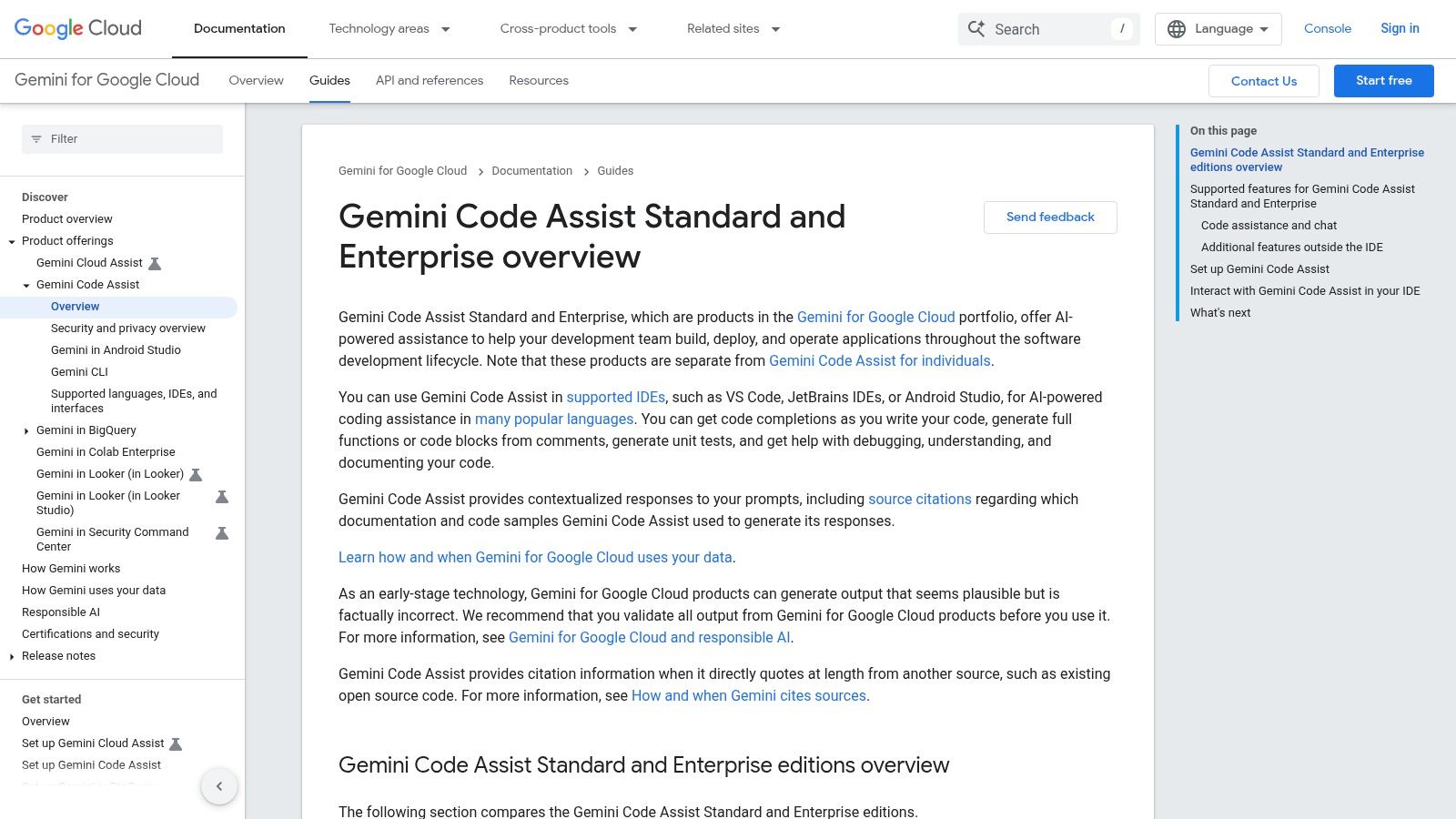
alt text: An illustration of the Google Gemini Code Assist logo with code snippets and cloud icons.
What distinguishes Gemini Code Assist is its native integration with Google Cloud services and the command-line interface (CLI). It can help you write infrastructure-as-code configurations for services like Cloud Run or GKE and debug deployment issues directly from your editor. While other tools offer general coding help, Gemini’s value is magnified when your workflow involves GCP, making it a powerful accelerator for cloud-native development. You can learn more about Google Gemini Code Assist and its capabilities to see if it fits your team’s needs.
Practical Example: Generating a Cloud Function
Gemini Code Assist excels at generating code that leverages GCP services correctly.
- Open the chat interface in your IDE.
- Provide a prompt that specifies your target service and requirements.
@workspace /generate Create a Python Google Cloud Function that is triggered by an HTTP request. It should parse a 'name' from the JSON payload and return 'Hello, [name]!'. Include all necessary imports. - Review the generated code. Gemini will produce a complete
main.pyfile, including the function signature expected by the Cloud Functions runtime.import functions_framework from flask import jsonify @functions_framework.http def hello_http(request): """HTTP Cloud Function. Args: request (flask.Request): The request object. Returns: The response text, or any set of values that can be turned into a Response object using `make_response`. """ request_json = request.get_json(silent=True) if request_json and 'name' in request_json: name = request_json['name'] else: name = 'World' return jsonify(message=f"Hello, {name}!") - Insert the code directly into your file.
Key Information
- Best For: Enterprise development teams that build on Google Cloud and require strong admin controls.
- Pricing: Standard Edition starts at $19/user/month (annual commit) with 1,000 requests per user per day. Enterprise Edition pricing is available upon request for enhanced features.
- Unique Feature: Deep, native integration with the Google Cloud ecosystem, including services, APIs, and the gcloud CLI.
- Website: https://cloud.google.com/gemini/code-assist
Pros:
- Excellent integration with GCP for streamlined cloud development.
- Strong enterprise-grade security, compliance, and admin controls.
- Predictable, per-seat licensing model with transparent usage limits.
Cons:
- Provides the best value primarily for teams already invested in Google Cloud.
- Advanced enterprise features come at a higher cost.
4. JetBrains AI Assistant
For developers deeply embedded in the JetBrains ecosystem, the JetBrains AI Assistant offers an unmatched level of integration and code-awareness. Built directly into IDEs like IntelliJ IDEA, PyCharm, and WebStorm, this tool leverages the deep understanding of your codebase that JetBrains IDEs are famous for. It provides highly contextual inline code assistance, explains complex code segments, generates commit messages, and can even create unit tests based on your existing code, making it one of the best AI coding assistants for users of its IDEs.

alt text: The JetBrains AI Assistant logo alongside icons representing its various IDEs like IntelliJ and PyCharm.
What makes the JetBrains AI Assistant stand out is its native feel; it doesn’t operate like a third-party plugin but as a core part of the IDE. This tight integration allows for smarter refactoring suggestions and more accurate code generation because it understands your project’s specific structures and dependencies. While it requires a subscription on top of your IDE license, its ability to act as a seamless coding partner makes it a powerful productivity booster for any developer loyal to the JetBrains family of products. You can learn more about its features and pricing here.
Practical Example: AI-Powered Refactoring in PyCharm
The assistant uses its deep code understanding to perform intelligent refactoring.
- Highlight a complex block of code within a function in PyCharm.
- Right-click and navigate to
AI Assistant > Suggest Refactoring. - The AI will analyze the selected code and its context within the project. It might suggest extracting the block into a new, well-named method to improve readability and reusability.
- A diff view appears, showing you the proposed changes before and after.
- Click “Apply” to accept the refactoring. The IDE will automatically create the new method, update the original call site, and ensure all references are correct.
Key Information
- Best For: Developers who primarily work within JetBrains IDEs and want a deeply integrated, first-party AI experience.
- Pricing: Requires an active JetBrains IDE subscription. The AI Assistant is a separate add-on starting at $10/month or $100/year, with enterprise options available.
- Unique Feature: Its profound integration with the IDE’s code intelligence engine allows for context-aware actions like “AI-powered refactoring” that other tools can’t easily replicate.
- Website: https://www.jetbrains.com/ai
Pros:
- Seamless, native integration within the entire family of JetBrains IDEs.
- Leverages the IDE’s powerful code analysis for highly relevant suggestions.
- Strong organizational controls and enterprise-grade security options.
Cons:
- Requires an existing JetBrains IDE subscription to use.
- The credit-based usage model on some plans may require monitoring for heavy users.
5. Tabnine
Tabnine carves out a unique space among the best AI coding assistants by prioritizing enterprise-grade privacy and deployment flexibility. It offers powerful code completion and chat functionalities that can run in a SaaS environment, on-premises, or within a private cloud (VPC). This makes it a go-to choice for organizations with strict IP and data security requirements, as it allows complete control over where your code and AI models are processed, including zero-retention modes.
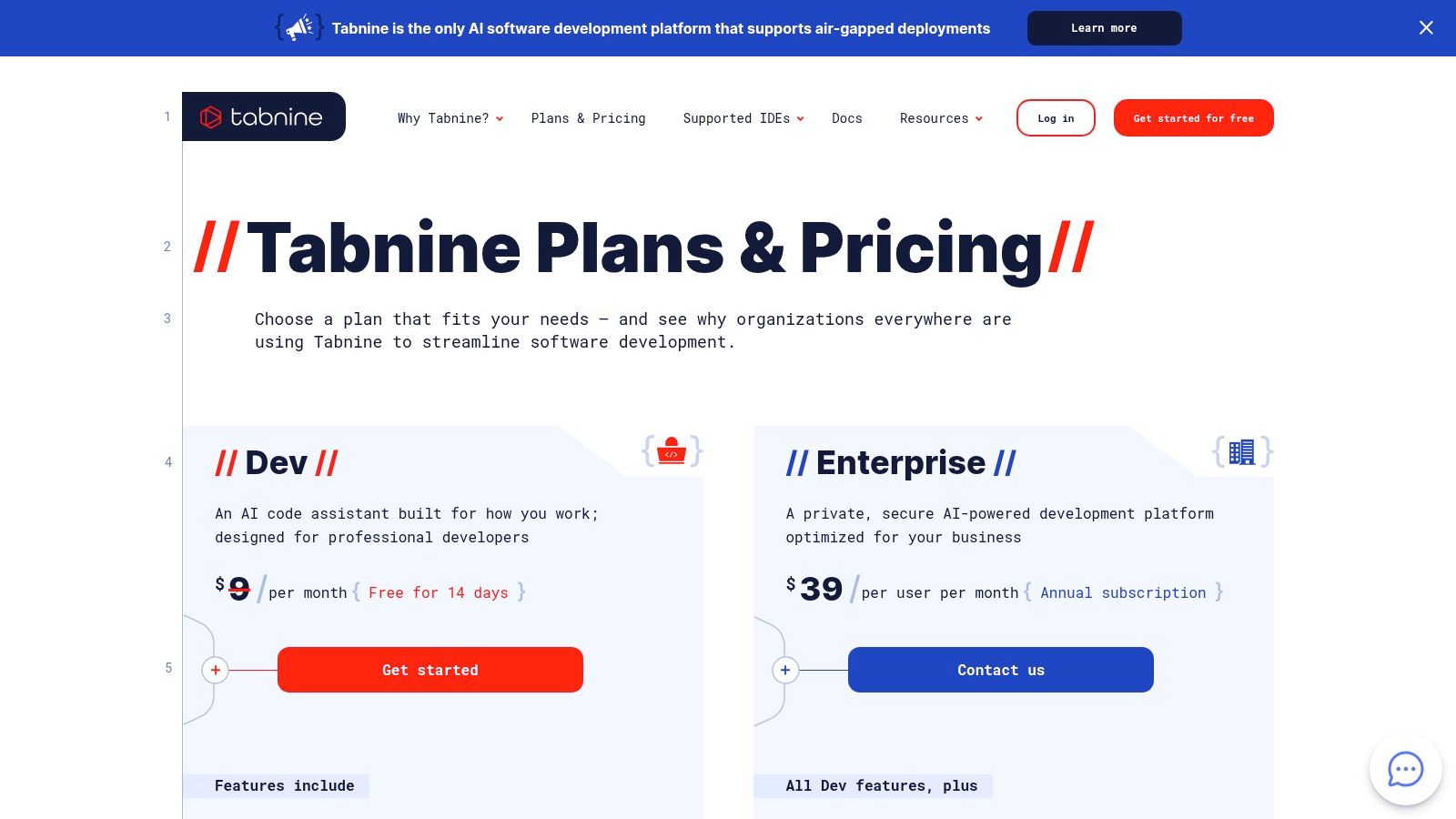
alt text: The Tabnine logo displayed prominently against a dark, code-themed background.
What sets Tabnine apart is its model-agnostic approach and deep integration with source code managers like GitHub, GitLab, and Bitbucket. Enterprises can use Tabnine’s proprietary models, connect to third-party APIs, or even run finely-tuned open-source models trained on their own private codebase. This ensures suggestions are highly relevant and secure. While competitors often focus on a cloud-only experience, Tabnine’s strength lies in its ability to adapt to any security posture without sacrificing performance.
Practical Example: Custom Code Completions
With a self-hosted Enterprise plan, Tabnine can learn your company’s internal libraries.
- Configure your self-hosted Tabnine instance to connect to your private GitLab repository.
- Tabnine trains a model on your proprietary codebase, learning the patterns of your internal
AcmeAuthandAcmeDataClientlibraries. - In your IDE, when you type
client = AcmeDataClient(, Tabnine will autocomplete the instantiation using the correct argument patterns found in your company’s code, such asconfig=acme_config. - When you type
client., the suggestion list will prioritize methods unique to your internal library, like.fetch_customer_records(), over generic library methods.
Key Information
- Best For: Enterprise teams needing a secure, self-hosted AI assistant with strict privacy controls.
- Pricing: A free Basic plan is available for individuals. The Pro plan starts at $12/user/month, with custom pricing for Enterprise deployments that include self-hosting and advanced security features.
- Unique Feature: The ability to deploy on-prem or in a VPC and connect privately-hosted, fine-tuned AI models for maximum security and code relevancy.
- Website: https://www.tabnine.com/pricing
Pros:
- Strong privacy and IP controls with self-hosted options.
- Flexible model choices, including open-source and third-party models.
- Excellent for teams with strict compliance or security needs.
Cons:
- The most powerful enterprise features are locked behind higher-priced tiers.
- May require more initial configuration and setup than cloud-only tools.
6. Cursor IDE
Cursor reimagines the developer experience by building an entire Integrated Development Environment (IDE) from the ground up with AI at its core. As a fork of VS Code, it offers a familiar interface but enhances it with deeply integrated AI features designed for rapid iteration and complex problem-solving. It excels at tasks requiring broad codebase context, using features like “Codebase-aware Chat” and multi-file editing capabilities to perform changes across your entire project with a single prompt.
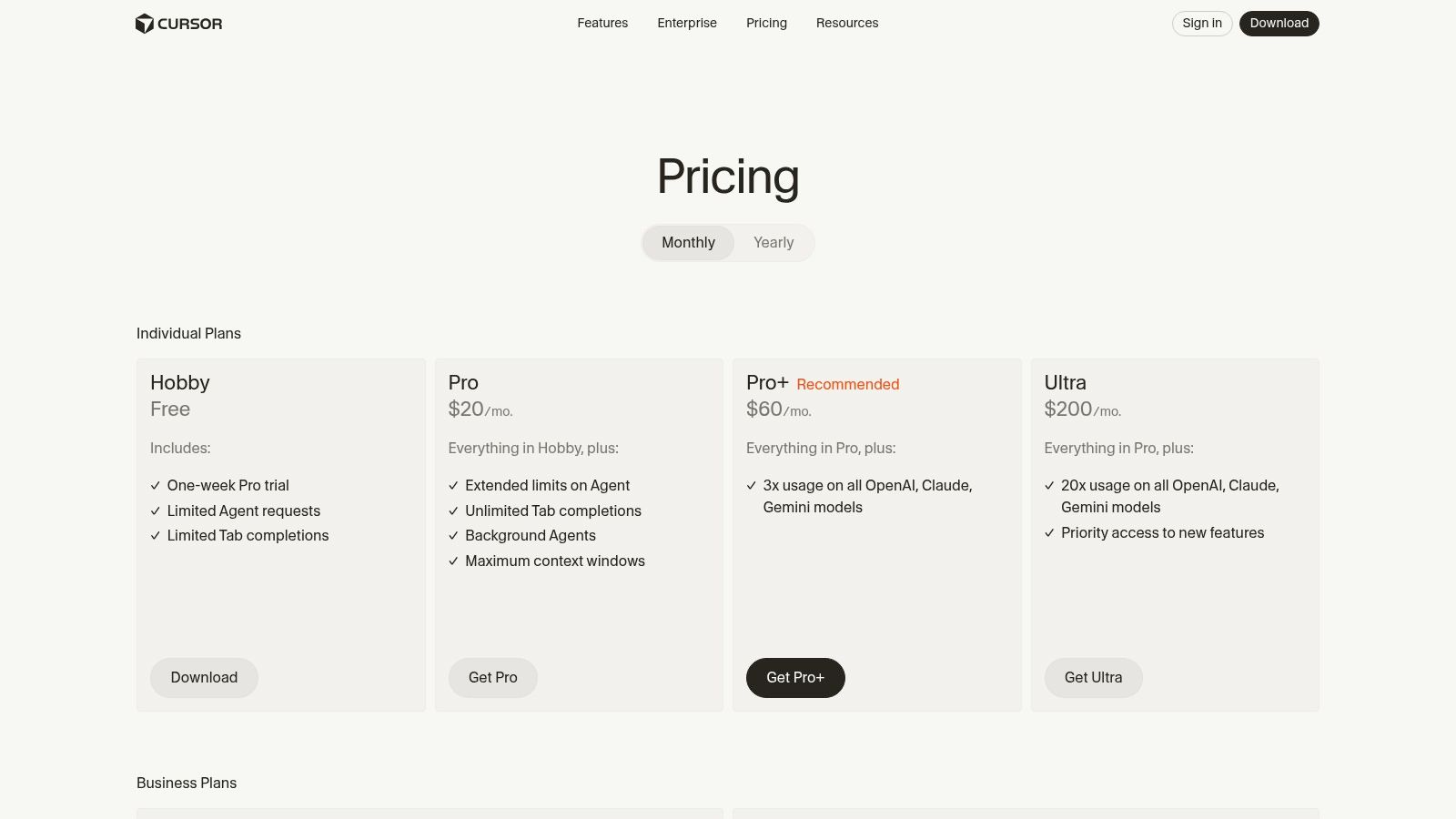
alt text: An illustration of the Cursor IDE interface showing a chat window and code editor side-by-side.
What sets Cursor apart is its AI-first philosophy, moving beyond being a simple plugin to become a cohesive, intelligent workspace. It allows developers to choose from leading models like GPT-4o, Claude 3 Opus, and Gemini 1.5 Pro, and its architecture is optimized for handling large contexts and performing complex, multi-step refactoring. This makes it one of the best AI coding assistants for teams that want to fully commit to an AI-native workflow and need robust administrative controls for secure, collaborative development.
Practical Example: Codebase-Wide Refactoring
Cursor can perform changes across multiple files from a single instruction.
- Open the Chat panel in Cursor.
- Use the
@symbol to bring your entire codebase into the context. - Give a high-level command:
@Codebase I've renamed the 'UserService' class to 'AuthenticationService'. Please update all imports and class instantiations across the entire project to reflect this change. - Cursor analyzes the project, identifies all relevant files (
auth_routes.py,user_model.py,tests/test_auth.py), and stages the required edits. - You get a unified diff showing changes across all affected files. You can review them and click “Apply” to commit the changes project-wide in one step.
Key Information
- Best For: Teams and individuals seeking a fully integrated, AI-first development environment with powerful codebase context handling.
- Pricing: A free tier with limited AI usage is available. Paid plans include Pro ($20/month) and Business ($40/user/month), offering higher AI usage quotas and advanced features.
- Unique Feature: An “AI-first” design that goes beyond a plugin, offering deep integration of AI tools like codebase-aware chat and multi-file edits directly into the core IDE experience.
- Website: https://cursor.com/pricing
Pros:
- Superior context handling across multiple files and the entire codebase.
- Robust team management, SSO, and security features for business use.
- Familiar VS Code foundation ensures a smooth learning curve.
Cons:
- As a fork, it may lag slightly behind official VS Code updates.
- Some VS Code marketplace extensions might have compatibility issues.
7. Replit (Replit AI + Agent)
Replit distinguishes itself from other AI coding assistants by integrating its powerful AI directly into a cloud-based IDE and hosting platform. It’s not just a tool you add to your existing editor; it’s an entire development ecosystem. Replit AI provides intelligent code completion, but its standout feature is the Agent, an autonomous AI that can build, test, and debug entire applications from a natural language prompt. This makes it an exceptional tool for rapid prototyping and learning.

alt text: An illustration of the Replit AI agent interface showing its capability to build and test applications autonomously.
What makes Replit unique is its all-in-one workflow. A developer can describe an app, have the AI Agent build a functional first version, collaborate on the code with teammates in real-time, and then deploy it to the web with a single click, all within the same browser tab. This seamless transition from idea to live application makes it a powerhouse for solo developers, students, and small teams who want to move quickly without managing complex infrastructure.
Practical Example: Prototyping an App with the AI Agent
The Replit Agent can scaffold an entire project from a single prompt.
- Open a new project in the Replit cloud IDE.
- Activate the AI Agent and provide a high-level goal:
Build a simple Flask web application with a single endpoint '/weather' that takes a 'city' parameter, calls an external weather API to get the current temperature, and returns it as JSON. - The Agent generates a plan:
- Create
main.pywith Flask boilerplate. - Add a route for
/weather. - Write a function to call a free weather API.
- Handle API key and city parameter.
- Return JSON response.
- Create
- Click “Run Plan”. The Agent writes the code, creates the files, and installs dependencies (
Flask,requests). Within minutes, you have a functional, deployable web app ready for testing.
Key Information
- Best For: Solo developers, students, and small teams seeking a unified build, test, and host workflow.
- Pricing: A free tier is available. Paid plans like Replit Core ($20/user/month) include more powerful resources and a monthly allotment of “Cycles” for AI usage. AI features are billed based on usage.
- Unique Feature: The autonomous AI Agent can execute multi-step plans to create and modify applications, acting as a true software engineering partner.
- Website: https://replit.com/pricing
Pros:
- Complete all-in-one environment for coding, testing, and hosting.
- Excellent for rapid prototyping and learning new technologies.
- Built-in collaborative coding features are great for teams and education.
Cons:
- Best suited for projects that fit neatly within Replit’s cloud-based workflow.
- Usage-based AI credits can become costly for developers who rely heavily on the Agent.
8. Windsurf (by the Codeium team)
Windsurf, from the creators of Codeium, is an AI-first coding environment designed for flexibility and power. It operates as both a standalone platform and a suite of extensions, introducing innovative features like Cascade editing to streamline complex coding tasks. Its core strength lies in offering access to a diverse array of frontier models from providers like OpenAI, Anthropic, Google, and xAI, making it one of the most versatile AI coding assistants available.
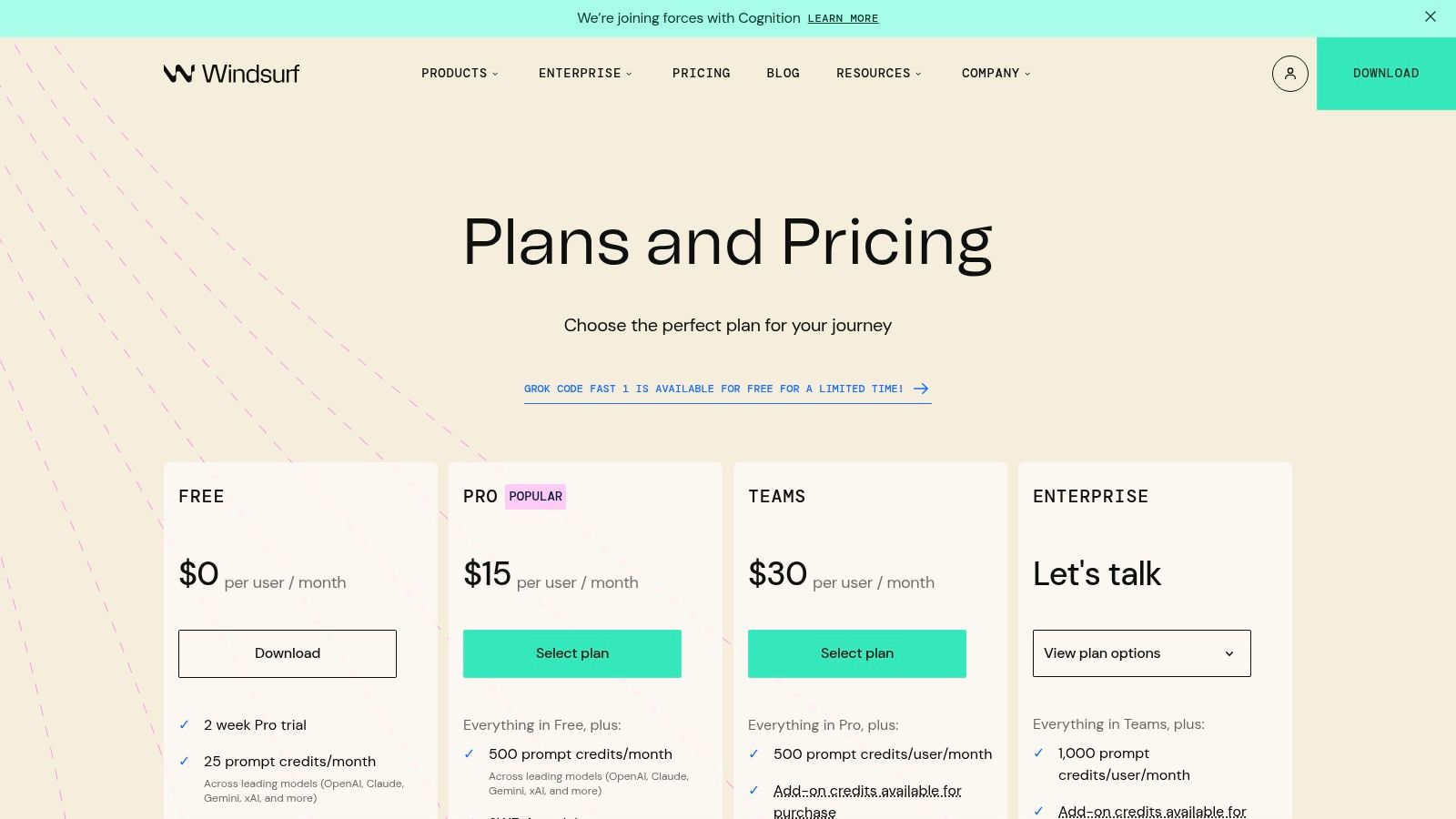
alt text: An illustration of the Windsurf logo with icons representing different AI models and coding functionalities.
What differentiates Windsurf is its model-agnostic approach combined with enterprise-grade features. While it shares a lineage with its predecessor, Windsurf expands on the core ideas of Codeium by providing a prompt-credit system that lets teams mix and match the best AI model for any given task. This, paired with powerful administrative tools like analytics, SSO, and RBAC on higher tiers, positions it as a strong contender for teams needing both cutting-edge AI and robust management controls.
Practical Example: Using Cascade Editing
Cascade editing allows you to apply a single change across multiple files intelligently.
- Select a function name you want to rename, for instance,
getUserProfile. - Activate Cascade editing and provide the prompt:
Rename this function to 'fetchUserProfileData' and update all its call sites throughout the project. - Windsurf finds not only direct calls but also related code, such as test files that reference the old function name in strings (
it('should test getUserProfile functionality')). - It presents a multi-file diff, showing the proposed change in the function definition, in all call sites, and even in the test descriptions.
- With one click, you can apply the rename consistently across the entire codebase.
Key Information
- Best For: Teams and enterprises that want multi-model flexibility and strong administrative controls.
- Pricing: Uses a prompt-credit system. Tiers include a Free plan, a Pro plan at $15/user/month, and custom Enterprise plans with hybrid deployment options.
- Unique Feature: Cascade editing allows developers to apply a single prompt across multiple files, enabling large-scale, AI-driven refactoring and code generation.
- Website: https://windsurf.com/pricing
Pros:
- Competitive pricing with access to multiple leading AI model providers.
- Excellent team features, including admin analytics, SSO, and RBAC.
- Hybrid deployment options offer enhanced security for enterprises.
Cons:
- The credit-based model can be complex to manage and predict costs.
- As a fast-moving product, features and stability can change quickly.
9. IBM watsonx Code Assistant
IBM watsonx Code Assistant targets the enterprise sector, offering a generative AI tool focused on security, governance, and application modernization. Unlike many general-purpose assistants, watsonx is specifically engineered for complex enterprise environments, providing robust support for tasks like translating legacy COBOL code to Java or generating Ansible playbooks for IT automation. Its primary differentiator is its deployment flexibility, allowing for on-premises or hybrid cloud setups to meet stringent data privacy and regulatory requirements.
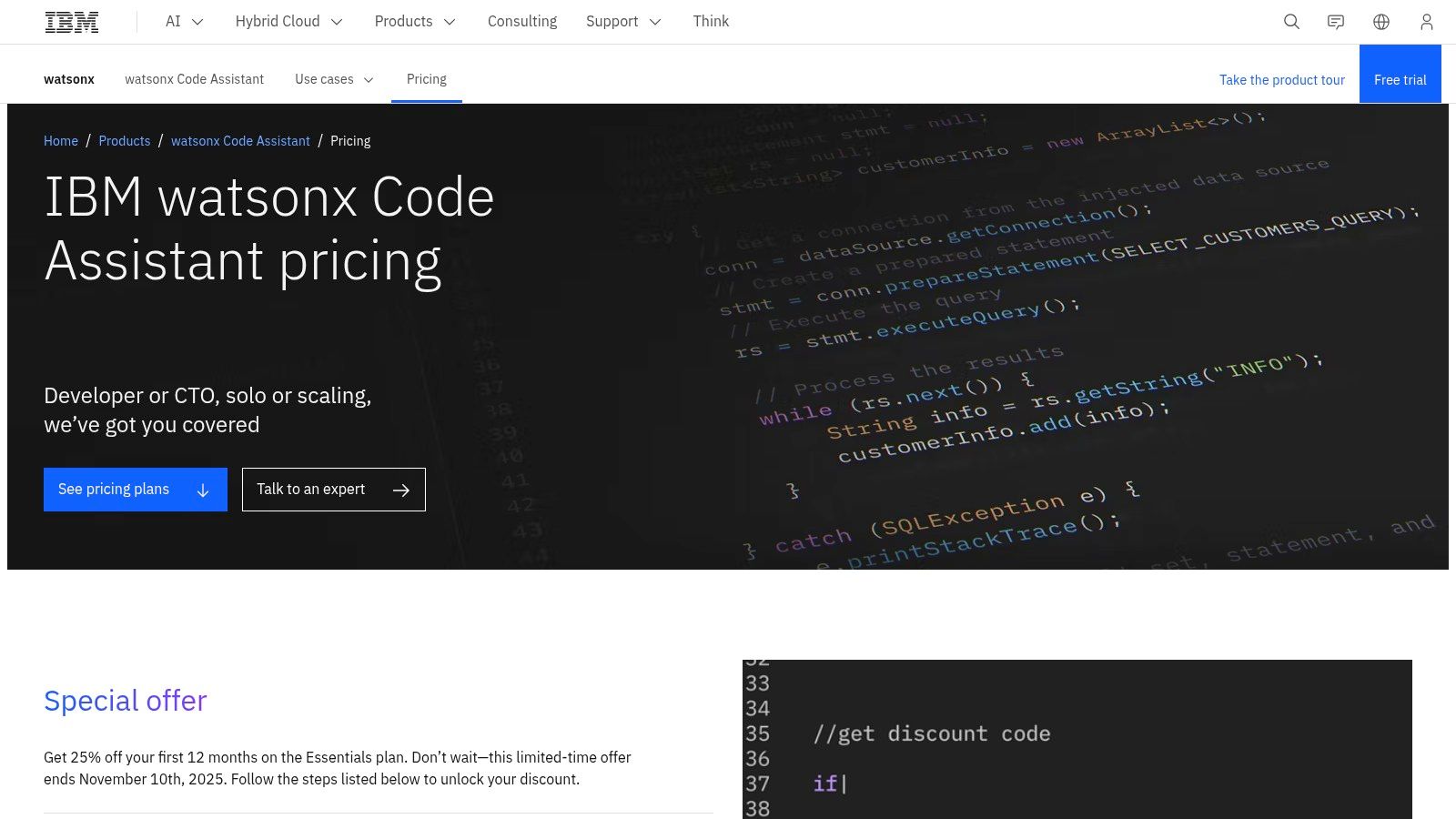
alt text: An illustration showing the IBM watsonx Code Assistant logo with abstract data visualization and network graphics in the background.
What makes watsonx one of the best AI coding assistants for large organizations is its emphasis on control and customization. Administrators can manage access, monitor usage, and integrate the assistant with existing IBM Cloud services. While it may be overly complex for individual developers or small teams, its capability to operate within a company’s own infrastructure provides a level of security and data control that public cloud-based tools cannot match, making it ideal for highly regulated industries like finance and healthcare.
Practical Example: Modernizing Legacy Code
This tool is uniquely skilled at translating older codebases.
- Feed a legacy COBOL program for customer data processing into the watsonx Code Assistant for Z.
- Provide the prompt:
Translate this COBOL program to modern, object-oriented Java. Ensure the business logic for calculating customer balances is preserved. Create separate classes for Customer and Transaction data. - watsonx analyzes the COBOL
DATA DIVISIONandPROCEDURE DIVISIONsections. - It generates equivalent Java code, creating a
Customer.javaclass with fields likecustomerIdandbalance, and aTransaction.javaclass. The procedural COBOL logic is transformed into methods within a service class, likeCustomerService.java. - The output is a full-fledged, maintainable Java application that mirrors the original’s functionality, ready for deployment in a modern environment.
Key Information
- Best For: Enterprises in regulated industries needing on-premises deployment and strong governance.
- Pricing: Offers flexible consumption-based pricing (per task or prompt) and monthly subscription plans. Specific pricing is available upon request.
- Unique Feature: Provides on-premises and hybrid cloud deployment options, ensuring data remains within the enterprise’s secure environment.
- Website: https://www.ibm.com/products/watsonx-code-assistant/pricing
Pros:
- Strong enterprise security, governance, and compliance features.
- Flexible deployment models including on-prem and hybrid cloud.
- Specialized models for application modernization (e.g., COBOL to Java).
Cons:
- Complex setup and pricing geared toward large organizations.
- May be less suitable for individual developers or startups.
10. Visual Studio IntelliCode
Visual Studio IntelliCode is Microsoft’s built-in AI assistant, offering enhanced IntelliSense capabilities directly within Visual Studio and VS Code. It is distinct from GitHub Copilot, focusing on providing smarter, context-aware whole-line code completions by analyzing your code locally. This makes it one of the best AI coding assistants for developers who prioritize privacy or work in environments where cloud-based tools are restricted. It learns from your coding patterns to suggest the most likely completions, effectively acting as an intelligent upgrade to the standard autocomplete.
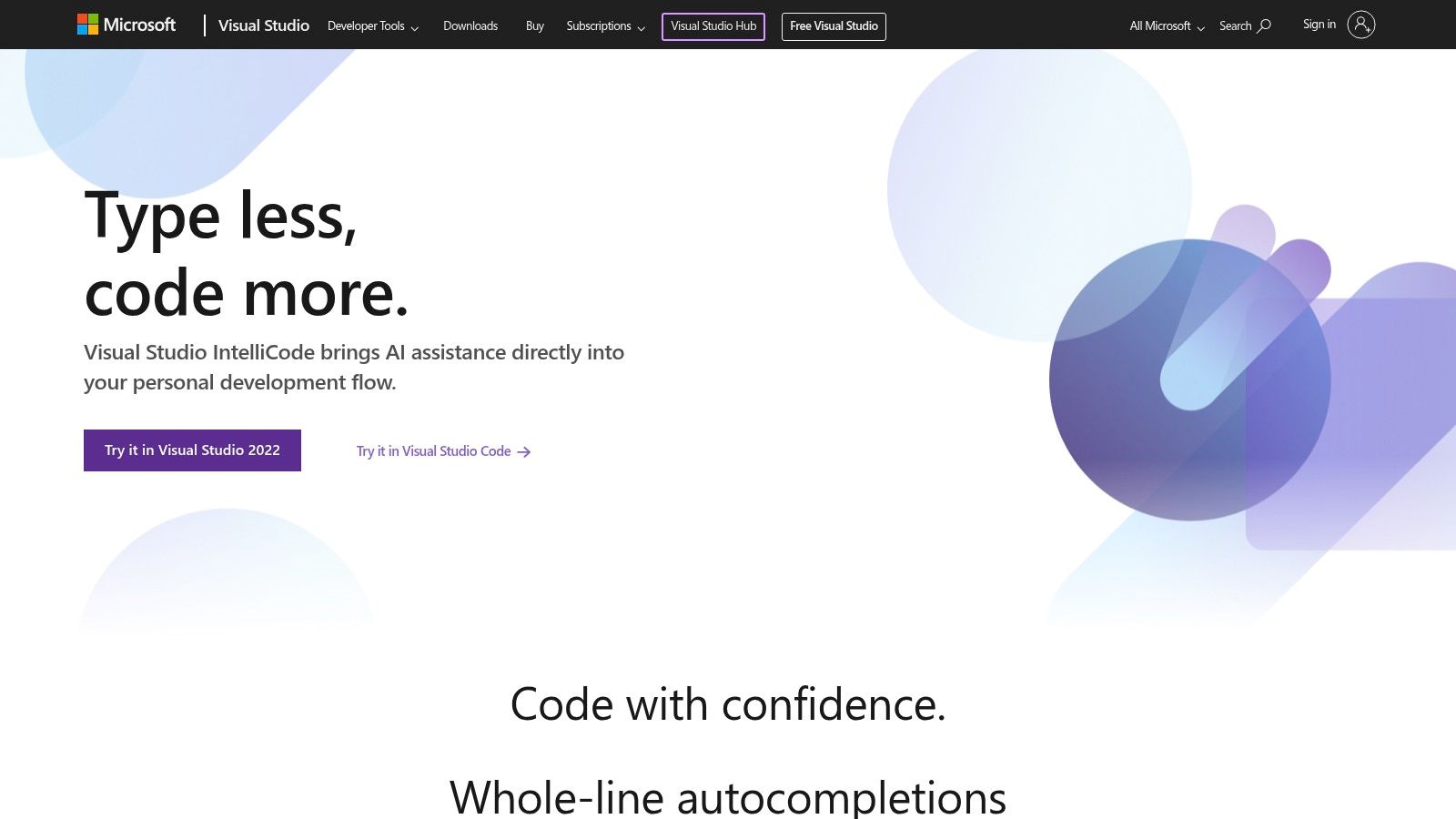
alt text: An animation showing Visual Studio IntelliCode suggesting a whole line of code completion within the VS Code editor.
What differentiates IntelliCode is its tight, seamless integration and its focus on local processing for supported languages like C# and C++. It doesn’t offer a chat interface or generate entire functions from comments like larger AI agents. Instead, it subtly enhances the core coding experience by making IntelliSense suggestions more relevant and providing patterned refactoring quick actions. It is an ideal choice for developers who want a non-intrusive AI boost without adding a separate, paid subscription.
Practical Example: Context-Aware Completions
IntelliCode provides smarter suggestions based on your coding context.
- Instantiate an object in your C# code:
var customer = new Customer(); - On the next line, type
customer.. The standard autocomplete would show an alphabetical list of all properties and methods (Address,Email,FirstName,Id,LastName,Save). - With IntelliCode, the suggestion list is reordered based on common usage patterns. It places a star (
★) next to the most likely members you’ll want to access next, such asId,FirstName, andLastName, moving them to the top of the list. - If you type
if (customer != null) {, IntelliCode might suggest the entire next line as a greyed-out completion:customer.Save();. You can press Tab to accept it.
Key Information
- Best For: Developers in Visual Studio or VS Code who want enhanced, privacy-focused completions without a separate subscription.
- Pricing: Included with Visual Studio 2022 and available as a free extension for Visual Studio Code.
- Unique Feature: Runs locally for many core scenarios, ensuring code privacy and offline functionality for its core completion features.
- Website: https://visualstudio.microsoft.com/services/intellicode/
Pros:
- Runs locally for core features, making it highly privacy-friendly.
- Included with Microsoft IDEs at no additional cost.
- Seamless, unobtrusive integration enhances the native coding experience.
Cons:
- Much narrower in scope compared to full chat-based assistants like Copilot.
- Language support and feature depth can vary between Visual Studio and VS Code.
11. Visual Studio Code Marketplace – GitHub Copilot Chat (extension)
For developers living in Visual Studio Code, the GitHub Copilot Chat extension is the official and most direct way to integrate advanced conversational AI into the editor. While the primary Copilot extension provides autocompletions, this companion extension unlocks the full chat-based interface. It enables powerful workflows like generating unit tests from a function, explaining complex code, and performing targeted edits based on natural language commands.
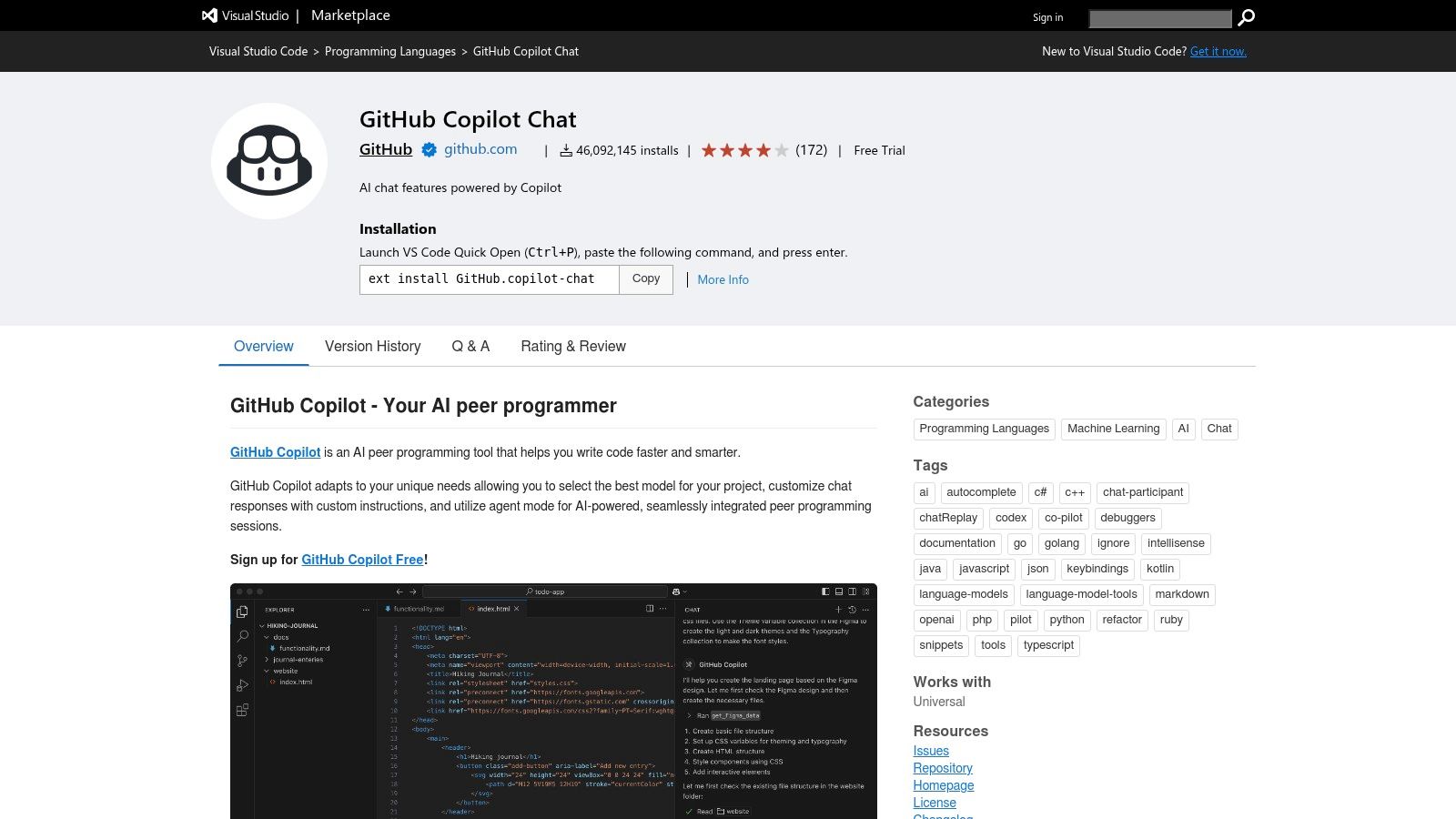
alt text: The Visual Studio Code Marketplace page for the GitHub Copilot Chat extension, showing the install button and extension details.
What makes this extension essential is its seamless integration and rapid update cycle directly from Microsoft and GitHub. It works alongside the main Copilot extension, using the same underlying subscription to provide a unified experience. This setup ensures that VS Code users get the latest features, such as specialized / commands for specific tasks (/fix, /explain), as soon as they are released, solidifying its place as a top choice among the best AI coding assistants.
Practical Example: Fixing a Bug with a Slash Command
You can use specialized chat commands to perform targeted actions.
- Highlight a piece of code that has a bug or isn’t working as expected.
- Open the Copilot Chat panel (
Ctrl+Alt+I). - Type the
/fixcommand followed by instructions:/fix This code is throwing a NullReferenceException when the input array is empty. Add a check to handle this case. - Copilot Chat analyzes the selected code and your instruction.
- It generates a diff, showing the original code and a suggested fix that includes a null or empty check at the beginning of the function.
- Click “Accept” to apply the fix directly to your code.
Key Information
- Best For: VS Code users who want the official, fully-integrated chat experience for GitHub Copilot.
- Pricing: The extension is free to install, but requires an active GitHub Copilot subscription (Individual from $10/month or Business from $19/user/month) to function.
- Unique Feature: Official, first-party integration ensures the fastest access to new Copilot Chat features and the most stable performance within the VS Code environment.
- Website: https://marketplace.visualstudio.com/items?itemName=GitHub.copilot-chat
Pros:
- The official and easiest way to enable Copilot Chat in VS Code.
- Receives rapid, cutting-edge feature updates directly from Microsoft/GitHub.
- Deeply integrated with the editor for contextual actions and edits.
Cons:
- Requires a separate, active GitHub Copilot subscription to be useful.
- Some users of VS Code Web or OSS builds may face limitations installing it.
12. Phind
Phind positions itself as an AI search engine specifically for developers, blending real-time web results with powerful conversational AI. Powered by its own advanced models, like Phind-70B, it excels at answering complex technical questions that require up-to-date information, providing code examples, and explaining intricate concepts with cited sources. This makes it an invaluable research companion for debugging obscure errors or exploring new frameworks.
Its strength lies in synthesizing information from multiple online sources into a single, coherent answer. Unlike general-purpose chatbots, Phind understands the context of a programming problem and tailors its search and response accordingly. The platform also offers a VS Code extension to bring its search-powered assistance directly into the editor, bridging the gap between research and implementation and making it one of the best AI coding assistants for tasks requiring current web knowledge.
Practical Example: Solving a Version-Specific Error
Phind is excellent for debugging issues related to recent library updates.
- You encounter a cryptic error after updating to the latest version of a popular library:
TypeError: 'new_feature' is not a function. - In Phind, you ask:
I just updated to pandas 2.2 and my old code using 'df.append' is breaking. How do I append a row to a DataFrame now? - Phind searches recent documentation, Stack Overflow threads, and official migration guides.
- It provides a direct answer: “The
appendmethod was deprecated and removed in pandas 2.0. The recommended way to add rows now is usingpd.concat.” It then provides a clear code example:# Old way (deprecated) # new_df = old_df.append(new_row, ignore_index=True) # New way (correct for pandas 2.2) new_df = pd.concat([old_df, new_row_df], ignore_index=True) - The answer includes citations linking directly to the official pandas documentation confirming the change.
Key Information
- Best For: Developers who need answers grounded in recent documentation and web-based sources.
- Pricing: A generous free tier is available. Phind Pro ($20/month) offers higher limits, access to models like GPT-4o and Claude 3 Opus, and advanced features.
- Unique Feature: Its core function as a developer-centric AI search engine provides answers with direct citations, allowing for easy verification of information.
- Website: https://www.phind.com/plans
Pros:
- Combines powerful AI with real-time web search for accurate, up-to-date answers.
- Affordable Pro tier provides access to a variety of top-tier models.
- VS Code integration brings its unique capabilities into the development workflow.
Cons:
- Less focused on direct code generation within an IDE compared to tools like Copilot.
- Daily usage limits on the most advanced models apply even on the Pro plan.
Top 12 AI Coding Assistants Comparison
| Tool | Core features & integrations | UX (★) | Pricing & Value (💰) | Target (👥) | Unique selling points (✨/🏆) |
|---|---|---|---|---|---|
| GitHub Copilot | Completions, Copilot Chat, code review, multi-IDE | ★★★★ | 💰 Paid tiers for top models; enterprise plans | 👥 Professional devs & enterprises | ✨ Multi-model choice; deep IDE ecosystem 🏆 |
| Amazon Q Developer | IDE suggestions, security scans, org policies | ★★★ | 💰 Free tier available; paid for advanced features | 👥 AWS-heavy teams, security-focused orgs | ✨ Built-in security scans & tight AWS integration |
| Google Gemini Code Assist | Completions, chat, agent mode, GCP integrations | ★★★★ | 💰 Seat-based licensing; enterprise pricing | 👥 Google Cloud teams & enterprises | ✨ Strong GCP/CLI integrations; predictable seats 🏆 |
| JetBrains AI Assistant | Inline help, refactors, test gen across JetBrains IDEs | ★★★★ | 💰 Credit-based; Pro/Ultimate tiers | 👥 JetBrains IDE users & teams | ✨ Native JetBrains code-insight; SSO/admin |
| Tabnine | Autocomplete, self-host/VPC, model flexibility | ★★★★ | 💰 Enterprise/on‑prem tiers; flexible models | 👥 Privacy/IP-conscious teams | ✨ Zero-retention & on-prem deployment 🏆 |
| Cursor IDE | AI-first IDE, background agents, multi-file edits | ★★★★ | 💰 Paid tiers unlock full agent features | 👥 Teams wanting AI-first IDE workflows | ✨ Large context windows & team admin |
| Replit (AI + Agent) | Cloud IDE, autonomous Agent, one-click deploy/hosting | ★★★ | 💰 Usage-based credits; hosting included | 👥 Solo devs, students, small teams | ✨ End-to-end build, test, deploy in-cloud |
| Windsurf | AI coding environment, prompt-credit model, multi-model | ★★★ | 💰 Competitive pricing; credit model | 👥 Teams needing multi-model & cost control | ✨ Model mix (OpenAI/Claude/Gemini/xAI); Cascade editing |
| IBM watsonx Code Assistant | Generative modernization, Ansible automation, hybrid deploy | ★★★★ | 💰 Consumption or subscription; enterprise focus | 👥 Large enterprises, regulated industries | ✨ Enterprise security, governance & hybrid options 🏆 |
| Visual Studio IntelliCode | Whole-line completions, refactors, local execution options | ★★★ | 💰 Included with Microsoft IDEs (no extra seat) | 👥 Visual Studio/VS Code users | ✨ Local execution & privacy-friendly behavior |
| GitHub Copilot Chat (VS Code ext) | In-editor chat, edits & agent workflows (extension) | ★★★★ | 💰 Requires active Copilot plan for full features | 👥 VS Code users on Copilot plans | ✨ Official extension to enable Copilot Chat |
| Phind | Conversational code search, web research, VS Code integration | ★★★★ | 💰 Affordable Pro; Business privacy defaults | 👥 Devs needing search-driven answers & research | ✨ Integrated web search + in-browser code execution 🏆 |
Making Your Choice: Key Takeaways for Action
Navigating the crowded landscape of AI coding assistants can feel overwhelming, but the right tool can fundamentally reshape your development workflow, transforming tedious tasks into opportunities for deep, creative problem-solving. We’ve explored a dozen of the best ai coding assistants, from the deeply integrated power of GitHub Copilot and JetBrains AI Assistant to the enterprise-grade security of IBM watsonx Code Assistant and the cloud-native intelligence of Amazon Q Developer. Each tool offers a unique blend of code completion, chat-based assistance, refactoring capabilities, and project-aware context.
The central theme is clear: there is no single “best” assistant for everyone. The ideal choice hinges entirely on your specific context, including your technology stack, your team’s collaboration style, your budget, and most importantly, your existing development environment. A Python developer working in VS Code will have different needs than a Java team committed to the JetBrains ecosystem or a startup building entirely within Replit’s collaborative browser-based IDE.
How to Choose Your AI Co-Developer
Making a decision requires moving from analysis to action. Your goal is to find a tool that feels less like a gadget and more like a natural extension of your own thought process.
Here’s a practical, step-by-step approach to selecting and implementing the right AI partner:
- Identify Your Core Environment: Start with the tools that offer the tightest integration with your primary IDE (e.g., VS Code, JetBrains, Visual Studio) and cloud provider (AWS, Google Cloud). This minimizes friction and maximizes the assistant’s contextual awareness. For instance, if your team is all-in on AWS, Amazon Q Developer is a logical first choice to evaluate.
- Define Your Top Priority: What is your biggest pain point? Is it writing boilerplate code? Understanding legacy systems? Generating unit tests? If you need a powerful, chat-driven assistant for complex debugging, GitHub Copilot Chat or Phind might be your top contenders. If you simply want best-in-class autocompletion, Tabnine or GitHub Copilot are excellent starting points.
- Run a Pilot Program: Don’t make a decision in a vacuum. Select your top two or three candidates and use their free trials or free tiers for a one-week sprint. Assign a real, tangible task to complete with each one. For example, try building a small REST API endpoint, writing documentation for an existing module, or refactoring a complex function.
- Evaluate on Practical Metrics: During your trial, assess each tool based on these key factors:
- Accuracy and Relevance: How often are the suggestions useful and correct?
- Speed and Performance: Does it slow down your IDE or interrupt your flow?
- Contextual Understanding: Does it understand the broader context of your entire project or just the current file?
- Ease of Use: How intuitive are the commands and interactions?
Actionable Takeaways
- Start with your IDE: Choose an assistant that integrates seamlessly. If you use JetBrains IDEs, start with JetBrains AI Assistant. For VS Code, GitHub Copilot is the default benchmark.
- Prioritize Security? Go On-Prem: If data privacy is non-negotiable, evaluate Tabnine or IBM watsonx for their self-hosted and on-premises deployment options.
- Leverage Free Tiers: Nearly every tool offers a free trial or a generous free tier. Spend a week with two different assistants on real work before committing to a paid plan.
- Cloud-Specific Boost: If you’re deep in a cloud ecosystem, prioritize their native tool. Use Amazon Q for AWS, and Gemini Code Assist for Google Cloud to maximize context and efficiency.
- Research First: For complex bugs or learning new tech, use a search-focused tool like Phind to get answers grounded in the latest documentation.
Ready to explore beyond coding assistants? The world of AI development tools is expanding daily. For a constantly updated and searchable directory of specialized AI solutions, from code generation to project management and beyond, check out AI Tools Hub. Discover the next tool that will revolutionize your workflow at AI Tools Hub.