

Leveraging the right AI is a core operational necessity. For startups, where every resource is critical, choosing the right ai tools for startups can be the difference between rapid growth and stagnation. The challenge isn’t a lack of options, but rather navigating a crowded market to find solutions that solve specific, high-impact business problems without requiring a massive budget or a dedicated data science team.
This guide moves beyond generic lists to provide actionable insights into the 12 essential AI tools and platforms that address the real-world challenges founders, engineers, and marketers face. We cut through the noise to focus on practical applications. You’ll learn how these tools can accelerate product development with coding assistants, streamline marketing automation, and empower data-driven decisions that fuel growth.
Each tool in this directory is analyzed not just for its features, but for its practical application, integration potential, and cost-effectiveness. We’ve included screenshots and direct links to help you evaluate each option quickly.
This gives you a clear roadmap to building a powerful, efficient AI stack tailored to your startup’s unique needs, from initial build to full-scale operations. Our goal is to equip you with the knowledge to select and implement the best AI tools, turning potential into tangible business outcomes.
1. OpenAI
OpenAI serves as a foundational layer for countless AI-powered applications, making it one of the most essential ai tools for startups. It offers two primary gateways: the user-friendly ChatGPT interface for direct use and a powerful API platform for integrating its models into custom applications. This dual offering allows startups to rapidly prototype ideas with ChatGPT and then scale them into production-ready products using the same underlying technology.
What sets OpenAI apart is its massive ecosystem and the rapid iteration of its models. The platform provides access to a family of GPT models, including the frontier GPT-4 series, along with specialized tools like Code Interpreter for data analysis and DALL-E for image generation. For startups, this means having a cutting-edge, multi-modal toolkit accessible via a single, well-documented API.

Alt text: A screenshot of the OpenAI platform interface, showing a prompt and response from the ChatGPT model.
Key Features & Use Cases
- API Platform: Provides access to various GPT models (e.g., GPT-4o, GPT-3.5 Turbo) for text generation, analysis, and summarization. Ideal for building customer support chatbots, content creation engines, or internal knowledge management systems.
- ChatGPT Business & Enterprise: These plans offer administrative controls, higher usage limits, and enhanced data privacy, making them suitable for team-wide adoption without building a custom interface.
- Built-in Tools: Features like web browsing, Advanced Data Analysis (formerly Code Interpreter), and DALL-E 3 are integrated directly into ChatGPT, allowing non-technical team members to perform complex research, analyze data, and create marketing assets. Learn more about how OpenAI can be leveraged in business settings.
Practical Example: Building an Automated Content Summarizer
A content marketing startup wants to create a feature that summarizes long articles for its users.
- Sign up for an OpenAI API key.
- Install the OpenAI Python library:
pip install openai. - Write a script that takes an article URL, fetches the text, and sends it to the GPT-4o API with the prompt:
"Summarize the following article for a busy executive. Focus on the key takeaways and actionable insights. Article: [article_text]". - Integrate this script into their web app, triggered by a button on each article. The result is a high-value feature built in hours, not weeks.
Actionable Takeaways
- Use the ChatGPT interface to quickly validate AI feature ideas before committing developer resources.
- Set up hard and soft spending limits in your OpenAI API account from day one to avoid unexpected bills.
- For internal use, the ChatGPT Team plan provides a secure, collaborative workspace with admin oversight.
- Tools/Resources: OpenAI API Docs, Python Client Library
2. Anthropic (Claude)
Anthropic positions its AI assistant, Claude, as a strong contender for startups prioritizing safety and deep document analysis. Like OpenAI, it offers a dual-access model: a user-friendly web interface and a robust API for developers. This makes it another one of the essential ai tools for startups looking to embed advanced reasoning into their products or internal workflows, particularly for tasks involving long, complex documents.
What distinguishes Anthropic is its focus on “Constitutional AI” for safety and its models’ impressive performance on long-context tasks. The Claude 3 model family (Opus, Sonnet, and Haiku) is designed to handle massive inputs, making it ideal for legal document review, financial report analysis, or summarizing extensive codebases. For startups in regulated industries or those dealing with dense information, this capability is a significant competitive advantage.
Alt text: A screenshot of the Claude AI interface, showing a user uploading a document and asking questions about its content.
Key Features & Use Cases
- Claude 3 Model Family: Offers a spectrum of models (Opus for peak performance, Sonnet for balanced speed/intelligence, Haiku for near-instant responsiveness) accessible via API. This is perfect for tiered product offerings, like a fast, low-cost chatbot (Haiku) with an option to upgrade to a powerful analyst (Opus).
- Long-Context Window: Claude models excel at recalling information from extensive documents (up to 200K tokens, equivalent to a 500-page book). Use cases include contract analysis, research paper summarization, and creating comprehensive internal wikis from multiple sources.
- Team & Enterprise Plans: Provide centralized billing, user management, and early access to new features. These plans are tailored for teams that need collaborative and secure access to Claude’s capabilities without building a custom solution.
Practical Example: Analyzing Customer Feedback
A SaaS startup has a 50-page PDF of raw customer interview transcripts. They need to identify key themes and pain points.
- Log in to the Claude.ai web interface.
- Upload the 50-page PDF document directly into the chat window.
- Prompt Claude:
"Analyze these customer interview transcripts. Identify the top 5 most frequently mentioned pain points. For each pain point, provide 3 direct quotes from the text as evidence." - Within a minute, Claude returns a structured summary, saving the product manager hours of manual reading and analysis.
Actionable Takeaways
- If your startup handles large documents, use Claude’s web interface to test its summarization and Q&A capabilities.
- For API use, start with the cost-effective Sonnet model for general tasks; use Opus only for high-value, complex reasoning.
- Monitor web plan message caps, which can be reached quickly; plan your most critical tasks accordingly.
- Tools/Resources: Anthropic API Docs, Claude Prompting Guide
3. Google Cloud Vertex AI
For startups already embedded in the Google Cloud ecosystem, Vertex AI provides a native, unified platform to build, deploy, and scale machine learning models. It’s a powerful suite of ai tools for startups that tightly integrates with services like BigQuery, Cloud Storage, and Google Kubernetes Engine, offering a seamless MLOps experience from data preparation to production serving. This integration is its core advantage, allowing teams to leverage existing GCP infrastructure and data without complex cross-platform pipelines.
What sets Vertex AI apart is its comprehensive nature and its direct access to Google’s own state-of-the-art models, including the Gemini family. The platform isn’t just a model API; it’s an end-to-end workbench. It offers managed infrastructure for training and inference on GPUs and TPUs, along with robust tooling for data labeling, feature management, and model monitoring, all within a single, governed environment.
Alt text: A screenshot of the Google Cloud Vertex AI platform, showing the model garden with various generative AI models available for use.
Key Features & Use Cases
- Model Garden & Generative AI Studio: Provides access to Google’s foundation models (like Gemini) and popular open-source models. Use the Studio to experiment with prompts, tune models with your own data, and deploy them to an endpoint with a few clicks.
- Managed Training & Prediction: Vertex AI handles the complexities of provisioning and managing infrastructure for training custom models or serving predictions at scale. This is ideal for startups building proprietary models without wanting to manage hardware.
- MLOps Tooling: Offers a complete set of tools including Vertex AI Pipelines for workflow automation, a Feature Store for managing and sharing ML features, and Model Monitoring to detect drift and maintain performance. This is critical for building a scalable AI foundation, a key step when you launch an AI startup.
Practical Example: Building a Churn Prediction Model
An e-commerce startup wants to predict which customers are likely to churn, using data stored in BigQuery.
- Navigate to BigQuery ML within the Google Cloud Console.
- Write a SQL query to create a model:
CREATE OR REPLACE MODELmy_dataset.churn_predictor` OPTIONS(model_type=’LOGISTIC_REG’) AS SELECT user_id, last_purchase_date, total_spent, is_churner FROM `my_dataset.customer_data“. - Deploy this trained model to a Vertex AI Endpoint directly from the BigQuery UI.
- Call the endpoint from their application to get a churn probability score for any customer in real-time, all without manually managing servers.
Actionable Takeaways
- If your data is in BigQuery, use BigQuery ML and Vertex AI together to train models directly on your data.
- Start with the Generative AI Studio to test Google’s pre-trained models for your use case before fine-tuning.
- Use Google Cloud’s budgeting and alert features to monitor spending on Vertex AI services from day one.
- Tools/Resources: Vertex AI Documentation, Google Cloud for Startups Program
4. Microsoft Azure AI (Azure OpenAI Service)
For startups already embedded in the Microsoft ecosystem, Azure AI offers a compelling and enterprise-ready path to leverage powerful language models. It provides access to OpenAI’s models, including GPT-4, through the Azure OpenAI Service, which is wrapped in Microsoft’s robust security, compliance, and identity management framework. This makes it one of the most secure ai tools for startups dealing with sensitive data or operating in regulated industries.
What differentiates Azure AI is its focus on enterprise-grade stability and predictable performance. While the standard API is pay-as-you-go, the option to purchase Provisioned Throughput Units (PTUs) allows startups to reserve dedicated processing capacity. This guarantees consistent performance and predictable costs, which is critical for production applications with high-volume, low-latency requirements.
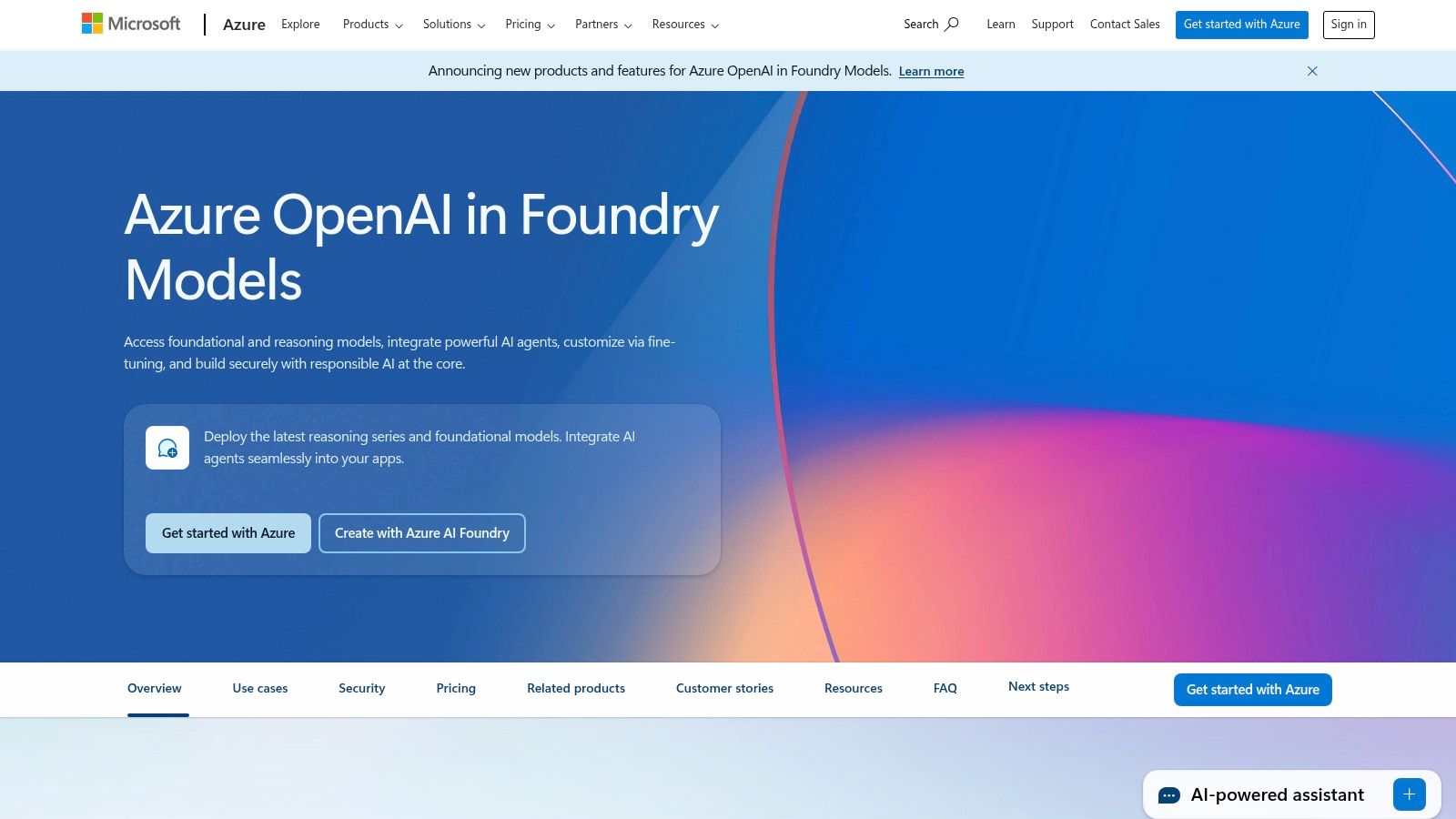
Alt text: A screenshot of the Microsoft Azure AI Studio interface, showing options for deploying models like GPT-4.
Key Features & Use Cases
- Azure OpenAI Service: Deploy OpenAI models within your own Azure environment, ensuring data privacy and control. Ideal for building internal tools that connect to corporate data or developing customer-facing applications that require stringent compliance.
- Provisioned Throughput Units (PTUs): A pricing model to reserve dedicated model processing capacity for a fee. This is crucial for startups needing guaranteed performance and predictable latency for mission-critical features.
- Microsoft 365 Copilot: An integrated AI assistant within Microsoft Office applications (Word, Excel, PowerPoint, Teams). This is best for boosting team-wide productivity without custom development, automating document creation, summarizing meetings, and analyzing data in spreadsheets.
- Enterprise Governance: Integrates seamlessly with Azure Active Directory for single sign-on (SSO), role-based access control (RBAC), and VNet support, simplifying security management.
Practical Example: Implementing a Secure Internal Chatbot
A fintech startup needs an internal chatbot to answer employee questions about HR policies, using confidential company documents.
- Create an Azure AI Search instance and upload the HR policy documents.
- Deploy a GPT-4 model through the Azure OpenAI Service.
- Use the “Chat with your data” feature in Azure AI Studio to connect the deployed model to the Azure AI Search index.
- Deploy the resulting chatbot as a private web app, accessible only to employees via their Azure Active Directory credentials. This provides a secure, internal-only knowledge base without data leaving their cloud environment.
Actionable Takeaways
- If your startup relies on Azure, Office 365, and Active Directory, using Azure OpenAI Service is a natural fit.
- For high-traffic applications, model the cost of PTUs versus pay-as-you-go to see if reserved capacity offers better value.
- Deploy Microsoft 365 Copilot for a quick win in internal efficiency before building custom applications on the API.
- Tools/Resources: Azure for Startups Program, Azure OpenAI Service Docs
5. AWS Marketplace (Machine Learning category)
For startups already embedded in the Amazon Web Services ecosystem, the AWS Marketplace serves as a powerful procurement and deployment hub for third-party ai tools for startups. Instead of sourcing models and software from disparate vendors, the marketplace provides a centralized catalog of pre-trained models, algorithms, and SaaS solutions that can be deployed directly into services like Amazon SageMaker. This streamlines the entire process from discovery to implementation.
What makes the AWS Marketplace unique is its deep integration with the broader AWS platform. It consolidates billing, allowing startups to manage software costs on a single AWS bill, and simplifies deployment with one-click options for many listings. This removes significant operational friction, enabling engineering teams to test and integrate new AI capabilities without complex procurement cycles or separate vendor management.
Alt text: The AWS Marketplace interface showing a variety of machine learning models and algorithms available for purchase and deployment.
Key Features & Use Cases
- Consolidated Procurement & Billing: Purchase and subscribe to AI models and SaaS products directly through the marketplace, with all charges appearing on your monthly AWS invoice. This simplifies financial management and budget tracking.
- One-Click SageMaker Deployment: Many machine learning models and algorithms can be deployed directly to an Amazon SageMaker instance with just a few clicks, drastically reducing setup time for training and inference endpoints.
- Private Offers: Startups can negotiate custom pricing, terms, and licensing agreements directly with vendors through the marketplace, providing flexibility beyond standard public pricing.
- Diverse Model Catalog: Access a wide range of specialized models for tasks like fraud detection, natural language processing, computer vision, and predictive analytics from various vendors.
Practical Example: Adding Sentiment Analysis to a Product
A social media analytics startup needs to add sentiment analysis for customer comments.
- Go to the AWS Marketplace and search for “sentiment analysis”.
- Filter the results by “Models” and choose a highly-rated, pre-trained sentiment analysis model.
- Subscribe to the model directly from the listing page.
- Use the “Deploy to SageMaker” option to create an inference endpoint with a single click.
- Call this new endpoint from their application’s backend whenever a new comment is ingested, instantly adding sentiment data to their analytics dashboard.
Actionable Takeaways
- Check if your AWS Activate credits can be applied to Marketplace purchases to reduce software costs.
- Scrutinize vendor reviews, support policies, and documentation before deploying; quality varies widely.
- Use free trials or free tiers to validate a model’s performance on your specific data before committing to a paid plan.
- Tools/Resources: AWS Activate Program for Startups, AWS Marketplace Machine Learning Category
6. Hugging Face
Hugging Face acts as the central hub for the open-source AI community, making it one of the most vital ai tools for startups looking to leverage non-proprietary models. It provides a massive repository of pre-trained models and datasets, along with a suite of tools for deploying them into production. This allows startups to experiment with a vast array of open models and then easily transition them to scalable, production-ready infrastructure without vendor lock-in.
What makes Hugging Face indispensable is its focus on the entire machine learning lifecycle, from discovery to deployment. Startups can find, fine-tune, and host models for nearly any task. Its Inference Endpoints service simplifies the deployment process, offering transparent, per-hour pricing on dedicated infrastructure, a crucial feature for startups managing a tight budget while needing reliable performance.

Alt text: A screenshot of the Hugging Face platform, showcasing the vast library of available models and datasets.
Key Features & Use Cases
- Model & Dataset Hub: An extensive public catalog where teams can find and download open-source models (like Llama 3 or Mistral) for tasks ranging from text generation to computer vision. Ideal for prototyping custom AI features.
- Inference Endpoints: A managed service for deploying models on dedicated infrastructure with autoscaling. This is perfect for serving a custom-trained model to power a product feature, with clear, predictable per-hour costs.
- Spaces: A simple way to build and host interactive demos of machine learning applications. Excellent for creating proof-of-concepts for internal stakeholders or public-facing examples for marketing.
Practical Example: Deploying a Specialized Translation Model
A travel tech startup needs a translation feature that works well for informal, conversational text, which general models struggle with.
- Search the Hugging Face Hub for “conversational translation models” and find one fine-tuned on social media data.
- Create a new “Space” on Hugging Face to build a quick demo interface using Gradio or Streamlit, allowing the team to test the model’s quality interactively.
- Once validated, they navigate to the “Inference Endpoints” service.
- Deploy the model to a small, cost-effective CPU-based endpoint. This provides a production-ready API for their app in minutes, with a clear hourly cost.
Actionable Takeaways
- Use the Hub to test various open-source models for your use case before committing to a single one.
- Quickly build an interactive demo of your AI feature using Spaces to gather user feedback early.
- Deploy your first model on a small CPU instance using Inference Endpoints to validate performance before scaling to GPU hardware.
- Tools/Resources: Hugging Face Hub, Inference Endpoints Documentation
7. Product Hunt (Artificial Intelligence topic)
Product Hunt is not an AI tool itself, but a crucial discovery platform for startups seeking to understand the competitive landscape. Its dedicated “Artificial Intelligence” topic is a real-time feed of new AI products launching daily. For founders and product managers, it offers an unfiltered view of market trends, user feedback, and emerging niche solutions that could become competitors or integration partners.
What sets Product Hunt apart is its community-driven curation. The platform provides immediate social proof through upvotes, comments, and reviews from early adopters. This allows startups to gauge initial market validation for new ideas and identify which features are resonating with a tech-savvy audience, making it one of the most dynamic resources for competitive analysis and inspiration among ai tools for startups.
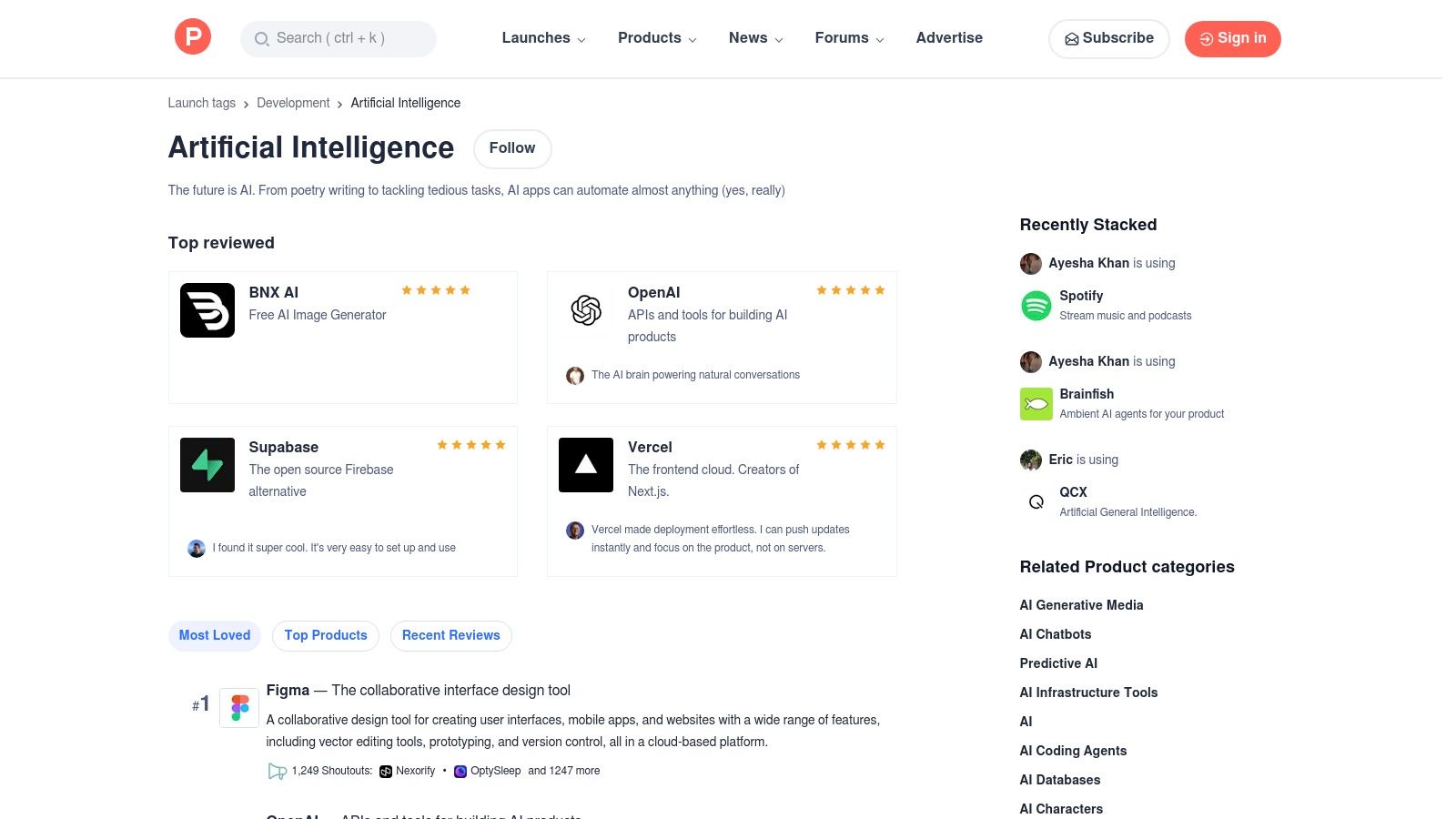
Alt text: A screenshot of the Product Hunt website showing the Artificial Intelligence topic page, with a list of recently launched AI products.
Key Features & Use Cases
- AI Topic Feed: A continuously updated stream of the latest AI tool launches, ranked by community engagement. Ideal for market research, identifying emerging competitors, and spotting new technology trends.
- Community Reviews & Discussion: Access direct feedback from early users in the comment sections. This provides valuable insights into a product’s stability, user experience, and practical value proposition.
- Category Filters: Narrow down searches by function (e.g., coding, marketing, design, analytics) to find specific tools relevant to your team’s needs or your startup’s vertical. Learn more about how Product Hunt functions as a key launch platform.
Practical Example: Validating a New Product Idea
A founder has an idea for an AI tool that creates meeting summaries from audio recordings.
- Go to Product Hunt and search for “AI meeting summary”.
- Analyze the top 5 results. They note which products got the most upvotes and read the comment sections.
- They discover that while many tools exist, users consistently complain about poor speaker identification and inaccurate action item tracking.
- This insight directly informs their product roadmap: they will focus on building a superior speaker identification engine as their key differentiator, a decision based on real market feedback.
Actionable Takeaways
- Dedicate 30 minutes each week to scan the top AI launches to stay informed on market shifts.
- Observe how top-performing AI products launch; pay attention to their messaging, visuals, and community engagement.
- Before building a new feature, search Product Hunt to see if a similar tool exists and assess its public reception.
- Tools/Resources: Product Hunt AI Topic
8. G2 (Generative AI categories)
G2 serves as a critical validation and discovery platform, not a direct tool, but an essential resource for any startup navigating the crowded market of ai tools for startups. Instead of building with a specific tool, G2 allows you to evaluate them. Its dedicated Generative AI categories, complete with grids, leaderboards, and verified user reviews, provide the social proof and competitive intelligence needed to make informed purchasing decisions.
What makes G2 invaluable is its ability to cut through marketing hype. By filtering for company size, industry, and specific features, a startup can see what similar companies are using successfully. This peer-driven insight is crucial for de-risking the adoption of a new AI vendor, whether it’s for a coding assistant, a sales intelligence platform, or a text generation API. It transforms a speculative choice into a data-backed decision.
Alt text: A screenshot of the G2 website showing the Generative AI category page with various software grids.
Key Features & Use Cases
- Generative AI Grids: Visual quadrants that map out vendors based on market presence and user satisfaction. Use these to quickly identify market leaders and high-momentum players in specific subcategories like AI Code Generation or Text-to-Speech.
- Verified User Reviews: In-depth, authenticated reviews from real users. This is the core value, offering unfiltered feedback on a tool’s performance, ease of use, and quality of support, helping you vet your shortlist.
- Side-by-Side Comparisons: Directly compare up to four different tools on features, pricing models, and user ratings. This is ideal for the final stage of vendor selection when you’ve narrowed down your options.
Practical Example: Choosing an AI Sales Assistant
A sales team of 5 needs an AI tool to automate email follow-ups. They have a shortlist of three vendors.
- Go to G2 and search for the “AI Sales Assistants” category.
- Use the comparison feature to put their three shortlisted tools side-by-side.
- Filter reviews to only show those from “Small-Business” (1-50 employees).
- They discover that while one tool is a “Leader” overall, reviews from small businesses consistently mention that its setup is too complex and support is slow. They choose a “High Performer” instead, praised by similar-sized companies for its ease of use and responsive support.
Actionable Takeaways
- Before committing to a paid plan, check its G2 profile for recent reviews from companies of a similar size.
- Use category filters to uncover specialized tools that may not have a large marketing budget but receive high satisfaction scores.
- Read the actual text of reviews, both positive and negative, to understand the context behind the ratings.
- Tools/Resources: G2 Generative AI Software Category
9. Capterra (Generative AI directory)
While not a direct AI tool, Capterra functions as a critical discovery platform, making it one of the most practical ai tools for startups looking to evaluate and purchase software. Owned by Gartner, this extensive directory features a dedicated Generative AI category, allowing founders and product managers to compare solutions based on verified user reviews, deployment models, and company size. It helps cut through marketing hype to find tools that fit specific operational needs and budgets.
What sets Capterra apart is its structured approach to a chaotic market. Instead of relying on sponsored blog posts, startups can use granular filters to find AI-powered marketing platforms, chatbots, or HR software tailored for small businesses. The platform’s methodology transparency and verified reviews provide a layer of trust that is often missing when simply searching for solutions online.
Alt text: A screenshot of the Capterra website showing the Generative AI software directory with various filters and listed products.
Key Features & Use Cases
- Generative AI Directory: A curated list of AI software that can be filtered by features, pricing models, user ratings, and target business size. Ideal for creating a shortlist of vendors for a new software purchase.
- Verified User Reviews: Access authentic feedback from real users, which often highlights practical pros, cons, and integration challenges not mentioned in marketing materials.
- Related AI Categories: Explore adjacent categories like AI Marketing or AI Chatbots to discover specialized tools that solve a particular business problem, from lead generation to customer support automation.
Practical Example: Selecting a Social Media Scheduler
A solo founder needs an AI-powered tool to help write and schedule social media posts.
- Navigate to Capterra’s “AI Marketing” category.
- Apply filters: “Company Size: 1-10 employees” and “Feature: Social Media Management”.
- Sort results by “Highest Rated”.
- Review the top 3 tools, paying close attention to reviews that mention the quality of the AI-generated content suggestions and the ease of connecting social accounts. This process surfaces a well-regarded, affordable tool that perfectly fits their specific needs.
Actionable Takeaways
- Use the “Company Size” filter to immediately narrow options to vendors that cater to startups and SMBs.
- Pay close attention to 1-star and 2-star reviews to identify common complaints and potential deal-breakers.
- Create a comparison shortlist of 3-5 potential tools, then visit each vendor’s website for demos and technical details.
- Tools/Resources: Capterra Generative AI Software Directory
10. GitHub Copilot
GitHub Copilot is an AI pair programmer that integrates directly into a developer’s workflow, making it one of the most impactful ai tools for startups looking to boost engineering velocity. By embedding itself in popular IDEs like VS Code and JetBrains, as well as within the GitHub platform and command line, Copilot provides real-time code suggestions, function generation, and even complex algorithm implementation. This reduces the time developers spend on boilerplate code and searching for solutions.
What truly sets Copilot apart is its deep integration with the GitHub ecosystem. It can analyze the context of an entire repository to provide more relevant suggestions, help explain code snippets, and even suggest descriptions for pull requests. This seamless experience accelerates the entire development lifecycle, from writing code to reviewing it, allowing startup engineering teams to ship features faster and with greater consistency.
Alt text: A developer’s screen showing GitHub Copilot providing a code suggestion within the VS Code editor.
Key Features & Use Cases
- IDE & CLI Integration: Provides intelligent code completions, function generation, and bug fixes directly in the editor (VS Code, JetBrains, Neovim) and through the
ghcommand-line tool. - GitHub-Native Features: Copilot assists with writing pull request descriptions, reviewing code changes, and answering questions about a codebase, streamlining collaboration and code quality checks.
- Copilot Business & Enterprise: These plans offer organization-wide policy management, license administration, and enhanced security features, ensuring that code snippets suggested by the AI do not include public code and that company data remains private. You can find out more by exploring the best AI coding assistants.
Practical Example: Generating Unit Tests
A developer has just written a new function to validate user email addresses but needs to write unit tests for it.
- Highlight the entire
isValidEmailfunction in their VS Code editor. - Open the Copilot Chat panel.
- Type the prompt:
"/tests Generate unit tests for the selected code using the Jest framework." - Copilot generates a complete test file with multiple test cases, including valid emails, invalid emails, and edge cases like empty strings. The developer can now copy, paste, and run the tests, saving 20-30 minutes of manual work.
Actionable Takeaways
- Make installing GitHub Copilot a standard part of your new developer onboarding process.
- Encourage your team to use Copilot’s pull request summary feature to create clear, context-rich descriptions.
- Teach developers to use the
gh copilotcommands for shell assistance and Git command generation. - Tools/Resources: GitHub Copilot, VS Code Extension
11. Zapier (including Zapier Agents)
Zapier has long been the go-to for no-code automation, but its recent push into AI transforms it into one of the most practical ai tools for startups looking to operationalize complex workflows without writing code. Through “AI by Zapier” and the newer Zapier Agents, startups can build AI-powered teammates that read data, browse the web, and take actions across more than 7,000 integrated applications. This allows non-technical teams to quickly productionize sophisticated automations that previously required developer intervention.
What makes Zapier’s AI offering unique is its focus on action-oriented agents within its massive existing ecosystem. Instead of just generating text, these agents can be instructed in plain English to perform multi-step tasks like “find new leads from this Google Sheet, research their company on the web, and draft a personalized outreach email in Gmail.” It’s a powerful way to bridge the gap between AI-driven insights and real-world business outcomes.
Alt text: A screenshot of the Zapier Agents interface, showing a visual builder for creating an AI-powered automation workflow.
Key Features & Use Cases
- Zapier Agents: Build autonomous agents with a visual, no-code builder. Instruct them with natural language to perform tasks like lead qualification, customer support ticket triage, or social media content scheduling.
- Massive Integration Library: Connect AI logic to over 7,000 apps, enabling actions in CRMs, email platforms, project management tools, and more. This is a core differentiator for operationalizing AI. For more ideas, explore other top AI tools for marketing.
- Knowledge Connectors: Allow your agents to securely access data from sources like Google Docs, Notion, or Slack, providing them with the context needed to complete tasks accurately. The broader impact of such tools on business processes is significant; for a deeper dive, read about how AI agents are transforming company operations.
Practical Example: Automating Customer Support Triage
A startup needs to automatically categorize incoming support tickets from their help desk software.
- Create a new Zap that triggers on “New Ticket Created” in their help desk app (e.g., Zendesk).
- Add an action using “AI by Zapier”.
- In the prompt, instruct the AI:
"Read the following support ticket subject and body. Categorize it as one of the following: 'Billing Inquiry', 'Technical Bug', 'Feature Request', or 'General Question'. Ticket: [Ticket Body]". - Add a final action that updates the ticket in Zendesk with the category returned by the AI. This instantly organizes their support queue without manual intervention.
Actionable Takeaways
- Automate lead enrichment: Create an agent that triggers when a new lead enters your CRM, browses LinkedIn, and updates the contact record.
- Start with simple, single-purpose agents (e.g., “summarize this email and add it to a Trello card”) before building complex workflows.
- Keep a close eye on your Agents’ activity dashboard in the first month to understand costs and optimize prompts.
- Tools/Resources: Zapier Agents, Zapier App Directory
12. AppSumo
For startups operating on a lean budget, AppSumo is a marketplace that offers an alternative path to acquiring powerful software, including a growing number of ai tools for startups. Rather than a tool itself, it’s a platform for discovering emerging SaaS products, often available as lifetime deals (LTDs) for a one-time price. This model allows startups to access AI-powered copywriting, video generation, or analytics tools at a fraction of their typical subscription cost.
What makes AppSumo a unique resource is its function as a launchpad for new and innovative tools that haven’t yet hit the mainstream. Startups can find niche AI solutions for specific problems, from AI-driven SEO analysis to automated social media content creation, long before they become widely known. The community review system and time-limited deals create a dynamic environment for discovering potentially high-value software.
Alt text: A screenshot of the AppSumo website, showing various deals on software tools.
Key Features & Use Cases
- Lifetime Deals (LTDs): Secure lifetime access to AI software for a single payment, ideal for locking in costs for essential functions like content generation, image editing, or chatbot services.
- Curated AI Events: AppSumo frequently hosts events like “AI Week,” concentrating a wide variety of AI tool deals in one place, which simplifies discovery and comparison for specific needs.
- Community Reviews & Questions: User-generated reviews and direct Q&A sections with the tool’s founders provide crucial, real-world insights into a tool’s capabilities, limitations, and support quality before purchasing.
Practical Example: Acquiring an AI Content Generator
A marketing team needs an AI tool for drafting blog posts and social media copy but has a minimal budget.
- They browse AppSumo and find a lifetime deal for an AI content writer for a one-time payment of $59.
- They read the reviews and the Q&A section to confirm that the tool’s output quality is high and that the deal’s monthly credit limits are sufficient for their needs.
- They purchase the deal, gaining access to a tool that would typically cost $49/month. This saves them over $500 in the first year alone, a significant saving for a bootstrapped startup.
- They test it heavily during the 60-day refund window to ensure it meets their quality standards.
Actionable Takeaways
- Before buying, research the company behind the tool; check their website and roadmap to gauge their long-term viability.
- Scrutinize the usage limits of the LTD; low monthly credits could render a great deal useless for your needs.
- Actively test any purchased tool within the 60-day refund period to ensure it delivers on its promises.
- Tools/Resources: https://appsumo.com/collections/ai-software
12 Startup AI Tools: Quick Comparison
| Tool | Core Features | Quality & UX | Value / Pricing | Target Audience | Unique Selling Points |
|---|---|---|---|---|---|
| OpenAI | ChatGPT plans, API, web search, Code Interpreter, AgentKit | ★★★★☆ production-ready, fast updates | 💰 Free → Enterprise; variable costs, needs governance | 👥 Startups, devs, enterprise teams | ✨ Broad 3rd‑party ecosystem, production APIs, 🏆 rapid feature rollout |
| Anthropic (Claude) | Web/iOS/Android, Team/Enterprise plans, Opus/Sonnet/Haiku models | ★★★★☆ strong long‑context reasoning | 💰 Clear per‑token pricing; watch web caps | 👥 Research, document workflows, safety‑focused teams | ✨ Safety‑first models, long‑context support, 🏆 analytical strength |
| Google Cloud Vertex AI | Managed training/inference, Gemini models, pipelines, RAG tooling | ★★★★☆ robust infra & tooling | 💰 Hourly / feature pricing; complex matrix | 👥 GCP-native startups, data teams, ML engineers | ✨ Tight BigQuery/GCP integration, scalable infra, 🏆 enterprise governance |
| Microsoft Azure AI | Azure OpenAI Service, PAYG/PTUs, M365 Copilot integration | ★★★★☆ enterprise-grade, SSO/compliance | 💰 PAYG or provisioned throughput; region SKUs | 👥 Microsoft-centric orgs, enterprises | ✨ M365 integration, SSO/compliance, 🏆 predictable capacity options |
| AWS Marketplace | Pre-trained models, SageMaker deploy, consolidated AWS billing | ★★★☆☆ listing quality varies | 💰 One-bill AWS procurement; pricing per listing | 👥 AWS customers, procurement teams | ✨ Private offers + quick SageMaker deployment |
| Hugging Face | Model & dataset hub, Inference Endpoints, Spaces hosting | ★★★★☆ community-driven, transparent | 💰 Per-instance hourly pricing; transparent infra costs | 👥 Open-model users, ML teams, researchers | ✨ Massive model catalog, production hosting, 🏆 open community |
| Product Hunt | AI topic launches, community reviews, tag filters | ★★★☆☆ fast trend discovery; noisy | 💰 Free to browse; links to vendor trials | 👥 Early adopters, founders, marketers | ✨ Launch momentum & social proof for new tools |
| G2 | Category grids, verified reviews, side-by-side comparisons | ★★★★☆ review-rich shortlisting | 💰 Free browsing; sponsored placements exist | 👥 Buyers validating vendor choices | ✨ Verified user reviews, comparison grids for decisioning |
| Capterra | Directory with filters, review verification, SMB focus | ★★★★☆ SMB‑friendly discovery | 💰 Free; sponsored listings present | 👥 Small businesses, SMB buyers | ✨ Filters by company size/deployment, buyer guidance |
| GitHub Copilot | IDE integrations, PR reviews, Copilot CLI, per-seat plans | ★★★★☆ strong developer UX | 💰 Per-seat pricing; simple tiers | 👥 Developers, engineering teams | ✨ Native GitHub/IDE workflows, 🏆 boosts engineering velocity |
| Zapier | Zapier Agents, 7,000+ app integrations, no-code builder | ★★★★☆ easy automation for non‑devs | 💰 Activity/task-based plans; low-cost pilots | 👥 Ops, marketing, non-technical teams | ✨ No-code AI agents + broad app ecosystem |
| AppSumo | Curated SaaS deals, lifetime offers, refund window | ★★★☆☆ bargain-hunting UX; variable quality | 💰 Deep discounts / lifetime deals; risk varies | 👥 Budget-conscious buyers, indie founders | ✨ Low-cost discovery & curated deal events |
Your Next Move: Building an AI-Powered Startup
Navigating the expansive landscape of AI tools for startups can feel like both a massive opportunity and a significant challenge. We’ve journeyed through foundational model providers like OpenAI and Anthropic, explored comprehensive cloud platforms from Google, Microsoft, and AWS, and uncovered discovery engines such as Hugging Face and Product Hunt. The key takeaway is clear: the right AI integration is no longer a luxury for well-funded tech giants; it’s a fundamental competitive advantage for agile startups looking to scale efficiently.
These tools are not just about automating tasks. They represent a strategic shift in how startups operate. For a small engineering team, GitHub Copilot isn’t just a code assistant; it’s a force multiplier that can accelerate product velocity by handling boilerplate code, freeing up developers to focus on complex, high-value problem-solving. Similarly, for a marketing team of one, leveraging generative AI for content creation or Zapier Agents for automating lead nurturing workflows means achieving the output of a much larger team without the associated overhead.
The true power lies not in adopting a single, “perfect” tool, but in building a cohesive, interconnected AI stack that addresses your specific bottlenecks. The tools covered in this article, from foundational APIs to specialized directories, are the building blocks for that stack.
To further enhance your startup’s growth and scaling efforts, you might also find value in exploring the 12 Best AI Powered Marketing Tools for 2026 for more specialized solutions.
From Exploration to Implementation: A Practical Framework
Moving from reading about these tools to embedding them into your daily operations requires a deliberate approach. The goal is to avoid the “shiny object syndrome” where teams adopt new technology without a clear purpose, leading to wasted resources and fragmented workflows. Instead, follow a structured process to ensure each AI tool you integrate delivers a tangible return on investment.
1. Identify Your Biggest Bottleneck: Before you even look at a tool, pinpoint the single most significant constraint holding your startup back. Is it slow software development cycles? Inefficient customer support? A lack of high-quality marketing content? Be specific. For example, instead of “sales is slow,” identify the root cause: “Our two-person sales team spends 15 hours per week manually researching and personalizing outreach emails.”
2. Start with a Small, High-Impact Pilot Project: Don’t try to overhaul your entire company’s operations at once. Select one specific, measurable problem and apply an AI tool to solve it. Using the sales example, you could pilot a tool that automates prospect research and drafts personalized emails. The goal is to achieve a quick win that demonstrates value and builds momentum.
3. Measure and Quantify the Impact: Define your success metric before you start. In our sales example, this could be “reduce time spent on email personalization by 50%” or “increase reply rates by 15%.” Track this metric closely during your pilot. Tangible data is crucial for justifying further investment and scaling the solution across the team or company.
4. Iterate and Expand: Once you’ve proven the value of an AI tool in one area, look for adjacent problems it can solve. Can the same AI-powered sales tool also help with generating follow-up sequences or analyzing call transcripts for customer insights? This iterative expansion allows you to build your AI stack thoughtfully, ensuring each new component integrates seamlessly and solves a real business need.
Key Considerations for Your AI Stack
As you build out your AI capabilities, keep these critical factors in mind:
- Integration is Everything: A powerful tool that doesn’t connect with your existing systems (like your CRM, project management software, or codebase) will create more friction than it removes. Prioritize tools with robust APIs and pre-built integrations, like those offered through Zapier.
- Scalability and Cost: Many AI tools offer attractive entry-level pricing, but costs can escalate quickly with usage. Model your potential usage and evaluate pricing tiers carefully. Will the tool’s cost structure support your growth, or will it become prohibitively expensive as you scale?
- Data Security and Privacy: When you use an AI tool, you are often entrusting it with sensitive company or customer data. Scrutinize the provider’s security policies, data handling practices, and compliance certifications. This is non-negotiable.
The journey to becoming an AI-powered startup is a marathon, not a sprint. It’s about making strategic, incremental changes that compound over time. By focusing on your most pressing problems and implementing solutions methodically, you can harness the power of these incredible AI tools for startups to not just compete, but to lead in your industry.
Finding the right tool for your specific bottleneck is the critical first step. If you’re ready to move beyond this list and explore a curated, searchable database of thousands of AI solutions, the AI Tools Hub is your definitive resource. Our platform is designed to help you discover, compare, and select the perfect AI tools for startups, categorized by function, so you can build your AI stack with confidence.