

Navigating the vast ecosystem of AI-powered solutions to find the best AI tools for ecommerce can be overwhelming. The right tools can dramatically enhance customer experience, streamline operations, and boost revenue, but the wrong ones lead to wasted time and budget.
This guide cuts through the noise to deliver a practical analysis of what actually works for ecommerce founders, marketers, and developers.
Instead of generic feature lists, you’ll find a curated selection of platforms, each broken down to help you make an informed decision. We’ll analyze everything from AI-driven product recommendations to automated content generation. Each entry includes key features, ideal use cases, pricing, and realistic, step-by-step examples of the tool in action.
Whether you’re a startup on Shopify looking for a simple plugin or an enterprise on Adobe Commerce needing a robust search solution, this guide is designed to help you identify the perfect AI tools to scale your ecommerce business effectively and efficiently. Let’s dive in.
1. Shopify App Store
For Shopify merchants, the official App Store is the primary hub for discovering the best AI tools for ecommerce. It’s an entire ecosystem designed for seamless integration. Instead of searching the open web, you can access hundreds of AI-powered applications covering everything from automated product descriptions and intelligent search to dynamic pricing and AI chatbots, all vetted for the platform. This direct integration simplifies billing, installation, and support.
Alt text: A screenshot of the Shopify App Store homepage, showcasing various app categories and featured collections.
The platform also surfaces Shopify’s powerful first-party AI features, like Shopify Magic for content generation and the upcoming Sidekick, a conversational AI assistant for managing your store. The key advantage is the “one-click install” nature of the apps, which dramatically lowers the technical barrier to implementing advanced AI.
Actionable How-To: Installing an AI Recommendation App
Here’s a practical example of how to increase average order value (AOV) using an AI app from the store:
- Navigate to the Shopify App Store and search for “product recommendations.”
- Select a highly-rated app like Rebuy or Wiser and click “Add app.”
- Authorize the app to connect to your store data (products, orders, customer behavior).
- Follow the app’s setup wizard to place recommendation widgets. Common placements include:
- On the product page (“You might also like…”)
- In the shopping cart (“Frequently bought together…”)
- On the post-purchase thank you page.
- Activate the widgets. The app’s AI will now analyze customer data to automatically display the most relevant product suggestions to each visitor, working to increase AOV with no manual effort.
Beyond individual tools, understanding how to combine them is crucial. Many apps, like the Shopify ChatGPT plugin, also offer innovative ways to connect external AI with your store.
| Feature | Details |
|---|---|
| Ideal For | Shopify merchants of all sizes looking for the lowest-friction way to add AI capabilities to their stores. |
| Pricing | Varies by app. Many offer free plans, free trials, or usage-based pricing. Billed through your existing Shopify account. |
| Primary Advantage | Seamless, one-click integration and a massive, curated selection of tools designed specifically for the Shopify platform. |
| Limitation | The sheer volume can be overwhelming. The search and filtering functionality can make discovering new, lesser-known apps challenging. |
Website: https://apps.shopify.com
2. WooCommerce Marketplace
For ecommerce entrepreneurs on WordPress, the official WooCommerce Marketplace is the go-to repository for AI capabilities. It provides a curated library of plugins and extensions designed to integrate with WooCommerce, covering everything from AI-driven copywriting and visual search to intelligent chatbots. This allows you to manage the best AI tools for ecommerce directly within your familiar WordPress dashboard.
Alt text: A screenshot of the WooCommerce Marketplace, showing a grid of extensions with pricing and ratings.
The key distinction of the WooCommerce ecosystem is its open-source nature, offering greater flexibility. Many plugins operate on a “bring your own key” model, where you connect your own OpenAI API key. This can lead to lower long-term costs compared to SaaS tools with bundled usage fees. The marketplace’s 30-day money-back guarantee also provides a risk-free way to test various AI solutions.
Actionable How-To: Generating Product Descriptions with AI
Here’s how to speed up your content workflow using an AI plugin:
- Purchase and install an extension like “AI Power: Complete AI Pack” from the WooCommerce Marketplace.
- Navigate to the plugin’s settings in your WordPress dashboard.
- Enter your OpenAI API key in the designated field and save the settings.
- Go to the “Edit Product” screen for a new or existing item in WooCommerce.
- Locate the AI content generator widget (often placed near the product description box).
- Input a few keywords describing the product (e.g., “men’s leather wallet, RFID blocking, minimalist”).
- Click the “Generate Description” button. The AI will instantly create a compelling, SEO-optimized description that you can edit and use, dramatically speeding up the process of listing new items.
Many plugins also focus on specific niches, such as the powerful AI tools for ecommerce email marketing that can integrate with your customer data to send personalized campaigns.
| Feature | Details |
|---|---|
| Ideal For | WordPress and WooCommerce users who want deep integration, control over their AI usage costs, and the flexibility of an open platform. |
| Pricing | Typically involves a one-time annual license fee per plugin, with a 30-day money-back guarantee. Many require a separate AI API key. |
| Primary Advantage | Direct WordPress integration and predictable annual pricing models, offering a potentially lower total cost of ownership. |
| Limitation | Plugin quality and feature sets vary widely by vendor. Requiring users to bring their own API key adds an extra setup step. |
Website: https://woocommerce.com/products/
3. BigCommerce App Marketplace
For merchants on the BigCommerce platform, the official App Marketplace is the go-to destination for finding the best AI tools for ecommerce. It offers a centralized hub where store owners can discover, evaluate, and install a wide range of AI-powered applications designed for direct integration. The marketplace features tools for everything from dynamic pricing and SEO optimization to sophisticated AI chatbots.
Alt text: A screenshot of the BigCommerce App Marketplace showing a grid of various applications with their icons and star ratings.
The marketplace serves both small businesses and large-scale enterprises. The key benefit is the pre-vetted nature of these apps, which ensures compatibility and often provides a one-click installation process, significantly lowering the technical barrier for store owners who want to leverage AI without complex custom development.
Actionable How-To: Upgrading Site Search with AI
Here’s a step-by-step guide to replacing your native search bar with an intelligent one:
- Log in to your BigCommerce dashboard and navigate to “Apps” > “Marketplace.”
- Search for an AI-powered search app like Findify or Klevu.
- Click “Install” and follow the prompts to grant the app access to your product catalog and store data.
- The app will automatically begin indexing your products. This may take a few minutes to a few hours depending on your catalog size.
- Once indexing is complete, the app replaces your native search bar with its own advanced version.
- Test it out. Go to your storefront and type a complex query like “red running shoes under $100.” The AI will understand the intent and attributes, delivering highly relevant results that your old search bar might have missed, improving user experience and conversion rates.
Many sophisticated tools, like those from Dynamic Yield, are available through the marketplace. You can learn more about how these specialized tools work by exploring powerful AI-driven personalization engines that integrate with platforms like BigCommerce.
| Feature | Details |
|---|---|
| Ideal For | BigCommerce merchants seeking to enhance their stores with AI-driven features through a secure, integrated marketplace. |
| Pricing | Varies significantly by app. Many have free tiers, trial periods, or subscription-based models. |
| Primary Advantage | Seamless integration with the BigCommerce platform and access to a curated selection of both SMB and enterprise-focused AI solutions. |
| Limitation | App quality and support can vary between vendors. Some enterprise-level apps require a demo or sales call before pricing is clear. |
Website: https://www.bigcommerce.com/apps/
4. Adobe Commerce (Magento) + Adobe Sensei/Live Search
For enterprise merchants invested in the Adobe ecosystem, Adobe Commerce (formerly Magento) offers one of the most powerful native AI solutions. The platform leverages Adobe Sensei, its proprietary AI framework, to deliver intelligent capabilities directly within the commerce experience. This tight integration provides sophisticated AI-powered search, product recommendations, and merchandising that works seamlessly with other Adobe Experience Cloud products.
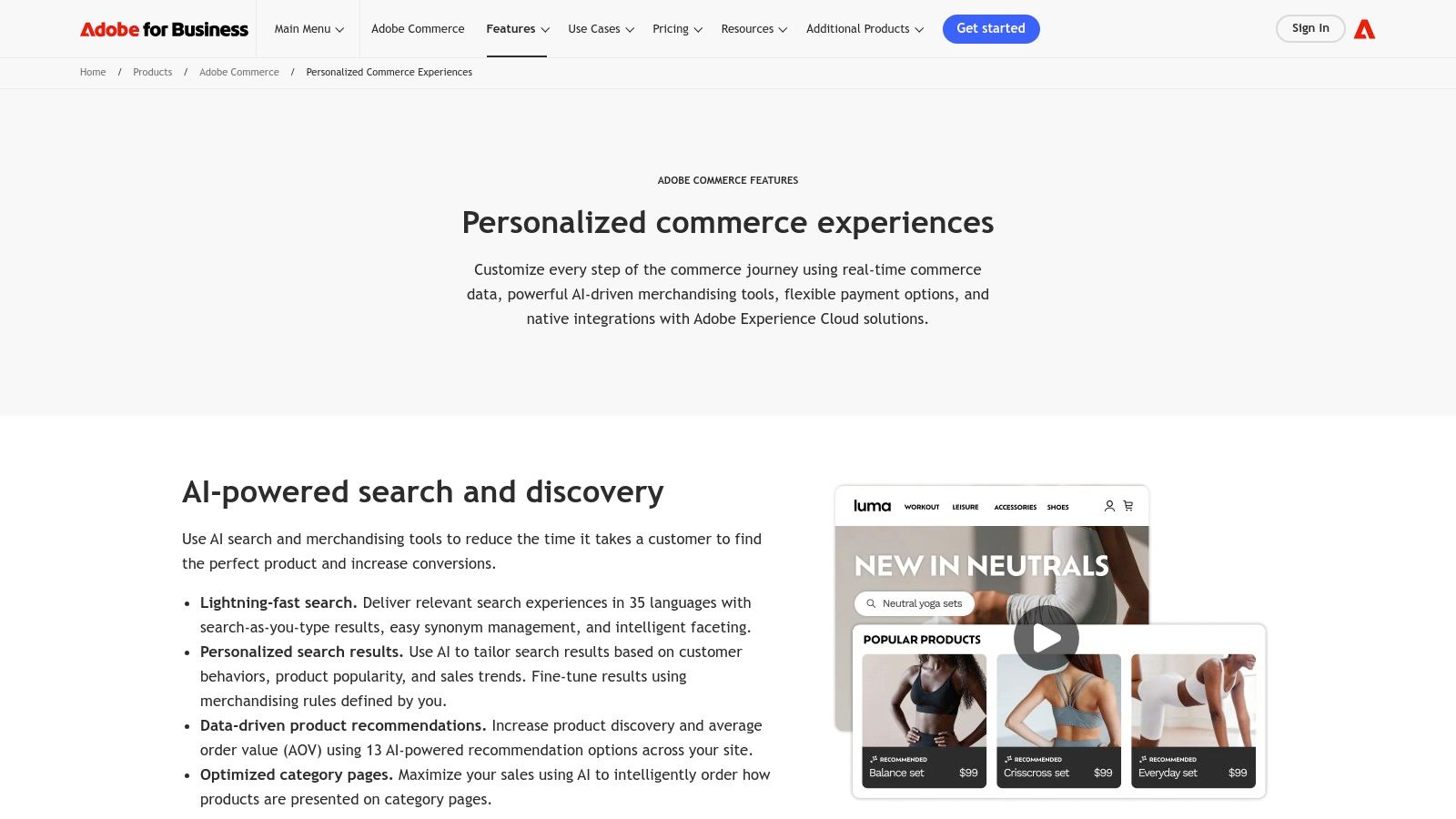
Alt text: A diagram illustrating how Adobe Sensei AI powers personalized commerce experiences within Adobe Commerce.
The primary advantage is creating a cohesive, end-to-end personalization engine. Data from Adobe Analytics can fuel Sensei’s recommendation models, while content from Adobe Experience Manager can be intelligently surfaced on the storefront. This unified approach makes Adobe Commerce a standout choice among the best AI tools for ecommerce for large businesses seeking a single, integrated stack.
Actionable How-To: Automating Category Merchandising
Here’s a realistic workflow for using Adobe Sensei to optimize a category page:
- Access the Adobe Commerce Admin panel and navigate to Marketing > Live Search.
- Select “Faceting” to define the product attributes (e.g., color, size, brand) that customers can use to filter results.
- Go to “Rules” and create a new rule for a specific category, like “Women’s Dresses.”
- Set the condition for the rule to apply to that category.
- Instead of manually pinning products, select the “Boost” or “Bury” event.
- Choose an “intelligent ranking” strategy. For example, set the rule to automatically boost products with the highest “Add to Cart” rate over the last 7 days.
- Save and activate the rule. Adobe Sensei will now continuously analyze performance data and automatically re-sort the “Women’s Dresses” category page to feature the best-performing products at the top, maximizing conversion without manual intervention.
| Feature | Details |
|---|---|
| Ideal For | Large, enterprise-level businesses, particularly those already using or planning to use the Adobe Experience Cloud for marketing and analytics. |
| Pricing | Enterprise-level and quote-based. Requires significant investment and often involves implementation partners. |
| Primary Advantage | Deep, seamless integration across the entire Adobe marketing and analytics stack, creating a powerful, unified personalization engine. |
| Limitation | High cost and complexity. It’s not a plug-and-play solution and requires substantial technical resources to implement effectively. |
Website: https://business.adobe.com/products/magento/intelligent-commerce.html
5. Algolia
Algolia is a powerful search and discovery platform that uses AI to transform how customers find products. While standard search bars often fail with typos or broad queries, Algolia’s AI engine delivers lightning-fast, relevant results, understanding user intent rather than just matching keywords. It goes beyond search, offering tools for personalized recommendations and dynamic ranking, making it one of the best AI tools for ecommerce brands focused on conversion.
Alt text: A screenshot of the Algolia dashboard, showing search analytics and performance metrics.
The platform is built for developers with robust SDKs and APIs but also offers a user-friendly Merchandising Studio for non-technical teams. Features like AI Synonyms automatically detect and link related terms (e.g., “sofa” and “couch”) without manual input, while NeuralSearch handles complex, natural language queries to improve product discovery.
Actionable How-To: Creating an AI-Powered Merchandising Rule
Here’s how a merchandiser can use Algolia to promote a specific brand without any code:
- Log in to the Algolia dashboard and navigate to the “Merchandising Studio.”
- Select “Rules” and click “Create a new rule.”
- Set the condition. For the “Query” condition, enter the search term you want to target, for example, “running shoes.”
- Define the consequence. Click “Add consequence” and choose “Pin items.”
- Search for the specific SKUs of the new On-Running shoe collection you want to promote and add them to the pinned list.
- Set a schedule. Configure the rule to only be active for the duration of the promotion (e.g., from June 1st to June 15th).
- Save the rule. Now, whenever a customer searches for “running shoes” during the promotional period, the new On-Running shoes will appear at the top of the search results, followed by the regular AI-ranked results. This blends manual control with AI optimization.
| Feature | Details |
|---|---|
| Ideal For | Mid-to-large ecommerce businesses that need a best-in-class, AI-powered search and discovery solution to boost conversions. |
| Pricing | Offers a free tier for small projects. Paid plans are usage-based (pay-as-you-go) and scale with search requests and record volume. |
| Primary Advantage | Incredibly fast and relevant AI-powered search that understands user intent, paired with powerful merchandising and personalization tools. |
| Limitation | Can become expensive for high-traffic stores with large product catalogs. Advanced features are locked behind higher-tier plans. |
Website: https://www.algolia.com
6. Bloomreach Discovery
For enterprise ecommerce businesses, Bloomreach Discovery offers a sophisticated suite of AI tools to optimize the entire product discovery journey. It moves beyond basic search to create a deeply personalized and context-aware shopping experience. By combining AI-powered search, recommendations, merchandising controls, and SEO automation, Bloomreach gives large retailers the power to connect shoppers with the right products at the right moment.
The platform is engineered for retailers who need granular control over their merchandising strategy while leveraging powerful AI automation. Unlike simpler apps, Bloomreach provides a robust “Ranking Studio” that allows merchandising teams to fine-tune search result algorithms, blend AI-driven personalization with business rules, and manage dynamic category pages. This combination of intelligent automation and manual oversight is a key differentiator.
Actionable How-To: A/B Testing Merchandising Strategies
A practical example shows how a merchandiser can test which strategy sells more high-margin products:
- Access the Bloomreach dashboard and navigate to the “Ranking Studio.”
- Create a new A/B test for the “Women’s Handbags” category page.
- Define Variant A (Control): Use the default AI-ranking algorithm, which prioritizes overall conversion rate.
- Define Variant B (Test): Create a new ranking rule. Keep the AI-ranking but add a “boost” factor for products where the
marginattribute is greater than 40%. This tells the AI to favor high-margin items. - Set the traffic split to 50/50 and define the primary goal as “Revenue.”
- Launch the test. Bloomreach will automatically show each variant to half of the category visitors.
- After 14 days, analyze the results. If Variant B generated higher overall revenue without significantly hurting conversion, the merchandiser can confidently apply the high-margin boost rule to 100% of traffic.
| Feature | Details |
|---|---|
| Ideal For | Large, enterprise-level ecommerce businesses and retailers needing advanced merchandising controls alongside powerful AI personalization. |
| Pricing | Enterprise-level pricing is not public. It typically involves annual contracts with platform and usage-based fees, requiring a sales consultation. |
| Primary Advantage | A powerful blend of AI-driven automation and granular, user-friendly controls for merchandising teams, with a strong focus on retail. |
| Limitation | The complex feature set and enterprise-focused pricing model make it unsuitable for small to medium-sized businesses. |
Website: https://www.bloomreach.com
7. Klevu
Klevu is an advanced AI-powered discovery suite designed to optimize on-site search and product discovery. While many platforms offer basic search, Klevu uses natural language processing (NLP) to understand user intent, providing highly relevant, personalized results that function more like a conversation. It’s one of the best AI tools for ecommerce brands focused on turning searchers into buyers by reducing friction and surfacing the right products instantly.
Alt text: A screenshot of the Klevu website, showing its suite of AI-powered search and discovery products.
The platform goes beyond the search bar, offering AI-driven category merchandising, product recommendations, and personalization. With direct integrations for major platforms like Shopify and Adobe Commerce, Klevu makes implementing a sophisticated, enterprise-level discovery engine accessible to a broader range of merchants.
Actionable How-To: Self-Learning Search Setup on Shopify
Here’s how a Shopify store owner can get Klevu up and running quickly:
- Install the Klevu app from the Shopify App Store and choose a plan.
- Start the data sync. The app will automatically begin indexing your product catalog, collections, and past order data. This establishes the baseline for the AI.
- Enable the Klevu search. In the Klevu dashboard, toggle a switch to replace Shopify’s native search bar with Klevu’s AI-powered search overlay.
- Let it learn. As visitors use the new search bar, Klevu’s AI analyzes every query, click, and purchase. It automatically learns synonyms (e.g., users searching for “sneakers” also click on “trainers”) and adjusts search result rankings in real-time to promote products that are converting best for specific search terms.
- After a week, review the Klevu analytics dashboard to see which search terms are driving the most revenue and which are returning zero results, providing clear insights for inventory and SEO improvements.
| Feature | Details |
|---|---|
| Ideal For | Mid-market to enterprise ecommerce brands on platforms like Shopify, BigCommerce, or Adobe Commerce that need an advanced search solution. |
| Pricing | Plans start at €299/month. A 14-day free trial is available through the Shopify app. Pricing scales with usage and features. |
| Primary Advantage | Sophisticated NLP and machine learning for search that understands user intent far better than native platform search functionalities. |
| Limitation | The cost can be a significant investment for smaller businesses. Pricing is displayed in Euros, which may require conversion for some users. |
Website: https://www.klevu.com
8. Nosto
Nosto positions itself as a comprehensive Commerce Experience Platform, moving beyond single-point solutions to offer an integrated suite of AI-driven personalization tools. Designed for retail brands, it leverages AI to power everything from onsite search and product recommendations to category merchandising and user-generated content (UGC) displays. This holistic approach allows brands to create a deeply personalized and consistent customer journey.
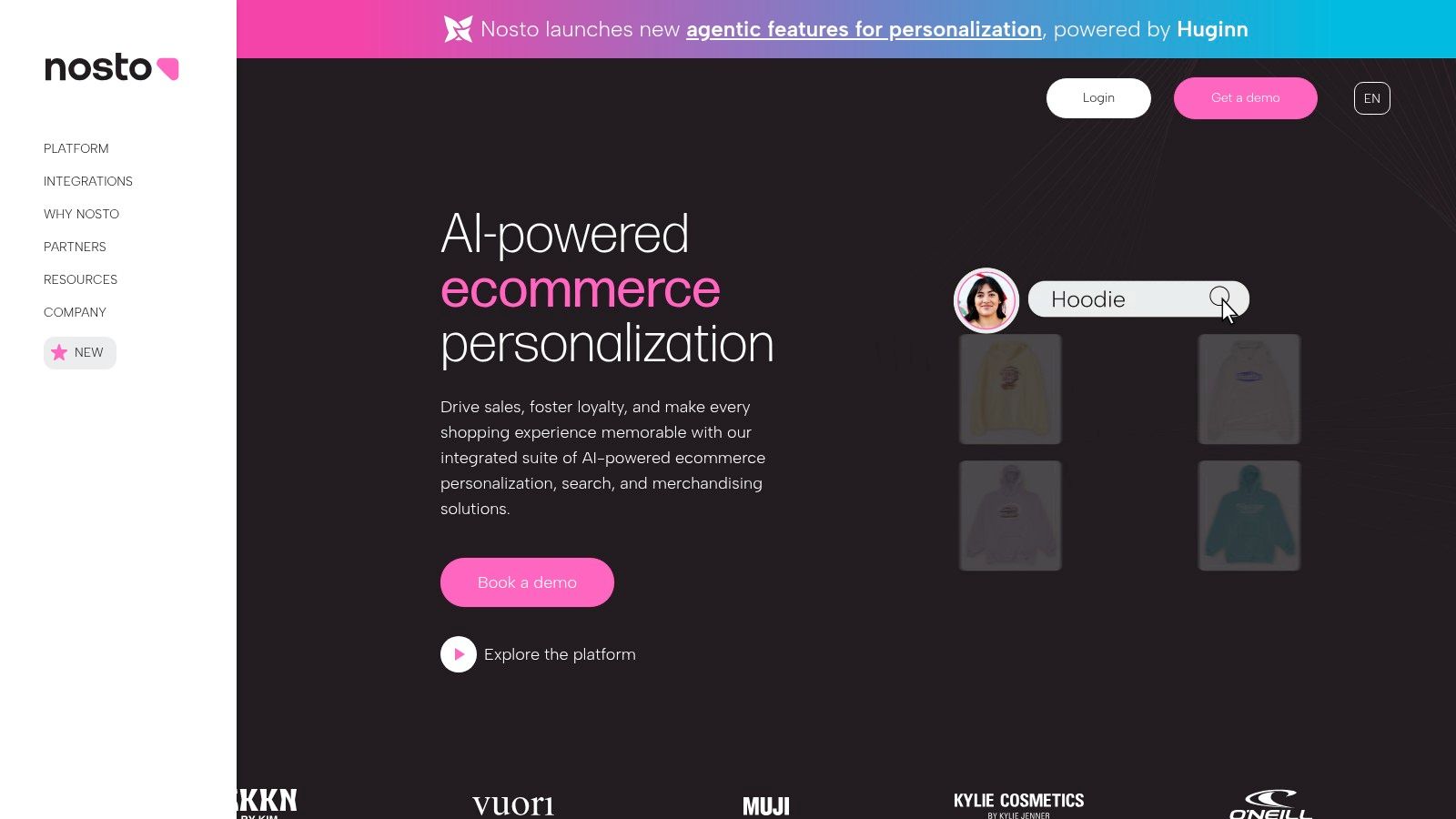
Alt text: A screenshot of the Nosto platform dashboard showing various personalization campaign analytics and performance metrics.
Nosto’s strength lies in its interconnected modules. The platform uses AI to create dynamic customer segments in real-time, ensuring that every touchpoint, whether it’s the search bar or an upsell offer, is tailored to the individual’s behavior and intent. This makes it one of the best AI tools for ecommerce businesses aiming to unify their personalization efforts under a single engine.
Actionable How-To: Creating a Personalized Homepage Banner
Here’s how to use Nosto to show different homepage banners to new vs. returning customers:
- Log in to the Nosto dashboard and navigate to “Content Personalization.”
- Create a new campaign and upload two versions of your homepage banner:
- Banner A (New Visitors): A welcome banner with a “10% Off Your First Order” coupon code.
- Banner B (Returning Customers): A banner showcasing “New Arrivals.”
- Define your audience segments. Nosto has pre-built segments. Select “New Visitors” for the first segment and “Returning Customers” for the second.
- Assign the content. Link Banner A to the “New Visitors” segment and Banner B to the “Returning Customers” segment.
- Deploy the campaign. Nosto provides a small code snippet to replace your static homepage banner. Once added, Nosto’s AI will automatically analyze each visitor in real-time and serve the appropriate banner, creating a more relevant experience for every user.
| Feature | Details |
|---|---|
| Ideal For | Mid-market to enterprise-level retail brands seeking a unified, multi-faceted AI personalization platform to manage the entire customer experience. |
| Pricing | Quote-based. Pricing is customized and typically scales with a brand’s Gross Merchandise Value (GMV) or order volume. A demo is required. |
| Primary Advantage | A comprehensive, all-in-one suite of powerful personalization tools designed specifically for commerce, unifying the customer journey. |
| Limitation | The quote-based pricing and enterprise focus can make it less accessible for smaller businesses or those seeking a simple, single-feature solution. |
Website: https://www.nosto.com
9. AWS Marketplace
For enterprise ecommerce businesses embedded in the Amazon Web Services ecosystem, the AWS Marketplace is a powerful procurement hub. It functions as an enterprise software catalog where retailers can deploy sophisticated, scalable AI solutions from trusted vendors. This includes AI-powered shopping assistants, visual recommendation engines, advanced fraud detection, and supply chain optimization tools.
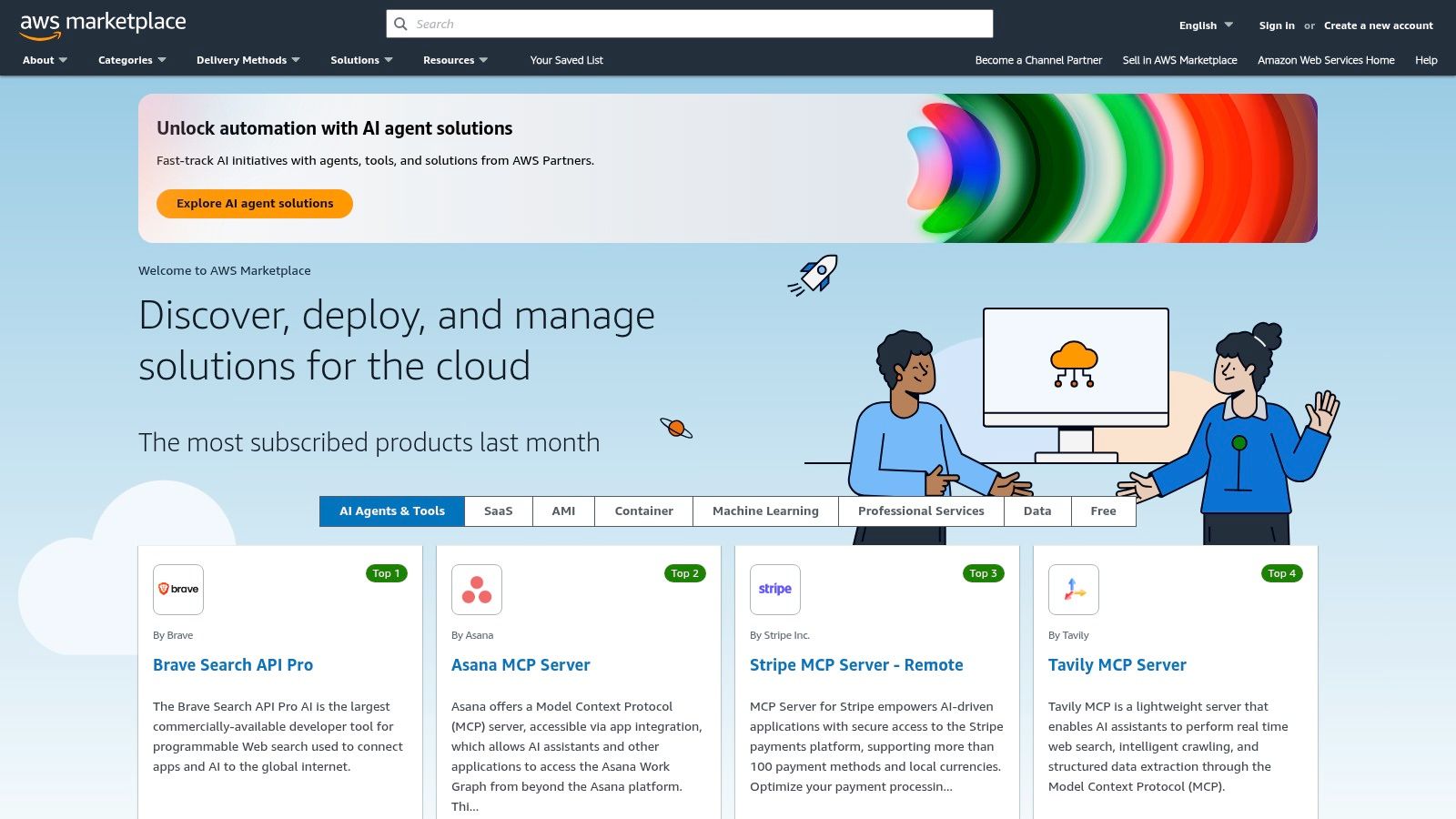
Alt text: A screenshot of the AWS Marketplace homepage, showing various software categories and enterprise solutions.
The primary advantage is its seamless integration with an organization’s existing AWS infrastructure. Billing is consolidated, security and compliance are streamlined, and the solutions are built to leverage the scalability of AWS. This makes it one of the best sources for enterprise-grade AI tools for ecommerce that need to handle massive traffic and data volumes.
Actionable How-To: Deploying an AI Fraud Detection Service
Here’s a simplified workflow for an engineering team using the AWS Marketplace:
- Log in to the AWS Management Console and navigate to the AWS Marketplace.
- Search for “ecommerce fraud detection” and find a suitable vendor, such as an advanced risk assessment API.
- Subscribe to the product. The team chooses a pricing plan (e.g., pay-per-API call) and subscribes, which automatically links the billing to their company’s main AWS account.
- Deploy via API. The marketplace provides an API endpoint and keys for the fraud detection service.
- Integrate with checkout. A developer adds a few lines of code to their checkout process. Before an order is finalized, it sends the transaction data (e.g., amount, IP address, email) to the new API endpoint.
- Receive a risk score. The AI service instantly returns a risk score (e.g., 1-100). The e-commerce platform can then be configured to automatically flag orders with a score above 90 for manual review, helping to prevent chargebacks without slowing down legitimate customers.
| Feature | Details |
|---|---|
| Ideal For | Large, enterprise-level ecommerce businesses with established AWS infrastructure seeking vetted, scalable, and compliant AI solutions. |
| Pricing | Varies significantly by listing. Many are partner-led and require demos or private offers. Supports usage-based and contract pricing. |
| Primary Advantage | Simplifies enterprise procurement and billing through AWS. Guarantees scalable and reliable infrastructure for all listed solutions. |
| Limitation | Less “plug-and-play” than other app stores. Many solutions require technical expertise, demos, or a proof-of-concept (POC) to deploy. |
Website: https://aws.amazon.com/marketplace
10. Google Cloud Vertex AI Search for Commerce
For ecommerce businesses seeking enterprise-grade search, Google Cloud offers Vertex AI Search for Commerce. This isn’t a simple plugin; it’s a powerful, managed platform that lets businesses use the same sophisticated search and personalization technology that powers Google’s own properties. It’s designed for companies that need highly scalable, relevant, and fast product discovery experiences.
Alt text: A diagram showing how Google Cloud Vertex AI Search for Commerce ingests data and powers retail search, browsing, and recommendations.
By leveraging Google’s advanced AI models, the platform delivers superior relevance, understanding user intent, and handling complex queries. It moves beyond keyword matching to provide semantically aware results, helping customers find what they want even when they don’t know the exact terms. This makes it one of the best AI tools for ecommerce brands focused on optimizing product discovery at scale.
Actionable How-To: Integrating AI-Powered Recommendations
Here is a high-level developer workflow to implement “Others You May Like” recommendations:
- Set up a Google Cloud Project and enable the Retail API.
- Import your data. Upload your product catalog to Google Merchant Center and link it to your Vertex AI project. This gives the AI the raw data to work with.
- Track user events. Implement the user event tracking script on your website. This JavaScript snippet sends real-time data to the API about what products users are viewing, adding to their carts, and purchasing.
- Train the model. After collecting sufficient user event data (usually a few weeks’ worth), you can initiate a recommendation model training job in the Vertex AI console.
- Call the API. Once the model is trained, a developer can make a simple API call from your product page. The call includes the
product_idof the item currently being viewed. - Display results. The API returns a list of recommended
product_ids. Your website then fetches the details for these products (name, image, price) and displays them in a “Others You May Like” widget.
For those considering this powerful solution, it’s worth exploring a more detailed breakdown. You can find more information about Google Cloud Vertex AI Search for Commerce here to understand its full capabilities.
| Feature | Details |
|---|---|
| Ideal For | Mid-to-enterprise level ecommerce businesses requiring a highly scalable, best-in-class search and recommendation engine. |
| Pricing | Usage-based. Billed per 1,000 requests for search/browse and per 1,000 predictions for recommendations, with free credits often available. |
| Primary Advantage | Access to Google’s world-class retail AI models for unparalleled search relevance and personalization accuracy. |
| Limitation | Requires Google Cloud Platform setup and developer resources for implementation; it is not a one-click install solution. |
Website: https://cloud.google.com/retail/docs/pricing
11. G2 (E‑Commerce Personalization)
Before committing to an AI tool, it’s critical to see what verified users are saying. G2’s E-Commerce Personalization category serves as an independent peer-review platform, essential for vetting the best AI tools for ecommerce. Instead of relying on marketing copy, you can filter and compare dozens of personalization engines based on real-world user satisfaction, feature implementation, and customer support ratings. This helps you move from a long list of potential vendors to a qualified shortlist.
G2 aggregates sentiment from verified software users, presenting it in filterable grids and side-by-side comparison reports. This is invaluable for understanding how a tool performs in a real business environment, beyond what a demo might show. The platform’s focus on authentic, detailed reviews makes it a powerful research hub.
Actionable How-To: Creating a Vendor Shortlist
Here’s how a marketing manager can use G2 to find the right personalization tool in under 30 minutes:
- Go to the G2 E-Commerce Personalization category page.
- Apply filters. On the left-hand side, filter for solutions that serve your company size (e.g., “Mid-Market”).
- Sort the results. Use the sort-by dropdown and choose “Highest Rated” to see which tools have the best user satisfaction.
- Select top contenders. Check the boxes next to the top 3-4 vendors (e.g., Nosto, Bloomreach, Dynamic Yield).
- Click “Compare.” This opens a side-by-side view showing their ratings for key criteria like “Ease of Use,” “Quality of Support,” and “Ease of Setup.”
- Read relevant reviews. Click into the profile for each of your top contenders and read reviews from users in a similar industry. Based on this data, you can confidently decide which 1-2 vendors to contact for a demo, saving hours of research time.
| Feature | Details |
|---|---|
| Ideal For | Ecommerce managers and tech buyers who need to research, compare, and shortlist AI personalization vendors based on unbiased user data. |
| Pricing | Free to use for research and reviews. Pricing for the listed software vendors varies and is typically not disclosed on G2. |
| Primary Advantage | Access to a large volume of independent, verified user reviews, which helps cut through marketing hype and identify top performers. |
| Limitation | The usefulness is entirely dependent on the quantity and recency of reviews for a given tool. Niche or newer tools may have limited data. |
Website: https://www.g2.com/categories/e-commerce-personalization
12. AppSumo
For ecommerce businesses on a budget, AppSumo is a treasure trove for discovering emerging AI tools at a steep discount. It’s a deals marketplace where SaaS companies, including many AI startups, offer significant time-limited discounts and occasional lifetime deals (LTDs). This makes it an ideal platform for testing new, non-mission-critical AI tools for tasks like product imagery, content creation, and SEO analysis without a hefty recurring investment.
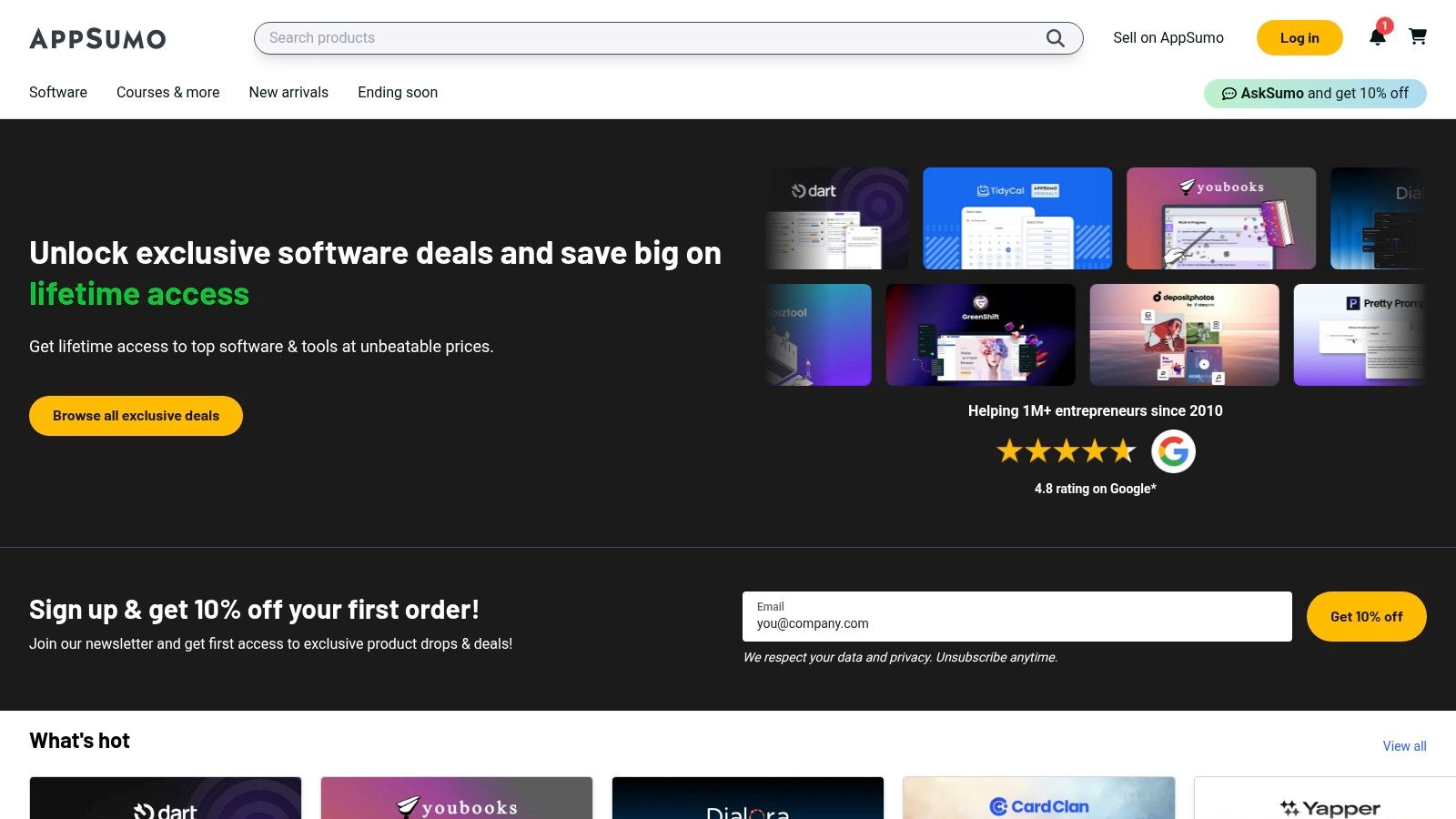
Alt text: A screenshot of the AppSumo homepage, showcasing a variety of discounted software deals.
The primary appeal is the ability to experiment with different AI solutions at a low financial risk. The 60-day money-back guarantee on most deals allows you to thoroughly vet a tool’s utility for your specific workflow before committing. By finding the right deal, you can access powerful AI capabilities for a fraction of the standard cost.
Actionable How-To: Acquiring an AI Image Generator on a Budget
Here’s how a store manager can create unique lifestyle images for a new product line without a photography budget:
- Visit AppSumo and use the search bar to look for “AI image generator” or “AI art.”
- Filter the results to find a tool that is currently offering a lifetime deal (LTD).
- Read the user reviews on the deal page, paying close attention to comments about image quality and ease of use.
- Purchase the deal. For a one-time payment (e.g., $49), you get lifetime access to the tool.
- Activate the tool and start generating images. Use prompts like:
"professional product photo of a blue ceramic coffee mug on a rustic wooden table, morning light, lifestyle shot". - Generate dozens of variations and select the best ones for your product pages, social media, and ads. If the tool doesn’t meet your needs, you can request a full refund within 60 days.
While AppSumo is excellent for testing, it’s crucial to vet the long-term viability of any company you rely on heavily. You can learn more about finding the best AI tools for small business through platforms like this.
| Feature | Details |
|---|---|
| Ideal For | Budget-conscious ecommerce brands and solopreneurs looking to experiment with new AI tools at a very low cost and risk. |
| Pricing | Varies by deal. Typically involves a significant one-time payment for a lifetime deal or a heavily discounted annual subscription. |
| Primary Advantage | Unbeatable cost-effectiveness for acquiring AI software through lifetime deals, backed by a generous 60-day refund policy. |
| Limitation | Some deals are for early-stage products that may be unstable or sunset. Vendor viability requires careful consideration for critical tools. |
Website: https://appsumo.com
Top 12 AI Ecommerce Tools Comparison
| Platform | Core features ✨ | UX / Quality ★ | Value / Pricing 💰 | Target audience 👥 | Standout 🏆 |
|---|---|---|---|---|---|
| Shopify App Store | ✨ One‑click installs, broad AI app catalog, first‑party AI (Sidekick, AI Store Builder) | ★★★★☆ — rich reviews & badges | 💰 Mixed: free & paid apps; clear tiers & trials | 👥 Shopify merchants & agencies | 🏆 Lowest integration friction; strong ecosystem |
| WooCommerce Marketplace | ✨ WP‑native AI plugins (copy, chat, images, translations); annual licenses | ★★★☆☆ — vendor quality varies | 💰 Predictable annual licenses; 30‑day refund | 👥 WordPress/WooCommerce store owners, devs | 🏆 Native WP dashboard integration |
| BigCommerce App Marketplace | ✨ Direct installs, pricing/chat/SEO AI, vendor demos | ★★★★☆ — SMB to enterprise options | 💰 Varies by vendor; demos common | 👥 BigCommerce merchants, mid‑market | 🏆 Centralized discovery & install for BigCommerce |
| Adobe Commerce + Sensei | ✨ AI search, re‑ranking, recommendations, generative variations, Experience Cloud | ★★★★☆ — enterprise‑grade | 💰 Enterprise / quote‑based | 👥 Enterprise retailers & Adobe customers | 🏆 End‑to‑end personalization across Adobe stack |
| Algolia | ✨ NeuralSearch, AI synonyms, personalization, SDKs & connectors | ★★★★☆ — fast, well‑documented | 💰 Free tier + usage‑based pricing | 👥 Developers, mid‑market → enterprise | 🏆 Transparent pricing & rapid implementation |
| Bloomreach Discovery | ✨ AI search, recommendations, merchandising studio, visual search | ★★★★☆ — merchandiser‑focused | 💰 Quote/contract; modular pricing | 👥 Retailers needing advanced merch tools | 🏆 Strong merchandiser tooling & scalability |
| Klevu | ✨ AI site search, recommendations, A/B testing, Shopify app | ★★★★☆ — clear start plans | 💰 Published monthly starting prices; trials | 👥 Shopify merchants & SMBs | 🏆 Transparent pricing + quick Shopify setup |
| Nosto | ✨ 1:1 personalization, dynamic bundles, UGC & post‑purchase offers | ★★★★☆ — retail personalization leader | 💰 Quote‑based; scales with orders/GMV | 👥 Retail brands & marketers | 🏆 Comprehensive commerce personalization suite |
| AWS Marketplace | ✨ Deployable AI apps, private offers, AWS billing & security | ★★★☆☆ — partner‑led offerings vary | 💰 Usage/private pricing via AWS procurement | 👥 Enterprises, procurement & infra teams | 🏆 Enterprise compliance, scalability & billing |
| Google Cloud Vertex AI Search | ✨ Retail search, conversational agents, tiered per‑1k pricing | ★★★★☆ — strong model relevance | 💰 Published per‑1k requests; free credits | 👥 Developers & enterprises on GCP | 🏆 Google retail ML + transparent pricing |
| G2 (E‑Commerce Personalization) | ✨ Filterable grids, verified user reviews, side‑by‑side comparisons | ★★★☆☆ — review depth varies | 💰 Free to use; vendor pricing often absent | 👥 Buyers researching & shortlisting vendors | 🏆 Independent verified buyer insights |
| AppSumo | ✨ Time‑limited discounts, occasional lifetime deals, 60‑day refunds | ★★★☆☆ — deal quality varies | 💰 Discounted / LTD pricing; refund window | 👥 Small businesses, solopreneurs, testers | 🏆 Low‑cost, low‑risk testing via deals |
Actionable Takeaways
We’ve covered a comprehensive landscape of the best AI tools for ecommerce, from native marketplace solutions like the Shopify App Store to sophisticated platforms like Algolia. The central theme is clear: AI is no longer a futuristic concept but a foundational technology transforming how online businesses operate. The era of one-size-fits-all ecommerce is over, replaced by a new standard of hyper-personalized, intelligent storefronts.
Here’s what you can do next:
- Start with your biggest pain point. Don’t adopt AI for its own sake. If your site search is poor, start with a tool like Klevu. If product descriptions are a bottleneck, use an AI writer from your platform’s app store.
- Audit your data quality. AI is only as good as the data it’s fed. Before implementing an advanced personalization engine, ensure your product catalog attributes and customer data are clean and well-structured.
- Run a small pilot project. Choose one tool and a clear goal. For example, implement an AI recommendation widget on your 10 best-selling product pages and measure the impact on AOV over 30 days.
- For budget-conscious stores, leverage lifetime deals. Use platforms like AppSumo to experiment with AI tools for content, SEO, or image generation at a low, one-time cost before committing to a monthly subscription.
- Use review platforms to build a shortlist. Don’t rely on marketing websites alone. Use G2 to filter vendors by your business size and read verified user reviews to understand real-world pros and cons before you even book a demo.
The journey to leveraging the best AI tools for ecommerce is an ongoing process of learning and adaptation. By starting small, focusing on clear business objectives, and committing to a data-driven approach, you can unlock unprecedented efficiency and create customer experiences that not only convert but also build lasting loyalty.
Further Reading & Resources
- Find the right solution for your store without endless searching in our curated AI Tools Hub.
- Tool: AppSumo for discounted AI software and lifetime deals.
- Reference: G2’s E-Commerce Personalization Category for verified user reviews.