

The real estate market is more competitive than ever, and top-producing agents are leveraging technology to gain an edge. Artificial intelligence is no longer a futuristic buzzword; it’s a practical toolkit that automates tedious tasks, delivers powerful client insights, and helps you close deals faster.
This guide isn’t just a list; it’s a hands-on playbook designed to help you discover the best AI tools for real estate agents tailored to your specific needs.
We’ll break down the 12 most effective platforms, focusing on actionable strategies you can implement today. From drafting perfect listing descriptions in seconds with tools like RPR’s AI ScriptWriter to nurturing leads 24/7 with a chatbot like Structurely, you’ll learn exactly how to integrate these solutions into your daily workflow to win more listings and save valuable time.
This comprehensive resource moves beyond marketing jargon to provide a clear, practical analysis. Each entry includes:
- A concise description and key features.
- Direct links and screenshots for easy evaluation.
- Honest pros, cons, and specific integration notes (CRM, MLS).
- Practical use cases showing how to apply the tool immediately.
Our goal is to help you cut through the noise and find the right AI-powered solutions to streamline your operations, from lead generation and client communication to marketing and closing. Now, let’s explore the tools that will redefine your real estate business.
1. Smartbids – Real estate sales strategy optimization
Smartbids positions itself as a premier, all-in-one AI suite meticulously engineered to give real estate agents a decisive edge in winning listings and accelerating sales. It moves beyond single-feature solutions by integrating three critical pre-listing functions: data-driven pricing, automated marketing asset creation, and client-facing financial modeling. This consolidated workflow is its core strength, transforming disparate, time-consuming tasks into a single, streamlined process.
The platform’s standout feature is its AVM-powered pricing engine. It provides objective, data-backed valuations that agents can present to sellers, immediately establishing credibility and anchoring pricing discussions in market reality rather than opinion. This data-first approach empowers agents to confidently justify their recommended list price, a crucial step in securing a new client.
Alt Text: A dashboard view of Smartbids showing property valuation and marketing asset creation tools.
Key Features & Use Cases
- AVM-Driven Valuations: Generate instant, data-supported comparative market analyses (CMAs) to present during listing appointments. This helps manage seller expectations and builds trust from the first meeting.
- Automated Marketing Suite: Instantly create compelling listing descriptions and enhance property photos using AI. This drastically reduces the time and cost associated with preparing a property for the market.
- Client Financial Scenarios: Build and present clear ROI projections and mortgage-rate scenarios. This is invaluable for demonstrating the financial outcomes of different pricing strategies to sellers or illustrating affordability for buyers.
Practical Workflow: How to Prepare a Listing Presentation in 5 Minutes
An agent using Smartbids can prepare for a listing presentation in a fraction of the traditional time. Here’s how:
- Input Property Address: Enter the target property’s address into the Smartbids dashboard.
- Generate Valuation: The AI generates an AVM-powered price recommendation and a preliminary report in seconds.
- Create Marketing Assets: With one click, the system drafts multiple listing descriptions and applies AI enhancements to uploaded photos.
- Model Scenarios: The agent then prepares two ROI scenarios: one at the recommended list price and another showing the impact of a minor price reduction on sale speed.
- Present to Client: The agent arrives at the presentation with a data-backed valuation, polished marketing drafts, and clear financial models, showcasing unparalleled preparation and expertise.
Actionable Takeaways
- Strengthen Listing Pitches: Use the AVM-generated reports as the centerpiece of your listing presentations to build immediate credibility.
- Accelerate Marketing Launch: Leverage the AI copy and photo tools to get new listings live on the MLS and marketing channels within hours, not days.
- Justify Your Strategy: Use the ROI and mortgage scenario tools to visually demonstrate the financial wisdom behind your pricing and marketing recommendations.
| Feature | Benefit | Ideal Use Case |
|---|---|---|
| AVM-Powered Pricing | Fast, data-backed valuations that build seller confidence. | Listing Presentations |
| AI Listing Copy & Photos | Professional marketing assets in minutes, saving time and cost. | Preparing a New Listing for Market |
| ROI & Rate Scenarios | Helps agents illustrate financial outcomes and negotiate effectively. | Client Consultations & Offer Negotiations |
| All-in-One Workflow | Reduces tool switching by combining pricing, marketing, and analysis. | Daily Agent Operations |
Pros:
- Provides fast, data-backed valuations to strengthen listing presentations.
- Automates listing copy and photo enhancement, saving significant time.
- Client-ready financial scenarios help agents negotiate with greater credibility.
- Reduces tool switching by integrating key functions into a single suite.
Cons:
- AVM accuracy is data-dependent; agent expertise is still needed for market nuances.
- May present a cost and learning curve for agents accustomed to manual methods.
As one of the most comprehensive ai tools for real estate agents, Smartbids offers a powerful suite for those looking to optimize their pre-listing strategy. For more insights into how AI can transform business operations, explore some of the best AI tools for small business available today.
Tools & Resources:
2. Ylopo
Ylopo is a comprehensive real estate marketing platform that uses artificial intelligence to automate and enhance lead engagement and conversion, making it one of the most powerful ai tools for real estate agents running high-volume teams. It moves beyond simple lead generation, providing an AI assistant named Raiya that nurtures leads 24/7 via SMS and an optional AI Voice caller for setting appointments. This allows teams to ensure every lead receives an immediate and contextually relevant response, solving the critical “speed-to-lead” problem.
What sets Ylopo apart is its deep, native integration with popular CRMs, especially Follow Up Boss (FUB). This synergy creates a unified command center, allowing agents to manage AI conversations and lead activity directly within their FUB inbox without switching tabs. Ylopo’s AI is not just for new leads; it excels at database reactivation, using triggers like Homebot reports to re-engage cold leads and past clients with personalized, relevant outreach.
Key Features & Use Cases
| Feature | Description | Practical Use Case |
|---|---|---|
| Raiya AI Text | An AI-powered SMS assistant that engages leads with human-like conversation, answers questions, and qualifies prospects. | A new Zillow lead comes in at 10 PM. Raiya instantly texts them, asking about their property search criteria. The AI handles the initial back-and-forth, qualifying their timeline and budget, and logs the entire conversation in the CRM for the agent to review in the morning. |
| AI Voice ISA | An optional add-on that provides an AI-powered outbound caller to follow up with leads and book appointments directly on an agent’s calendar. | Your team has a list of 500 old internet leads that haven’t been contacted in a year. You deploy the AI Voice ISA to call through the list, identify any homeowners now considering a sale, and book a listing appointment for any qualified prospect. |
| Deep CRM Integration | Seamless workflow connection with CRMs like Follow Up Boss, including inbox management and activity logging. | An agent sees a notification from the Ylopo widget inside FUB that Raiya has confirmed a lead wants a showing. The agent can take over the conversation with one click, directly within their familiar CRM interface. |
Actionable Takeaways
- Automate Speed-to-Lead: Implement Raiya AI to ensure every new lead receives an intelligent text message within 60 seconds.
- Re-engage Your Database: Use Ylopo’s AI to launch a reactivation campaign on your “cold” leads list to find hidden opportunities.
- Work Natively in Your CRM: Connect Ylopo to Follow Up Boss to manage AI conversations without leaving your primary workspace.
Tools & Resources:
- Website: https://www.ylopo.com
- Further Reading: Compare Ylopo with other lead nurture tools in our review of the best AI tools for small business.
3. Follow Up Boss (with Ace AI add‑on)
Follow Up Boss (FUB) is a dominant real estate CRM that has seamlessly integrated AI into its core platform with its Ace AI add-on. Rather than being a standalone tool, FUB functions as a central hub where agents manage their entire pipeline, now enhanced with artificial intelligence. This makes it one of the most practical ai tools for real estate agents because the AI operates directly within the system agents already use daily, eliminating the need for external browser extensions or context switching. Ace AI can read, understand, and summarize entire lead histories, including calls, emails, and notes.
What makes this implementation so powerful is its native context awareness. Ace AI understands a contact’s history within the CRM, allowing it to draft highly relevant and personalized text messages or emails with a single click. It’s designed to streamline an agent’s workflow by handling repetitive communication tasks, summarizing long conversation threads for quick handoffs, and automating initial follow-ups, allowing agents to focus on high-value, relationship-building activities. The AI works as a true embedded assistant, directly inside the contact record.
Alt Text: Follow Up Boss AI assistant drafting a message within the CRM interface.
Key Features & Use Cases
| Feature | Description | Practical Use Case |
|---|---|---|
| Ace AI Conversation Summary | The AI reads all notes, calls, emails, and text history for a contact and generates a concise summary. | An agent is about to call a lead that their ISA spoke with last week. Instead of reading through a dozen different notes and texts, the agent clicks “Summarize” and Ace AI provides a bulleted list of the lead’s criteria, timeline, and last interaction. |
| Ace AI Message Writer | A one-click message composer that drafts SMS and emails based on the contact’s history and the agent’s goal. | A lead who went quiet two months ago just viewed a property on your website. You use Ace AI’s “Re-engage” prompt, and it drafts a text mentioning the specific property they viewed and asks if they want to schedule a showing, referencing their past search criteria. |
| Deep Integration Ecosystem | FUB serves as the central platform that integrates with hundreds of other tools, including lead sources and other AI assistants like Ylopo. | Your Ylopo AI assistant qualifies a new lead via text. That entire conversation is logged in FUB. You can then use the embedded Ace AI to summarize the Ylopo chat and draft the perfect follow-up email to book a buyer consultation. |
Actionable Takeaways
- Prep Calls Faster: Use the “Summarize” feature on every lead record before making a call to get instant context.
- Beat Writer’s Block: Use the “Write Message” feature to draft follow-up texts and emails, then edit them to match your personal voice.
- Streamline Handoffs: When passing a lead to a team member, use the AI summary in your notes to ensure a smooth transition.
Tools & Resources:
- Website: https://www.followupboss.com
- Note: The Ace AI add-on requires a core Follow Up Boss subscription.
4. Chime
Chime is an all-in-one real estate platform that integrates an IDX website, a powerful CRM, and marketing automation tools. It positions itself as a unified solution for agents and teams looking to streamline their tech stack. A key component of Chime’s offering is its AI Assistant, an add-on that provides intelligent lead nurturing and forecasting, making it one of the more comprehensive ai tools for real estate agents who want a single, cohesive system.

Alt Text: A screenshot of the Chime CRM dashboard showing lead management and communication features.
What makes Chime a strong contender is that its AI is not just a bolt-on feature but is deeply woven into both the sales and marketing workflows. The AI Assistant engages leads via text and email, qualifies them based on their responses, and uses dynamic lead scoring to help agents prioritize their follow-up. This creates a powerful feedback loop where marketing efforts, AI nurturing, and agent actions all live within the same ecosystem, simplifying management and improving data accuracy.
Key Features & Use Cases
| Feature | Description | Practical Use Case |
|---|---|---|
| AI Assistant | An AI chatbot that nurtures leads via text and email, answers common questions, and schedules appointments. | A lead registers on your Chime IDX website to view a property. The AI Assistant immediately sends a text message to introduce itself and asks if they need help scheduling a tour. The AI handles the back-and-forth and books a time on your calendar. |
| Dynamic Lead Scoring | AI-driven system that analyzes lead behavior (e.g., website visits, saved properties) to predict their readiness to transact. | An agent logs in and sees their “Hot Leads” list, automatically populated by Chime’s AI. They focus their daily calls on these prospects, as the AI has identified them as most likely to convert based on their recent online activity. |
| Marketing Automation | AI-augmented tools for creating and managing ad campaigns, social media content, and automated email drips. | You launch a new Facebook ad campaign through Chime. The AI helps optimize the ad spend and targeting, while simultaneously ensuring every new lead generated is immediately entered into an AI-powered nurturing sequence. |
Actionable Takeaways
- Prioritize Your Day: Start each morning by reviewing the AI-generated “Hot Leads” list in your Chime dashboard and focus your outreach there.
- Enable the AI Assistant: Activate the AI chatbot on all incoming website leads to ensure 24/7 engagement and appointment setting.
- Unify Your Tech: If you’re using multiple disconnected tools for your website, CRM, and marketing, evaluate Chime as a way to consolidate your stack and improve data flow.
Tools & Resources:
- Website: https://chime.me
5. kvCORE by Inside Real Estate
kvCORE by Inside Real Estate is an all-in-one platform that integrates IDX websites, a powerful CRM, and sophisticated marketing automation. While not solely an AI product, it deeply embeds artificial intelligence into its core functionalities, making it one of the most comprehensive ai tools for real estate agents provided at the brokerage level. The system uses AI to analyze user behavior on an agent’s website, predict which contacts are most likely to transact, and automatically trigger personalized follow-up campaigns via text, email, and even video messages.
What distinguishes kvCORE is its scale and integrated nature. Often provided to agents through their brokerage, it creates a unified ecosystem that eliminates the need for multiple disparate tools. The AI-driven “Smart CRM” acts as an intelligent assistant, scoring leads based on over 30 behavioral data points and suggesting daily high-priority actions for the agent. This allows agents and teams to focus their efforts on the warmest leads without manually sifting through their entire database, ensuring no opportunity is missed.
Key Features & Use Cases
| Feature | Description | Practical Use Case |
|---|---|---|
| AI-Powered Smart CRM | A CRM that automatically tracks contact behavior, scores leads based on their likelihood to convert, and suggests daily tasks. | A lead who was inactive for six months suddenly visits your IDX site and saves three new listings. kvCORE’s AI detects this surge in activity, elevates the lead’s status to “High Priority,” and prompts you to call them immediately with a pre-written script. |
| Behavioral Automation | The system automatically triggers multi-channel marketing campaigns (email, text, video) based on specific consumer actions. | A visitor signs up for a market report on a specific neighborhood. The system automatically sends them the report, then follows up a few days later with a text about a new listing in that same area, nurturing them with relevant content without manual agent intervention. |
| Smart Lead Routing | For teams and brokerages, AI logic routes incoming leads to the best-fit agent based on rules like location, price point, or round-robin. | A new lead from a Facebook ad comes in for a luxury property downtown. kvCORE instantly routes it to the team member who specializes in high-end downtown condos, ensuring the lead is handled by the most qualified agent for a higher conversion probability. |
Actionable Takeaways
- Trust the Smart Number: Make calling the daily list of AI-prioritized leads in your kvCORE dashboard a non-negotiable task.
- Activate Behavioral Alerts: Set up notifications for key lead behaviors, such as saving a property or viewing a listing multiple times, so you can follow up with perfect timing.
- Let Automation Work: Review and activate at least one “set-it-and-forget-it” behavioral automation campaign for new leads to ensure consistent, long-term nurturing.
Tools & Resources:
- Website: https://insiderealestate.com/kvcore/
6. Structurely
Structurely is a specialized AI sales assistant designed to handle initial lead qualification and appointment setting through text and voice, positioning it as one of the most focused ai tools for real estate agents looking to scale conversations without hiring more staff. Its primary function is to engage incoming leads 24/7, ask qualifying questions, overcome objections, and either book a meeting directly or perform a live transfer to an available agent. This solves the persistent challenge of responding instantly and consistently to every lead that enters the pipeline.
What makes Structurely stand out is its transparent, volume-based packaging and its dedicated focus on conversational AI for sales. Unlike broader marketing platforms, Structurely is purpose-built to act as an AI Inside Sales Agent (ISA). It uses local presence phone numbers to increase contact rates and can manage long-term nurture cadences, ensuring no lead goes cold while freeing up agents to focus only on conversation-ready prospects who are ready to talk.
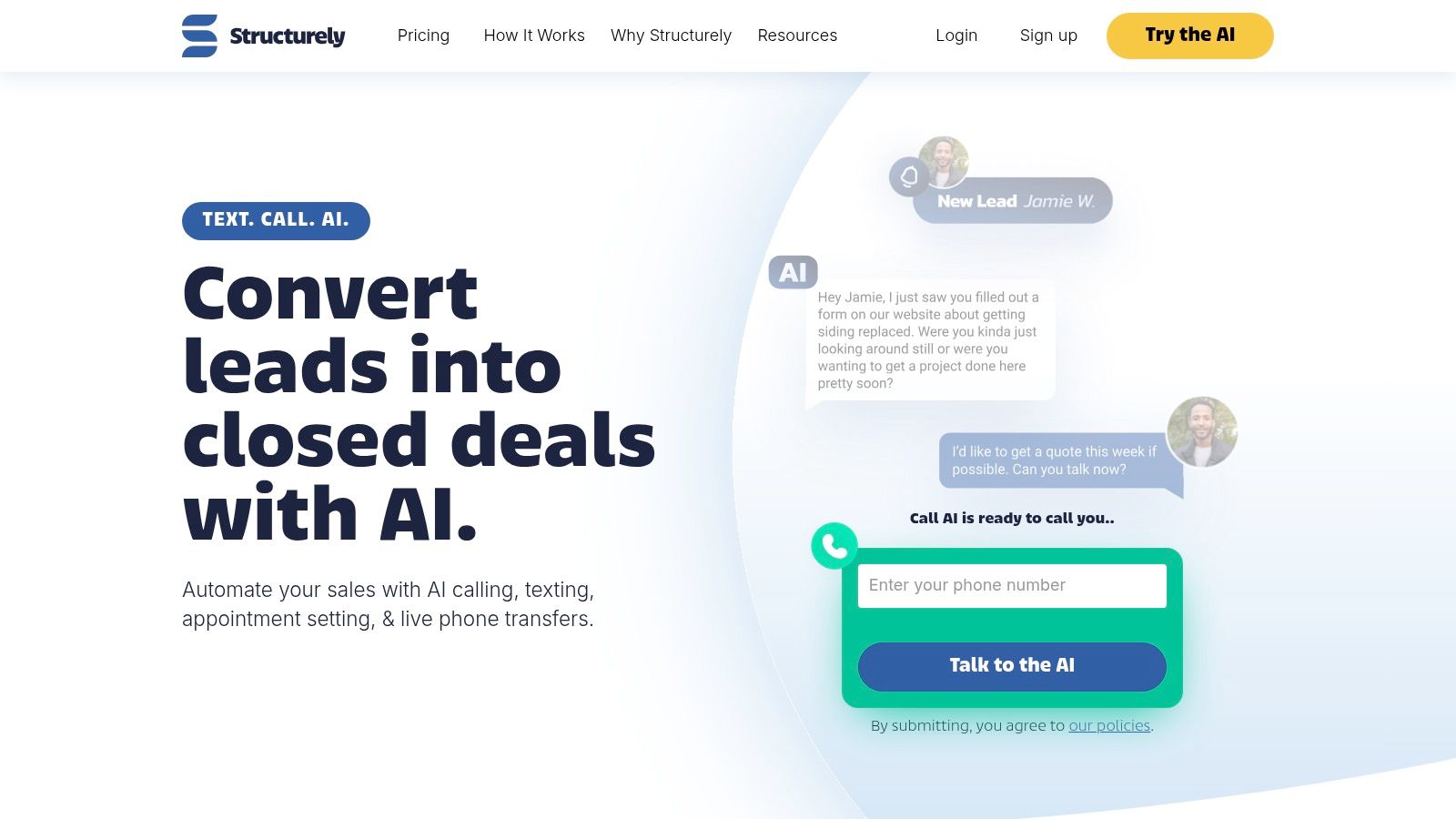
Alt Text: A dashboard view of the Structurely platform showing AI conversations and lead status.
Key Features & Use Cases
| Feature | Description | Practical Use Case |
|---|---|---|
| AI Appointment Setting | The AI assistant, “Aisa,” engages leads via SMS and phone calls to qualify them based on motivation, timeline, and financials, then sets appointments or performs live call transfers. | A new lead from a Facebook Ad comes in at 2 AM. Aisa immediately texts them to confirm their interest and asks about their home-buying timeline. The lead responds that they are “just looking.” Aisa uses a nurture script to keep the conversation going and sets a task for a 30-day follow-up. |
| Volume-Based Tiers | Transparent pricing plans are based on the number of monthly leads you need the AI to manage, with options for text-only, call-only, or combined packages. | A team’s lead flow fluctuates seasonally. They choose Structurely’s “Starter” plan for 250 leads/month during the slow season and can easily upgrade to a higher tier during the busy spring market without a complex contract renegotiation. |
| Long-Term Nurture | The AI can run multi-step, conversational cadences over weeks or months to re-engage and nurture unresponsive or “not-yet-ready” leads. | An agent uploads a list of 1,000 old Zillow leads from last year. Structurely’s AI begins a slow-drip text campaign, checking in every 45 days with market updates, re-engaging a lead who is now ready to sell six months later. |
Actionable Takeaways
- Test on a Single Lead Source: Start by routing leads from only one source (e.g., Zillow or a specific Facebook ad) to Structurely to measure its performance before scaling.
- Upload a “Cold” List: Give the AI a list of 500+ old, unresponsive leads and activate a long-term nurture campaign to find new opportunities in your existing database.
- Customize the First Message: Work with their team to tailor the initial outreach message to match your brand’s voice and typical opening line.
Tools & Resources:
- Website: https://www.structurely.com
7. Roof AI
Roof AI is an enterprise-grade AI sales assistant and concierge designed specifically for multi-office brokerages and large real estate brands. Unlike simpler chatbots, it integrates deeply into a brokerage’s entire digital ecosystem, personalizing consumer interactions across web chat, email campaigns, and other touchpoints. Its primary function is to engage and qualify leads across various business verticals, including residential sales, mortgages, relocation, and even agent recruiting, making it a versatile addition to a brokerage’s technology stack.
What makes Roof AI stand out is its consultative, enterprise-focused deployment model. It’s not a plug-and-play widget but a strategic tool built to align with a brokerage’s specific brand voice and business goals. By leveraging a GPT-powered core, the assistant can handle complex conversations, answer specific questions about listings or mortgage options, and route qualified leads to the appropriate department or agent, ensuring a seamless and high-touch experience for every website visitor. This makes it one of the more comprehensive ai tools for real estate agents operating within a larger brand framework.
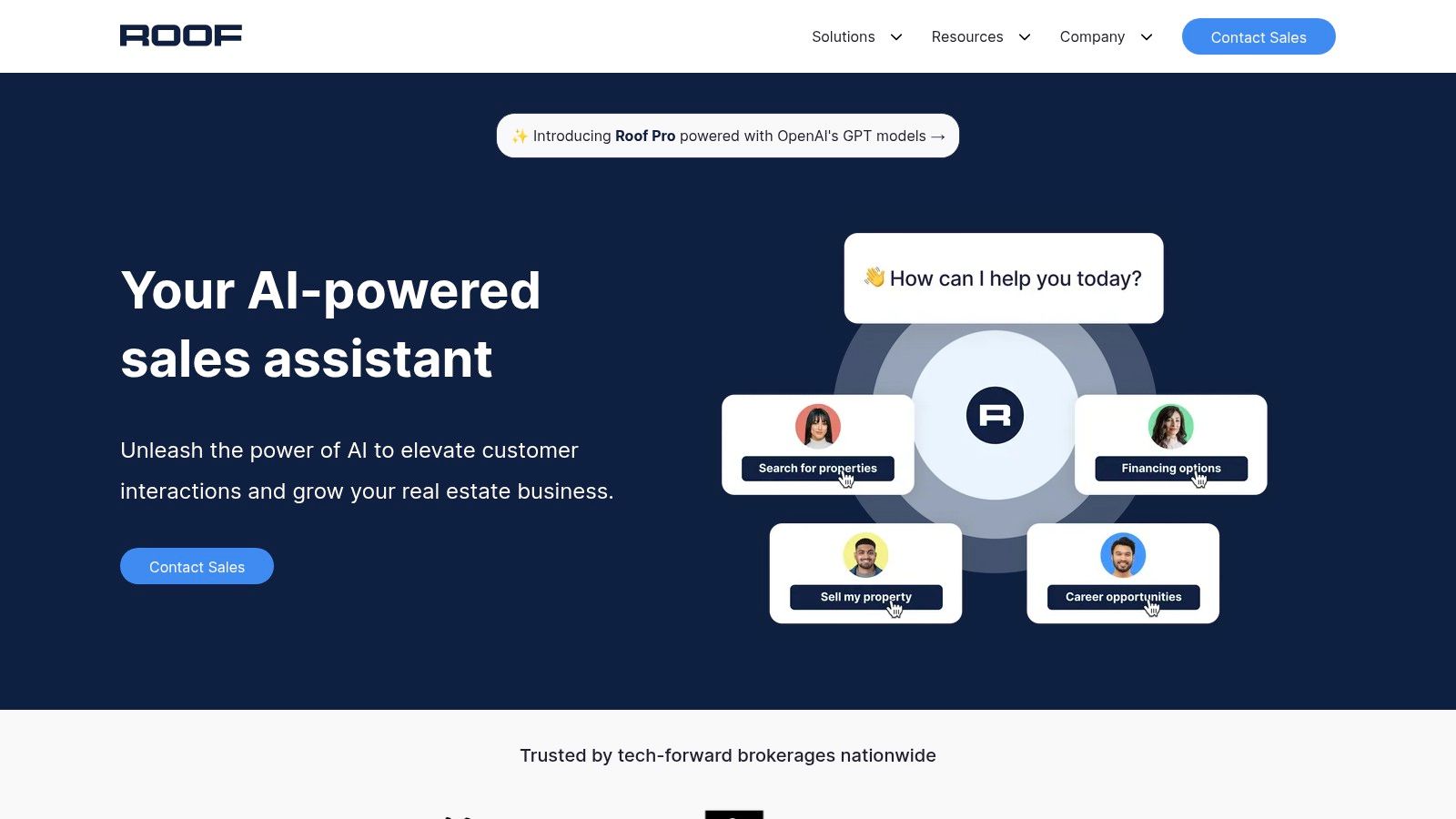
Alt Text: A screenshot of the Roof AI chat interface on a real estate brokerage website, showing a welcome message and interactive buttons.
Key Features & Use Cases
| Feature | Description | Practical Use Case |
|---|---|---|
| GPT-Powered Web Assistant | An AI-driven concierge integrated into the brokerage website that engages visitors with personalized, conversational chat and strong calls-to-action. | A potential home seller visits the brokerage website. The Roof AI assistant greets them, asks about their property, and offers a free home valuation, capturing their contact information and motivation to sell before routing them to a listing specialist. |
| Multi-Vertical Use Cases | Tailored conversation flows and campaigns for buying, selling, mortgage, relocation, and agent recruiting. | The brokerage launches a recruiting campaign. The AI assistant on the careers page engages prospective agents, answering questions about commission splits and training, and schedules a confidential meeting with the managing broker. |
| Enterprise Consultation | A consultative deployment process to customize the AI’s branding, tone, and lead-routing logic for multi-office enterprises. | A brokerage with 15 offices wants to ensure leads from specific zip codes are routed to the correct office. The Roof AI team consults with them to build custom logic that automatically assigns leads based on location, agent specialty, and current availability. |
Actionable Takeaways
- Map Your Lead Flow: Before engaging Roof AI, chart out exactly how you want leads from different sources (website, ads, etc.) to be routed to different agents or departments.
- Define Your Brand Voice: Prepare brand guidelines (tone, common phrases, etc.) to provide during the consultation process for a truly custom AI experience.
- Identify Cross-Sell Opportunities: Determine how the AI can direct real estate leads to your mortgage or relocation departments to maximize business value.
Tools & Resources:
- Website: https://www.roofai.com
8. RPR (Realtors Property Resource) with AI ScriptWriter
Realtors Property Resource (RPR) is a powerful data and reporting platform provided as a benefit to members of the National Association of REALTORS (NAR). While already a staple for pulling comps and market data, its recent addition of an AI ScriptWriter makes it one of the most accessible ai tools for real estate agents looking to create data-driven content. The AI ScriptWriter synthesizes RPR’s vast property and market data to generate scripts, emails, and social media content almost instantly.
What makes RPR’s AI unique is that it’s grounded in hyper-local, real-time MLS data, a resource exclusive to REALTORS. Instead of using generic information from the web, the AI crafts narratives directly from the statistics and trends relevant to a specific neighborhood or trade area. This allows agents to quickly produce compelling, accurate, and compliant content for listing presentations, client emails, and market updates, saving hours of manual research and writing.
Practical Steps: Creating a Market Update Video Script
- Login to RPR: Access your RPR account via
narrpr.com. - Search a Market Area: Enter a zip code, neighborhood, or city to analyze.
- Find the AI ScriptWriter: Navigate to the market activity or housing statistics section and locate the AI ScriptWriter feature.
- Generate Content: Click to generate a script. The AI will produce a summary of key stats like median price, inventory, and days on market.
- Record: Use the generated script as the basis for a short social media video, positioning yourself as the local market expert.
Key Features & Use Cases
| Feature | Description | Practical Use Case |
|---|---|---|
| AI ScriptWriter | Generates market trend summaries, property descriptions, and client communication scripts based on RPR’s real estate data. | An agent needs to create a social media video about their local market. They use the AI ScriptWriter to generate a short, engaging script summarizing the latest median sales price, days on market, and inventory levels for a specific zip code, ready for recording. |
| Comprehensive Data Access | Provides access to a national database of property information, including comps, market stats, and detailed reports. | Preparing for a buyer consultation, an agent pulls an RPR report for a target neighborhood. They use the AI to summarize the key market activity and trends into a concise email to send the client beforehand, positioning themself as the local expert. |
| Report Generation | Creates branded, in-depth property and market activity reports, flyers, and valuations that can be shared with clients. | A potential seller requests a home valuation. The agent generates a comprehensive RPR Seller’s Report and uses the AI ScriptWriter to draft a personalized cover email highlighting the most critical comps and market conditions from the report. |
Actionable Takeaways
- Automate Your Next Listing Description: For your next listing, generate a property report in RPR and use the AI ScriptWriter to create three different description drafts.
- Create Weekly Content: Make it a weekly habit to generate a market script for a neighborhood you farm and share the insights on social media.
- Enhance Client Reports: When sending an RPR Seller’s Report, use the AI to write a custom cover email that summarizes the key takeaways for your client.
Tools & Resources:
- Website: https://narrpr.com
- Note: This tool is a free benefit for members of the National Association of REALTORS®.
9. Matterport
Matterport is the industry standard for creating immersive 3D virtual tours and digital twins of properties, elevating online listings far beyond static photos. While known for its high-fidelity visuals, it incorporates powerful AI to automate and extract valuable property data, making it an essential ai tool for real estate agents looking to provide a superior client experience. The platform processes visual data to automatically generate dimensionally accurate floor plans and extract property details, saving agents significant time.
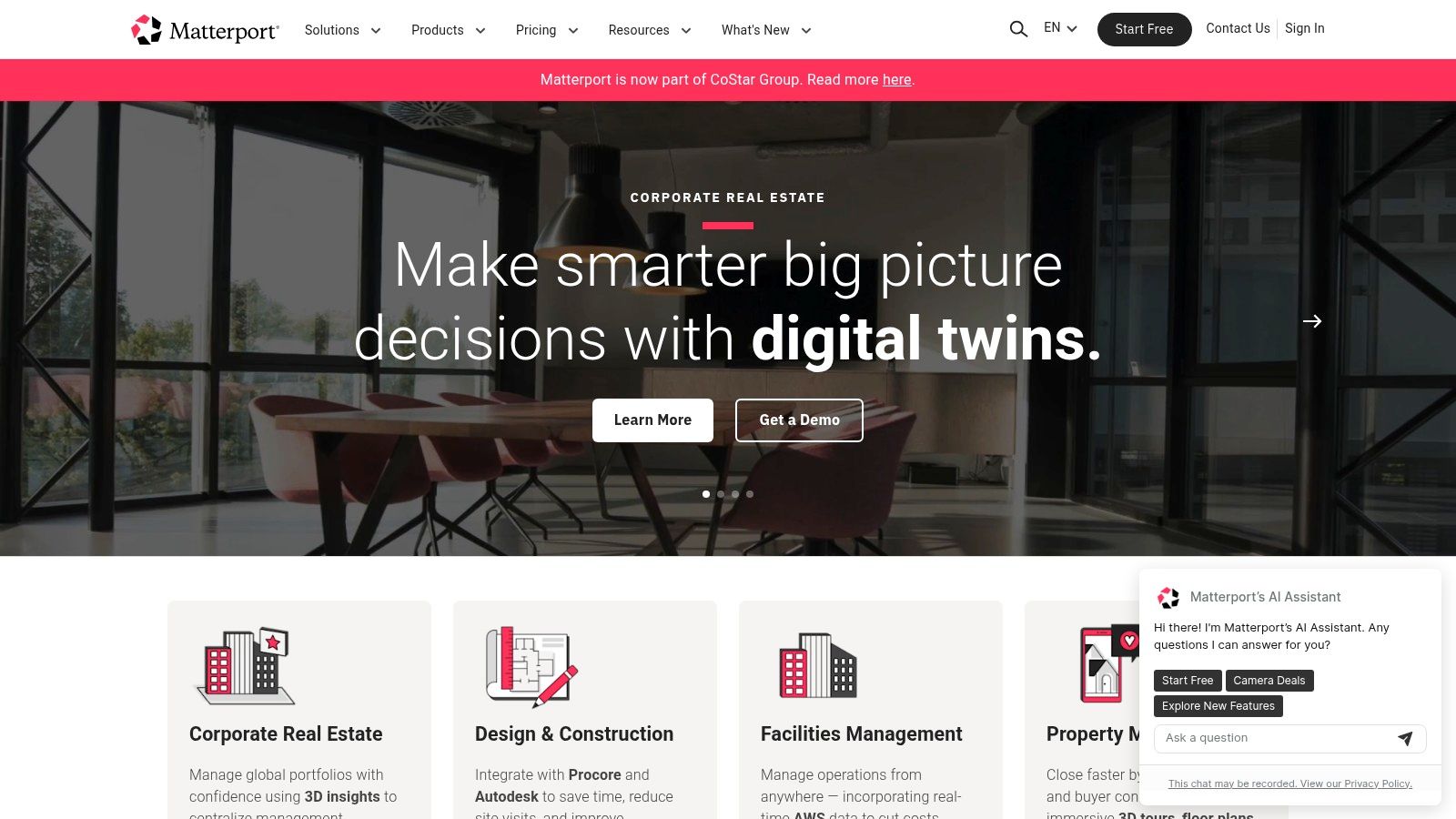
Alt Text: A 3D digital floorplan of a house created with Matterport, showing rooms and layouts from a top-down perspective.
What makes Matterport a standout is its ecosystem and wide adoption. Its “digital twins” are compatible with major real estate portals like Zillow and Realtor.com, ensuring maximum exposure for your tech-forward listings.
The AI-driven Property Intelligence feature analyzes a 3D scan to automatically identify room names, measure dimensions, and calculate total square footage, which can be instantly used to populate MLS data fields and create detailed reports. These AI features transform a visual marketing asset into a rich source of structured data.
Key Features & Use Cases
| Feature | Description | Practical Use Case |
|---|---|---|
| 3D Digital Twin Capture | Creates high-resolution, interactive 3D virtual tours that allow potential buyers to walk through a property from anywhere in the world. | An out-of-state buyer is interested in a home but cannot travel for a showing. The agent shares the Matterport link, allowing the buyer to virtually tour the entire property, measure rooms, and feel the layout, leading to a confident offer. |
| Property Intelligence (AI) | An AI engine that analyzes scan data to automatically detect and label rooms, measure spaces, and extract key property attributes. | After scanning a new listing, the AI automatically generates room-by-room measurements. The agent uses this data to instantly fill out the MLS listing sheet, ensuring accuracy and saving hours of manual work. |
| Automatic Floor Plans | Generates schematic 2D floor plans directly from the 3D model, complete with room dimensions and labels. | For every listing, the agent attaches the AI-generated floor plan to the marketing materials. This helps buyers visualize the home’s flow and furniture placement, answering key questions before a visit. |
| Blur Brush (AI) | An AI-powered tool that automatically detects and blurs faces and personal information in a 3D scan to protect privacy. | During a scan of an occupied home, family photos are visible. The AI automatically blurs the faces, ensuring the tour is professional and respects the seller’s privacy without tedious manual editing. |
Actionable Takeaways
- Offer 3D Tours as a Standard: Differentiate your listing presentation by including a Matterport tour as part of your standard marketing package.
- Order the Floor Plan: For every scan, pay the small extra fee to get the AI-generated schematic floor plan to include in your marketing materials.
- Use the Measurement Tool: When a buyer asks “Will my couch fit?”, use the tour’s built-in measurement tool to provide an immediate, accurate answer.
Tools & Resources:
- Website: https://matterport.com
10. CubiCasa
CubiCasa leverages computer vision, a branch of AI, to automatically generate accurate and professional floor plans directly from a smartphone video scan. This transforms a typically expensive and time-consuming task into a simple, five-minute walk-through of a property. By making floor plans accessible and affordable, often free through MLS partnerships, CubiCasa is one of the most practical ai tools for real estate agents looking to enhance their listing’s appeal and provide critical information to potential buyers.
What makes CubiCasa so effective is its sheer simplicity and speed. An agent can capture an entire home’s layout with their phone, upload the video, and receive a polished 2D floor plan, often within a few hours. This democratizes a key marketing asset previously reserved for high-end listings. The optional, ANSI-aligned Gross Living Area (GLA) reports also add a layer of credibility and help agents ensure listing accuracy, reducing potential disputes and liability.
How to Scan a Property with CubiCasa: Step-by-Step
- Download the App: Get the CubiCasa app on your smartphone.
- Start a New Scan: Open the app and follow the on-screen prompts to begin scanning.
- Walk the Property: Hold your phone at chest height and walk through the home, keeping rooms in the frame. The app provides real-time feedback. The entire process takes about 5 minutes for an average home.
- Upload the Video: Once complete, upload the video scan via Wi-Fi.
- Receive Your Floor Plan: You’ll receive the completed, AI-generated floor plan via email, typically within 6-24 hours.
Key Features & Use Cases
| Feature | Description | Practical Use Case |
|---|---|---|
| AI-Powered Scanning | Uses a smartphone app to scan a property and automatically generate a floor plan from the video data. | An agent is at a new listing appointment. They perform a quick 5-minute video scan of the home, upload it, and have a professional floor plan ready to include in their listing presentation and marketing materials the next day. |
| GLA Reports | Optional add-on that provides a detailed, ANSI-aligned Gross Living Area report, ensuring measurement accuracy for MLS listings. | To avoid discrepancies and build trust, a listing agent orders a GLA report with their floor plan. They attach it to the MLS to provide appraisers and buyer’s agents with verified square footage data. |
| MLS Integration & Free Tiers | Many MLS boards partner with CubiCasa to offer free 2D floor plans with room dimensions as a member benefit. | An agent who is part of a participating MLS can add a floor plan to every single one of their listings at no cost, significantly boosting the value they provide to sellers without increasing their marketing budget. |
Actionable Takeaways
- Check for MLS Partnership: Before paying, check if your local MLS offers CubiCasa floor plans as a free member benefit.
- Add a Floor Plan to Every Listing: Make it your standard practice to include a floor plan with every new listing to improve its marketability.
- Order the GLA Report: For high-value or unusually shaped properties, invest in the low-cost GLA report to ensure listing accuracy and reduce liability.
Tools & Resources:
- Website: https://www.cubicasa.com
11. Restb.ai
Restb.ai is a computer vision AI platform that automatically analyzes and understands real estate photography, making it a powerful, behind-the-scenes tool for MLSs, portals, and large brokerages. Instead of being an agent-facing application, its AI works at the data level to tag images with property features (e.g., “hardwood floors,” “kitchen island,” “natural light”), check for compliance violations like watermarks, and even assess a photo’s quality. This ensures that listing data is more accurate, searchable, and visually appealing from the moment it’s uploaded.
What makes Restb.ai a unique entry among ai tools for real estate agents is its enterprise-level focus on data integrity and enhancement. By integrating directly with the MLS, it solves systemic problems like inconsistent data entry and poor-quality media. This improves the search experience for consumers on portals like Zillow and Realtor.com and provides richer, more reliable data for automated valuation models (AVMs) and agent CMAs. It also automates tedious compliance checks, saving MLS staff and agents significant administrative time.
Key Features & Use Cases
| Feature | Description | Practical Use Case |
|---|---|---|
| Automated Image Tagging | The AI scans listing photos and automatically identifies and tags over 100 specific features, room types, and architectural styles. | An agent uploads 30 photos to the MLS. Restb.ai’s AI instantly tags them with “stainless steel appliances,” “granite countertops,” and “open floor plan,” making the listing immediately searchable for buyers with those specific criteria. |
| MLS Compliance Scanning | The system automatically detects and flags images that violate MLS rules, such as watermarks, agent branding, or duplicate photos. | A new agent on your team accidentally uploads a photo with their logo on it. The system flags it for review before it goes live, preventing an MLS violation and fine, and ensuring professional listing standards. |
| Document Analysis | The AI can read and analyze uploaded documents, like listing agreements, to ensure required clauses or information is present. | Before a listing is published, the AI scans the uploaded agreement to verify that the required commission disclosure language is included, reducing brokerage liability and ensuring compliance. |
Actionable Takeaways
- Ask Your MLS: Inquire if your MLS uses Restb.ai or a similar computer vision tool to understand how your photos are being analyzed and tagged.
- Optimize Your Photos: Knowing that AI scans for features, ensure your property photos clearly showcase desirable elements like updated appliances, specific flooring, and architectural details.
- Check for Compliance: Be aware that AI is increasingly used for automated compliance checks, so double-check your photos for watermarks or branding before uploading.
Tools & Resources:
- Website: https://restb.ai
12. RealReports
RealReports functions like a “Carfax for homes,” providing one of the most comprehensive property intelligence ai tools for real estate agents. It aggregates data from over 60 sources into a single, client-ready report and deploys an AI advisor named Aiden to interpret the findings. This AI can answer specific questions about a property, analyze uploaded documents like inspections or HOA disclosures, and automatically flag potential risks, dramatically accelerating the due diligence process.
What makes RealReports uniquely powerful is its ability to turn complex property data into a digestible conversation. Instead of just presenting raw data, its AI allows agents and their clients to ask natural language questions (“Are there any permit issues with the deck?”) and get instant, context-aware answers. This transforms the pre-showing prep and client education process from hours of research into minutes of inquiry, while also serving as a lead capture tool when reports are shared publicly.
Practical Use Case: Analyzing an Inspection Report
- Generate a Report: Enter a property address in RealReports to create its base report.
- Upload Documents: Drag and drop the PDF of a 100-page home inspection report into the “Aiden” AI chat window.
- Ask Specific Questions: Instead of reading the entire document, ask Aiden targeted questions like:
- “Summarize all ‘high-risk’ issues found by the inspector.”
- “Are there any mentions of foundation problems?”
- “What did the report say about the age and condition of the roof?”
- Get Instant Answers: Aiden provides concise, referenced answers in seconds, allowing you to quickly advise your client on critical issues.
Key Features & Use Cases
| Feature | Description | Practical Use Case |
|---|---|---|
| AI Property Advisor (Aiden) | An AI assistant that answers questions and analyzes data related to a specific property, including uploaded disclosures, HOA docs, and inspection reports. | A buyer sends you a 120-page inspection report. You upload it to RealReports and ask Aiden to “summarize any flagged electrical or plumbing issues.” The AI provides a concise bulleted list, saving you an hour of reading. |
| Comprehensive Data Aggregation | Pulls information from 60+ sources covering permits, liens, flood zones, school ratings, internet quality, noise levels, and more into a single report. | Before a listing presentation, you generate a RealReport for the property. You use the detailed data on local amenities and recent permit history to demonstrate your market expertise and build trust with the seller. |
| Shareable Reports & Lead Capture | Creates a shareable, professional web link for each report that can be used in marketing and includes a lead capture form. | You include a link to the property’s RealReport in your social media post for a new listing. A prospective buyer clicks the link, views the detailed property info, and fills out the contact form to ask a question, generating a new lead. |
Actionable Takeaways
- Generate a Report for Every Listing: Use the detailed data in your listing presentations and marketing materials to showcase your thoroughness.
- Analyze Buyer Documents: Upload every inspection report, HOA doc, and seller’s disclosure you receive to Aiden for a quick, AI-powered summary of potential risks.
- Use as a Lead Magnet: Share the public link to your listing’s RealReport on social media and in your email newsletter to capture new buyer leads.
Tools & Resources:
- Website: https://www.realreports.com
Top 12 AI Tools for Real Estate Agents — Feature Comparison
| Tool | Key Features ✨ | Target Audience 👥 | Unique Selling Point 🏆 | Pricing / Value 💰 | Quality Rating ★ |
|---|---|---|---|---|---|
| Smartbids – Real estate sales strategy optimization | AVM pricing, auto listing copy, photo enhance, ROI/mortgage scenarios | 👥 Listing-focused agents & small teams | 🏆 Pricing + marketing + financial scenarios in one workflow | 💰 Paid (agent-focused; time‑save ROI) | ★★★★☆ |
| Ylopo | Raiya AI Text, AI Voice outbound ISA, deep FUB CRM integrations | 👥 High‑volume teams & lead gen ops | 🏆 Purpose‑built 24/7 lead nurture + CRM speed‑to‑lead | 💰 Quote / sales call (add‑ons may apply) | ★★★★☆ |
| Follow Up Boss (with Ace AI) | Embedded AI chat/voice, summaries, automations, large integrations | 👥 Teams & brokerages using FUB | 🏆 Mature CRM with native AI layer and workflow embed | 💰 Subscription + tiered AI add‑on per user | ★★★★★ |
| Chime | IDX sites, CRM, AI lead nurture, forecasting, marketing automation | 👥 Solo agents to teams wanting unified stack | 🏆 Website + CRM + AI in one platform | 💰 Quote‑based; AI add‑on tied to lead volume | ★★★★☆ |
| kvCORE by Inside Real Estate | IDX, CRM, behavioral automation, team/brokerage tools | 👥 Brokerages & teams (often via brokerage provision) | 🏆 Broad U.S. footprint and brokerage delivery | 💰 Contract/plan pricing (brokerage dependent) | ★★★★☆ |
| Structurely | AI texting & calling, appointment setting, local numbers, tiered plans | 👥 Teams scaling conversations without live ISAs | 🏆 Volume‑based AI ISA replacement with clear plans | 💰 Tiered by lead volume; setup/minimums apply | ★★★★☆ |
| Roof AI | GPT assistant for web chat & campaigns, enterprise deploy & consult | 👥 Multi‑office brokerages & enterprise brands | 🏆 Enterprise consult + tailored mortgage/recruiting use cases | 💰 Quote‑based enterprise pricing | ★★★★☆ |
| RPR (with AI ScriptWriter) | National property data, AI ScriptWriter, reports, mobile app | 👥 NAR REALTORS (participating MLSs) | 🏆 NAR member benefit — free market/data tools for REALTORS | 💰 Free for NAR members in participating MLSs | ★★★★☆ |
| Matterport | 3D digital twins, virtual tours, auto floor plans, Property Intelligence | 👥 Photographers, agents, teams needing immersive media | 🏆 Industry standard for 3D tours and portal acceptance | 💰 Tiered plans; extras (2D/CAD/TruePlan) may cost more | ★★★★★ |
| CubiCasa | Smartphone 2D/3D floor plans, GLA reports, fast capture workflow | 👥 Agents & photographers needing low‑cost floor plans | 🏆 Fast, smartphone‑first floor plans with MLS discounts | 💰 Free Lite; paid Plus/3D and add‑ons | ★★★★☆ |
| Restb.ai | Image tagging/captioning, condition scoring, watermark/duplicate detection, APIs | 👥 MLSs, portals, brokerages & enterprises | 🏆 Enterprise image analysis to improve compliance & SEO | 💰 Enterprise/API pricing (integration required) | ★★★★☆ |
| RealReports | Aggregates 60+ data sources, AI Q&A (Aiden), shareable client reports | 👥 Agents, brokers & MLS partners; consumer report viewers | 🏆 ‘Carfax for homes’ with AI advisor + lead capture | 💰 Freemium / per‑report fees or subscription options | ★★★★☆ |
Your Next Move: Integrating AI Into Your Real Estate Business
We’ve explored a powerful suite of AI tools for real estate agents, from lead nurturing powerhouses like Ylopo and Follow Up Boss with Ace, to visual intelligence platforms like Restb.ai and Matterport that bring listings to life.
The landscape is vast, covering everything from CRM-integrated assistants that automate follow-up to specialized tools that generate compelling listing descriptions and detailed property reports. The central theme is clear: AI is no longer a futuristic concept but a practical, accessible co-pilot ready to handle the repetitive, time-consuming tasks that dilute your focus.
The most critical takeaway isn’t to haphazardly adopt every tool mentioned. Instead, the path to successful integration is strategic and incremental. By identifying the most significant friction points in your daily operations, you can select a tool that delivers an immediate and measurable impact.
The goal is to transform your workflow, not just add another subscription to your monthly expenses.
From Information to Action: A Strategic Implementation Plan
Embarking on your AI journey can feel overwhelming, but a structured approach simplifies the process. The key is to start small, validate the tool’s effectiveness, and then scale its use across your business.
Here is a practical, step-by-step plan to get started:
- Identify Your Biggest Bottleneck: Before you even look at a pricing page, perform a self-audit. Where do you lose the most time? Is it writing unique property descriptions for every listing? Is it responding to late-night lead inquiries? Or perhaps it’s the manual data entry required to keep your CRM updated. Pinpoint one or two primary pain points.
- Select Two Relevant Tools for a Demo: Based on your bottleneck, choose two competing tools from our list. For instance, if lead follow-up is your challenge, you might compare Structurely and Ylopo. If creating marketing content is the issue, you could explore RPR’s AI ScriptWriter. Booking demos allows you to see the user interface and ask specific questions about integration with your existing systems, like your MLS or CRM.
- Define a Measurable Goal: What does success look like? Your goal should be specific and quantifiable. For example: “Reduce the time spent writing listing descriptions by 50% within 30 days” or “Increase lead response rate from 70% to 95% in the first quarter.” This metric will be your benchmark for evaluating the tool’s ROI.
- Run a Pilot Program: Implement the chosen tool with a small, controlled segment of your business. This could mean using an AI chatbot for leads from a single ad campaign or using an AI writer for just one or two new listings. This minimizes risk and allows you to learn the software without disrupting your entire operation.
Actionable Takeaways
- Audit Your Workflow: Spend one day tracking your time to find the most repetitive, time-consuming task. That’s your first target for AI automation.
- Book a Demo: Choose one tool from this list that addresses your biggest pain point and schedule a 30-minute demo this week.
- Start with a Free Tool: If you’re an NAR member, log into RPR and generate an AI script for a social media post today.
- Enhance One Listing: Pick one of your current or upcoming listings and add one AI-powered asset to it, like a CubiCasa floor plan or a RealReport.
Further Reading & Resources
As you integrate these powerful platforms, remember that AI is a support system, not a replacement for your expertise. The human element of empathy, negotiation, and local market insight remains your most valuable asset. The best AI tools for real estate agents are those that augment your skills, freeing you up to focus on high-value, client-facing activities.
Ready to discover even more cutting-edge solutions? The AI Tools Hub is your definitive directory for finding, comparing, and implementing the best AI tools across every industry, including a dedicated section for real estate. Explore our curated lists and in-depth reviews at the AI Tools Hub to stay ahead of the curve.