

The evolution of developer assistance has moved far beyond simple syntax highlighting and basic autocomplete. Modern ai pair programming tools are now sophisticated collaborators, capable of understanding context, generating complex logic, refactoring entire codebases, and even identifying bugs before they happen. They function less like a passive utility and more like an active partner in the development lifecycle, directly impacting code quality, speed, and innovation.
Choosing the right tool is no longer a simple matter of picking the most popular option. The market is crowded with specialized solutions, each with distinct strengths. An enterprise team working within the AWS ecosystem has vastly different needs than a solo developer building a side project in a niche language. Factors like IDE integration, the underlying AI models, data privacy controls, and team collaboration features are critical differentiators that determine a tool’s true value for your specific workflow.
This guide cuts through the marketing noise to provide a detailed, actionable comparison of the top 12 AI coding assistants. We’ll move beyond generic feature lists to offer a comprehensive analysis, complete with screenshots, direct links, and insights into practical use cases.
You will learn which tools excel at boilerplate reduction, which are best for complex debugging, and which prioritize on-premise security. Integrating the right AI partner is one of the most effective strategies to improve developer productivity, and our goal is to help you find the perfect fit for your needs, project requirements, and budget.
Let’s dive in.
1. GitHub Copilot
As one of the most established AI pair programming tools, GitHub Copilot stands out for its deep integration across the developer workflow and its mature, enterprise-ready feature set. Developed by GitHub and Microsoft, it’s far more than a simple autocompletion tool.
Copilot acts as a comprehensive assistant, providing inline code suggestions, a sophisticated chat interface for complex queries, and an agent capable of planning and executing multi-step changes directly within your IDE. Its strength lies in its broad support for various editors, including VS Code, Visual Studio, and the entire JetBrains suite, as well as Vim/Neovim.
Key Features and Use Cases
GitHub Copilot’s functionality is designed to accelerate development at every stage. For instance, you can use the chat interface to generate a boilerplate for a new React component or ask it to refactor a complex function for better readability. The CLI integration allows you to get shell command suggestions or debug errors directly in your terminal, a powerful feature for DevOps and backend engineers.
- Best for: Developers and organizations seeking a mature, widely supported, and deeply integrated AI assistant with robust security and policy controls.
- Practical Example: To refactor a piece of legacy code, follow these steps:
- Highlight the entire function in your IDE.
- Open the Copilot chat panel (e.g., using
Ctrl+Iin VS Code). - Type the prompt:
/fix Refactor this function to use async/await and add error handling for the API call. - Copilot will provide a revised code block and an explanation. Review the suggestion and click “Accept” to apply it directly.
Pricing and Access
GitHub Copilot offers a tiered pricing model that caters to different users. A free tier is available for verified students, teachers, and maintainers of popular open-source projects. For individual professionals, the Copilot Individual plan is priced at $10/month or $100/year. Businesses can opt for the Copilot Business or Copilot Enterprise plans, which add critical features like organization-wide policy management, IP indemnity, and more advanced model access.
| Feature | Copilot Individual | Copilot Business/Enterprise |
|---|---|---|
| Core Features | Yes | Yes |
| IDE Support | Full | Full |
| Org Controls | No | Yes |
| IP Indemnity | No | Yes |
Website: https://github.com/features/copilot/plans
2. Amazon Q Developer (AWS)
As AWS’s answer to integrated AI pair programming tools, Amazon Q Developer excels with its deep-rooted connection to the AWS ecosystem. Originally known in part as CodeWhisperer, it has evolved into a comprehensive AI assistant that offers inline code suggestions, a sophisticated chat interface, security scanning, and agentic code transformations.
Its primary strength is its seamless integration for developers working within the AWS cloud, providing context-aware assistance directly in the IDE, CLI, and AWS Management Console. It supports major IDEs like VS Code and the JetBrains suite, making it a powerful choice for teams heavily invested in AWS infrastructure.
Key Features and Use Cases
Amazon Q Developer is engineered to enhance productivity across the AWS development lifecycle. Its chat can answer questions about AWS services, estimate costs for new features, and troubleshoot errors with specific API calls. A standout feature is its ability to perform agentic tasks, such as upgrading application dependencies for Java or .NET projects, where it can read files, generate diffs, and apply changes across your codebase.
- Best for: Development teams deeply embedded in the AWS ecosystem who need a context-aware assistant for cloud-native application development and management.
- Practical Example: To get help implementing an S3 file upload in a Python application, follow these steps:
- Open the Amazon Q chat panel within your IDE.
- Enter the prompt:
/dev Implement a Python function to upload a file to the 'my-app-bucket' S3 bucket using boto3, including error handling. - Q will generate the complete function, import statements, and explain the AWS IAM permissions required for the operation. You can then copy or insert this code directly into your file.
Pricing and Access
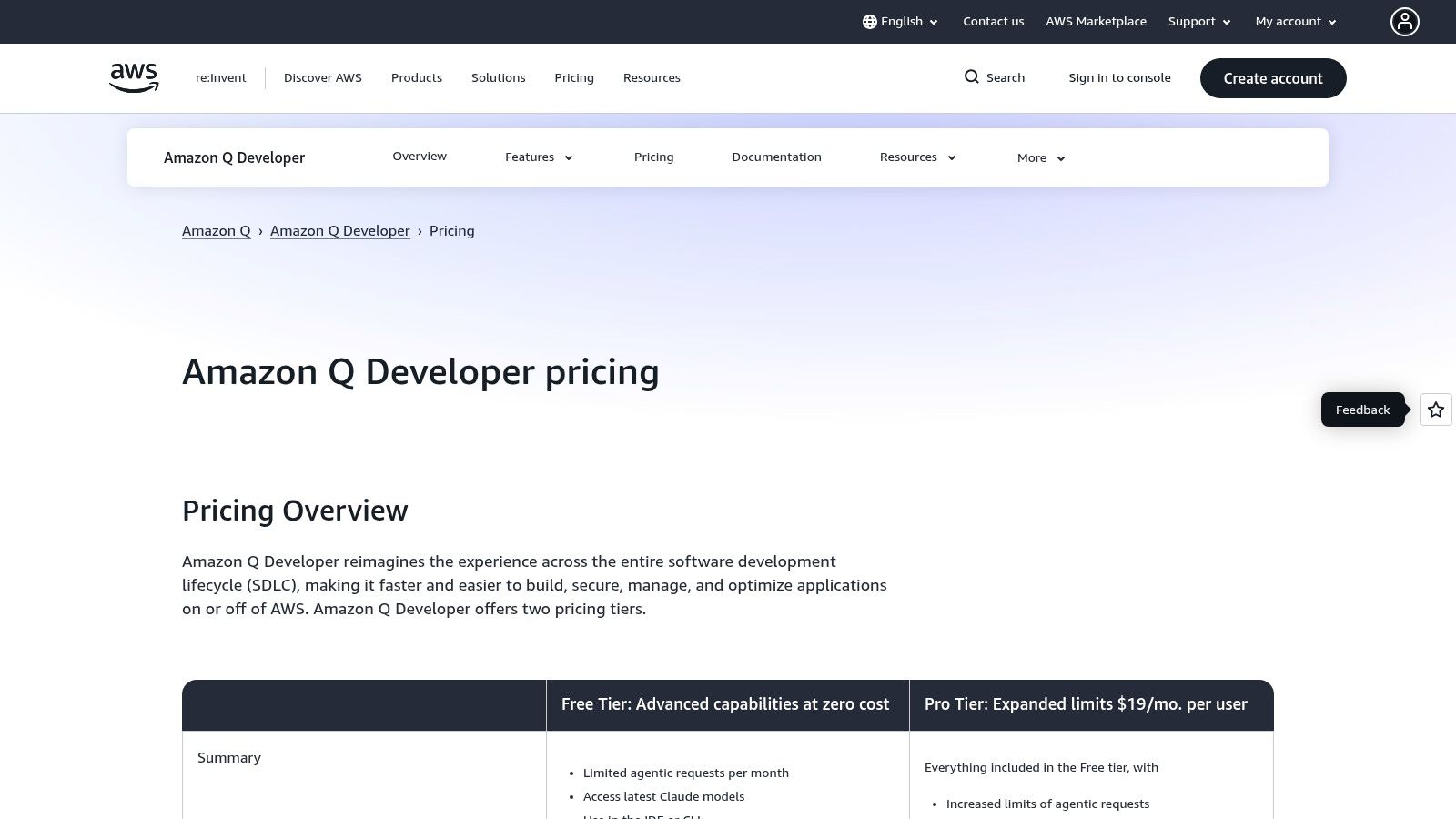
Amazon Q Developer offers a generous free tier for individuals, which includes core coding assistance and a significant monthly quota for its more advanced features. For teams and businesses requiring higher limits and centralized management, the Pro plan offers a straightforward upgrade path.
| Feature | Q Developer (Free Tier) | Q Developer Pro (per user) |
|---|---|---|
| Code Suggestions | Yes | Yes |
| Chat in IDE | Yes | Yes (Higher limits) |
| Feature Development | 20 requests/month | 1,000 requests/month |
| Code Transformation | 1 project scan/month | 100 project scans/month |
Website: https://aws.amazon.com/q/developer/pricing/
3. Google Gemini Code Assist
As Google’s entry into the space of AI pair programming tools, Gemini Code Assist (formerly Duet AI for Developers) differentiates itself through its deep integration with the Google Cloud ecosystem and its powerful Gemini model family. It offers a comprehensive suite of features, including IDE plugins for VS Code and JetBrains, an interactive agent mode, and CLI access.
This makes it a compelling choice for teams already invested in Google’s infrastructure, providing a seamless and context-aware coding assistant. Its strength lies in its generous daily request quotas and direct access to Google’s latest model innovations.
Key Features and Use Cases
Gemini Code Assist is designed to streamline development workflows, particularly for developers working with Google Cloud services. You can use its chat feature within the IDE to ask for explanations of specific Google Cloud APIs or to generate Terraform configurations for deploying resources.
The CLI integration is particularly useful for DevOps tasks, allowing you to get intelligent suggestions for gcloud commands or interpret complex error messages directly in your terminal.
- Best for: Enterprise teams and developers heavily utilizing Google Cloud Platform who need a highly integrated AI assistant with access to the latest Gemini models and generous usage limits.
- Practical Example: To generate a secure Cloud Function, you can use the chat panel in your IDE with these steps:
- Open the Gemini chat panel in VS Code.
- Use the
@workspacecontext tag to give Gemini access to your project files. - Enter the prompt:
@workspace /generate Write a Python Cloud Function that triggers on a new file upload to a GCS bucket, logs the file metadata, and is secure. - Gemini will analyze your project structure and generate the complete function, including necessary imports and considerations for IAM roles, which you can then add to a new or existing file.
Pricing and Access
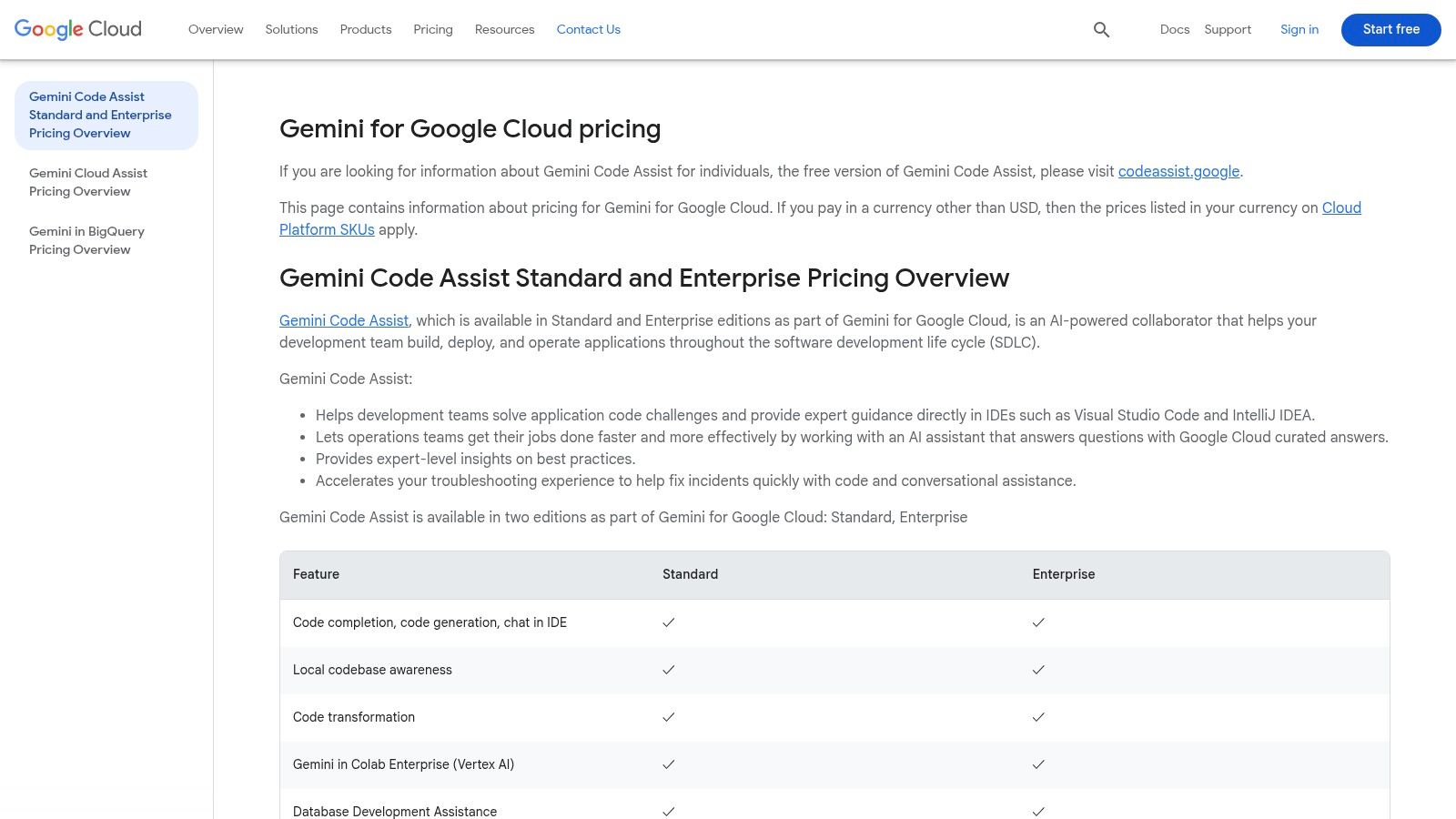
Gemini Code Assist uses a straightforward, per-user pricing model. It’s available as part of Gemini for Google Cloud, which has a free tier providing basic Code Assist features for one user. The paid plan, Gemini Code Assist, costs $19/user/month (with an annual commitment) and unlocks higher usage quotas and more advanced features. There’s also a custom-priced Enterprise tier for larger organizations needing enhanced security, compliance, and support.
| Feature | Gemini Code Assist (Standard) | Gemini Enterprise |
|---|---|---|
| Core Features | Yes | Yes |
| IDE Support | Full | Full |
| Request Quotas | High | Very High (Custom) |
| Enterprise Controls | Limited | Yes |
Website: https://cloud.google.com/products/gemini/pricing
4. JetBrains AI Assistant
For developers deeply embedded in the JetBrains ecosystem, the JetBrains AI Assistant offers an unparalleled level of native integration. Built directly into IDEs like IntelliJ IDEA, PyCharm, and WebStorm, this tool goes beyond simple code completion.
It leverages its deep understanding of your project’s context, including code structure and dependencies, to provide highly relevant suggestions, refactorings, and even generate entire test suites. This tight integration makes it one of the most seamless AI pair programming tools available for users of JetBrains products.
Key Features and Use Cases
The AI Assistant is designed to feel like a natural extension of the IDE. Its chat interface can perform multi-file actions, such as refactoring a method and updating all its usages across the entire codebase. A key strength is its ability to generate meaningful documentation or commit messages by analyzing your staged changes, a feature that significantly improves code maintenance and team collaboration.
- Best for: Developers and teams who are already heavy users of JetBrains IDEs and want a deeply integrated AI assistant that understands their project’s full context.
- Practical Example: To generate a unit test in IntelliJ or PyCharm, follow these steps:
- Right-click on a function or class name in your editor.
- Navigate to the context menu and select
AI Assistant > Generate Unit Tests. - The assistant will analyze the code’s logic and dependencies, then produce a new test file with relevant test cases.
- Review the generated tests and add them to your project’s test suite.
Pricing and Access
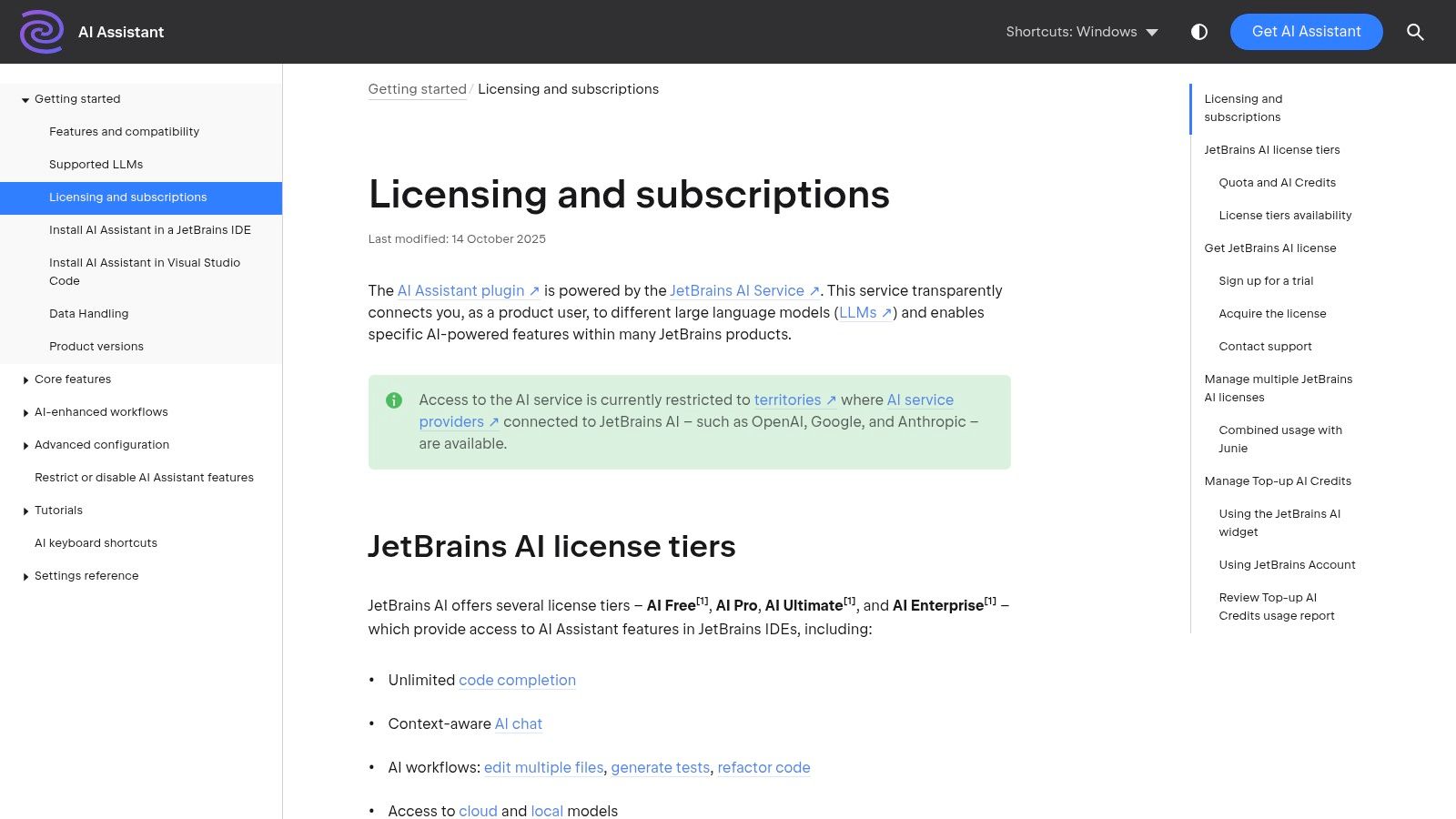
JetBrains AI Assistant operates on a tiered model, with access bundled into various JetBrains subscriptions. A limited free tier is available, offering basic functionality. The AI Assistant Pro plan, which provides higher usage quotas and access to more capable models, is available as a standalone subscription or included with certain product packs like the All Products Pack. The credit-based system for usage can sometimes be complex to track.
| Feature | Free Tier (Limited) | AI Assistant Pro |
|---|---|---|
| Inline Completions | Yes | Yes |
| AI Chat | Yes | Yes |
| Multi-File Actions | No | Yes |
| IDE Integration | Full | Full |
| Higher Model Quotas | No | Yes |
Website: https://www.jetbrains.com/help/ai-assistant/licensing-and-subscriptions.html
5. Tabnine
As a long-standing player among AI pair programming tools, Tabnine distinguishes itself with an unwavering focus on privacy, security, and deployment flexibility for the enterprise. It provides powerful code completions and a chat interface, but its core value proposition lies in its ability to be self-hosted, either on-premises or within a virtual private cloud (VPC).
This makes it an ideal choice for organizations with strict IP protection policies or those operating in highly regulated industries where data cannot leave their secure environment. Tabnine also offers the flexibility to use various underlying models, including its own, open-source alternatives, or third-party ones.
Key Features and Use Cases
Tabnine’s enterprise-grade features are designed for teams that need granular control over their AI assistants. The platform provides code-creation policy controls, intellectual property filters, and detailed code provenance, ensuring that all generated code complies with organizational standards and licensing.
Its model flexibility allows teams to fine-tune assistants on their private codebases, creating a highly customized and context-aware tool that understands internal libraries and coding patterns without exposing that proprietary information to an external service.
- Best for: Enterprises and teams in regulated sectors (finance, healthcare) that require self-hosted, air-gapped, or VPC-deployed AI tools with maximum control over data privacy and IP.
- Practical Example: A financial services company can deploy Tabnine on its own servers. A developer needs to generate a secure data-handling function:
- In their IDE, they open the Tabnine chat panel, which is connected to the internal server.
- They enter the prompt:
Create a Python function that connects to our internal 'TransactionDB' using the 'acme-db-connector' library, retrieves user transactions, and ensures all PII is masked before returning the data. - The self-hosted model, trained on internal code, generates a compliant function that correctly uses proprietary libraries and follows company security protocols.
Pricing and Access
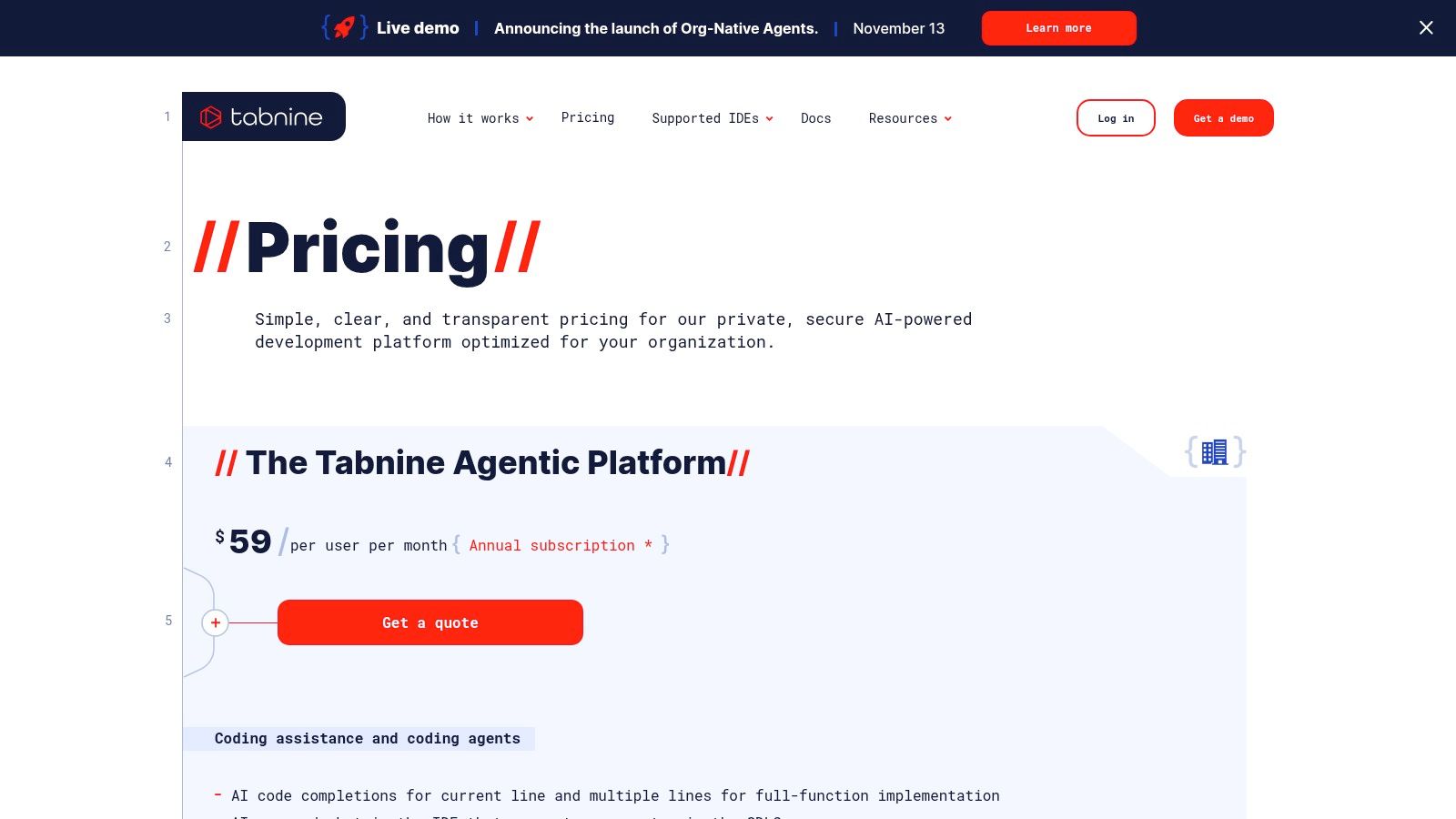
Tabnine offers a free Basic plan with standard code completions. The Pro plan, at $12/user/month, adds more advanced features and supports natural language-to-code chat. The Enterprise plan is custom-priced and unlocks the platform’s key differentiators, including self-hosting options, centralized policy management, and the ability to connect your own models. The value proposition is strongest at the organizational level where security and customization are paramount.
| Feature | Pro Plan | Enterprise Plan |
|---|---|---|
| Core Completions | Yes | Yes |
| AI Chat | Yes | Yes |
| Self-Hosted / VPC | No | Yes |
| Centralized Controls | No | Yes |
Website: https://www.tabnine.com/pricing?utm_source=openai
6. Cursor – The AI Code Editor
Cursor elevates the concept of an IDE by building a “VS Code-compatible” editor from the ground up, specifically for AI-native development. Rather than being a plugin, it’s a standalone application that integrates AI pair programming tools directly into its core.
This approach allows for a more seamless and powerful experience, combining lightning-fast code completions, an advanced chat and command interface, and unique features like background agents that work on your codebase. It targets professional developers who want multi-model support and a deeply integrated AI workflow.
Key Features and Use Cases
Cursor’s tight integration enables powerful workflows not easily replicated by standard IDE extensions. Its chat can understand and reference your entire codebase, allowing you to ask complex questions like “Where is the authentication logic defined in this project?” or generate new files based on existing conventions. Background agents can autonomously work on larger tasks, like migrating a component to a new framework, while you continue coding elsewhere.
- Best for: Professional developers and teams wanting a cohesive, AI-first coding environment with multi-model flexibility and advanced codebase awareness.
- Practical Example: To add a new feature that spans multiple files:
- In Cursor’s file explorer, select the related files (e.g.,
routes.js,controller.js). - Right-click and choose “Add to Chat” or drag them into the chat panel.
- Enter the prompt:
@Codebase Create a new API endpoint /users/{id}/profile that fetches user data from the database, similar to the existing /users/{id} endpoint. - Cursor will analyze the referenced code and generate the new logic in the correct files, following existing patterns.
- In Cursor’s file explorer, select the related files (e.g.,
Pricing and Access
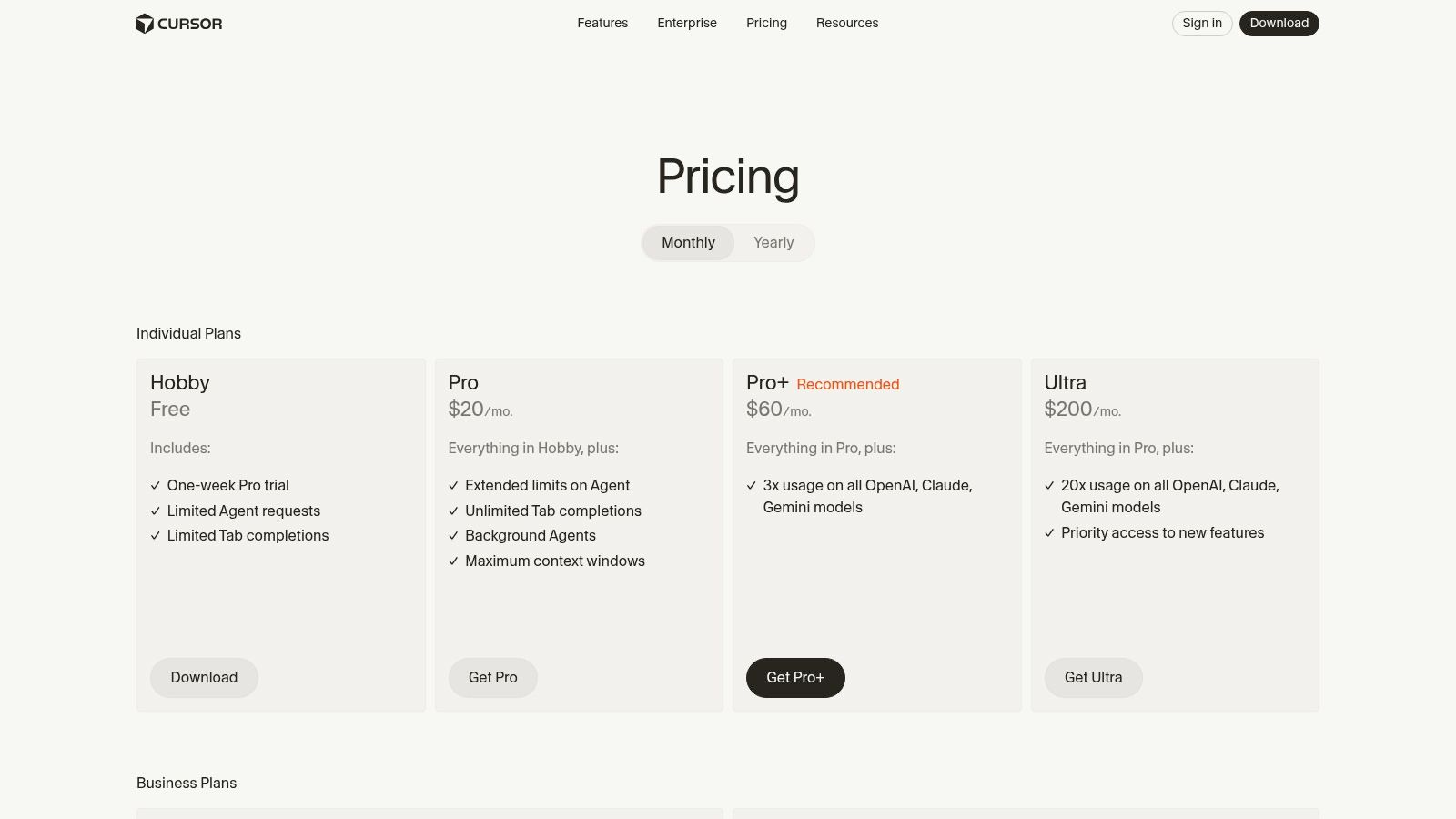
Cursor offers a free “Basic” plan with limited model usage. The Pro plan, at $20/month, provides unlimited standard model usage, access to premium models like GPT-4o, and features for individual power users. The Business plan is designed for teams, adding crucial organizational controls such as SAML/SSO, role-based access control (RBAC), and detailed usage analytics to manage AI adoption securely.
| Feature | Pro Plan | Business Plan |
|---|---|---|
| Standard Model Use | Unlimited | Unlimited |
| Premium Model Use | Yes (with limits) | Yes (with limits) |
| Codebase Context | Yes | Yes |
| Team Controls (SSO) | No | Yes |
Website: https://www.cursor.com/pricing
7. Windsurf (by Codeium)
As a fully-integrated, AI-native IDE, Windsurf represents a bold step beyond plugins and extensions. Developed by Codeium, this tool isn’t just an assistant within your editor; it is the editor. Windsurf is designed for teams that want an end-to-end development environment, combining agentic “Cascade” workflows, rapid code completion, and integrated review processes into a single, cohesive product.
Its core strength lies in unifying the build, iterate, and deploy stages, making it one of the more ambitious AI pair programming tools available.
Key Features and Use Cases
Windsurf’s functionality centers on its integrated agent modes that can perform complex, multi-file edits and reviews. Its “Fast Tab” autocomplete lives up to its name, providing swift suggestions, while its Cascade workflows allow the AI to plan and execute tasks across your codebase.
This is particularly useful for large-scale refactoring or feature implementation where changes are needed in multiple files. The platform also works with leading models and is available as a JetBrains plugin for those not ready to switch IDEs entirely.
- Best for: Development teams looking for a unified, AI-native environment that streamlines the entire coding lifecycle from creation to deployment.
- Practical Example: To implement a new API endpoint using an agentic workflow:
- Open the Windsurf chat or command palette.
- Use a Cascade workflow prompt like:
/cascade Create a new GET endpoint at /api/users/{id}. Add a new function in the user controller to fetch user data, create a corresponding route, and add basic JSDoc comments. - Windsurf’s agent will map out the required changes across the controller, routes, and potentially model files, then execute them for your review.
Pricing and Access
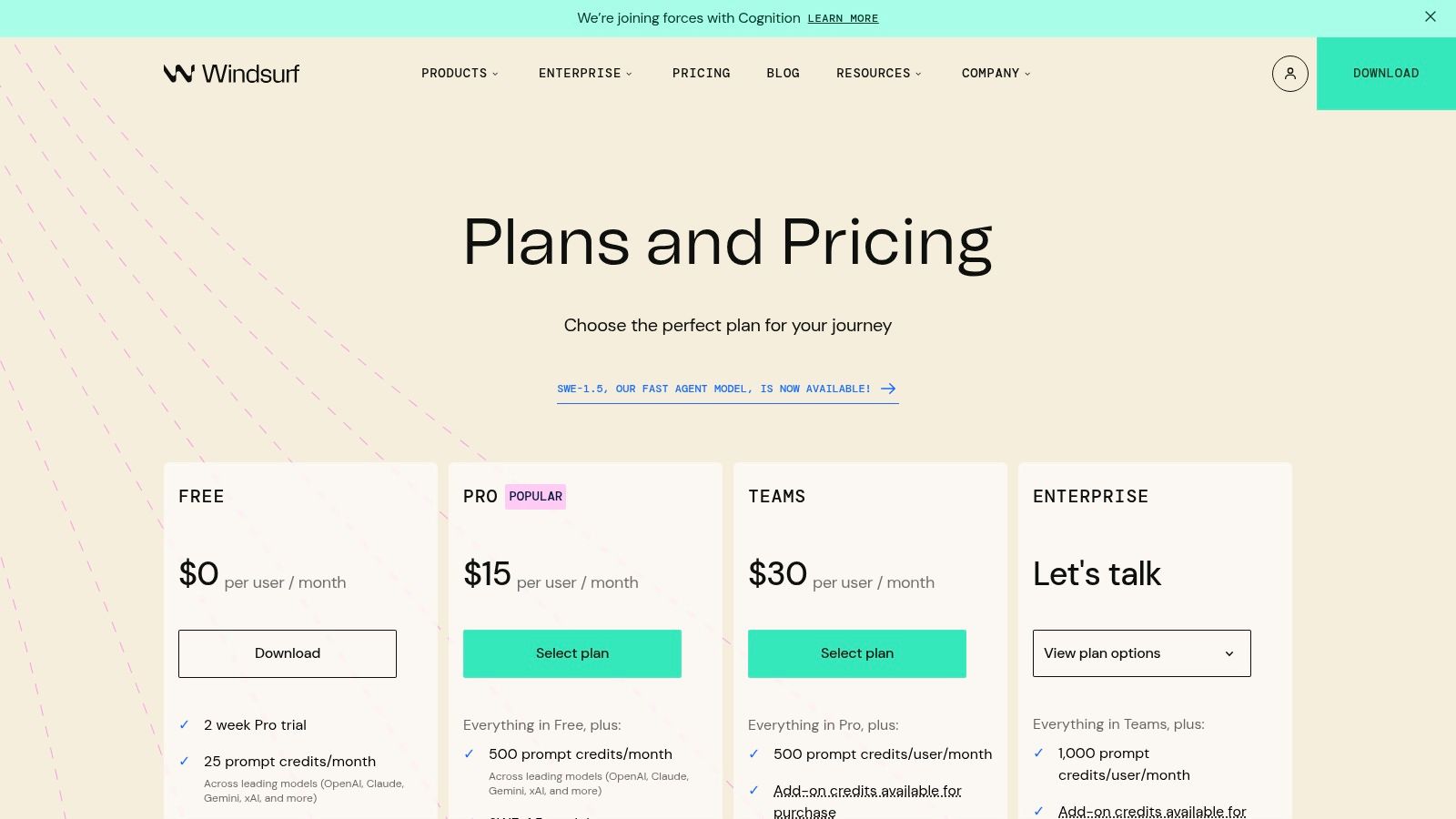
Windsurf uses a straightforward pricing model with a free tier and a credit-based system for advanced usage. The Individuals plan is free and offers core features like autocomplete and chat. For professional use, the Teams plan costs $15 per user/month ($12 if billed annually) and includes group management and priority support.
The Enterprise plan offers self-hosting and advanced security for larger organizations. Credits are used for more intensive agentic tasks, with plans including a monthly credit allotment.
| Feature | Individuals (Free) | Teams |
|---|---|---|
| Autocomplete | Yes | Yes |
| Chat | Yes | Yes |
| Agent Credits | 200/month | 2,000/month |
| Team Management | No | Yes |
| Self-Hosting | No | Available with Enterprise plan |
Website: https://windsurf.com/pricing?utm_source=openai
8. Replit (Core/Teams with Replit Agent/Ghostwriter)
Replit is a unique contender among AI pair programming tools because it combines a cloud-based IDE, AI-powered assistance, and built-in hosting into a single, cohesive platform. It lowers the barrier to entry for coding, making it exceptionally useful for beginners, educators, and teams who need a zero-setup development environment.
Its AI, historically known as Ghostwriter and now evolving into Replit Agent, is deeply integrated, providing contextual code completion, debugging help, and generative capabilities directly in the browser.
Key Features and Use Cases
Replit excels at creating a seamless workflow from idea to deployment. A developer can start a new project from a template, use the AI agent to generate the initial code for a web server, debug it with AI-powered suggestions, and deploy it to a public URL with a single click, all without leaving their web browser. This all-in-one approach is powerful for rapid prototyping and collaborative projects.
- Best for: Students, beginners, and teams looking for a fully managed, browser-based development environment with integrated AI and one-click deployment.
- Practical Example: To quickly build and deploy a simple Flask API, follow these steps in your browser:
- Log in to Replit and create a new “Repl” using the Python template.
- Open the AI chat panel and enter the prompt:
Create a simple Flask API with an endpoint "/hello" that returns {"message": "hello world"}. - Replit Agent will generate the necessary Python code in the
main.pyfile. - Click the “Run” button. Replit installs dependencies, starts the server, and instantly provides a public URL where your API is live.
Pricing and Access
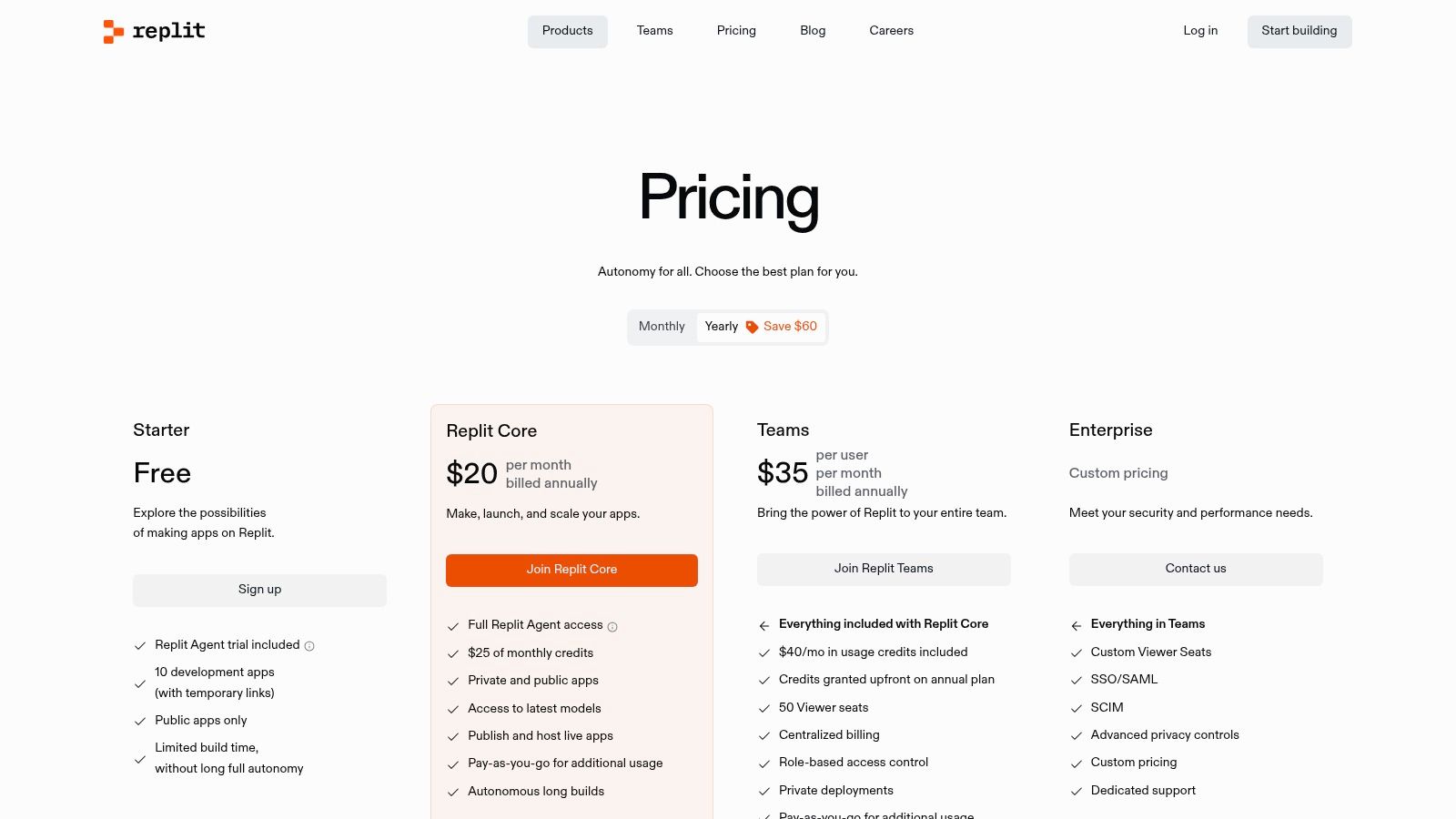
Replit offers a free tier with basic features and limited resources. To unlock the full power of its AI assistant and gain more processing power, users can upgrade to paid plans. These plans operate on a credit system called “Cycles,” which are consumed for AI usage, faster machine performance, and other premium features. The Replit Core plan is designed for individuals, while the Teams plan offers collaborative features and centralized management.
| Feature | Free Plan | Replit Core / Teams |
|---|---|---|
| Basic AI Chat | Limited | Yes (with usage credits) |
| Advanced AI Models | No | Yes (with usage credits) |
| Private Repls | No | Yes |
| One-Click Deployment | Yes (with limits) | Yes (with more resources) |
Website: https://replit.com/site/pricing
9. Sourcegraph – Amp
Sourcegraph differentiates itself by combining its powerful, enterprise-grade code search capabilities with a forward-looking agentic AI called Amp. While its previous AI assistant, Cody, is being phased out for new individual users, Amp represents the next step, focusing on complex, multi-step tasks.
This positions Sourcegraph as one of the essential AI pair programming tools for organizations that need to understand and operate on large, complex codebases, blending deep code intelligence with generative AI.
Key Features and Use Cases
Sourcegraph excels where deep codebase context is paramount. Its AI tools leverage the platform’s code graph to provide highly accurate answers and suggestions. With Amp, developers can delegate more complex workflows, like generating documentation for an entire API directory or planning a migration from one framework to another.
The core value is using AI that understands the intricate dependencies across your entire repository ecosystem, not just the file you have open.
- Best for: Enterprises and teams with large, complex codebases who need an AI assistant deeply integrated with a powerful code search and intelligence platform.
- Practical Example: To understand the impact of a deprecated function across multiple microservices:
- Open the Sourcegraph web interface or IDE extension.
- Use a prompt like:
Using Sourcegraph search, find all usages of the 'getUserProfile_v1' function. - Sourcegraph will provide a list of all instances across your entire codebase.
- Follow up with:
Generate a migration plan to replace these with 'getUserProfile_v2'. Create tracking tickets for each repository where changes are needed.
Pricing and Access
Sourcegraph’s model distinguishes between its Code Search platform and its AI agent, Amp. Amp introduces a transparent, at-cost pricing model where users pay directly for the underlying LLM usage. A free tier supported by ads is also available for individual use.
For businesses, Sourcegraph Code Search is the primary product, with AI features integrated. Organizations can get enterprise-grade security, SSO, and guarantees that their code is not used for model training.
| Feature | Amp (Individual) | Code Search (Enterprise) |
|---|---|---|
| Core Features | Agentic AI Workflows | Enterprise Code Search & AI |
| Pricing Model | At-cost usage/Ads | Custom Enterprise Pricing |
| Org Controls | No | Yes |
| Self-Hosted | No | Yes |
Website: https://sourcegraph.com/docs/cody/usage-and-pricing
10. Zed (AI in the Zed Editor)
Zed distinguishes itself by integrating AI pair programming tools directly into a high-performance, native code editor built from the ground up. Rather than a flat subscription, Zed offers a unique, usage-based AI model that provides developers with granular control over their spending.
This approach allows users to leverage powerful AI features on a pay-as-you-go basis or even bring their own API keys from providers like OpenAI or Anthropic, making it a highly flexible option for those who want to fine-tune their costs and model choices.
Key Features and Use Cases
Zed’s AI is built to feel like a natural extension of its fast, responsive editor. The token-based system is ideal for developers who have fluctuating AI needs; you only pay for the compute you use, whether it’s for generating code, refactoring, or answering questions in the integrated chat. The option to use local models or your own API keys is a significant advantage for those concerned with privacy or who have existing credits with model providers.
- Best for: Developers who prefer a high-performance native editor and want maximum flexibility and control over their AI spending and model selection.
- Practical Example: To cap your monthly AI spending, you would perform these actions:
- Log in to your Zed account on their website.
- Navigate to your account or billing settings.
- Set a hard spending limit, for instance, $15/month.
- Once this token usage limit is reached, AI features will be automatically disabled until the next billing cycle, preventing any surprise costs. This is perfect for freelancers or small teams managing tight budgets.
Pricing and Access
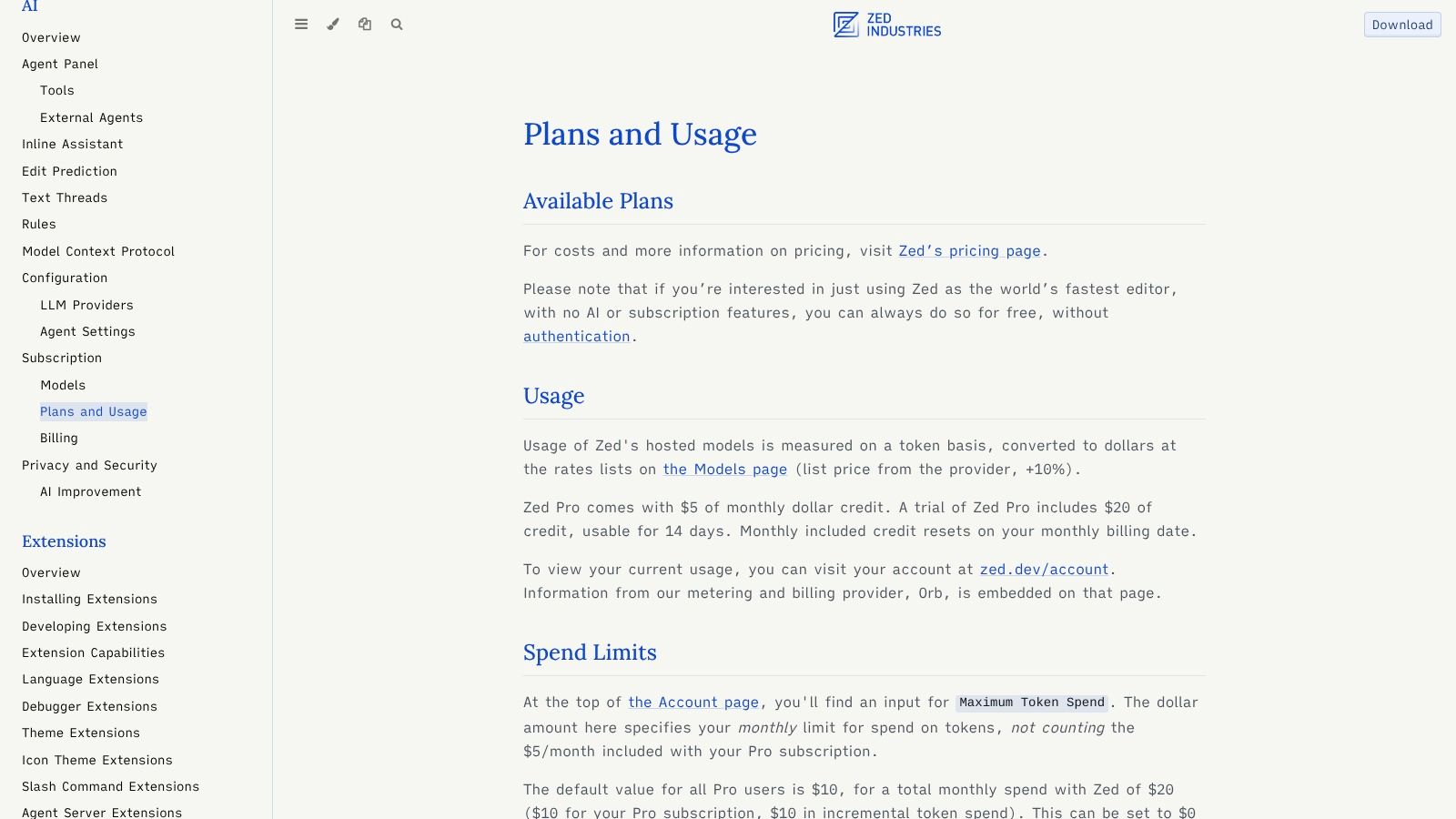
Zed’s pricing model is distinct from the typical subscription. The Zed Pro plan is $8/month and includes a $5 credit toward AI usage. AI features are billed based on token consumption using hosted models, with a 10% platform fee. Alternatively, users can connect their own API keys from various providers or run local models, incurring no usage costs from Zed. This flexibility caters to a wide range of budgets and preferences.
| Feature | Zed Pro Plan (Hosted AI) | Bring Your Own Key / Local Model |
|---|---|---|
| Core AI Features | Yes | Yes |
| Hosted Model Access | Yes (Pay-per-token + 10% fee) | No |
| Cost Model | Usage-based with monthly credit | Billed by your provider or free |
| Monthly Cost Control | Yes (Set hard spending limits) | N/A (Control via provider) |
Website: https://zed.dev/docs/ai/plans-and-usage
11. TabbyML
For teams prioritizing data sovereignty and control, TabbyML emerges as a unique player among AI pair programming tools. It is an open-source, self-hosted AI coding assistant that you deploy on your own infrastructure. This model gives organizations complete authority over their codebase, preventing proprietary data from ever leaving their private network.
TabbyML provides an engine that can run on consumer-grade GPUs and supports a registry of open models like CodeLlama and StarCoder, offering flexibility without vendor lock-in.
Key Features and Use Cases
TabbyML is designed for organizations with strict compliance or security requirements that need full auditability. Its primary use case involves providing code completion and generation within a secure environment, using IDE extensions for VS Code, JetBrains, and Vim/Neovim. Since you host the models yourself, you have granular control over which LLMs are used and can even fine-tune them on your internal codebase for highly specialized suggestions.
- Best for: Organizations in regulated industries (finance, healthcare) or companies with highly sensitive IP that require a self-hosted, air-gapped AI coding solution.
- Practical Example: To set up a private coding assistant for your team, here are the steps:
- A DevOps engineer deploys the TabbyML server using Docker on a company-owned virtual machine with GPU access.
- They configure the server to use a specific version of the CodeLlama model from the model registry.
- Developers on the team install the TabbyML IDE extension.
- In the extension settings, they point it to the internal server URL (e.g.,
http://tabby.internal.company.com) to start receiving secure, private code completions.
Pricing and Access
TabbyML offers a free, open-source version for self-hosting that includes core features. For organizations needing more advanced capabilities and support, it provides a commercial Enterprise plan. The Enterprise tier adds features like role-based access control (RBAC), audit logs, and the ability to connect to external model endpoints, such as those from OpenAI or Anthropic, through a secure gateway.
| Feature | Self-Hosted (Free) | Enterprise Edition |
|---|---|---|
| Core AI Completions | Yes | Yes |
| IDE Support | Full | Full |
| Open Model Registry | Yes | Yes |
| RBAC & Audit Logs | No | Yes |
| 3rd-Party API Gateway | No | Yes |
Website: https://www.tabbyml.com/pricing?utm_source=openai
12. Continue.dev
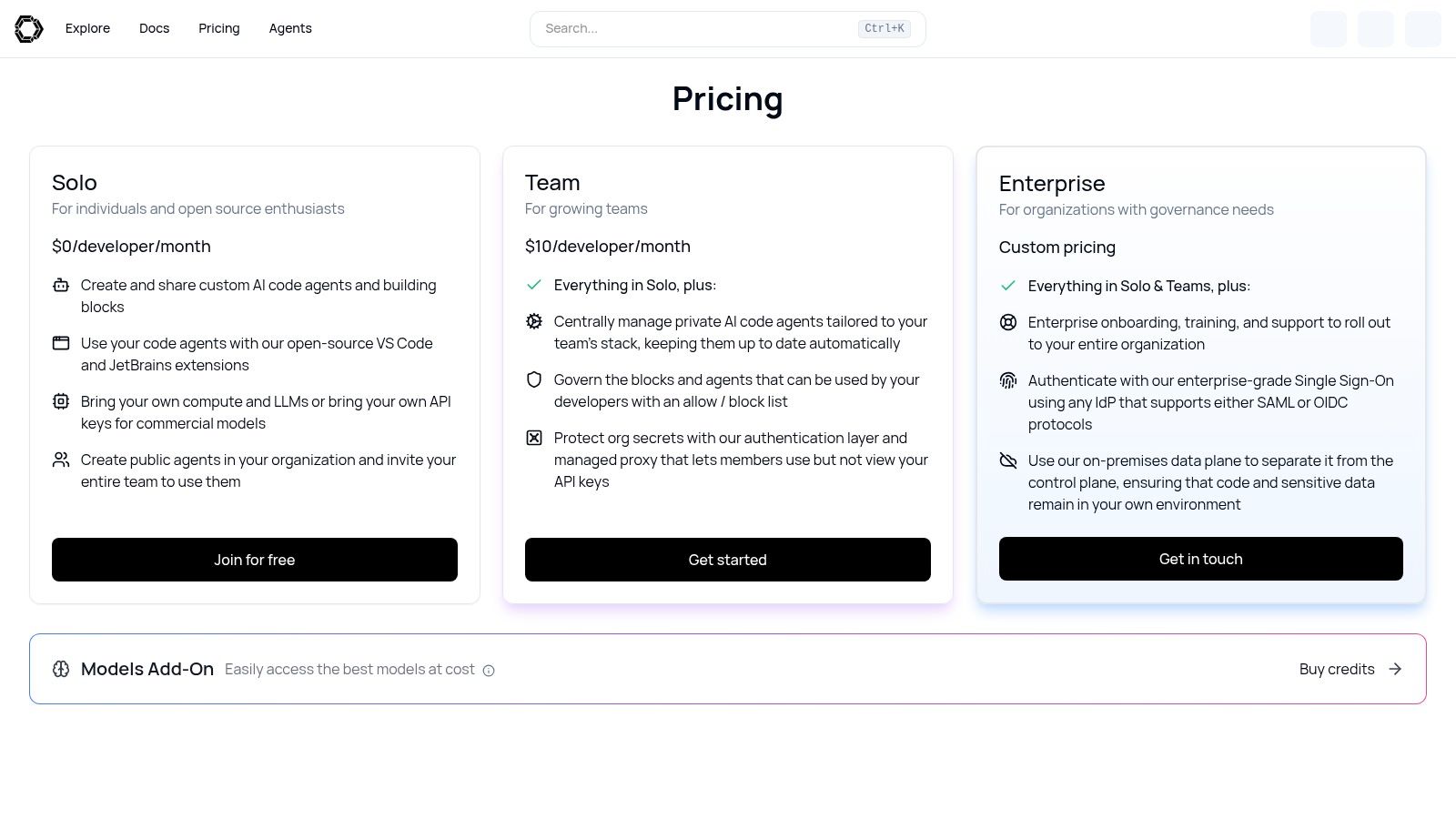
For developers and teams who want granular control over their AI coding assistant, Continue.dev offers a unique, open-source approach. It functions as an IDE extension framework for VS Code and JetBrains, allowing users to build and share custom code agents.
This makes it one of the most flexible AI pair programming tools, as it supports bringing your own LLM keys, connecting to local models, or using its managed service. Its primary strength lies in its adaptability for power users and organizations that require strict governance over their AI tools.
Key Features and Use Cases
Continue.dev allows you to configure specific models for different tasks or create custom commands that execute a series of steps. For example, a team can build a custom agent that automatically follows internal documentation standards when generating new code. For organizations, it provides robust team governance controls, such as allow/block lists for models, secrets management, and the option for an on-premises proxy to control all LLM traffic.
- Best for: Power users, startups, and enterprises that need to customize their AI assistant, enforce specific coding standards, and maintain control over models and data.
- Practical Example: To create a custom command for generating unit tests with Jest:
- Open your Continue configuration file (
config.tsorconfig.json). - Define a new slash command named
/test-jest. - In the command’s prompt, instruct the AI to use the Jest framework and Mock Service Worker library for the tests.
- Now, in the Continue chat panel, a developer can highlight a function, type
/test-jest, and the AI will consistently generate tests that adhere to the team’s chosen stack.
- Open your Continue configuration file (
Pricing and Access
Continue.dev provides a flexible pricing structure. The Solo plan is free and open-source, allowing individuals to use the extension with their own API keys or local models. The Team plan, at $20 per user/month, adds centralized configuration, secrets management, and access to more powerful models. An Enterprise tier offers on-premises deployment, priority support, and custom model integration for large-scale needs.
| Feature | Solo (Free) | Team |
|---|---|---|
| Core Features | Yes | Yes |
| BYO Models/Keys | Yes | Yes |
| Team Governance | No | Yes |
| On-Prem Proxy | No | Yes |
Website: https://hub.continue.dev/pricing
12 AI Pair-Programming Tools: Feature Comparison
| Tool | Core features | UX / Quality | Pricing & Value | Target audience | Unique selling points |
|---|---|---|---|---|---|
| GitHub Copilot | Inline completions, chat, multi‑step agent, multi‑IDE support | ★★★★☆ mature integrations, reliable | 💰 Free tier; paid for premium models & higher quotas | 👥 Individual devs, teams, enterprises | ✨ Broad IDE coverage; 🏆 GitHub ecosystem & org controls |
| Amazon Q Developer (AWS) | IDE plugins, agentic automation, security scans, CLI/AWS console | ★★★☆☆ strong cloud fit; note past extension incident | 💰 Perpetual free tier; Pro for higher quotas | 👥 AWS‑centric teams & enterprises | ✨ Tight AWS integration; cost estimation & pooled quotas |
| Google Gemini Code Assist | IDE plugins, agent mode, CLI, Gemini model access | ★★★★☆ high quotas; modern model access | 💰 Per‑seat pricing; enterprise add‑ons | 👥 Google Cloud teams, large orgs | ✨ Access to Gemini models; high request limits |
| JetBrains AI Assistant | Inline completions, multi‑file edits, refactor/test gen | ★★★★☆ deep native IDE UX | 💰 Free tier; Pro bundles & enterprise credits | 👥 JetBrains IDE users, professional devs | ✨ Native JetBrains integration; refactor automation |
| Tabnine | Completions, chat, on‑prem/VPC, IP protection | ★★★★☆ enterprise‑grade security | 💰 Enterprise priced; org plans best value | 👥 Privacy‑focused orgs, regulated industries | ✨ On‑prem, air‑gapped deploys & provenance controls |
| Cursor – The AI Code Editor | Tab completions, background agents, team RBAC/SSO | ★★★★☆ pro workflows, multi‑model support | 💰 Clear solo/team plans; usage‑based for heavy AI | 👥 Professional developers & teams | ✨ Background agents; Apply‑from‑chat workflow |
| Windsurf (Codeium) | Agentic Cascade workflows, fast autocomplete, reviews | ★★★★☆ integrated IDE experience | 💰 Competitive pricing; credit system | 👥 Teams wanting integrated build→deploy | ✨ One product for build/iterate/deploy; cost‑competitive |
| Replit (Core/Teams) | In‑browser IDE, AI agent (Ghostwriter), hosting & deploys | ★★★★☆ very accessible; web IDE simplicity | 💰 Generous credits on paid plans; variable cost for heavy AI | 👥 Beginners, students, small teams | ✨ All‑in‑one cloud IDE + managed hosting & deploys |
| Sourcegraph – Amp | Agent workflows, at‑cost model usage, enterprise code search | ★★★★☆ powerful search + evolving agents | 💰 At‑cost pricing; org billing & SSO | 👥 Large orgs needing code search + agents | ✨ Enterprise code search + transparent pricing |
| Zed (AI in Zed Editor) | Token‑based AI, BYO API keys, ACP agent integrations | ★★★★☆ fast editor; flexible cost control | 💰 Token pricing (+10% fee); BYO keys to reduce cost | 👥 Cost‑sensitive devs, BYO model users | ✨ BYO keys/local models; fine token controls |
| TabbyML | Open‑source server & agent, IDE plugins, local models | ★★★☆☆ max privacy but self‑hosted complexity | 💰 Free OSS; infra costs only when self‑hosted | 👥 Teams needing max data control & local hosting | ✨ Self‑hosted open‑source; no per‑request vendor fees |
| Continue.dev | Custom code agents, BYO keys or platform credits, governance | ★★★☆☆ powerful but requires setup | 💰 Free Solo tier; pay for model credits/teams | 👥 Power users, teams building custom agents | ✨ Create/share custom agents; strong team controls |
Your Next Step: Integrating AI Into Your Daily Workflow
We’ve explored a powerful lineup of the best ai pair programming tools available today, from the ubiquitous GitHub Copilot to specialized, self-hosted options like TabbyML. The central theme is clear: these tools are no longer a novelty but a fundamental part of the modern developer’s toolkit, capable of accelerating everything from code completion and unit test generation to complex refactoring and bug detection.
The key takeaway is that there is no single “best” tool for everyone. Your ideal AI partner depends entirely on your specific context, including your technology stack, team size, budget, and privacy requirements. The most significant gains in productivity and code quality come not from simply installing an extension, but from consciously integrating it into your daily habits and workflows.
Actionable Takeaways
- Start with a Free Trial: Before committing, use the free tiers offered by tools like GitHub Copilot, Amazon Q, or Cursor to see which one feels most intuitive for your workflow.
- Define Your Use Case: Are you mostly writing boilerplate, refactoring legacy code, or learning a new framework? Match the tool’s strengths (e.g., JetBrains for refactoring, Amazon Q for AWS) to your primary need.
- Prioritize Security Early: If you work with sensitive data, immediately filter your options to those offering on-premise solutions (Tabnine, TabbyML) or strong enterprise controls.
- Build Custom Commands: For repetitive tasks, use tools like Continue.dev to create custom prompts (e.g.,
/generate-api-docs) that enforce team standards and save time. - Set a Budget: If cost is a concern, explore usage-based tools like Zed or those with generous free tiers to avoid fixed monthly expenses.
Tools and Resources
- GitHub Copilot: Features and Plans
- TabbyML: Open-Source Self-Hosted AI Coder
- Continue.dev: Open-Source AI Code Assistant Framework
- Awesome LLM Apps: A curated list of open-source projects built with large language models, great for inspiration. (Search on GitHub)
Your 7-Day AI Tool Trial: An Actionable Plan
Theory is one thing, but hands-on experience is everything. The best way to evaluate an AI assistant is to put it to work. Here’s a simple, step-by-step plan to test your chosen tool over one week.
- Day 1-2: Setup and Boilerplate. Install your chosen tool (e.g., GitHub Copilot or Tabnine) in your primary IDE. Spend the first two days using it for routine tasks. Let it generate boilerplate code for new components, create docstrings for existing functions, and complete simple lines of logic. The goal is to get comfortable with its suggestions.
- Day 3-4: Unit Testing and Refactoring. Identify a moderately complex function or class in your codebase. Ask the AI assistant to generate a comprehensive suite of unit tests for it. Next, prompt it to refactor that same piece of code for clarity or performance, such as “Refactor this function to be more readable” or “Rewrite this loop using a more efficient method.”
- Day 5-6: Debugging and Learning. Find a known, non-critical bug in a development branch. Use the chat or code explanation features to understand the problematic code. Ask it, “Explain this code block” or “What could be causing a null reference error here?” Use its suggestions as a starting point for your debugging process.
- Day 7: Review and Reflect. Look back at the week. How much time did you save? Did the AI’s suggestions improve your code quality? Did it help you overcome a roadblock? This reflection will give you a clear, evidence-based answer on whether the tool is a good fit for your long-term workflow.
Successfully adopting ai pair programming tools is about more than just technology; it’s a strategic shift. It requires an open mindset from developers and a supportive culture from leadership. Beyond selecting the right tools, successful AI integration also involves building strong internal capabilities, for instance, by considering strategies for hiring AI/ML engineers who can help customize and scale these solutions.
Further Reading
- Strategies to improve developer productivity
- The Impact of AI on Developer Productivity: A study by GitHub on the effects of Copilot.
Ready to find your next favorite AI tool? The world of AI extends far beyond coding. Explore the AI Tools Hub directory to discover hundreds of curated AI solutions for marketing, design, productivity, and more. Visit the AI Tools Hub to find the perfect tool for any task.